

Page 1
1
Page 2

22 3
EN
WELCOME TO THE DOCKIN FAMILY!
ABOUT DOCKIN
Honesty and authenticity are at the core of
what we believe in. Both are incorporated
into our daily work and our products.
This vision is an integral part of DOCKIN as a
brand and guides our every move. We meet
the challenge of a new, young brand in the
rather conservative audio market head on.
Being on the frontier of technology, delivering
products for a better life and better sound
for our entire community — whether it is
through our products, our customer service
or through reaching out to you in other ways.
OUR MISSION
We put our passion into audio concepts that
allow you to experience a unique sound in
your exible and mobile life – anytime and anywhere! First-class workmanship and a captivating sound are always in the center of our
focus.
PASSION FOR SOUND
… is more than just akey marketing speak.
Our team consists of people with strong
backgrounds in audio and a passion for sound
and aesthetics. The love for music, sound and
technology unites the team and makes our
products unique in the audio landscape.
When you visit www.dockin.de/about you
will nd more about us! Further more we
curated some Spotify Playlists for you which
you can listen to here as well! See you there!
Spotify:
dockin_de
Instagram:
dockin_de
Facebook:
DOCKIN
EN
Page 3
44 5
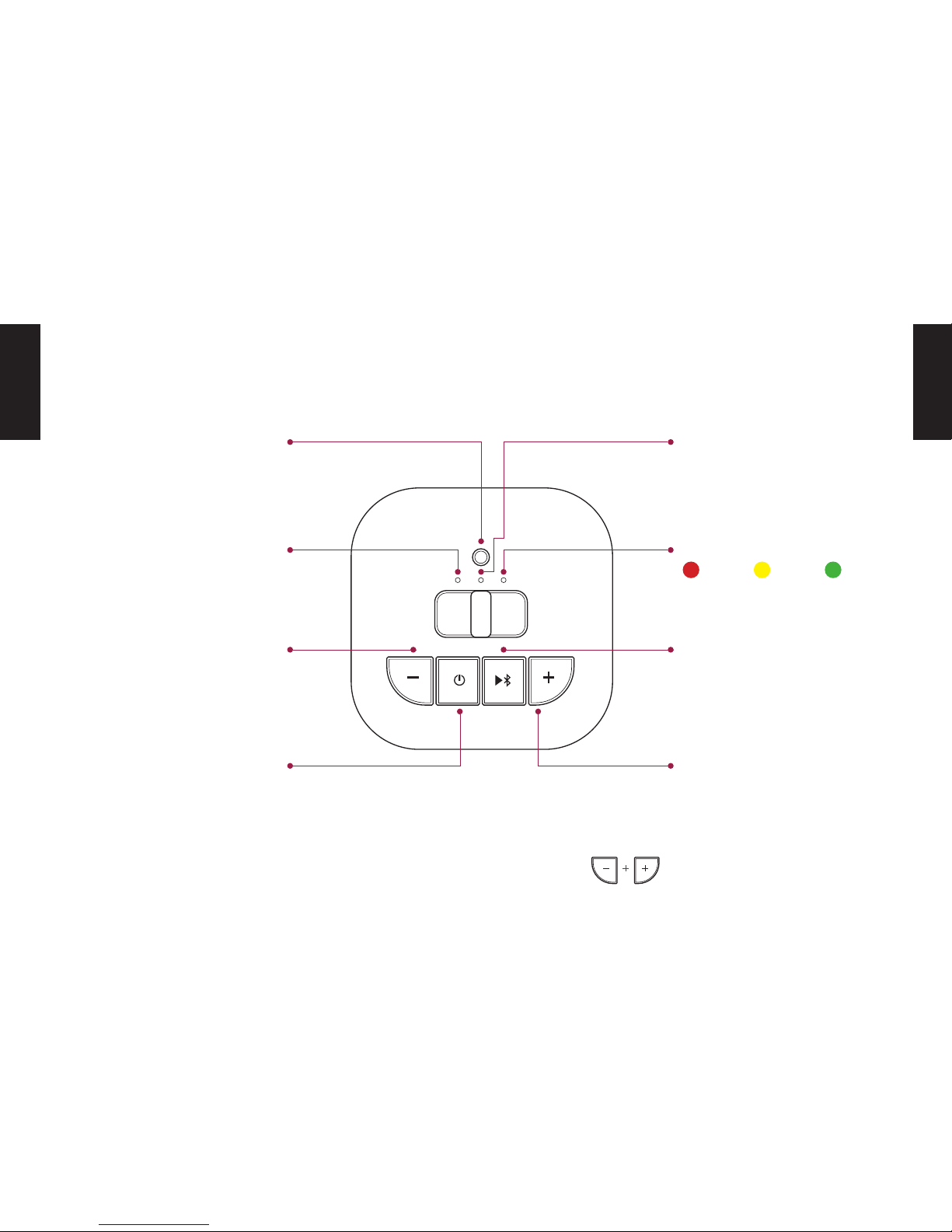
CONTROLS
Press:
Reduce volume
Press and hold:
Previous title
Bluetooth Status LED
Flashing: Bluetooth pairing mode
Solid: Bluetooth connected
Press:
Play / Pause
Press and hold:
Disconnect Bluetooth
Press:
Increase volume
Press and hold:
Next title
Press and hold:
Activate bass boost mode
Press:
Displays the current battery level
on the battery LED
Press and hold:
Turns on the speaker (hold for 3
seconds until the Bluetooth Status
LED lights up).
Bass Boost LED
Red: Bass boost activated
Pairing Button
Connecting two DOCKIN D MATE
speakers (see section: „Stereo Link
Function“)
Battery LED
10% 30% >30%
EN
EN
Page 4
66 7
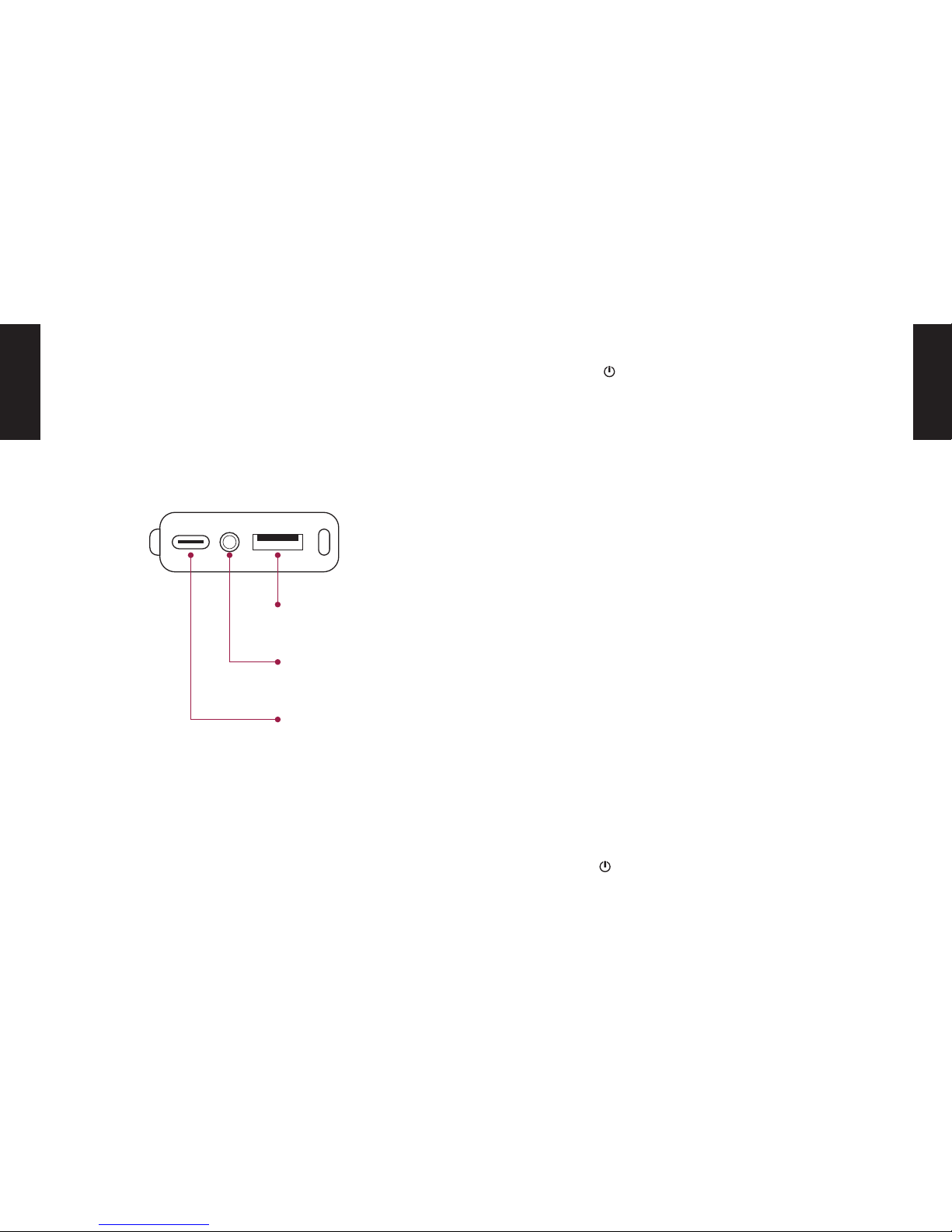
CONNECTIONS ON THE BACK TURNING ON
BLUETOOTH CONNECTION
TURN OFF
USB-C
Charge connection
Press the button on the top of the unit for 3 seconds
until the left Bluetooth Status LED lights up. The DOCKIN
D MATE automatically connects to the last Bluetooth
source (Bluetooth Status LED is solid blue) or enters
pairing mode if the last source is not available (Bluetooth
Status LED ashes blue).
1. Activate Bluetooth on the source device
2. Search for ready-to-connect devices in the Bluetooth settings
3. Select „DOCKIN D MATE“ from the list of Bluetooth
devices. After successful pairing the Bluetooth Status LED will light up permanently blue.
To disconnect the current Bluetooth connection, press
and hold the Play/Bluetooth buttons for three seconds.
Press the button for 3 seconds to turn o the device.
AUX input
(3.5mm minijack)
Powerbank
USB output
EN
EN
Page 5

88 9
AUX MODE BASS BOOST MODE
STEREO LINK FUNCTION
CHARGING
Connect the DOCKIN D MATE to a source device via
3.5mm AUX cable.
1. Connect the source device to the AUX input of the
DOCKIN D MATE with the included 3.5mm stereo
cable
2. Begin playback on the source device
The power saving mode of the D MATE is deactivated while
the AUX cable is connected. When the AUX cable and the
charging cable are connected, this allows stationary use,
for example as a computer speaker.
By simultaneously pressing the „+“ and „-„ buttons for 3 seconds, the Bass Boost mode is activated. This will increase
the volume and bass response of the D MATE.
APPLICATION EXAMPLES:
• Improve bass reproduction when using outdoors
• Stronger bass response when listening at low
volume
• Stronger bass response for low bass music
Using the Bass Boost mode will slightly reduce the battery
life as it increases the overall volume.
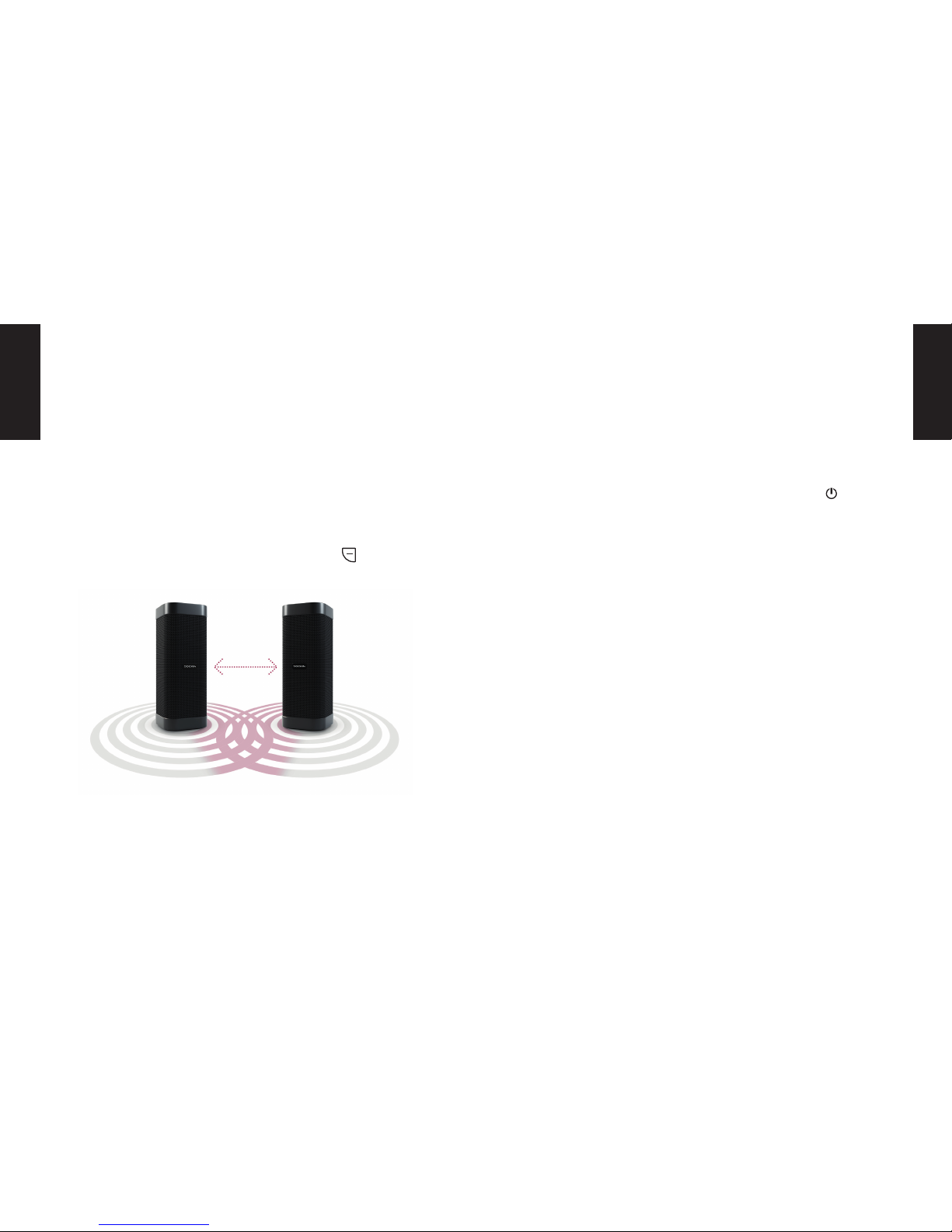
PAIR TWO DOCKIN D MATE:
1. Connect the Bluetooth source to the rst D MATE
2. Press the pairing button for three seconds on the
rst D MATE.
3. Press the pairing button for three seconds on the
second D MATE.
4. Pairing the two speakers can take up to 1 minute.
A successful connection is indicated by the permanent illumination of both Bluetooth Status LEDs.
Charge the DOCKIN D MATE with the included USB-C cable. Simply connect to a USB power source (5V, 1A). The
charging port is located behind the cover on the back.
When battery is completely discharged, charging takes
about 5 hours.
BATTERY LED COLORS:
When charging, the battery LED ashes. When 100% charge is reached it lights up in a steady green.
10% 30% >30%
EN
EN
Page 6
1010 11
The volume and volume changes are applied to both devices. The pairing information is stored. This will automatically reconnect the speakers the next time they start up.
The left / right assignment is saved as well.
By pressing the pairing button again for 3 seconds, the
pairing can be temporarily deactivated.
It is also possible to completely erase the pairing information by pressing the Play / Bluetooth and the button for
3 seconds. This will also erase the stored playback devices.
POWERBANK
USB SPEAKER
POWER SAVING FUNCTION
The D MATE includes a power bank feature that allows you
to charge smartphones and other source devices.
When the DOCKING D MATE is connected to a PC via
USB-C, it is recognized as a playback source. The PC
sound can then be played back via USB connection. This
allows use as a PC speaker even if the PC does not support Bluetooth playback.
The DOCKIN D MATE will automatically turn o after 15
minutes if no Bluetooth source is connected.
When the AUX connector is plugged in, this shutdown will
be disabled. This is useful for stationary use (for example
as PC speaker).
Simply connect the device to be charged to the USB output. For this, the supplied USB cable or a standard charging cable for your device can be used. The USB output
has an output voltage of 5V at a current of 1A.
Even when switched o, the power bank on the DOCKIN D
MATE can be used. To activate, briey press the button.
EN
EN
Page 7

1212 13
ADDITIONAL INFORMATION TROUBLESHOOTING
TECHNICAL DETAILS
Always store your DOCKIN D MATE speaker in a charged state and recharge it at regular intervals (every 2-3
months). As with all lithium-ion batteries, this is necessary
to maintain performance over time.
BLUETOOTH CONNECTION FAILED:
• Make sure that the DOCKIN D MATE is not already
connected to another device (if so, please disconnect).
• Make sure that the source device is within a few
meters of the DOCKIN D MATE.
• Make sure Bluetooth is enabled on the source device
• Deactivate and reactivate Bluetooth on the source
device.
• Turn DOCKIN D MATE o and on again
Bluetooth 4.2 + aptX
Power: 25W RMS
Power Bank: USB-A, 5V – 1A
Battery: Li-ion battery with 6700mAh
Music playback time: up to 16 hours
Dimensions: 220 X 85 x 85mm
Weight: 825g
EN
EN
Page 8

1212 13
EN
EN
This device complies with Part 15 of the FCC rules. Operation is subject to the
following two conditions: 1) this device may not cause harmful interference, and 2)
this device must accept any interference received, including interference that may
cause undesired operation.
Note: This equipment has been tested and found to comply with the limits for a Class
B digital device, pursuant to part 15 of the FCC Rules. These limits are designed to
provide reasonable protection against harmful interference in a residential installation.
This equipment generates uses and can radiate radio frequency energy and, if not
installed and used in accordance with the instructions, may cause harmful
interference to radio communications. However, there is no guarantee that
interference will not occur in particular installation. If this equipment does cause
harmful interference to radio or television reception, which can be determined by
turning the equipment off and on, the user is encouraged to try to correct the
interference by one or more of the following measures:
--Reorient or relocate the receiving antenna.
--Increase the separation between the equipment and receiver.
--Connect the equipment into an outlet on a circuit different from that to which the
receiver is connected.
--Consult the dealer or an experienced radio/TV technician for help.
Changes or modifications not expressly approved by the party responsible for
compliance could void the user’s authority to operate the equipment.
FCC Radiation Exposure Statement
This device complies with FCC RF radiation exposure limits set forth for an
uncontrolled environment. This transmitter must not be co-located or operating in
conjunction with any other antenna or transmitter.
FCC Statement
Page 9
6464
Service: [email protected]
 Loading...