

Page 1
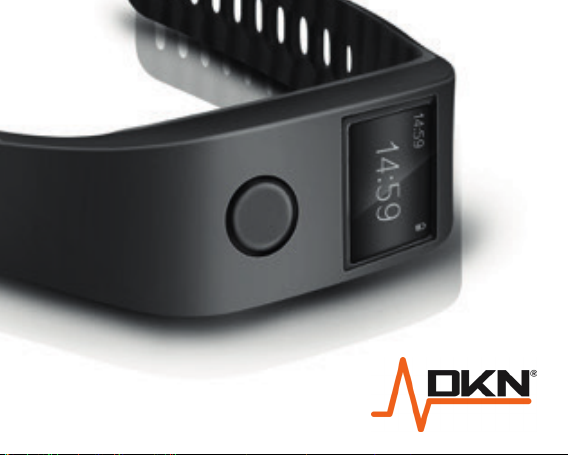
CARDIO CONNECT
Page 2
Over view.
Thank you for purchasing the DKN Cardio Connect.
The DKN Cardio Connect provides an approximate
heart rate read-out suitable for fitness training purposes.
This device can also be used as a fitness tracker
allowing you to record, store, and view your daily activity.
Wrist Placement.
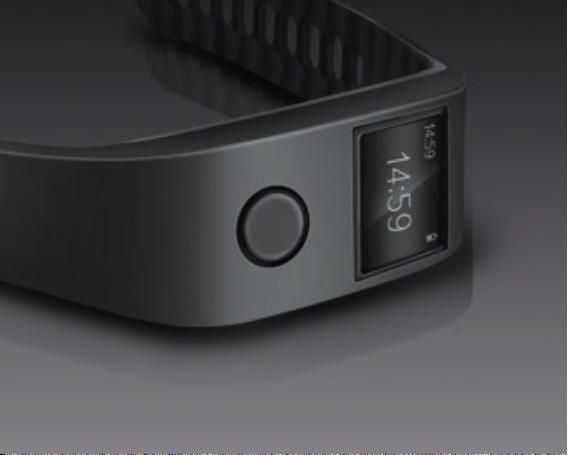
Your DKN Cardio Connect should be worn on your wrist.
For all-day wear, your DKN Cardio Connect should be
worn as you’d normally wear a watch.
Page 3
As with all heartrate tracking technology,
a wrist-based sensor accuracy is affected by personal
physiology, location of wear, and type of movement.
In other words, not every person will get a perfectly
ac-curate reading with every type of exercise.
Heart rate displayed is an approximate readout, and
may not be used as guidance in any cardiovascular
related medical or paramedical program.
Page 4
For best heart rate accuracy keep these tips in mind:
• Experiment with wearing the Cardio Connect.
Position higher on your wrist during exercise.
Because blood flow in your arm increases the
farther up you go, moving the Cardio Connect up
a few cm can improve the heart rate signal. Also,
many exercises such as spinning cause you to bend
your wrist frequently, which is more likely to interfere
with the heart rate signal if the Cardio Connect is
lower on your wrist.
Page 5
• Do not wear your Cardio Connect too tight: a tight
band restricts blood flow, potentially affecting the
heart rate signal. The Cardio Connect should also
be slightly tighter (but not constricting) during
exercise than during all day wear.
• With high-intensity interval training or activities where
your wrist is moving vigorously and non-rhythmically,
the movement may prevent the sensor from finding
an accurate heartrate. Similarly, with exercises such
as weight lifting or rowing, your wrist muscles may
flex in such a way that the band tightens and
Page 6
loosens during exercise. Try relaxing your wrist and
staying still briefly (about 10 seconds), after which
you hould see an accurate heart rate reading.
• You can check the time on your Cardio Connect
without pressing the button. Just turn your wrist
towards you and time will show for a few seconds.
• Please read this guide carefully be-fore use.
DKN takes no responsibility for any damage or
injuries caused by improper use of the tracker.
Changes or modifications not ex-pressly approved by
DKN will void the manufacturer’s warranty.
Page 7
Regulatory Information.
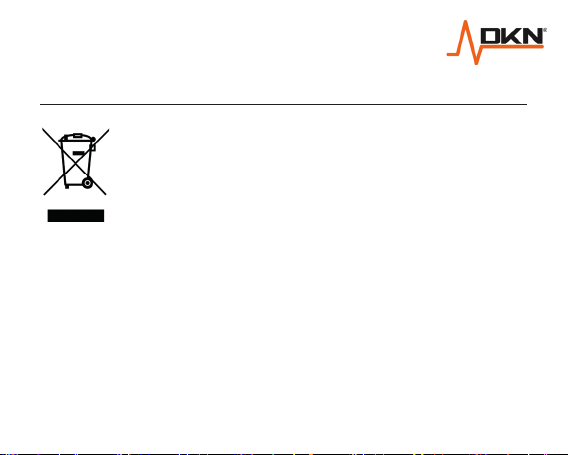
The WEEE marking applies to countries
with WEEE and ewaste regulations,
European Directive 2002/96/EC.
Appliances are labelled in accordance
with local reg-ulations concerning waste
electrical and electronic equipment (WEEE).
These regulations determine the framework
for the return and recycling of used
appliances as applicable within
each geography.
Page 8
This label is applied to various products to indicate that
the product is not to be thrown away, but rather put in
the established collective systems for reclaiming
these end of life products.
Users of electrical and electronic equipment (EEE)
with the WEEE marking must not dispose of end
of life EEE as unsorted municipal waste, but use the
collection framework available to them for the return,
recycle, and recovery of WEEE and to minimize any
potential effects of EEE on the environment and
Page 9
human health due to the presence of hazardous
substances.
The Bluetooth® word mark and logos are registered
trademarks owned by Bluetooth SIG, Inc.
Page 10
Safety Standards.
The Cardio Connect has been tested and
found to comply with the limits for a Class B
digital device, pursuant to Part 15 of the
FCC Rules. These limits are designed to
provide reasonable protection against
harmful interference in a residential
installation.
This equipment generates uses and can
radiate radio frequency energy and, if not
installed and used in accordance with the
Page 11
instructions, may cause harmful interference to radio
communications. However, there is no guarantee that
interference will not occur in a particular installation.
If this equipment does cause harmful interference to
radio or television reception, which can be determined
by turning the equipment off and on, the user is
encouraged to try to correct the interference by
one or more of the following measures:
• Reorient or relocate the receiving antenna.
Page 12
• Increase the separation between the equipment
and receiver.
• Connect the equipment into an out-let on a circuit
different from that to which the receiver is connected.
• Consult the dealer or an experi-enced radio/TV
technician for help.
• This device complies with Part 15 of the FCC Rules.
Operation is subject to the following two conditions:
Page 13
(1) this device may not cause harmful interference,
and (2) this device must accept any interference
received, including interference that may cause
undesired operation.
Notice:
• Operating temperature: -10°c ~ +10°c.
• Charge using a 5v/500 mA adapter.
Page 14
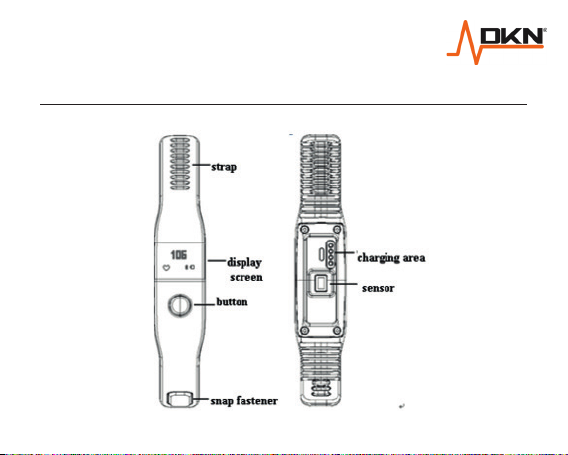
Product Overview.
Page 15
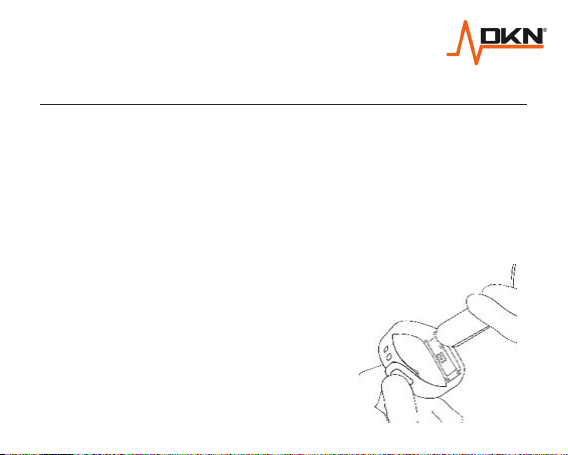
Get Charged.
The wristband is powered by a re-chargeable built-in
Li-Polymer battery. Charge by connecting the provided
USB cable to a running PC/Notebook or adaptor.
• Connect the Cardio Connect to a USB port using the
provided USB cable.
• A dynamic power sign shows
while charging. Once fully
charged, the power sign
becomes static.
Page 16
• The average charging times is 1.5 to 2 hours max.
• Unplug the Cardio Connect once charging
is finished.
• The battery has a capacity of 60mAh and has a life
cycle of 400 charges / discharges before the
capacity falls under 80%.
• The battery shelf life is 12 months.
• A full charge typically should last for 7 days on low
power consumption mode (without Heartrate
registration or Blue Tooth connection).
• A full charge on high power consumption mode will
last for 8 hours max.
Page 17
First Time Use.
Download the app via the App Store or iTunes for iOS
users or the Google Play Store for Android.
Sync date and time on your DKN Cardio Connect by
activating the Bluetooth connection on your DKN
Cardio Connect and pair with your device.
To turn Bluetooth on/off: long press the button until the
Bluetooth icon appears or disappears.
Page 18
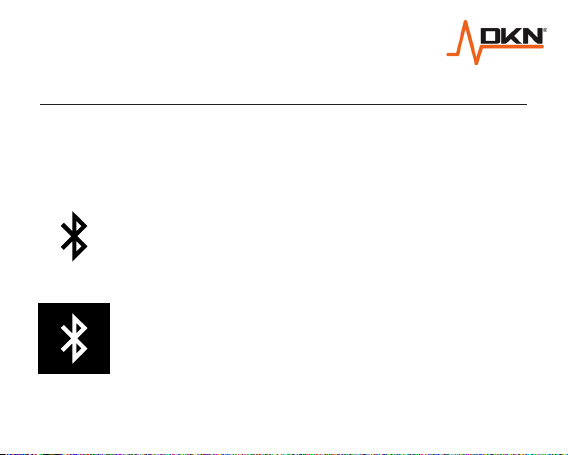
Bluetooth®
Sync the DKN Cardio Connect with the app via
Bluetooth.
Bluetooth turned on, not connected
Bluetooth turned on, connected
Page 19
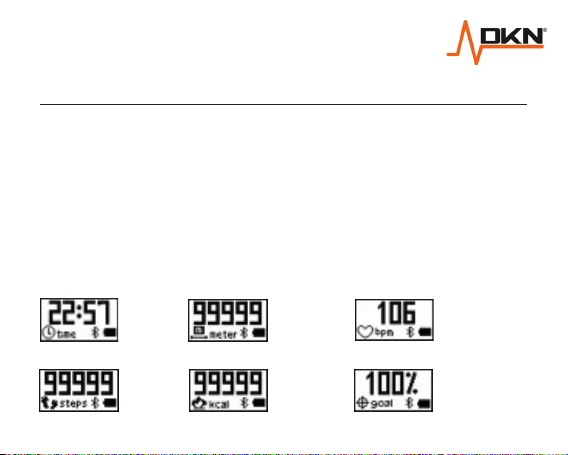
Instructions for Use.
The wristband will enter standby status if not used for
over 10 seconds. You can short press the wristband
button to restart it. Short press to change between the
display modes. In Heart rate mode the sensor will
register your pulse read-out after +/- 10 to 15 seconds.
Display Modes.
1.
Clock
2.
Total
steps
3.
Distance
(m)
4.
Calories
5.
Heart Rate
6. Target
completion %
Page 20
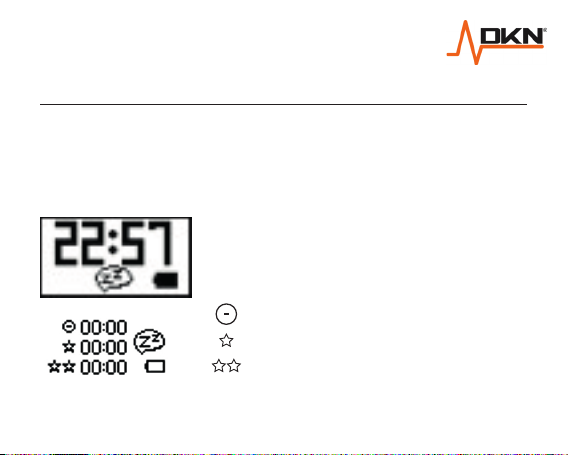
Sleep Mode.
To enter sleep mode, press and hold the button until
the display enters sleep mode with the sleep icon
as follows:
When in sleep mode, long press
again to display sleep quality:
: poor sleep quality
: average sleep quality
: good sleep quality
To exit sleep mode, short press the button.
Page 21
Functional Overview.
Daytime activity tracking: The DKN Cardio Connect
has preset daily targets for steps, distance and
calories burned. Use the app to set your own daily
targets and customize your stride length for more
accurate results, then wear your Cardio Connect
to start tracking your activities.
Once tracking has commenced, each of the display
screens will show your current daily count for steps,
distance and calories so you can track your
progress for each metric individually.
Page 22
The Target Completion % screen shows a summary
of your overall progress for the day. You will receive
a visual and vibration notification when you hit the
daily target.
Sleep tracking: At the end of your day, activate
the sleep tracking mode and go to bed. Then in the
morning deactivate sleep tracking mode to see a
summary of the duration and quality of your night’s
sleep. Next time you sync with the app, you can see
the total number of hours slept, broken down by
sleep quality.
Page 23
Syncing: It is recommended that you sync your
Cardio Connect with your device once a day to keep
a log of your activity and sleep tracking data.
App Functions.
Download the app via the App Store or iTunes for
iOS users or the Google Play Store for Android.
Sync the Cardio Connect with the app via Bluetooth.
Page 24
On the app you can:
• View your fitness, sleep and heart rate records.
Select Steps, Sleep or HRM at the top to view
specific data.
• In Steps you can see the current number of steps,
calories, distance and active time. Swipe to view
previous days’ records.
• In Sleep you can see sleep quality and time.
Swipe to view previous nights’ records.
• In HRM you can view realtime HR by pressing the
play button. HRM mode must be selected on the
Page 25
tracker and Bluetooth must be turned on both on the
Cardio Connect and on your device for this. Swipe
to see previous days’ records.
• In Settings, personalize your stride length, height and
weight for more accurate data.
• Set fitness goals: Steps, Distance, Calories or
Minutes active.
• Store your data.
The app supports android 4.3 or higher and iOS7.0
or higher.
Page 26
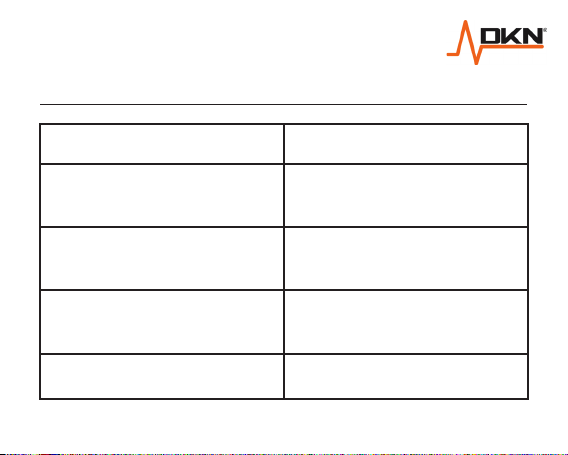
Technical Parameters.
Waterprooof IPX
Battery Life
Support APP
Size
Weight
about 7 days (in
perdometer mode)
Android 4.3 or higher
IOS 7.0 or higher
142-194(L) x 21.68(W)
x 11.9(H) mm
about 21g
7
Page 27
Customer Support.
Should you require any assistance regarding this
product please gather the following information
and then contact us using the details below:
• Original purchase invoice.
• Place of purchase.
• Information about the place and conditions of use.
• Precise description of the issue or defect.
IMPORTANT!! - Please retain your sales receipt, DKN Customer Care
may request proof of purchase to validate eligibility for warranty service.
Warranty cover starts from the date shown on the proof of purchase.
The best way to contact us is via the website www.dkn-technology.com
Page 28
www.dkn-technology.com
 Loading...