

Page 1
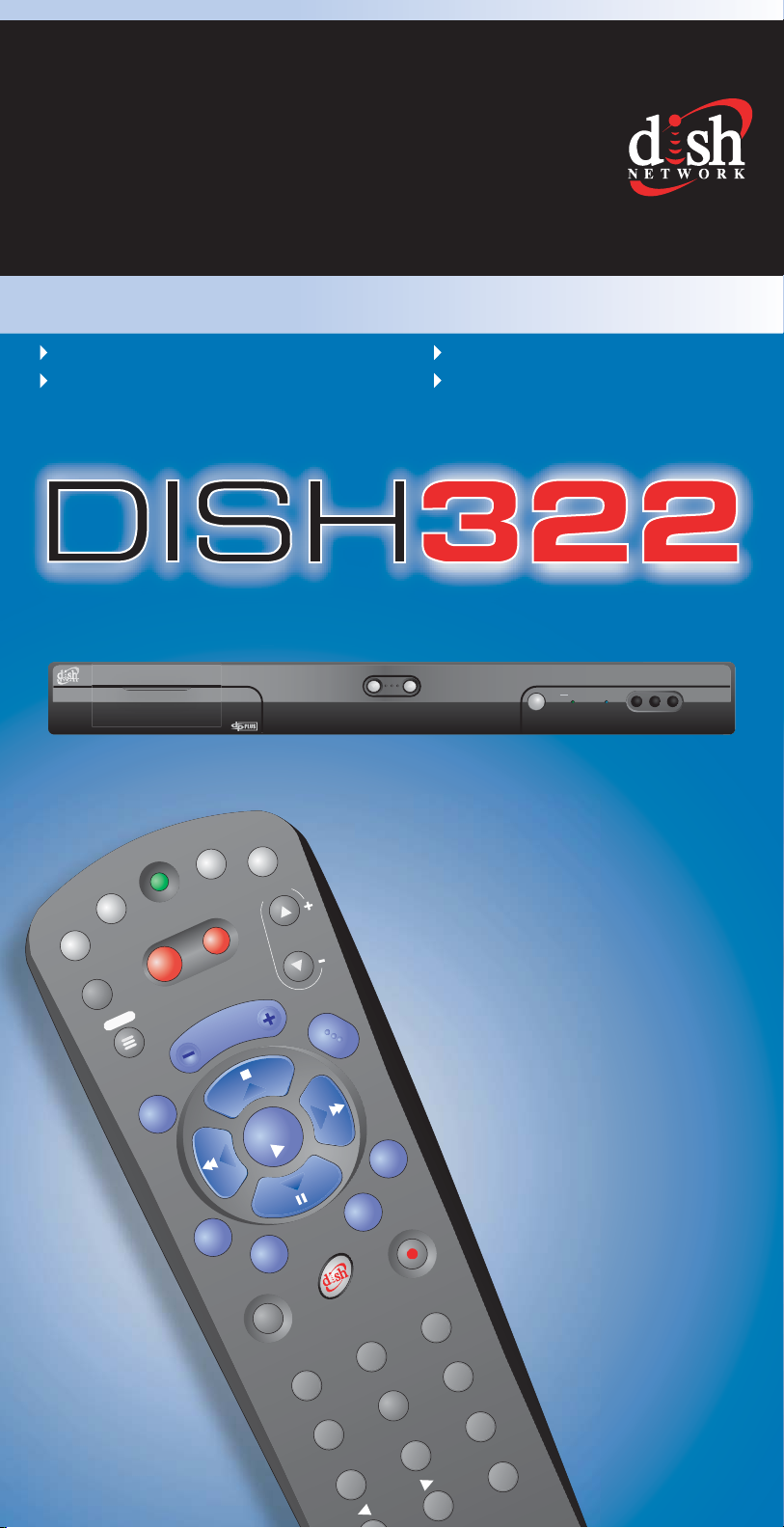
QUICKQUICK
REFERENCEREFERENCE GUIDE
WELCOMEWELCOME TO DISH NETWORK
FAST TIPS FOR:
Operating your satellite receiver Finding your favorite programs
Watching programs on separate TVs Answers to common questions
®
322
SAT
TV / V
IDEO
TV
MENU
MUTE
R
POWER
T
H
E
M
VOLUME
E
S
VCR
TV
AUX
PAG E
SELECT
V
C
R
GUIDE
DOWN UP
B
R
O
W
S
E
CANCEL
POWER TV1 TV2
MPEG 2
RECALL
INFO
SYS INFO
VIEW TV
RECORD
def
abc
2
1
ghi
4
pqrs
7
3
mno
tuv
6
wxyz
9
8
search
jkl
5
#
0
Page 2
Features of Your Remote ControlFeatures of Your Remote Control
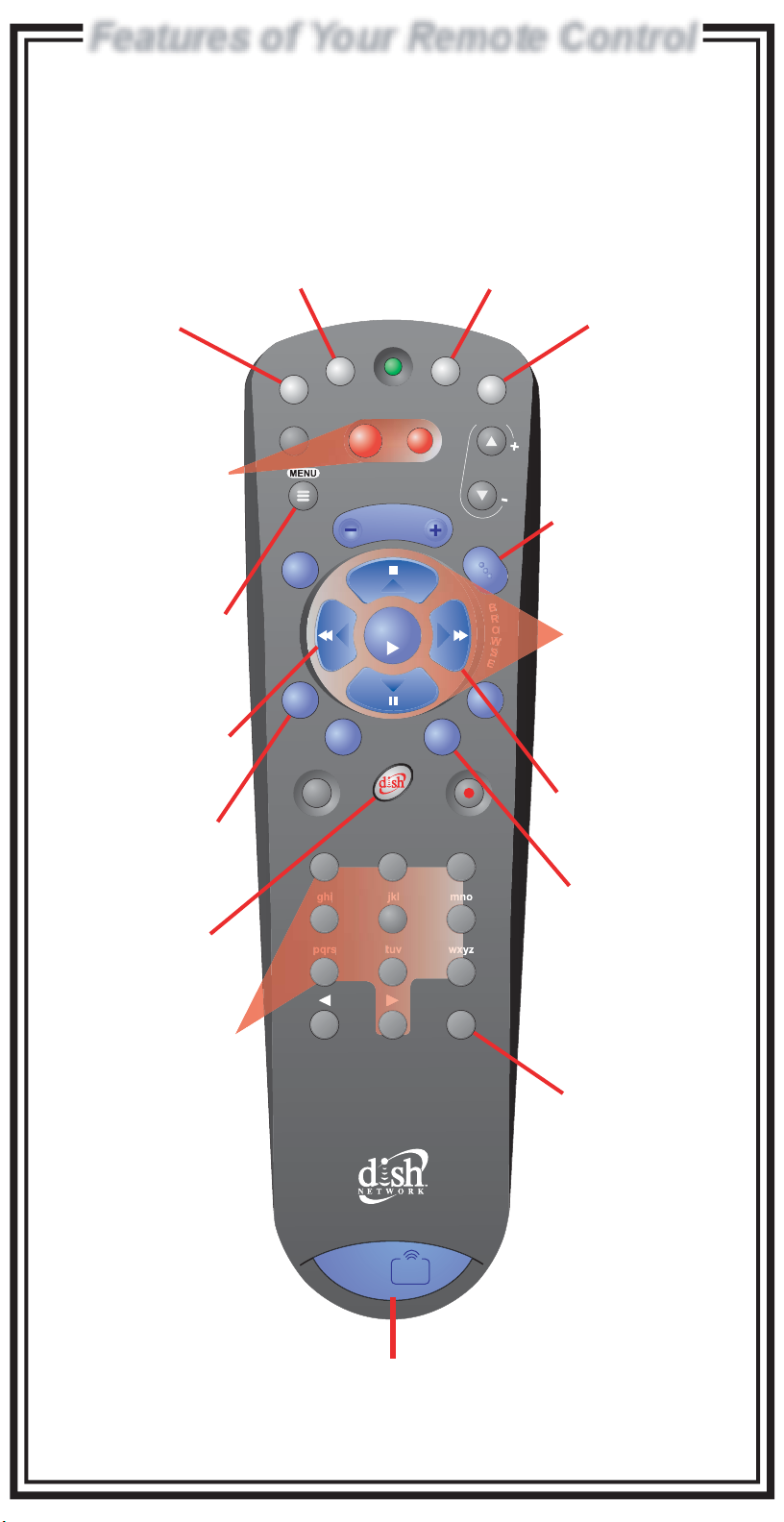
To use the features described in this section, make
sure you are in SAT mode by pressing the SAT Mode button
Note: To control a TV, VCR, or other available component, the remote must be programmed.
SAT Mode TV Mode VCR Mode AUX Mode
In this mode, you
can control your
satellite receiver,
TV power, volume
and mute
Receiver & TV
Power ON/OFF
Left button turns the
receiver on/off,
Right button turns
the TV on/off
See the User's Guide for details.
In this mode, you
can control your
TV
TV
SAT
TV / VIDEO
MUTE
POWER
VOLUME
In this mode, you
can control your
VCR
R
VCR
AUX
PAGE
TV
GUIDE
In this mode, you
can control other
programmed
components such
as a DVD player
DISH Network
Program Guide
V
Displays an on-screen
C
R
guide of current and
up to 2 days of future
program listings with
information
Receiver Menu
Access features and
settings in your satellite
receiver
Themes Button
Search for programs
using Themes
Recall Button
Go back to last
channel viewed
DISH Button
Explore dish home
Interactive TV features
Number Buttons
Enter a desired channel
number, or navigate
through menus
T
H
E
M
E
S
RECALL
INFO
SYS INFO
1
4 5 6
7 8 9
*
SELECT
abc
2
0
VIEW TV
RECORD
search
CANCEL
def
3
#
Arrows/Select
Buttons
Channel up/down,
navigate through
menus/guides and
select a desired option
Browse Button
See what is on other
channels while
watching TV
View Satellite
Program
Exit out of any menu/
guide and go back to
watching a program
Search Button
Search for a program
UHF
PRO
1
2
Remote Identifier
Green number 1 indicates TV1
Blue number 2 indicates TV2
Page 3
Watching Your Satellite ProgramsWatching Your Satellite Programs
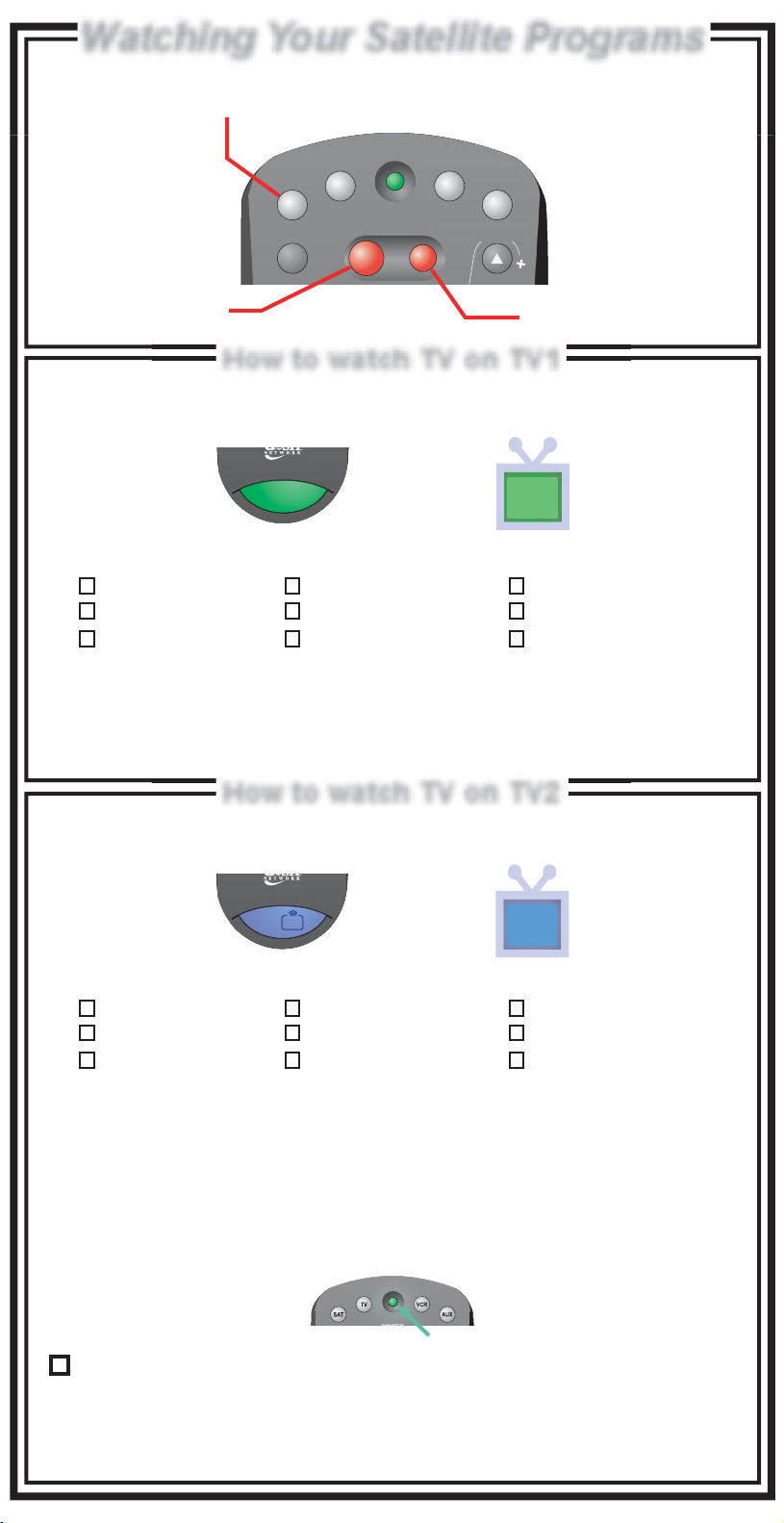
To use your satellite receiver you must
be in SAT mode by pressing the SAT Mode button
R
SAT
TV / VIDEO
TV
POWER
VCR
AUX
PAG E
TV
Turns the satellite
receiver On or Off
Turns the TV On or Off
How to watch TV on TV1How to watch TV on TV1
TV1 location is identified with a green 1
on your remote and the green TV1 logo on the TV screen.
1
1
My green remote TV1 location is:
Family Room
Living Room
Den/Office
Basement
Kitchen
Master Bedroom
Bedroom 1
Bedroom 2
Other __________
To watch satellite TV:
Set TV to _______ Set VCR to _______
(Channel/Input) (Channel/Input)
How to watch TV on TV2How to watch TV on TV2
TV2 locations are identified with a blue 2
on your remote and the blue TV2 logo on the TV screen.
UHF
PRO
1
2
2
My blue remote TV2 locations are:
Family Room
Living Room
Den/Office
Basement
Kitchen
Master Bedroom
Bedroom 1
Bedroom 2
Other __________
To watch satellite TV:
Set TV to _______
Set VCR to _______ VCR must be ______
(Channel/Input) (On/Off)
The Installer will check this box if the Recover button for the TV2
remote control has been programmed and is ready to use.
Note: If this button has not been programmed, see the User's Guide for instructions.
For use of the Recover Button, see "Using the Recover Button" in this guide.
(Channel/Input)
R
Page 4
Finding Programs On Satellite TVFinding Programs On Satellite TV
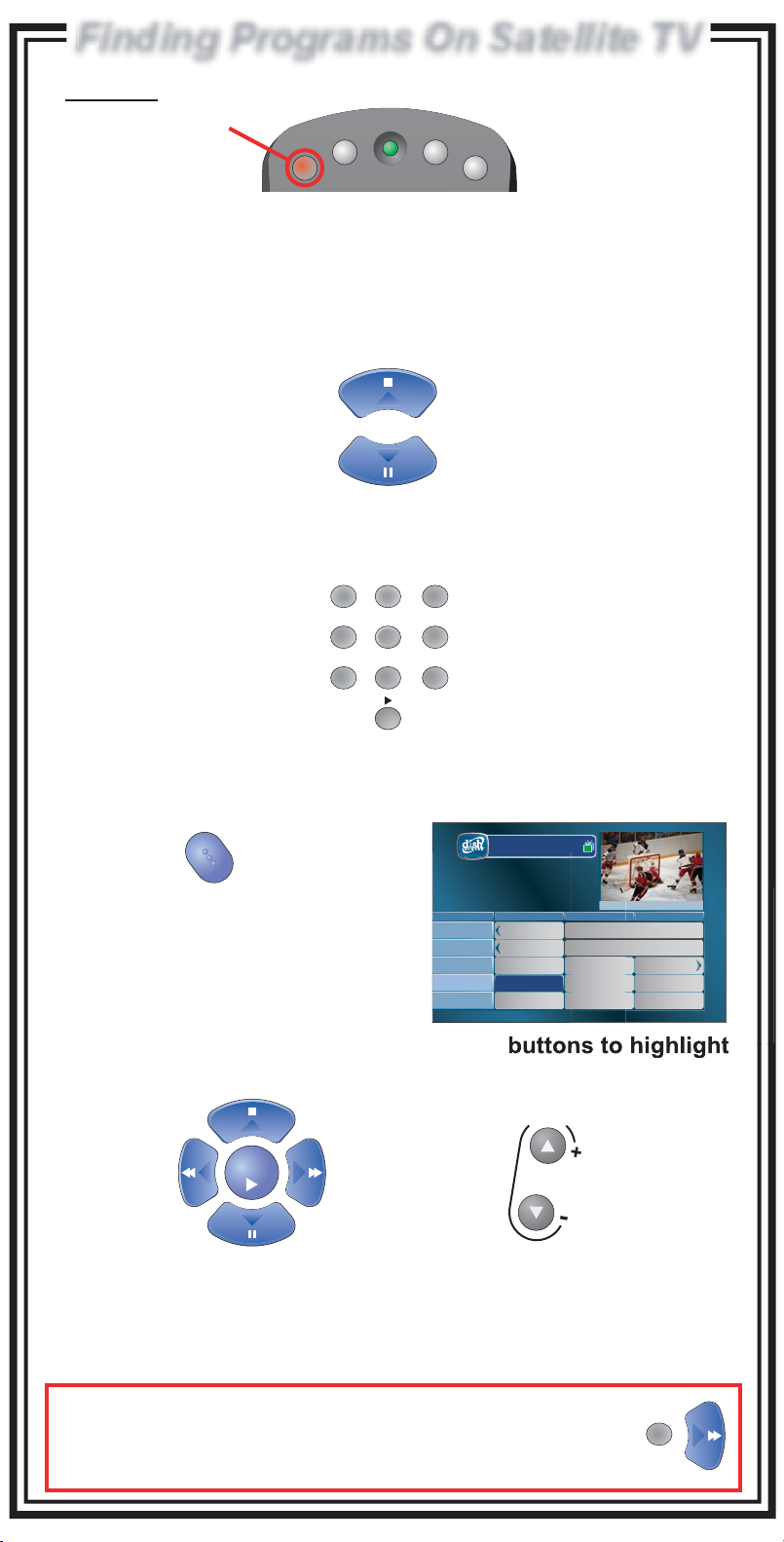
Make sure your remote is in SAT mode by pressing the SAT Mode button
R
TV
SAT
Three easy ways toThree easy ways to
find the program you want to watchfind the program you want to watch
1. Use the ARROW UP/DOWN buttons to change the channel
Up or Down one channel at a time
OR
2. Use the Number buttons to enter desired channel number
1
ghi mnojkl
4
pqrs wxyztuv
7
POWER
abc def
2
5
8
VCR
3
6
9
AUX
0
OR
3. Use the GUIDE button to display the Program Guide
The Program Guide allows you to
see current and future program listings.
Then...
Use the ARROW or PAGE UP/DOWN
a desired program and press the SELECT button
Note: If you select a program that is not currently broadcasting, you will
GUIDE
SELECT
have the option to set up a timer.
Tue 1/22
120
HIST
118
A&E
116
MOMAX
114
ESPN
112
HGTV
List: All Chan
12:25 pm Wed 12/03
NHL Hockey
6:30 pm - 7:00 pm NR
6:30 pm 7:00 pm 7:30 pm
History's Lost
Law & Order
First Look
NHL
Hockey
Jan's
Chicken Coop
PAG E
The Carol Duval
V
C
R
1
114 ESPN
The Early Writings of Thomas
The Leslie Comedy Hour
Benorama! Match Game
ESPN News
Show
NFL
Pregame Show
Landscapes
Pressing the GUIDE button repeatedly will cycle through your
Favorites Lists (see User's Guide).
TIP: To skip ahead a specific amount of hours in the guide, enter
the desired number of hours with the number buttons, then
immediately press the RIGHT ARROW button. For example, pressing
the 3 button then the RIGHT ARROW will go ahead 3 hours in the guide.
3
Page 5

ChannelsChannels
How your channels are organized in the Program Guide:
100-199
200-299
300-399
400-499
500-572
Entertainment (general info,
kids, music, some sports like
ESPN)
News and Shopping
Premium Movies
Sports Events and Other
Programs
Pay-Per-View and Sport
Packages
Press the DISH Home
button on your remote
580-899
900s & 6000s
7000-9399
9400s
International & DISH Latino
Music (audio only)
Local Broadcasts (most locals
can also be found between
channels 1-99)
Public Interest
Using the Recover ButtonUsing the Recover Button
R
Use the Recover button to get back to watching satellite programming
12 3 4
R R
Press
and hold
the Recover
button until
all mode
buttons
light up.
Press the Recover
button again and
wait for the
mode buttons to
stop flashing.
TV
VCR
SAT
AUX
System Info
Receiver CA ID
Smart Card ID
Software VersionSoftware Version
Boot StrapVersion
Billing & Programming
Technical Assistance
Internet Address
Receiver Mode
Primary Remote Address
Secondary Remote Address
Help
Copywrite 2004, EchoStar Technologies Corp. All Rights Reserved.
to step 4. Otherwise, continue
pressing the Recover button
slowly until it is displayed.
Model ID
Location ID
Mon, October 18
DISH Player-DVR 942
R00000000000-00
S00000000000-00
DNASP000 Rev000
ABCDEFGH-I
0000ABCD
1-800-333-DISH (3474)
1-800-333-DISH (3474)
http://www.dishnetwork.com
Dual Mode
1111ABCD:0000A0B00
1
IR
2
5
UHF Pro
Done
SELECT
Press the Select button
(to choose Done).
Page 6
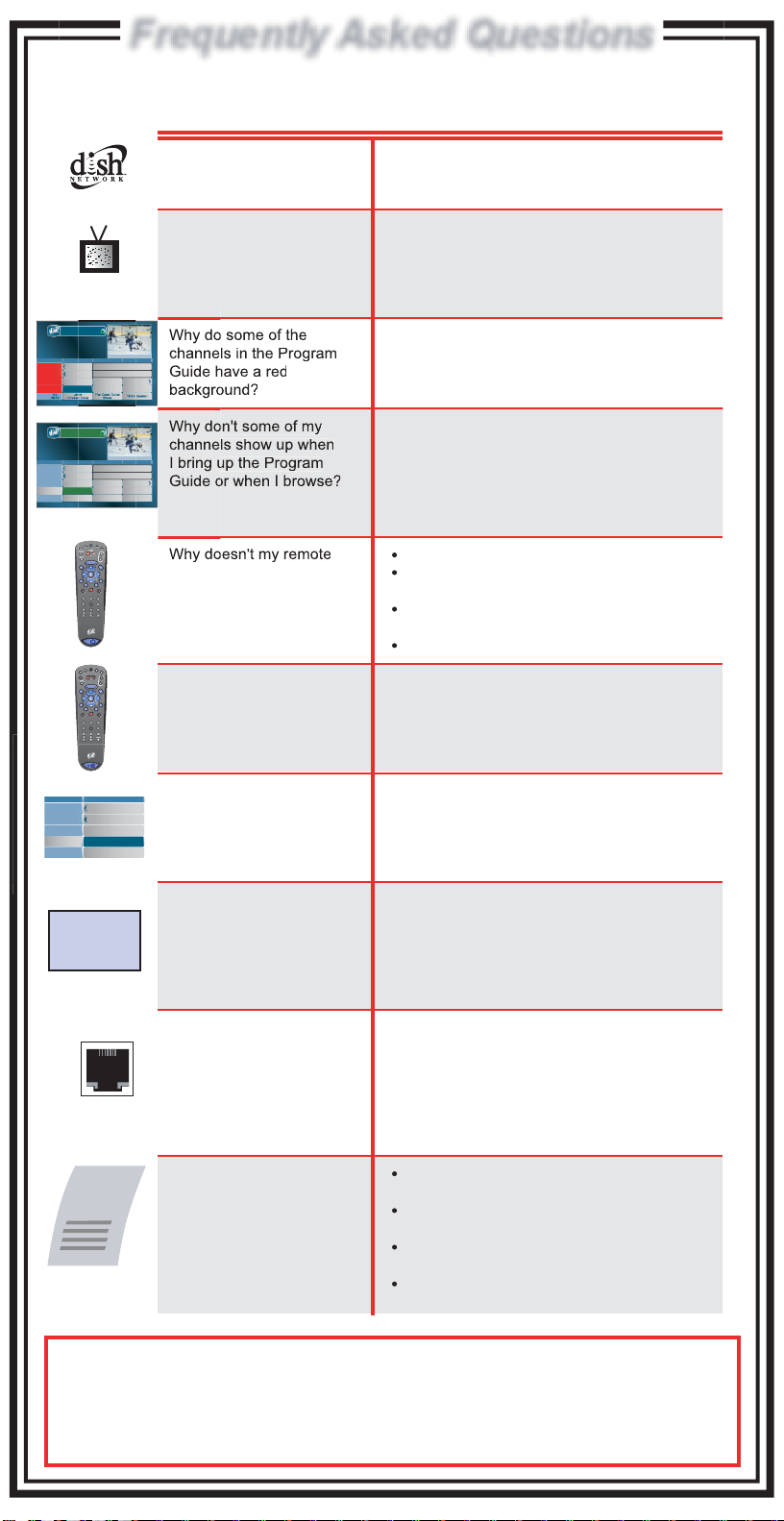
Frequently Asked QuestionsFrequently Asked Questions
Press "SELECT"
List: All Chan
12:25 pm Wed 12/03
NHL Hockey
6:30 pm - 7:00 pm NR
6:30 pm 7:00 pm 7:30 pm
Tue 1/22
120
History's Lost
HIST
118
Law & Order
A&E
116
Jeopardy!
MOMAX
114
ESPN
Hockey
List: Family
12:25 pm Wed 12/03
NHL Hockey
6:30 pm - 7:00 pm NR
6:30 pm 7:00 pm 7:30 pm
Tue 1/22
120
History's Lost
HIST
118
Law & Order
A&E
116
Jeopardy!
MOMAX
114
ESPN
Hockey
112
HGTV
Chicken Coop
to Continue
NHL
NHL
Jan's
MUTE
T
H
E
M
E
S
RECALL
SYS INFO
1
ghi5jkl6mno
4
pqrs8tuv9wxyz
7
*
TV
SAT
TV / VIDEO
MENU
MUTE
T
H
E
M
E
S
RECALL
SYS INFO
1 2
ghi5jkl6mno
4
pqrs tuv wxyz
The Early Writings of Thomas
The Leslie Comedy Hour
Benorama! Match Game
ESPN News
The Early Writings of Thomas
The Leslie Comedy Hour
Benorama! Match Game
ESPN News
The Carol Duval
Show
VOLUME
GUIDE
B
R
O
SELECT
W
S
E
CANCEL
VIEW TVINFO
RECORD
abc3def
2
search
#
0
UHF
PRO
1
2
R
VCR
AUX
POWER
PAGE
TV
V
C
R
VOLUME
GUIDE
B
R
O
SELECT
W
S
E
CANCEL
VIEW TVINFO
RECORD
abc3def
Why do I see a moving
DISH Network logo on my
TV screen?
Why do I have a snowy
picture (or a blue or black
screen) on TV2?
Your receiver went into a standby mode or has
been turned off. Press the SELECT button on
your remote control to bring back programming.
Check to make sure your TV (and if connected,
your VCR) is tuned to the correct channel.
Refer to the "Watching Your Satellite
Programs" section in this guide for correct
channel setup or use the Recover button.
These channels are not available in your
114 ESPN
NFL
Pregame Show
current subscription. If you would like these
channels, visit www.dishnetwork.com.
You may have a Favorites List active that does
114 ESPN
NFL
Pregame Show
Tim's Garden
not include those channels. Repeatedly press
the Guide button and toggle through the
Favorites Lists until you find a list that contains
those channels. Also check to see if some
channels are locked (see User's Guide).
Try pressing the SAT Mode button.
control work?
Check to make sure you are using the correct
remote (TV1 or TV2) for the desired location.
Your remote control batteries may need to be
replaced.
Check the remote address (see User's Guide).
Why does my receiver
change channels and
do things on its own?
You may have a neighbor that also has a UHF
remote and their remote may be controlling your
receiver. This is easily corrected by changing
your remote control address. See your User's
Guide for details on how to do this.
6:30 pm
Tue 1/22
120
Info Not Available
HIST
118
Info Not Available
A&E
116
Info Not Available
MOMAX
114
Info Not Available
ESPN
112
Info Not Available
HGTV
Acquiring
Satellite Signal
Please Wait
PHONE
DISH Network
Bill
$
$
$
$
Why does the Program
Guide display programs as
"Info Not Available"?
Why does my satellite
signal change from good to
bad?
Why does my satellite
receiver have to be
connected to a telephone
line?
How can I find out how
much my bill will be?
Your receiver needs to take a download each
night to get the most current program
information. Press the Power button on both
remotes to turn the receiver off and wait about
20 minutes for the download to occur.
Check to see if there are any obstructions in
front of your satellite dish. Sometimes new tree
or plant growth can obstruct the signal between
the satellite and the dish. If you are experiencing
frequent signal interruptions, please contact
DISH Network.
Keeping your phone line connected enables you
to take advantage of interactive TV services,
Customer Support Application, or Caller ID
applications. It will also allow you to use your
remote control to order Pay-Per-View events or
movies. And, you will not be charged the $4.99
Additional Outlet/Programming Access Fee.
Press the MENU button on your remote
control and select Customer Support.
Press the DISH Home button on your remote
and select Customer Service.
Go to www.dishnetwork.com and select the
"My Account" option.
To learn more about your bill, tune to Channel
101 for information.
For further details on how to maximize enjoyment of your new DISH
Network satellite receiver, see the User's Guide.
To learn more about the great benefits of DISH Network, tune to DISH Network
FYI Channel 101 or visit www.dishnetwork.com.
137840
 Loading...