

Page 1
C-8
Operation
Remote Operation
TV Mode
To use the features described in this section, make
sure you are in TV mode by pressing the TV Mode button.
Remote programming is required. See C-4 for instructions.
Note: If you have programmed the remote in Limited Mode (C-6),
only the TV Power, Mute and Volume buttons will control your TV.
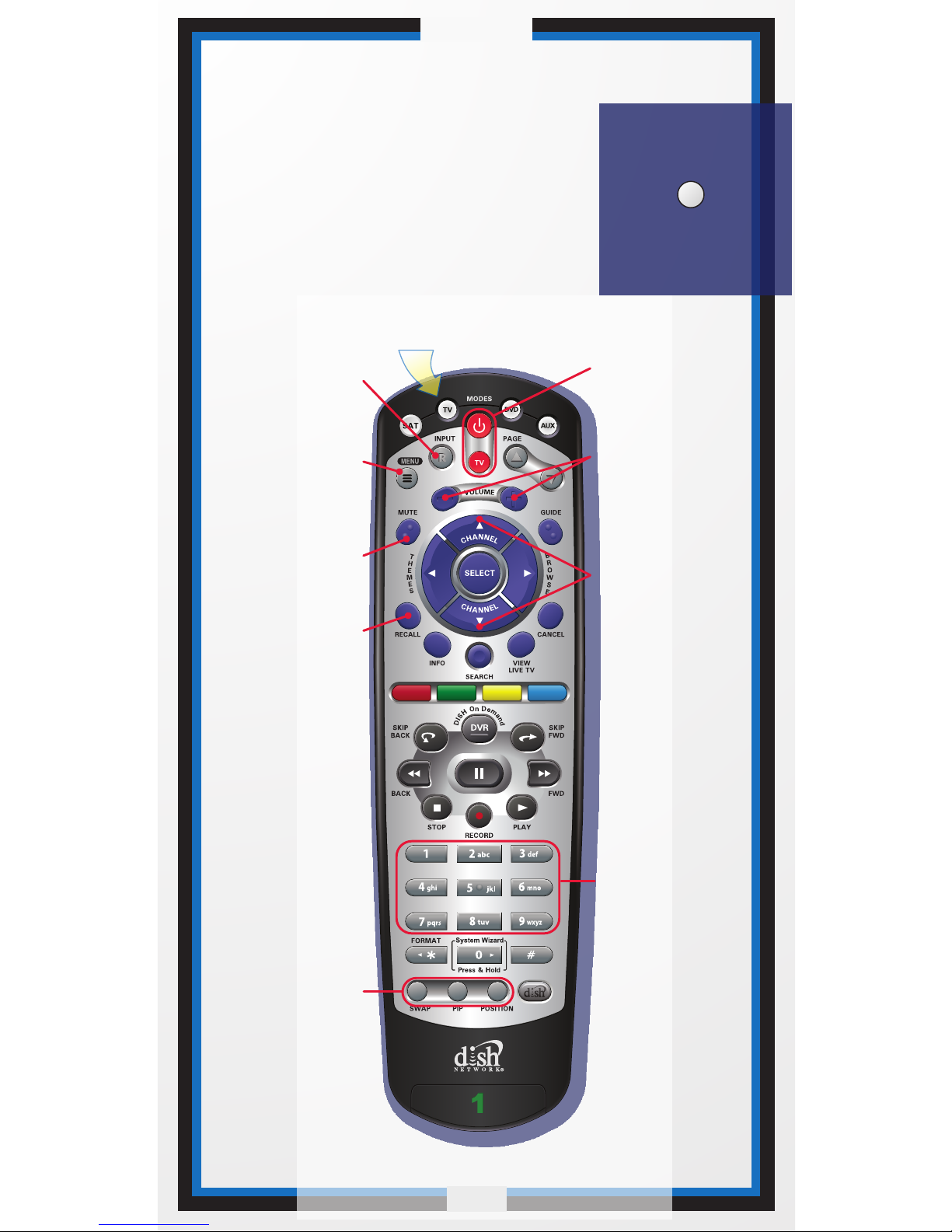
TVTV
Note: Remote operation is different on DISH Network TVs.
See your DISH Network TV User's Guide for proper operation.
Press this
button for
TV Mode
Up/Down
Arrow Buttons
Channel up/down
on TV
Number Buttons
Enter a desired
channel number
on TV
TV Menu
Access menu
features available
on some TVs
Input
Switch between
TV inputs
Mute
Turn TV volume
on or off
Recall
Go back to last
TV channel viewed
Picture-In-Picture
(PIP) Buttons
Display PIP features
on some TVs with
PIP capabilities
C-8
Volume
Control TV
volume
Receiver Power
& TV Power
Turn the TV on/off
 Loading...