

Page 1
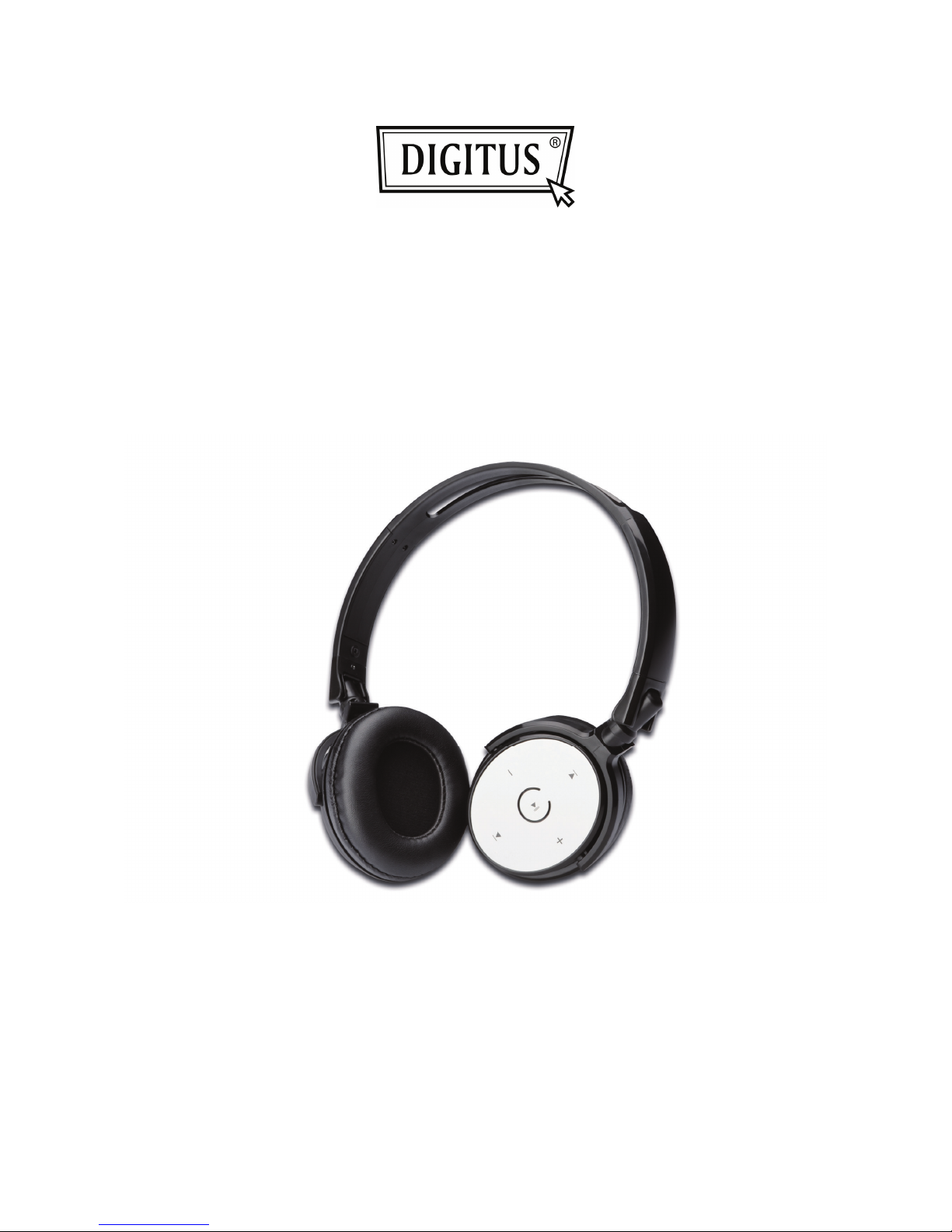
BLUETOOTH
WIRELESS HEADSET
Quick Installation Guide
DA-30113
Page 2
Thank you for purchasing Digitus Bluetooth Wireless Headset; we encourage you to read this quick installation
guide thoroughly to get the most of this innovative wireless headset.
1. Package content:
Headset; USB cable charger; User manual
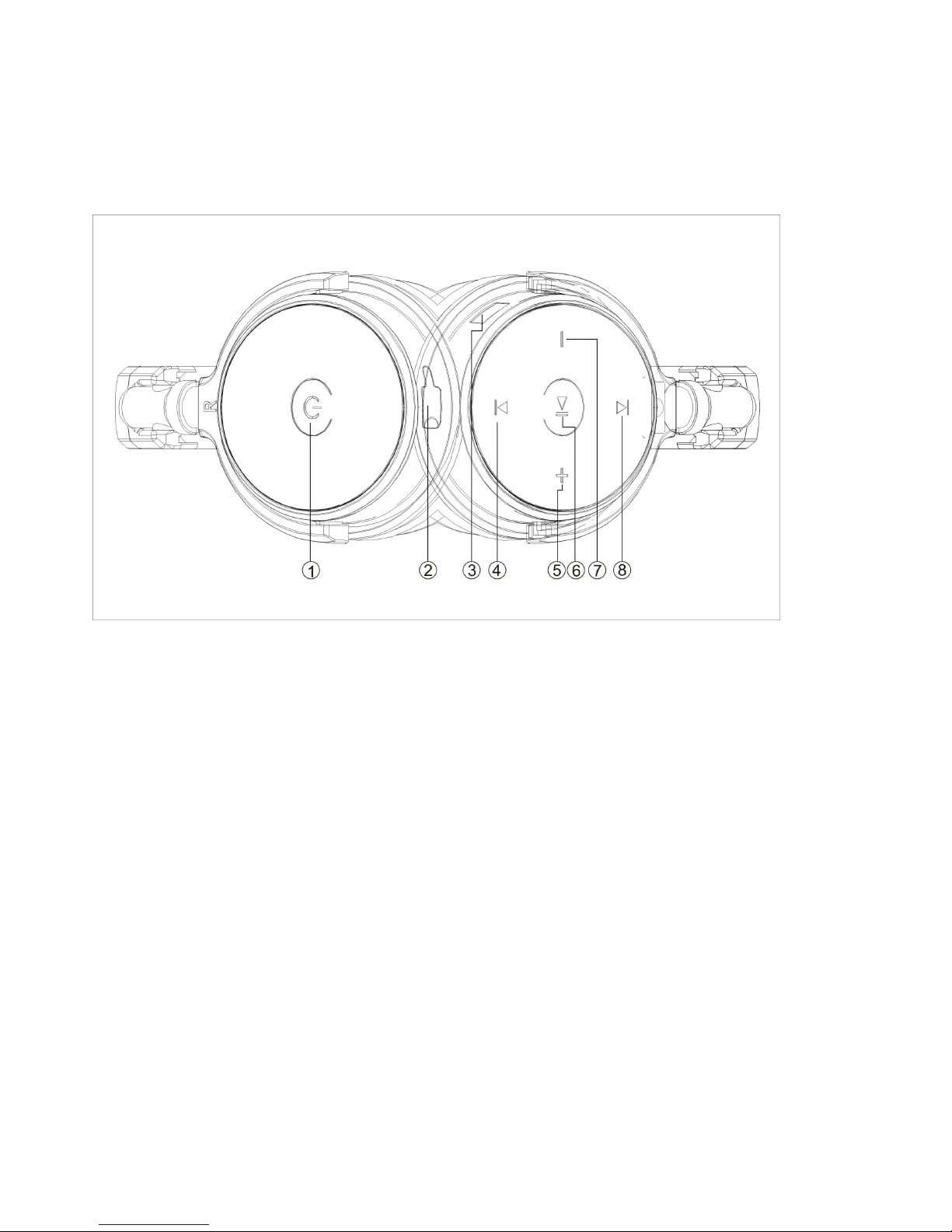
2. Button function:
1. Power on/off button
2. USB interface for charging
3. Microphone
4. Previous track
5. Volume up (+)
6. Play/pause button
7. Volume down (-)
8. Next track
Status indicator:
Alternating red and green LEDs indicate headset has entered into the pairing mode and ready to be
detectable for the first time.
Green LED flashing slowly indicates the device is powered on and/or connected
Solid red LED indicates the battery is charging. When the battery has reached full capacity, the solid red
LED will go off.
3. Charge your headset
Use the supplied USB cable to charge the battery directly from your PC.
Make sure that your headset is fully charged before using it for the first time.
The headset battery has to be initially charged for at least for 4 hours. Thereafter, the battery will take
from 2 to 3 hours to recharge.
Page 3

4. Advanced operation
Note: Before installing this product, please make sure your computer or laptop has the built-in Bluetooth feature
available. If your computer is not Bluetooth-enabled, you must purchase a Bluetooth dongle, preferably version
2.1 or above.
A. Pairing the headphones with your computer
1. Make sure the headset is off.
2. Activate the Bluetooth program in your computer to begin setup.
3. The “Search new device” screen will be displayed.
4. Place both devices not more than one meter away from each other.
5. Press the power button on the headset to turn it on. The green and red LEDs will start blinking in
sequential order. This indicates that the headset has entered pairing mode.
6. As soon as the system detects the new device in your dialog box, double click the icon representing the
headset.
7. The software may activate the passkey window and ask you to enter the PIN code =”0000”(4 zero).
Otherwise, the wireless connection will be established automatically with the remote device.
8. If the pairing is successful, the green LED will start blinking slowly, If after 60 seconds the pairing process
fails, please repeat steps 1 through 7 described above.
9. The headset will go automatically into standby mode after a short period of inactivity.
B. Pairing the headphones with your phone
1. Make sure the headset is off.
2. Set your Bluetooth phone to “discover” the wireless headset.
3. Place both devices not more than one meter away from each other.
4. Press the power button on the headset to turn it on. The green and red LEDs will start blinking fast in
sequential order. This indicates that the headset has entered pairing mode.
5. Follow the phone instruction, your phone, upon detecting the wireless headset, will ask if you want to pair
with it.
6. Accept by pressing “Yes” or “OK” on the phone, if prompted, enter the passkey =”0000”(4 zero). Your
phone will confirm when pairing is complete.
7. If the pairing is successful, the green LED will start blinking slowly, If after 60 seconds the pairing process
fails, please repeat steps 1 through 6 described above.
8. The headset will go automatically into standby mode after a short period of inactivity.
5. Answering and ending a call using your mobile phone
When there is an incoming call, the headset will ring.
Briefly press the power button to answer an incoming call. You may also press the answer button on your
cellular phone to receive the call in your headset. Music playback pauses temporarily.
To end a call simply tap the power button once again. Likewise, you may also end the call directly using
your cell phone. As soon as you hang up, music playback resumes automatically.
Page 4

6. Specifications:
Mic. Spec.:
Microphone Unit: ¢6*5mm
Directivity: omnidirectional
S.P.L: -58±3dB
Impedance: ≤2.2KΩ
Frequency response:20Hz-20,000Hz
Operating Voltage: 4.5V
Speaker Spec.:
Speaker diameter:¢40mm
Impedance:32Ω
S.P.L: 118±3dB S.P.L at 1KHZ
Rated power: 20mW
Aggregate capability: 50mW
Frequency response: 20Hz-20,000Hz
Power:
Battery type: Built-in 400mAh Lithium-polymer rechargeable battery
Charging connector type: USB Plug
Run time: Up to 6 hours of talking or music playback time
Standby time: Up to 90 hours
Charging time: 2 hours
Operating Temperature: -10
o
C - 45oC
Storage Temperature: -25
o
C - 60oC
7. Attention:
1. If you cannot power on the headset, please check your power, charge it.
2. Please remember to power off the headset when you don’t use.
3. If you don’t use the headset for a long time, pls. charge it before using.
4. Do NOT disassemble, repair or modify the headset by yourself.
5. Do NOT store the device in a place with high humidity or dust
6. Please do not store it where the temperature is above 45 degree.
 Loading...