

Page 1
ALCo DL 109
for
Train Simulator 2021
Owner´s Manual
Page 1© 2021 Digital Train Model (DTM), All rights reserved
Page 2
Index
A Little Bit of History...............................................................................................................3
Cab Controls..........................................................................................................................4
Keyboard Controls.................................................................................................................5
How to Drive..........................................................................................................................5
Included Career Scenarios....................................................................................................6
How to Use in Your Own Scenario.........................................................................................9
Included Rolling Stock..........................................................................................................11
© 2021 Digital Train Model (DTM), All rights reserved
Page 2
Page 3
A Little Bit of History
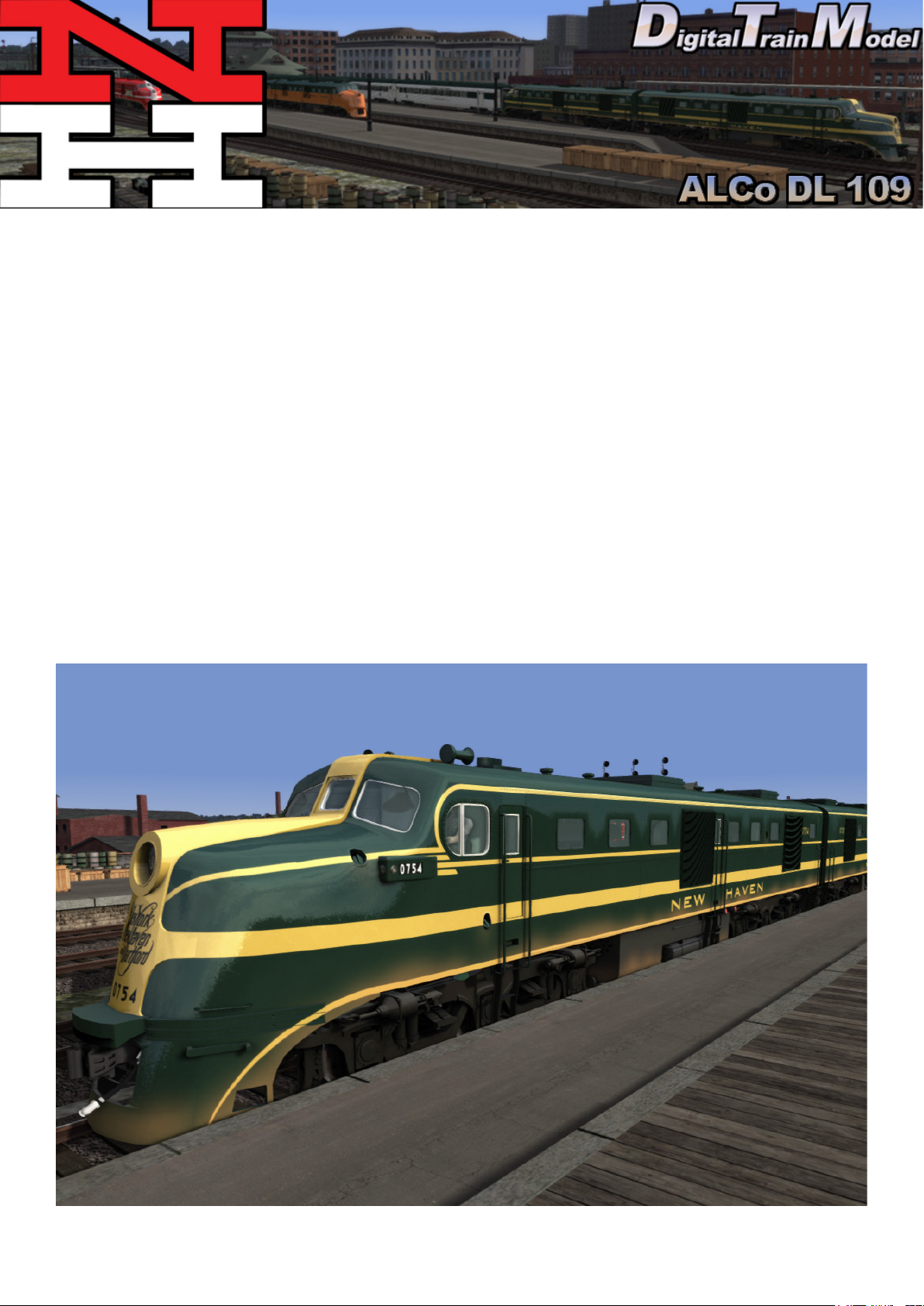
The ALCO DL-109 was one of six models of A1A-A1A Diesel locomotives built to haul passenger
trains by the American Locomotive Company (ALCO) between December, 1939 and April, 1945
(“DL” stands for Diesel Locomotive). They were of a cab unit design, and both cab-equipped lead
A units DL-103b, DL-105, DL-107, DL-109 and cabless booster B units DL-108, DL-110 models
were built. The units were styled by noted industrial designer Otto Kuhler, who incorporated into
his characteristic cab (US Patent D121,219) the trademark three-piece windshield design. A total
of 74 cab units and four cabless booster units were built.
Source: Wikipedia.
Page 3© 2021 Digital Train Model (DTM), All rights reserved
Page 4
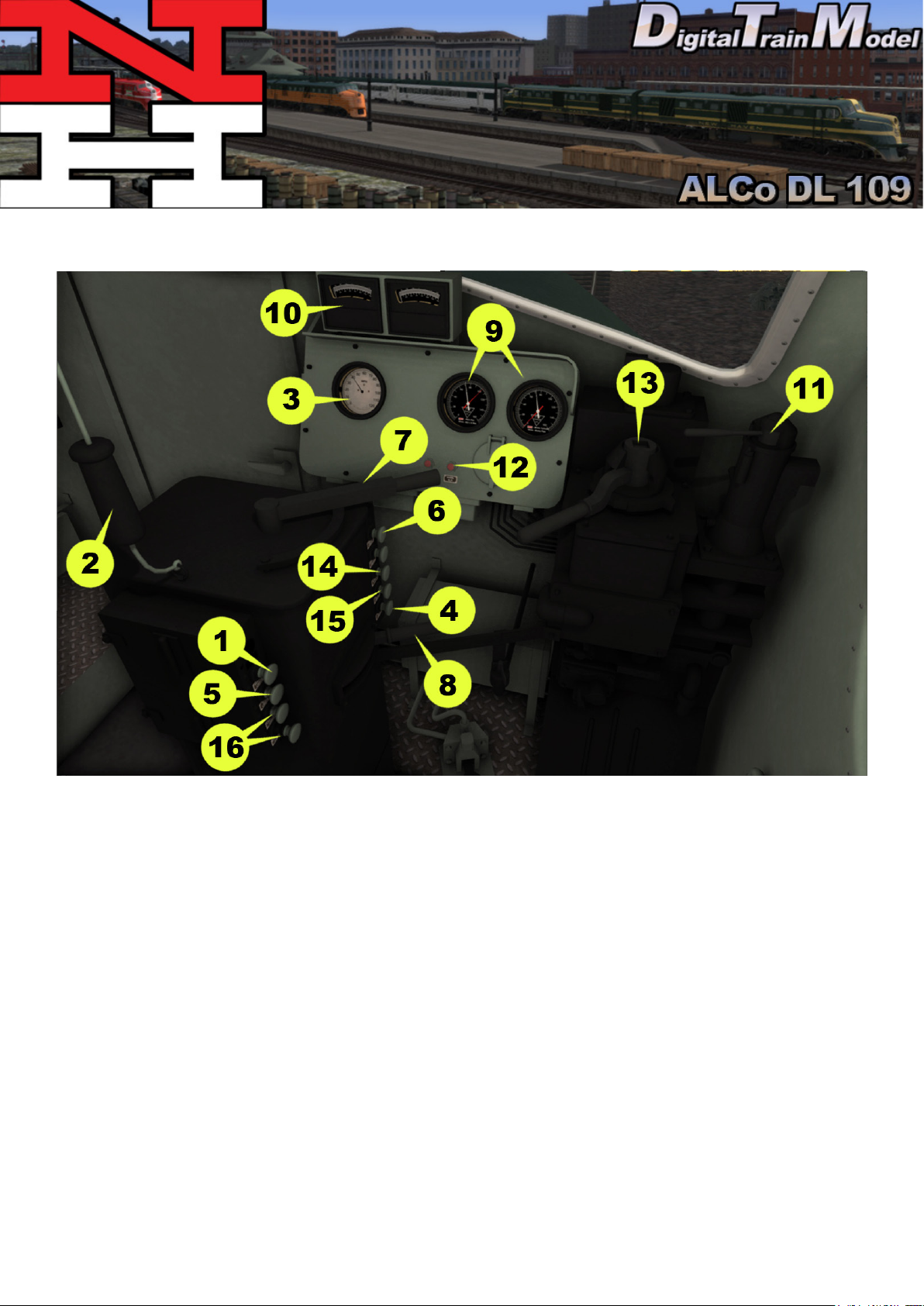
GTELs Cab Controls
Cab doors and windows can be opened with the mouse.
1) Number lights
2) Horn
3) Speed Recorder
4) Headlights On/O
5) Step lights
6) Gauge Lights
7) Throttle
8) Reverser
9) Air Gauges
10) Ammeter
11) Train Brake
12) Wheel Slip
13) Loco Brake
14) Wipers
15) Class Lights
16) Cab Lights
Page 4© 2021 Digital Train Model (DTM), All rights reserved
Page 5
Keyboard Controls
W/S = Reverser
A/D = Throttle
´/; = Train Brake
/ = Handbrake
[/] = Locomotive Brake
Z = Start Up / Shut Down
B = Bell
H = Headlights On
H + Shift = Headlights O
L = Cablight
V = Forward Wipers
Backspace = Emergency Brake
Space Bar = Horn
X = Sander
How to Drive
The ALCo DL 109 is easy to drive. Once in game, the engine is ON by default. To
start moving it do the following steps:
1) Set the Reverser forwards or backwards.
2) Release Loco brake if the locomotive is light or Train brake if the locomotive is
coupled to a consist.
3) Move up the Throttle. Depending on the consist it might need more power to
move the train.
4) Use brakes levers to stop the train. Loco brake if you are operating a light engine
or Train brake if you are operating a consist.
To operate the train with simple controls is even easier. You only have to worry
about two controls. Reverser button and Throttle/brake lever. Reverser is usually
set to forwards and can be changed with a single click on it. To move the train just
move up the Throttle/Brake lever from the brake area, the bottom half, to the power
area, the top half. Move it down to the brake area to stop the train.
Page 5© 2021 Digital Train Model (DTM), All rights reserved
Page 6
Included Career Scenarios
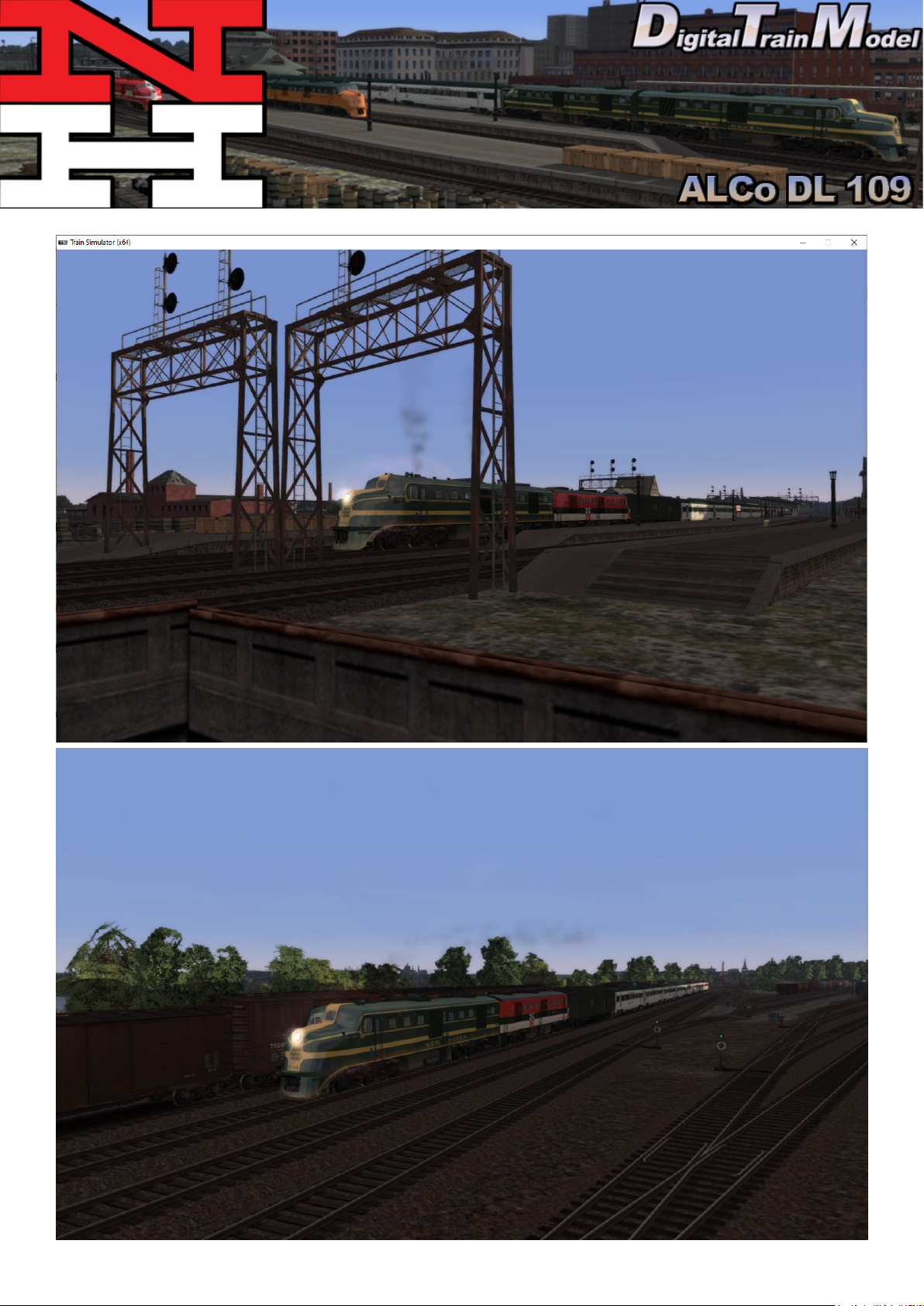
All included scenarios are for VNHRR Springeld Line route.
[DL-109] NH Train #67, The Bankers
Enjoy the sunrise but keep your eyes on the speedometer and your hands rm on throttle and
brakes. This is a fast-paced passenger service which means you must drive it hard -- accelerate
right up to the speed limit when leaving stations, and brake late (don’t coast) into the next one. The
timetable is very tight but possible to “beat” in the scenario.
[DL-109] NH Train #80, The Connecticut Yankee
Enjoy the sunset but keep your eyes on the speedometer and your hands rm on throttle and
brakes. This is a fast-paced passenger service which means you must drive it hard -- accelerate
right up to the speed limit when leaving stations, and brake late (don’t coast) into the next one. The
timetable is quite tight but possible to “beat”; in the scenario.
[DL-109] Hartford-Cedar Hill Priority Freight
Your task is to take a high priority piggyback and express cargo train from Hartford Meadows Yard to
Cedar Hill Yard. Your train has been cleared for departure and is ready to go on the departure track.
[DL-109] Hartford-Springeld Freight
Your task is to deliver a short mixed freight train from Hartford Meadows Yard to Springeld. Navigate the yard to pick up your train, then pick up a caboose, and then join the mainline and run to
Springeld.
[DL-109] Springeld-Boston Mail
Your task is to drive the rst leg of the Springeld - Boston mail train tonight. Your engine is waiting
at the roundhouse. Pick up your cars from the mail house and then run to Hartford, where the next
crew will take over.
Page 6© 2021 Digital Train Model (DTM), All rights reserved
Page 7
Page 7© 2021 Digital Train Model (DTM), All rights reserved
Page 8
How to Use This in Your Own Scenario
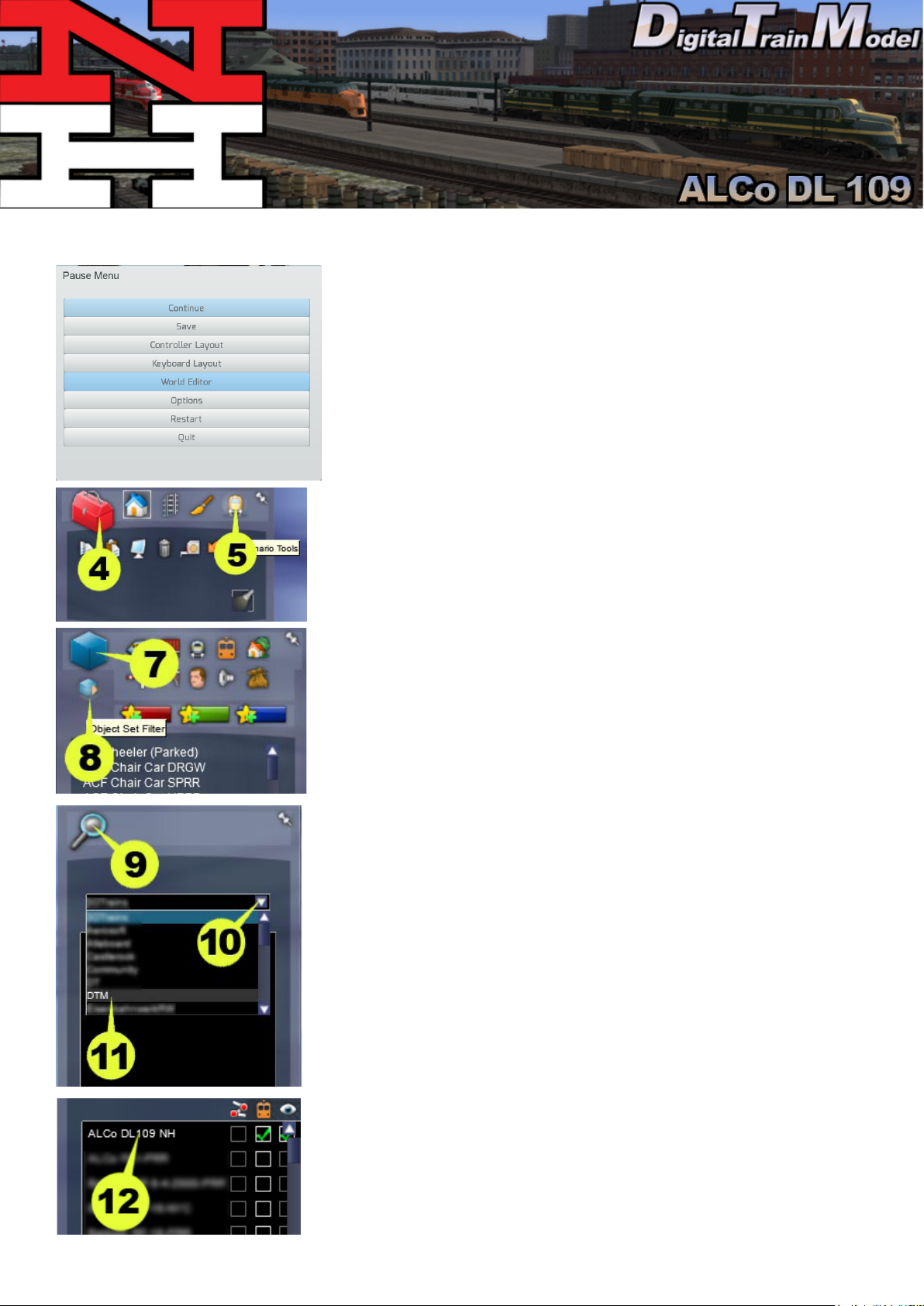
1) Open your desired route.
2) Press Esc key.
3) Click on World editor from the pop up menu.
4) Go to the Tool Box panel.
5) Click on the Scenario icon.
6) Click yes from the warning pop up.
7) Go to the Browser panel.
8) Click on the Object Set Filter icon.
9) Go to the Browser Panel at the right of the screen.
10) Click the roll out menu.
11) From the roll out menu click on DTM.
12) Click the ALCo DL 109 NH checkbox.
Page 8© 2021 Digital Train Model (DTM), All rights reserved
Page 9
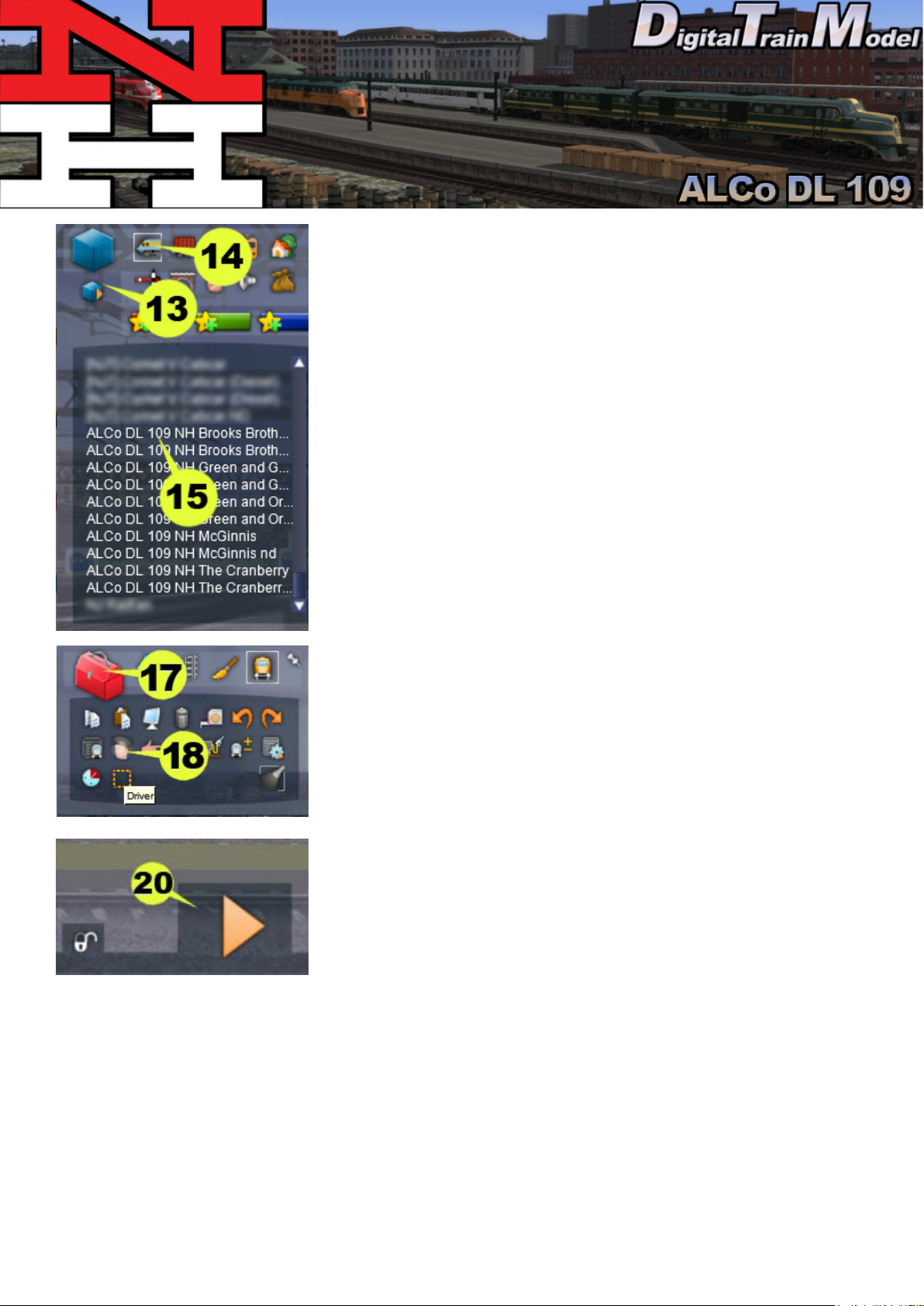
13) Return to the Browser panel.
14) Click on Engines & Tenders icon.
15) Click the any of the ALCo DL 109 NH pack units.
16) Click on the track to place it.
17) Return to the Tool Box panel.
18) Click the Driver icon.
19) Click on the engine.
20) Click the Play icon.
21) Save the changes in your scenario.
22) Drive your locomotive.
Page 9© 2021 Digital Train Model (DTM), All rights reserved
Page 10
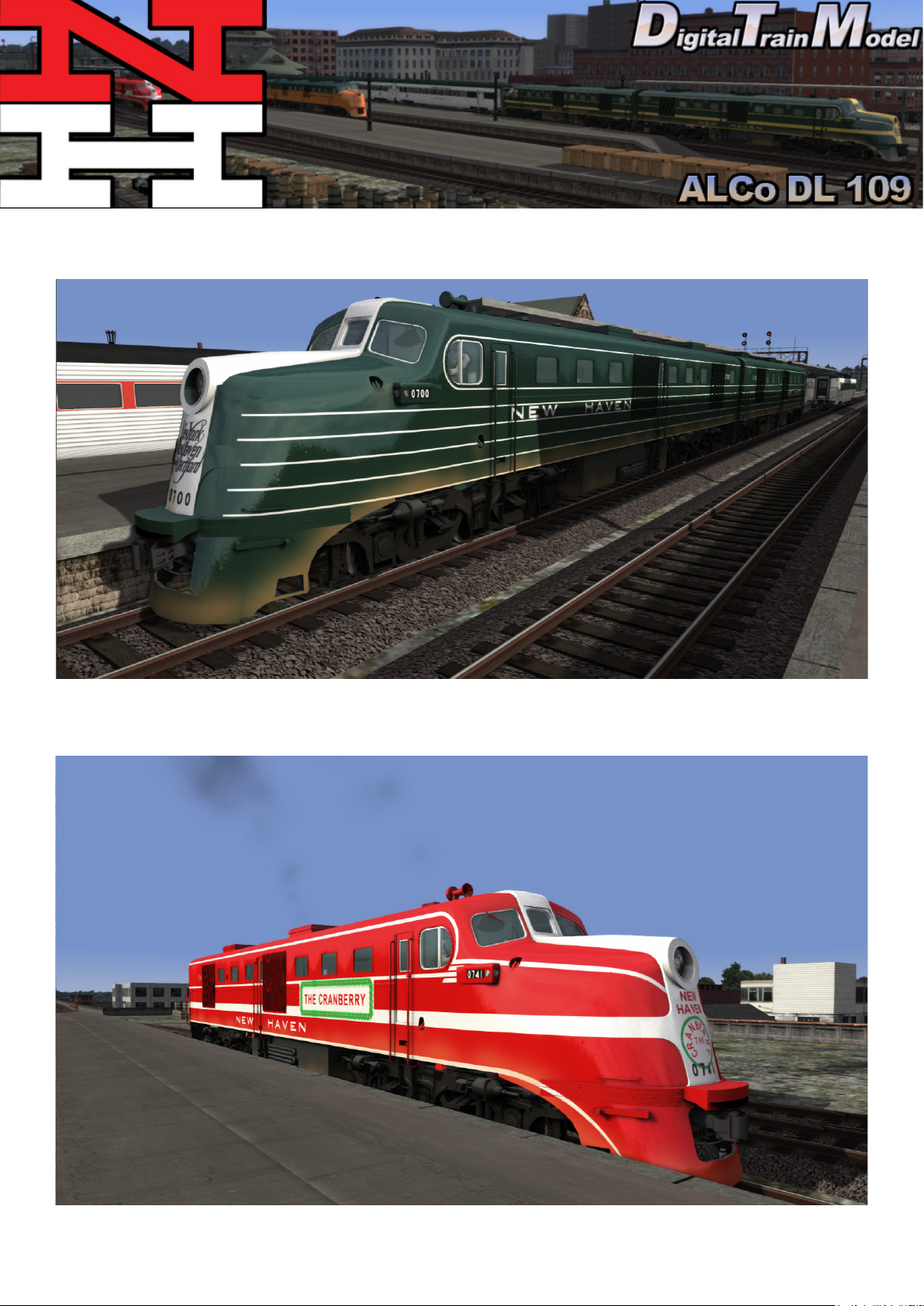
Included Rolling Stock
ALCo DL 109 NH Brooks Brothers (with and without cab crew)
ALCo DL 109 NH The Cranberry (with and without cab crew)
Page 10© 2021 Digital Train Model (DTM), All rights reserved
Page 11
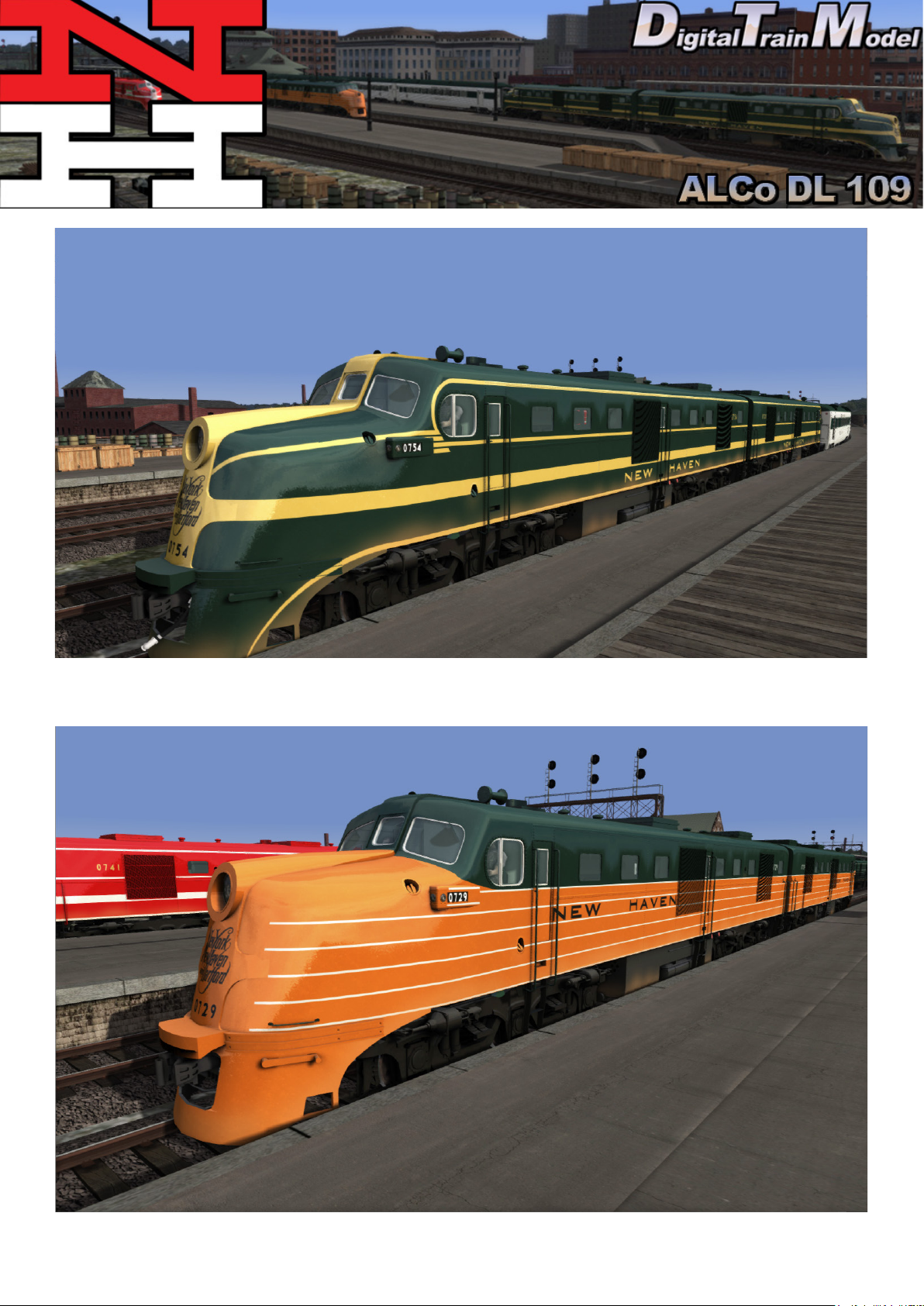
ALCo DL 109 NH Green and Gold (with and without cab crew)
ALCo DL 109 NH Green and Orange (with and without cab crew)
Page 11© 2021 Digital Train Model (DTM), All rights reserved
Page 12
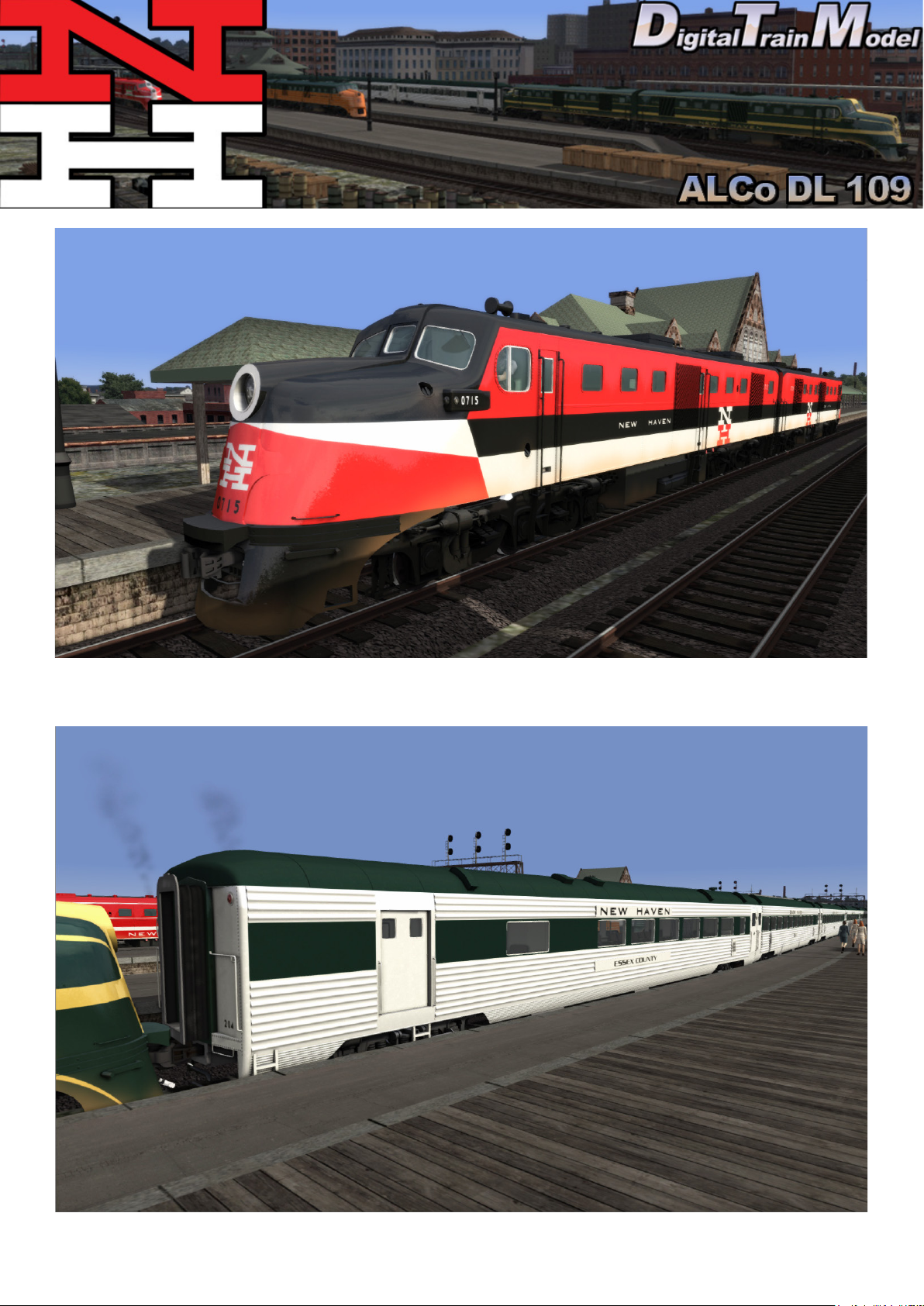
ALCo DL 109 NH McGinnis (with and without cab crew)
All included cars listed in next page
Page 12© 2021 Digital Train Model (DTM), All rights reserved
Page 13
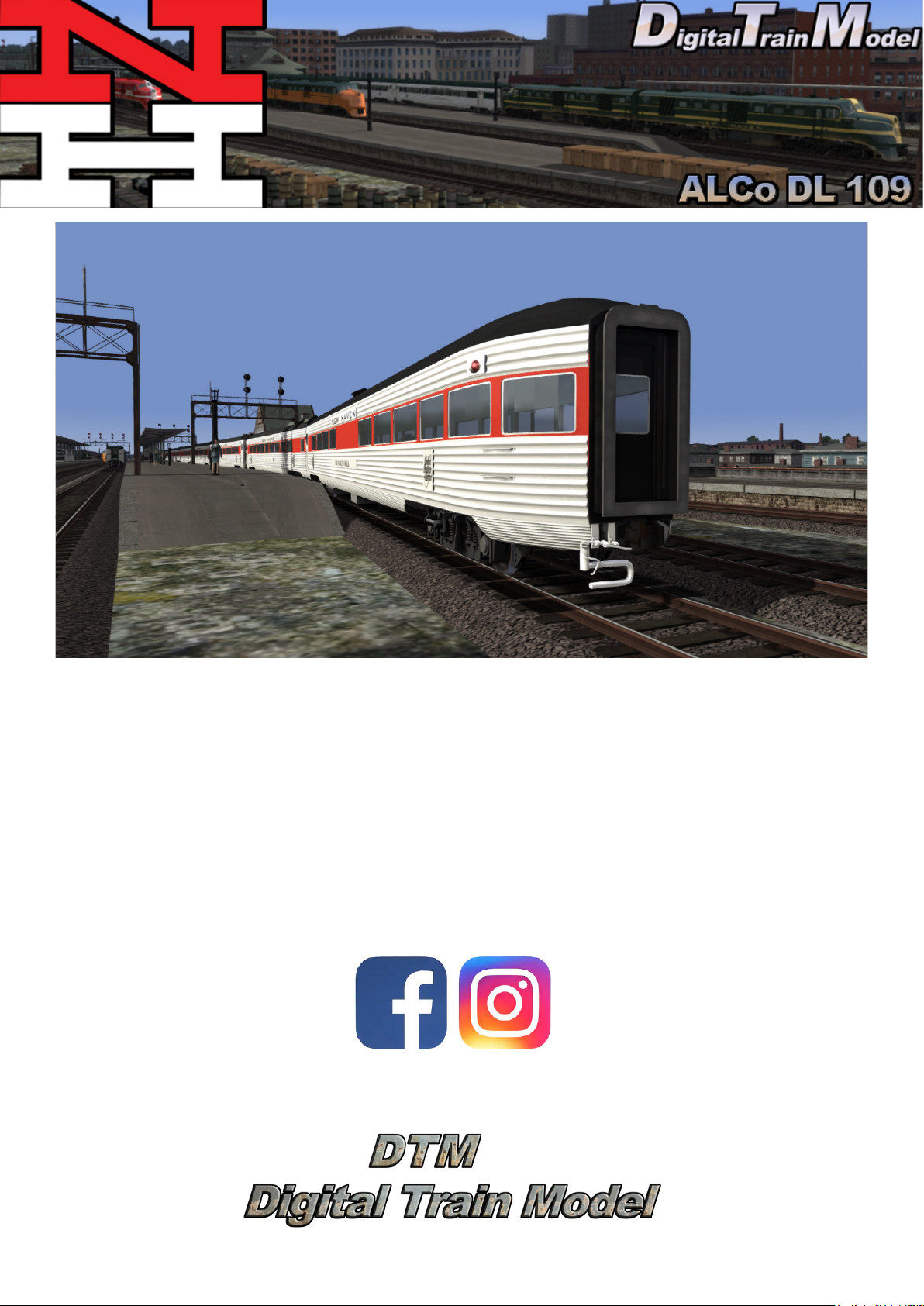
NH 14-4 Sleeper (Silver and Red)
NH 6-6-4 Sleeper (Silver only)
NH 6-L Sleeper (Silver only)
NH Baggage Parlor Lounge (Green and Red)
NH Coach (Green and Red)
NH Diner (Green and Red)
NH Full Parlor (Green and Red)
NH Grill (Green and Red)
NH Parlor Lounge (Green and Red)
NH Parlor Lounge New (Green and Red)
NH Tavern Lounge Observation (Green and Red)
Page 13© 2021 Digital Train Model (DTM), All rights reserved
Page 14
NH mark used under license
Thanks to:
Ricardo Rivera
Rick Grout
Gary Dolzall
Michael Stephan
Dovetail Team
www.facebook.com/Digitaltrainmodel/
Instagram @digitaltrainmodel
Page 14© 2021 Digital Train Model (DTM), All rights reserved
 Loading...