

Digital Spectrum MemoryFrame MF-8000, MemoryFrame MF-8104, MemoryFrame 8000, MemoryFrame 8104 User Manual
Page 1
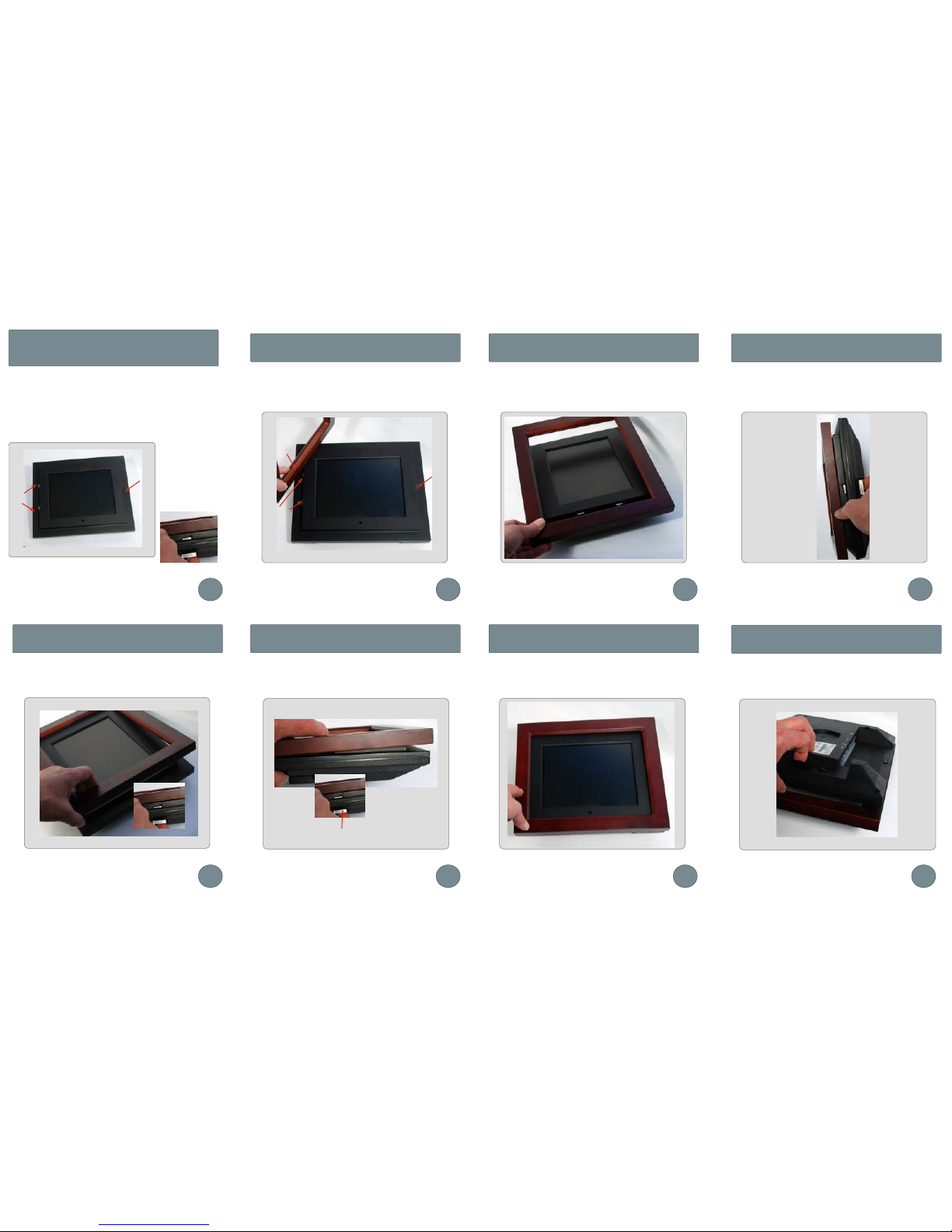
Take a moment to examine the unit. On the left side you will see
two fixed tabs, these are what will hold the frame in place. On the
right side you will see one spring tab. This is what is used to
remove and replace the frames.
The spring tab is
operated by pulling
back on the spring
lever on the back of
the unit. This allows
the spring tab to
retract before
positioning the
frame.
Position the frames groove over the fixed lugs
Make sure the groove sits tightly over the lugs
Changing the frame on the
MemoryFrame 8000 & 8104
Before trying to place the frame on the unit please read
these instructions
To complete placing the wooden frame onto the unit, pull back
on the spring lever as shown below. This allows the spring tab
to retract.
With the spring tab retracted lower the frame onto the unit Make sure the frame fits snuggly before releasing the spring lever.
This will allow the spring tab to fit into the groove on the frame.
When fitting the frame make sure the two fixed tabs are positioned
to slide into the grove on the wooden picture frame.
Positioning the frame
Make sure the tabs fit the groove
Operating the spring lever
Placing the frame
Fitting the frame snugly Removing the frameFitting the frame
1 2 3
4
5 6 7 8
Removal and replacement is easy, just pull back on the spring
lever to release the frame.
Groove
Fixed tabs
Fixed tabs
Spring tab
Spring lever
The frame should then fit snugly to the unit
Spring tab
Spring lever
 Loading...