

Page 1
11675 Ridgeline Drive
Colorado Springs, CO
80918
Rev 180522
Phone: 719-260-0061
Toll-Free: 800-530-8998
Fax: 719-260-0075
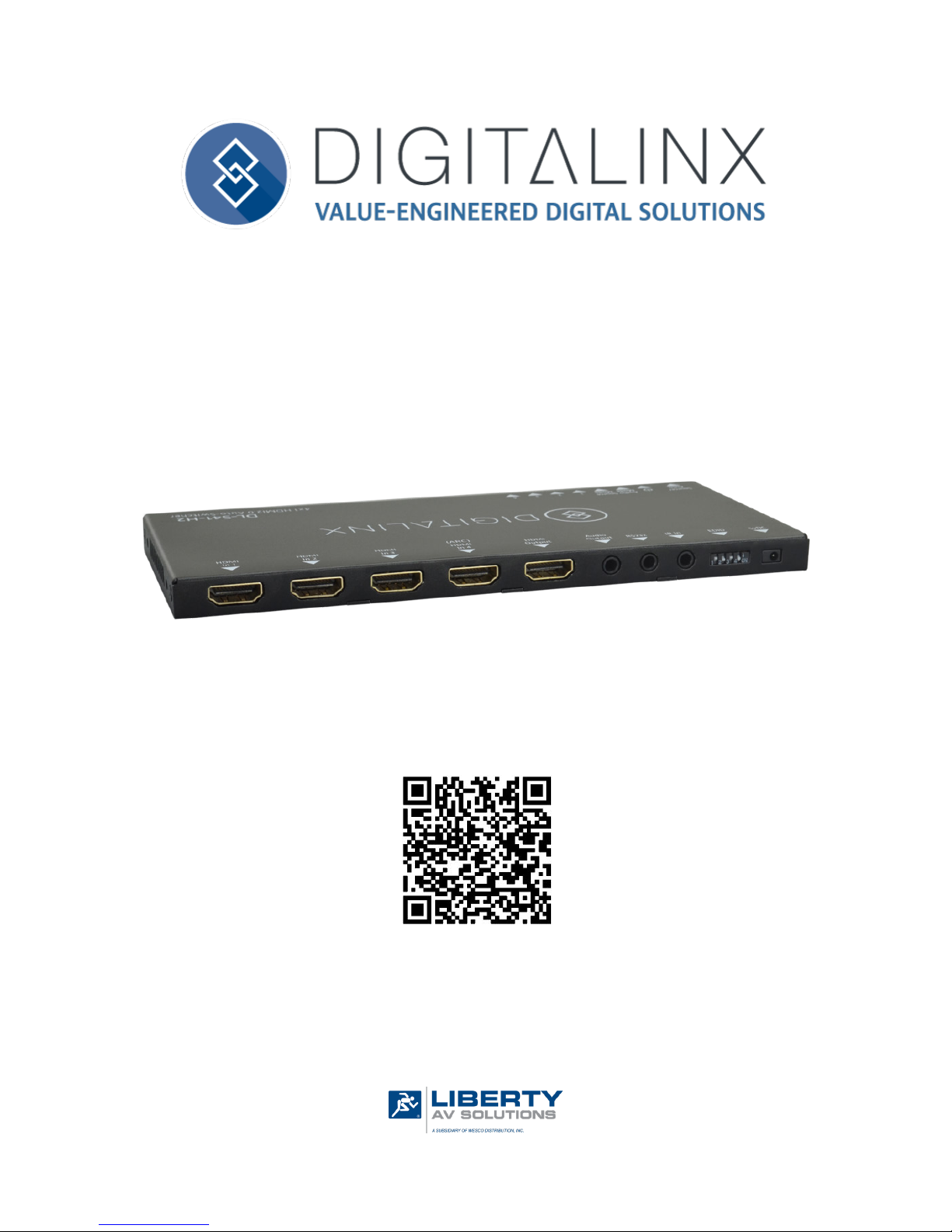
DL-S41-H2 Quick Install Guide
This guide is for quick installaon only.
For complete owners manual and list of commands, go to www.libav.com or use a
QR reader to access the manual via QR code below.
Scan QR Code with your Smart-phone or Tablet
Page 2

DL-S41-H2 Quick Guide
2
The DL-S41-H2 is an slimline HDMI 2.0b auto switcher with four HDMI video inputs and one HDMI output. This
switcher supports HDMI video resoluons up to 4Kx2K@60Hz 4:4:4, HDR, and mulchannel audio. In addion
to passing EDID informaon from the display, there are mulple built-in EDID sengs to simplify an installaon.
The switcher will de-embed digital stereo audio to provide an analog audio source for an exisng audio system.
The switcher also supports audio return channel (ARC) for transming audio back to HDMI input and audio
output ports from display device.
When in auto-switch mode, the switcher will switch to an HDMI input as soon as a new source is connected.
When the acve is removed, the switcher will select the rst source on the lowest numbered input. The switcher
may also be controlled via RS232, IR with the included remote, or from the source buon on the front of the
switcher.
Product Overview
Package Contents
• DL-S41-H2 HDMI 2.0b Auto Switcher
• Quick Install Guide
• (1) IR Remote
• (1) IR Receiver
• (1) RS232 3.5mm to DB9 adapter cable
• (1) DC5V 1A power supply with US, UK, EU and AU power adapter plugs
• (2) Mounng ears with mounng screws
• (4) Plasc cushions
Page 3
DL-S41-H2 Quick Guide
3
Front and Rear Panels
Front
1 324 5
6
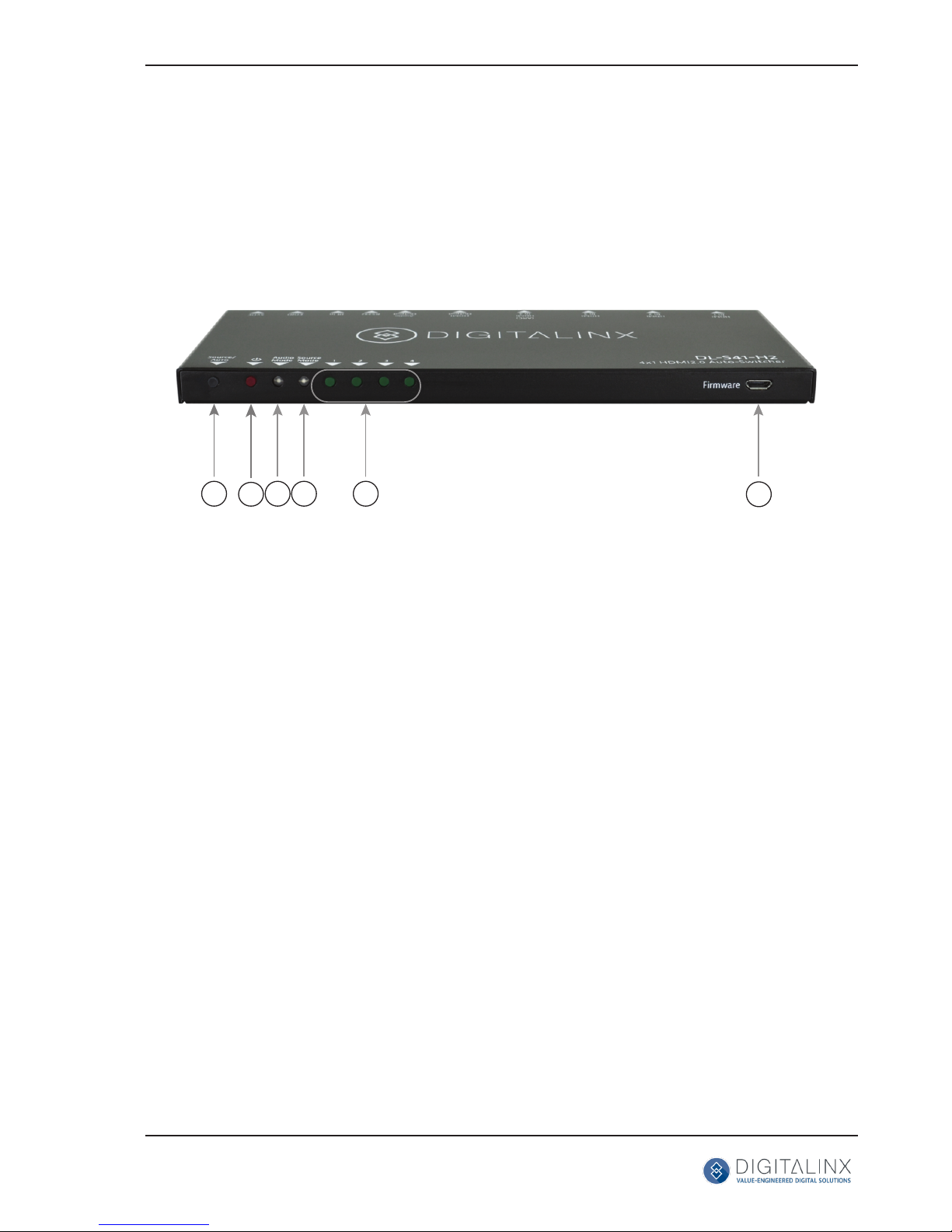
1. AUTO/SOURCE - Auto / manual mode switching selecon
• Press and hold 3 seconds to switch between switching modes
2. POWER LED - Illuminates RED when power is applied
3. AUDIO MODE LED - Audio mode indicator
• When LED is green, unit is in de-embed mode
• When LED is yellow, unit is in ARC mode
4. SOURCE MODE LED - Switch mode indicator
• When LED is green, unit is in manual switch mode
• When LED is yellow, unit is in auto switch mode
5. HDMI INPUT LEDS - Illuminates GREEN when there is an HDMI input on the corresponding channel
6. FIRMWARE - USB port for rmware updates
Page 4
DL-S41-H2 Quick Guide
4
Rear
1
3
2
4 5
6
7 8
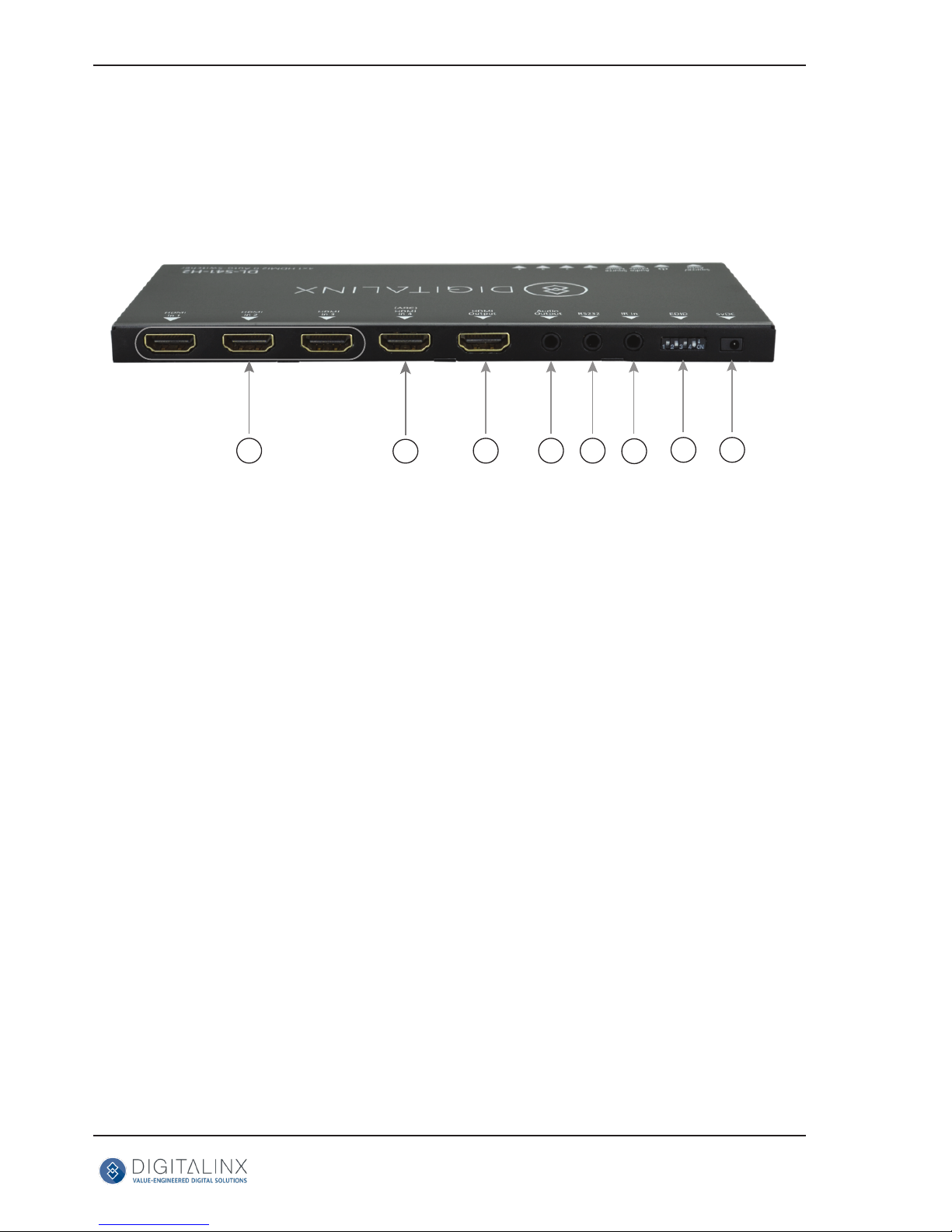
1. HDMI IN 1-3 - HDMI inputs 1 - 3 for HDMI sources
2. (ARC) HDMI IN 4 - ARC compable HDMI input
3. HDMI OUTPUT - HDMI output to connect to display technology
4. AUDIO OUTPUT - 3.5mm audio output jack
5. RS232 - 3.5mm serial control output
6. IR IN - 3.5mm IR input port for IR receiver (included)
7. EDID - 4 pin dip switch for EDID sengs
8. DC 5V - DC barrel port for 5V power adapter (included)
Page 5

DL-S41-H2 Quick Guide
5
Connecvity Instrucons
1. Verify all components included are present before installaon.
2. System should be installed in a clean environment with proper temperature and humidity.
3. All A/V devices including switcher should be connected together before powering on.
4. Connect HDMI source devices to HDMI inputs
5. Connect an HDMI display device to the HDMI output port
6. Connect the AUDIO OUTPUT port on receiver to audio amplier (oponal)
7. Connect the supplied IR receiver to the IR IN port to control switcher with supplied IR remote (oponal)
8. Connect RS232 port for serial control (oponal)
Note: A complete list of RS232 commands are located in the DL-S41-H2 owners manual locate online at
www.libav.com
9. Set EDID dip switch to desired EDID seng
Note: DL-S41-H2 ships with all dip switches in the OFF posion or pass through EDID communicaon
10. Connect the included power supply to the DL-S41-H2 switcher
11. Power on aached audio / video and control devices
Page 6
DL-S41-H2 Quick Guide
6
Cabling Wiring Requirements
RS232 Wiring
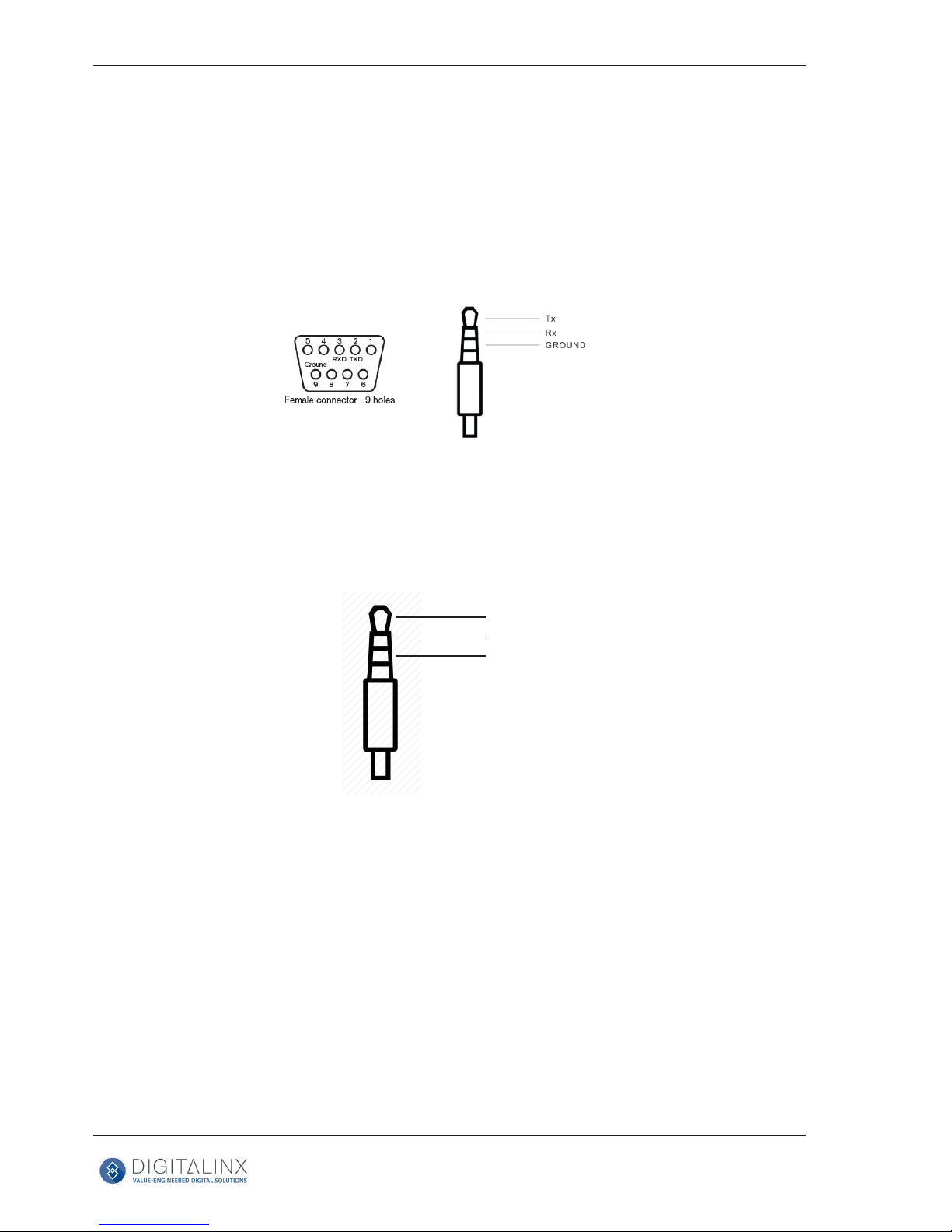
Connect the 3rd party controller device RX signal to TX pin of the DL-S41-H2 DB9 breakout cable. Then connect
the controller TX signal to the RX in to complete wiring.
Audio Output Wiring
Below is an audio cable pin-out that is compable with the DL-S41-H2 audio output
LEFT
RIGHT
GROUND
Page 7
DL-S41-H2 Quick Guide
7
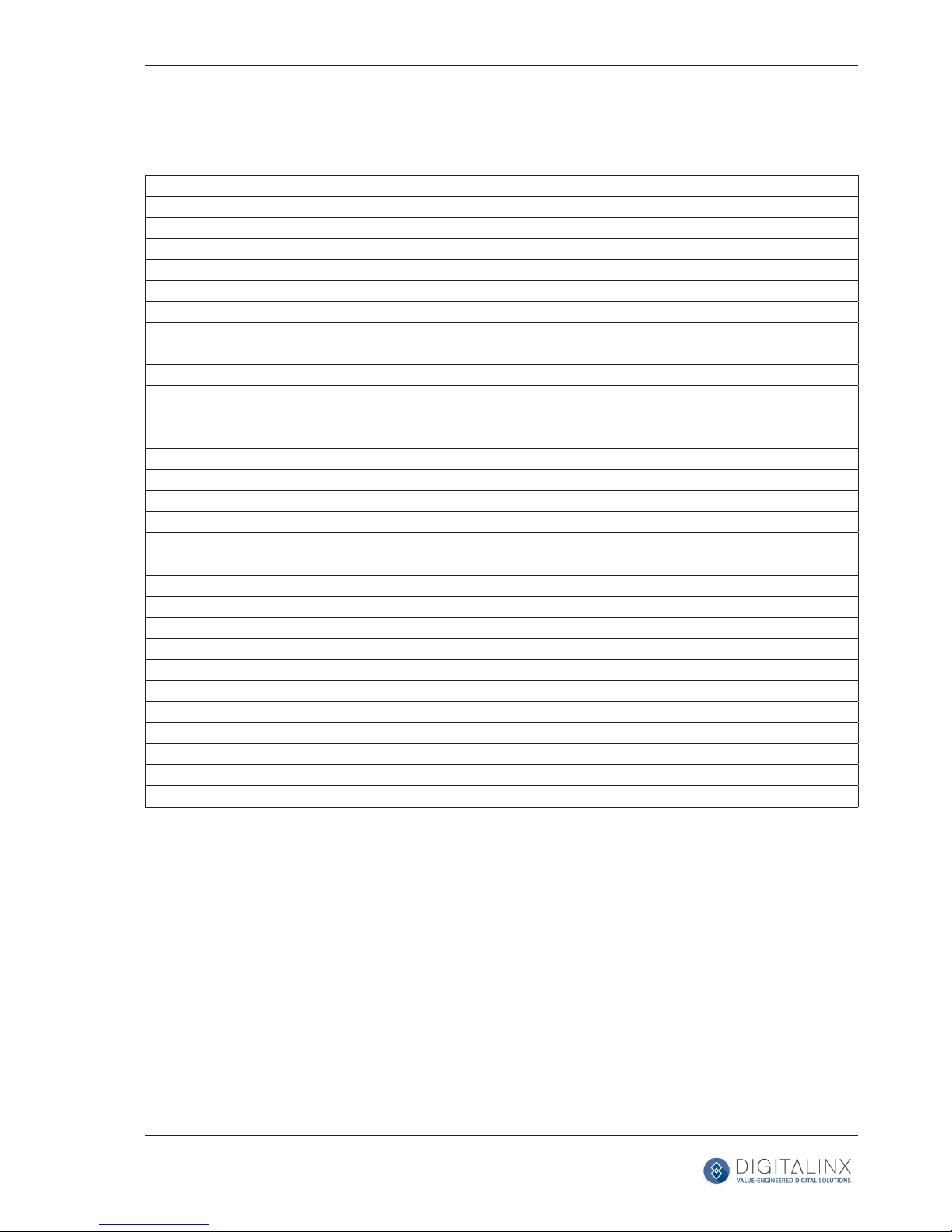
Technical Specicaons
VIDEO
Video Inputs (4) HDMI
Video Input Connector (4) HDMI type A
Input Video Signal HDMI
Video Output (1) HDMI
Video Output Connector (1) HDMI type A
Output Video Signal HDMI
Input Resoluons Support-edUp to 3840 x 2160 @ 60Hz, 4:4:4, 8bit color depth
Standards Compliant with HDMI 2.0b & HDCP2.2
AUDIO
Supported output formats PCM 2.0
Audio Output Stereo analog
Audio Output Connector (1) 3.5mm TRS audio jack
Audio Output Impedance 70 Ohms
Frequency Response 20Hz~20K Hz
CONTROL
Control Port / Connector (1) IR / 3.5mm connector
(1) RS232 / 3.5mm connector
OTHER
System Bandwidth 18Gbps
Operang Temperature -10C ~ +55C
Storage Temperature -25C ~ +70C
Humidity 10% ~ 90%
Power Supply Input:100V~240V AC; Output: 5V DC 1A
Power Consumpon 5 was
Dimension (W*H*D) 194mm * 12mm * 81mm / 7.6” * .47” * 3.2”
Weight 180g / .4 lbs
Warranty 2 years
Cercaon CE, FCC, RoHS
Page 8

Thank you for your purchase.
For Technical Support please call our toll free number at
800-530-8998 or email us at [email protected]
www.intelix.com
www.libav.com
Digitalinx is a brand of:
11675 Ridgeline Drive
Colorado Springs, Colorado
80921 USA
Phone: 719-260-0061
Fax: 719-260-0075
Toll-Free: 800-530-8998
 Loading...