

Page 1
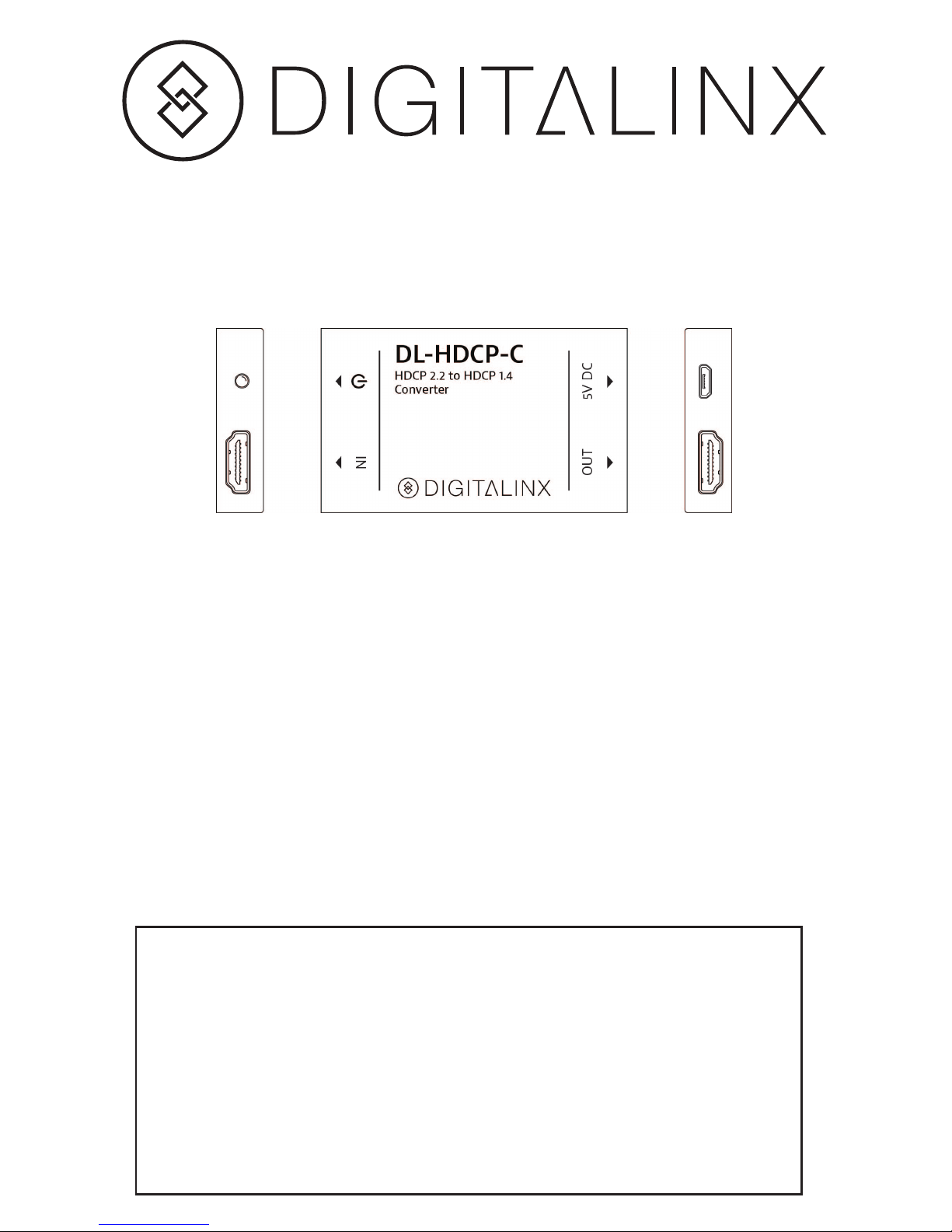
DL-HDCP-C Installation Guide
Included Accessories
• Installation Guide
• (1) Power Supply
• (2) Mounting Ears
• (2) Screws
• (4) Plastic Cushions
Important notice:
• Do not attempt to disassemble or alter the extender housing. There are
no user-serviceable parts inside the unit. Doing so will void your warranty.
• To minimize the possibility of equipment damage from electrostatic
discharge (ESD), all source and destination equipment must be powered o
during installation.
• Do not connect the extender to a telecommunication outlet wired
to unrelated equipment. Doing so may damage the unit or any connected
equipment.
• Allow proper ventilation to reduce the risk of thermal failure.
The DigitaLinx DL-HDCP-C is a 1x1 HDMI converter that features high-denition HDMI
transmission and HDCP conversion. The DL-HDCP-C HDMI input supports HDMI 2.0 &
HDCP 2.2 along with HDMI output support of HDMI 1.4 & HDCP 1.4. The DL-HDCP-C
transmits signal up to 15m with a max resolution support of 4kx2k@60Hz. The EDID
bypass feature ensures the best resolution for the application. The DL-HDCP-C is a Plug
and Play device which allows for a hassle free install.
Page 2
Instructions
• Verify all components included with the DL-HDCP-C are present before installation.
• Connect an HDMI source to IN port of the DL-HDCP-C.
• Connect an HDMI display to OUT port of the DL-HDCP-C.
• Connect 5V DC power adapter to the USB port on the DL-HDCP-C.
• Power on attached audio/video devices.
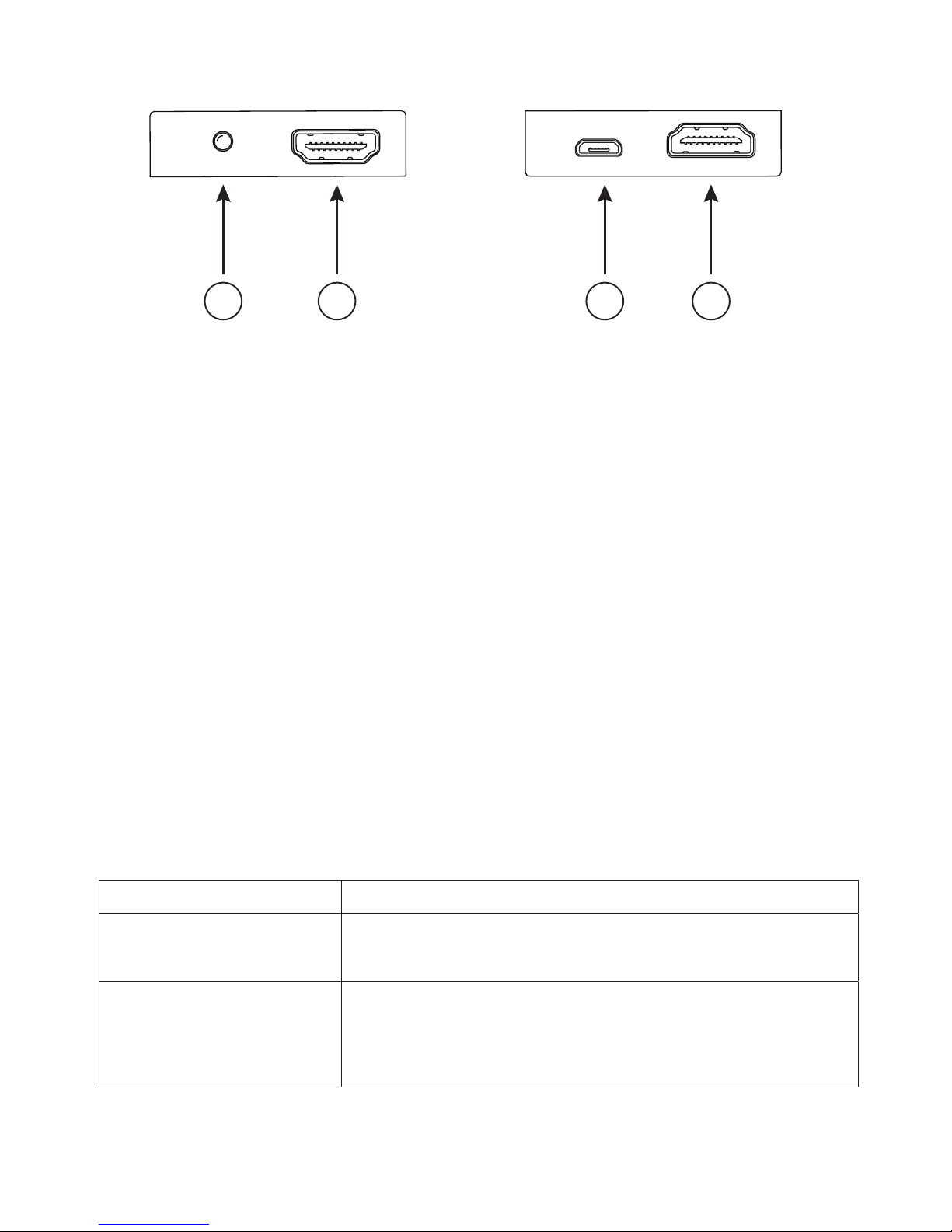
Front and Rear Connections
1. Power LED
2. Connect with HDMI/ DVI source
3. Micro-USB “B” Receptacle 5V DC Power Input
4. Connect with HDMI/ DVI display
Troubleshooting Tips
Symptom Possible Solutions
• Power LED light is off,
DL-HDCP-C is not operational
• Verify the USB port from power supply is in full contact with
the DL-HDCP-C.
• No output on the display • Check the HDMI devices are in full contact with the DL-HDCP-C.
• Test the HDMI source direct to display, bypassing the
DL-HDCP-C, verfiying it is operational.
• Test a second HDMI source with DL-HDCP-C.
• Test with new HDMI cables.
IN OUTDC 5V
1 2
3
4
Page 3
11675 Ridgeline Dr.
Colorado Springs, CO 80921
Toll-Free: 800-530-8998
Fax: 719-260-0075
www.libav.com
rev 151119
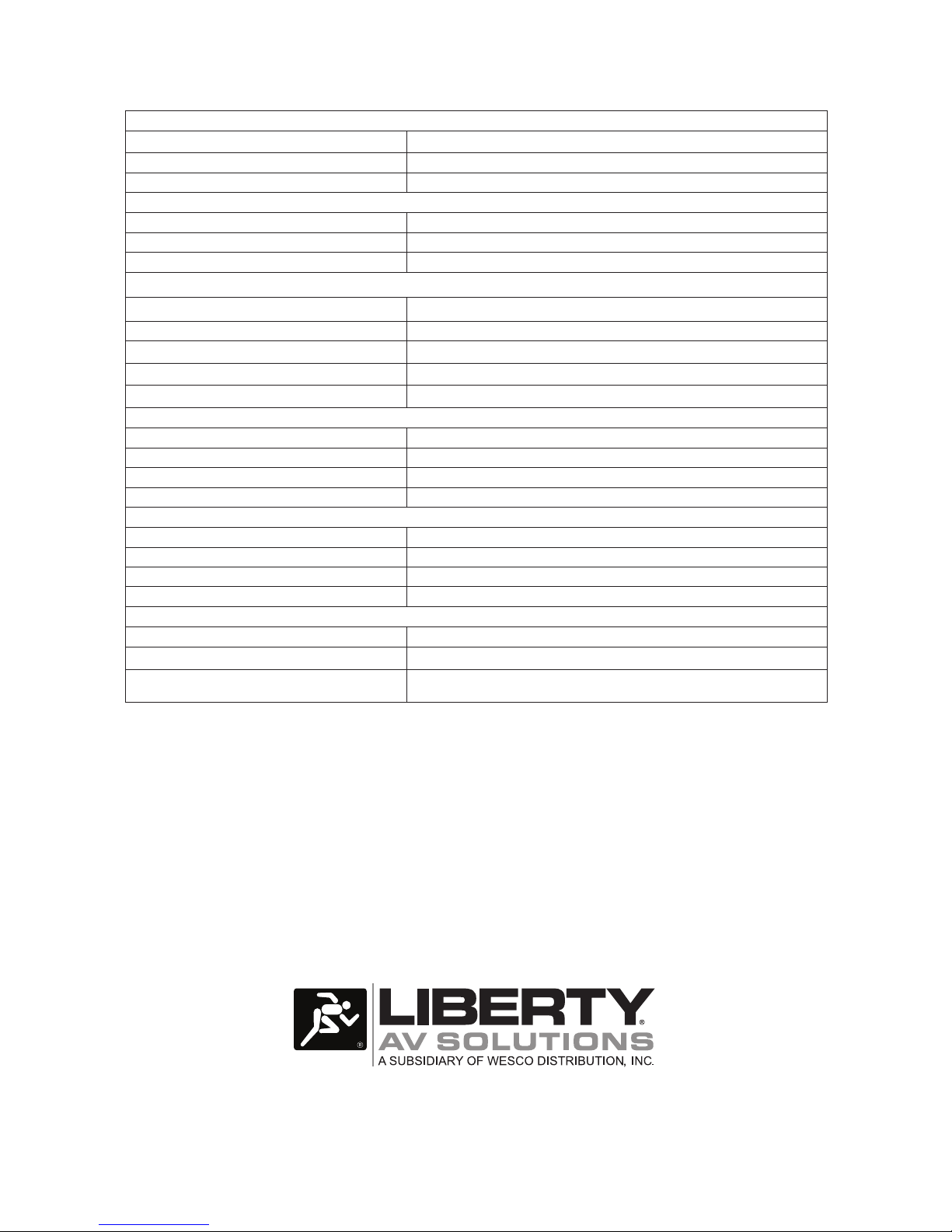
Input Connections
Video Input One (1) HDMI
Input Connector 19-pin Type A female HDMI
HDMI Standard HDMI 1.4, HDMI 2.0 & HDCP 2.2
Output Connections
Outputs
One (1) HDMI
Output Connector 19-pin Type A female HDMI
HDMI Standard HDMI 1.4 & HDCP 1.4
Video Performance
Video Resolution & Transmission Distance Up to 1080p / 20m and 4Kx2K@60Hz / 15m
Bandwidth 18Gbps
Audio Format PCM. Dolby Digital, DTS, DTS-HD, DTS-ES
Audio Sampling Rate 32k, 44.1k, 48k, 88.2k, 96k, 176.4k, 192k
EDID Management Support pass-through EDID
Chassis and Environmental
Enclosure Dimensions (W x H x D) 45.5 mm x 12 mm x 75 mm ( 1.79 in x 0.47 in x 2.95 in)
Shipping Weight (49g) 0.10lbs
Operating Temperature 0°C to + 50°C (+32° to + 122° F)
Storage Humidity 10% to 90%, Non-condensing
Power and Regulatory
Power Supply Input 100V-240VAC / 50-60 Hz
Power Supply Output 5VDC / 1 A
Power Consumption 0.5watts
Product Regulatory FCC, CE
Other
Warranty 2 years
Diagnostic Indicator Power
Included Accessories (1) Power Supply, Installation Guide, (2) Mounting Ears, (2) Screws and (4)
Plastic Cushions
Technical Specifications
 Loading...