

Page 1
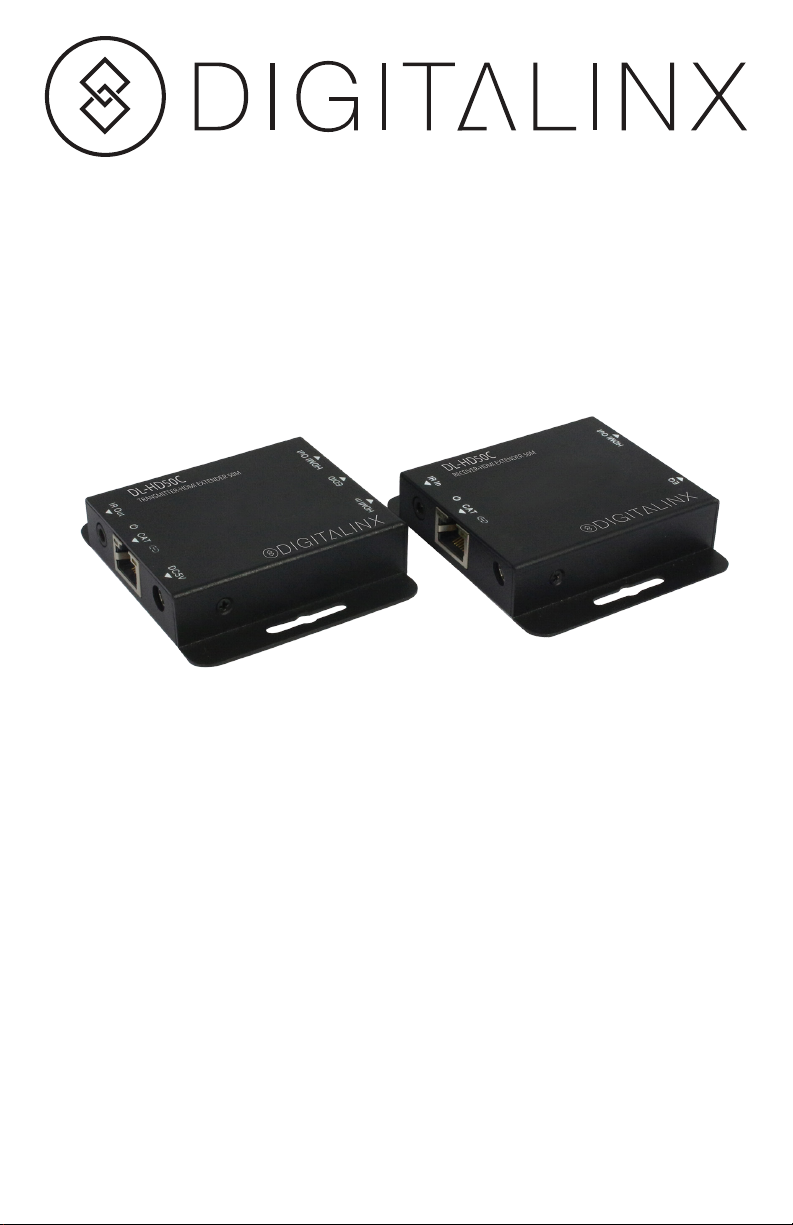
DL-HD50C Quick Start Guide
Included Accessories
• Installation Guide
• Wideband IR Tx/Rx cable
• (2) 5V1A DC Power Supply Adaptors
Page 2
The DigitaLinx DL-HD50C is an HDMI Extender over Single Cat6 with IR up to a distance
of 164ft/50m. The DL-HD50C features EDID management, which allows and encourages
source and display “handshake” for seamless integration. Deep color video, 1080p High
Denition resolution, DTS-HD or Dolby TrueHD audio are supported with this extender.
In addition, The DL-HD50C is sold as a set with a transmitting unit and receiving unit.
The transmitting unit is used to capture the HDMI input with IR and carries the signals
via one cost effective Cat6 F/UTP cable. The receiving unit is responsible for equalizing
the transmitted HDMI signal and reconstructing IR control signals. The extender offers
the most convenient solution for HDMI extension over a single Cat6 with long distance
capability, and is the perfect solution for any application.
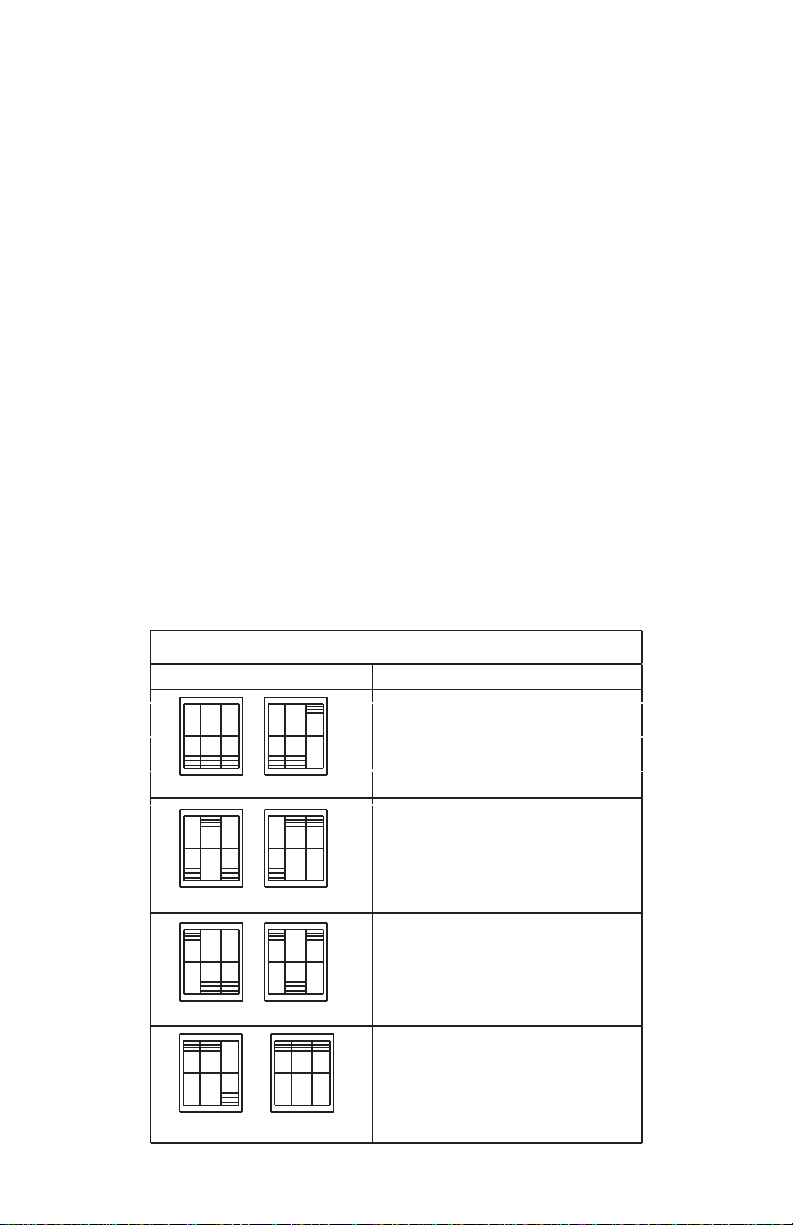
Equalizer Distance Adjust
Adjust the EQ switch signal level from MIN to MAX until desired video quality is displayed.
MAX stands for the strongest HDMI signal level for the longest possible transmission
length while MIN stands for the weakest HDMI signal level for short transmission length.
Recommended EQ Setting
Position Cable Length
Under 15 meters (49.5ft)
10
15-30m (49.5 ft- 99ft)
32
30-40m (99ft- 132ft)
54
40-50m(132ft– 164ft)
76
Page 3
Instructions
1. Verify all components included with the extender set are present before installation.
2. Turn off power and disconnect the audio/video equipment by following the
manufacturer’s instructions.
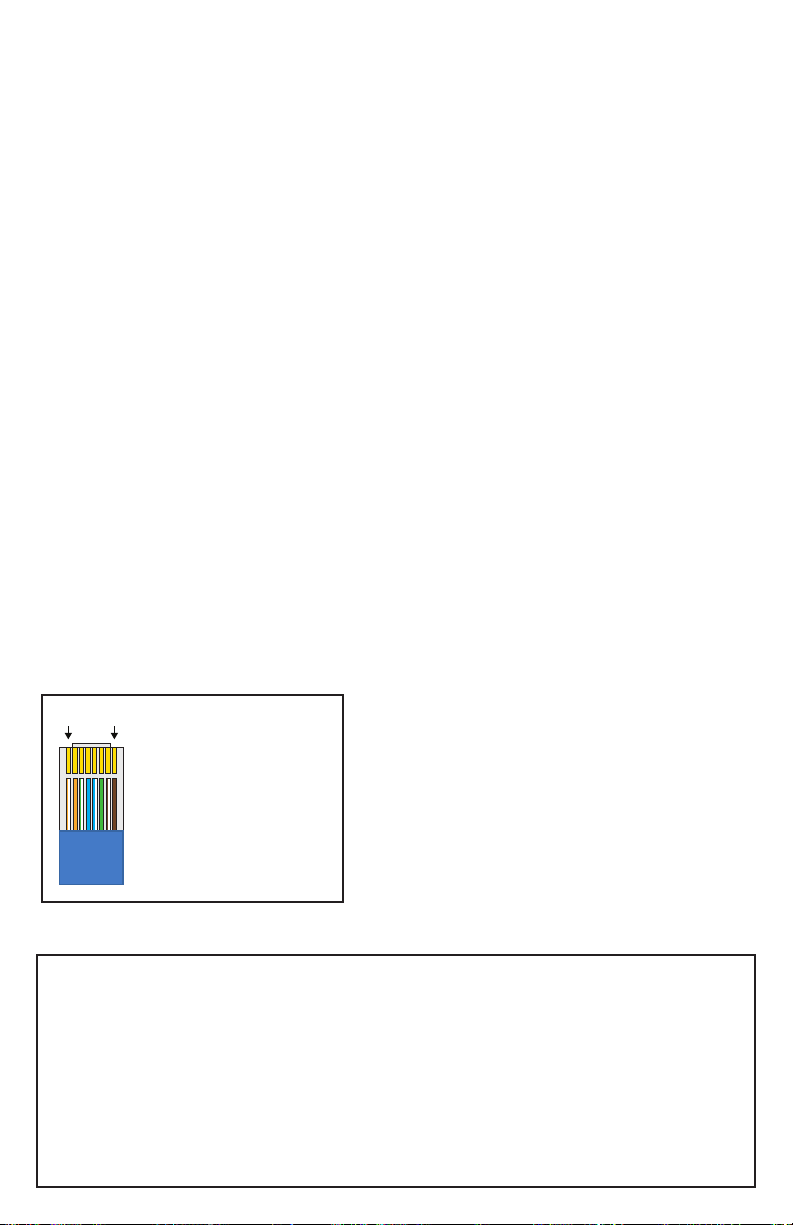
3. Connect solid core Category 6 F/UTP greater twisted pair cable with RJ45
connectors between the transmitter and the receiver. TIA/EIA-568B straight-through
wiring connections are recommended.
4. Connect a source such as a Blu-Ray Player, game console, A/V Receiver, Cable or
Satellite Receiver, etc. to the HDMI input on the Transmitter.
5. Connect a display such as an HDTV or HD Projector to the HDMI output on the
Receiver.
6. For power, plug both the Transmitter and Receiver unit with the included power
supplies to power the entire DL-HD50C circuit
7. IR in: Connect to the IR Receiver for IR signal reception. Ensure that remote being
used is within the direct line-of-sight of the IR receiver.
8. IR out: Connect the IR Blaster cable included in the package for IR signal transmission.
Pace the IR blaster in direct line-of-sight of the equipment to be controlled.
9. Power on attached audio/video devices.
10. EDID: The switcher can switch copy EDID function, switch to right position, the
extender will copy HDMI loop out display EDID information to source. Switch to left
position, the extender will copy Receiver display EDID to source.
1 8
TIA/EIA-568B
Pin 1
Pin 2
Pin 3
Pin 4
Pin 5
Pin 6
Pin 7
Pin 8
Orange/White
Orange
Green/White
Blue
Blue/White
Green
Brown/White
Brown
Twisted Pair Wiring
Use TIA/EIA-568B wiring for Category 6
connections between send and receive
units and when using the Ethernet
connections.
Important notice:
• Do not attempt to disassemble or alter the extender housing. There are no userserviceable parts inside the unit. Doing so will void your warranty.
• To minimize the possibility of equipment damage from electrostatic discharge
(ESD), all source and destination equipment must be powered off during installation.
• Do not connect the extender to a telecommunication outlet wired to unrelated
equipment. Doing so may damage the unit or any connected equipment. Ensure all
connected twisted pair cabling is straight-through (point-to-point).
• Allow proper ventilation to reduce the risk of thermal failure.
Page 4
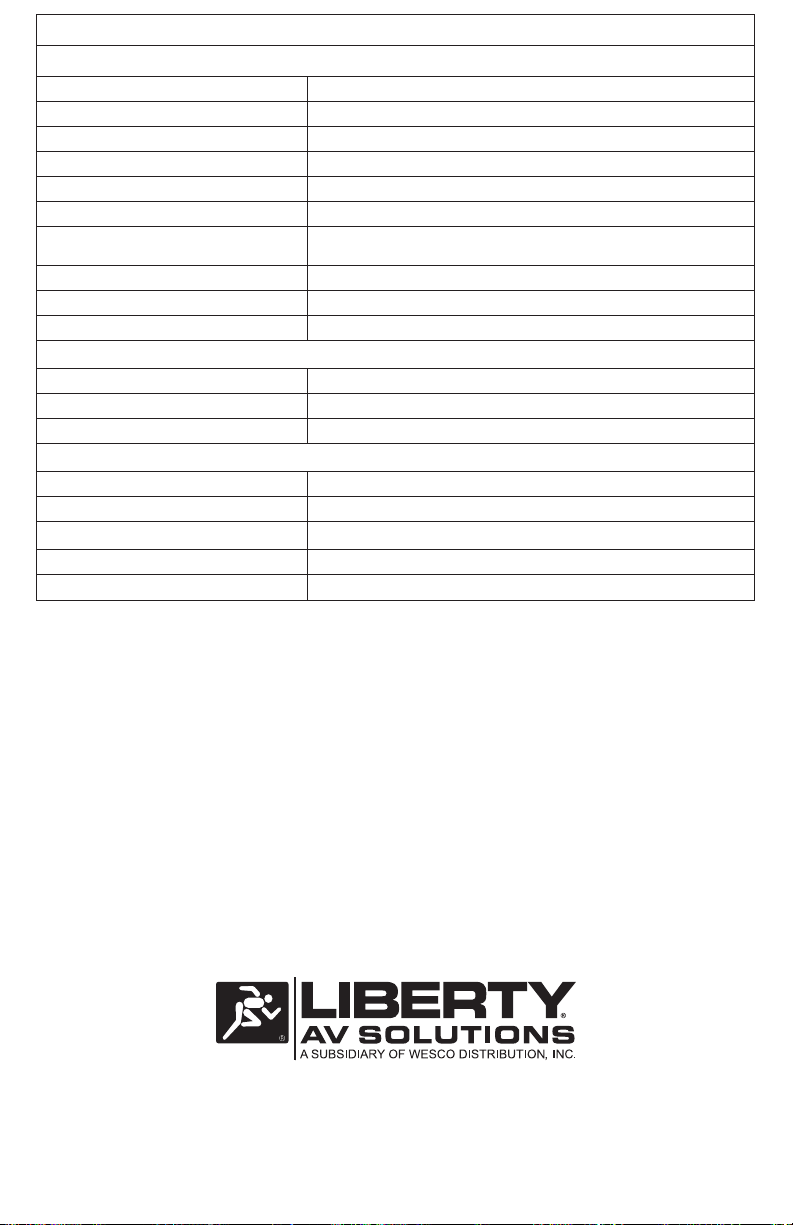
Technical Specications
Supported Audio and Video
Video Bandwidth Single-link 165Mhz [ 4.95Gbps]
Video Support 480i/480p/720p/1080i/1080p@60
Embedded Audio Support Surround Sound (up to 7.1 ch) or stereo digital audio
Transmission Range HD [1080p 24-bit color] – up to 50m [164ft]
Input TMDS Signal 3.3 volts
Input DDC Signal 5.0 volts/P-P
ESD Protection Human Body model:+/- 8 kV (air-gap discharge)
HDMI connector Type A 19 pin female
RJ-45 connector 8P8C
3.5mm connector (TX and RX) IR Receiver/IR Blaster
Chassis and Environmental
Operating Temperature 32~104 °F
Storage Temperature -4 ~140 °F
Operating Humidity (Environment) 20~90 % RH (no condensation)
Power
Power Consumption 1.5 watts (TX); 1.0 watts (RX)
Power Supply Output Voltage 5V1A DC
Other
Standard Warranty 5
Included Items Installation Guide, Wideband IR Tx/Rx cable, (2) 5V1A DC Power Supply Adaptors
+/- 4 kV (contact discharge)
11675 Ridgeline Dr.
Colorado Springs, CO 80921
Toll-Free: 800-530-8998
Fax: 719-260-0075
www.libav.com rev 161003
 Loading...