

Page 1
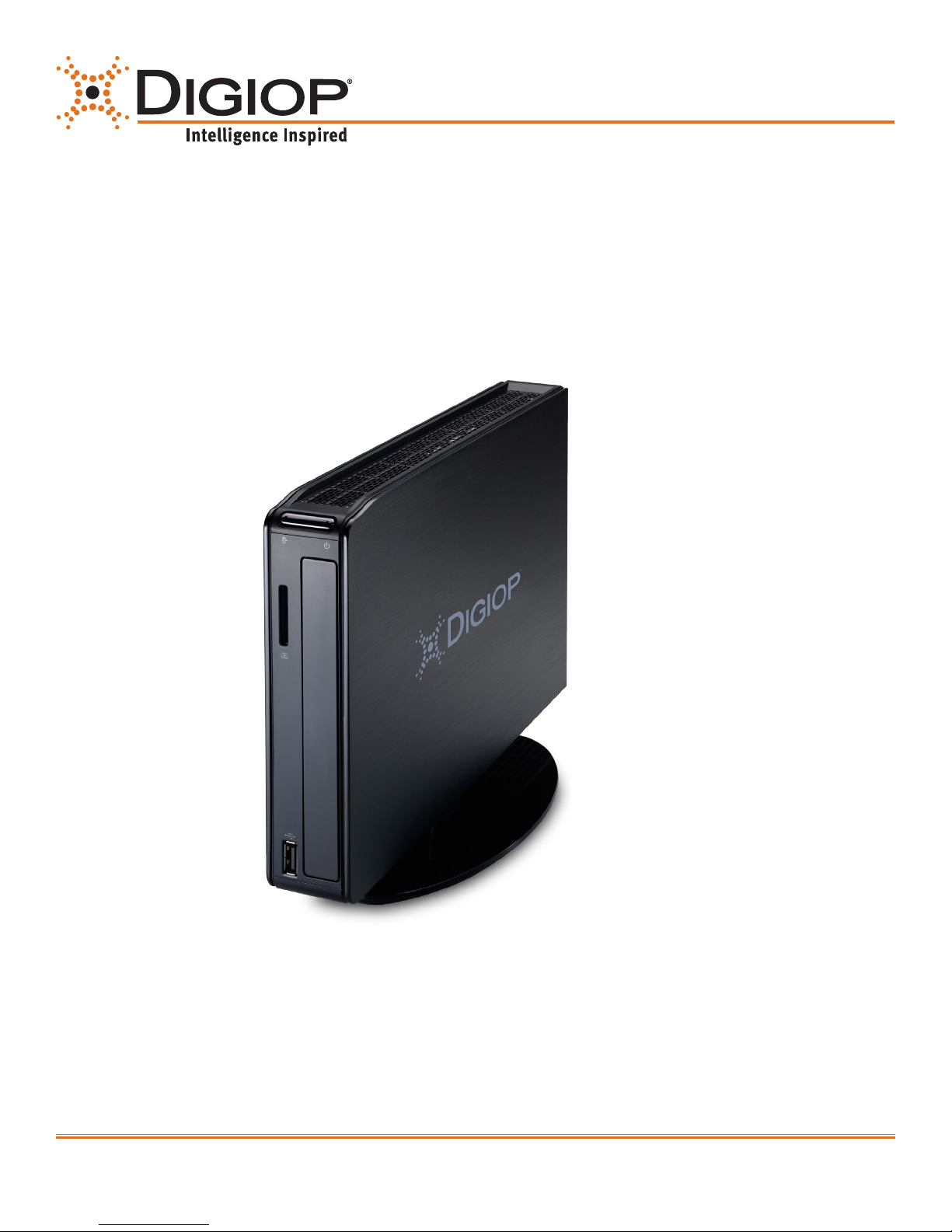
DIGIOP® NT1000 Chassis
Hardware Quick Start Guide
Video and Data Management Systems
Congratulations on your new DIGIOP® Video and Data Management System
This guide provides setup instructions for your server hardware.
877.972.2522 Toll Free • [email protected] • www.digiop.com
For more information, contact DIGIOP® Support at
www.digiop.com
1
DO_NT1000_CoQ
Page 2
1. Getting Started
Unpacking the Contents
Choose a Proper Location
The following are included with your system. Please inspect these and the
other system components while unpacking.
• Quick Start Guide
• Surge Protect ion Notice
• MS Windows Disk
• Driver Disk
• Application DVD
• Exter nal Power Supply
Select a location for the system that meets the following requirements.
Notice: Excessive heat can shorten the life of electronics.
• Adequate ventilation to avoid excessive heat (climate-controlled environment)
• Uninterrupted Power Supply (UPS)
• Moisture-free environment
• A place away from direc t sunlight
• An area with minimal dus t or debris
Site Installation
Hardware Setup – Connect all input devices and external peripherals to the system. Follow the order of connections displayed in Step 3.
• IP Camera(s)
• VGA Monitor
• Ethernet
• Mouse
• Keyboard
• Power Adapter
• PTZ Camera(s) - Optional
• Audio in (microphone) - Optional
• Powered Speakers - Optional
Notice: For proper indoor and outdoor cameras an in-line surge suppressor or equivalent should be used to reduce exposure to surges and lightning strikes.
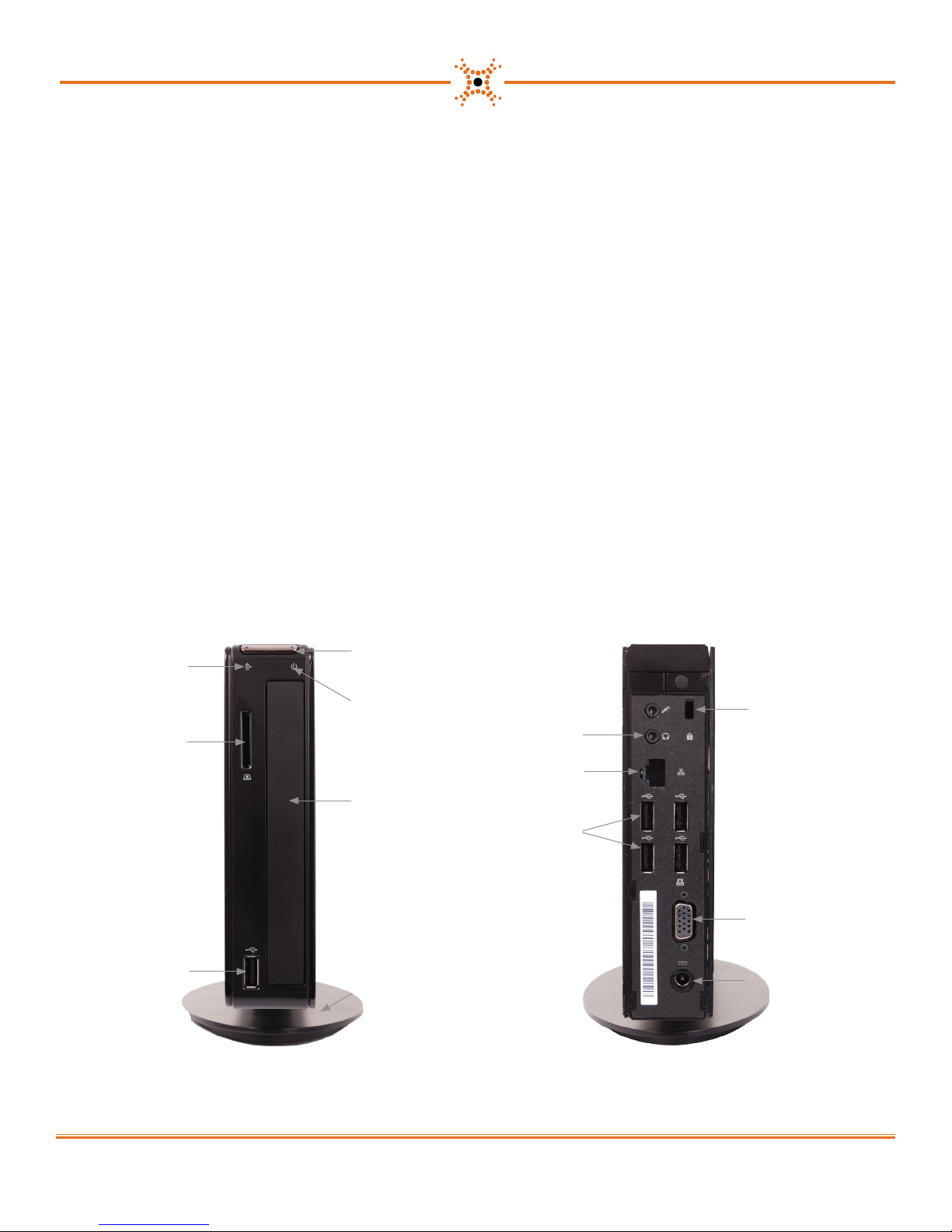
2. About Your System
HDD Status
LED
4-in-1 Card
Reader
USB 2.0 Port
Power Butt on
Power Status
LED
Headphon e/
Line Out
LAN Port
Drive Bay
(Not Used)
USB 2.0
Ports (4)
Vertica l Stand
Front Back
Kensingto n
Lock
VGA Port
Power
Connec tor
(DC IN)
2
www.digiop.com
Page 3
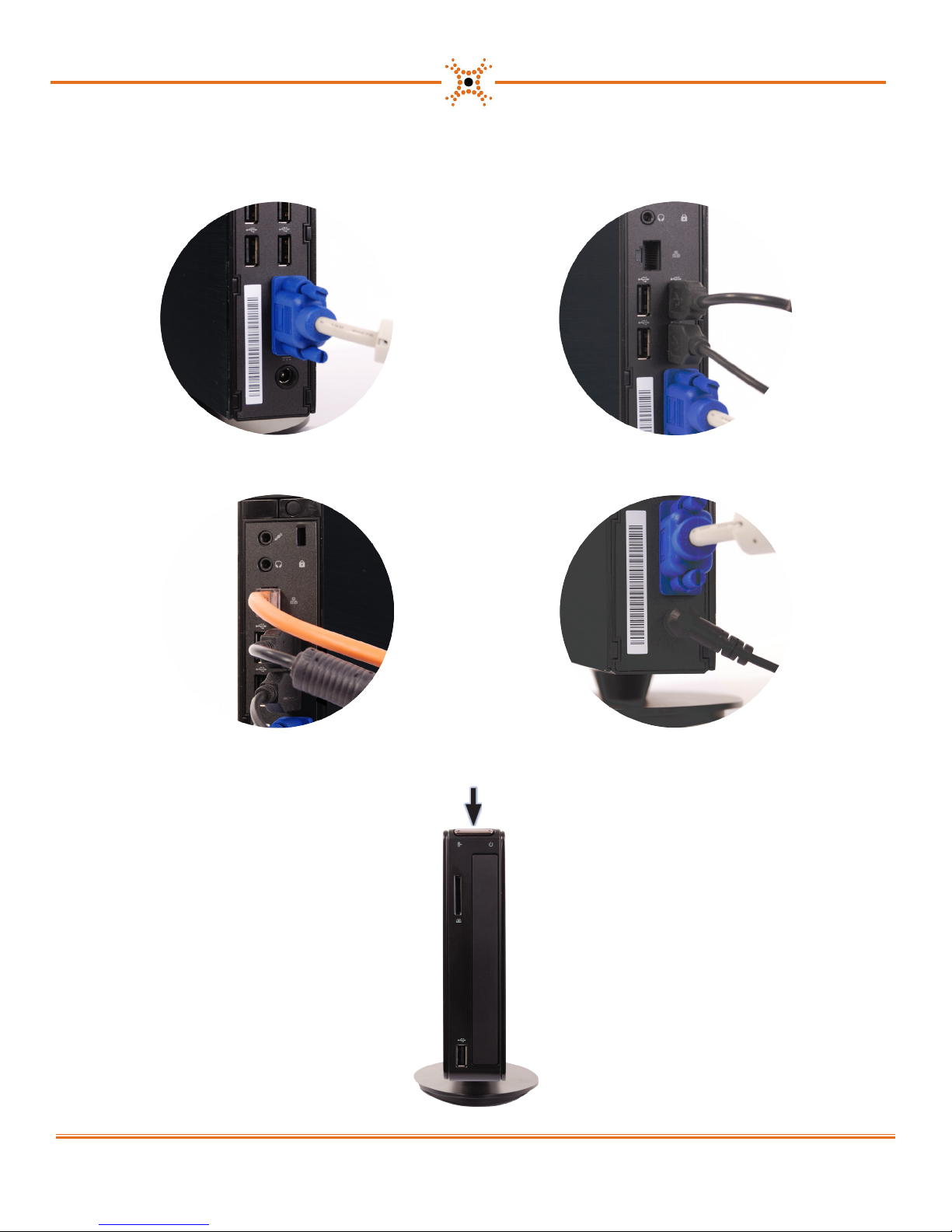
3. Setting Up Your System
1. Connect your monitor to the VGA port. 2. Connect your key board and mouse. You can use any of the available USB por ts.
3. Connect the network cable. 4. Connect the p ower adapter to the computer, then plug it into a standard 120 VAC outlet.
5. Power on the computer and mo nitor.
Press
www.digiop.com
3
Page 4

Notes
Copyright ©2012 DIGIOP, Inc. • Indianapolis, IN • tel: 800.968.3606 • fax: 317.663.2077 • support: 877.972.2522 • www.digiop.com
4
DIGIOP is a registered trademark of DIGIOP, Inc. All rights reserved.
 Loading...