

Page 1
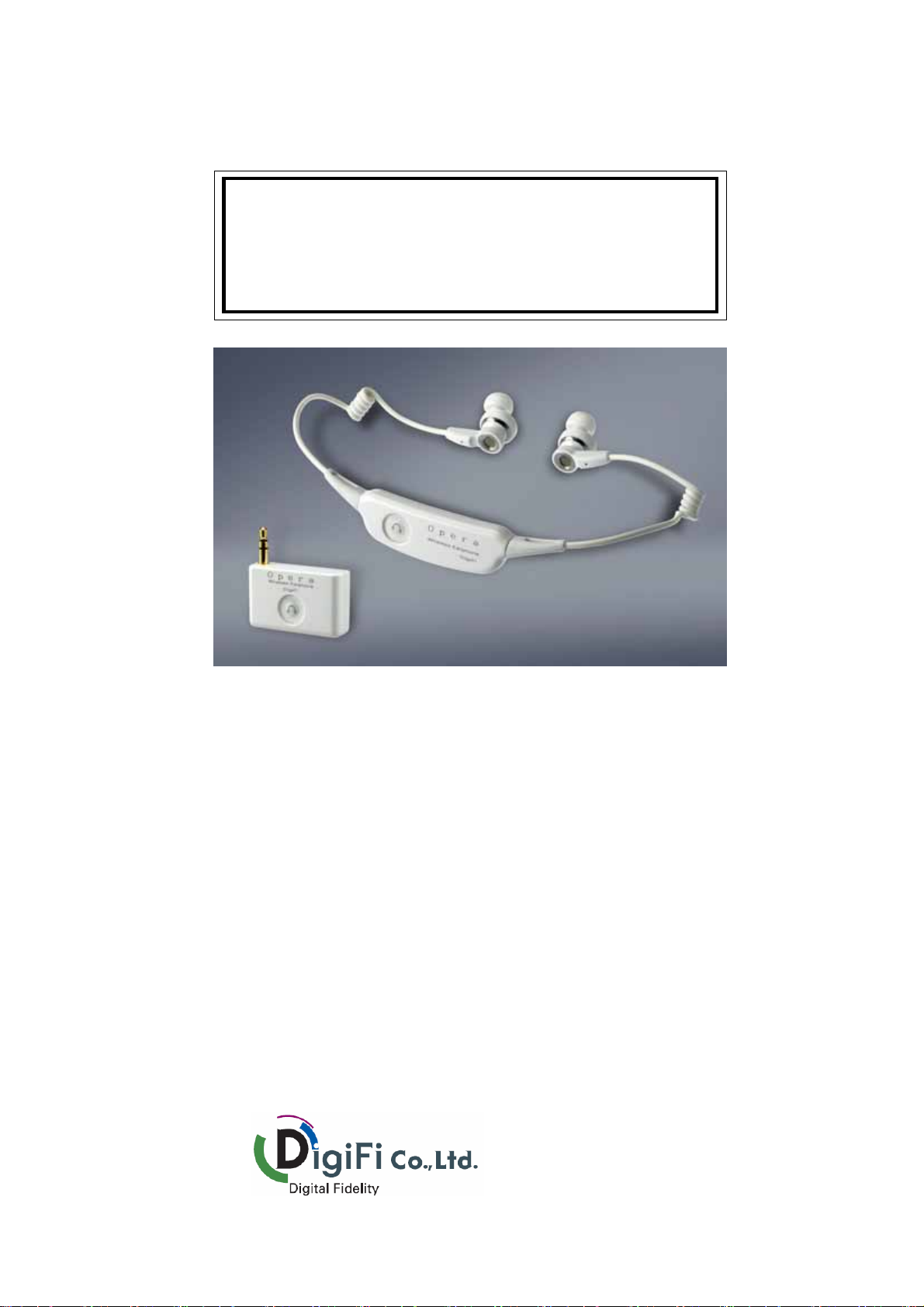
Wireless Earphone
User’ s Guide
Model : Dongle – Opera s1d
Ear set – Opera s1e
Thank you for purchasing this product.
This product has been designedand developed with Kleer Audio Solution using
2.4GHz ISM Band to allow users to enjoy clear original sound.
It provides more comfortable feelings with ultra light designing. This product also
has selected premium kernel method of 13.5mm unit, promising a stronger midto-low sound compared with the ordinary 95mm products
Please read carefully through this guide before using the product.
Product quality assurance is included to be kept and utilized anytime necessary.
Page 2
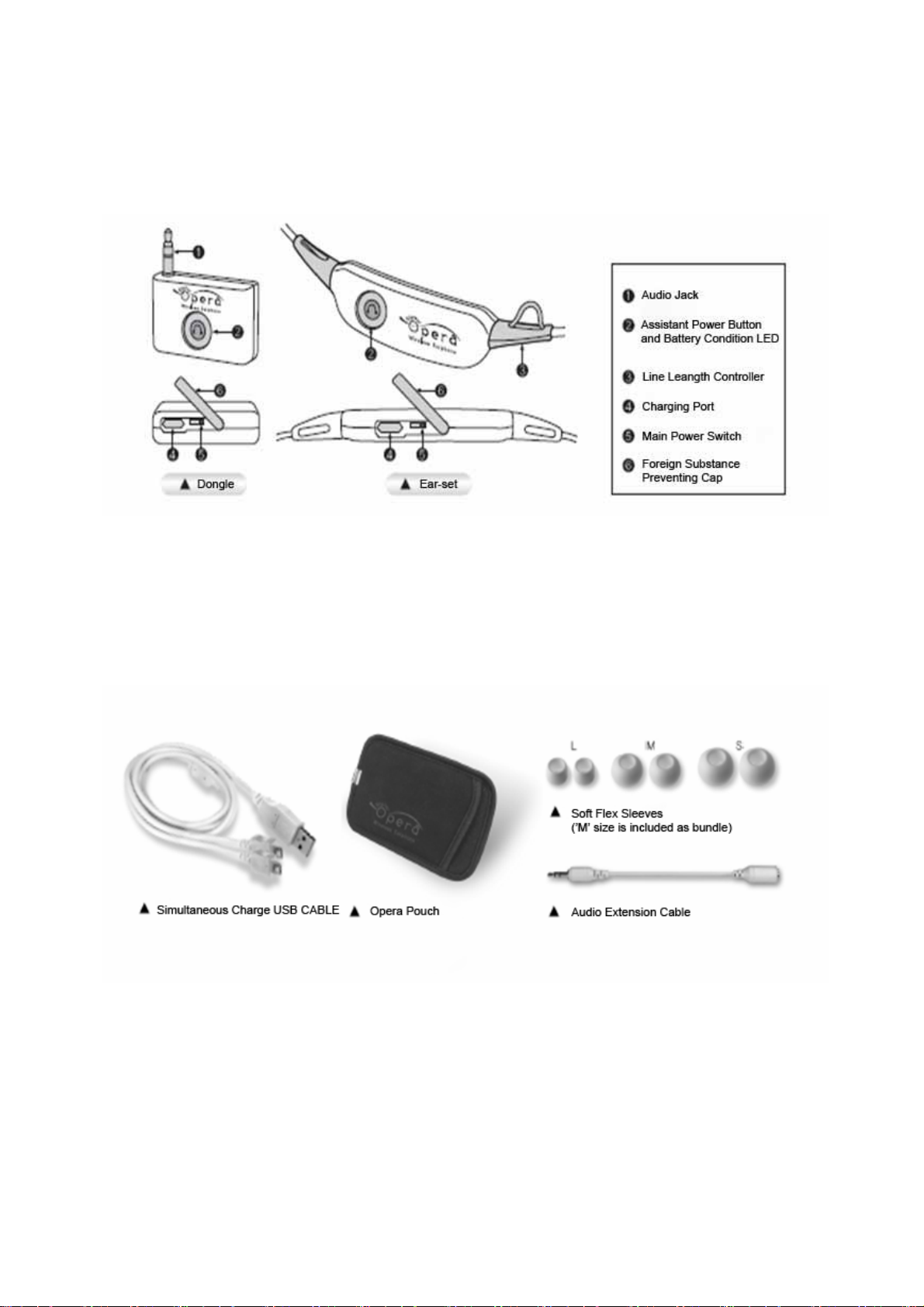
1. Features
2. Accessories
Page 3
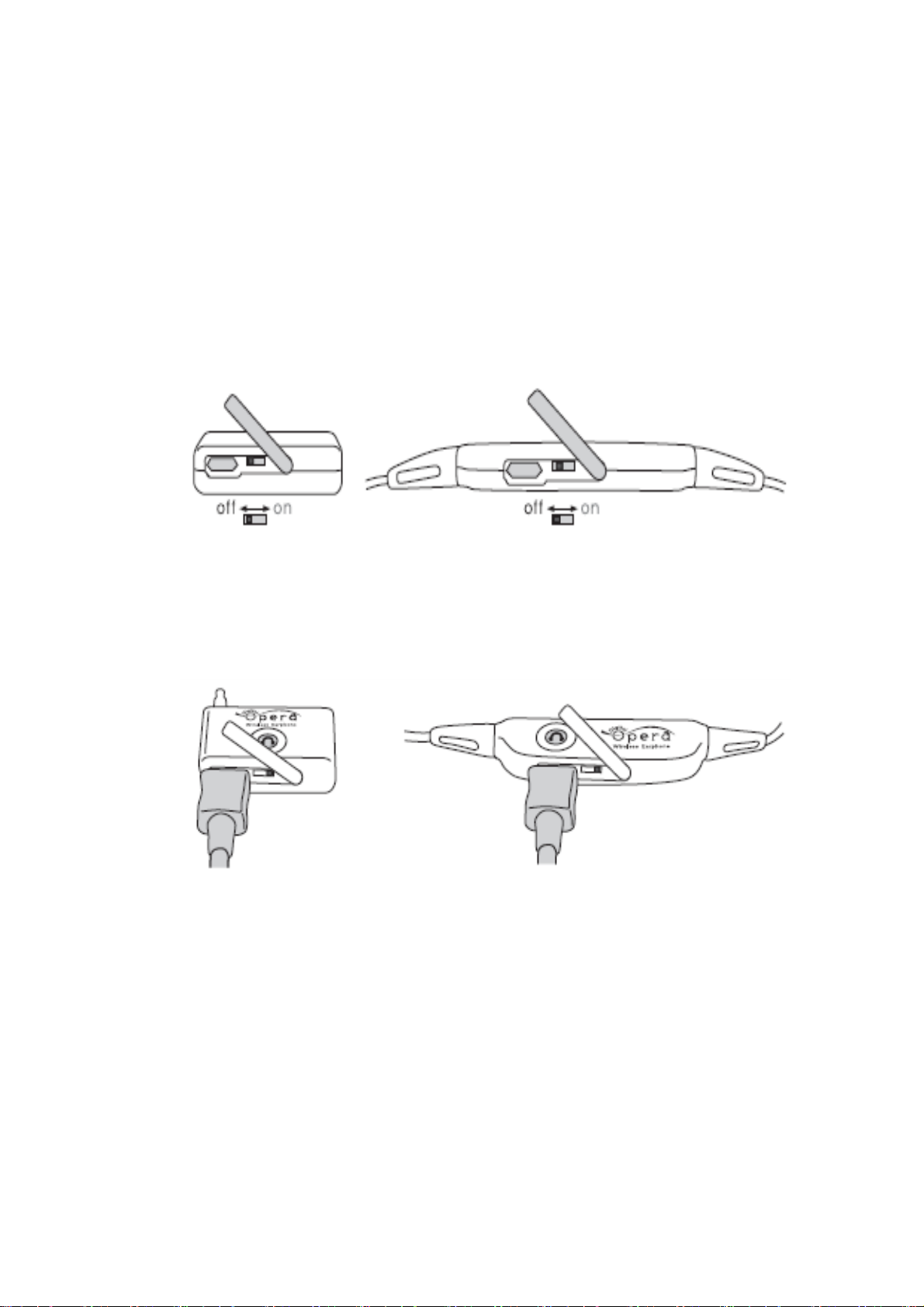
3. Before the first use after opening the box
1. Turn on the main power by sliding switch to the opposite direction of the
charging port, after opening the foreign substance preventing cap attached to
each dongle and ear-set. It is convenient to use sharp tools like pencil or edge
of charging cable connector when sliding.
(To prevent complete discharge of battery due to long term left-out, main
power of dongle and ear-set are turned off.)
2. Please charge the battery enough for more than 2 hours.
* Red LED on the power button is on while charging and LED is turned off
when charging is completed.
3. Charging is not possible when main power is turned off.
4. Music is not played while charging.
Page 4
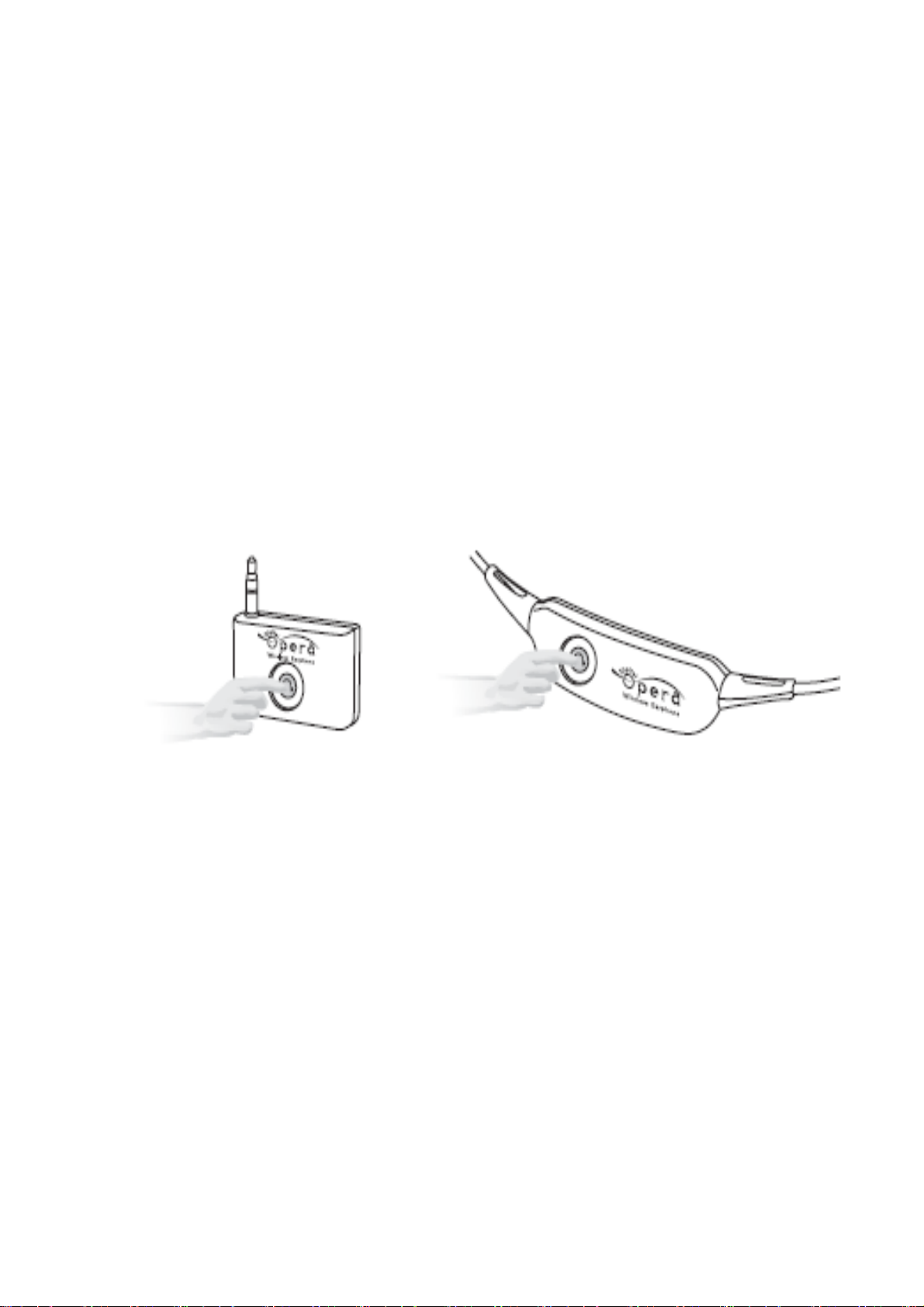
4. How to Pairing (Mutual Synchronization of dongle and ear-set)
1. This product is packed with complete paring of dongle and ear-set at the
time of delivery from the factory.
2. If paring is not set, follow steps described below.
3. Remove charging cable from charging port of dongle and ear-set when the
product is fully charged.
4. Then power off both dongle and ear-set by pressing power button for about
1 second.
5. Then simultaneously press assistant power button of dongle and ear-set for
about 3 seconds.
- If there is longer than a second time difference, pairing setting cannot be
completed. In this case, please try again from step 4.
6. Orange LED light is quickly turned off after about 3 seconds.
7. If you put our hand away from the button, LED is turned off little slowly.
8. Slowly turning off LED means dongle and ear-set is trying a pairing process.
9. Slowly processed LED lighting off is for 3 seconds to complete pairing
setting, and LED of dongle is turned off again quickly. LED of ear-set is
changed to normal lighting off cycle of approximately 3~4 seconds.
Page 5
10. Another quick turning off of dongle LED is for the pairing of additional earset. This would last for about 15 seconds. If we press assistant power button
of another powered-off ear-set for 3 seconds, additional pairing is completed
as in step 6~9.
11. When pairing is completed, dongle and ear-set maintains simultaneous
lighting off for 3~4 seconds for giving and receiving signs.
12. for the additional pairing of ear-set,
- turn off assistant power button of ear-set of complete pairing.
- operate ear-set to be paired additionally with dongle as in step 4~7.
- Turn on the assistant power of ear-set, which was initially turned off.
- Additional pairing is completed.
- When dongle and 2 ear-sets do not simultaneously turned off, lightly press
assistant power button of dongle, automatically processing each pairing.
- Then third and fourth ear-set will be paired in the same way.
* Set pairing will be maintained regardless of power condition, and lightly press
assistant power of dongle when pairing is not completed at the time of
assistant power is on.
13. Pairing is only one-time process, and automatic pairing is completed when
turned on even if main power is off.
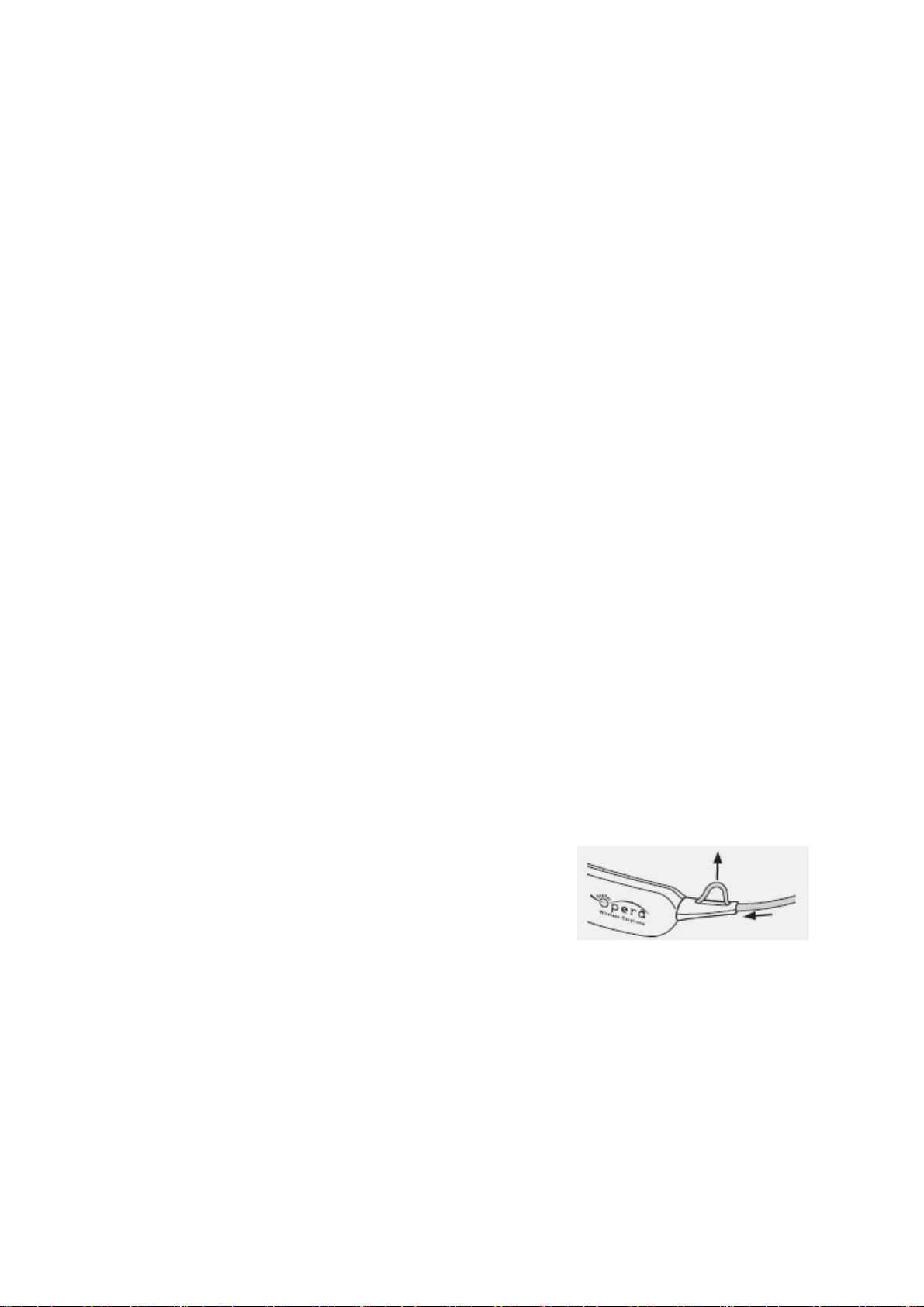
5. Earphone Length Adjustment
As in picture on the right, length of the line can
be adjusted so that earphones are not falling off
when strong activity or exercises.
6. Please Read Carefully Cautions
A.
Reception is not good and sound is blocked! Why is that?
1) Keep dongle away from the body since frequency number using 2.4GHz
range cannot go though human body. Location of dongle should be in
outside direction.
Page 6

2) Do not wrap over ear-set receptor with thick muffler or coat collar.
3) Please use this product away from wireless base station and Wireless LAN
since they may cause interference of electric wave.
4) Please use this product away from transmission tower, telegraph pole, or
high frequency using factories since they may cause confusion.
B. Power is not on! Is there a problem in the product?
1) Please check main power switch of dongle and ear-set.
2) Please check battery condition.
C. I cannot hear any sound! What can I do?
1) Please check if dongle and ear-set are paired.
2) Please try to use again after complete charge.
D. What is pairing?
1) It is synchronization of dongle and ear-set to mutual exchange of information.
This product is packed after paring is completed.
E. I cannot charge! What happened?
1) If main power switch is off for dongle and ear-set, charging process does
not work.
F. How can I check charge condition LED?
1) When the product is connected to the power with USB charging cable, red
LED is on. After charging is completed, LED is automatically off.
G. Does this product support automatic power-saving mode?
1) Power of dongle or ear-phone is off after 1 minute of no output signals of
audio or main power of medial player (PMP, MP3P, CDP) is turned off. It supports
power saving mode to prevent unnecessary battery use-up.
H. How long is the battery using time?
1) For listening to the music, maximum of 10 hours of continuous use is
possible based on user environment.
Page 7

2) When dongle or ear-set main power is turned off, leftover is maintained for
about 3 months.
3) When assistant power is off and main power is on, leftover is maintained for
about 7 days.
I. Is it possible to listen to the same music with family or friend by using
additional ear-set?
1) This product supports multi pairings, so maximum of 4 ear-set reception
setting is possible for 1 dongle. 4 people can share the music simultaneously.
J. Can I use this product in sauna?
1) This product is not waterproof, so please keep it away from sauna, bathtub,
or swimming pool. Please give an extra care when it snows or rains.
K. Audio jack of dongle and audio port of medial player (PMP, MP3P, CDP) does
not attached together!
1) Please use audio connecting cable included in the package when port and
jack attachment does not work due to port location by producers.
L. Audio jack of dongle and audio port of cell phone is not accord.
1) Please purchase audio jack exchanging cable, connecting cell phone and
dongle since audio ports of Samsung, LG, and Motorola are not standardized.
M. Can I charge this product with 220V general AC power?
1) Charging of this product is only possible by using USB power of PC, and you
can purchase USB charging (5.7v 750mA) AC adaptor to use 220V general AC
power.
Page 8
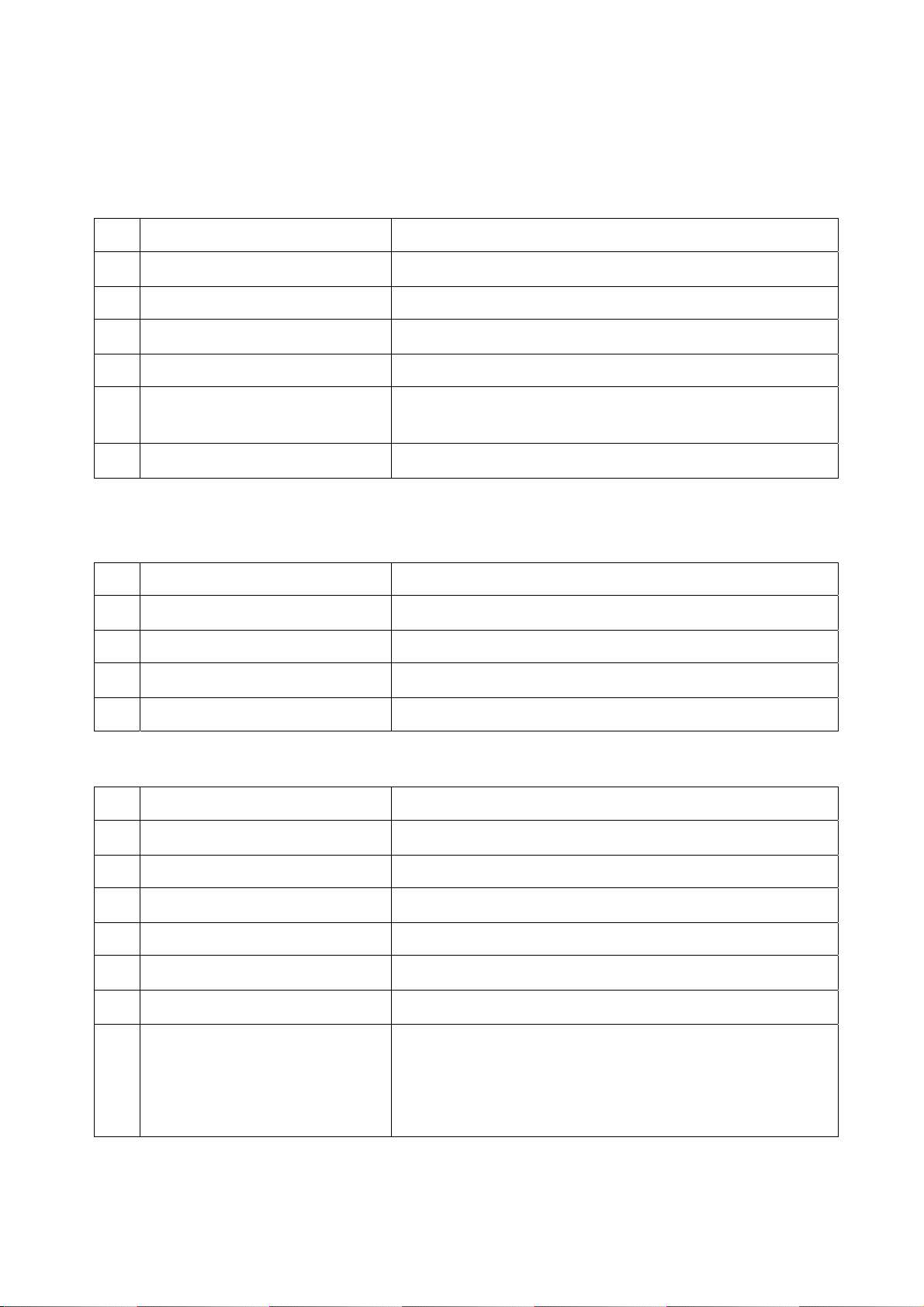
7. Product specifications
General characteristics
1 range About 25m indoor
2 Normal Operation time 8~9hours
3 Operating current 8~15mA
4 Standby current 0.25~0.35mA
5 Weight Receiver(earbud):20g, transmitter (adaptor):12g
6 antenna Earbud: dual diversity antenna
Adaptor: single chip antenna
7 Rechargeable battery time 2~3 hours
Audio characteristics
1 Audio frequency response 20Hz ~ 20kHz
2 Distortion <0.1%(20Hz~20KHz)
3 Signal to Noise Ratio Typical 86 dB
4 Ear speaker impedance 32 Ohm
5 Sampling frequency Max 44.1KHz
Radio characteristics
1 Frequency range 2400~2480MHz
2 Channel space 5MHz(16Channels)
3 Sensitivity Typical -86dBm(@ 18% per)
4 Transmission power Typical -5dBm
5 Data rate 2.37Mbps
6 Adjacent channel rejection 25dB
7 Alternate channel rejection 40dB
8 Regulatory compliance ETS300-200(EU)
FCC15.247(US)
ARIB STD-66
TELEC(JAPAN),EMI(KOREA)
Page 9
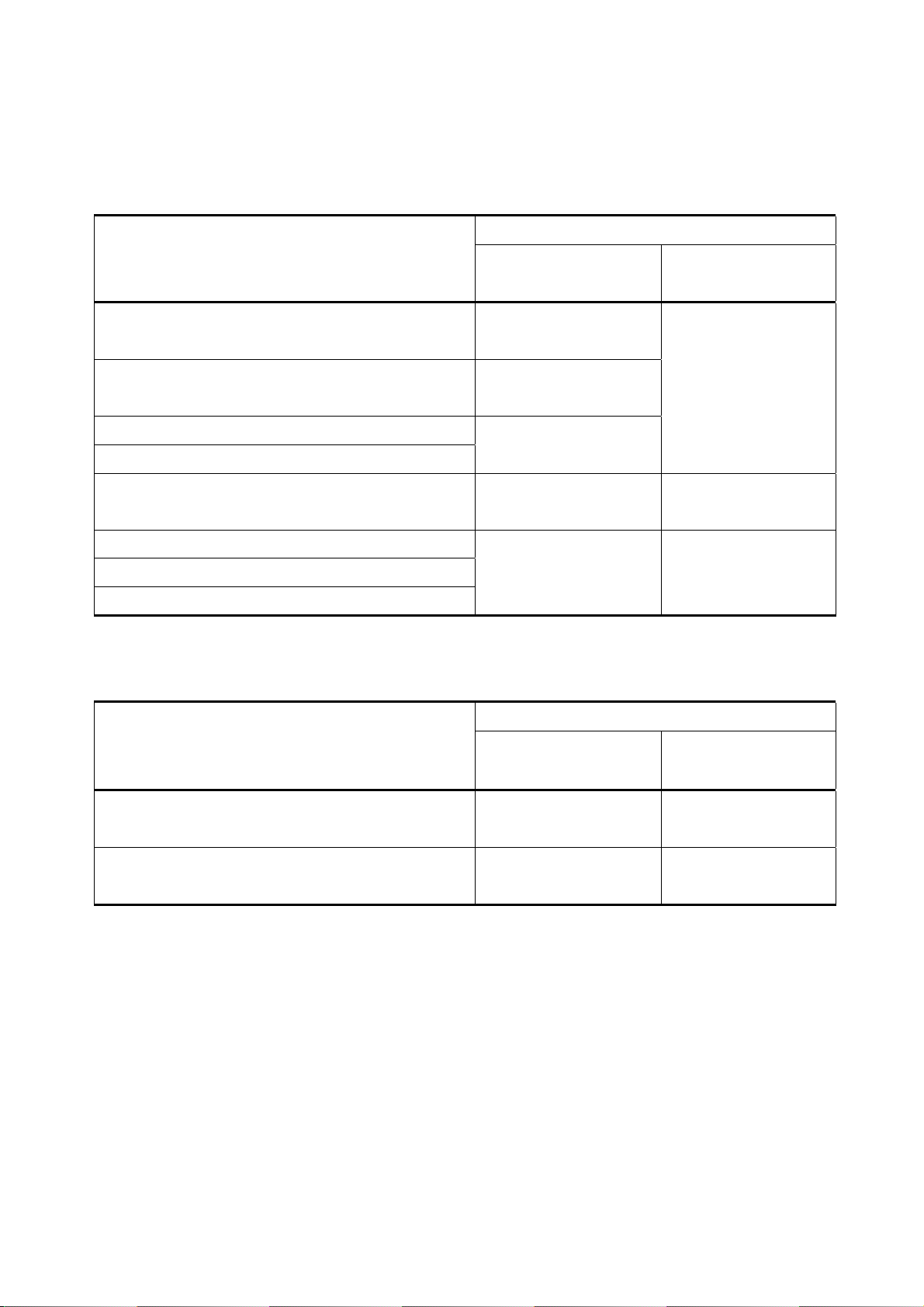
Consumer Compensation for the Loss
1. When the product has a trouble about its feature or function in natural condition.
Consumer damage
Important repair is required in 10 days after purchase Exchange of product or
Repair of important parts is required in a month after
purchase
Important repair is required in a month after exchange
When exchange is impossible
Repair or damage occurrence Repair without charge Repair with additional
Repaired but having same problem again
When repair is impossible
When product is missing by business unit
Compensation
In the term of guarantee After the term of
guarantee
refund
Product exchange
Refund
charge
Exchange or refund Refund with 10%
depreciation to the
purchasing
2. Problems in features or functions by consumer’s mistake
Compensation Consumer damage
In the term of guarantee After the term of
guarantee
When repair is possible Repair with additional
charge
When repair is impossible
“CAUTION : Exposure to Radio Frequency Radiation.
Antenna shall be mounted in such a manner to minimize the potential for human contact during normal operation.
The antenna should not be contacted during operation to avoid the possibility of exceeding the FCC radio frequency
exposure limit.
Exchange with additional
charge of repair
Repair with additional
charge
N/A
Page 10
Product Assurance
Product Name : Digital Opera
Equipment Name : Wireless Earphone Model Name : Dongle – Opera s1d, Ear set – Opera s1e
Product Date : 2008.04 Term of Guarantee : 1 year from the purchase
Certification Company : Digifi Co.,Ltd. Producer/Country : Digifi Co.,Ltd. / Korea
Identification Code :
Purchase Date :
Customer Name : Phone :
Address :
Agency Name :
Address :
Quality of the product you have purchased is guaranteed for1 year. Sales product is produced under rigorous quality
management. When problem occurred in the term of guarantee, we exchange or repair parts for free of charge.
Please register product number by mail or on-line. Also, this product is protected under a liability of reparation
insurance.
Sales & AS (Customer Service Center) BIGBEAM : 1544-0904
Customer Service Center: 1544-0904
If any problem occurs while using this product or if you have any question regarding this product, please call
customer service center to above toll-free number. We promise you to always provide a sincere and prompt service.
Thank you.
Producer: Digifi Co.,Ltd..
Sales and AS: BIGBEAM/46-1 Wonhyoro 3-ga, Yongsan-gu, Seoul/TEL.1544-0904
=====================================================================
=============================================================
Page 11
 Loading...