

Page 1

Ear release
1
Wireless bone conduction headphones
DesignForCitySports
Page 2
Ear release
2
Product description
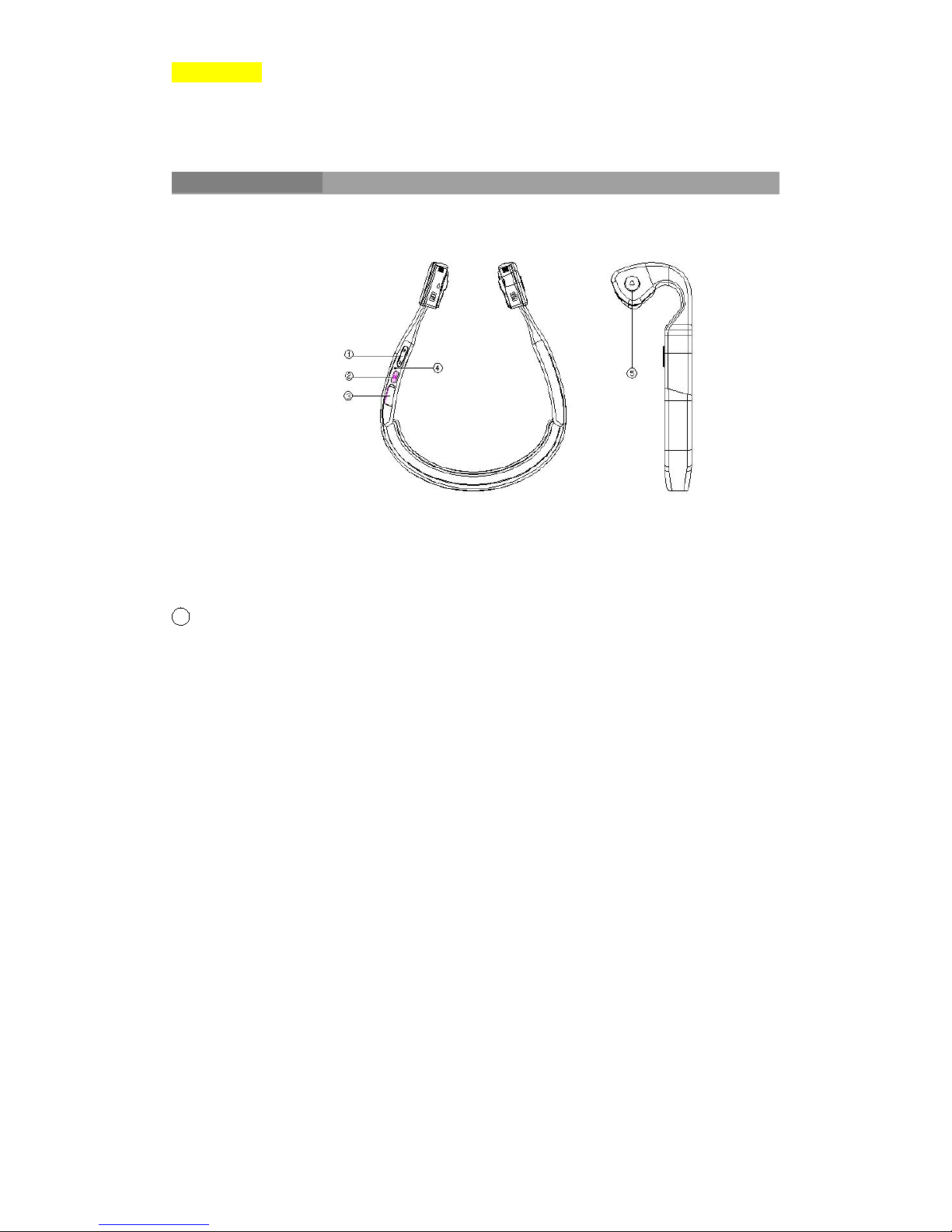
1 Volume control keys;②Power key;③USB Charging port;④Indicator light
⑤Multifunction key
Page 3

Ear release
3
1. Accessories
Silicone tension band;USB Charging cable;Instruction manual.
2. What’s special?
Headset uses the bone conduction speaker so the sound can pass through the skull dire
ctly to the auditory center, which eliminates many steps of acoustic transmission. It ca
n achieve clear sound reduction in a noisy environment, so as to release the ears and r
evert to the delicate tone function. Suitable for people who jog, run, cycle, etc.
3. How to wear
You can hang the headset on back of the neck, and put both sides of the speakers close
to the cheek bone near the ears. If you feel the shaking of the headset, we recommend
using silicone tension band.
Page 4
Ear release
4
4. How to operate
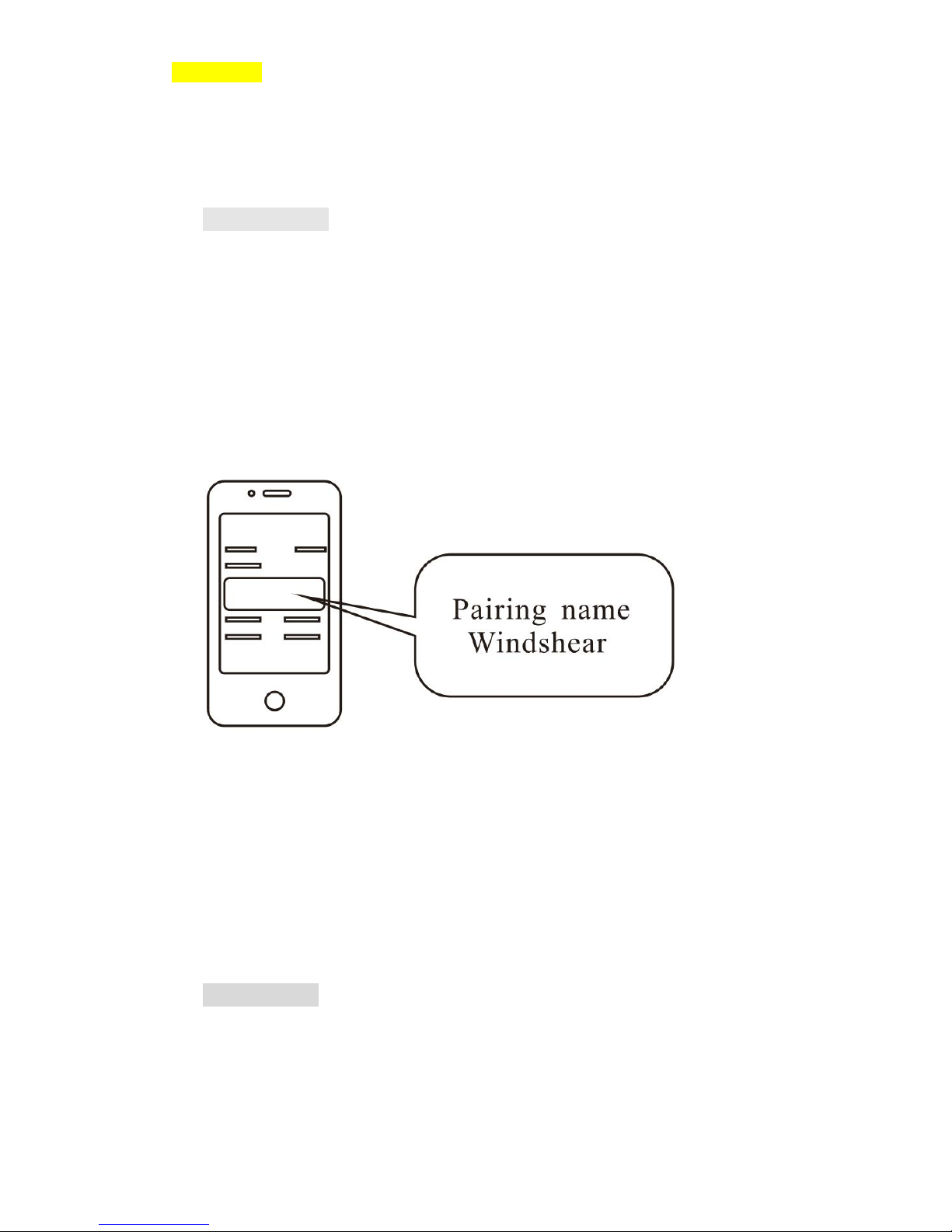
Press and hold the power button for two seconds until the blue light which indicates p
ower is on. For first time matching, hold the power button until the indicator light flas
hes, indicating pairing mode. Turn on Bluetooth on mobile phones then search the
blutooth device and choose “Pairing
name :Windshear”. Click the pair option. After matching for the first time, the headset
will automatically connect after pressing power button within 10seconds.
Click “+”“-” to increase or decrease volume. Hold “+” to fast forward to the next son
g. Press the volume key “-” to go back to the previous song. Press the multifunction k
ey to pick up or hang up incoming calls. Click play or pause when playing music.
5. Specifications
Playback time up to 5 hours
The standby time up to 10 days
Page 5

Ear release
5
Fully charging time 1.8 hours
Bluetooth version 4.0
Transducer sensitivity 10
0±3dB
Microphone sensitivity -50
±3dB
Weight 57 grams
6. Storage and maintenance
Products should be stored under a cool and dry environment with 0~45℃temperature.
This product is not entirely waterproof so do not use underwater. Check before chargi
ng if there is any liquid to prevent headset damage.
Please adjust the volume when using the headset to avoid hearing damage.
 Loading...