

Page 1
HYDRUS (BR 171 A/B)
Remote Control Guide
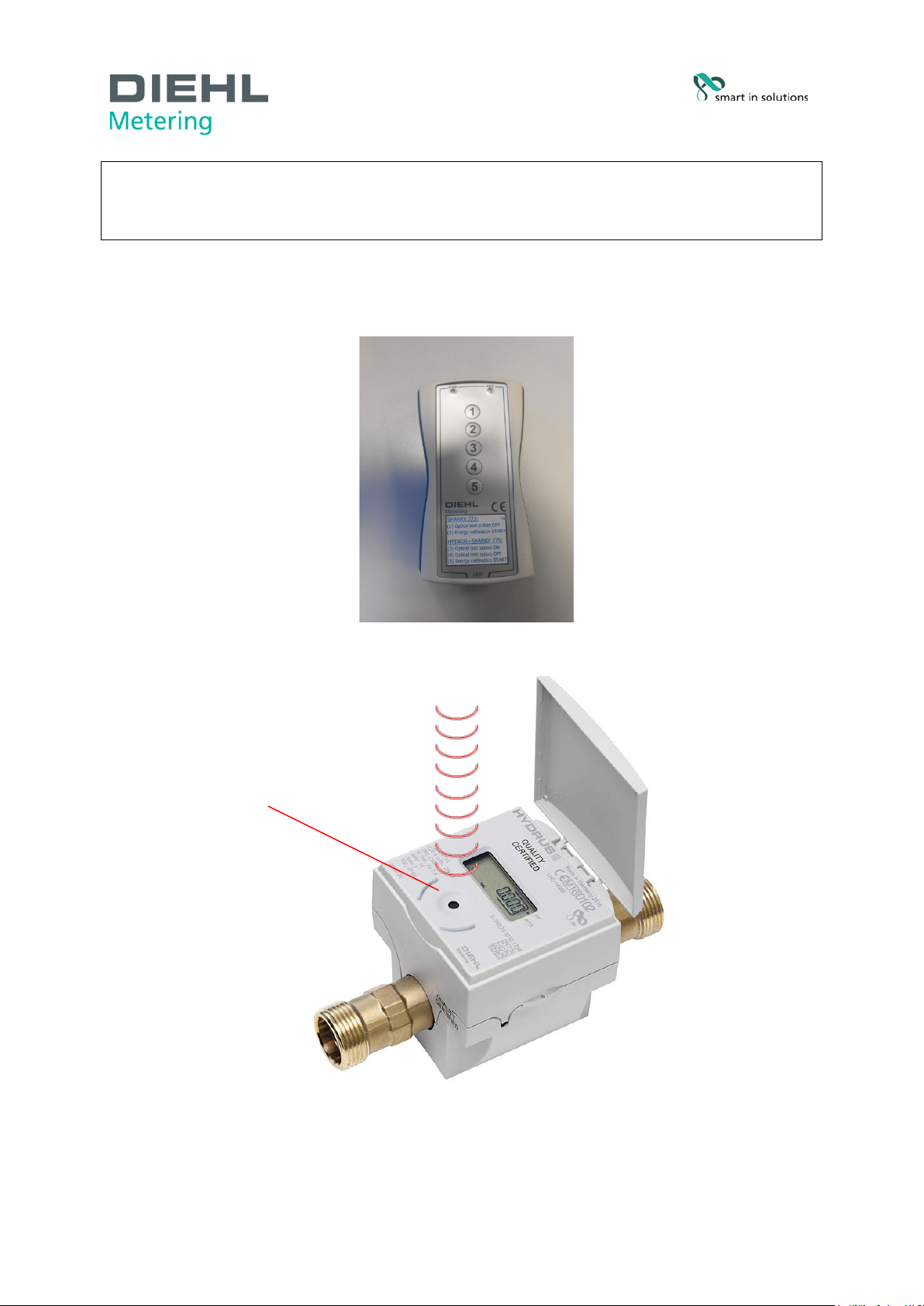
Fig. A Remote control
optical interface
Diehl Metering GmbH page 1 of 4
Industriestraße 13 ∙ 91522 A n sb ac h ∙ Germany ∙ Phone +49 981 18 06-0 ∙ Fax +49 981 18 06-615
Am Weimarer Berg 3 ∙ 99510 Apolda ∙ Germany ∙ Phone +49 3644 84 33-0 ∙ Fax. +49 3644 84 33-411
[email protected] ∙ www.diehl.com/metering
Subjects to technical alterations ∙ 14.02.2017
Page 2
General
• The remote control is used to activate the test mode with high-resolution volume display, and
optical pulse output. It can be ordered under order number 3074045
• The device is supplied complete with batteries already fitted. The remote control is therefore
ready for immediate use.
General procedure
• Take the remote control and hold it so that the side marked “LED” points towards the optical
interface of the meter (Fig. A/B).
• The maximum space between the remote control and the optical interface of the meter should
be 5 centimeters.
• Press shortly the button (Optical test pulses ON).
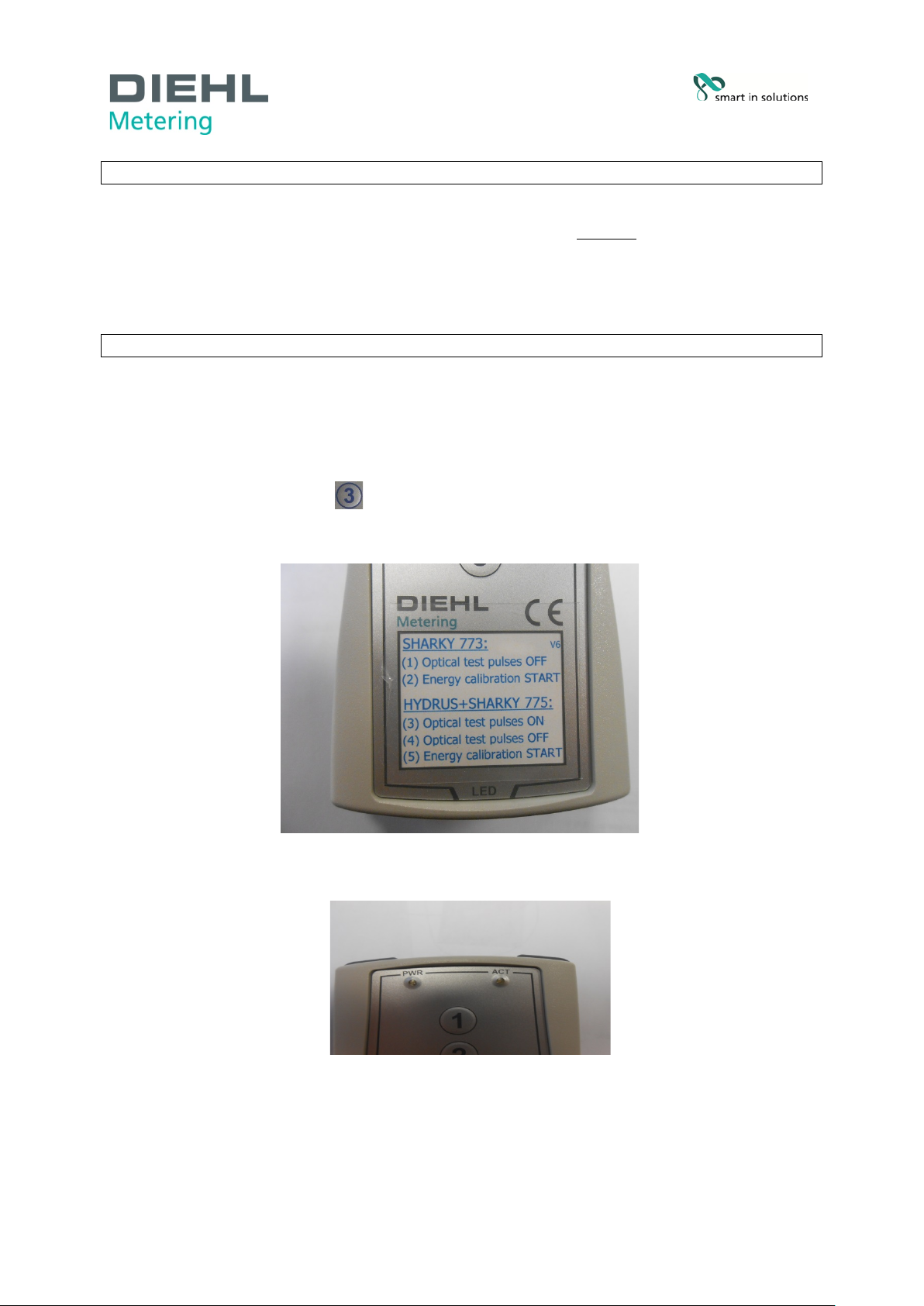
• The yellow “ACT” LED on the device (see Fig. C) glows to indicate that the remote control is
in operation.
.
Fig. B Remote control
Fig. C “ACT“ LED
Industriestraße 13
91522 Ansbach
Deutschland
Tel. +49 981 18 06-0
Fax. +49 981 18 06-615
[email protected]
www.diehl.com/metering
page 2 of 4
Page 3
1.6
1 ml
0.1 ms/pulse
2.5
2 ml
0.1 ms/pulse
4
4 ml
0.1 ms/pulse
6.3
4 ml
0.1 ms/pulse
10
10 ml
0.1 ms/pulse
16
40 ml
0.1 ms/pulse
25
40 ml
0.1 ms/pulse
HYDRUS
Performance of volu me test
• Activate the test mode as described under General procedure.
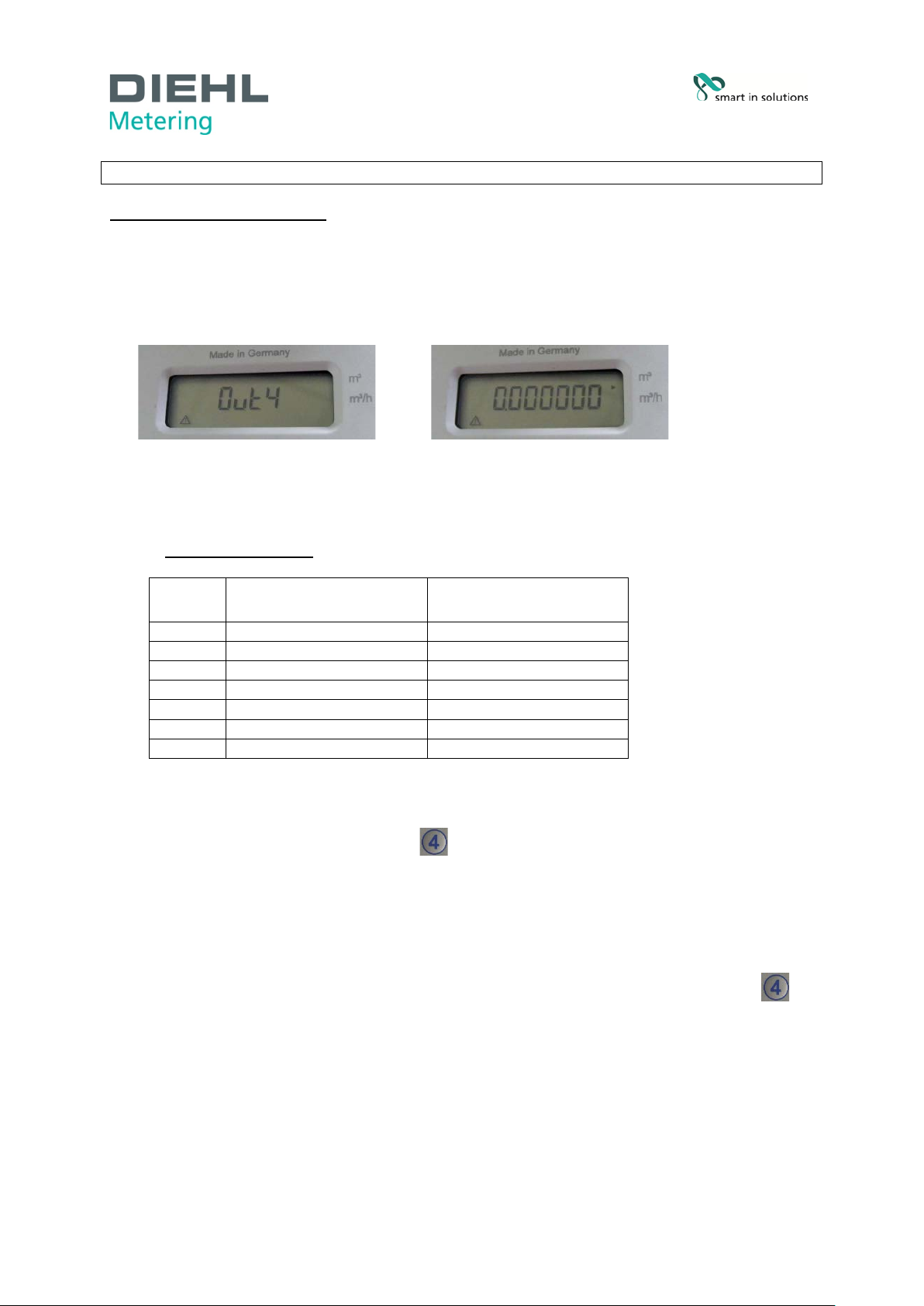
• After activating the meter display alternately indicates “Out 4” and the high-resolution
volume, e.g. 0.000000 m³ (Fig. D).
Fig. D Meter display with activated test mode
• HYDRUS now provides an output of the test pulse value for 3 hours shown in the display.
The value depends on the nominal size of the meter (Fig. E).
TEST PULSE VALUES:
Q3 TEST PULSE VALUES
PULSE DURATIO N
OPTOHEAD
Fig. E Test pulse values
• To end the test, briefly press button (
control via the optical interface.
• The yellow “ACT” LED on the device (see Fig. C) glows to indicate that the remote control is
in operation.
• HYDRUS display no longer indicates “Out 4”.
• To prevent accidental discharge of the battery, always end the test by pressing button
Optical test pulses OFF)
(
HYDRUS.
Industriestraße 13
91522 Ansbach
Deutschland
Tel. +49 981 18 06-0
Fax. +49 981 18 06-615
[email protected]
www.diehl.com/metering
page 3 of 4
Optical test pulses OFF
) by holding the remote
and check that "Out 4” is no longer indicated on the display of
Page 4
Replacing batteries in the remote control
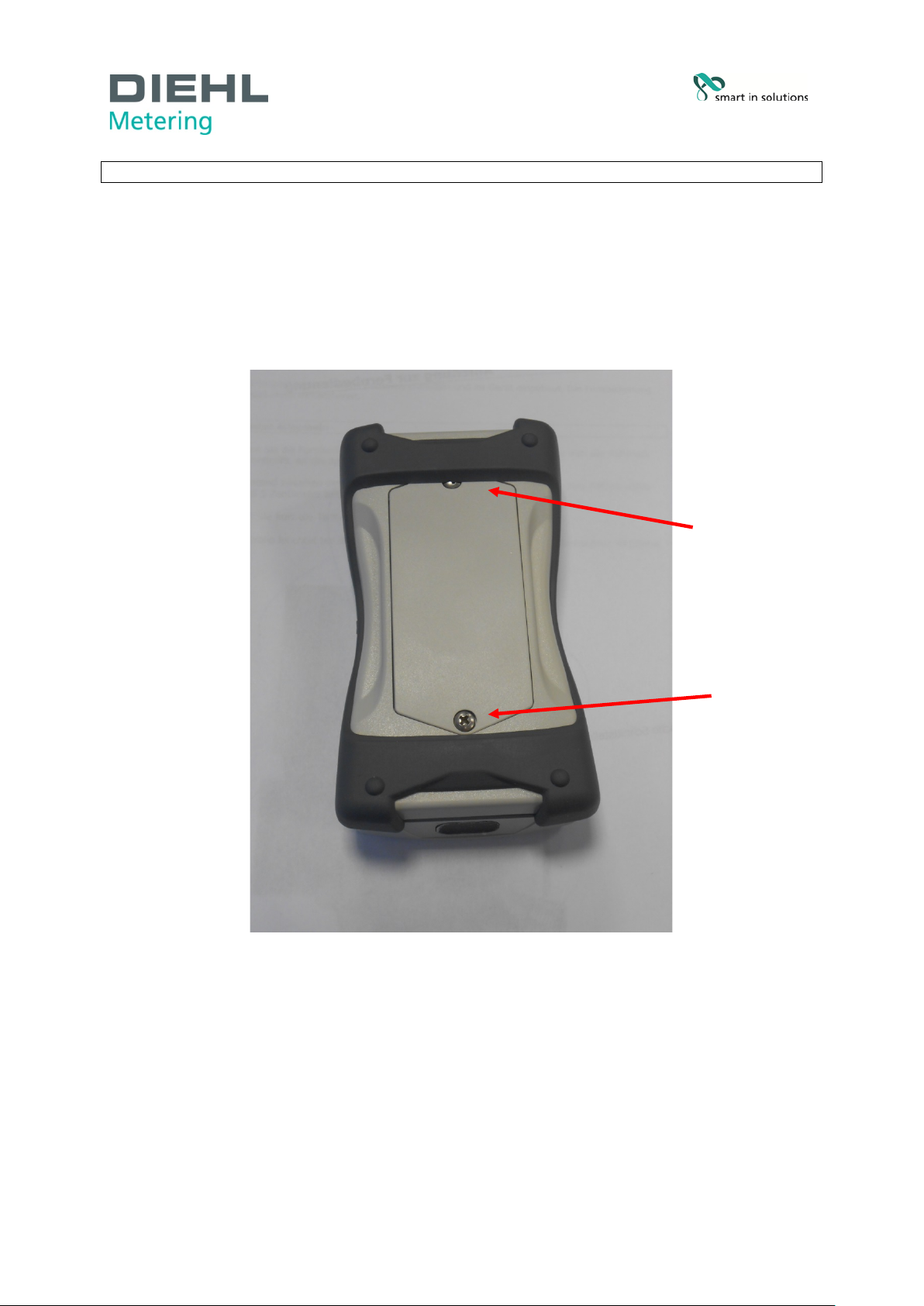
• To replace the batteries, remove the two cross-head screws on the back of the d evice and
take off the co ver (Fig. F).
• The new batteries must be fitted with the correct polarity.
• 3 pieces of AAA batteries with a voltage of 1.5 VDC ar e required.
Fig. F Back of remote control
Industriestraße 13
91522 Ansbach
Deutschland
Tel. +49 981 18 06-0
Fax. +49 981 18 06-615
[email protected]
www.diehl.com/metering
page 4 of 4
 Loading...