

Page 1
DICKSON
SP100/150 & TP120
SX100 & TX120
DICKSON
Useful Features
Applications &
Product
Specifications
Product
Logger Operation
Contents:
Product Applications and Useful Features
Product Specifications
Getting Started
DicksonWare Software Specifications
Product Accessories
Frequently Asked Questions
Calibrations
Troubleshooting
Warranty / Factory Service & Returns
Order Form
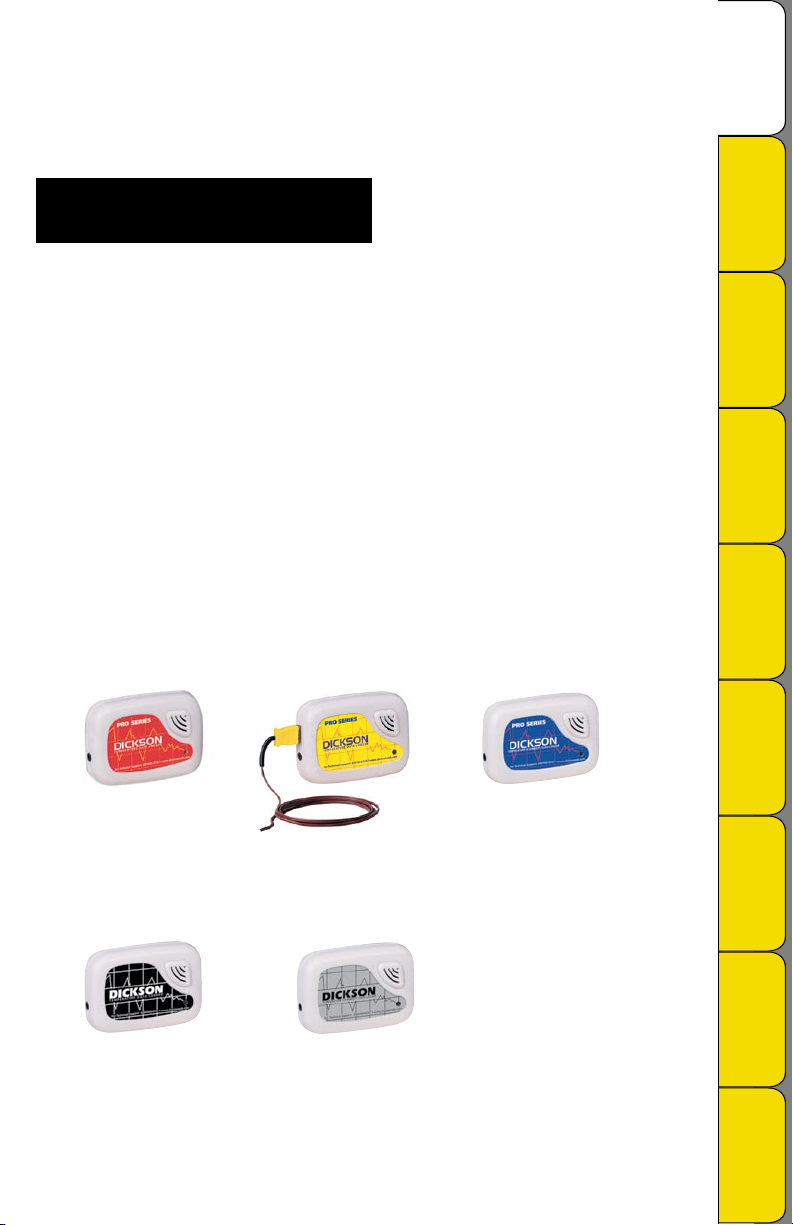
SP100
Self Contained
Temperature
SP150
Remote K-Thermocouple
Temperature
TP120
Temperature & Humidity
Getting Started
& DicksonWare
Specifications
Accessories &
Product
FAQs
Calibrations
Troubleshooting Warranty/
Factory Service
& Returns
SX100
Self Contained
Temperature
Rev. 09/06
TX120
Temperature & Humidity
Order Form
Page 2
Product Applications
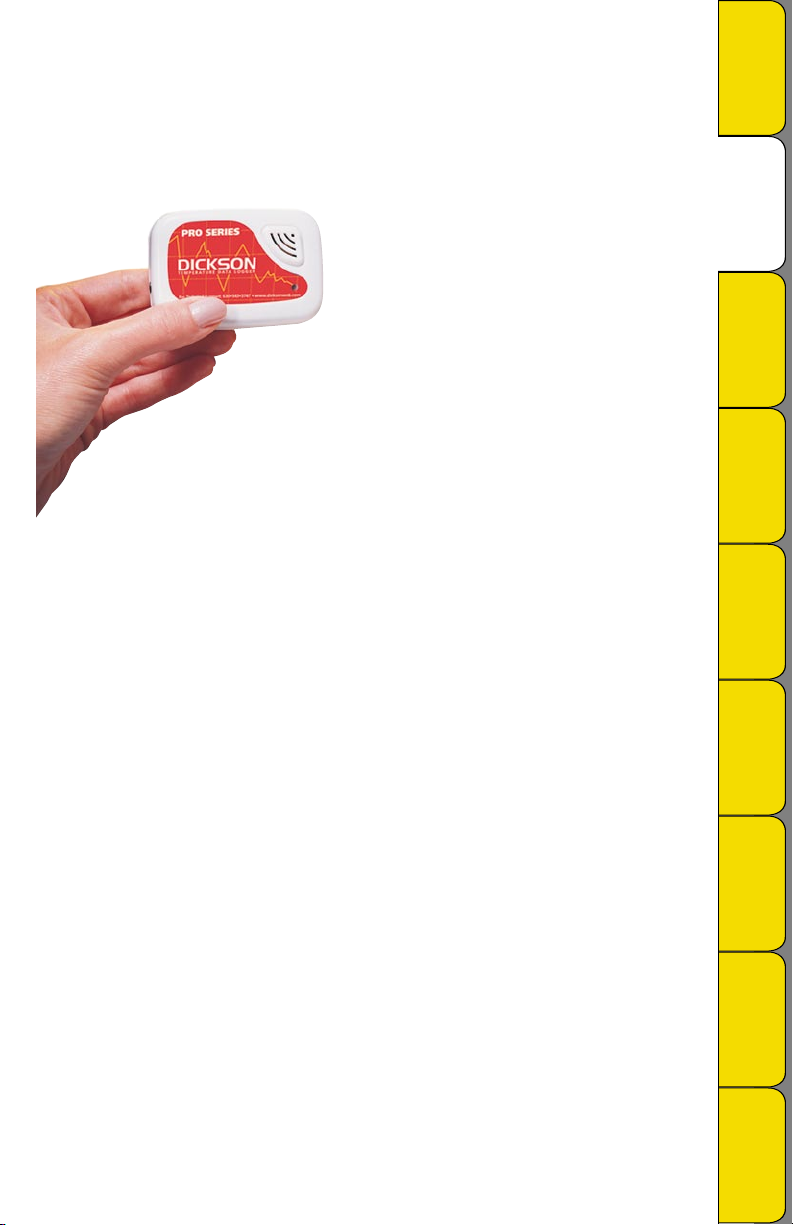
Dickson’s SP/TP/SX/TX series of data loggers set a new standard in accurate, easy-to-use, affordable PC
based recording. Due to their compact size, rugged design and battery power they can be placed just about
anywhere. Monitor temperature or temperature and humidly with models that come equipped with either an
internal sensor for reading air temperatures, or both an internal and external sensor for reading temperatures
in extreme environments or hard to reach places.
SP100
DICKSON
Useful Features
Applications &
Product
Specifications
Product
Getting Started
& DicksonWare
Specifications
Product Features
• 5 year battery life (SP/TP)
• Stores 32,000 sample points (SP/TP)
• SP150 features a remote temperature range of -238 to +2000°F (-150 to +1039°C)
• Delayed start
• Unit on LED indicator
• Compact size, fits in the palm of your hand
Other Useful Features
Delayed Start
Program how many Days, Hours and Minutes must expire before your unit begins logging.
Real Time Monitoring
Monitor and graph your process as it happens and print and save from real time screen. (This feature should
be used sparingly as it causes the battery to drain quicker)
Customize Graphed Data
DicksonWare™ calculates Min, Max and Average of all data collected. Customize data by eliminating
unnecessary data points and customize Min, Max and Average to show only desired information.
Export Data
A snapshot of your graph or a real-time graph of points can be easily exported to other programs such as
Excel™ or PowerPoint™.
Click on the features button in the software for detailed instructions on how to use above
features
Accessories &
Product
FAQs
Calibrations
Troubleshooting Warranty/
Factory Service
& Returns
Order Form
Rev. 09/06
Page 3
Product Specifications
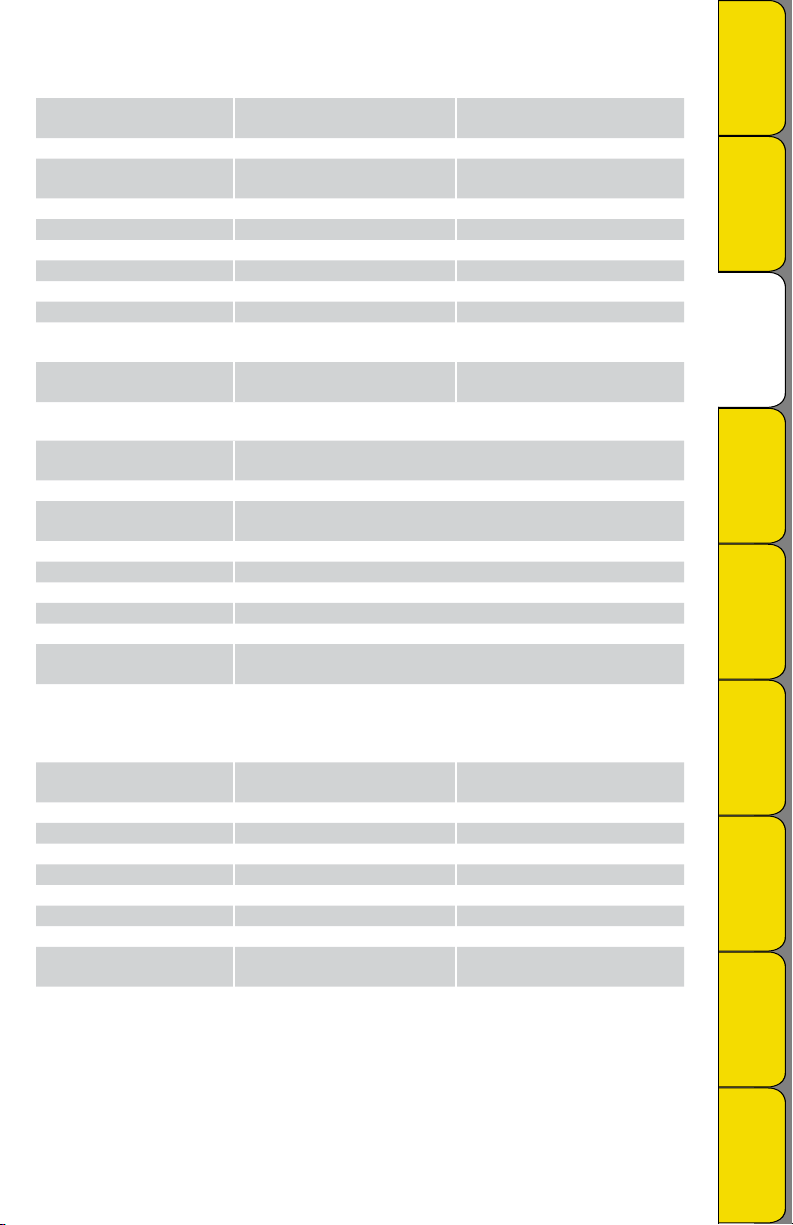
SP100 SP150
Operating Range (unit):
Internal Temp. Sensor:
Internal Temp. Accuracy:
-40 to +176°F (-40 to +80°C)
(non-condensing)
Digital Sensor Digital Sensor
±1.8°F (+14 to +176°F)
±3.6°F (-40 to +14°F)
IP Rating IP20 IP20
External Temp. Sensor:
External Temp. Range: -238 to +2000°F (-150 to +1039°C)
External Temp. Accuracy:
Storage Capacit y:
Resolution:
Dimensions :
Minimum DicksonWare
Version Required :
32,000 points 32,000 points div. x 2
0.1°F 0.1°F
3.1” x 2.1” x 0.9”
(79mm x 54mm x 22mm)
5.0.1.4 6.0.3.10
TP120
Operating Range (unit):
Internal Temp. Sensor:
Internal Temp. Accuracy:
-40 to +176°F (-40 to +80°C)
(non-condensing)
Digital Sensor
±1.8°F (+14 to +176°F)
±3.6°F (-40 to +14°F)
IP Rating IP20
R/H Sensor Type:
% R/H Accuracy:
Storage Capacit y:
Resolution:
Dimensions :
Minimum DicksonWare
Version Required :
Monolithic
±2% @73°F (0 to 95%)
32,000 points div. x 2
0.1°F / 0.1% R/H
3.1” x 2.1” x 0.9”
(79mm x 54mm x 22mm)
5.0.1.4
-40 to +176°F (-40 to +80°C)
(non-condensing)
±1.8°F (+14 to +176°F)
±3.6°F (-40 to +14°F)
Thermocouple
±1.8°F Full Range (unit only)
3.1” x 2.1” x 0.9”
(79mm x 54mm x 22mm)
DICKSON
Useful Features
Applications &
Product
Specifications
Product
Getting Started
& DicksonWare
Specifications
Accessories &
Product
FAQs
Calibrations
SX100 TX120
Operating Range (unit):
Internal Temp. Sensor:
Internal Temp. Accuracy:
-40 to +176°F (-40 to +80°C)
(non-condensing)
Digital Sensor Digital Sensor
±2.25°F (+14 to +176°F) ±2.25°F (+14 to +176°F)
-40 to +176°F (-40 to +80°C)
(non-condensing)
IP Rating IP20 IP20
R/H Sensor Type:
% R/H Accuracy:
Storage Capacit y:
Resolution:
Dimensions :
Minimum DicksonWare
Version Required :
7,680 points 7,680 points div. x 2
0.9°F 0.9°F / 0.9% R/H
3.1” x 2.1” x 0.9”
(79mm x 54mm x 22mm)
6.0.0.5 6.0.0.5
Monolithic
±5% @73°F (25 to 95%)
3.1” x 2.1” x 0.9”
(79mm x 54mm x 22mm)
Rev. 09/06
Troubleshooting Warranty/
Factory Service
& Returns
Order Form
Page 4
Getting Started
• Install the DicksonWare™ Software.
• Connect the cable (supplied with the software) to the logger and to a working serial port on your
computer.
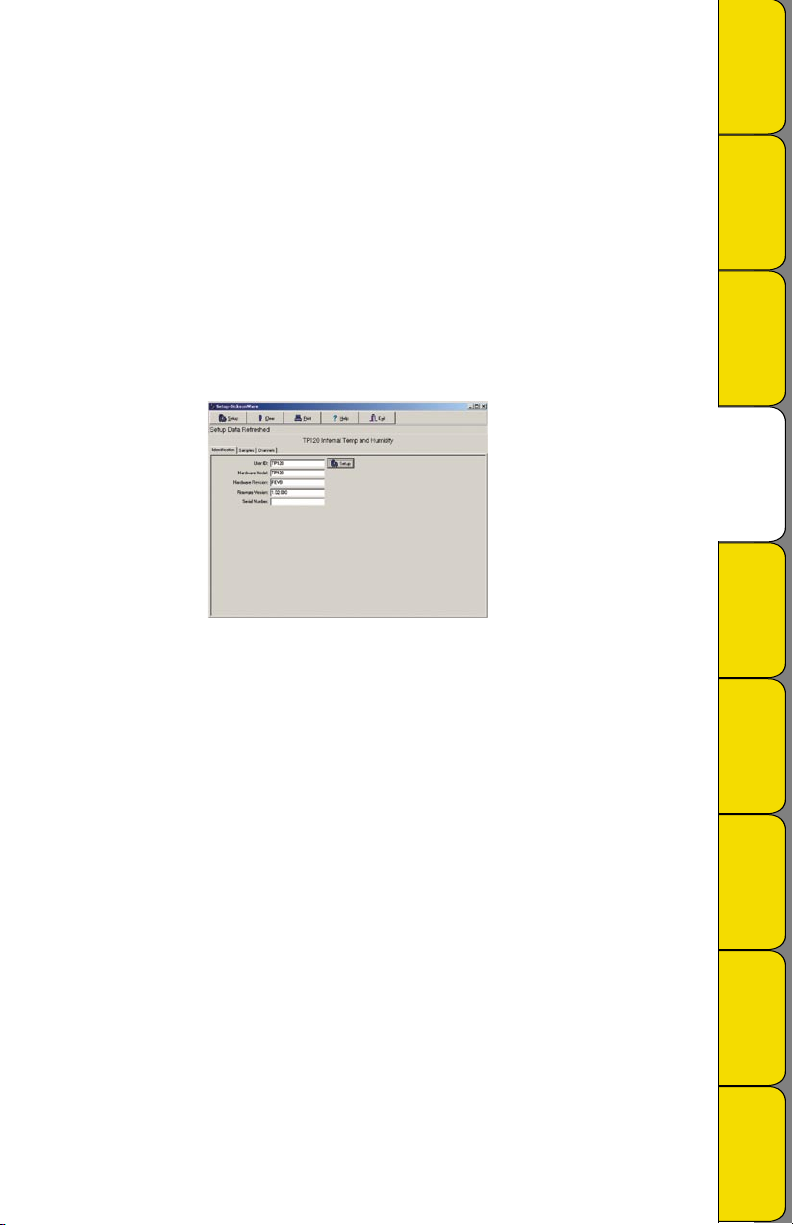
• Click the Setup button. When the setup window appears, all fields should be automatically filled in, this
will confirm that DicksonWare™ has recognized the logger. Should all fields remain blank, refer to “No
Communication” in the Trouble Shooting section of this manual. Once DicksonWare™ recognizes the
logger, press the Clear button. This will delete all data currently stored.
• The logger is now sampling and ready for use. The default sample interval is 1 minute. Verify that the
indicator light is flashing every 10 seconds. You may choose to change Default settings for sample interval
and start-date and time. When changing these settings, the logger will automatically go through the
clear process to accept your changes.
NOTE: To conserve battery life when storing unit, press the Setup button and select the shortest Sample
Interval and Stop When Full in the Samples section or remove the battery for SX100, SX120, and TX models.
03030901
DICKSON
Useful Features
Applications &
Product
Specifications
Product
Getting Started
& DicksonWare
Specifications
Accessories &
Product
FAQs
DicksonWare™ Software Specifications
• Microsoft Windows® compatible
• Allows for simple viewing and zooming of logged data
• Easy set-up of Dickson Data Loggers including:
• User selectable sample intervals from 10 seconds to 24 hours
• Display temperature in °C or °F
• Delayed logger start times
• Logger data capacity can be set to wrap data or stop when full
• Allow for real time monitoring and graphing.
• Effortless exporting of data and graphs to other software
• Data can be viewed in tabular (numeric/table) or graphical formats
• Fast downloading of logged data - 30 seconds (typical) from full logger
• Even shows battery power status for battery operated loggers
Specifications:
Compatible With: Microsoft Windows® 95, 98, 2000, NT & XP
PC Requirements: PC with 386 MHz or better microprocessor, 4 M RAM, 1 free COM (serial) port, CD
drive
Cable Type/Length: 9 pin male D-shell to male 2.5mm stereo plug, 6’ long
Computer Interface: RS-232 COM (serial) port
DicksonWare™ Version Required (minimum): See Specific Model for Version Requirement
Rev. 09/06
Calibrations
Troubleshooting Warranty/
Factory Service
& Returns
Order Form
Page 5
Accessories (for current pricing go to www.dicksonweb.com or call 1-800-323-2448)
Software Order #
DicksonWare™ Software and Serial Download Cable A015
Logger Calibration Software SW400
Calibrations
NIST Traceable Calibration 3-pt (new unit) N300
NIST Traceable Calibration 1-pt (new unit)
A2LA Accredited Calibration 3-pt. (new unit)
Certificate of Validation N520
Cases
Locking Wall Mount Case A715
Waterproof Pouch A713
Cables
50’ Cable - For remote connection of logger to PC X050
25’ Cable - For remote connection of logger to PC X025
Serial to USB Adapter A170
Extra 6’ Serial Download Cable A060
N100
N400
Frequently Asked Questions
Sample Interval: The Sample Interval determines how frequently the data logger will save a reading.
Using DicksonWare™ Software, the user can set a Sample Interval ranging from 10 seconds to 24 hours in
10 second increments. A temperature logger with data storage of 32,512 set at a 10 second Sample Interval
will record for 3.75 days, while the same logger set at a 1 minute Sample Interval will record for 22.5 days.
Data Storage: Data Storage is the number of Sample Points a data logger can hold. You will find models
that range from 7,680 samples to 32,512. A temperature logger with Data Storage of 32,512 and a sample
interval set at 30 seconds would record for 11.25 days, while a temperature logger with Data Storage of
7,680 and the same sample interval would record for only 2.6 days.
Does it have to stay connected to a PC in order for it to work? No. Unless you’re viewing data in
real-time you only connect the logger to a PC when you want to view / retrieve data.
What happens when all the storage space is taken up? Do I have to throw it away?
After you have downloaded the data, you simply “clear” the logger and it is ready to log more data.
What happens if I leave it monitoring somewhere too long? The Data Loggers have two user
selectable modes, Stop and Wrap. In Stop mode, they will quit logging data when the memory is full. In
Wrap mode, the Logger will begin to overwrite the oldest data in its memory.
Where can I put them? Depending on the Dickson model, just about anywhere. We have waterproof
units, stainless steel models, units with probes, and units that handle extreme temperatures. Our wide
selection of instruments should fit about any application.
What is the biggest advantage of a Data Logger? Its data is “logged”, stored on a microchip inside
the Data Logger. Data in electronic memory takes advantage of the power of a PC and software.
* Store the data as you would store any document on your PC.
* Retrieve archived data as easily as opening a file on your PC.
* Share the data as you would any PC file, email, copy and paste.
* Data can be imported into spreadsheet software and word processing documents.
* Easily import data from multiple data loggers onto a single graph.
How are they mounted? The smallest ones, about the size of a pager, can be wall-mounted with Velcro
or simply set anywhere you need to monitor. The larger units have keyhole slots for wall mounting and can
also stand on their own.
DICKSON
Useful Features
Applications &
Product
Specifications
Product
Getting Started
& DicksonWare
Specifications
Accessories &
Product
FAQs
Calibrations
Troubleshooting Warranty/
Factory Service
& Returns
Order Form
Rev. 09/06
Page 6
Calibration Services - New Units
N100 - NIST Traceable Calibration 1-Point: Includes documentation to one Dickson pre-selected point
on new units only.
N300 - NIST Traceable Calibration 3-Point: Includes documentation of three Dickson pre-selected
points (a high, medium, and low) on new units only.
N400 - Deluxe A2L A Accredited NIST Traceable Calibration 3-Point : ISO Guide 25/A2LA Documentation of 3 pre-selected points of as found data before and after calibration for Dickson temperature and/or
humidity instrumentation on new units only.
N995 - NIST User Selected Temperature Points: Documentation of one customer specified point.
Should be selected in addition to one of the above calibration options.
The Importance and Benefits of Regular Calibrations
Once you begin to use your precision Dickson instrumentation, regular calibrations are necessary to ensure
accurate readings.
The following Calibration Services are available:
N150 - NIST Traceable Calibration 1-Point: Includes documentation to one Dickson pre-selected point
after re-calibration.
N350 - NIST Traceable Calibration 3-Point : Includes documentation of three Dickson pre-selected
points (a high, medium, and low) after re-calibration.
N450 - Deluxe A2LA Accredited NIST Traceable Calibration 3-Point: ISO Guide 25/A2LA Documentation of 3 pre-selected points of as found data before and after calibration for Dickson temperature and/or
humidity instrumentation.
N995 - NIST User Selected Temperature Points: Documentation of one customer specified point.
Should be selected in addition to one of the above calibration options.
DICKSON
Useful Features
Applications &
Product
Specifications
Product
Getting Started
& DicksonWare
Specifications
Accessories &
Product
FAQs
Why should I recalibrate my instrumentation?
Over time dirt, dust and normal handling can throw your precision instrumentation out of calibration. Regular calibrations ensure that you receive the most accurate readings possible.
How often should I recalibrate my instrumentation?
Depending on the environment your instrument is used in and how often it is handled you will want to
recalibrate your instrument every 6 to 12 months. Instruments in environments where there are extreme temperatures, wide temperature ranges, humidity or pressure variations, high condensation, dirt, dust and other
debris will require calibration at least every 6 months. Instruments that are frequently moved or in locations
with heavy machinery that cause vibrations should also be calibrated at least every 6 months.
Why should I return my instrument to Dickson for calibration?
Dickson calibrates your instrument at the factory using proprietary production/calibration software that
guarantees proper calibration.
Our Capabilities
Dickson is the first manufacturer of humidity and temperature instrumentation to receive A2LA accreditation.
We are also NIST Traceable; our procedures conform to MIS-STD-45662A, ANSI/NCSL 2540-1-1994, ISO/IEC
Guide 25 and ISO10012. We are experts in the manufacture and calibration of humidity and temperature
instruments.
Fast Service: Our turnaround time is 3 days or less so you receive not only expert service but fast
service as well.
Easy: We make it easy for you! No phone calls for Return Authorization Numbers are required. We
remind you when your instrument is due for calibration. You simply send in the completed Calibration
Order Form with your unit for calibration with freight prepaid to Dickson.
Rev. 09/06
Calibrations
Troubleshooting Warranty/
Factory Service
& Returns
Order Form
Page 7
Troubleshooting
+
BA
T
T
E
RY
C
R
2
032
3V
No communication
• Verify that you have the correct version of Dickson software installed on your PC. Version 5.0.1.4 or
higher is required for models SP100, SP120 and TP120. Version 6.0.3.10 or higher is required for model
SP150. Version 6.0.0.5 or higher is required for SX100, SX120 and TX120 models.
• If your SX100, SX120 or TX120 model has communicated before on the same PC, try resetting the unit by
removing and reinstalling the battery.
• Verify that the correct COM port is selected: From the main Dicksonware screen, click on Logger then
Communication, a black dot will appear next to the selected COM port. You may need to select a
different COM port. Should you get an error message stating that “device is already open”, this could
mean that you have the proper COM port selected, but another device, or its’ software, has it allocated.
Palm pilots, for example, will cause this problem, in which case the port is not actually “available” and
you may have to disable that device.
• You may need to relocate the download cable to another serial port on the back of the PC and
possibly try changing the COM port again in DicksonWare.
• If communication has not been established with the previous steps, you may need to open the logger and
press the reset button and then try all COM port and cable combinations again.
• If possible, try another PC
Indicator
There is a red indicator located on the front lower right corner of the unit. This indicator will flash every 10
seconds ONLY when the unit is sampling and operating properly. If the indicator is not flashing, please verify
the following:
• The logger memory may be full; download the data and clear the memory.
• Sampling may not be activated. To start sampling clear the memory.
• Condensation may have formed on the unit. Place unit in a warm dry environment for 24 hrs.
• Clear memory and try again. These loggers are designed for use in a non-condensing environment. If the
environment creates condensation, try placing the unit (temperature only models) in a small sealed plastic
bag to protect it from condensation.
DICKSON
Useful Features
Applications &
Product
Specifications
Product
Getting Started
& DicksonWare
Specifications
Accessories &
Product
FAQs
Battery (SP/TP)
The battery will operate the logger for 5 years at room temperature. Operation of the logger at the temperature extremes, in real-time mode for prolonged periods, or sample intervals of less than a minute, will
significantly reduce battery life. Please contact the factory if the battery requires replacement. The battery
level monitor on the “SETUP” screen displays the battery voltage and a low battery warning when replacement is needed
Please visit: www.dicksonweb.com for complete troubleshooting guide or call (630) 543-3747
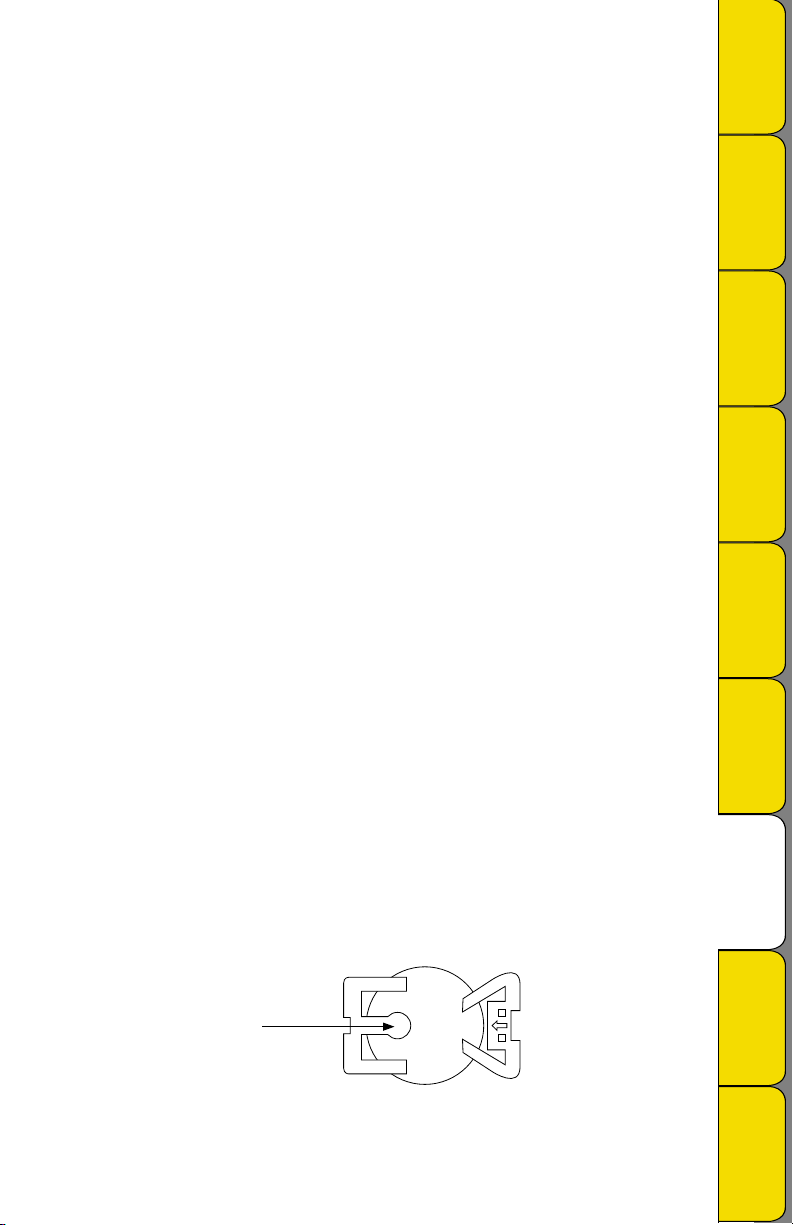
Battery Replacement (SX/TX)
• Open the case by removing the screw in the back.
• Remove the battery from its holder by pressing hard on the battery holder tab. Replace the battery with a
Lithium CR-2032 type; +side up.
• Close case with screw. NOTE: The logger will stop sampling; however, memory will not be lost when
replacing battery. To start sampling again download the data and then Clear Memory.
BATTERY 3VCR2032 +
PUSH TAB TO EJECT
Press Here
Rev. 09/06
Calibrations
Troubleshooting Warranty/
Factory Service
& Returns
Order Form
Page 8
Warranty
Dickson warrants that the products it sells will be free from defects in material and workmanship under
normal use and service for a period of twelve months after delivery. In the event of a claim under this
warranty, the product or part must be returned to the factory for repair or replacement (shipping pre-paid)
with a Return Authorization Number (see Return Information above). It will be repaired at Dickson’s option
without charge. This warranty DOES NOT cover routine calibration, pen, chart and battery replacement. The
foregoing warranty and remedy are exclusive and in lieu of all other warranties either expressed or implied.
Dickson shall not be liable for consequential or incidental damages resulting from failure or malfunction of
its products. Dickson makes no warranty for products not manufactured by it or for any products modified by
buyer, or subject to misuse or neglect.
DICKSON
Useful Features
Applications &
Product
Factory Service & Returns
Contact the factory (630-543-3747) for a Return Authorization (RA) Number before returning any
instrument. The model number, serial number and a purchase order number will be requested before an RA
number is issued.
• Carefully repack the instrument, label the outside of the box with the RA# and return the instrument
(freight pre-paid) to Dickson.
• All instruments that do not have the RA# clearly marked on the outside of the box will be refused. When
returning instruments for credit, please include all accessories in shipment.
• Calibration/Freight charges are non-refundable.
NOTE: Dickson shall not be liable for consequential or incidental damages resulting from failure or
malfunction of its products.
Customer Satisfaction
Dickson takes pride in providing you, the customer, with the highest quality instrumentation. We welcome
the opportunity to help you in any way possible. Whether it be a question or a new idea in documentation,
the Dickson Company would like to hear your response. Please call our Customer Service Department at
1-800-323-2448 or (630) 543-3747 (in Illinois).
Software Return Policy
IMPO R TANT-Read your Software License Agreement carefully before installing software. DIckson will accept
returns for replacement of defective disks and CDs only.
Specifications
Product
Getting Started
& DicksonWare
Specifications
Accessories &
Product
FAQs
Calibrations
Troubleshooting Warranty/
Rev. 09/06
DICKSON
930 South Westwood Avenue
Addison, Illinois 60101
Phone: (630) 543-3747 • E-mail: [email protected]
Factory Service
& Returns
Order Form
Page 9
Fax to: 1-800-676-0498 Mail to: Dickson, 930 S. Westwood Ave, Addison, IL 60101
Step 1 - Bill To:
Name
Company
Address
City
State Zip
Phone ( ) –
Email
DICKSON
Useful Features
Applications &
Product
Step 2 - Ship To (if different than above)
Name
Company
Address
City
State Zip
Phone ( ) –
Email
Step 3 - Ordering Information
Order # Quantity Price/Unit Total
$ /each $
$ /each $
$ /each $
$ /each $
Subtotal: $
In Illinois, add 7.5% sales tax 4 Tax: $
Freight: $
All Prices in U.S. Dollars 4 Total: $
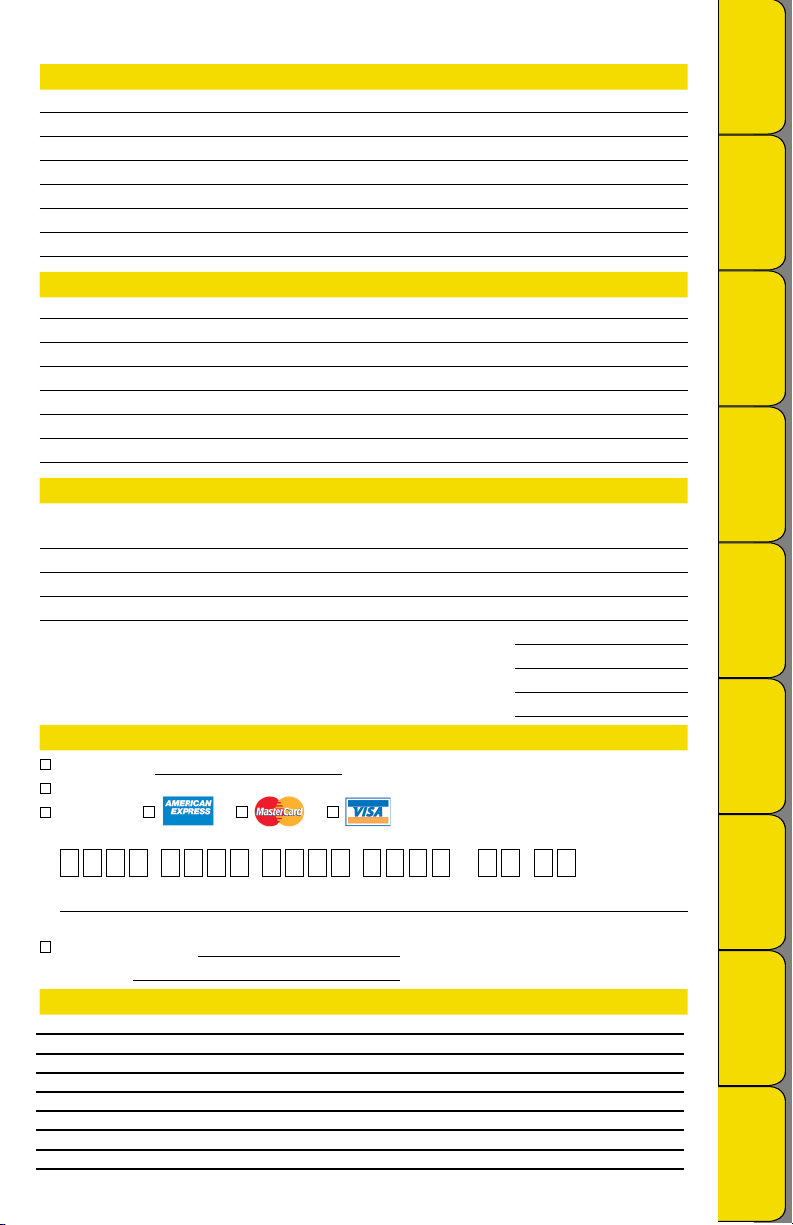
Step 4 - Payment Method
Check: Check #
Money Order
Credit Card:
Credit Card Number: Expires: (mm/yy)
– – – /
Specifications
Product
Getting Started
& DicksonWare
Specifications
Accessories &
Product
FAQs
Calibrations
Troubleshooting Warranty/
Signature
Purchase Order: P.O.# (Net 15 days for established customers)
Customer #:
U.S.A. Freight Charges
Total Order UPS 2nd Day UPS Next Day UPS Ground
$0-100 $19 $39 $12
$101-400 $24 $50 $18
$401-700 $33 $66 $21
$701-1,000 $43 $70 $30
$1,001-1,500 $64 $89 $45
$1,501-2,000 $84 $111 $53
$2,001-over Please call Dickson Customer Service
All shipments UPS 2nd day unless otherwise requested.
Factory Service
& Returns
Order Form
 Loading...