

Page 1

Dialogic® Brooktrout® Fax Products SDK
Developer Guide
Release 6.2
November 2009 931-132-06
www.dialogic.com
Page 2

Copyright and Legal Notice
Copyright © 1998-2009 Dialogic Corporation. All Rights Reserved. You may not reproduce thi s document in whole or in
part without permission in writing from Dialogic Corporation at the address provided below.
All contents of this document are furnished for informational use only and are subject to ch ange without notice and do
not represent a commitment on the part of Dialogic Corporation or its subsidiaries ("Dialogic"). Reasonable effort is made
to ensure the accuracy of the information contai ned in the docume nt. However, Di alogic does not warra nt the accuracy of
this information and cannot accept responsibility for errors, inaccuracies or omissions that may be contained in this
document.
INFORMATION IN THIS DOCUMENT IS PROVIDED IN CONNECTION WITH DIALOGIC® PRODUCTS. NO
LICENSE, EXPRESS OR IMPLIED, BY ESTOPPEL OR OTHERWISE, TO ANY INTELLECTUAL PROPERTY
RIGHTS IS GRANTED BY THIS DOCUMENT. EXCEPT AS PROVIDED IN A SIGNED AGREEMENT BETWEEN
YOU AND DIALOGIC, DIALOGIC ASSUMES NO LIABILITY WHATSOEVER, AND DIALOGIC DISCLAIMS ANY
EXPRESS OR IMPLIED WARRANTY, RELATING TO SALE AND/OR USE OF DIALOGIC PRODUCTS INCLUDING
LIABILITY OR WARRANTIES RELATING TO FITNESS FOR A PARTICULAR PURPOSE, MERCHANTABILITY, OR
INFRINGEMENT OF ANY INTELLECTUAL PROPERTY RIGHT OF A THIRD PARTY.
Dialogic products are not intended for use in medical, life saving, life sustaining, critical control or safety systems, or in
nuclear facility applications.
Due to differing national regulations and approval requirements, certain Dialogic products may be suitable for use only
in specific countries, and thus may not function properly in other countries. You are responsible for ensuring that your
use of such products occurs only in the countries where such use is suitable. For information on specific products, contact
Dialogic Corporation at the address indicated below or on the web at www.dialogic.com.
It is possible that the use or implementation of any one of the concepts, applications, or ideas described in this document,
in marketing collateral produced by or on web pages maintained by Dialogic may infringe one or more patents or other
intellectual property rights owned by third parties. Dialogic does not provide any intellectual property licenses with the
sale of Dialogic products other than a license to use such product in accordance with intellectual property owned or
validly licensed by Dialogic and no such licenses are provided except pursuant to a signed agreement with Dialogic. More
detailed information about such intellectual property is available from Dialogic's legal department at 9800 Cavendish
Blvd., 5th Floor, Montreal, Quebec, Canada H4M 2V9. Dialogic encourages all users of its products to procure all
necessary intellectual property licenses required to implement any concepts or applications and does not
condone or encourage any intellectual property infringement and disclaims any responsibility related
thereto. These intellectual property licenses may differ from country to country and it is the re sponsibility
of those who develop the concepts or applications to be aware of and comply with different national license
requirements.
Dialogic, Dialogic Pro, Brooktrout, Diva, Cantata, SnowShore, Eicon, Eicon Networks, NMS Communications, NMS
(stylized), Eiconcard, SIPcontrol, Diva ISDN, TruFax, Ex net, EXS, SwitchKit, N20, Making Innovation Thrive,
Connecting to Growth, Video is the New Voice, Fusion, Vision, PacketMedia, NaturalAccess, NaturalCallControl,
NaturalConference, NaturalFax and Shiva, among others as well as related logos, are either registered trademarks or
trademarks of Dialogic Corporation or its subsidiaries. Dialogic's trademarks may be used publicly only with permission
from Dialogic. Such permission may only be granted by Dialogic's legal department at 9800 Cavendish Blvd., 5th Floor,
Montreal, Quebec, Canada H4M 2V9. Any authorized use of Dialogic's trademarks will be subject to full respect of the
trademark guidelines published by Dialogic from time to time and any use of Dialogic's trademarks requires proper
acknowledgement.
Microsoft, Developer Studio, Visual Basic,
registered trademarks of Microsoft Corporation in the United States and/or other countries. Other names of actual
companies and products mentioned herein are the trademarks of their respective owners.
This document discusses one or more open source products, systems and/or releases. Dialogic is not responsible for your
decision to use open source in connection with Dialogic products (including without limitation those referred to herein),
nor is Dialogic responsible for any present or future effects such usage might have, including without limitation effects on
your products, your business, or your intellectual property rights.
Visual C++, Visual Studio, Windows, Windows NT, and Windows Server are
page 2
Page 3

Hardware Limited Warranty
Warranty for Hardware Products: Dialogic Corporation or its subsidiary that originally sold the hardware product
("Dialogic") warrants to the original purchaser of this hardware product, that at the time of delivery the hardware
product supplied hereunder will be free from defects in material and workmanship. This warranty is for the standard
period set out on Dialogic's website at http://www.dialogic.com/warranties and is void if the defect has resulted from
accident, misuse, abuse or misapplication. Any hardware product which becomes defective during the warranty period
and is returned by the original purchaser to Dialogic's Authorized Service Center with a Return Material Authorization
(RMA) number (which must be obtained from Dialogic before any return) within thirty (30) days after discovery of the
defect with a written description of the defect will be repaired or replaced at Dialogic's option. Freight charges will be
paid by Dialogic only for shipment back to you.
Additional Exclusions: Dialogic will have no obligation to make repairs or replacements necessitated by your fault or
negligence, improper or unauthorized use of the product, repairs or modifications made without Dialogic's prior writte n
approval or by causes beyond the control of Dialogic, including, but not limited to, power or air conditioning failure, acts
of God, improper interfac e with other units, or malfunct ion of any equipment or software used with the Dialogic
product(s). If Dialogic is requested and agrees to make repairs or replacements necessitated by any s uch caus es, y ou w ill
pay for such service or replacement at Dialogic's then prevailing rates.
No Other Warranties: DIALOGIC DISCLAIMS AND YOU WAIVE ALL OTHER WARRANTIES, EITHER EXPRESS
OR IMPLIED, INCLUDING BUT NOT LIMITED TO IMPLIED WARRANTIES OF MERCHANTABILITY,
NON-INFRINGEMENT AND FITNESS FOR A PARTICULAR PURPOSE AND ANY WARRANTY AGAINST LATENT
DEFECTS, WITH RESPECT TO ANY DIALOGIC PRODUCT.
No Liability for Damages: IN NO EVENT SHALL DIALOGIC OR ITS SUPPLIERS BE LIABLE FOR ANY
DAMAGES WHATSOEVER (INCLUDING, WITHOUT LIMITATION, DAMAGES FOR LOSS OF PROFITS,
INTERRUPTION OF ACTIVITIES, LOSS OF INFORMATION OR OTHER PECUNIARY LOSS AND DIRECT OR
INDIRECT, CONSEQUENTIAL, INCIDENTAL, ECONOMIC OR PUNITIVE DAMAGES) ARISING OUT OF THE USE
OF OR INABILITY TO USE ANY DIALOGIC PRODUCT.
Limitation of Liability: DIALOGIC'S MAXIMUM CUMULATIVE LIABILITY SHALL BE LIMITED TO THE
AMOUNTS ACTUALLY PAID BY YOU TO DIALOGIC FOR THE SPECIFIC PRODUCT BEING THE OBJECT OF
THE CLAIM. YOU RELEASE DIALOGIC FROM ALL AMOUNTS IN EXCESS OF THE LIMITATION. YOU
ACKNOWLEDGE THAT THIS CONDITION IS ESSENTIAL AND THAT DIALOGIC WOULD NOT SUPPLY TO YOU
IF IT WERE NOT INCLUDED.
page 3
Page 4

page 4
Page 5

y
Bfv API Reference Manual Volumes 1 - 6
Bfv API Reference Manual
Volume 1
Administration, Managem ent,
and Confi g uration
Bfv API Overview
Administration and Initialization
Firmware
Configuration, Status and Monitoring
Debugging, Error Handli ng and Retur n Values
Miscellaneous Functions
Bfv API Reference Manual
Volume 2
Bfv-Level Call Control and Call Switching
Bfv API Overview
Call Control Overview
Bfv-Level Call Control
Dialing Database Functions
Data Structures
Bfv API Reference Manual
Volume 4
Fax Processing
Bfv API Overview
Fax Overview
Fax Functions
T IFF- F Fi les Fun c t i ons
Bfv API Reference Manual
Volume 5
BSMI-Level Call Control and Call Switching
Bfv API Overview
BOSTON Simple Message Interface (BSMI)
BSMI General Message Structure
R2 Signaling Protocol with BSMI
LEC Protocols with BSMI
Host to Module (L4L3m) Messages
Module to Host (L3L4m) Messages
B-Channel and D-Channel Maintenance
Bfv API Reference Manual
Volume 3
Media Processing
Bfv API Overview
Signal Generation and Detection
Voice Play /R ecor d
Infopkt File Functions
Audio Conferencing
Audio Conferencing Functions
Audio Conferencing Programming Examples
Bfv API Reference Manual
Volume 6
Appendices
App A - Configuration Files
App B - Bfv API Structures
App C - Hangup Codes
App D - BSMI and ISDN Cause Codes
App E - Infopkt Parameter Values
App F - Call Progress Notes
App G - Country-Specific Parameter Files
App H - Deprecated and Unsupported
Functionalit
page 5
Page 6

Contents
Chapter 1 – About this Publication . . . . . . . . . . . . . . . . . . . . . . . . . 16
Introduction . . . . . . . . . . . . . . . . . . . . . . . . . . . . . . . . . . . . . . . . . . . . . . . . . . . . . . . . . . . . . 16
Related Documents . . . . . . . . . . . . . . . . . . . . . . . . . . . . . . . . . . . . . . . . . . . . . . . . . . . . 17
Operating System Support . . . . . . . . . . . . . . . . . . . . . . . . . . . . . . . . . . . . . . . . . . . . . . 17
Manual Conventions . . . . . . . . . . . . . . . . . . . . . . . . . . . . . . . . . . . . . . . . . . . . . . . . . . . 17
Updated Terminology . . . . . . . . . . . . . . . . . . . . . . . . . . . . . . . . . . . . . . . . . . . . . . . . . . 19
Chapter 2 – Introduction to the Dialogic® Brooktrout®
Bfv API. . . . . . . . . . . . . . . . . . . . . . . . . . . . . . . . . . . . . . . . . 22
This chapter describes the Dialogic® Brooktrout® Bfv API and its
capabilities.
Bfv API and Associated Libraries . . . . . . . . . . . . . . . . . . . . . . . . . . . . . . . . . . . . . . . . . . . . . 23
The Bfv API Functions . . . . . . . . . . . . . . . . . . . . . . . . . . . . . . . . . . . . . . . . . . . . . . . . . . . . . 26
Administration, Management, and Configuration . . . . . . . . . . . . . . . . . . . . . . . . . . . . . . 27
Administration and Initialization Functions and Macros . . . . . . . . . . . . . . . . . . . . . 27
Firmware Functions and Macros . . . . . . . . . . . . . . . . . . . . . . . . . . . . . . . . . . . . . . . 31
Configuration Functions . . . . . . . . . . . . . . . . . . . . . . . . . . . . . . . . . . . . . . . . . . . . . 31
Module Status and Monitoring Functions . . . . . . . . . . . . . . . . . . . . . . . . . . . . . . . . 33
Debugging, Error Handling, and Return Values . . . . . . . . . . . . . . . . . . . . . . . . . . . 33
Miscellaneous Functions and Macros . . . . . . . . . . . . . . . . . . . . . . . . . . . . . . . . . . . 35
Call Control . . . . . . . . . . . . . . . . . . . . . . . . . . . . . . . . . . . . . . . . . . . . . . . . . . . . . . . . . . 36
Bfv Call Control . . . . . . . . . . . . . . . . . . . . . . . . . . . . . . . . . . . . . . . . . . . . . . . . . . . . 36
November 2009 6
Page 7

Contents
BSMI-Level Call Control . . . . . . . . . . . . . . . . . . . . . . . . . . . . . . . . . . . . . . . . . . . . . 36
Media Processing . . . . . . . . . . . . . . . . . . . . . . . . . . . . . . . . . . . . . . . . . . . . . . . . . . . . . 38
Signal Generation and Tone Detection . . . . . . . . . . . . . . . . . . . . . . . . . . . . . . . . . . 38
Voice Record and Play . . . . . . . . . . . . . . . . . . . . . . . . . . . . . . . . . . . . . . . . . . . . . . 39
Fax Functions . . . . . . . . . . . . . . . . . . . . . . . . . . . . . . . . . . . . . . . . . . . . . . . . . . . . . 40
File Format Manipulation Functions . . . . . . . . . . . . . . . . . . . . . . . . . . . . . . . . . . . . 42
The Infopkt Stream . . . . . . . . . . . . . . . . . . . . . . . . . . . . . . . . . . . . . . . . . . . . . . . . . 47
Fax Infopkt Parameters . . . . . . . . . . . . . . . . . . . . . . . . . . . . . . . . . . . . . . . . . . . . . . 52
Chapter 3 – Developing Applications Using the Bfv API. . . . . . . . 56
This chapter describes how to develop applications with Brooktrout Fax
Software.
Developing a Voice Application . . . . . . . . . . . . . . . . . . . . . . . . . . . . . . . . . . . . . . . . . . . . . . 57
Recording and Playing Voice . . . . . . . . . . . . . . . . . . . . . . . . . . . . . . . . . . . . . . . . . . . . . 57
Recording Voice . . . . . . . . . . . . . . . . . . . . . . . . . . . . . . . . . . . . . . . . . . . . . . . . . . . 58
Playing Back the Voice Message . . . . . . . . . . . . . . . . . . . . . . . . . . . . . . . . . . . . . . 59
Using Prompt Files . . . . . . . . . . . . . . . . . . . . . . . . . . . . . . . . . . . . . . . . . . . . . . . . . . . . . . . . 59
Using the mkprompt Utility . . . . . . . . . . . . . . . . . . . . . . . . . . . . . . . . . . . . . . . . . . . . . . . 60
Creating a New Prompt File . . . . . . . . . . . . . . . . . . . . . . . . . . . . . . . . . . . . . . . . . . . . . . 60
Updating an Existing Prompt File . . . . . . . . . . . . . . . . . . . . . . . . . . . . . . . . . . . . . . . . . 61
Developing a Fax Application . . . . . . . . . . . . . . . . . . . . . . . . . . . . . . . . . . . . . . . . . . . . . . . . 61
Sending and Receiving a Fax . . . . . . . . . . . . . . . . . . . . . . . . . . . . . . . . . . . . . . . . . . . . 61
Sending a Fax from One Channel to Another . . . . . . . . . . . . . . . . . . . . . . . . . . . . . 62
Sending a Fax to a Channel from an External Fax Machine . . . . . . . . . . . . . . . . . . 63
Using Bfv API Fax Functions . . . . . . . . . . . . . . . . . . . . . . . . . . . . . . . . . . . . . . . . . . . . . 64
Using High- and Low-Level Functions . . . . . . . . . . . . . . . . . . . . . . . . . . . . . . . . . . 64
Sending a Fax Using Function Calls for Noninfopkt-Formatted Raw G3 Files . . . . 70
Receiving a Fax Using Function Calls for Noninfopkt-Formatted Raw G3 Files . . . 73
Sending a Fax Using Calls for TIFF-F Files . . . . . . . . . . . . . . . . . . . . . . . . . . . . . . 75
Receiving a Fax Using Calls for TIFF-F Files . . . . . . . . . . . . . . . . . . . . . . . . . . . . . 76
Receiving and Storing a Fax in MMR or MR Format . . . . . . . . . . . . . . . . . . . . . . . 78
Accessing an Infopkt Stream from an Application . . . . . . . . . . . . . . . . . . . . . . . . . . . . . 83
Sending a TIFF-F Fax File Within an Infopkt Stream . . . . . . . . . . . . . . . . . . . . . . . . . . 84
Combining Data on a Single Page Using TIFF-F Fax Files . . . . . . . . . . . . . . . . . . 84
Accessing a TIFF-F File from an Application . . . . . . . . . . . . . . . . . . . . . . . . . . . . . 87
November 2009 7
Page 8

Contents
Determining Fax Status Information from an Application . . . . . . . . . . . . . . . . . . . . . . . 89
Chapter 4 – Debugging . . . . . . . . . . . . . . . . . . . . . . . . . . . . . . . . . . . 91
This chapter describes how to use the debugging tools.
Bfv API Debug Mode . . . . . . . . . . . . . . . . . . . . . . . . . . . . . . . . . . . . . . . . . . . . . . . . . . . . . . 92
BfvDataFSK . . . . . . . . . . . . . . . . . . . . . . . . . . . . . . . . . . . . . . . . . . . . . . . . . . . . . . . . . . . . . 92
BfvLineDumpStructure . . . . . . . . . . . . . . . . . . . . . . . . . . . . . . . . . . . . . . . . . . . . . . . . . . . . . 93
Dump History . . . . . . . . . . . . . . . . . . . . . . . . . . . . . . . . . . . . . . . . . . . . . . . . . . . . . . . . . . . . 93
Invoking Dump History . . . . . . . . . . . . . . . . . . . . . . . . . . . . . . . . . . . . . . . . . . . . . . . . . . 94
Interpreting the Output . . . . . . . . . . . . . . . . . . . . . . . . . . . . . . . . . . . . . . . . . . . . . . . . . . 96
Status Header Line . . . . . . . . . . . . . . . . . . . . . . . . . . . . . . . . . . . . . . . . . . . . . . . . . 97
Event Logging Lines . . . . . . . . . . . . . . . . . . . . . . . . . . . . . . . . . . . . . . . . . . . . . . . . 97
Event Logging Line Format . . . . . . . . . . . . . . . . . . . . . . . . . . . . . . . . . . . . . . . . . . . 97
Parsed Command Information . . . . . . . . . . . . . . . . . . . . . . . . . . . . . . . . . . . . . . . . . . . . . . . 98
Utility Programs for Debugging . . . . . . . . . . . . . . . . . . . . . . . . . . . . . . . . . . . . . . . . . . . . . 100
btver . . . . . . . . . . . . . . . . . . . . . . . . . . . . . . . . . . . . . . . . . . . . . . . . . . . . . . . . . . . 100
connlist . . . . . . . . . . . . . . . . . . . . . . . . . . . . . . . . . . . . . . . . . . . . . . . . . . . . . . . . . 100
feature -q . . . . . . . . . . . . . . . . . . . . . . . . . . . . . . . . . . . . . . . . . . . . . . . . . . . . . . . . 100
modinfo . . . . . . . . . . . . . . . . . . . . . . . . . . . . . . . . . . . . . . . . . . . . . . . . . . . . . . . . . 100
shoparam . . . . . . . . . . . . . . . . . . . . . . . . . . . . . . . . . . . . . . . . . . . . . . . . . . . . . . . 100
BSMI Debugging . . . . . . . . . . . . . . . . . . . . . . . . . . . . . . . . . . . . . . . . . . . . . . . . . . . . . . . . 101
BSMI Message Tracing . . . . . . . . . . . . . . . . . . . . . . . . . . . . . . . . . . . . . . . . . . . . . . . . 101
Running a Layer 2 Trace . . . . . . . . . . . . . . . . . . . . . . . . . . . . . . . . . . . . . . . . . . . . 101
Understanding Trace Hexadecimal Strings . . . . . . . . . . . . . . . . . . . . . . . . . . . . . . 104
VTTY Tracing Feature . . . . . . . . . . . . . . . . . . . . . . . . . . . . . . . . . . . . . . . . . . . . . . . . . 110
VTTY Console Commands . . . . . . . . . . . . . . . . . . . . . . . . . . . . . . . . . . . . . . . . . . 111
VTTY Tracer GUI . . . . . . . . . . . . . . . . . . . . . . . . . . . . . . . . . . . . . . . . . . . . . . . . . 112
Call Tracer . . . . . . . . . . . . . . . . . . . . . . . . . . . . . . . . . . . . . . . . . . . . . . . . . . . . . . . . . . . . . 118
Command Syntax . . . . . . . . . . . . . . . . . . . . . . . . . . . . . . . . . . . . . . . . . . . . . . . . . . . . 119
Arguments . . . . . . . . . . . . . . . . . . . . . . . . . . . . . . . . . . . . . . . . . . . . . . . . . . . . . . . 119
Configuration File Format . . . . . . . . . . . . . . . . . . . . . . . . . . . . . . . . . . . . . . . . . . . . . . 120
Chapter 5 – Sample Applications and Utilities . . . . . . . . . . . . . . . 127
This chapter describes the sample applications and utilities that come as
part of the Dialogic® Brooktrout® SDK.
November 2009 8
Page 9

Contents
boardmon . . . . . . . . . . . . . . . . . . . . . . . . . . . . . . . . . . . . . . . . . . . . . . . . . . . . . . . . . . . . . . 127
btver . . . . . . . . . . . . . . . . . . . . . . . . . . . . . . . . . . . . . . . . . . . . . . . . . . . . . . . . . . . . . . . . . . 129
connlist . . . . . . . . . . . . . . . . . . . . . . . . . . . . . . . . . . . . . . . . . . . . . . . . . . . . . . . . . . . . . . . . 130
csend . . . . . . . . . . . . . . . . . . . . . . . . . . . . . . . . . . . . . . . . . . . . . . . . . . . . . . . . . . . . . . . . . 131
deact . . . . . . . . . . . . . . . . . . . . . . . . . . . . . . . . . . . . . . . . . . . . . . . . . . . . . . . . . . . . . . . . . 132
debug_control . . . . . . . . . . . . . . . . . . . . . . . . . . . . . . . . . . . . . . . . . . . . . . . . . . . . . . . . . . 134
decode . . . . . . . . . . . . . . . . . . . . . . . . . . . . . . . . . . . . . . . . . . . . . . . . . . . . . . . . . . . . . . . . 135
dfax . . . . . . . . . . . . . . . . . . . . . . . . . . . . . . . . . . . . . . . . . . . . . . . . . . . . . . . . . . . . . . . . . . 136
divert . . . . . . . . . . . . . . . . . . . . . . . . . . . . . . . . . . . . . . . . . . . . . . . . . . . . . . . . . . . . . . . . . 136
dlfax . . . . . . . . . . . . . . . . . . . . . . . . . . . . . . . . . . . . . . . . . . . . . . . . . . . . . . . . . . . . . . . . . . 137
dstrip . . . . . . . . . . . . . . . . . . . . . . . . . . . . . . . . . . . . . . . . . . . . . . . . . . . . . . . . . . . . . . . . . 138
eccllvoice . . . . . . . . . . . . . . . . . . . . . . . . . . . . . . . . . . . . . . . . . . . . . . . . . . . . . . . . . . . . . . 139
fax . . . . . . . . . . . . . . . . . . . . . . . . . . . . . . . . . . . . . . . . . . . . . . . . . . . . . . . . . . . . . . . . . . . 140
faxhl . . . . . . . . . . . . . . . . . . . . . . . . . . . . . . . . . . . . . . . . . . . . . . . . . . . . . . . . . . . . . . . . . . 141
faxll . . . . . . . . . . . . . . . . . . . . . . . . . . . . . . . . . . . . . . . . . . . . . . . . . . . . . . . . . . . . . . . . . . . 142
faxml . . . . . . . . . . . . . . . . . . . . . . . . . . . . . . . . . . . . . . . . . . . . . . . . . . . . . . . . . . . . . . . . . . 144
faxp . . . . . . . . . . . . . . . . . . . . . . . . . . . . . . . . . . . . . . . . . . . . . . . . . . . . . . . . . . . . . . . . . . 145
faxpml . . . . . . . . . . . . . . . . . . . . . . . . . . . . . . . . . . . . . . . . . . . . . . . . . . . . . . . . . . . . . . . . . 145
feature . . . . . . . . . . . . . . . . . . . . . . . . . . . . . . . . . . . . . . . . . . . . . . . . . . . . . . . . . . . . . . . . 1 46
firm . . . . . . . . . . . . . . . . . . . . . . . . . . . . . . . . . . . . . . . . . . . . . . . . . . . . . . . . . . . . . . . . . . . 148
firmload . . . . . . . . . . . . . . . . . . . . . . . . . . . . . . . . . . . . . . . . . . . . . . . . . . . . . . . . . . . . . . . 149
font . . . . . . . . . . . . . . . . . . . . . . . . . . . . . . . . . . . . . . . . . . . . . . . . . . . . . . . . . . . . . . . . . . . 150
ipstrip . . . . . . . . . . . . . . . . . . . . . . . . . . . . . . . . . . . . . . . . . . . . . . . . . . . . . . . . . . . . . . . . . 151
ivr . . . . . . . . . . . . . . . . . . . . . . . . . . . . . . . . . . . . . . . . . . . . . . . . . . . . . . . . . . . . . . . . . . . . 152
mkdcx . . . . . . . . . . . . . . . . . . . . . . . . . . . . . . . . . . . . . . . . . . . . . . . . . . . . . . . . . . . . . . . . . 152
mkinfopk . . . . . . . . . . . . . . . . . . . . . . . . . . . . . . . . . . . . . . . . . . . . . . . . . . . . . . . . . . . . . . . 153
mkprompt . . . . . . . . . . . . . . . . . . . . . . . . . . . . . . . . . . . . . . . . . . . . . . . . . . . . . . . . . . . . . . 155
mktiff . . . . . . . . . . . . . . . . . . . . . . . . . . . . . . . . . . . . . . . . . . . . . . . . . . . . . . . . . . . . . . . . . . 155
modinfo . . . . . . . . . . . . . . . . . . . . . . . . . . . . . . . . . . . . . . . . . . . . . . . . . . . . . . . . . . . . . . . 156
playp . . . . . . . . . . . . . . . . . . . . . . . . . . . . . . . . . . . . . . . . . . . . . . . . . . . . . . . . . . . . . . . . . . 157
rtp . . . . . . . . . . . . . . . . . . . . . . . . . . . . . . . . . . . . . . . . . . . . . . . . . . . . . . . . . . . . . . . . . . . . 157
shoparam . . . . . . . . . . . . . . . . . . . . . . . . . . . . . . . . . . . . . . . . . . . . . . . . . . . . . . . . . . . . . . 158
telreset . . . . . . . . . . . . . . . . . . . . . . . . . . . . . . . . . . . . . . . . . . . . . . . . . . . . . . . . . . . . . . . . 158
telsave . . . . . . . . . . . . . . . . . . . . . . . . . . . . . . . . . . . . . . . . . . . . . . . . . . . . . . . . . . . . . . . . 1 59
tfax . . . . . . . . . . . . . . . . . . . . . . . . . . . . . . . . . . . . . . . . . . . . . . . . . . . . . . . . . . . . . . . . . . . 160
tiffdump . . . . . . . . . . . . . . . . . . . . . . . . . . . . . . . . . . . . . . . . . . . . . . . . . . . . . . . . . . . . . . . 160
November 2009 9
Page 10

Contents
tones . . . . . . . . . . . . . . . . . . . . . . . . . . . . . . . . . . . . . . . . . . . . . . . . . . . . . . . . . . . . . . . . . 161
transfer . . . . . . . . . . . . . . . . . . . . . . . . . . . . . . . . . . . . . . . . . . . . . . . . . . . . . . . . . . . . . . . . 161
transferll . . . . . . . . . . . . . . . . . . . . . . . . . . . . . . . . . . . . . . . . . . . . . . . . . . . . . . . . . . . . . . . 163
trombone . . . . . . . . . . . . . . . . . . . . . . . . . . . . . . . . . . . . . . . . . . . . . . . . . . . . . . . . . . . . . . 165
tstrip . . . . . . . . . . . . . . . . . . . . . . . . . . . . . . . . . . . . . . . . . . . . . . . . . . . . . . . . . . . . . . . . . . 166
voice . . . . . . . . . . . . . . . . . . . . . . . . . . . . . . . . . . . . . . . . . . . . . . . . . . . . . . . . . . . . . . . . . . 167
voiceraw . . . . . . . . . . . . . . . . . . . . . . . . . . . . . . . . . . . . . . . . . . . . . . . . . . . . . . . . . . . . . . . 169
wave . . . . . . . . . . . . . . . . . . . . . . . . . . . . . . . . . . . . . . . . . . . . . . . . . . . . . . . . . . . . . . . . . . 170
Compiling Sample Applications Using Microsoft® Developer Studio Project Files . . . . . . 172
Using Brooktrout Files . . . . . . . . . . . . . . . . . . . . . . . . . . . . . . . . . . . . . . . . . . . . . . . . . 173
Compiling Sample Applications Using Makefiles . . . . . . . . . . . . . . . . . . . . . . . . . . . . . . . . 174
Combining the Sample Applications . . . . . . . . . . . . . . . . . . . . . . . . . . . . . . . . . . . . . . 175
Compatibility for Compiling . . . . . . . . . . . . . . . . . . . . . . . . . . . . . . . . . . . . . . . . . . . . . 175
Chapter 6 – Transferring Calls . . . . . . . . . . . . . . . . . . . . . . . . . . . . 176
This chapter describes transferring calls using the Bfv API-level and
BSMI-level call control functionality.
Making Call Transfers Using Bfv . . . . . . . . . . . . . . . . . . . . . . . . . . . . . . . . . . . . . . . . . . . . 177
Making Hookflash Transfers . . . . . . . . . . . . . . . . . . . . . . . . . . . . . . . . . . . . . . . . . . . . . . . 180
Using Bfv Applications . . . . . . . . . . . . . . . . . . . . . . . . . . . . . . . . . . . . . . . . . . . . . . . . . 180
Using BSMI Applications . . . . . . . . . . . . . . . . . . . . . . . . . . . . . . . . . . . . . . . . . . . . . . . 181
Making Two B-Channel Transfers . . . . . . . . . . . . . . . . . . . . . . . . . . . . . . . . . . . . . . . . . . . 182
Making Call Transfers Using QSIG . . . . . . . . . . . . . . . . . . . . . . . . . . . . . . . . . . . . . . . . . . 184
ISDN QSIG . . . . . . . . . . . . . . . . . . . . . . . . . . . . . . . . . . . . . . . . . . . . . . . . . . . . . . . . . 184
Supplementary Services Support . . . . . . . . . . . . . . . . . . . . . . . . . . . . . . . . . . . . . . . . 184
Making Call Transfers Using Active Redirection (Japan) . . . . . . . . . . . . . . . . . . . . . . . . . . 187
Making Explicit Call Transfers (ECT) With E1 ISDN and BRI . . . . . . . . . . . . . . . . . . . . . . 188
Making Two-Channel Call Transfer s (T ro mb o nin g) . . . . . . . . . . . . . . . . . . . . . . . . . . . . . . 190
Setting up the Two-Channel Call Transfer . . . . . . . . . . . . . . . . . . . . . . . . . . . . . . . . . . 191
Connecting Resources . . . . . . . . . . . . . . . . . . . . . . . . . . . . . . . . . . . . . . . . . . . . . 191
Actions During a Two-Channel Call Transfer . . . . . . . . . . . . . . . . . . . . . . . . . . . . . . . 194
Performing Echo Cancellation . . . . . . . . . . . . . . . . . . . . . . . . . . . . . . . . . . . . . . . . 194
Playing Back Voice Recordings . . . . . . . . . . . . . . . . . . . . . . . . . . . . . . . . . . . . . . 197
Terminating the Two-Channel Call Transfer . . . . . . . . . . . . . . . . . . . . . . . . . . . . . . . . 199
Disconnecting Resources . . . . . . . . . . . . . . . . . . . . . . . . . . . . . . . . . . . . . . . . . . . . . . 200
November 2009 10
Page 11

Contents
Transferring Calls Using Release Link Trunk Transfer . . . . . . . . . . . . . . . . . . . . . . . . . . . 202
Using Bfv Applications . . . . . . . . . . . . . . . . . . . . . . . . . . . . . . . . . . . . . . . . . . . . . . . . . 202
Using BSMI Applications . . . . . . . . . . . . . . . . . . . . . . . . . . . . . . . . . . . . . . . . . . . . . . . 203
Call Control Sequence Diagrams . . . . . . . . . . . . . . . . . . . . . . . . . . . . . . . . . . . . . 204
Non-RLT Call Transfer . . . . . . . . . . . . . . . . . . . . . . . . . . . . . . . . . . . . . . . . . . . . . 204
RLT Call Transfer . . . . . . . . . . . . . . . . . . . . . . . . . . . . . . . . . . . . . . . . . . . . . . . . . 205
Sample Application . . . . . . . . . . . . . . . . . . . . . . . . . . . . . . . . . . . . . . . . . . . . . . . . . . . 207
Placing Calls on Hold Using BSMI . . . . . . . . . . . . . . . . . . . . . . . . . . . . . . . . . . . . . . . . . . . 210
Chapter 7 – Managing Fax and Voice over IP Sessions . . . . . . . 214
This chapter describes how to develop applications that use the internet
for fax and voice media.
Managing Calls Using IP Telephony . . . . . . . . . . . . . . . . . . . . . . . . . . . . . . . . . . . . . . . . . 215
Adding IP Call Control using the Bfv API . . . . . . . . . . . . . . . . . . . . . . . . . . . . . . . . . . . 216
Outgoing IP Calls . . . . . . . . . . . . . . . . . . . . . . . . . . . . . . . . . . . . . . . . . . . . . . . . . 217
Incoming IP Calls . . . . . . . . . . . . . . . . . . . . . . . . . . . . . . . . . . . . . . . . . . . . . . . . . 218
Understanding SIP Functionality . . . . . . . . . . . . . . . . . . . . . . . . . . . . . . . . . . . . . . . . . 219
Using a SIP Proxy Server . . . . . . . . . . . . . . . . . . . . . . . . . . . . . . . . . . . . . . . . . . . 219
Verifying Dialed Strings . . . . . . . . . . . . . . . . . . . . . . . . . . . . . . . . . . . . . . . . . . . . . 219
Sample INVITE Request . . . . . . . . . . . . . . . . . . . . . . . . . . . . . . . . . . . . . . . . . . . . 222
Call Progress Values . . . . . . . . . . . . . . . . . . . . . . . . . . . . . . . . . . . . . . . . . . . . . . . 225
Understanding H.323 Functionality . . . . . . . . . . . . . . . . . . . . . . . . . . . . . . . . . . . . . . . 226
Using H.323 Address Forms . . . . . . . . . . . . . . . . . . . . . . . . . . . . . . . . . . . . . . . . . 227
Failover Based on Telephony Cause Codes . . . . . . . . . . . . . . . . . . . . . . . . . . . . . . . . . . . 230
Overview . . . . . . . . . . . . . . . . . . . . . . . . . . . . . . . . . . . . . . . . . . . . . . . . . . . . . . . . . . . 230
Common Failures . . . . . . . . . . . . . . . . . . . . . . . . . . . . . . . . . . . . . . . . . . . . . . . . . . . . 230
Failover Scenarios . . . . . . . . . . . . . . . . . . . . . . . . . . . . . . . . . . . . . . . . . . . . . . . . . . . . 232
Known Failures From Various Gateways . . . . . . . . . . . . . . . . . . . . . . . . . . . . . . . . . . 233
H.323 and SIP . . . . . . . . . . . . . . . . . . . . . . . . . . . . . . . . . . . . . . . . . . . . . . . . . . . . 233
SIP to Q.931 Conversion . . . . . . . . . . . . . . . . . . . . . . . . . . . . . . . . . . . . . . . . . . . . . . . 236
Processing Media Using the T.38 Protocol . . . . . . . . . . . . . . . . . . . . . . . . . . . . . . . . . . . . 238
Sending and Receiving Faxes . . . . . . . . . . . . . . . . . . . . . . . . . . . . . . . . . . . . . . . 241
Configuring T.38, RTP and IP Call Control Activities . . . . . . . . . . . . . . . . . . . . . . . . . . . . . 242
Troubleshooting . . . . . . . . . . . . . . . . . . . . . . . . . . . . . . . . . . . . . . . . . . . . . . . . . . . . . . . . . 243
Understanding the SIP Protocol . . . . . . . . . . . . . . . . . . . . . . . . . . . . . . . . . . . . . . . . . . . . . 244
November 2009 11
Page 12

Contents
Introduction to the SIP Protocol . . . . . . . . . . . . . . . . . . . . . . . . . . . . . . . . . . . . . . . . . . 244
Overview of SIP Functionality . . . . . . . . . . . . . . . . . . . . . . . . . . . . . . . . . . . . . . . . . . . 245
Overview of Operation . . . . . . . . . . . . . . . . . . . . . . . . . . . . . . . . . . . . . . . . . . . . . . . . . 247
Using Third Party IP Stacks . . . . . . . . . . . . . . . . . . . . . . . . . . . . . . . . . . . . . . . . . . . . . . . . 256
Integrating Bfv IP Fax . . . . . . . . . . . . . . . . . . . . . . . . . . . . . . . . . . . . . . . . . . . . . . . . . 257
Components . . . . . . . . . . . . . . . . . . . . . . . . . . . . . . . . . . . . . . . . . . . . . . . . . . . . . 258
Configuration . . . . . . . . . . . . . . . . . . . . . . . . . . . . . . . . . . . . . . . . . . . . . . . . . . . . . . . . 259
Disable ECC Component . . . . . . . . . . . . . . . . . . . . . . . . . . . . . . . . . . . . . . . . . . . 259
SR140 Software-Based Integration - Linux . . . . . . . . . . . . . . . . . . . . . . . . . . . . . . 259
TR1034 Board-Based Integration - Linux . . . . . . . . . . . . . . . . . . . . . . . . . . . . . . . 260
Call Negotiation . . . . . . . . . . . . . . . . . . . . . . . . . . . . . . . . . . . . . . . . . . . . . . . . . . . . . . 261
Inbound Call . . . . . . . . . . . . . . . . . . . . . . . . . . . . . . . . . . . . . . . . . . . . . . . . . . . . . 261
Outbound Call . . . . . . . . . . . . . . . . . . . . . . . . . . . . . . . . . . . . . . . . . . . . . . . . . . . . 263
Chapter 8 – Robbed Bit Signaling . . . . . . . . . . . . . . . . . . . . . . . . . 264
This chapter describes robbed bit signaling as used with BSMI-level call
control.
General Information . . . . . . . . . . . . . . . . . . . . . . . . . . . . . . . . . . . . . . . . . . . . . . . . . . . . . . 264
Timer Definitions . . . . . . . . . . . . . . . . . . . . . . . . . . . . . . . . . . . . . . . . . . . . . . . . . . . . . 268
Timing Diagrams . . . . . . . . . . . . . . . . . . . . . . . . . . . . . . . . . . . . . . . . . . . . . . . . . . . . . 275
Wink Start & Delay Dial Signaling . . . . . . . . . . . . . . . . . . . . . . . . . . . . . . . . . . . . . . . . . . . 276
Incoming Call Processing . . . . . . . . . . . . . . . . . . . . . . . . . . . . . . . . . . . . . . . . . . . . . . 277
Outgoing Call Processing . . . . . . . . . . . . . . . . . . . . . . . . . . . . . . . . . . . . . . . . . . . . . . 279
Call Teardown Processing . . . . . . . . . . . . . . . . . . . . . . . . . . . . . . . . . . . . . . . . . . . . . . 279
Wink Start with Feature Group B & D . . . . . . . . . . . . . . . . . . . . . . . . . . . . . . . . . . . . . . . . 281
Incoming Call Processing . . . . . . . . . . . . . . . . . . . . . . . . . . . . . . . . . . . . . . . . . . . . . . 281
Outgoing Call Processing . . . . . . . . . . . . . . . . . . . . . . . . . . . . . . . . . . . . . . . . . . . . . . 283
Call Teardown Processing . . . . . . . . . . . . . . . . . . . . . . . . . . . . . . . . . . . . . . . . . . . . . . 283
Immediate Start/Fixed Pause Signaling . . . . . . . . . . . . . . . . . . . . . . . . . . . . . . . . . . . . . . . 285
Incoming Call Processing (Immediate Start) . . . . . . . . . . . . . . . . . . . . . . . . . . . . . . . . 285
Outgoing Call Processing (Fixed Pause Mode) . . . . . . . . . . . . . . . . . . . . . . . . . . . . . . 287
Call Teardown Processing . . . . . . . . . . . . . . . . . . . . . . . . . . . . . . . . . . . . . . . . . . . . . . 287
Ground Start Signaling . . . . . . . . . . . . . . . . . . . . . . . . . . . . . . . . . . . . . . . . . . . . . . . . . . . . 289
FXO Ground Start . . . . . . . . . . . . . . . . . . . . . . . . . . . . . . . . . . . . . . . . . . . . . . . . . . . . 289
Incoming Call Processing . . . . . . . . . . . . . . . . . . . . . . . . . . . . . . . . . . . . . . . . . . . 289
November 2009 12
Page 13

Contents
Outgoing Call Processing . . . . . . . . . . . . . . . . . . . . . . . . . . . . . . . . . . . . . . . . . . . 292
Call Teardown Processing . . . . . . . . . . . . . . . . . . . . . . . . . . . . . . . . . . . . . . . . . . 292
FXS Ground Start . . . . . . . . . . . . . . . . . . . . . . . . . . . . . . . . . . . . . . . . . . . . . . . . . . . . 296
Incoming Call Processing . . . . . . . . . . . . . . . . . . . . . . . . . . . . . . . . . . . . . . . . . . . 296
Outgoing Call Processing . . . . . . . . . . . . . . . . . . . . . . . . . . . . . . . . . . . . . . . . . . . 298
Call Teardown Processing . . . . . . . . . . . . . . . . . . . . . . . . . . . . . . . . . . . . . . . . . . 298
Loop Start Signaling . . . . . . . . . . . . . . . . . . . . . . . . . . . . . . . . . . . . . . . . . . . . . . . . . . . . . . 302
FXO Loop Start . . . . . . . . . . . . . . . . . . . . . . . . . . . . . . . . . . . . . . . . . . . . . . . . . . . . . . 303
Incoming Call Processing . . . . . . . . . . . . . . . . . . . . . . . . . . . . . . . . . . . . . . . . . . . 304
Outgoing Call Processing . . . . . . . . . . . . . . . . . . . . . . . . . . . . . . . . . . . . . . . . . . . 304
Call Teardown Processing . . . . . . . . . . . . . . . . . . . . . . . . . . . . . . . . . . . . . . . . . . 304
FXS Loop Start . . . . . . . . . . . . . . . . . . . . . . . . . . . . . . . . . . . . . . . . . . . . . . . . . . . . . . 309
Incoming Call Processing . . . . . . . . . . . . . . . . . . . . . . . . . . . . . . . . . . . . . . . . . . . 309
Outgoing Call Processing . . . . . . . . . . . . . . . . . . . . . . . . . . . . . . . . . . . . . . . . . . . 309
Call Teardown Processing . . . . . . . . . . . . . . . . . . . . . . . . . . . . . . . . . . . . . . . . . . 310
Chapter 9 – ISDN Call Processing and Management. . . . . . . . . . 316
This chapter describes ISDN call processing using BSMI-level call
control.
ISDN Call Processing Overview . . . . . . . . . . . . . . . . . . . . . . . . . . . . . . . . . . . . . . . . . . . . . 318
Making an ISDN Incoming Call . . . . . . . . . . . . . . . . . . . . . . . . . . . . . . . . . . . . . . . . . . 318
Making an ISDN Outgoing Call . . . . . . . . . . . . . . . . . . . . . . . . . . . . . . . . . . . . . . . . . . 321
ISDN Overlapped Dialing . . . . . . . . . . . . . . . . . . . . . . . . . . . . . . . . . . . . . . . . . . . 323
ISDN Call Clearing - Initiated by Module . . . . . . . . . . . . . . . . . . . . . . . . . . . . . . . . . . . 323
ISDN Call Clearing - Initiated by Network . . . . . . . . . . . . . . . . . . . . . . . . . . . . . . . . . . 325
Translating Q.931 to Simple Message Interface . . . . . . . . . . . . . . . . . . . . . . . . . . . . . . . . 327
Using the overlap_rcv feature of L4L3mENABLE_PROTOCOL . . . . . . . . . . . . . . . . . . . . 328
What is Overlap Receive? . . . . . . . . . . . . . . . . . . . . . . . . . . . . . . . . . . . . . . . . . . . . . . 328
BSMI Reference Notes . . . . . . . . . . . . . . . . . . . . . . . . . . . . . . . . . . . . . . . . . . . . . . . . 329
How Overlap Receive Mode Changes Call Control Events Pre sentation . . . . . . . . . . 330
Q.921/Q.931 Timers . . . . . . . . . . . . . . . . . . . . . . . . . . . . . . . . . . . . . . . . . . . . . . . . . . . . . . 332
Chapter 10 – Using the BSMI R2 Signaling Capability. . . . . . . . . 336
This chapter describes R2 signaling as used with BSMI-level call control.
November 2009 13
Page 14

Contents
CPE Signaling Model . . . . . . . . . . . . . . . . . . . . . . . . . . . . . . . . . . . . . . . . . . . . . . . . . . . . . 337
Enabling the R2 Protocol . . . . . . . . . . . . . . . . . . . . . . . . . . . . . . . . . . . . . . . . . . . . . . . . . . 342
Protocol Parameter Mechanics . . . . . . . . . . . . . . . . . . . . . . . . . . . . . . . . . . . . . . . . . . 348
Forward Channel . . . . . . . . . . . . . . . . . . . . . . . . . . . . . . . . . . . . . . . . . . . . . . . . . . . . . 349
Backward Channel . . . . . . . . . . . . . . . . . . . . . . . . . . . . . . . . . . . . . . . . . . . . . . . . . . . . 350
R2 Call Control . . . . . . . . . . . . . . . . . . . . . . . . . . . . . . . . . . . . . . . . . . . . . . . . . . . . . . 355
Outbound Call Setup . . . . . . . . . . . . . . . . . . . . . . . . . . . . . . . . . . . . . . . . . . . . . . . . . . 356
Inbound Call Setup . . . . . . . . . . . . . . . . . . . . . . . . . . . . . . . . . . . . . . . . . . . . . . . . . . . 359
Call Tear Down . . . . . . . . . . . . . . . . . . . . . . . . . . . . . . . . . . . . . . . . . . . . . . . . . . . . . . 361
Channel Blocking . . . . . . . . . . . . . . . . . . . . . . . . . . . . . . . . . . . . . . . . . . . . . . . . . . . . . 363
Chapter 11 – Packaging Your Application for Windows®. . . . . . 364
This chapter describes how to package Dialogic® Brooktrout® software
so that you can deliver it to your customers as part of your product.
Package Options . . . . . . . . . . . . . . . . . . . . . . . . . . . . . . . . . . . . . . . . . . . . . . . . . . . . . . . . 366
Installation . . . . . . . . . . . . . . . . . . . . . . . . . . . . . . . . . . . . . . . . . . . . . . . . . . . . . . . . . . . . . 367
Installing Modules . . . . . . . . . . . . . . . . . . . . . . . . . . . . . . . . . . . . . . . . . . . . . . . . . . . . 367
Installing Virtual Modules (SR140) . . . . . . . . . . . . . . . . . . . . . . . . . . . . . . . . . . . . . . . 367
Installing Software . . . . . . . . . . . . . . . . . . . . . . . . . . . . . . . . . . . . . . . . . . . . . . . . . . . . 368
Installing the Brooktrout SDK . . . . . . . . . . . . . . . . . . . . . . . . . . . . . . . . . . . . . . . . 368
About the Merge Module Feature . . . . . . . . . . . . . . . . . . . . . . . . . . . . . . . . . . . . . 376
Installing the Merge Module Feature . . . . . . . . . . . . . . . . . . . . . . . . . . . . . . . . . . . 385
Integrating the Modules . . . . . . . . . . . . . . . . . . . . . . . . . . . . . . . . . . . . . . . . . . . . . 385
About Plug and Play Components . . . . . . . . . . . . . . . . . . . . . . . . . . . . . . . . . . . . . . . . . . . 390
Plug and Play Installation Scenarios . . . . . . . . . . . . . . . . . . . . . . . . . . . . . . . . . . . . . . 392
Structure of the Brooktrout PnP Folder . . . . . . . . . . . . . . . . . . . . . . . . . . . . . . . . . . . . 395
About the INF File . . . . . . . . . . . . . . . . . . . . . . . . . . . . . . . . . . . . . . . . . . . . . . . . . . . . 395
About the Dialogic® Brooktrout® Plug and Play Co-Installer . . . . . . . . . . . . . . . . . . . 396
About the Device Property Page . . . . . . . . . . . . . . . . . . . . . . . . . . . . . . . . . . . . . . . . . 398
Modifying Configuration Files . . . . . . . . . . . . . . . . . . . . . . . . . . . . . . . . . . . . . . . . . . . . . . . 400
User-Defined Configuration File (btcall.cfg) . . . . . . . . . . . . . . . . . . . . . . . . . . . . . . . . . 401
Call Control (callctrl.cfg) Configuration File . . . . . . . . . . . . . . . . . . . . . . . . . . . . . . . . . 402
Including the Brooktrout Configuration Tool . . . . . . . . . . . . . . . . . . . . . . . . . . . . . . . . . . . . 402
Downloading Firmware Files . . . . . . . . . . . . . . . . . . . . . . . . . . . . . . . . . . . . . . . . . . . . . . . 403
Removing Software . . . . . . . . . . . . . . . . . . . . . . . . . . . . . . . . . . . . . . . . . . . . . . . . . . . . . . 404
Novem ber 2009
14
Page 15

Contents
Removing the Plug and Play Driver . . . . . . . . . . . . . . . . . . . . . . . . . . . . . . . . . . . . . . . . . . 405
For Earlier Versions (Prior to 5.2) . . . . . . . . . . . . . . . . . . . . . . . . . . . . . . . . . . . . . . . . 405
For Version 5.2 . . . . . . . . . . . . . . . . . . . . . . . . . . . . . . . . . . . . . . . . . . . . . . . . . . . . . . 406
Appendix A – G3 Legacy Utilities . . . . . . . . . . . . . . . . . . . . . . . . . 408
This appendix describes legacy utilities that help manipulate raw G3 fax
files.
ASCII to Fax Conversion Utility (asctog3) . . . . . . . . . . . . . . . . . . . . . . . . . . . . . . . . . . . . . 410
Cut and Paste Utilities . . . . . . . . . . . . . . . . . . . . . . . . . . . . . . . . . . . . . . . . . . . . . . . . . . . . 411
Cut Utility (g3chop) . . . . . . . . . . . . . . . . . . . . . . . . . . . . . . . . . . . . . . . . . . . . . . . . . . . 411
Paste Utility (g3combin) . . . . . . . . . . . . . . . . . . . . . . . . . . . . . . . . . . . . . . . . . . . . . . . . 412
Epson to Fax Conversion Utility (epstog3) . . . . . . . . . . . . . . . . . . . . . . . . . . . . . . . . . . . . . 413
Fax Display and Edit Utility: Supershow (ss) . . . . . . . . . . . . . . . . . . . . . . . . . . . . . . . . . . . 415
G3 Conversion Utility (g3cvt) . . . . . . . . . . . . . . . . . . . . . . . . . . . . . . . . . . . . . . . . . . . . . . . 417
Print Utility (p) . . . . . . . . . . . . . . . . . . . . . . . . . . . . . . . . . . . . . . . . . . . . . . . . . . . . . . . . . . . 419
Appendix B – Recompiling On Linux Platforms. . . . . . . . . . . . . . 422
This appendix provides instructions for recompiling the Boston driver to
support new kernel patches.
Glossary . . . . . . . . . . . . . . . . . . . . . . . . . . . . . . . . . . . . . . . . . . . . . 426
Index . . . . . . . . . . . . . . . . . . . . . . . . . . . . . . . . . . . . . . . . . . . . . . . . . 430
November 2009 15
Page 16

Introduction
The Dialogic® Brooktrout® Fax Products SDK Developer Guide describes
the Bfv API used to create applications to control the features of the
Dialogic® Brooktrout® TR1034® Fax Boards, Dialogic® Brooktrout®
TruFax® Fax Boards, and the Dialogic® Brooktrout® SR140 Fax Software.
The manual gives information about Call Transfer, Automatic Speech
Recognition, IP functionality, and BSMI functionality. Finally, it explains
how one can include and package software supporting Brooktrout Fax
Boards or Dialogic® Brooktrout® SR140 Fax Software in your product.
About this Publication
November 2009
The manual contains the following chapters:
Chapters 1 through 4 provide information about:
The structure of the BFv API
How to develop applications using the Bfv API
Debugging
Sample applications
Chapters 5 through 10 describe some advanced topics such as:
Call Transfer
Automatic Speech Recognition
Internet Fax Sessions
Robbed bit signaling
ISDN protocols
16
Page 17

Chapter 11 describes how to package software supporting
Appendix A provides instructions for a set of legacy G3 utility
Appendix B provides instructions for recompiling the Boston
A glossary gives definitions for some of the terms used in the
A copy of this manual in Adobe Acrobat PDF format is installed in the
Documents directory on the Brooktrout TR1034/SR140/TruFax® SDK
CD-ROM.
Related Documents
The Dialogic® Brooktrout® Bfv API Reference Manual is made up of
six volumes that contain the Bfv API function libraries, including the
Bfv API, BSMI API and messages, and the ACC API.
R2 signaling
Brooktrout software or SR140 Fax in your product.
programs.
driver to support new kernel patches.
manual.
The installation and configuration guide that came with your software
explains how to install the software (firmware, Bfv API, and driver for
the TR1034/SR140/TruFax® products) on your host system. It also
describes how to configure the driver, configure call control, and
download the firmware to a board.
For product information, white papers, FAQs, and more, access the
Dialogic web site at www.dialogic.com.
Operating System Support
See the latest release notes that came with your SDK for the
supported operating systems and their versions. A copy of the release
notes is located in the Documents directory on the
/TR1034/SR140/TruFax® SDK CD-ROM.
Manual Conventions
This manual uses the following conventions:
November 2009 17
Page 18

Italics denote the names of variables in the prototype of a function
and file names, directory names, and program names within the
general text.
The Courier font in bold indicates a command sequence entered
by the user at the system prompt, for example:
cd /Brooktrout/boston/bfv.api
The Courier font not bolded indicates system output, for example:
C:>Files installed.
The Courier font also denotes programming code, such as C, C++,
Microsoft® Visual Basic®, and TSL. Programming code appears in
program examples.
Bold indicates the data type of the prototype of a function, Bfv API
functions, dialog boxes, dialog box controls, windows, and menu
items.
Square brackets [] indicate that the information to be typed is
optional.
Angle brackets < > indicate that you must supply a value w ith the
parameter.
The Caution icon is used to indicate an action that could cause harm to the
software or hardware.
The Warning icon is used to indicate an action that could cause harm to
the user.
November 2009 18
Page 19

Terminology
Updated Terminology
The current version of this document includes terminology that differs
from previous versions. Please note the changes below:
Former Terminology Replaced with...
Host-based fax Dialogic® Brooktrout® SR140 Fax Software
Virtual modules
Virtual boards
Software modules
VoIP modules
SR140 virtual modules
TR1000 Series SDK Dialogic® Brooktrout® SDK
TR1000 Series Product Dialogic® Brooktrout® Fax Board
TR1000 Series Module
TR1000 Series Board
Brooktrout System Software Dialogic® Brooktrout® Runtime Software
or
Brooktrout SR140 Fax Software
or
SR140 Software
or
SR140
or
Brooktrout fax board
or
board
November 2009 19
Page 20

Dialogic® Brooktrout® TR1034 Fax Board Terminology
The Dialogic® Brooktrout® TR1034 Fax Board is also referred to
herein by one or more of the following terms, or like terms including
“TR1034”:
Brooktrout TR1034 Fax Board
Brooktrout TR1034 Board
TR1034 Fax Board
TR1034 Board
TR1034
November 2009 20
Page 21

Getting Technical Support
Dialogic provides technical services and support for customers who
have purchased hardware or software products from Dialogic. If you
purchased products from a reseller, please contact that reseller for
technical support.
To obtain technical support, please use the web site below:
www.dialogic.com/support/
November 2009 21
Page 22

1 - Introduction to the
Dialogic® Brooktrout®
Bfv API
This chapter describes the Dialogic® Brooktrout® Bfv API and its
capabilities.
The chapter has the following sections:
Bfv API and Associated Libraries
The Bfv API Functions
November 2009 22
Page 23

Bfv API and Associated Libraries
The Bfv Application Programming Interface (API) provides a set of
functions that enables applications programmers to write
telephony- or packet-network applications that run on Brooktrout’s
telecommunications boards or SR140 Fax software products. Using
the Bfv API, you can generate sophisticated, multichannel voice, fax,
and conferencing applications under Linux, Solaris, and Windows®
operating systems.
The Bfv API comprises several libraries that work together to give
flexibility in a variety of applications such as:
Voice processing (Dialogic® Brooktrout® TR1034 Fax Boards
only) and signal generation and detection
Fax
Connection to a variety of telephony interfaces:
T1 robbed bit
Bfv API and Associated Libraries
T1/E1 PRI
R2 CAS signaling
Analog
BRI
QSIG
IP
The libraries include:
Bfv API
Provides telephone line administration and initialization; board,
firmware, call control, and packet network configuration and
control; debugging and error handling, high-level call control for
analog, T1 robbed bit signaling, BRI, QSIG, and T1/E1 PRI; voice
play and record; signal generation and detection; fax
manipulation from high to low level; and file formatting for voice
and fax messages.
Boston Simple Message Interface (BSMI)
Provides very low-level call control for T1/E1 ISDN and
R2 signaling. The Bfv API uses the BSMI library to handle the
T1/E1 call control, but the higher-level call control functions
manage BSMI for you.
November 2009 23
Page 24

Bfv API and Associated Libraries
By using the Bfv API libraries, the application running on the host
processor can communicate through the Boston driver and firmware
to one or more Brooktrout boards.
Figure 1. Bfv Application Configuration
Fax boards have an exact module number of the TR1034 or TruFax®
board as indicated on the rotary switch on top of the board, so you
can have control over channels on individual boards in a multi-board
system. The Dialogic® Brooktrout® SR140 uses a module number of
0x41 for up to a maximum of 120 channels in a system.
The SR140 does the following:
Works on supported Windows® platforms running on Intel
processors.
Works with SIP and H.323 IP call control.
Operates with only one IP stack at a time.
Provides the same level of debugg ing and tracing that is
available on the TR1034 platform.
After configuration and licensing, the same applic ati on supp orts
the SR140 and your hardware based T.38 solution.
Because H.323 support occurs wholly within configuration, there
are additional configuration options for H.323 call control that
you can access using the Dialogic® Brooktrout® Configuration
November 2009 24
Page 25

Bfv API and Associated Libraries
Tool. You can also configure H.323 support using the
configuration file. See the installation and configuration guide
that came with your software for more information about
configuring for H.323.
The TR1034 Boston modules are driven by the Bfv API. Call control
on Boston modules is driven by BSMI.
The Bfv API libraries are based on the BTLINE structure, wh ich is a
logical abstraction of a physical channel. Each active channel stores
its information within its own BTLINE structure. You can access
and modify the BTLINE information through the Bfv API functions.
You can access other information kept in the Bfv API library, using
macros found in btlib.h.
November 2009 25
Page 26

The Bfv API Functions
The Bfv API functions in all the Bfv API libraries are separated into
categories according to the tasks they perform. They are:
Configuration, Administration, and Management
Administration and Initialization
Firmware
Configuration
Debugging, Error Handling, and Return Values
Miscellaneous (for example, _dll_ and getopt)
Call Control
High Level Call Control
Low Level Call Control
Media Processing
The Bfv API Functions
Signal Generation and Detection
Voice Play and Record
Fax
File Format Manipulation
In addition to the functions, Dialogic supplies macros to provide
information or perform a specific task.
November 2009 26
Page 27

Administration, Management, and Configuration
Administration and Initialization Functions and
Macros
The administration and initialization functions allow you to:
Attach and detach from a line or a session.
Configure the module instead of using a user-defined
configuration file such as btcall.cfg.
Interrupt a thread or process on an active line.
Reset the specified channel.
Get information about the module and channel address for the
specified channel.
Get the number of available channels.
You can also use specialized functions to:
The Bfv API Functions
Check for an address or facility.
Download and query the feature set.
Get information about and deactivate a board or SR140.
Receive a packet containing Boston addresses and commands
and perform internal Bfv API processing on all commands with
the packet (requires the Boston command set).
The line administration and initialization macros allow you to:
Get information about the current version of the Bfv API or
driver and some information about the operating system
environment.
Clear an item.
Get information about a line.
November 2009 27
Page 28

The Bfv API Functions
The BTLINE Structure
When an application calls the BfvLineAttach (or
BfvSessionAttach) function to open and attach a specified channel,
the function creates a separate BTLINE structure for a channel and
returns a pointer to the line structure. All information about the
channel is stored in its BTLINE structure, but only the line state,
the line type, and channel number are actually relevant. The
BfvLineDetach (or BfvSessionDetach) function deallocates a
BTLINE structure.
Applications do not directly access the internal fields of the BTLINE
structure, but instead use functions, described in detail in the
Bfv API Reference Manual, and the following macros, described in
detail with other macros in the Bfv API Reference Manual:
LINE_HAS_CAP(lp, cap)
Confirms whether or not the line has the specified capability cap.
LINE_STATE(lp)
Returns or sets the line state of the specified line.
LINE_TYPE(lp)
Returns the line type of the specified line.
LINE_UNIT_NUM(lp)
Returns the channel number of the specified line.
A line is always in one of the following states:
LINE_STATE_AWAIT_TRAINING
LINE_STATE_CONNECTED
LINE_STATE_FAX_MODE
LINE_STATE_HOLDUP
LINE_STATE_IDLE
LINE_STATE_NOLOOP
LINE_STATE_OFF_HOOK
LINE_STATE_RCV_INFO
LINE_STATE_RESETTING
LINE_STATE_RETAIN
November 2009 28
LINE_STATE_RINGING
LINE_STATE_TURNAROUND
Page 29

The Bfv API Functions
Hereafter each of the line states is referred to by the descriptive part
of its name only (for example, LINE_STATE_IDLE is referred to as
IDLE).
The current state of the line is stored in the BTLINE structure. A
pointer to this structure is passed as an argument to nearly all Bfv
API entry points and is provided to the application by the
BfvLineAttach function.
A number of functions and interrupts serve as inputs to the BTLINE
structure and affect the transition to different line states. Other
functions check the current line state.
Some functions conditionally branch to other points in the code, and
some prevent inappropriate action from occurring, for example,
frequent checking for CONNECTED before attempting to transmit
data.
The following is a partial list of the functions an d interrupt s and t he
line state they set:
FUNCTION LINE STATE
BfvLineAnswer Sets the state to CONNECTED.
BfvLineAttach Initializes the state to IDLE.
BfvLineOriginateCall Sets the state to CONNECTED or OFF_HOOK
depending on the results from call
progress monitoring.
BfvLineReset Resets the state to IDLE.
BfvLineTerminateCall Sets the state to IDLE.
INTERRUPTS LINE STATE
Answer tone detect Sets the state to CONNECTED.
Direction change Sets the state to TURNAROUND.
Disconnect Sets the state to IDLE.
Received FSK data Sets the state to AWAIT_TRAINING.
Ring detect Sets the state to RINGING.
Training Sets the state to FAX_MODE.
November 2009 29
Page 30

The Bfv API Functions
Channel Numbering
The Bfv API uses two numbering schemes when referencing
channels within a system. One is the unit number or ordinal channel
number; the other is the logical channel number.
The unit number is a number range 0…n-1, where n is the number of
channels in the system. The BfvLineAttach function uses the unit
number in its argument and returns a pointer to the BTLINE
structure, providing a means to reference the channel in future
function calls. For example, a system comprising two 60-channel
modules would have a unit number range of 0-119. The module that
had the firmware downloaded first would contain the channels
starting from 0.
The logical channel number is used together with the module
number to reference a work channel (also called a hardware channel)
in a system. The BfvSessionAttach function uses the module and
logical channel numbers in its arguments. Logical channels not only
include work channels traditionally considered to be channels, but
also administrative channels. The work channel number range for
logical channels is 2…n+1, where n is the number of work channels
on this hardware module.
Each module has a unique module number. For example, the same
system comprising two 60-channel modules could have the following
configuration:
First module: Module 2, work channels 2-61
Second module: Module 3, work channels 2-61
Each virtual module has 120 channels (the maximum allowed in a
system).
The BfvSessionAttach function also returns a BTLINE structure;
other functions that accept a BTLINE structure as an argument can
use either that returned from BfvLineAttach or
BfvSessionAttach. When detaching, use the corresponding detach
functions BfvLineDetach or BfvSessionDetach.
Unit numbers and BfvLineAttach are typical of our legacy product.
November 2009 30
Page 31

The Bfv API Functions
Firmware Functions and Macros
With the specialized firmware functions, you can:
Download firmware to the module from a file or a buffer
Get information about a mod ule’s firmware configuration options
With the firmware macros, you can determine:
Version number, build number, and date of the control processor
firmware
Version number, build number, and date of the boot ROM
firmware
Version number, build number, date of each DSP firmware, and
the number of DSPs on the module
Configuration Functions
The Bfv API provides functions that allow you to get the current
information about the telephony configuration, reset the telephony
state, and save telephony parameters to Non-Volatile RAM
(NVRAM).
You can also establish a connection between source and destination
telephony resources; get information about the connections, their
ports and classes; and clear all switching connections for a module.
November 2009 31
Page 32

The Bfv API Functions
Configuration Files
The Bfv API uses several configuration files that let you configure
the Bfv API and driver, call control, and country-specific parameters.
These files are described below. Sample versions of the files are
stored in the directory brooktrout/boston/config.
The user-defined configuration file
A file that contains configuration parameters for the Bfv API and
driver. A sample of this file, called btcall.cfg, is provided with the
software, but you can write your own or modify/rename the
existing one. Many of the sample applications (see
Applications and Utilities on page 127) use btcall.cfg.
The call control configuration file
A user-supplied file that contains call control configuration
parameters. Several samples of this file are provided with the
software. One sample is called callctrl.cfg, while others have
names that specify the type of telephony interface. See the
directory brooktrout/boston/config/samples.cfg for the names of
the files.
The telephony configuration file
This file is obsolete and has been superseded by the call control
configuration file.
The BT_CPARM.CFG file.
A read-only file that contains country-specific parameters.
Sample
November 2009 32
Page 33

The Bfv API Functions
Module Status and Monitoring Functions
With the module status and monitoring functions, you can:
Set and get the state of the module by reading the status LED.
Set the module temperature threshold.
Get the temperature of the module.
Have the module perform a series of self tests and, optionally
report the results.
Have the module notify the application of events or conditions on
the module such as a network alarm, network error,
H.100/H.110 clock event, temperature alarm, RTP/RTCP
transport layer events, and the general status of the module.
Debugging, Error Handling, and Return Values
Functions
Several Bfv API functions help you debug your application program
and discover/recover from errors.
You can enable debug mode so that the Bfv API prints commands,
data, interrupts, and status messages, or you can set up a function to
be used with Bfv API debug mode that directs output to a file or
filter (see Debugging on page 91).
When you install the Bfv API, you enable recording of the history of
the activity of the driver along with the hardware type, the firmware
version, and the boot ROM version. You can then use functions to
dump the buffer containing the driver’s history for a module and
channel to a file. You can also clear the history buffer for a module
and channel so that it contains information relevant to the current
application.
If you have a RES structure that contains returned error
information from a previous Bfv API call, you can use the
BfvErrorMessage function to create a short and a long error message
in a BTERR structure. Then, you can print either the long or short
message from the structure.
When you start call control using BfvCallCtrlInit, you can enable a
call control log file.
November 2009 33
Page 34

The Bfv API Functions
Structures and Return Values
The Bfv API uses argument structures to pass values to and from
functions. The application declares the argument structure and
passes a pointer to it to the function. The argument structure type is
named args_...; for example, struct args_speech. The same
argument structure type is used for functions that are related or in
the same category.
Contained within the argument structure are structure fields that
are used for input and/or output. Each function that uses an
argument structure has marked the fields that are used for each
purpose. Not all fields are used by all functions takin g any particular
argument structure type.
Result structures are the most commonly used structures to return
information to the function. They are:
RES Returns status information in res.status and some additional
information in res.line_status.
CALL_RES Returns information about a call such as its type and destination. If
applicable, ISDN information such as called party and redirect
information are returned as well.
November 2009 34
Page 35

The Bfv API Functions
Miscellaneous Functions and Macros
Some administration functions and macros cannot be classified with
other functions, but are useful in various ways. For example:
_dll... functions for use on Windows® operating systems. These
functions call standard C library functions such as fopen, fclose,
fread, and fwrite; their arguments use the runtime library linked
with the DLL.
The getopt function parses comma nd line options in a UNIX
environment. Most of the sample applications/utilities use this
function (see
The BfvMemAllocFuncSet function allows you to write your
own functions to dynamically allocate and free memory instead
of using the Bfv API functions to do so.
The sleep macro lets you write applications that sleep for a
defined period of time (in seconds). This macro is only defined for
environments that do not have built-in sleep functions.
Sample Applications and Utilities on page 127).
November 2009 35
Page 36

Call Control
The Bfv API Functions
Call control functions enable the application to set up, initiate,
connect, disconnect, and perform other tasks related to the telephone
network. Three forms of call control are available: Bfv high-level and
low-level and BSMI-level.
Bfv Call Control
High-level Bfv call control functions simplify the process of accessing
the telephone system. Some of the high-level functions call the
low-level Bfv call control functions to automatically perform the
low-level tasks. However, the high-level functions trade flexibility
and control for ease of programming.
With the Bfv low-level call control functions, you can perform T1
robbed bit, T1/E1 PRI, or QSIG, analog, and BRI call control
functionality. See Volume 2 of the Bfv API Reference Manual for the
descriptions of the Bfv call control functions.
BSMI-Level Call Control
The BSMI-level call control functions are used to facilitate
communications directly between the Brooktrout module and the
telephony lines. These are the Bfv API Boston Simple Message
Interface (BSMI) functions that use messages to communicate
between the module and the telephone lines. The collection of
messages is the interface to the telephony component of the Boston
firmware and provides all the facilities for management, call control,
and performance statistics monitoring. Control message naming
conventions in the BSMI are descriptive of the functions they serve
and make it easier to develop applications. When developing an
application, you do not need to have a detailed knowledge of the
protocol involved, although a general understanding of call models is
beneficial. You can use one of many different signaling protocols
such as T1/E1 PRI; R2; and Local Exchange Carriers (LEC) T1
Robbed Bit, Analog and BRI. See Robbed Bit Signaling on page 264 -
Using the BSMI R2 Signaling Capability on page 336 for more
information about the protocols.
Note: BSMI is not supported on QSIG.
November 2009 36
Page 37

The Bfv API Functions
Typically, the BSMI is used as one component of a system. Firmware
download, for example, is achieved using the call control functions of
the Bfv API. Through the Bfv API, you can perform all appropriate
configuration and management functions for the Boston series of
products.
BSMI is used by the Bfv call control functions to perform call
processing. BSMI is a level lower than the Bfv API, providing
greater flexibility.
The host communicates with the Brooktrout module through the
Control Interface. The host application (referenced as L4) issues
BSMI control messages to configure the module or to instruct it to
perform a specific action, such as make a call, clear a call, or request
the status of an interface. The module-issued BSMI control messages
(referenced as L3) inform the host of the status of the interface, call
events, or an error condition.
BSMI supports the R2 signaling protocol. Using the BSMI host to
module messages, you can:
Start and stop the R2 protocol on a particular timeslot on an E1
span.
Block or unblock an idle B-channel (the ISDN cha nnel that
handles data).
Place an outbound call.
Answer an inbound call.
Disconnect a call.
Reject an incoming call.
BSMI module to host messages respond to the host by:
Starting and stopping the R2 protocol.
Blocking or unblocking the B-chann el.
Seizing the line for an incoming call.
Alerting the host and then connecting a call.
Clearing a request.
Notifying the host when the remote end phone is ringing.
Notifying the host when the call is disconnected at the remote
end.
November 2009 37
Providing a protocol error or invalid command status message.
Page 38

Media Processing
The Bfv API Functions
Media processing refers to the application that is performed on the
Brooktrout modules. Depending on the product configuration, it can
include:
Signal generation and detection
Voice play and record
Faxing
File format manipulation
Signal Generation and Tone Detection
With the signal generation and tone detection functions, you can:
Play call progress signals and generate other tone groups and
tone patterns.
Get the next call progress code.
Enable and disable DTMF detection.
Discard tones from a buffer.
Wait for a tone and return it as an ASCII character or return it
without disturbing the buffer.
Play a tone for a specified time.
Play a single frequency tone or a custom tone.
Replace a tone in the buffer for reuse.
Brooktrout module receive call progress signals generated by telcos
and Private Branch Exchanges (PBXs) before, during, and after
dialing. The module’s call progress analysis process then interprets
them.
During call progress analysis, modules can report dial tone
detection, ring-back, busy signals, remote fax tone detection, and
other important information. Applications can use this information
to determine their next course of action, to display the status of a
call, or to track billing information. Applications can use postdialing
results, such as HUMAN and BUSY, to decide what redialing strategy
to use.
November 2009 38
Brooktrout modules can also generate and play DTMF and MF tone
groups and single tone patterns to send to the telco or PBX.
Page 39

The Bfv API Functions
Voice Record and Play
With the Bfv voice record and play functions, the application can:
Open, play, and close a previously recorded prompt file.
Record speech into an infopkt stream, a raw speech data buffer,
a raw speech file, or a wave file.
Play back speech from an infopkt stream, a raw speech data
buffer, a raw speech file, or a wave file.
Modify the volume and rate of a speech playback while it is in
progress.
The voice functions allow you to write Interactive Voice Recognition
systems where you can record prompts for later playback. You can
also build voice mail systems for recording and playing back
messages.
November 2009 39
Page 40

The Bfv API Functions
Fax Functions
The Bfv API provides a wealth of fax functions that allow you to
control every aspect of sending and receiving V.17 or V.34 faxes.
The fax functions are divided into high-, mid-, and low-level
functions. Volume 4, Fax Processing, Bfv API Reference Manual
provides a detailed description of each Bfv function.
Generally, the high-level functions simplify the process of
transmitting and receiving facsimiles. Since the high-level functions
incorporate many of the appropriate low-level functions to
automatically perform the basic low-level tasks, applications using
the high-level functions are freed to perform other tasks. For
example, the high-level function BfvFaxSend is constructed of
these mid- and low-level functions:
BfvFaxBeginSend
BfvFaxEndOfDocument
BfvFaxGetRemoteInfo
BfvFaxSendPage
BfvFaxSetLocalId
BfvFaxWaitForTraining
The high-level functions trade the maximum flexibility and control
provided by the low-level functions for ease of programming.
The mid-level functions provide more flexibility and control than the
corresponding high-level functions, but they require more knowledge
of and attention to the basic steps involved in sending and receiving
facsimiles.
The low-level functions provide the greatest flexibility and control
over sending and receiving facsimiles, but they require extensive
knowledge of and attention to the basic steps involved in each of
these tasks. For example, applications can screen phone calls based
on an ID string or NSF information with the low-level functions, but
not with the high-level functions.
Both the high- and mid-level functions use only infopkt files, so the
distinction between them is measured in the flexibility and control
they provide. The low-level functions, however, use only raw data
files.
November 2009 40
Page 41

The Bfv API Functions
Combining the high-, mid-, and low-level functions within the same
application program is valid and useful. Need for the low-level calls
depends on the degree of flexibility and functionality an application
requires.
Table 1 contains a partial list of the high-, mid-, and low-level
functions that perform fax tasks.
Table 1. Fax Functions by Type
Type/Level Function Names
High-Level BfvFaxPoll
BfvFaxReceive
BfvFaxSend
Mid-Level BfvFaxBegin
BfvFaxBeginReceive
BfvFaxBeginSend
BfvFaxEndReception
BfvFaxNextPage
BfvFaxReceivePage
BfvFaxReceivePages
BfvFaxSendPage
BfvFaxSetReceiveFmt
BfvFaxTurnaround
Low-Level BfvFaxBeginRaw
BfvFaxBeginSendRaw
BfvFaxEndOfDocument
BfvFaxGetLocalId
BfvFaxGetRemoteInfo
BfvFaxNextPageRaw
BfvFaxPageParams
BfvFaxReceiveData
BfvFaxReceiveFile
BfvFaxSendData
BfvFaxSendFile
BfvFaxStripParams
BfvFaxWaitForTraining
November 2009 41
Page 42

The Bfv API Functions
In addition, the fax functions are divided into two subgroups: those
that process infopkt-formatted data files and those that process
ASCII or G3 data files in other formats. For fax functions that
process raw ASCII or G3 data files rather than infopkt-formatted
data files, see Volume 4, Fax Processing, Bfv API Reference Manual.
File Format Manipulation Functions
Using the file format function calls, you can perform the following
infopkt operations:
Open and close infopkt stream files
Find the pointer position in an infopkt stream file
Look for an offset to a specific place in an info pkt file
Read from and write to an infopkt stream file or buffer
Put the last infopkt read back into the infopkt stream file
Create your own function to handle user-defi ned infopkt files
Infopkts
An infopkt is a structure, consisting of a tag and associated data,
that organizes different data types (ASCII, voice, and fax data) into a
single structure for transmission or reception.
The Bfv functions can process voice and fax data that is stored in
files containing infopkt structures. Infopkt structures contain speech
or fax formatting and control parameters, speech or fax data, or
pointers to other data or infopkt files. These structures provide a
flexible and easily extendable method to combine and transmit
various types of data.
November 2009 42
Page 43

The Bfv API Functions
For voice applications, infopkts provide an easy means to build
sophisticated interactive voice systems. Using infopkts, a voice
application can create a master prompt file that builds all of the
system's prompts out of short phrases.
This scheme:
Reduces the amount of disk space needed for storage.
Enables the application to build new prompts as changing
demands on the system dictate.
Simplifies the development of multilingual systems that can
translate recorded prompts to other languages on-the-fly.
For fax applications, infopkts provide a flexible means to transmit a
complex, computer-generated fax document.
A fax transmission consists of one or more documents. A document
consists of one or more pages containing the document parameters,
agreed upon by two communicating fax machines according to the
T.30 protocol, that do not change. A page consists of one or more
strips of data, converted from their original format to the established
document format for transmission.
To a fax machine, a document is a simple object with three
parameters: vertical resolution, length, and width. To a computer, a
document is often more complex.
For example, fax applications might require the transmission of
ASCII data in fax format. The fax module converts the ASCII data to
G3 format in real-time. A file header and signature, already in
G3 fax format, can accompany the ASCII data. The infopkt structure
makes it easy to send a document of this type because it organizes
fax and ASCII data into a single structure for transmission and
reception.
The Bfv API defines and supports the infopkt types described on the
following pages:
Tag Infopkts
Data Infopkts
Indirect Infopkts
User-Defined Infopkts
November 2009 43
Page 44

The Bfv API Functions
Tag Infopkts Contain speech parameter structures (which describe the sample
rate, coding format, and data format of the speech or indicate the
end of speech playback), and fax parameter structures (which
describe a strip or page of data, the line parameters, or control
parameters). They are:
INFOPKT_ASCII_STRIP_PARAMETERS
Tag containing parameters for ASCII data strip.
INFOPKT_BEGINNING_OF_PAGE
Tag indicating the beginning of a new page with no new parameters
from the previous page.
INFOPKT_DOCUMENT_PARAMETERS
Tag indicating new page composition parameters. An infopkt stream
must begin with this infopkt type. This is used, for example, to
change the resolution between pages in the middle of a fax
transmission.
INFOPKT_EFF_PAGE_PARAMETERS
Tag containing enhanced fax format page parameters.
INFOPKT_END_OF_SPEECH
Tag indicating end of speech playback.
INFOPKT_FAX_HEADER
Tag specifying a header or footer to appear on all subsequent pages
of a fax transmission.
INFOPKT_G3_STRIP_PARAMETERS
Tag containing parameters for G3 data strip.
INFOPKT_PAGE_PARAMETERS
Tag containing margin and padding parameters for a page.
INFOPKT_SPACE
Tag containing the spacing parameters for a fax page or a fax
overlay.
INFOPKT_SPEECH_PARAMETERS
Tag containing parameters for succeeding speech infopkts.
INFOPKT_T30_PARAMETERS
November 2009 44
Tag containing T.30 line parameters bit rate and scan time. When
ECM is in use, the scan time specification has no effect.
Page 45

The Bfv API Functions
Data Infopkts Contain just the header and data, permitting applications to
organize large files as a sequence of small data infopkts. They are:
INFOPKT_ASCII
ASCII data.
INFOPKT_G3
G3 data.
INFOPKT_PROMPT_MAP
Used only in prompt files. Contains information on how to find each
of the phrases in the prompt file.
INFOPKT_SPEECH
Speech data in any of several coding formats.
Indirect Infopkts Contain a pointer to a file that contains either raw data (ASCII,
speech, or G3) or infopkts. They are:
INFOPKT_INDIR_ASCII
Pointer to an ASCII file.
INFOPKT_INDIR_DCX
Pointer to an Intel DCX fax file that contains PCX data and its own
header information.
INFOPKT_INDIR_G3
Filename of a G3 file.
INFOPKT_INDIR_INFOPKT
Pointer to another infopkt stream file.
INFOPKT_INDIR_SPEECH
Pointer to a raw speech file.
INFOPKT_INDIR_TIFF
Pointer to a TIFF-F file that contains G3 data and its own header
information.
INFOPKT_INDIR_WAVE
Pointer to a wave file that contains speech data and its own header
information.
November 2009 45
Page 46

The Bfv API Functions
User-Defined Infopkts Contain a header (the document’s title, the subject of the document,
or the total number of pages that the document contains) and
user-defined information (document summary and statistics, etc.)
useful to an application. When the Bfv API encounters these infopkt
types, it ignores them. See the BfvInfopktUser function in Volume
4, Fax Processing, Bfv API Reference Manual. They are:
INFOPKT_USER0_USER1...._USER9
Infopkt containing a header and storage for user application
information. A maximum of ten user-defined infopkt types
(numbered 0 to 9) are included in an infopk t strea m .
INFOPKT_ANNOTATION
Contains header and ASCII text, but is otherwise identical to the
user types described above.
November 2009 46
Page 47

The Bfv API Functions
The Infopkt Stream
An infopkt stream is a file or memory buffer containing concatenated
individual infopkts. The length of an infopkt stream is limited only
by the file size conventions specific to an operating system. The
BfvInfopktOpen function opens file-based infopkt streams, and the
BfvInfopktOpenMem function opens memory-based infopkt
streams.
For speech record and play applications, the first infopkt in the
infopkt stream depends on the type of speech file.
If the speech file is an indexed prompt file (see mkprompt on
page 155 in this manual, and the BfvPromptPlay function in
Volume 3 of the Bfv API Reference Manual), an
INFOPKT_PROMPT_MAP infopkt begins the infopkt stream. An
INFOPKT_SPEECH_PARAMETERS infopkt begins each new speech file
embedded within the infopkt stream.
If the speech file is a simple speech file, one recorded with the
BfvSpeechRecord function, an INFOPKT_SPEECH_PARAMETERS
infopkt begins the infopkt stream.
Creating an Infopkt Stream
The mkinfopk program, included on the distribution media, builds
an infopkt stream. It has the following command syntax:
mkinfopk -o output_fname {infopkt_type arg}...
-o output_fname Is the name of the output file.
infopkt_type Indicates the type of infopkt which follows.
arg Is the argument for the infopkt. Depending on
the infopkt_type, it is either a filename or a
dummy value.
For more detailed information on mkinfopk, see mkinfopk on
page 153 in this manual.
The decode program, also included on the distribution media, reads a
specified infopkt stream and lists the individual infopkts within the
stream. See Sample Applications and Utilities on page 127 in this
volume for more detailed information on how to use this utility.
Figure 2 illustrates how to create an infopkt stream to play either an
indexed prompt file or a simple speech file. You must create a
separate infopkt stream for each type.
November 2009 47
Page 48

The Bfv API Functions
Indexed Prompt File
(mkprompt)
_PROMPT_MAP
Index to prompt file
_SPCH_PARAMS
smp rate, coding fmt, bits-
smp, afe rate, data fmt
_SPEECH
Speech Data
CVSD, ADPCM, PCM, OKI
_SPEECH
Speech Data
CVSD, ADPCM, PCM, OKI
_END_OF_SPEECH
Simple Speech File
(mkinfopk)
_SPCH_PARAMS
smp rate, coding fmt, bits-
smp, afe rate, data fmt
_SPEECH
Speech Data
CVSD, ADPCM, PCM, OKI
_SPEECH
Speech Data
CVSD, ADPCM, PCM, OKI
_SPEECH
Speech Data
CVSD, ADPCM, PCM, OKI
embedded speech fileembedded speech file
_SPEECH
Speech Data
CVSD, ADPCM, PCM, OKI
_SPCH_PARAMS
smp rate, coding fmt, bits-
smp, afe rate, data fmt
_SPEECH
Speech Data
CVSD, ADPCM, PCM, OKI
_SPEECH
Speech Data
CVSD, ADPCM, PCM, OKI
_END_OF_SPEECH
Figure 2. Flow Chart for Creating Infopkt Streams that Play
Speech
November 2009 48
Page 49

The Bfv API Functions
To create an infopkt stream file to test the fax functionality of your
hardware and software:
mkinfopk -o fax.ips doc 1 ascii fax.c
Where:
fax.ips Is the name of the output infopkt stream file that contains
the ASCII file fax.c (the sample fax application program
included on your distribution CD).
doc Is required as the first infopkt in a stream (1 is its
argument). See
information about doc.
ascii Indicates that the input file fax.c is an ASCII formatted
file.
fax.c Is the input file.
mkinfopk on page 153 for more
For fax-receiving applications, an
INFOPKT_DOCUMENT_PARAMETERS
infopkt begins each new G3 page within it. If the application uses a
nonstandard receive format (see the BfvFaxSetReceiveFmt
function in Volume 4, Fax Processing, Bfv API Reference Manual), it
must also include a G3_STRIP_PARAMTERS infopkt.
For fax-transmitting applications, an infopkt stream must begin
with an INFOPKT_DOCUMENT_PARAMETERS infopkt. Any type of
infopkt or combination of infopkts can follow the first
INFOPKT_DOCUMENT_PARAMETERS infopkt.
Within a fax-transmitting application, a new page is indicated when
one of the following infopkt types is encountered in an infopkt
stream:
INFOPKT_BEGINNING_OF_PAGE
INFOPKT_DOCUMENT_PARAMETERS
INFOPKT_T30_PARAMETERS
INF0PKT_FAX_HDR
Figure 3 on page 50 illustrates how to create an infopkt stream that
transmits G3 data. G3 data includes MH, MR, MMR, and PCX
formats.
November 2009 49
Page 50
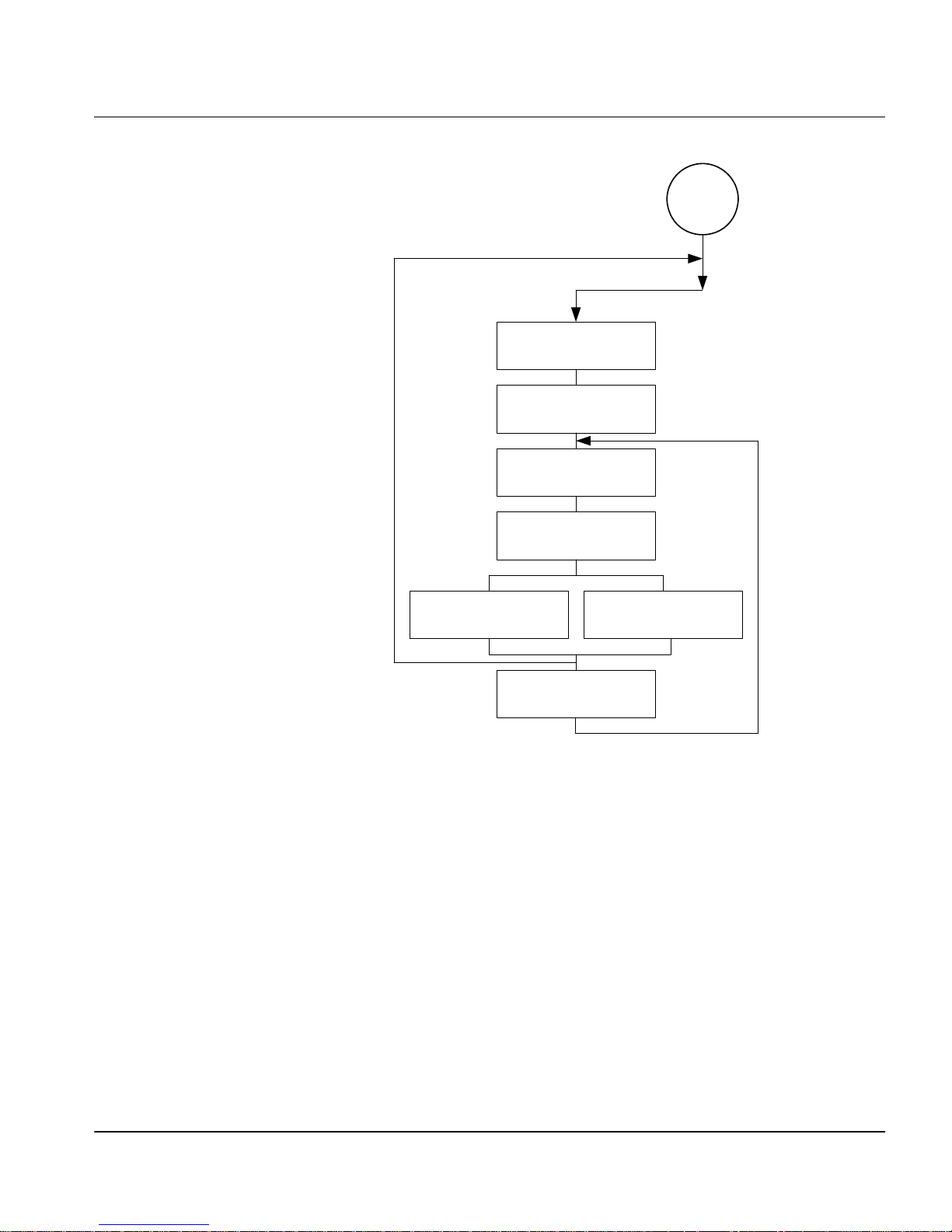
*
optional/conditional
_DOC_PARAMS
*
*
_PAGE_PARAMS
*
_STRIP_PARAMS
The Bfv API Functions
START
res, len., width
_T.30_PARAMS
bit rate, scan time
G3, ASCII
DATA
G3, ASCII
INDIR_DATA
G3, ASCII, DCX, TI F F
_B_O_P
Figure 3. Creating Infopkt Streams that Transmit Facsimiles
November 2009 50
Page 51

The Bfv API Functions
Infopkt Structure
Every infopkt consists of a header and data. The 4-by te hea d er
consists of a type code and a length. The type code defines the
infopkt type, and the length field indicates the total length of the
infopkt, including the header. Data consists of raw data, formatting
parameters or, in the case of indirect infopkts, pointers to other files.
The maximum length of an individual infopkt is 30,000 bytes, but
Dialogic recommends limiting the size to approximately 1K. This
limit affects the size of infopkts only and has no effect on the size of a
fax document, since large fax documents are simply converted to
multiple infopkts within an infopkt stream.
When indirect infopkts point to other infopkt stream files, the
maximum nesting depth is three. All file names that occur in
indirect infopkts must be 0-terminated.
The infopkt.h file, located in the inc subdirectory, contains the
definitions of the infopkt structures.
See Appendix E in Volume 6 of the Bfv API Reference Manual for the
parameter values and defaults of each tag type infopkt.
Speech Infopkt Parameters
The INFOPKT_SPEECH_PARAMETERS infopkt defines the speech
parameters for infopkt-formatted speech files. These parameters
include the coding format, the compressed sample rate, the number
of bits per sample, the analog front end (afe) rate, and the data
format. In infopkt streams made up of simple speech files, this
infopkt begins the infopkt stream. In infopkt streams made up of
indexed prompt files, it begins each new speech file embedded in the
stream.
Applications use the BfvSpeechRecord function to record speech
in infopkt format (see the Bfv API Reference Manual, Volume 3 for a
complete description). Valid settings for the data coding format,
compressed sample rate for playback, and number of bits per sample
are found with the BfvSpeechRecord function.
November 2009 51
Page 52

The Bfv API Functions
Fax Infopkt Parameters
The T.30 protocol requires two communicating fax machines to agree
on several transmission parameters at the beginning of a facsimile
transmission. These transmission parameters include the bit rate,
scan time, coding scheme, and the basic document format
parameters – vertical resolution, page width, and page length. The
least capable fax machine determines the values of these
parameters; both fax machines adjust to the final values.
Two infopkts:
INFOPKT_T30_PARAMETERS
INFOPKT_DOCUMENT_PARAMETERS
affect the parameters that are negotiated during the T.30 protocol
handshaking procedure.
The INFOPKT_T30_PARAMETERS infopkt sp ecifies the desired values
of the transmission parameters. Normally the default values are
used, but INFOPKT_T30_PARAMETERS is useful, for example, for
setting a lower bit rate.
The INFOPKT_DOCUMENT_PARAMETERS infopkt sets the document
related parameters: vertical resolution, length, and width (only the
vertical resolution is programmable). These parameters format the
fax data that is sent out on the phone line.
INFOPKT_DOCUMENT_PARAMETERS is required and specifies the
desired resolution. If it appears in the midst of an infopkt stream,
both machines might renegotiate to the new parameter values.
While document parameters define an entire fax document sent over
the telephone line, page parameters define an entire page only, and
strip parameters define horizontal strips of data within a page.
For ASCII data, there are page parameters and strip parameters.
For G3 data, there are strip parameters. Because page formatting
elements (top and bottom margins, etc.) are inherent in G3 data;
there are no separate page parameters.
The INFOPKT_PAGE_PARAMETERS infopkt defines the ASCII page
parameters, which apply only to pages. Its use is optional, and when
it is not included with ASCII data infopkts, the module uses the
default values (see Appendix E in Volume 6 of the Bfv API Reference
Manual for default values).
November 2009 52
Page 53

The Bfv API Functions
The strip parameters infopkts:
INFOPKT_ASCII_STRIP_PARAMETERS
INFOPKT_G3_STRIP_PARAMETERS
define the actual strips of data that make up a page and must
precede an ASCII or G3 data type infopkt only to change the default
or previously applied strip parameter values (see Volume 6,
Appendix E in the Bfv API Reference Manual for default values).
Dialogic, however, recommends that you include a strip parameter
infopkt whenever you defin e a strip, even if the default values are
appropriate for the strip. Strip parameters include the basic format
of the data (that is, ASCII or G3 data) and presentation parameters
such as vertical resolution, width, and, in the case of ASCII, left and
right margins.
Strip parameters ensure that the strip data is sent out properly and
the received fax is displayed with the proper proportions. The
module converts strip data to the proper vertical resolution before
transmitting it.
For example, if the T.30 document resolution is set to fine resolution,
and a G3 strip is in normal resolution, the firmware converts the
data to fine resolution, replicating each line. Likewise, if the T.30
document resolution is set to normal resolution, and a G3 strip is in
fine resolution, the firmware converts the data to normal resolution,
removing every other line. If the T.30 document resolution and a
G3 strip resolution are the same, the module transmits the data
as-is. The vertical resolution of the strip data informs the module
when to convert data and how to convert it.
When ASCII strip data is sent to the module, the current vertical
resolution parameter is set to normal, even if an
INFOPKT_ASCII_STRIP_PARAMETERS infopkt is inserted into the
infopkt stream. Thus the resolution of any G3 strip data,
encountered later in the infopkt stream, is also assumed to be
normal, unless otherwise specified by an accompanying
INFOPKT_G3_STRIP_PARAMETERS infopkt.
When two consecutive G3 strips of data are sent to the module, an
INFOPKT_G3_STRIP_PARAMETERS infopkt must be inserted
between them. Since each G3 strip data ends with an RTC marker
(six consecutive end-of-line codes) that is interpreted by the module
as the end of the strip of data, an INFOPKT_G3_STRIP_PARAMETERS
infopkt is required to indicate the beginning of the second G3 strip.
November 2009 53
Page 54

The Bfv API Functions
When a single G3 strip consists of multiple G3 infopkts, do not insert
an INFOPKT_G3_STRIP_PARAMETERS infopkt between the
G3 infopkts.
Figure 4 illustrates how an electronic mail document (ASCII),
accompanied by a cover sheet, a letterhead, and a signature, could be
delivered to a fax machine.
Fax Document ,
Page 1
cover sh eet
letterhead
letter body
signature
Fax Document ,
Doc_Parameters
G3_Strip_Parameters
G3 (data; cover sheet)
BOP (Beginning of page)
G3_Strip_Parameters
Indir_G3(lettrhed.g3)
Ascii_Strip_Parameters
Indir_Ascii(Lettrbod.asc)
G3_Strip_Parameters
Indir_G3(sign.g3)
Infopkt Stream
lettrhed.g3
Dialogic Corp
lettrbod.asc
The TRxxx series
of fax/voice boards
are now available...
sign.g3
President
Page 2
Figure 4. Conversion of a Partial Infopkt Stream to a Fax
Document
Part of the infopkt stream, a file containing a series of infopkts that
contains this fax example, is shown below:
INFOPKT_DOCUMENT_PARAMETERS
November 2009 54
(Tag containing new page composition parameters; a fax infopkt
stream must begin with this infopkt type)
INFOPKT_G3_STRIP_PARAMETERS
(Parameter Structure)
Page 55

The Bfv API Functions
This two-page document contains a G3 fax document as a cover page.
INFOPKT_G3
(Cover sheet; G3 data)
It is followed by a page boundary tag,
INFOPKT_BEGINNING_OF_PAGE. The data for the cover sheet is
stored in the infopkt stream.
INFOPKT_BEGINNING_OF_PAGE
(Cover sheet is on its own page)
INFOPKT_G3_STRIP_PARAMETERS
(Parameter Structure)
The second page starts with a G3 document containing the
letterhead. It is stored in a separate file.
INFOPKT_INDIR_G3
(Document letterhead; G3 filename)
INFOPKT_ASCII_STRIP_PARAMETERS
(Parameter Structure)
The next strip of the second page is ASCII data which is also stored
in a separate file.
INFOPKT_INDIR_ASCII
(Contents of E-Mail message; ASCII filename)
INFOPKT_G3_STRIP_PARAMETERS
(Parameter Structure)
The second page ends with G3 data, contains the signature, and is
also stored in a separate file.
INFOPKT_INDIR_G3
(Signature data is in infopkt structure; G3 data)
The bulk of most infopkt files are types INFOPKT_G3 and
INFOPKT_ASCII. Two files containing infopkts are concatenated.
November 2009 55
Page 56

2 - Developing
Applications Using the Bfv
API
This chapter describes how to develop applications with Brooktrout
Fax Software.
The chapter has the following sections:
Developing a Voice Application
Using Prompt Files
Developing a Fax Application
November 2009 56
Page 57

Developing a Voice Application
Recording and Playing Voice
The following steps for recording and playing back speech are
demonstrated:
How to record voice
How to play back previously recorded voice
These steps are the same for all supported operating systems.
To record and then play speech back, first select the voice channel on
which you want to record your message. Then, use the voice.c sample
program, included on your distribution CD, to record and play back
speech.
Developing a Voice Application
November 2009 57
Page 58

Developing a Voice Application
Recording Voice
1. Prepare channel 2 to record your message:
voice -u 2 -r voice.ips
The command voice invokes the voice.c program, whose
arguments include:
Arguments
-c num Call the given number, else wait for ring.
-f Specify record coding format; use the number of
the format or one of the following names:
adpcm
adpcm32
adpcm24
pcm_ulaw
pcm_ulaw64
pcm_ulaw48
pcm_ulaw88
pcm_alaw
pcm_alaw64
pcm_alaw48
pcm_alaw88
g723-1
g723-1-53
g723-1-63
g729-a
sx7300
sx9600
gsm_610
gsm_660
-l Loop forever, sending or receiving.
-n secs Specify recording time in seconds.
-p Play.
-r Record (default 10 seconds).
1
2
3
7
8
9
10
14
15
November 2009 58
-u unitnum Use specified channel.
The -u 2 argument selects channel 2 as the recording channel;
and the -r argument places channel 2 in record mode. Voice.ips
is the speech infopkt stream file in which to store the voice
message. The channel waits for a ring signal.
Page 59

2. Dial the phone number of the channel you selected. Make sure the
phone line is attached to the selected channel.
The voice.c program does not indicate when to begin recording.
Begin recording when the line goes off-hook (when you no longer
hear ringing).
Playing Back the Voice Message
¾
Request that a channel (0 in the example) play back your
previously recorded message stored in voice.ips.
1. At the system prompt, type:
voice -u 0 -p voice.ips
2. Dial the phone number of the channel. You should hear your
recorded message.
Using Prompt Files
Using Prompt Files
Prompt files are infopkt files that contain many individual speech
phrases in a single file. Each phrase is a partial or complete prompt
in infopkt format followed by an INFOPKT_END_OF_SPEECH infopkt
with mode value 1. The prompt file starts with an
INFOPKT_PROMPT_MAP infopkt, which contains file offsets to each
individual phrase.
The Bfv API contains functions that open and close a Brooktrout
prompt file and play individual phrases stored in it. For example,
after an application opens a Brooktrout prompt file, it can call the
BfvPromptPlay function to play any individual phrase, or it can
call the BfvPromptPlay function multiple times to concatenate
phrases and create a complete prompt.
Using Brooktrout prompt files provides two advantages. Since all of
the prompts are stored in a single file, tracking and maintaining
prompts is easier. And because you can combine phrases to create
complete prompts, you can reduce the amount of disk space needed
for overall speech storage.
November 2009 59
Page 60

Using the mkprompt Utility
The mkprompt utility converts multiple infopkt files in to a
Brooktrout prompt file and updates an existing Brooktrout prompt
file by adding new phrases or modifying existing phrases.
When you create a Brooktrout prompt file, the mkprompt utility
automatically assigns each infopkt file a phrase number,
sequentially, in the order that you enter each file name at the
command line. The mkprompt utility always assigns the phrase
number 0 to the first infopkt file you enter.
When you update a Brooktrout prompt file, you assign a phrase
number to each infopkt file you are adding to the existing Brooktrout
prompt file.
Since the mkprompt utility cannot return phrase numbers of
individual prompt files in a Brooktrout prompt file, be sure to keep
your own record. You might need this information when you update
your prompt file.
Using Prompt Files
Both the mkprompt utility and the Bfv API permit you to include the
text of each phrase in the Brooktrout prompt file. Create an infopkt
file for each phrase in which the first infopkt in the file contains the
text annotation and the remaining infopkts contain the speech that
make up the phrase. The mkprompt utility treats the whole file as a
phrase infopkt, and the BfvPromptPlay function skips over the
annotated text.
Creating a New Prompt File
To create a new Brooktrout prompt file, at the command line type:
mkprompt prompt_file [phrase1.pkt phrase2.pkt...]
Where:
prompt_file Specifies the name of the prompt file to create.
phrase1.pkt,
phrase2.pkt, ...
Provides the names of the infopkt-formatted.
Prompts files in the order in which you enter
them at the command line.
November 2009 60
The mkprompt utility automatically assigns phrase 0 to the file you
enter as phrase1.pkt and sequentially numbers any additional fil es
in the order that you enter them.
Page 61

Updating an Existing Prompt File
To update an existing Brooktrout prompt file, at the command line
type:
mkprompt -u phrase_num prompt_file phrase.pkt:
Where:
-u Specifies the update command.
phrase_num Provides the index number to assign the
infopkt-formatted input file.
prompt_file Provides the name of the prompt file.
phrase.pkt Provides the name of the infopkt-formatted prompt
file to add to the prompt file.
The mkprompt utility opens the existing Brooktrout prompt file and
append the new phrase if the phrase number you specify is new or
replace the old phrase whose phrase number matches the phrase
number you specify.
Developing a Fax Application
Developing a Fax Application
Sending and Receiving a Fax
The following are the step-by-step instructions for transmitting and
receiving a fax:
How to create an infopkt stream using the mkinfopk utility.
How to send a fax (an infopkt stream file) from one channel to
another channel in your system.
How to send a fax from an external fax machine to one channel
in your system. This same fax is then transmitted back to the
same fax machine from the same channel in your system.
November 2009 61
Page 62

Developing a Fax Application
Sending a Fax from One Channel to Another
¾
Use the fax sample program to send a fax from one channel to
another in your system.
1. Prepare channel 1 to receive a fax:
fax -u 1 -r recfile.ips
fax invokes the sample fax program with the following
arguments:
-u Specifies that the following number is the
number of the channel that receives a fax (in this
case channel 1 is used).
-r Places the channel (1) in receive mode.
recfile.ips Creates a file, recfile.ips, in which to receive a
fax.
The channel is now set to receive a fax and is waiting for a ring
signal.
2. Send a fax from channel 0 to channel 1.
In a second window, type:
fax -u 0 -s wphonenum fax.ips
-u Specifies that the following number is the
number of the channel that sends a fax (in this
case channel 0 is used).
-s Places the channel (0) in send mode.
w In robbed-bit T1 TDM environments, checks
the signaling if w is the first character of the
string.
In E&M immediate mode, causes the channel
to wait and see if the T1 slot is free.
In E&M wink mode, causes the channel to
wait for a wink signal from the remote side.
Anywhere else in the string, waits for dial
tone.
phonenum Specifies the phone number of the channel to
receive the fax (in this case channel 1).
fax.ips Sends the infopkt stream file fax.ips previously
created with the mkinfopk utility.
November 2009 62
Page 63

Developing a Fax Application
Sending a Fax to a Channel from an External Fax
Machine
Use the fax.c sample program to send a fax from an external fax
machine to a channel in your system. Then send the same fax back to
the same fax machine from the same channel in your system.
1. Prepare channel 1 to receive a fax as you did in the previous
example. Use the same input filename recfile.ips used to send a
fax from one channel to another in the same system:
fax -u 1 -r recfile.ips
Channel 1 is now set to receive a fax and is waiting for a ring
signal.
2. At the fax machine, insert the sample fax in the fax machine and
call the channel's (channel 1) phone number in the normal way.
At the tone send your sample fax.
Wait for the selected channel to receive the sample fax.
3. Send the received fax back to the fax machine:
fax -u 1 -s wphonenum recfile.ips
This time, phonenum is the phone number of the external fax
machine.
You can examine the structure of the infopkt stream recfile.ips
before you transmit it back to the fax machine.
decode recfile.ips
November 2009 63
Page 64

Using Bfv API Fax Functions
The following sections show how to send and receive facsimiles using
the high- and low-level function calls, noninfopkt function calls, and
TIFF-F function calls. It also shows how to send and receive
facsimiles in MR and MMR format, access infopkt streams and
TIFF-F fax files from an application, combine data on a sing le page
using TIFF-F fax files, interpret fax status information fr om an
application, and how to use prompt files.
The following declarations are assumed to be in effect for all
examples.
struct args_line_admin args_admin;
struct args_telephone args_tel;
struct args_speech args_speech;
struct args_fax args_fax;
struct args_fax_t30_params args_t30;
struct args_fax_page_params args_page;
struct args_fax_strip_params args_strip;
struct args_tone args_tone;
struct args_download args_download;
struct args_dh args_dh;
struct args_intlimit args_intlimit;
struct args_infopkt args_infopkt;
struct args_tiff args_tiff;
Developing a Fax Application
Using High- and Low-Level Functions
The Bfv API library contains both high- and low-level function calls
(see Table 1 on page 41). Several low-level function calls are
combined into one high-level function to provide a quick and ea sy
method to send or receive a facsimile.
The low-level functions, on the other hand, provide more flexibility
and functionality than the higher level function calls.
Sending a Fax Using High-Level Function Calls A typical way to
send a fax using the high-level fax function calls is demonstrated
below. Each function is presented in sequential order, and the action
it performs is described beneath it.
BT_ZERO(args_admin);
args_admin.unit = unit;
lp = BfvLineAttach(&args_admin);
Attaches to a free channel and gets a line pointer.
November 2009 64
Page 65

Developing a Fax Application
args_admin.config_file_name = "usrcnfig.cfg";
BfvLineReset(lp,&args_admin);
Resets the channel and sets the user-configured options selected in
the user-defined configuration fi le na med, usrcnfig.cfg.
BT_ZERO(args_infopkt);
args_infopkt.fname = name;
args_infopkt.fmode = "r";
ips = BfvInfopktOpen(&args_infopkt);
Opens the infopkt-formatted file called name for reading and
transmission.
BT_ZERO(args_tel);
args_tel.phonenum = "w7814499009";
args_tel.call_protocol_code = CALL_PROTOCOL_FAX;
args_tel.func = userfunc;
args_tel.arg = userarg;
BfvLineOriginateCall(lp,&args_tel);
Dials the phone number, monitors call progress, calls the user
function to optionally decide when to terminate call progress.
BT_ZERO(args_fax);
args_fax.s_ips = ips;
args_fax.local_id = local_id;
BfvFaxSend(lp,&args_fax);
Transmits documents based on an infopkt stream.
BT_ZERO(args_infopkt);
args_infopkt.ips = ips;
BfvInfopktClose (&args_infopkt);
Closes the infopkt stream file after the file is sent.
BT_ZERO(args_admin);
BfvLineDetach (lp, &args_admin);
Frees all memory for the attached line and closes the device.
Receiving a Fax Using High-Level Function Calls A typical way to
receive a fax using the high-level fax function calls is demonstrated
below. Each function is presented in sequential order, and the action
it performs is described beneath it.
BT_ZERO(args_admin);
args_admin.unit = unit;
lp = BfvLineAttach(&args_admin);
Attaches to a free channel and gets a line pointer.
November 2009 65
Page 66

Developing a Fax Application
args_admin.config_file_name = "usrcnfig.cfg";
BfvLineReset(lp,&args_admin);
Resets the channel and sets the user-configured options selected in
the user-defined configuration fi le na med usrcnfig.cfg.
BT_ZERO(args_infopkt);
args_infopkt.fname = name;
args_infopkt.fmode = "w";
ips = BfvInfopktOpen(&args_infopkt);
Opens the infopkt-formatted file called name for writing.
BT_ZERO(args_tel);
args_tel.timeout = 0L;
BfvLineWaitForCall (lp, &args_tel);
Waits without a timeout for an incoming call and performs call
screening when the call occurs.
BfvLineAnswer (lp, &args_tel);
Takes the line off-hook and sets the line state to CONNECTED.
BT_ZERO(args_fax);
args_fax.r_ips = ips;
args_fax.local_id = local_id;
BfvFaxReceive (lp, &args_fax);
Receives fax pages and puts them into the infopkt stream ips.
BT_ZERO(args_infopkt);
args_infopkt.ips = ips;
BfvInfopktClose (&args_infopkt);
Closes the infopkt stream file after the file is received.
BT_ZERO(args_admin);
BfvLineDetach (lp, &args_admin);
Frees all memory for the attached line and closes the device.
Sending a Fax Using Low-Level Infopkt Functi on Calls One way to
send a fax using the low-level infopkt fax function calls is
demonstrated below. Each function is presented in sequential order,
and the action it performs is listed beneath it.
BT_ZERO(args_admin);
args_admin.unit = unit;
lp = BfvLineAttach(&args_admin);
Attaches to a free channel and gets a line pointer.
November 2009 66
Page 67

Developing a Fax Application
args_admin.config_file_name = "usrcnfig.cfg";
BfvLineReset(lp,&args_admin);
Resets the channel and sets the user-configured options selected in
the user-defined configuration fi le na med usrcnfig.cfg.
BT_ZERO(args_infopkt);
args_infopkt.fname = name;
args_infopkt.fmode = "r";
ips = BfvInfopktOpen(&args_infopkt);
Opens the infopkt-formatted file called name for reading and
transmission.
BT_ZERO(args_tel);
args_tel.phonenum = "w7814499009";
BfvLineDialString(lp,&args_tel);
Dials a telephone number.
args_tel.call_protocol_code = CALL_PROTOCOL_FAX;
args_tel.call_mode = BT_ORIGINATE;
BfvLineCallProgressEnable(lp,&args_tel);
Enables the call progress function.
BT_ZERO(args_tel);
BfvDataCP(lp,&args_tel);
Gets the next two bytes from the call progress FIFO (used to
determine when to disable call progress) for processing.
BfvLineCallProgressDisable(lp,&args_tel);
Disables call progress detection.
BT_ZERO(args_fax);
args_fax.local_id = "Id_string";
BfvFaxSetLocalID(lp,&args_fax);
Sets the local id.
BT_ZERO(args_fax);
args_fax.s_ips = ips;
BfvFaxBeginSend(lp, &args_fax);
Begins the handshaking procedure between the two machines.
BfvFaxGetRemoteInfo(lp, &args_fax);
Waits for the called machine to send its ID and capabilities.
BfvFaxWaitForTraining(lp, &args_fax);
Waits for the completion of the Phase B handshaking procedure.
November 2009 67
Page 68

Developing a Fax Application
for (;;)
{
BT_ZERO(args_fax);
args_fax.s_ips = ips;
if ((ret = BfvFaxNextPage(lp, &args_fax)) <= 0 )
break;
BfvFaxSendPage(lp, &args_fax);
}
Loops through the infopkt stream, getting the next page and
transmitting it to the driver.
BfvFaxEndOfDocument(lp, &args_fax);
Finishes up when the infopkt stream is exhausted.
BT_ZERO(args_infopkt);
args_infopkt.ips = ips;
BfvInfopktClose (&args_infopkt);
Closes the infopkt stream file after the file is sent.
BT_ZERO(args_admin);
BfvLineDetach (lp, &args_admin);
Frees all memory for the attached line and closes the device.
You can replace some low-level functions with a high-level function,
for example:
BfvLineDialString
BfvLineCallProgressEnable
BfvDataCP
BfvLineCallProgressDisable
BfvFaxSetLocalID
BfvFaxBeginSend
BfvFaxGetRemoteInfo
BfvFaxWaitForTraining
BfvFaxSendPage
BfvFaxEndOfDocument
These low level functions are
replaced with the high level
function BfvLineOriginateCall.
These low level functions are
replaced with the high level
function BfvFaxSend.
Receiving a Fax Using Low-Level Infopkt Function Calls One way
to receive a fax using the low-level infopkt fax function calls is
demonstrated below. Each function is presented in sequential order,
and the action it performs is described beneath it.
BT_ZERO(args_admin);
args_admin.unit = unit;
lp = BfvLineAttach(&args_admin);
November 2009 68
Attaches to a free channel and gets a BTLINE pointer.
Page 69

Developing a Fax Application
args_admin.config_file_name = "usrcnfig.cfg";
BfvLineReset(lp, &args_admin);
Resets the channel and sets the user-configured options in the
user-defined configuration file usrcnfig.cfg.
BT_ZERO(args_infopkt);
args_infopkt.fname = name;
args_infopkt.fmode = "w";
ips = BfvInfopktOpen(&args_infopkt);
Opens the infopkt-formatted file, name, to store the received fax.
BT_ZERO(args_tel);
args_tel.timeout = 0L;
BfvLineWaitForCall(lp, &args_tel);
Waits for the detection of an incoming call.
BfvLineAnswer(lp, &args_tel);
Answers the phone line by going off-hook.
BT_ZERO(args_fax);
args_fax.local_id = "Id_string";
BfvFaxSetLocalId(lp,&args_fax);
Sets the local ID to transmit to the sending machine.
BT_ZERO(args_fax);
BfvFaxBeginReceive(lp, &args_fax);
Begins the Phase B handshaking procedure.
BfvFaxGetRemoteInfo(lp, &args_fax);
Waits for the remote to send its ID and capabilities.
Note: The previous phone call is terminated by the application if the
remote fax's ID does not match the expected value.
BfvFaxWaitForTraining(lp, &args_fax);
Waits for the completion of the Phase B handshaking process.
BT_ZERO(args_fax);
args_fax.r_ips = ips;
BfvFaxReceivePages(lp,&args_fax);
Receives and writes the fax data to the infopkt stream file pointed to
by ips.
BT_ZERO(args_infopkt);
args_infopkt.ips = ips;
BfvInfopktClose (&args_infopkt);
November 2009 69
Closes the infopkt stream file after the file is sent.
Page 70

Developing a Fax Application
BT_ZERO(args_admin);
BfvLineDetach (lp, &args_admin);
Frees all the memory for the attached line and closes the device.
You can replace some low-level functions with a high-level function,
for example:
BfvFaxBeginReceive
BfvFaxGetRemoteInfo
BfvFaxSetLocalId
BfvFaxWaitForTraining
BfvFaxReceivePages
These low level functions are
replaced with the high level function
BfvFaxReceive.
See the applications in the sample application directory for more
detailed information.
Sending a Fax Using Function Calls for
Noninfopkt-Formatted Raw G3
One way to send a fax using function calls for noninfopkt-formatted
raw G3 files is demonstrated below. Each function is presented in
sequential order, and the action it performs is described beneath it.
This example sends a two-page fax whose page and strip data are
stored in noninfopkt-formatted files. The first page consists of a
Group 3 letterhead (ltrhd.g3), a body in ASCII (main.txt), and a
signature file in Group 3 (sig.G3). The second page is an ASCII file
(memo.txt).
Files
BT_ZERO(args_admin);
args_admin.unit = unit;
lp = BfvLineAttach(&args_admin);
Attaches to a free channel and gets a line pointer.
args_admin.config_file_name = "usrcnfig.cfg";
BfvLineReset(lp,&args_admin);
Resets the channel and sets the user-configured options selected in
the user-defined configuration fi le na med usrcnfig.cfg.
BT_ZERO(args_tel);
args_tel.phonenum = "w7814499009";
args_tel.call_protocol_code = CALL_PROTOCOL_FAX;
args_tel.func = userfunc;
args_tel.arg = userarg;
BfvLineOriginateCall(lp,&args_tel);
Dials the phone number, monitors call progress, calls the user
function to optionally decide when to terminate call progress.
November 2009 70
Page 71

Developing a Fax Application
BT_ZERO(args_t30);
args_t30.bit_rate = BITRATE_14400;
args_t30.scan_time = SCANTIME_0;
BfvFaxT30Params(lp,&args_t30);
Configures the channel's maximum transmission rate. This function
is optional.
BT_ZERO(args_page);
args_page.top_margin = 0;
args_page.bottom_margin = 0;
args_page.length = 1143;
args_page.ascii_pad = 1;
args_page.image_pad = 0;
args_page.image_break = 0;
args_page.image_margin = 0;
BfvFaxPageParams(lp,&args_page);
Sets the page parameters: no top or bottom margins, a page length of
1143 (normal) G3 lines, no padding of short ASCII pages, no padding
of short images, no breaking of images, and no margins for images.
BT_ZERO(args_fax);
args_fax.resolution = RES_200H_200V;
args_fax.width = WIDTH_A4;
BfvFaxBeginSendRaw(lp, &args_fax);
Begins the handshaking procedure and indicates that the first page
is in fine resolution and has A4 width.
BfvFaxGetRemoteInfo(lp, &args_fax);
Waits for the called machine to send its ID and capabilities.
BfvFaxWaitForTraining(lp, &args_fax);
Waits for the completion of the Phase B handshaking procedure.
BT_ZERO(args_strip);
args_strip.fmt = DATA_G3;
args_strip.resolution = RES_200H_100V;
args_strip.width = WIDTH_A4;
BfvFaxStripParams(lp,&args_strip);
Sets the G3 strip parameters for the G3 strip ltrhd.g3.
BT_ZERO(args_fax);
args_fax.fname = "ltrhd.g3";
args_fax.fmt = DATA_G3;
BfvFaxSendFile(lp, &args_fax);
Sends the G3 letterhead data file ltrhd.g3 to the driver.
November 2009 71
Page 72

Developing a Fax Application
BT_ZERO(args_strip);
args_strip.fmt = DATA_ASCII;
args_strip.resolution = RES_200H_100V;
args_strip.width = WIDTH_A4;
args_strip.left_margin = 5;
args_strip.right_margin = 0;
args_strip.line_spacing = 2;
args_strip.eof_char = 0x1a;
BfvFaxStripParams(lp,&args_strip);
Sets the ASCII parameters for the ASCII strip main.txt, since it
differs from the default.
BT_ZERO(args_fax);
args_fax.fname = "main.txt";
args_fax.fmt = DATA_ASCII;
BfvFaxSendFile(lp, &args_fax);
Sends the ASCII text body file main.txt to the driver.
BT_ZERO(args_strip);
args_strip.fmt = DATA_G3;
args_strip.resolution = RES_200H_100V;
args_strip.width = WIDTH_A4;
BfvFaxStripParams(lp,&args_strip);
Sets the G3 strip parameters for the G3 strip sig.G3.
BT_ZERO(args_fax);
args_fax.fname = "sig.g3";
args_fax.fmt = DATA_G3;
BfvFaxSendFile(lp, &args_fax);
Sends the G3 signature file sig.G3 to the driver.
BT_ZERO(args_fax);
args_fax.resolution = RES_200H_100V;
args_fax.width = WIDTH_A4;
BfvFaxNextPageRaw(lp, &args_fax);
Sends an end-of-page command to the driver and indicates that
another page (normal resolution and A4 width) follows.
BT_ZERO(args_page);
args_page.top_margin = 5;
args_page.bottom_margin = 5;
args_page.length = 1143;
args_page.ascii_pad = 0;
BfvFaxPageParams(lp,&args_page);
Sets the page parameters for this page since they differ from those of
the first page.
November 2009 72
Page 73

Developing a Fax Application
BT_ZERO(args_fax);
args_fax.fname = "memo.txt";
args_fax.fmt = DATA_ASCII;
BfvFaxSendFile(lp, &args_fax);
Sends the ASCII text file, memo.txt the only file on the second page,
to the driver.
BfvFaxEndOfDocument(lp, &args_fax);
Indicates to the driver that the second page is the last page of the
transmission.
BT_ZERO(args_admin);
BfvLineDetach (lp, &args_admin);
Frees all the memory for the attached line and closes the device.
Receiving a Fax Using Function Calls for
Noninfopkt-Formatted Raw G3
Files
One way to receive a fax using function calls for
noninfopkt-formatted raw G3 files is demonstrated below. Each
function is presented in sequential order, and the action it performs
is described beneath it.
This example receives fax data into a buffer only and does not
include instructions for further processing the contents of the buffer.
BT_ZERO(args_admin);
args_admin.unit = unit;
lp = BfvLineAttach(&args_admin);
Attaches to a free channel and gets a BTLINE pointer.
args_admin.config_file_name = "usrcnfig.cfg";
BfvLineReset(lp,&args_admin);
Resets the channel and sets the user-configured options in the
user-defined configuration file usrcnfig.cfg.
BT_ZERO(args_tel);
args_tel.timeout = 0L;
BfvLineWaitForCall (lp, &args_tel);
November 2009 73
Waits for the detection of an incoming call.
BfvLineAnswer (lp, &args_tel);
Answers the phone line by going off-hook.
Page 74

Developing a Fax Application
BT_ZERO(args_fax);
args_fax.local_id = "Id_string";
BfvFaxSetLocalID(lp,&args_fax);
Sets the local ID to transmit to the sending machine.
BT_ZERO(args_fax);
BfvFaxBeginReceive(lp, &args_fax);
Begins the Phase B handshaking procedure.
BfvFaxGetRemoteInfo (lp, &args_fax);
Waits for the remote to send its ID and capabilities.
Note: The previous phone call is terminated by the application if the
remote fax machine's ID does not match the expected value.
BfvFaxWaitForTraining (lp, &args_fax);
Waits for the completion of the Phase B handshaking process.
do
{
BT_ZERO(args_fax);
args_fax.buf = buf;
args_fax.size = size;
/* receive data into buffer */
if (BfvFaxReceiveData(lp,&args_fax) <= 0)
break;
/* Process buffer contents */
Process(buf);
}
Keeping track of the resolution of each page is the application's
responsibility.
When the function returns a 0 at exit from the loop, the application
must determine, from the value of args_fax.expect_another, if
there is another page to receive.
BfvFaxEndReception(lp, &args_fax);
Call this function when there are no more pages to receive.
BT_ZERO(args_admin);
BfvLineDetach (lp, &args_admin);
Frees all the memory for the attached line and closes the device.
November 2009 74
Page 75

Developing a Fax Application
Sending a Fax Using Calls for TIFF-F Files
One way to send a fax using function calls for TIFF-F files is
demonstrated below. Each function is presented in sequential order,
and the action it performs is described beneath it.
BT_ZERO(args_admin);
args_admin.unit = unit;
lp = BfvLineAttach(&args_admin);
Attaches to a free channel and gets a line pointer.
args_admin.config_file_name = "usrcnfig.cfg";
BfvLineReset(lp,&args_admin);
Resets the channel and sets the user-configured options selected in
the user-defined configuration fi le na med usrcnfig.cfg.
BT_ZERO(args_tiff);
args_tiff.fname = name;
args_tiff.fmode = "r";
tp = BfvTiffOpen(&args_tiff);
Opens the TIFF-F file name for reading and transmission.
BT_ZERO(args_tel);
args_tel.phonenum = "w7814499009";
args_tel.call_protocol_code = CALL_PROTOCOL_FAX;
args_tel.func = userfunc;
args_tel.arg = userarg;
BfvLineOriginateCall(lp,&args_tel);
Dials the phone number, monitors call progress, calls the user
function to optionally decide when to terminate call progress.
BT_ZERO(args_fax);
args_fax.local_id = "Id_string";
BfvFaxSetLocalID(lp,&args_fax);
Sets the local id.
BT_ZERO(args_fax);
args_fax.s_tp = tp;
BfvFaxBeginSendTiff(lp,&args_fax);
Begins the Phase B handshaking procedure.
BfvFaxGetRemoteInfo(lp, &args_fax);
Waits for the called machine to send its ID and capabilities.
BfvFaxWaitForTraining(lp, &args_fax);
Waits for the completion of the Phase B handshaking procedure.
November 2009 75
Page 76

Developing a Fax Application
for (;;)
{
BT_ZERO(args_fax);
args_fax.s_tp = tp;
args_fax.combine = 0;
if (BfvFaxNextPageTiff(lp,&args_fax) <= 0)
break;
BT_ZERO(args_fax);
args_fax.s_tp = tp;
if (BfvFaxSendPageTiff(lp,&args_fax) < 0)
break;
}
Loops through the TIFF-F file, getting the next page and sending it
to the driver.
BfvFaxEndOfDocument(lp, &args_fax);
Finishes up when the TIFF data is exhausted.
BT_ZERO(args_tiff);
args_tiff.tp = tp;
BfvTiffClose(&args_tiff);
Closes the TIFF-F file after the file is transmitted.
BT_ZERO(args_admin);
BfvLineDetach (lp, &args_admin);
Frees all the memory for the attached line and closes the device.
Receiving a Fax Using Calls for TIFF-F Files
One way to receive a fax using function calls for TIFF-F files is
demonstrated below. Each function is presented in sequential order,
and the action it performs is described beneath it.
BT_ZERO(args_admin);
args_admin.unit = unit;
lp = BfvLineAttach(&args_admin);
Attaches to a free channel and gets a BTLINE pointer.
args_admin.config_file_name = "usrcnfig.cfg";
BfvLineReset(lp,&args_admin);
Resets the channel and sets the user-configured options in the
user-defined configuration file named usrcnfig.cfg.
BT_ZERO(args_tiff);
args_tiff.fname = name;
args_tiff.fmode = "w";
tp = BfvTiffOpen(&args_tiff);
November 2009 76
Opens the TIFF-F file name to store the received fax.
Page 77

Developing a Fax Application
BT_ZERO(args_tel);
args_tel.timeout = 0L;
BfvLineWaitForCall (lp, &args_tel);
Waits for the detection of an incoming call.
BfvLineAnswer (lp, &args_tel);
Answers the phone line by going off-hook.
BT_ZERO(args_fax);
args_fax.local_id = "Id_string";
BfvFaxSetLocalID(lp,&args_fax);
Sets the local ID to transmit to the sending machine.
BT_ZERO(args_fax);
BfvFaxBeginReceive(lp, &args_fax);
Begins the Phase B handshaking procedure.
BfvFaxGetRemoteInfo(lp, &args_fax);
Waits for the remote to send its ID and capabilities.
BfvFaxWaitForTraining(lp, &args_fax);
Waits for the completion of the Phase B handshaking process.
do
{
BT_ZERO(args_fax);
args_fax.r_tp = tp;
}
while (BfvFaxRcvPageTiff(lp,&args_fax) > 0);
Receives and writes the fax data to the TIFF-F file pointed to b y tp.
BfvFaxEndReception(lp, &args_fax);
After the last page is received, waits for the T.30 handshaking
confirmation sequence to complete.
BT_ZERO(args_tiff);
args_tiff.tp = tp;
BfvTiffClose(&args_tiff);
Closes the TIFF file after the file is received.
BT_ZERO(args_admin);
BfvLineDetach (lp, &args_admin);
Frees all the memory for the attached line and closes the device.
November 2009 77
Page 78

Developing a Fax Application
Receiving and Storing a Fax in MMR or
Format
MR
Receiving an Infopkt-Formatted Fax and S toring it in MMR Format
A typical way to receive a fax that is made up of infopkts and store it
in MMR format is demonstrated below. Each function is presented in
sequential order, and the action it performs is described beneath it.
When MR or MMR facsimiles are received in infopkt format, the
data format type specification is automatically included through the
g3strppkt infopkt structure. Retransmission of these infopkt files
is done the same way transmission of MH files is done (see Sending a
Fax Using Low-Level Infopkt Function Calls on page 66 for detailed
instructions).
The application controls the format of images received from the
channel; this format is independent of the format of data received by
the channel.
BT_ZERO(args_admin);
args_admin.unit = unit;
lp = BfvLineAttach(&args_admin);
Attaches to a free channel and gets a line pointer.
args_admin.config_file_name = "usrcnfig.cfg";
BfvLineReset(lp,&args_admin);
Resets the channel and sets the user-configured options selected in
the user-defined configuration fi le na med usrcnfig.cfg.
BT_ZERO(args_infopkt);
args_infopkt.fname = name;
args_infopkt.fmode = "w";
ips = BfvInfopktOpen(&args_infopkt);
Opens the infopkt-formatted file called name to store the received
fax.
BT_ZERO(args_tel);
args_tel.timeout = 0L;
BfvLineWaitForCall (lp, &args_tel);
Waits without a timeout for an incoming call.
BfvLineAnswer (lp, &args_tel);
November 2009 78
Takes the line off-hook and sets the line state to CONNECTED.
Page 79

Developing a Fax Application
BT_ZERO(args_fax);
args_fax.fmt = FMT_MMR_ALIGN_MSB;
BfvFaxSetReceiveFmt(lp,&args_fax);
Sets the format used to pass the received fax data from the channel
to the computer. In this example, MMR data format – byte aligned,
most significant bit first – is specified. See the fmt parameter
description for detailed information on all of the data format types
that are available through BfvFaxSetReceiveFmt.
BT_ZERO(args_fax);
args_fax.r_ips = ips;
args_fax.local_id = local_id;
BfvFaxReceive (lp, &args_fax);
Receives fax pages and puts them into the infopkt stream ips.
BT_ZERO(args_infopkt);
args_infopkt.ips = ips;
BfvInfopktClose (&args_infopkt);
Closes the infopkt stream file after the file is received.
BT_ZERO(args_admin);
BfvLineDetach (lp, &args_admin);
Frees all the memory for the attached line and closes the device.
Receiving a Noninfopkt-Formatted Fax and S toring It in MR Format
A typical way to receive a fax that is made up of noninfopkts and
store it in MR data format is demonstrated below. Each function is
presented in sequential order, and the action it performs is described
beneath it.
BT_ZERO(args_admin);
args_admin.unit = unit;
lp = BfvLineAttach(&args_admin);
Attaches to a free channel and gets a BTLINE pointer.
args_admin.config_file_name = "usrcnfig.cfg";
BfvLineReset(lp,&args_admin);
Resets the channel and sets the user-configured options in the
user-defined configuration file usrcnfig.cfg.
BT_ZERO(args_tel);
args_tel.timeout = 0L;
BfvLineWaitForCall (lp, &args_tel);
Waits for the detection of an incoming call.
November 2009 79
BfvLineAnswer (lp, &args_tel);
Answers the phone line by going off-hook.
Page 80

Developing a Fax Application
BT_ZERO(args_fax);
args_fax.fmt = FMT_MR_UNALIGN_MSB;
BfvFaxSetReceiveFmt(lp,&args_fax);
Sets the format used to pass the received fax data from the channel
to the computer. In this example, MR data format – byte unaligned,
least significant bit first – is specified.
See the fmt parameter description for detailed information on all of
the data format types that are available through
BfvFaxSetReceiveFmt.
BT_ZERO(args_fax);
args_fax.local_id = "Id_string";
BfvFaxSetLocalID(lp,&args_fax);
Sets the local ID to transmit to the sending machine.
BT_ZERO(args_fax);
BfvFaxBeginReceive(lp, &args_fax);
Begins the Phase B handshaking procedure.
BfvFaxGetRemoteInfo(lp, &args_fax);
Waits for the remote end to send its ID and capabilities.
Note: The previous phone call is terminated by the application if the
remote fax machine's ID does not match the expected value.
BfvFaxWaitForTraining(lp, &args_fax);
Waits for the completion of the Phase B handshaking process.
do
{
BT_ZERO(args_fax);
args_fax.buf = buf;
args_fax.size = size;
/* receive data into buffer */
if (BfvFaxReceiveData(lp,&args_fax) <= 0)
break;
/* Process buffer contents */
Process(buf);
}
Keeping track of the resolution and the data format (previously set
by BfvFaxSetReceiveFmt) of each page, is the application's
responsibility.
When the function returns a 0 at exit from the loop, the application
must determine, from the value of args_fax.expect_another, if
there is another page to receive.
November 2009 80
Page 81

Developing a Fax Application
BfvFaxEndReception(lp, &args_fax);
Call this function when there are no more pages to receive.
BT_ZERO(args_admin);
BfvLineDetach (lp, &args_admin);
Frees all the memory for the attached line and closes the device.
Sending a Noninfopkt-Formatted Fax Stored in MMR Format
One way to send a fax using function calls for noninfopkt-formatted
raw G3 files is demonstrated below. Each function is presented in
sequential order, and the action it performs is described beneath it.
This example sends a one-page fax whose page and strip data are
stored in noninfopkt-formatted files. The page consists of a Group 3
document (mmrdoc.g3) that is stored on disk in MMR format.
The application controls the format of images sent to the channel;
this format is independent of the format of data transmitted by the
channel.
BT_ZERO(args_admin);
args_admin.unit = unit;
lp = BfvLineAttach(&args_admin);
Attaches to a free channel and gets a line pointer.
args_admin.config_file_name = "usrcnfig.cfg";
BfvLineReset(lp,&args_admin);
Resets the channel and sets the user-configured options selected in
the user-defined configuration fi le na med usrcnfig.cfg.
BT_ZERO(args_tel);
args_tel.phonenum = "w7814499009";
args_tel.call_protocol_code = CALL_PROTOCOL_FAX;
args_tel.func = userfunc;
args_tel.arg = userarg;
BfvLineOriginateCall(lp,&args_tel);
Dials the phone number, monitors call progress, and calls the user
function to optionally decide when to terminate call progress.
BT_ZERO(args_t30);
args_t30.bit_rate = BITRATE_14400;
args_t30.scan_time = SCANTIME_0;
BfvFaxT30Params(lp,&args_t30);
Configures the channel's maximum transmission rate. This function
is optional.
BT_ZERO(args_page);
args_page.top_margin = 0;
args_page.bottom_margin = 0;
November 2009 81
Page 82

Developing a Fax Application
args_page.length = 1143;
args_page.ascii_pad = 1;
BfvFaxPageParams(lp,&args_page);
Sets the page parameters: no top or bottom margins, a page length of
1143 (normal) G3 lines, and no padding of short ASCII pages, no
padding of short images, no breaking of images, and no margins for
images.
BT_ZERO(args_fax);
args_fax.resolution = RES_200H_100V;
args_fax.width = WIDTH_A4;
BfvFaxBeginSendRaw(lp, &args_fax);
Begins the handshaking procedure and indicates that the first page
is in normal resolution and has A4 width.
BfvFaxGetRemoteInfo(lp, &args_fax);
Waits for the called machine to send its ID and capabilities.
BfvFaxWaitForTraining(lp, &args_fax);
Waits for the completion of the Phase B handshaking procedure.
BT_ZERO(args_strip);
args_strip.fmt = FMT_MMR_ALIGN_MSB;
args_strip.resolution = RES_200H_100V;
args_strip.width = WIDTH_A4;
BfvFaxStripParams(lp,&args_strip);
Sets the G3 parameters for the G3 document mmrdoc.g3, since the
data format differs from the default (MH).
BT_ZERO(args_fax);
args_fax.fname = "mmrdoc.g3";
args_fax.fmt = FMT_MMR_ALIGN_MSB;
BfvFaxSendFile(lp, &args_fax);
Sends the G3 document data file mmrdoc.g3 stored on disk in MMR
format, to the driver.
BfvFaxEndOfDocument(lp, &args_fax);
Indicates to the driver that this page is the last page of the
transmission.
BT_ZERO(args_admin);
BfvLineDetach (lp, &args_admin);
Frees all the memory for the attached line and closes the device.
November 2009 82
Page 83

Developing a Fax Application
Accessing an Infopkt Stream from an Application
The function calls BfvFaxSendPage and BfvFaxNextPage are
typically used in a loop. Both read infopkts from the infopkt stream
for processing.
BfvFaxSendPage reads infopkts and processes them in a loop.
When data (embedded or indirect) or strip parameter type infopkts
are encountered, the indicated parameters and data format (ASCII
or G3) commands are sent to the channel, the data is downloaded to
the driver buffer, and the next infopkt is read. If any other type of
infopkt is encountered, the current position in the infopkt stream
remains unchanged, and the function returns to the calling routine.
BfvFaxNextPage reads infopkts from the current position in the
infopkt stream. All consecutive infopkts of a new-page type,
INFOPKT_PAGE_PARAMETERS,
INFOPKT_T30_PARAMETERS,
INFOPKT_BEGINNING_OF_PAGE, or
INFOPKT_DOCUMENT_PARAMETERS,
are processed, and relevant data and a single end-of-page command
are sent to the channel. If no infopkts of a new-page type are found,
the current position in the infopkt stream remains unchanged, and
the function returns to the calling routine.
A program to read a file containing infopkts could look like this:
BT_ZERO(args_infopkt);
args_infopkt.fname = "filename";
args_infopkt.fmode = "r";
ips = BfvInfopktOpen(&args_infopkt);
for (;;)
{
BT_ZERO(args_infopkt);
args_infopkt.ips = ips;
args_infopkt.i_mode = INDIR_MODE_FOLLOW;
if ((ip = BfvInfopktGet(&args_infopkt)) == NULL)
break;
process(ip);
}
With the flag set to INDIR_MODE_FOLLOW or
INDIR_MODE_FOLLOW_NOUSER, BfvInfopktGet follows indirect
infopkt links automatically, so the user sees only the actual data.
Other flags let the user examine a file without following indirect
infopkt links. See the BfvInfopktUser function in Volume 4, Fax
November 2009 83
Page 84

Developing a Fax Application
Processing, Bfv API Reference Manual for detailed information on
how to access user-defined infopkts when using the
INDIR_MODE_FOLLOW_NOUSER flag.
Sending a TIFF-F Fax File Within an Infopkt Stream
Transmitting a fax stored as a TIFF-F file is accomplished usin g the
TIFF-F fax routines, as described earlier in this chapter, or using an
infopkt of type INFOPKT_INDIR_TIFF within an infopkt stream.
TIFF files contain resolution and width parameters for each page.
However, the same rules that apply to ordinary fax data streams
also apply to fax data streams that contain INDIR_TIFF infopkts:
A DOCUMENT_PARAMETERS infopkt must be the first infopkt in
the stream, but the resolution specified by (the first page) of the
TIFF file takes precedence over the resolution specified by the
DOCUMENT_PARAMETERS infopkt. This rule is in effect only if
INDIR_TIFF occurs right after the DOCUMENT_PARAMETERS or
other infopkt types indicating beginning-of-page.
To insert a page break between the last page of the first file and
the first page of the second file, one of the infopkt types that
indicate a beginning-of-page (see
from an Application on page 83) must be present between
INDIR_TIFF infopkts.
ASCII or G3 data are combined on a single page with the first or
last page of a TIFF file by constructing the stream with no
new-page type infopkt between the ASCII or G3
INDIR_TIFF infopkt. G3
required (see
the G3 data in a TIFF file is always specified in the TIFF file, not
in the G3
Infopkts on page 42); the resolution and width of
strip parameter packet.
strip parameter packets might be
Accessing an Infopkt Stream
data and the
Combining Data on a Single Page Using TIFF-F
Fax Files
Two methods exist for combining data on a single page using
TIFF-F files.
The first method uses an infopkt of type INFOPKT_INDIR_TIFF to
embed a TIFF-F file in an infopkt stream, as described in Sending a
TIFF-F Fax File Within an Infopkt Stream on page 84.
November 2009 84
Page 85

Developing a Fax Application
The second method uses the normal TIFF sending functions to
transmit a TIFF file that is preceded or succeeded by other G3 or
ASCII files that are transmitted with either the
noninfopkt-formatted raw data fax function s or the TIFF file fax
functions.
To use the second method successfully, the user must pay attention
to the combine argument of the BfvFaxNextPageTiff function (see
the function description in Volume 4, Fax Processing, Bfv API
Reference Manual for detailed information). When the combine
argument is 1, the page information for the TIFF G3 data is sent to
the channel without beginning a new page (do not call the
BfvFaxStripParams function to do this).
For example, a program to send a page composed of ASCII combined
with G3 from a TIFF file that is combined with G3 from a raw file
could look like this:
/* Set up call prior */
/* Begin fax transmission, normal resolution, */
/* normal width */
BT_ZERO(args_fax);
args_fax.resolution = RES_200H_100V;
args_fax.width = WIDTH_A4;
BfvFaxBeginSendRaw(lp, &args_fax);
BfvFaxGetRemoteInfo(lp, &args_fax);
BfvFaxWaitForTraining(lp, &args_fax);
BT_ZERO(args_fax);
args_fax.fname = "ascii_file";
args_fax.fmt = DATA_ASCII;
BfvFaxSendFile(lp, &args_fax);
BT_ZERO(args_tiff);
args_tiff.fname = "tiff_file";
args_tiff.fmode = "r";
tp = BfvTiffOpen(&args_tiff);
/* No BfvFaxStripParams call is needed here, */
/* due to a combine value of 1 */
BT_ZERO(args_fax);
args_fax.s_tp = tp;
args_fax.combine = 1;
BfvFaxNextPageTiff(lp,&args_fax);
BT_ZERO(args_fax);
args_fax.s_tp = tp;
BfvFaxSendPageTiff(lp,&args_fax);
BT_ZERO(args_tiff);
args_tiff.tp = tp;
BfvTiffClose(&args_tiff);
November 2009 85
Page 86

Developing a Fax Application
/* A call to BfvFaxStripParams must be done */
/* here for combination with previous G3 */
/* data (from TIFF file)*/
BT_ZERO(args_strip);
args_strip.fmt = DATA_G3;
args_strip.resolution = RES_200H_100V;
args_strip.width = WIDTH_A4;
BfvFaxStripParams(lp,&args_strip);
BT_ZERO(args_fax);
args_fax.fname = "g3_file";
args_fax.fmt = DATA_G3;
BfvFaxSendFile(lp, &args_fax);
BfvFaxEndOfDocument(lp, &args_fax);
The previous example set the page resolution and width to fixed,
predetermined values. A slight variation permits you to use the
resolution and width values stored in the TIFF page for both the
page and the data strip within the page. The TIFF routines retain
these values until the data strip is sent.
/* set up call prior */
BT_ZERO(args_tiff);
args_tiff.fname = "tiff_file";
args_tiff.fmode = "r";
tp = BfvTiffOpen(&args_tiff);
BT_ZERO(args_fax);
args_fax.s_tp = tp;
BfvFaxBeginSendTiff(lp,&args_fax);
BfvFaxGetRemoteInfo(lp, &args_fax);
BfvFaxWaitForTraining(lp, &args_fax);
BT_ZERO(args_fax);
args_fax.fname = "ascii_file";
args_fax.fmt = DATA_ASCII;
BfvFaxSendFile(lp, &args_fax);
/* No BfvFaxStripParams call is needed here, */
/* due to a combine value of 1 */
BT_ZERO(args_fax);
args_fax.s_tp = tp;
args_fax.combine = 1;
BfvFaxNextPageTiff(lp,&args_fax);
BT_ZERO(args_fax);
args_fax.s_tp = tp;
BfvFaxSendPageTiff(lp,&args_fax);
BT_ZERO(args_tiff);
args_tiff.tp = tp;
BfvTiffClose(&args_tiff);
/* A call to BfvFaxStripParams must be done */
/* here for combination with previous G3 */
/* data (from TIFF file)*/
November 2009 86
Page 87

Developing a Fax Application
BT_ZERO(args_strip);
args_strip.fmt = DATA_G3;
args_strip.resolution = RES_200H_100V;
args_strip.width = WIDTH_A4;
BfvFaxStripParams(lp,&args_strip);
BT_ZERO(args_fax);
args_fax.fname = "g3_file";
args_fax.fmt = DATA_G3;
BfvFaxSendFile(lp, &args_fax);
BfvFaxEndOfDocument(lp, &args_fax);
Accessing a TIFF-F File from an Application
Although applications can directly read and write TIFF-F files with
a set of Bfv library functions, some knowledge of TIFF-F file format
is useful.
The BfvTiffOpen and BfvTiffClose functions open and close
TIFF-F files, respectively.
The BfvTiffReadIFD and BfvTiffReadImage functions read an
opened TIFF file. BfvTiffReadIFD calls a user-supplied function
repeatedly with IFD entry information stored in an IFD (Image File
Directory) for a particular page. The application can use fseek to
move to locations in the TIFF file as directed by the tags (using the
TIFF_FP(tp) macro to get the file pointer) and BfvTiffReadRes to
help determine the resolution, as is often needed. The
BfvTiffReadImage function puts data into a user-supplied buffer
until the end of the page is reached.
A sample program to read a TIFF-F file follows:
main()
{
int my_ifd_func();
TFILE *tp;
unsigned char buf[1024];
int n;
struct args_tiff args_tiff;
BT_ZERO(args_tiff);
args_tiff.fname = "filename";
args_tiff.fmode = "r";
tp = BfvTiffOpen(&args_tiff);
for (;;)
{
args_tiff.tp = tp;
args_tiff.func = my_ifd_func;
args_tiff.arg = NULL;
if (BfvTiffReadIFD(&args_tiff) <= 0)
break;
args_tiff.buf = buf;
args_tiff.size = sizeof(buf);
November 2009 87
Page 88

Developing a Fax Application
if ((n = BfvTiffReadImage(&args_tiff)) <= 0)
break;
process_image(buf,n);
}
args_tiff.tp = tp;
BfvTiffClose(&args_tiff);}
my_ifd_func(tp, ifd_ptr, arg)
{
/* Does nothing,just returns */
return (0);
}
The BfvTiffWriteImage and BfvTiffWriteIFD functions are used
to write a new TIFF file. BfvTiffWriteImage receives data from a
user-supplied buffer until the end of the page is reached. The
BfvTiffWriteIFD function is called repeatedly with IFD entry
information. The application can use fseek to move to locations in the
TIFF file to determine the proper offsets to use for a given tag (using
the TIFF_FP(tp) macro to get the file pointer) and
BfvTiffWriteRes to help write the resolution as is often needed.
The presence of a certain set of tags is required to produce a valid
TIFF-F file; BfvTiffWriteIFD automatically takes care of the
STRIPOFFSETS and STRIPBYTECOUNTS tags, but the application is
responsible for all other tags.
A sample program to write a TIFF-F file follows:
main()
{
TFILE *tp;
unsigned char buf[1024];
int n;
struct ifd_field ifd_field;
struct args_tiff args_tiff;
BT_ZERO(args_tiff);
args_tiff.fname = "filename";
args_tiff.fmode = "w";
tp = BfvTiffOpen(&args_tiff);
for (;;)
{
if ((n = get_image_data(buf)) <= 0)
break;
args_tiff.tp = tp;
args_tiff.buf = buf;
args_tiff.size = n;
if (BfvTiffWriteImage(&args_tiff) != 0)
break;
}
args_tiff.tp = tp;
args_tiff.buf = NULL;
args_tiff.size = 0
November 2009 88
Page 89

Developing a Fax Application
BfvTiffWriteImage(&args_tiff);
args_tiff.ifd_field = &ifd_field;
while (determine_next_ifd(&ifd_field) > 0 &&
BfvTiffWriteIFD(&args_tiff) == 0);
args_tiff.ifd_field = NULL
BfvTiffWriteIFD(&args_tiff);
args_tiff.tp = tp;
BfvTiffClose(&args_tiff);
}
Determining Fax Status Information from an Application
An in-progress fax transmission or reception has a number of
attributes that an application might find useful to access. The
application can use this information, for example, to update a fax
status information screen.
The information available to an application includes:
Remote Fax Node Parameters
Remote ID string
Remote NSF/NSC/NSS
Remote SSP/PWD/SUB
Transfer Mode
Transmitting
Receiving
Current Page Transmission Parameters
Bit rate
Scan time
ECM mode
Compression format
Resolution
Width
This section explains how an application can access thi s informati on.
Remote Fax Node Parameters The BfvFaxGetRemoteInfo
returns the remote ID, remote NSF/NSC/NSS values, and remote
SSP/PWD/SUB values to the application.
November 2009 89
Page 90

Developing a Fax Application
T ransfer Mode The application normally keeps track of its own
operation mode (transmitting or receiving), but it can also use the
LINE_DCS (see Volume 4, Fax Processing, Bfv API Reference Manual)
macro to get this information.
Current Page Transmission Parameters The application can use
the LINE_DCS macro to access information about the currently
transmitting page; this information might change between pages.
The information includes the bit rate, scan time, ECM mode,
compression format, resolution, and width. The values for the first
page are available after the BfvFaxWaitForTraining funct ion has
returned. Each time re n e go ti at ion or retraining occurs, the Bfv API
updates the values available from the LINE_DCS macro.
November 2009 90
Page 91

3 - Debugging
This chapter describes how to use the debugging tools.
The chapter has the following sections:
Bfv API Debug Mode
BfvDataFSK
BfvLineDumpStructure
Dump History
Parsed Command Information
Utility Programs for Debugging
BSMI Debugging
November 2009 91
Page 92

Bfv API Debug Mode
Some components of the Bfv API have their own unique debug
functions to produce debug information relevant only to that
component. The output from these functions is combined to provide a
unified debug output if desired.
The following table lists the component, function name and
reference:
Bfv API Debug Mode
BfvDataFSK
Bfv debugging and
error handling
Audio Conferencing BfvConferenceDebugModeSet,
By calling one of the DebugModeSet functions with an appropriate
value, the application can cause the Bfv API to print various status
and debugging information to the standard output. This output
includes commands sent and received and state information. The
application can change the debug mode output function to redirect
the output to a file or nonstandard display by calling one of the
DebugFuncSet functions.
The time-stamped output of the Bfv API debug mode is generated
until another call to one of the DebugModeSet functions disables it.
BfvDebugModeSet,
BfvDebugModeSetAdv,
BfvDebugFuncSet
BfvConferenceDebugFuncSet
Volume 1
Volume 3
November 2009 92
BfvDataFSK is issued at any point during the execution of an
application to monitor the T.30 protocol procedure and to retrieve
FSK data. Issuing BfvDataFSK and reviewing the FSK data after
each function call is very useful as a debugging tool. See Volume
4,Fax Processing, Bfv API Reference Manual for detailed information
on BfvDataFSK.
Page 93

BfvLineDumpStructure
The BfvLineDumpStructure function (Volume 1, Bfv API
Reference Manual) dumps the contents of the BTLINE structure into
a file. It writes each element of the line structure individual ly .
Use this call to create error report logs (along with the contents of
Dump History) and to track changing states of the line.
Dump History
Dump History (dh) is a stand-alone utility, which displays to the
screen a log of the interactions between the driver and ch a nn el s ,
modules, and applications. The size is specified at driver
configuration time. The default is a buffer size of approximately 1MB
for the entire driver.
BfvLineDumpStructure
To use the Dump History utility, you must enable the debug option
during installation of the driver. See Chapter 1, Manually
Configuring the Driver on Windows® in your installation and
configuration guide for instructions on how to enable the debug
option. Once enabled, driver operations are automatically logged
with a time stamp in a circular buffer.
Using dump history, in any form, can have effect on the system.
Enabling history at all, regardless of the configured size, slows the
operation of the driver down to a small degree. If the history size is
set to a very large value (e.g., a number of megabytes), then actually
getting the history slows the system down in ways that affects any
other Bfv API applications running.
This is because of several factors:
The driver requires time to copy history memory. All other
standard driver operations are temporarily suspended.
The history functi ons require time to parse the history memory
into readable form.
High disk load while writing the many megabytes of history data
in a short time.
November 2009 93
Page 94

Dump History
Invoking Dump History
You can invoke Dump History from within an application or directly
from the command line.
From within an application, one of:
The C system function
BfvHistoryDumpModChan (args)
See Volume 1 of the Bfv API Reference Manual for detailed
information on how to use the BfvHistoryDump... functions.
As a stand-alone utility, as follows:
dh [-C] [-f] [-r [-b]] [-R file offset] [-P pktver] [-H hdr_dir] module channel
-C Clear the history buffer, do not print
entries.
-f Display history output continuously until
the program is terminated by the user.
This option works best only on lightly
loaded systems. For best speed, use the
options -r -b, then later interpret the
output using -R.
-r Do a raw dump of the uninterpreted
history data in ASCII form.
-b Do dump as binary, for use with -r.
-R file offset Indicates that history interpretation is to
be done using a previously obtained binary
history file. (Such files are obtained from
system crash dumps or by processing the
output of dh -r -b). A filename and starting
offset in hex must be specified. When -R is
used, the module and channel numbers are
not required on the command line.
-P For use with -R. Forces the packet version
to the specified value (0 or 1).
-H hdr_dir Read from the directory hdr_dir to create
name tables. Used if modifications were
made to commands or additional command
header files are available after compilation
and distribution of the program.
module 1 channel 1 Main driver history.
November 2009 94
Page 95

Dump History
module 0 The most recent application corresponding
to channel as an ordinal unit.
module FE The fixed application history corresponding
to channel as index.
Normally all history is collected in a single main history buffer
accessible as module 1 channel 1. During driver configuration, you
can choose a number of physical history buffers and application
history buffers. If these are non-zero, additional history buffers are
created, and appropriate items are logged in those buffers rather
than the main log.
Under almost all conditions, the history should be configured for 0
physical histories and 0 application histories, and the only
module/channel combination which should be dumped is module 1
and channel 1.
Dump History (dh) is supplied with the device driver and resides in
boston/driver/<platform>/user on all systems.
The information provided by Dump History is very useful to Dialogic
Technical Services and Support in identifying and solving problems.
November 2009 95
Page 96

Dump History
Interpreting the Output
The output from Dump History consists of a status header line at the
beginning followed by command logging lines. The output looks
similar to this:
Hist Mod 1/Chan 1 Mon Jun 9 14:02:27 2003, Windows, V4700/B13/P5111/I25:
14:02:20.28.0000827C "PIPR: GDI_PHY_PIPR_MsgReceive (01 01 02 01)"
14:02:20.28.0000827D "PIPR: fnGenericPIPR_MsgReceive (01 01 02 01) NQ = 1 HQ = 0"
14:02:20.28.0000827E "PIPR: fnGenericPIPR_MsgReceive BufID = 518 (01 01 02 01)
exit: norml msg"
14:02:20.28.0000827F "PIPR: GDI_PHY_PIPR_MsgReceive (01 01 02 01) exit:
GDI_STS_OK"
14:02:20.28.00008280 "M2: Sending pkt len 000F prio 00 to (01 01 02 01)"
Pkt bytes: 0D 00 04 01 01 02 01 02 02 FE 01 02 00 02 02
L4 (01) ADMIN (02) FINISH (02) FIRMWARE_DOWNLOAD
14:02:20.28.00008281 "M2: Packet transferred successfully."
14:02:20.28.00008282 "UTL: GDI_UTL_BufferFree BufID = 518"
14:02:20.48.00008283 "PCI - Checking for intr/pkts"
14:02:20.48.00008284 "M2: Rcvd pkt len 0023, dest (01 01 01 01)"
14:02:20.48.00008285 "UTL: GDI_UTL_BufferAllocWait BufID = 519 all/user =
240/172"
14:02:20.48.00008286 "M2: Queued incoming packet"
Pkt bytes: 23 00 64 01 01 01 01 01 01 02 01 18 00 08 06 15
0A 03 06 04 00 01 01 02 01 06 0B 02 00 20 03 00
04 0C 01 C8 00
L1A (01) ADMIN (08) EVENT (06) FLOW_CONTROL_STATUS
(0A) CREDIT_INFO [03: Fix Uns List Unitless] LIST:
(04) SUPPORTED_ADDRESS [00: Fix Uns Byte Unitless] 01 01 02 01
(0B) FREE_BYTES [02: Fix Uns Long Unitless] 00032000
(0C) FREE_PACKETS [01: Fix Uns Short Unitless] 00C8
14:02:20.48.00008287 "PIPR: GDI_PHY_PIPR_MsgSend"
14:02:20.48.00008288 "PIPR: fnPIPR_MsgSend BufID = 519 s(01 01 02 01) d(01 01 01
01) NQ = 0 HQ = 0"
14:02:20.48.00008289 "PIPR: fnGenericPIPR_MsgReceive (01 01 01 01) NQ = 0 HQ = 1"
14:02:20.48.0000828A "PIPR: fnGenericPIPR_MsgReceive BufID = 519 (01 01 01 01)
exit: high msg"
14:02:20.48.0000828B "UTL: GDI_UTL_BufferFree BufID = 519"
14:02:20.48.0000828C "PIPR: GDI_PHY_PIPR_MsgSend exit"
14:02:20.48.0000828D "PCI - Checking for packets to send"
14:02:20.52.0000828E "PCI - Checking for intr/pkts"
14:02:20.52.0000828F "M2: Rcvd pkt len 0017, dest (02 02 FE 01)"
14:02:20.52.00008290 "UTL: GDI_UTL_BufferAllocWait BufID = 51A all/user =
240/172"
November 2009 96
Page 97

Dump History
14:02:20.52.00008291 "M2: Queued incoming packet"
Pkt bytes: 17 00 24 02 02 FE 01 01 01 02 01 0C 00 08 03 04
79 01 00 00 04 09 01 00 00
LE (01) ADMIN (08) EVENT (03) FW_DOWNLOAD_FINISHED
(79) CURRENT_STREAM [01: Fix Uns Short Unitless] 0000
(09) DOWNLOAD_RESULT [01: Fix Uns Short Unitless] 0000
14:02:20.52.00008292 "PIPR: GDI_PHY_PIPR_MsgSend"
14:02:20.52.00008293 "PIPR: fnPIPR_MsgSend BufID = 51A s(01 01 02 01) d(02 02
FE 01) NQ = 0 HQ = 0"
14:02:20.52.00008294 "PIPR: Dispatch (GDI_SIG_MSGPEND): Wakeup SlpHd = 88"
14:02:20.52.00008295 "PIPR: GDI_PHY_PIPR_MsgSend exit"
14:02:20.52.00008296 "PCI - Checking for packets to send"
14:02:20.52.00008297 "PIPR: GDI_APL_PIPR_MsgReceiveWait (02 02 FE 01) Awake
SlpHd = 88 Rt = GDI_STS_OK"
14:02:20.52.00008298 "PIPR: GDI_APL_PIPR_MsgReceive (02 02 FE 01)"
14:02:20.52.00008299 "PIPR: fnGenericPIPR_MsgReceive (02 02 FE 01) NQ = 1 HQ = 0"
14:02:20.52.0000829A "PIPR: fnGenericPIPR_MsgReceive BufID = 51A (02 02 FE 01)
exit: norml msg"
14:02:20.52.0000829B "PIPR: GDI_APL_PIPR_MsgReceive (02 02 FE 01)
exit: GDI_STS_OK"
14:02:20.52.0000829C "PIPR: GDI_APL_PIPR_MsgReceiveWait exit: GDI_STS_OK"
14:02:20.52.0000829D "UTL: GDI_UTL_BufferFree BufID = 51A"
14:02:20.52.0000829E Ioctl ret #B0A
14:02:20.53.0000829F Ioctl MILL_SESSION_DESTROY #B0B
Status Header Line
Lists the module and channel number, the date and time the history
was dumped, the platform name, the driver version, build number,
PIPR version number (internal version), and ioctl interface vers ion
number (internal communication mechanism).
Event Logging Lines
Contain information about each packet being sent or received and
other interactions taking place within the driver and between the
driver and its applications.
Event Logging Line Format
The event logging lines report the time the event occurred and
describe the particular event.
November 2009 97
Page 98

Parsed Command Information
Timing Information
Timing information is reported first and usually takes the form:
hr:min:sec.fracts.sequence
For example: 11:12:25.512934.0000827C
The sequence field counts each event added to the history entries
and is unique over all history buffers. Gaps in the sequence numbers
occur when events occur in other history buffers. Sequence numbers
are displayed in hex and wrap at 0xffffffff.
Event Descriptions
Each line gives information about some event that took place within
the driver. If a packet is sent or received, a line specifies the
direction. All or some of the packet data are displayed, and as much
as possible is parsed and displayed.
Interactions between applications and the driver are usually via ioctl
commands, which are shown starting with the word Ioctl.
Parsed Command Information
In both Bfv API debug mode output and dump history output,
commands appear parsed. In the history output, it appears after a
message saying whether the packet was sent or received, the packet
data, and a length value preceded by the letter 'L'. In Bfv API de bug
mode output, it appears after a '>'(greater then symbol) or '<' (less
than symbol); indicating sent or received.
The commands in a packet appear one at a time (usually just one per
packet). Indented under each command are all of its tagged values
(often just called tags). List tags contain their own tags which are
further indented. For example.
(01) ADMIN (08) EVENT (03) FW_DOWNLOAD_FINISHED
(79) CURRENT_STREAM [01: Fix Uns Short Unitless] 0000
(09) DOWNLOAD_RESULT [01: Fix Uns Short Unitless] 0000
November 2009 98
Page 99

Parsed Command Information
First is the facility value in parentheses followed by the name of the
facility (01 and ADMIN). Next is the command verb value followed by
the name of the command verb (08 and EVENT). Last is the command
specifier value followed by the name of the command specifier (03
and FW_DOWNLOAD_FINISHED).
The example command contains 2 tags directly within it. Looking at
the first one, the line describing a tag starts with the tag ID value
and tag name (79 and CURRENT_STREAM). Next, in brackets, is the
tag type value (01) and its meaning (fixed unsigned short unitless).
At the end of the tag it either says LIST: if the type is a list, give the
value of the tag if it is a simple integer value (0000 in this case), give
a string value if it is an array of chars, or give a list of nu mbers if it is
an array of other integers.
November 2009 99
Page 100

Utility Programs for Debugging
The following sample applications/utilities are available to help you
in debugging your applications by giving you information about
modules in the system such as the firmware, driver, connections, etc.
btver
btver gives you version information for the driver, Bfv API, boot
ROM firmware, control processor firmware, and DSP firmware. See
btver on page 129 for more information.
connlist
To find out the currently established call switching connections, use
the connlist program, which is described in detail in connlist on
page 130.
Utility Programs for Debugging
feature -q
With the -q option of the feature program, you can query the set of
features loaded on your module. feature is described in feature on
page 146.
modinfo
To find out about the active hardware and software modules on your
system as seen by the driver, use the modinfo program, which is
described in modinfo on page 156.
shoparam
shoparam is a stand-alone utili ty that displays the contents of the
line structure and all of the parameter values contained in the user
and read-only configuration files. See shoparam on page 158 for
more detailed information.
November 2009 100
 Loading...