

Page 1
KB
USB 1
Line
out
(CN3)
Line
in
(CN4)
Mic
in
(CN5)
IrDA (J3)
CN1
Mouse
CN7
LAN
USB 2
COM 1 (CN6)
Parallel (CN8)
VGA (CN2)
9
COM 2
(J6)
1
2
Game/MIDI (CN9)
RTL8100
I/O
chip
NB77-BL
CPU fan (J8)
1
2
+12V power
3
4
(ATXP1)
CPU FSB select (JP1)
Realtek
PCI Slot 1
PCI Slot 2
AGP Slot
Intel
845GE
GMCH
rev. A+
Second fan (J15)
DDR 1
Socket 478
DIMM Standby
Power LED
Intel
ICH4
DDR 2
10
1
AT X
power
(PL1)
20
11
BIOS
Front
audio (J1)
2
10
1
9
AC’97
CD-in (J5)
S/PDIF-out (J4)
PCI Slot 3
IDE 1 (J10)
PCI Slot 4
IDE 2 (J11)
PCI Slot 5
FDD (J12)
PCI Slot 6
Wake-On-LAN
(J9)
1
2
1
USB 3/4
(JUSB1)
10
2
1
9
USB 5/6
(JUSB2)
Clear CMOS
Chassis fan
10
(J14)
19
9
20
G-SW
SPEAKER
G-LED
(JP2)
Battery
RESET
ATX-SW
HD-LED
1
2
PWR-LED
J16
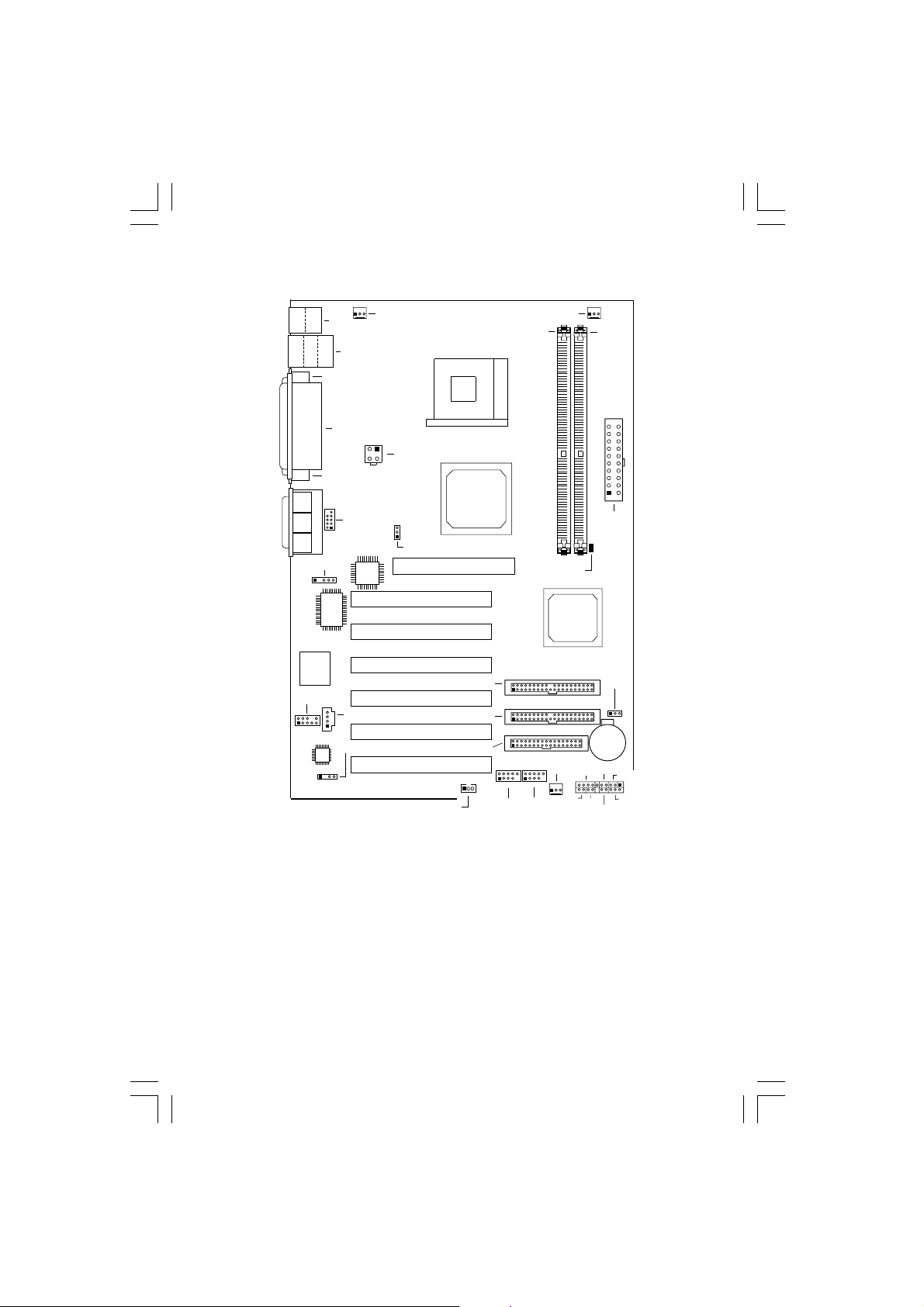
CPU FSB Select (JP1) 1-2 On: Auto (default); 2-3 On: 100MHz; All Off: 133MHz
Clear CMOS Data (JP2) 1-2 On: Normal (default); 2-3 On: Clear CMOS Data
The DIMM Standby Power LED will turn red when the system’s power is on or when it is in
the Suspend state (Power On Suspend or Suspend to RAM). It will not light when the system
is in the Soft-Off state. Lighted LED serves as a reminder that you must power-off the system
then turn off the power supply’s switch or unplug the power cord prior to installing any
memory modules.
For the Wake-On-KB and/or Wake-On-LAN function, the 5VSB power source of your power
supply must support ≥ 720mA.
For the Suspend to RAM function, the 5VSB power source of your power supply must
support ≥ 1A
For the Wake-On-USB KB function for 2 USB ports, the 5VSB power source of your power
supply must support ≥ 1.5A.
For the Wake-On-USB KB function for 3 or more USB ports, the 5VSB power source of
your power supply must support ≥ 2A.
nb77-bl rev 1 641012xx QR.pmd 9/23/02, 2:32 PM1
934-NB7701-300
64101230
 Loading...