

Page 1

WCVD-WN Series OPL Washers
Programming Guide
8533-075-001 (6/13)Starting serial number 516180
Page 2

Bath Cycle Time “ct”
0 to 15 minutes for Prewash, Rinse1 and Rinse 3 to 15 minutes for Wash and Final Rinse. For the
baths that can, if the time is set to zero, then that bath will be eliminated from the cycle.
Bath Water Temperature “t”
HH – hot, CH – warm, CC – cold, EE – no water. The owner can set the bath default. For the wash
bath, the default is over ridden for that cycle by the customer when the temperature is selected.
Bath Water Level “L”
LO – low The owner can change the displayed value, but for a coinwasher only LO will be put into
the cycle.
Bath Delay Fill “dF”
The selections are “d” for delay the bath time until water level is reached or “t” for decrement bath
time during the fi ll.
Bath Spin Time “S”
0 to 10 minutes for Prewash, Wash, Rinse1 and Rinse2 1 to 10 minutes for Final Spin.
Bath “IS”
The owner can change the displayed value, but for a coin washer only 0 will be put into the cycle.
Washer 6 Default Cycles (Preset at Factory)
There are 6 pre programmed baths on the control which are set up at the factory. The
formulas for each are shown on the following pages. Each of these 6 programs can be
adjusted and saved as the owner needs.
2
Part # 8533-075-001 6/13
Page 3
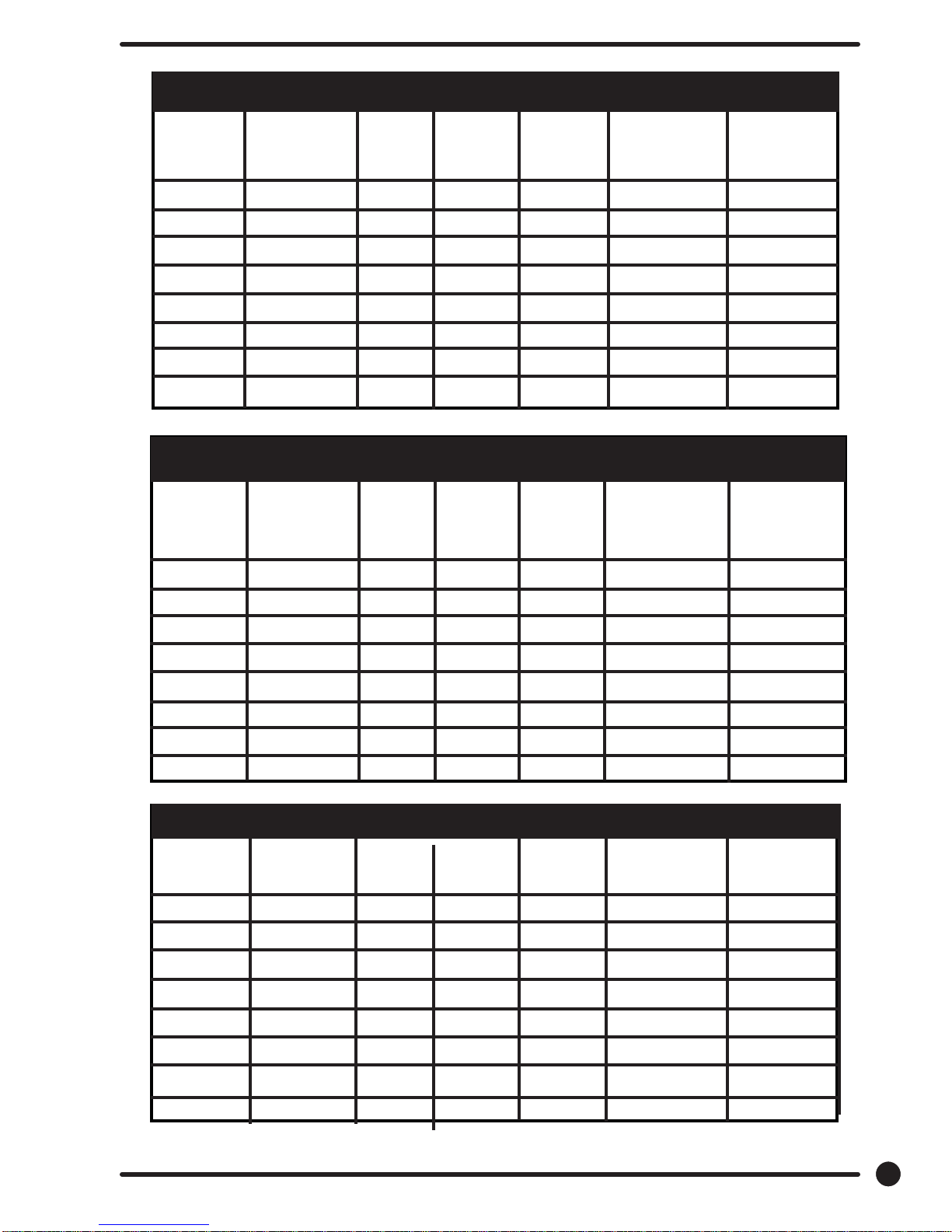
Cycle 1: Sheets and Pillowcases (Health Care)
Cycle 1: Sheets and Pillowcases (Health Care)
Bath Bath Cycle Water Water Delay Spin Injection
Time (min.) Temp. Level Fill Time (min.) Source
Flush 3 CH HI d
Prewash 2 CH HI d
Wash 7 HH LO d 1 #1(Detergent)
Rinse 1 7 HH LO d 2 #2 (Bleach)
Rinse 2 2 CH HI d 1
Rinse 3 2 CH HI d
Rinse 4
Final Rinse 4 CH LO d 4 #4 (Sour/Soft)
Cycle 2: Towels / Pads / Diapers (Health Care)
Bath Bath Cycle Water Water Delay Spin Injection
Time (min.) Temp. Level Fill Time (min.) Source
Flush 3 CH HI d
Prewash 2 CH HI d
Wash 7 HH LO d 1 #1 (Detergent)
Rinse 1 1 HH HI d
Rinse 2 7 HH LO d 2 #2 (Bleach)
Rinse 3 2 CH HI d 1
Rinse 4 2 CH HI d
Final Rinse 4 CH LO d 5 #4 (Sour/Soft)
Cycle 3: White Towels (Hotel / Motel)
Bath Bath Cycle Water Water Delay Spin Injection
Time (min.) Temp. Level Fill Time (min.) Source
Flush
Prewash
Wash 7 HH LO d 1 #1(Detergent)
Rinse 1 1 HH HI d
Rinse 2 7 HH LO d 2 #2 (Bleach)
Rinse 3 2 CH HI d 1
Rinse 4 2 CH HI d
Final Rinse 4 CH LO d 5 #4 (Sour/Soft)
Part # 8533-075-001 6/13
3
Page 4
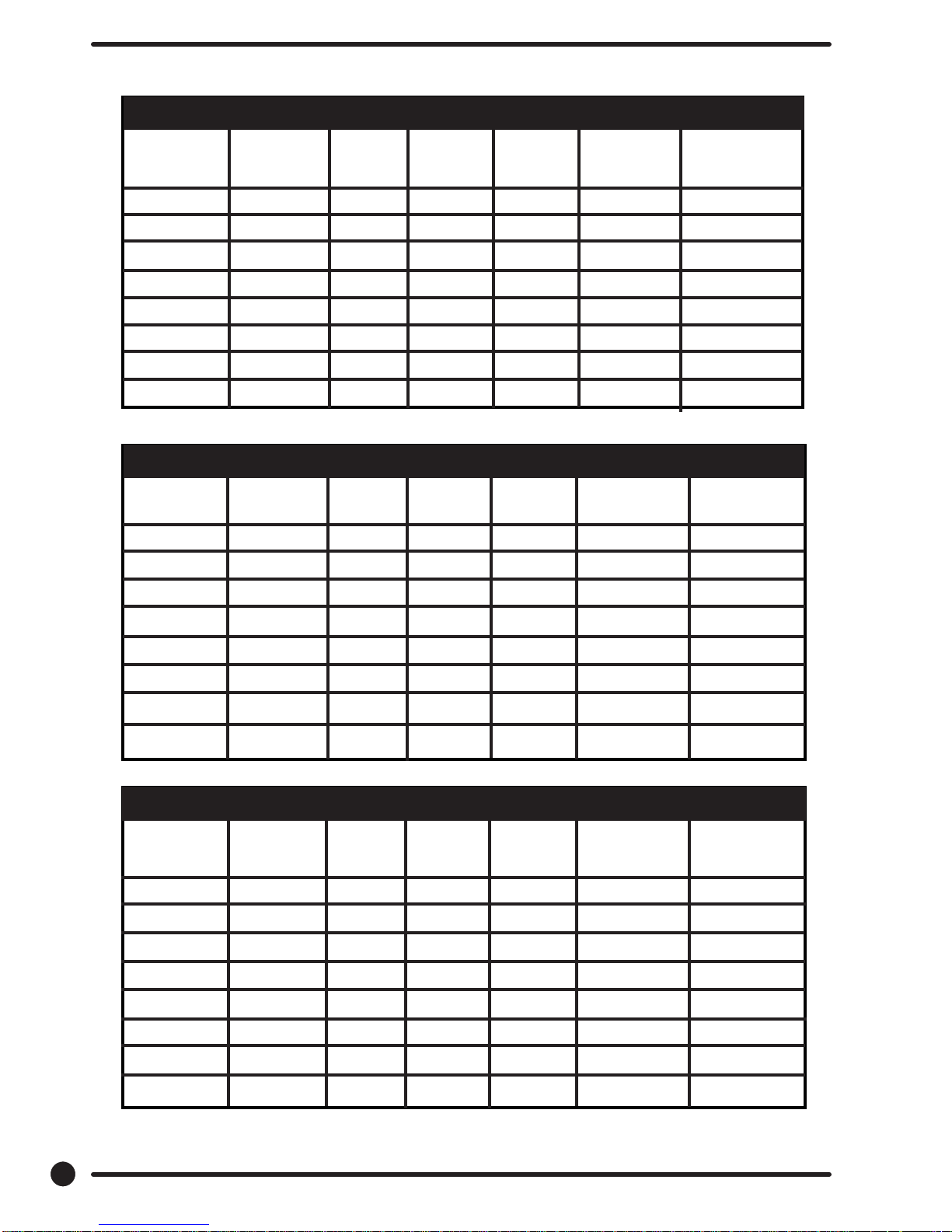
Cycle 4: Guest Laundry (Hotel / Motel / Healthcare)
Bath Bath Cycle Water Water Delay Spin Injection
Time (min) Temp. Level Fill Time (min) Source
Flush 3 CH HI d
Prewash
Wash 7 HH LO d 5
Rinse 1 2 HH HI d
Rinse 2 2 CH HI d
Rinse 3 2 CH HI d
Rinse 4
Final Rinse 4 CH LO d 4 #4 (Sour/Soft)
(#6(Detergent/Bleach)
Cycle 5: Rags and Mops (Hotel / Motel)
Bath Bath Cycle Water Water Delay Spin Injection
Time (min) Temp. Level Fill Time (min) Source
Flush 3 CH HI d
Prewash 2 CH HI d
Wash 2 CH HI d
Rinse 1 7 HH LO d 1 #1 (Detergent)
Rinse 2 2 HH HI d
Rinse 3 7 HH LO d 2 #2 (Bleach)
Rinse 4 2 CH HI d 1
Final Rinse 2 CH LO d 5
Cycle 6: Colored Cotton Linen (Hotel & Food Service)
Bath Bath Cycle Water Water Delay Spin Injection
Time (min) Temp. Level Fill Time (min) Source
Flush 3 CH HI d
Prewash 2 CH HI d
Wash 2 CH HI d
Rinse 1 7 HH LO d 1 #1(Detergent)
Rinse 2 2 HH HI d
Rinse 3 7 HH LO d 2 #2 (Bleach)
Rinse 4 2 CH HI d 1
Final Rinse 2 CH LO d 5
4
Part # 8533-075-001 6/13
Page 5
Washer Programming Instructions
FINAL
RINSE
PRE
WASH
FLUSH
WASH
RINSE
SPIN
THERE ARE TWO WAYS TO MODIFY PROGRAMMING OF THE V-SERIES OPL SIX (6)
PREPROGRAMMED FORMULAS
Option 1: Programming can be accomplished manually using the machine controls or by connecting to
the machine control using a PDA (personal digital assistant). For instructions on using a PDA with this
washer control and software, please contact your local Dexter distributor. Please read below for manual
programming instructions.
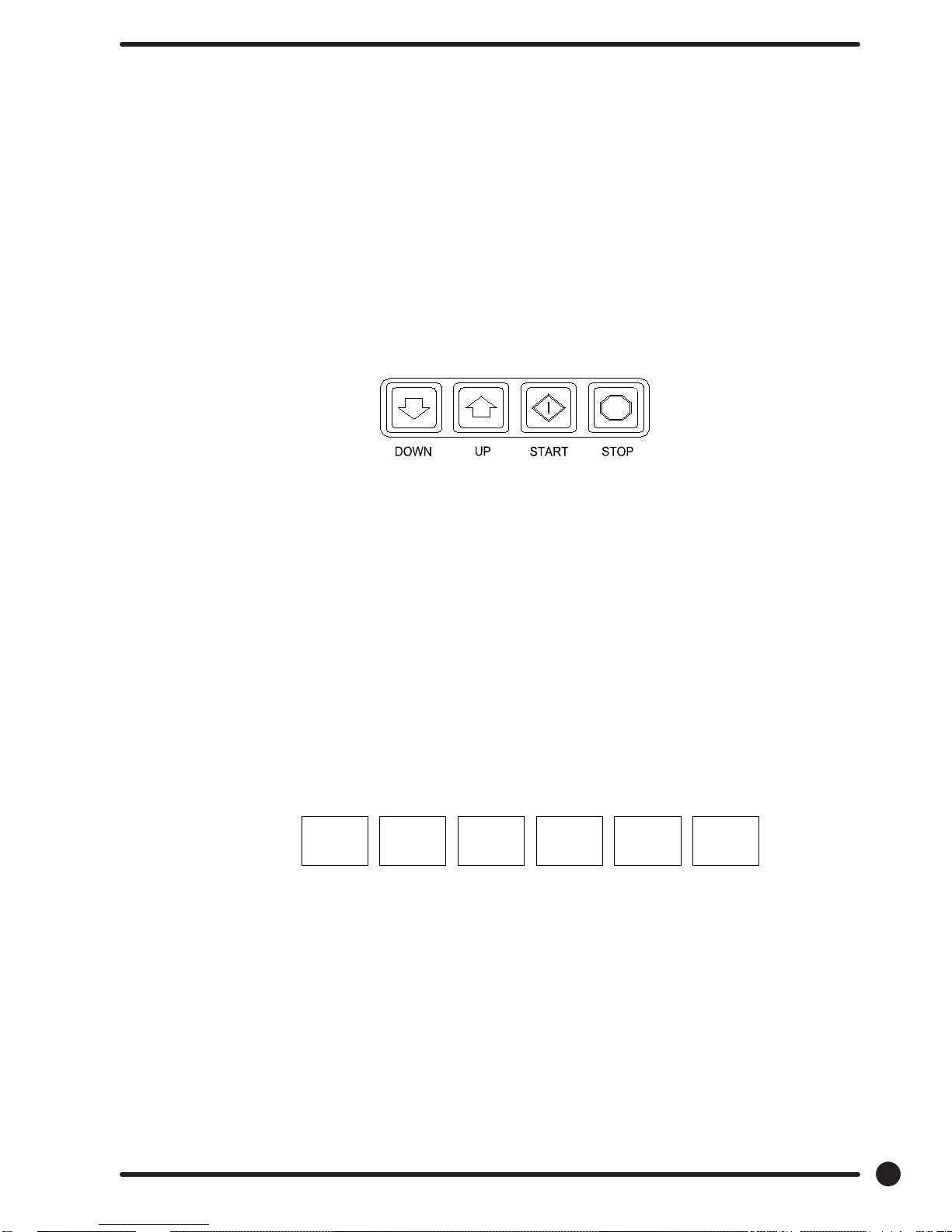
The keypad layout for the washer control is shown below.
Option 2: Wash Cycle Manually Programming
1. Turn on the power to the washer.
2. Turn the Run/Program key to the Program position. Display will show
“CO” and the “ADD BLEACH” will blink and will continue to blink
during the programming mode.
3. Press the “DOWN” or “UP” buttons to select which cycle to alter. When
the desired cycle number is displayed, press “START”.
4. The display should now show a “b”. The “b” and the cycle indicator
lights indicate which bath is being selected to alter. Press the “UP”
and “DOWN” buttons to select a bath to change and then press
“START”.
The indicator lights are shown above:
When “RINSE” is selected, “b r1” through “b r4” may be selected.
There may be multiple rinses that are indicated by br 1, br 2, br 3, and br 4
5. Each bath can be programmed with the following options. Use the “DOWN” and
“UP” keys to select the desired setting and the “START” key to move to the
next option.
To exit the programming of a bath, press the “STOP” button once and use the “UP” and “DOWN”
keys select another bath. Press the “STOP” button again to select a different cycle to change. To end
programming, turn the key to “RUN” positon.
Part # 8533-075-001 6/13
5
Page 6
Rapid Advance Mode
To enter the Rapid Advance mode, turn the key CCW. The Rapid Advance setting is not marked next to
the key, but turning the CCW until it stops selects this mode. The Rapid Advance mode can be entered
from either the Idle mode or during the cycle. If the cycle has not yet started, press the “START” button.
To rapid advance to the next step in the wash cycle, push both the “UP” and “START” buttons at the same
time. The display will show an “Ad” (advance) in the display. The washer will advance to the next bath
segment. The water will drain before the advance will occur and the time displayed may not be accurate.
Notes: - The indicator lights will show to which segment the cycle has been advanced.
- The cycle will continue in rapid advance mode even if the key is turned to “RUN” and/
or removed.
- Rapid advance cannot skip the final 1- minute tumble of the cycle, and the door
lock may remain activated for up to 3 minutes after the cycle has been completed.
- Chemical 120 volt signals will be lost after Rapid advance Mode has been activated
until cycle resets. To exit the Rapid Advance mode, push and hold the STOP button.
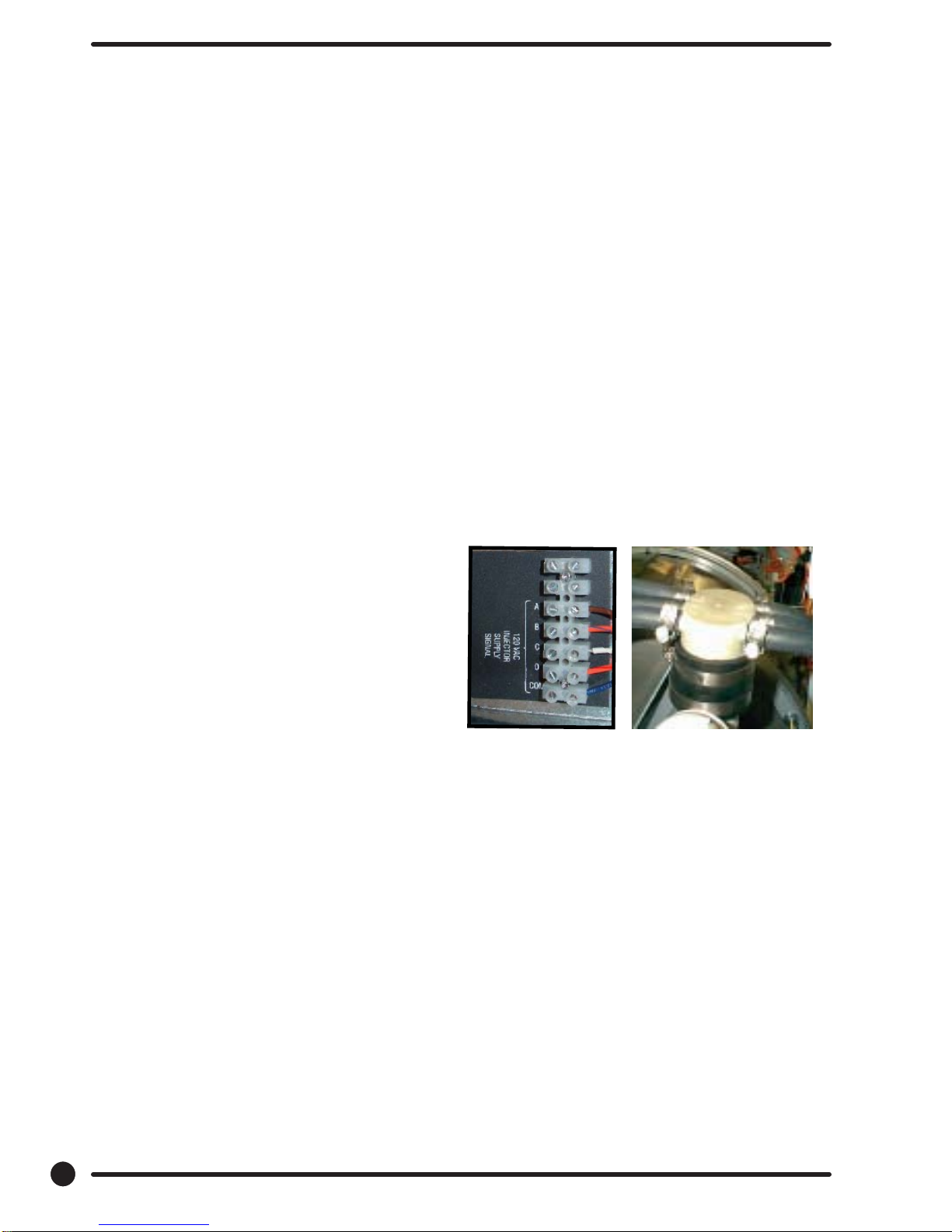
Injection Source Details
The washer control may be programmed to send
output signals for a chemical injection system.
There is a separate terminal block for connection
of the external injection signals. For the injection
sources, program codes 0 through 6 are as shown
in the table below. Injection signal will trigger a 120
volt reading at rear terminal block for approximately
5-10 seconds and will start to trigger at about 10- 15
seconds
after start of fi ll bath.
Dexter Controller Injection
Recommended Connections Programmed Signals Terminal Block
Circuits
Detergent 1 A
Bleach 2 B
Starch 3 C
Sour/Softener 4 D
5 A and B
6 C and D
0 None
NOTE: The Wash Cycle programming mode will automatically exit and return to the Idle
mode if no buttons are pushed for one minute.
6
Part # 8533-075-001 6/13
 Loading...