

Page 1
Door Phone
Quick Instalation Guide
DW-V-AXT-ANDROID
VIDEO DOOR PHONE TOUCH
Page 2
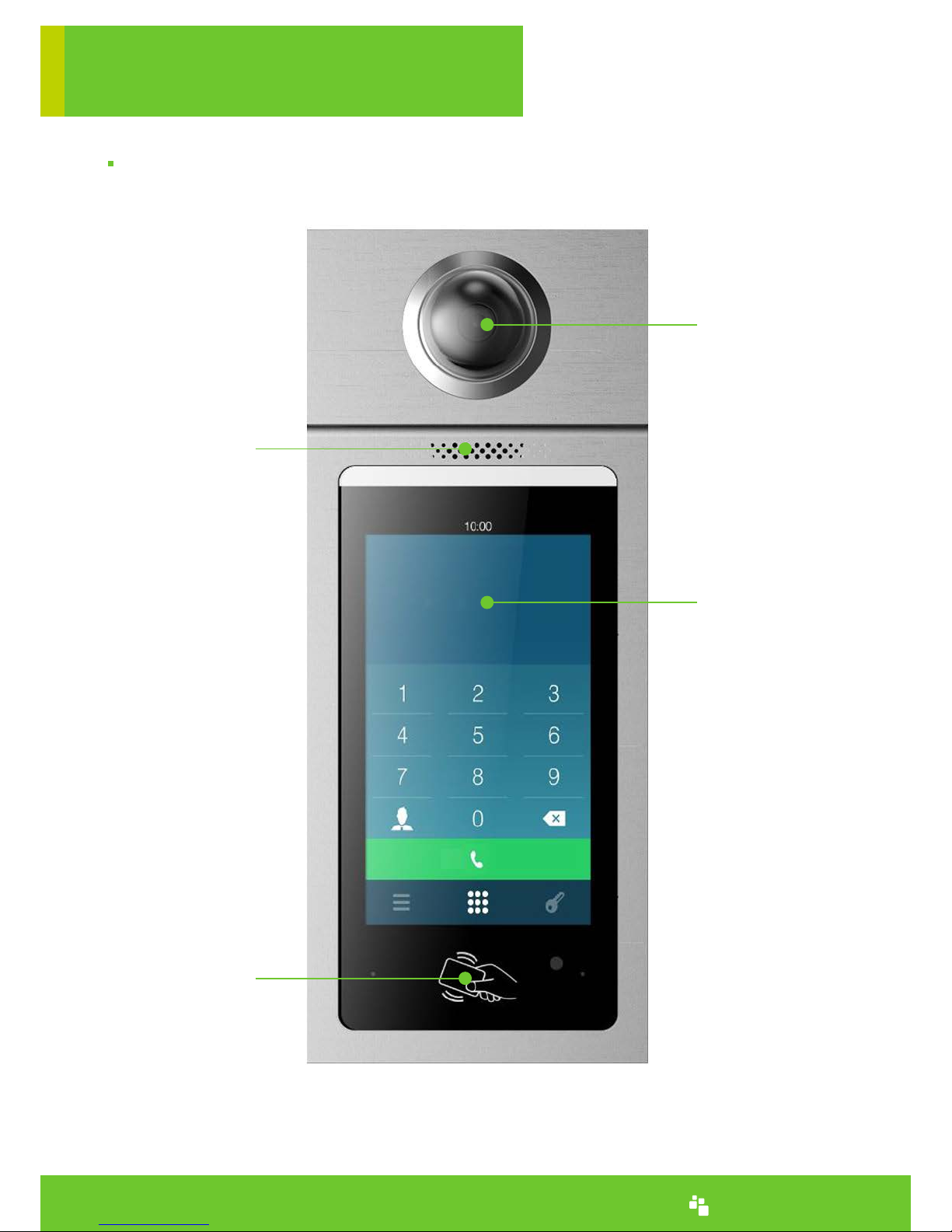
Camera
Touch Screen
Sensor Area
Welcome to use DW-V-AXT_ANDROID,this manual will guide you how to install this door phone.
www.denwaip.com
WELCOME
Speaker
Page 3
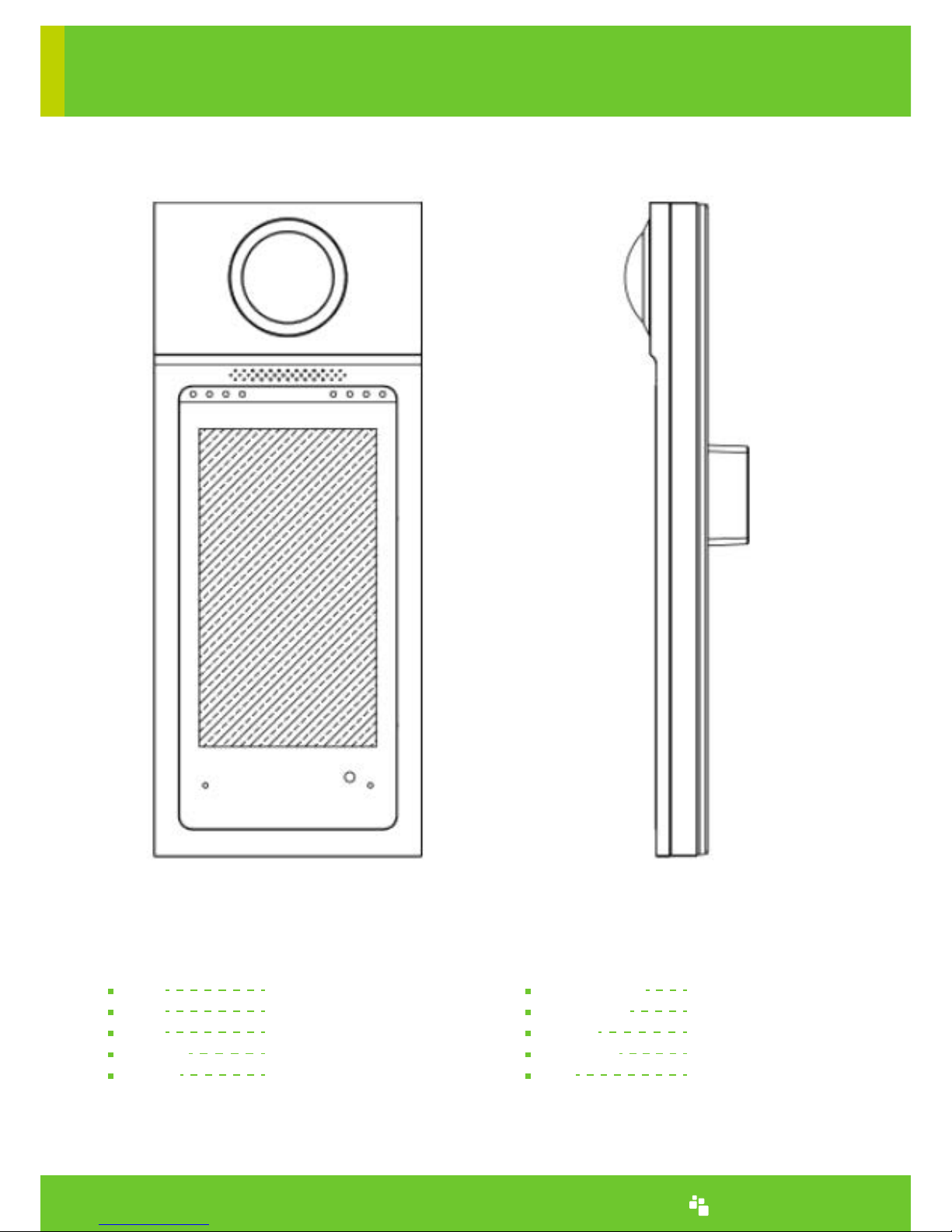
Touch Screen 7 Inch
G-SENSOR 3 axis gravity sensor
Internet Cable
Installation Wall amount
Size 317 x 130 x 23mm.
CPU Quarter Cortex-A7
ROM 4GB
RAM 2GB
Camera 500W,HD
Screen 7Inch IPS
PARAMETER
www.denwaip.com
Page 4

1. Preparation
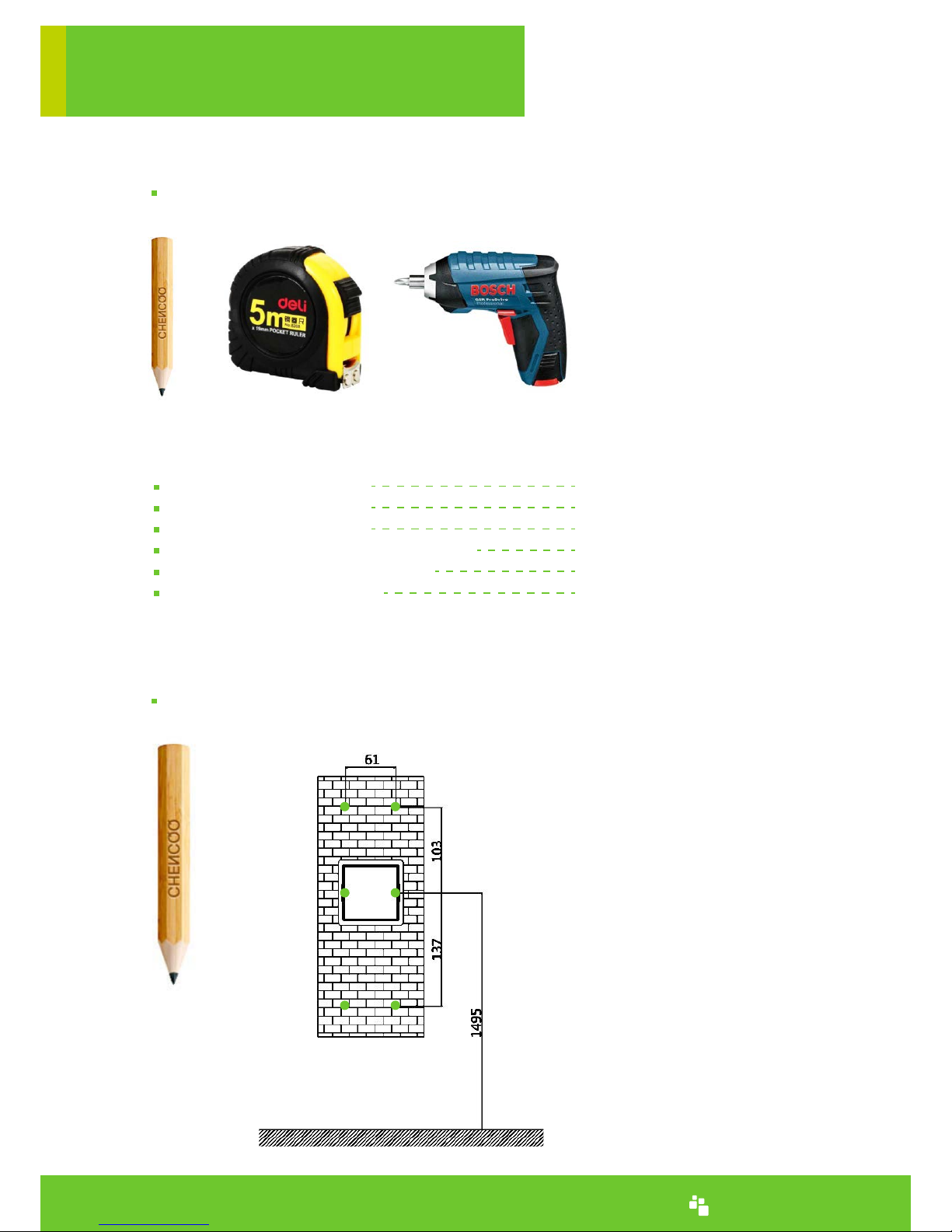
Pen,Ruler,Screwdriver
2. Installation
Use the pen, to mark the place.
Fix the pylon in the wall with screw.
Connect the power cable, and internet cable.
Install the main body
STEPS
www.denwaip.com
Page 5
Camera waterproof cover 1Pcs
Interface waterproof cover 1Pcs
Screw of pylon(big black)6Pcs
Screw of waterproof cover(Small black)4Pcs
Screw of main body(middle silver) 1Pcs
Six Angle with a screwdriver 1Pcs
1. Preparation
Pen,Ruler,Screwdriver
2. Installation
Use the pen to mark the place
Accessories bag:
www.denwaip.com
Page 6
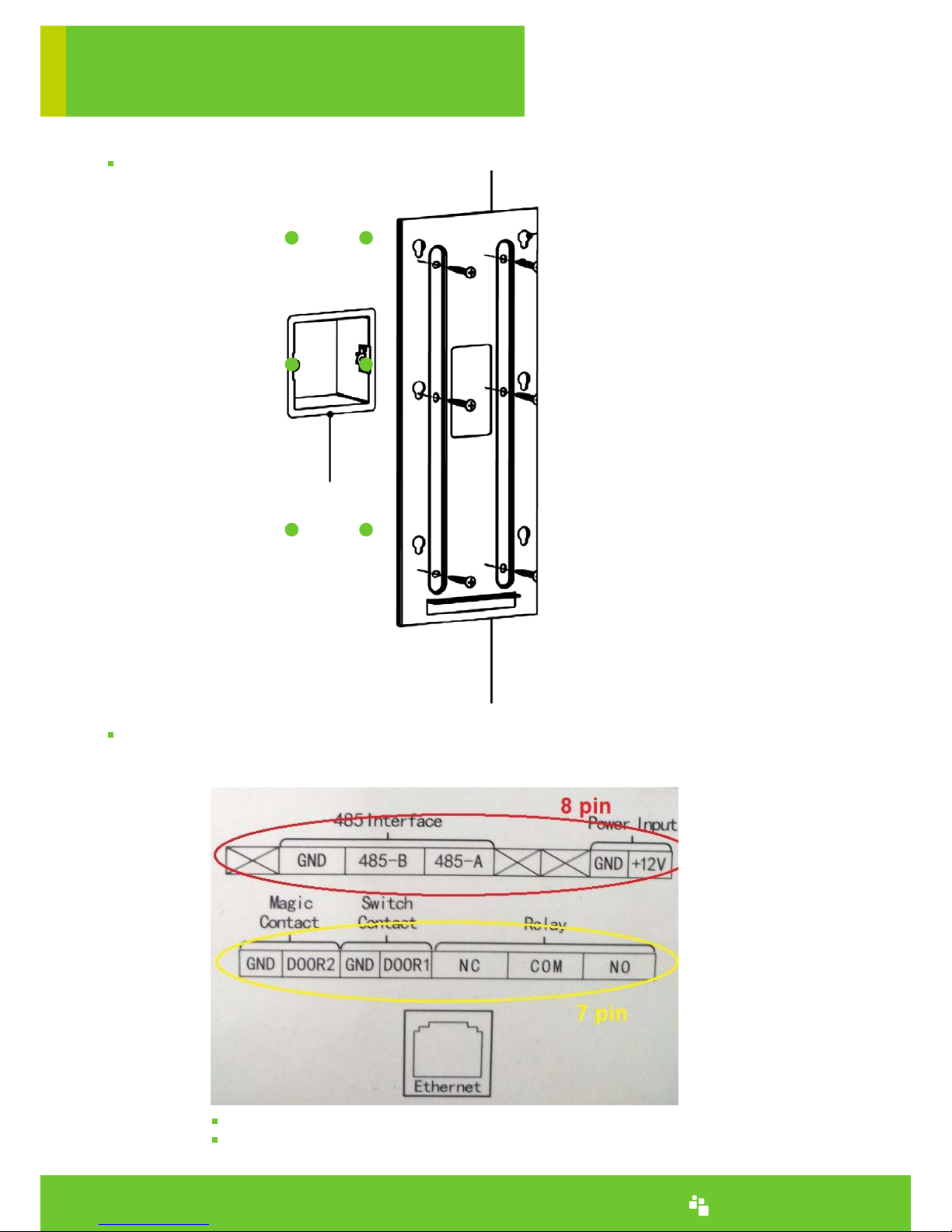
7 pin connector is user for the first relay and two door switches
8 pin connector is used for 485 interface and power supply
www.denwaip.com
Standard Junction Box
Fix the pylon with the screw.
Connect the power cable and internet cable, then fix the camera waterproof cover and interface
waterproof cover.
Page 7
www.denwaip.com
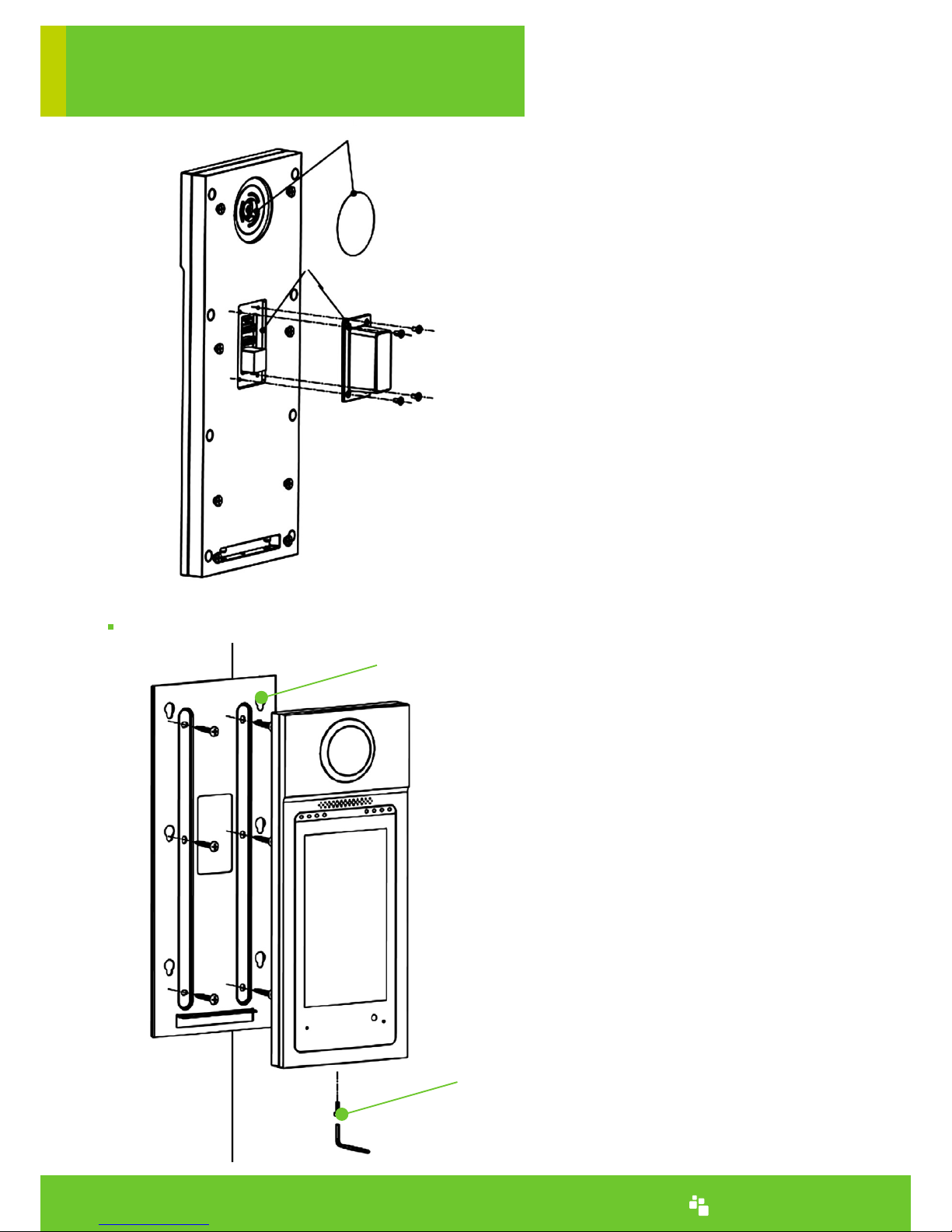
Fix the main body.
Camera Waterproof Cover
Interface Waterproof Cover
Hanging hole on mounting frame
Screw to the mounting frame
Page 8
Appendix A
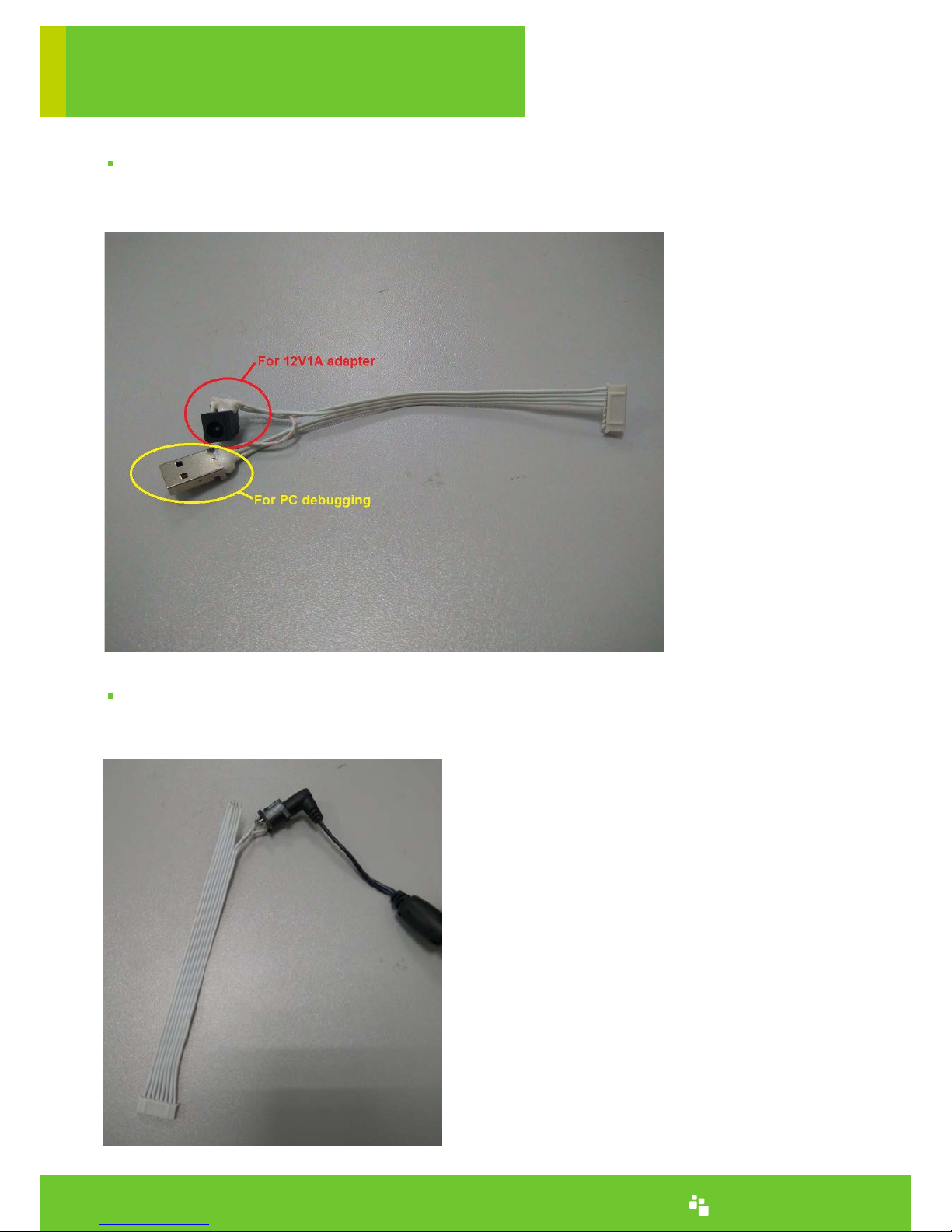
Special Cable
Special cable is only used for sample testing and debugging, and it will not be sent to the end user.
How to install the power supply with standard cable
1. Solder a power jack to 8 pin standard cable, and then connect to a 12V1A power adapter
Note: If you need to use this method, we can help to provide
this type cable soldered with a power jack, see below picture.
www.denwaip.com
Page 9
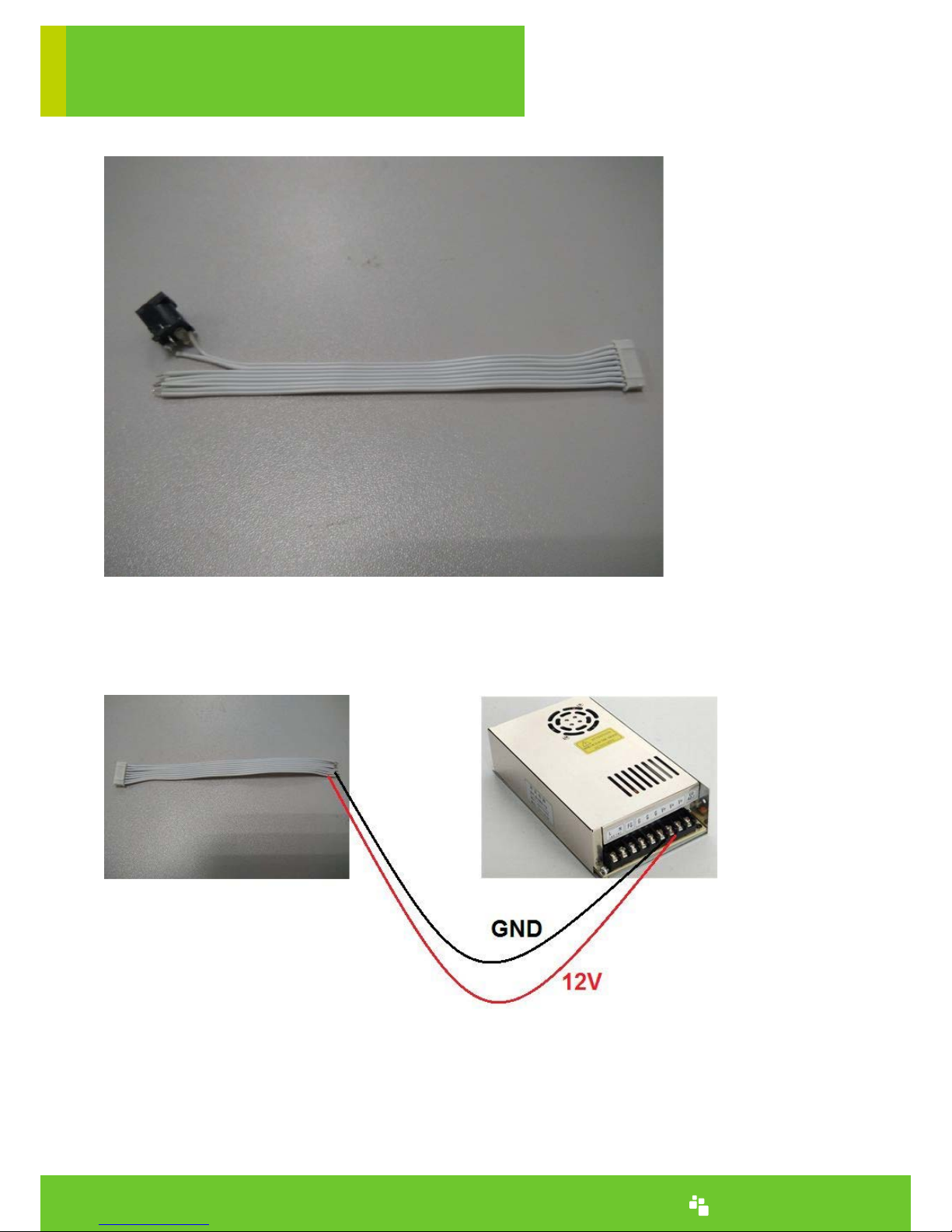
2. Directly connect 8 pin cable to a power supply
www.denwaip.com
 Loading...