

Page 1
At the end of the service life of the appliance, in particular if it is malfunctioning, make the
appliance unusable by pulling the mains plug out of the socket and se-parating the power
cable. Dispose of the appliance according to the environmen-tal regulations applicable in
your country. Electrical waste may not be disposed of together with household waste. For
any advice regarding recycling, contact your local municipal authorities or your dealer.
ALL RIGHTS RESERVED,COPYRIGHT DENVER ELECTRONICS A/S,
www.denver-electronics.com
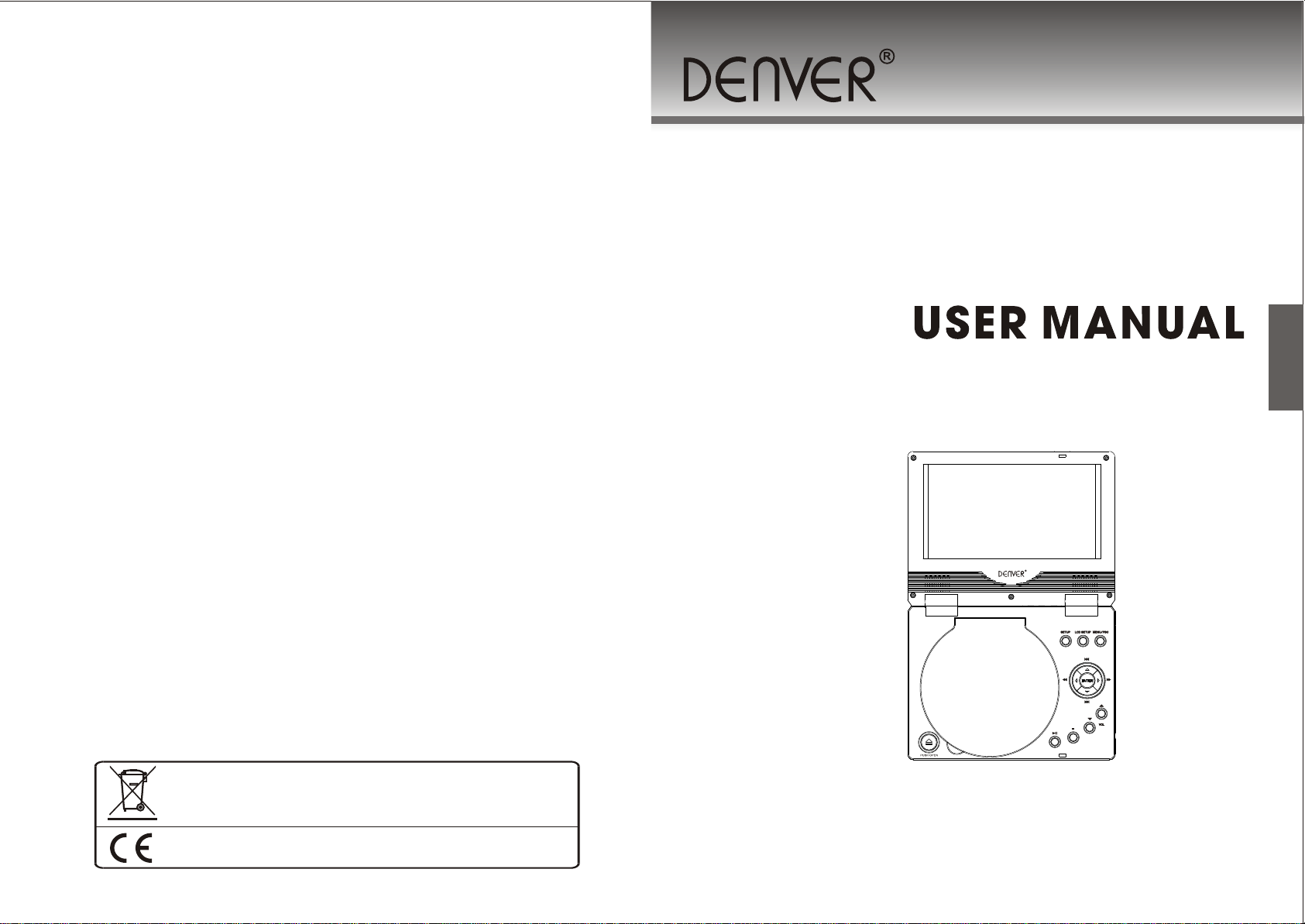
7” PORTABLE DVD PLAYER
MT-769
Please read this manual carefully before operation
Page 2
About battery pack
CONTENT
SAFETY PRECAUTIONS
System connection
Card and USB connection
The Setup Menu system
Remote Control Operation
JPEG/WMA/MP4 playback
Kodak picture CD Playback
10
11
12
22
23
24
25
26
27
1
2
Page 3
IMPORTANT SAFETY INSTRUCTIONS IMPORTANT SAFETY INSTRUCTIONS
3
4
Page 4
CAUTION
FEATURES
9
32
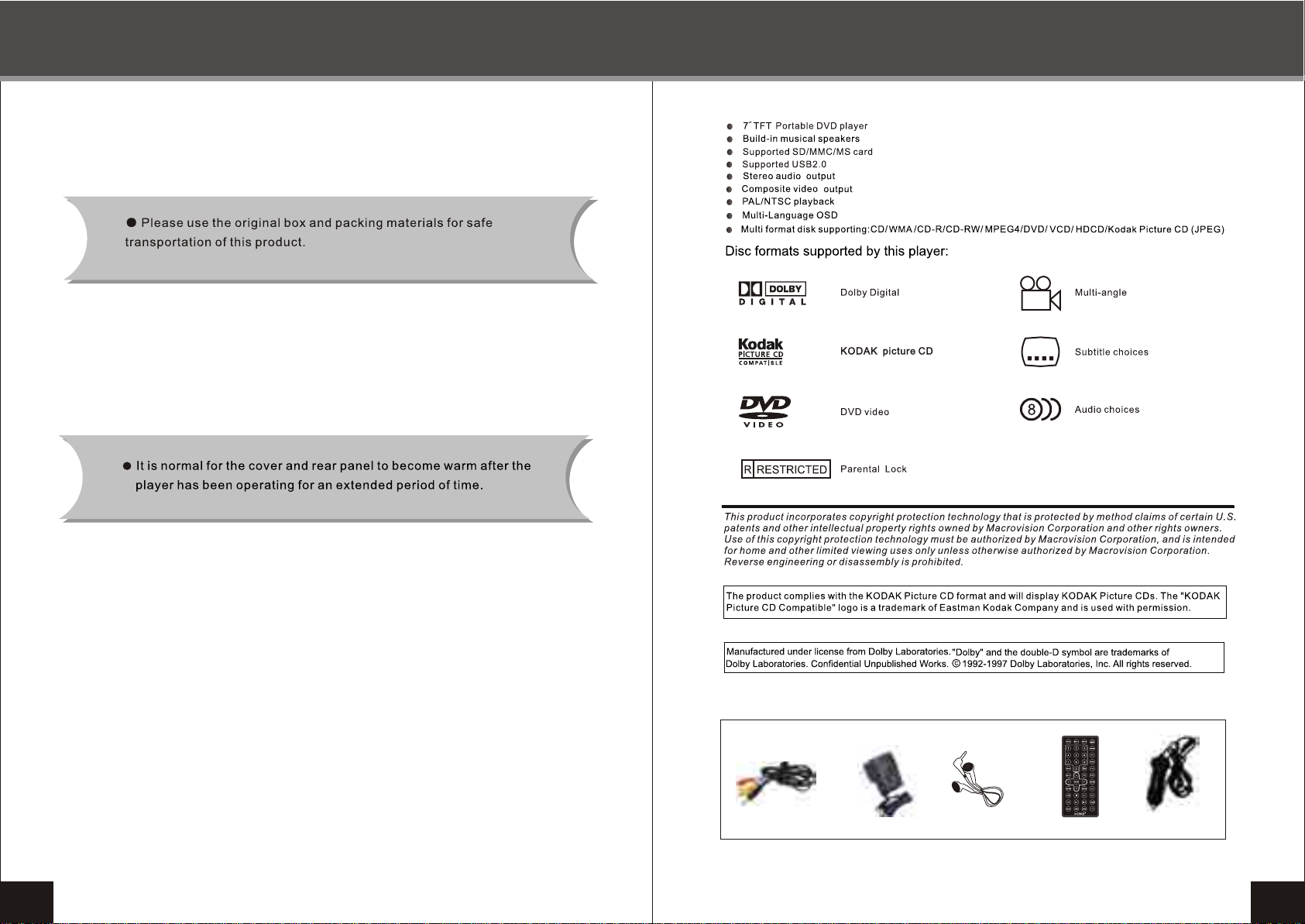
Accessories:
AV cable
5
AC adapter
Earphone
Remote control
Car cord
6
Page 5
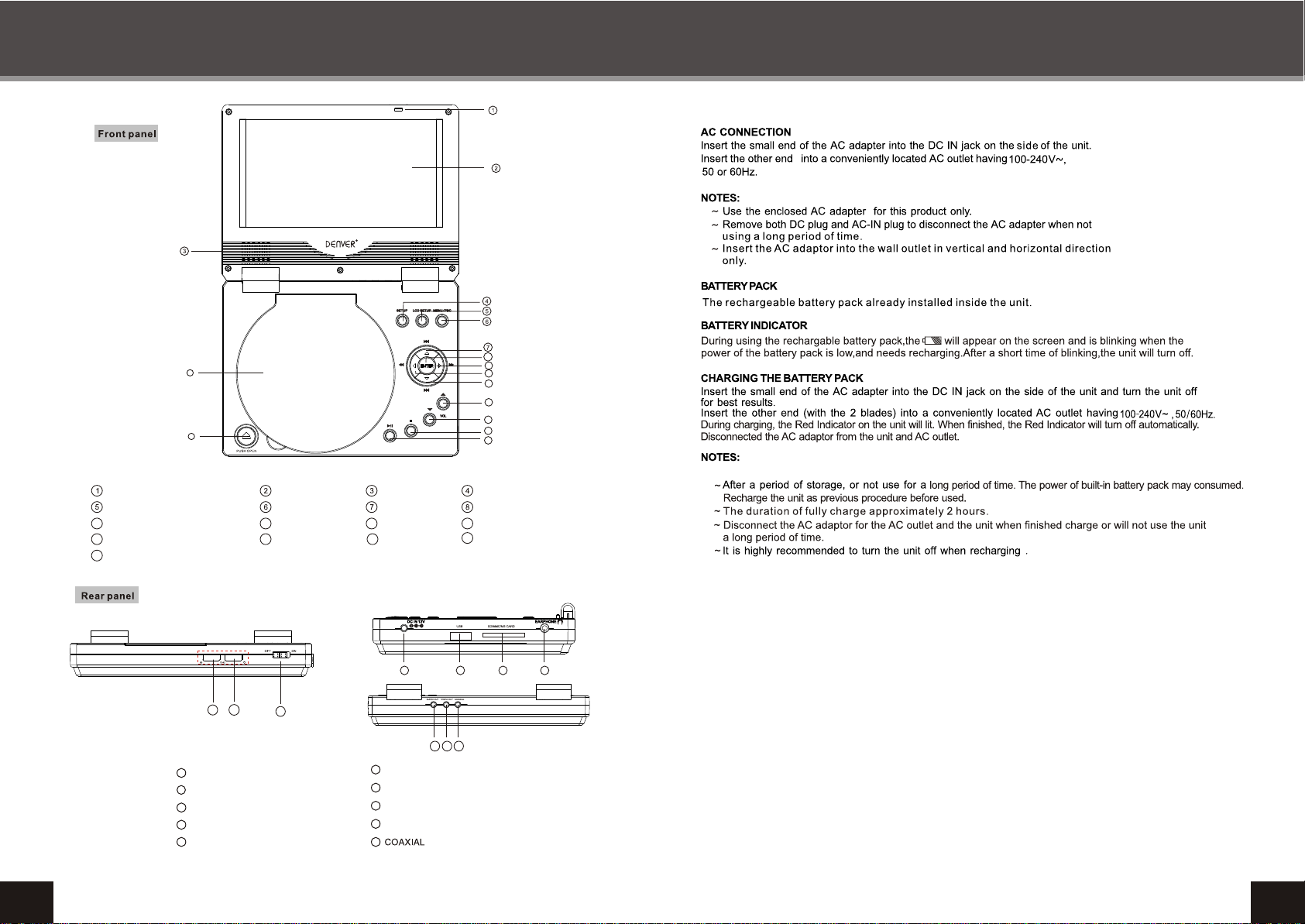
FRONT PANEL AND REAR PANEL INTRODUCTION
8
16
17
9
10
11
12
13
14
15
ABOUT BATTERY PACK
COVER RELEASE SWITCH
LCD SETUP
9
FW D/ RIGHT
13 14
VOL-
17
OPEN
1
1
REMOTE SENSOR
Power and charger LED
2
3
POWER SWITCH
4
DC 12V
5
USB
TFT LCD
MENU / PBC
10
REV / LEFT
STOP
2
3
7
SPEAKERS
PREV/ UP
11
NEXT / DOWN
15
PLAY / PAUSE
4 5
6
SD/MMC/MS/CARD
7
EARPHONE
8
AUDIO OUT
9
VIDEO OUT
10
8 9
12
16
10
SETUP
ENTER
VOL+
CD DOOR
6 7
8
Page 6
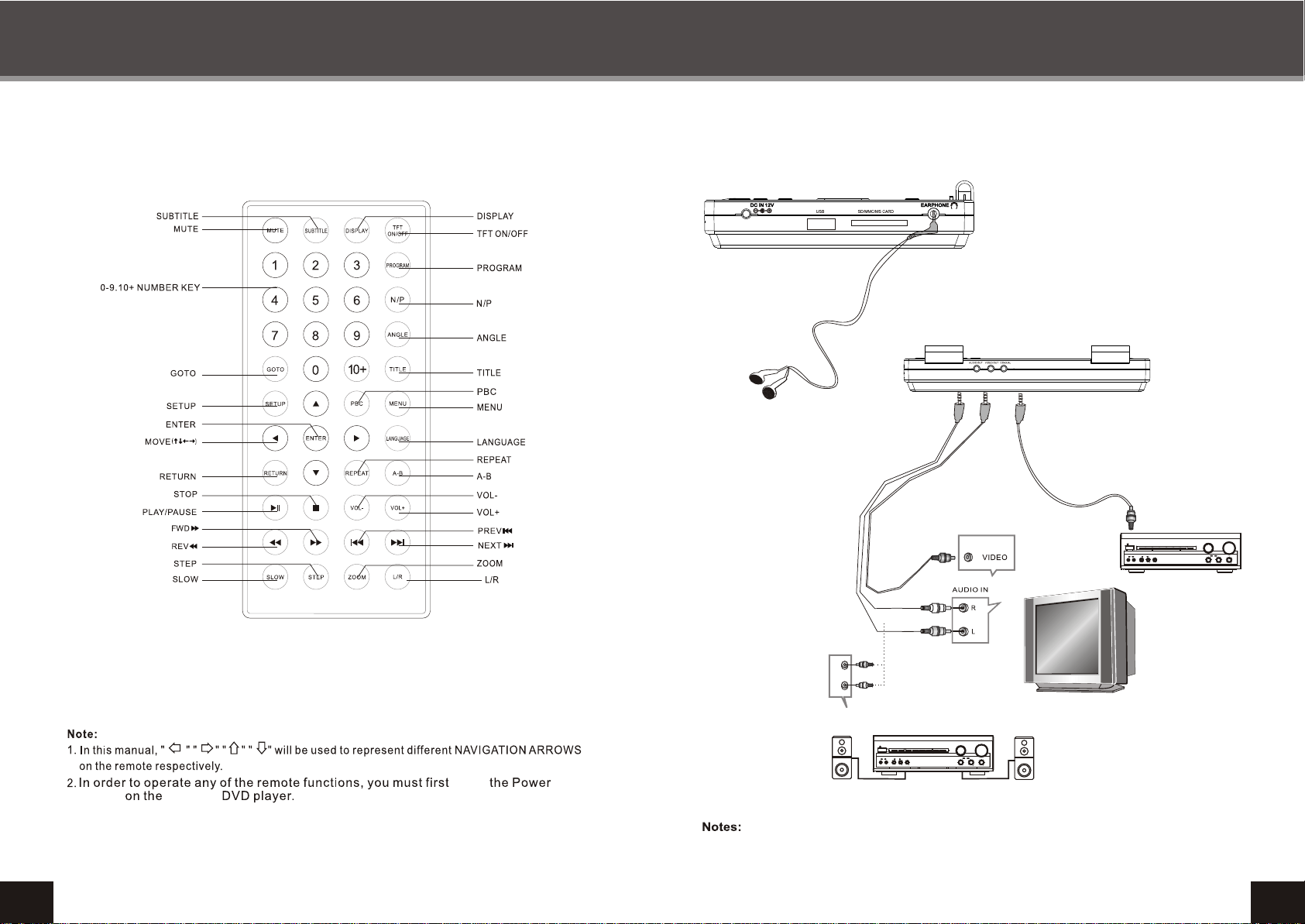
REMOTE CONTROL SYSTEM CONNECTION
Audio and video out connect
Coaxial
VOLUME
POWER
PRO LOGIC
3 STEREO
BYPASS
MIC
MIC VOL
EXCITE
211
2
INPUT SELECTOR
MUTE
CHANNEL
TEST
KARAOKE
MODE
DOWN UP
BASS
ECHO
MIC
TREBLE
L
R
Amplifier
VOLUME
POWER
PRO LOGIC
3 STEREO
BYPASS
MIC
MIC VOL
EXCITE
211
L R
2
INPUT SELECTOR
MUTE
CHANNEL
TEST
KARAOKE
MODE
DOWN UP
BASS
ECHO
MIC
TREBLE
push
switch
9
portable
When audio line out connect to amplifier or TV SET ,it can control volume with the unit.
10
Page 7
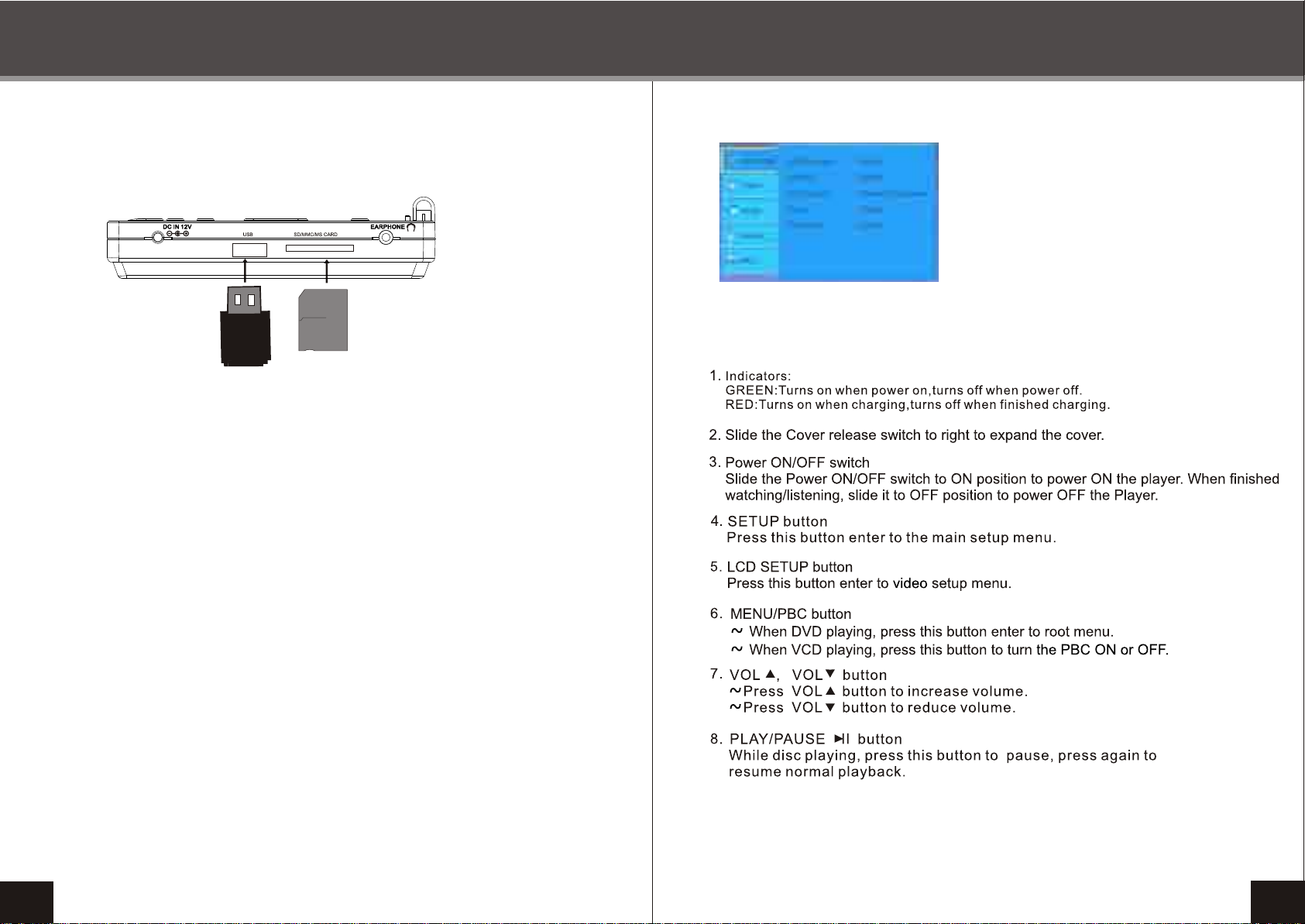
CARD AND USB CONNECTION
THE SETUP MENU SYSTEM
DVD SETUP MENU SYSTEM
FRONT PANEL KEY BOARD OPERATION
1.Press the SETUP button on the pressed key
board or remote control,the main setup menu
appears.
2.Press the left and right arrow buttons to highlight
the icon of the desired page, press the down
or right arrow button t activite that page.
3.Press the down arrow button to highlight the
desired option.Press enter to select,the choice
of that option appear on the right.
Note: The default password is 8888.
USB
CARD
SD/MMC/MS CARD AND USB CONNECT
1.In no disc state,power on the unit, and insert a card (SD/MMC/MS) to read audio or
video files. Ensure print side upturned of the card.
2. In no disc state, unsheathe the card,and insert a USB to read audio or video files.
3. If the player has a disc in it,it reads disc only,and not reads a usb or card.If you'd like
to play a USB or card, please take out the disc first.
11
12
Page 8
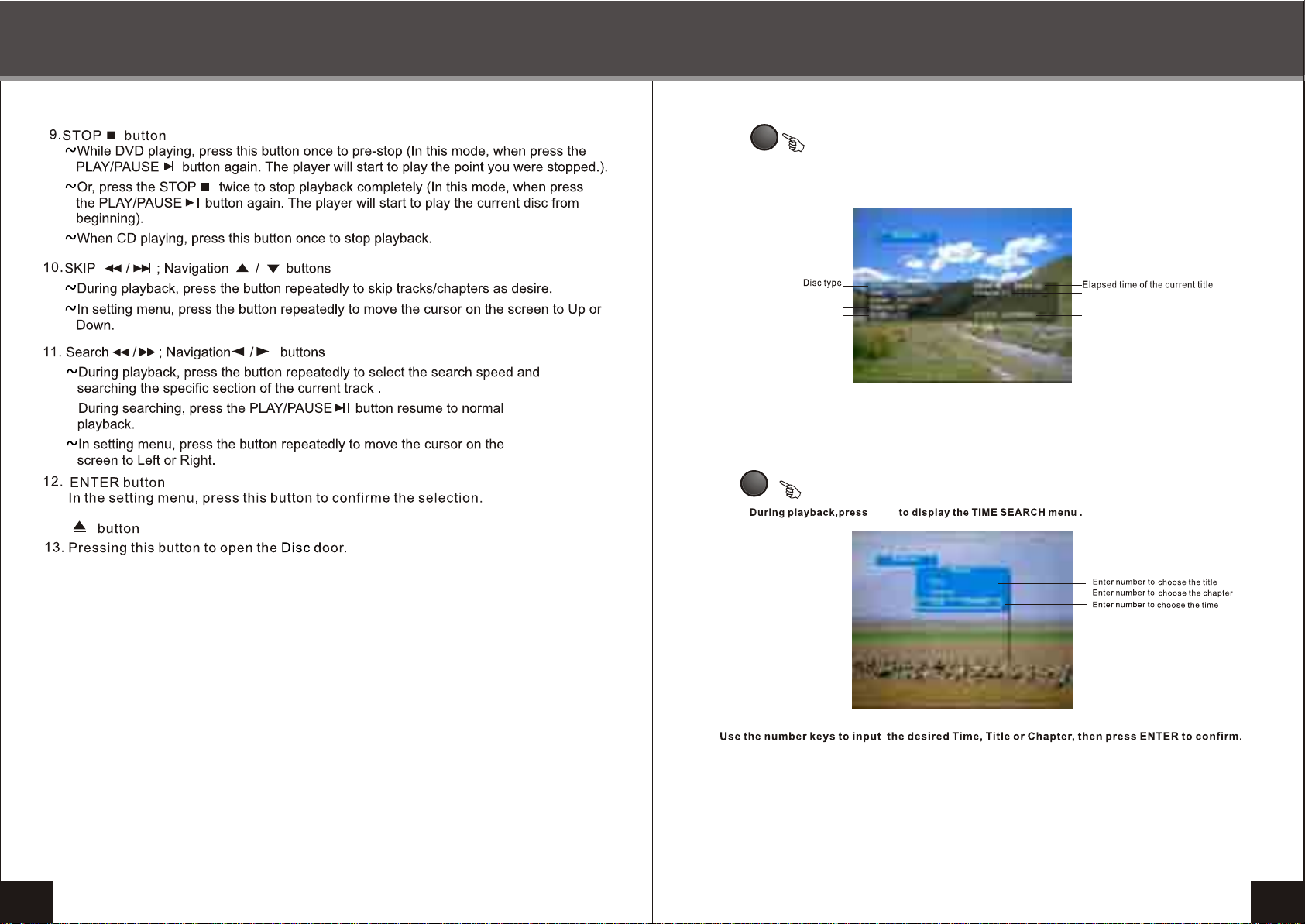
THE SETUP MENU SYSTEM
REMOTE CONTROL OPERATION
DISPLAY
During playback, press DISPLAY to show the current time counter position and
Angle and audio and so on...
Current title/Total title
Press DISPLAY button again to shut off the display menu.
GOTO
Audio type
Subtitle
Angle
GOTO
Current chapter/Total chapter
Current transmit bitrate
13
14
Page 9
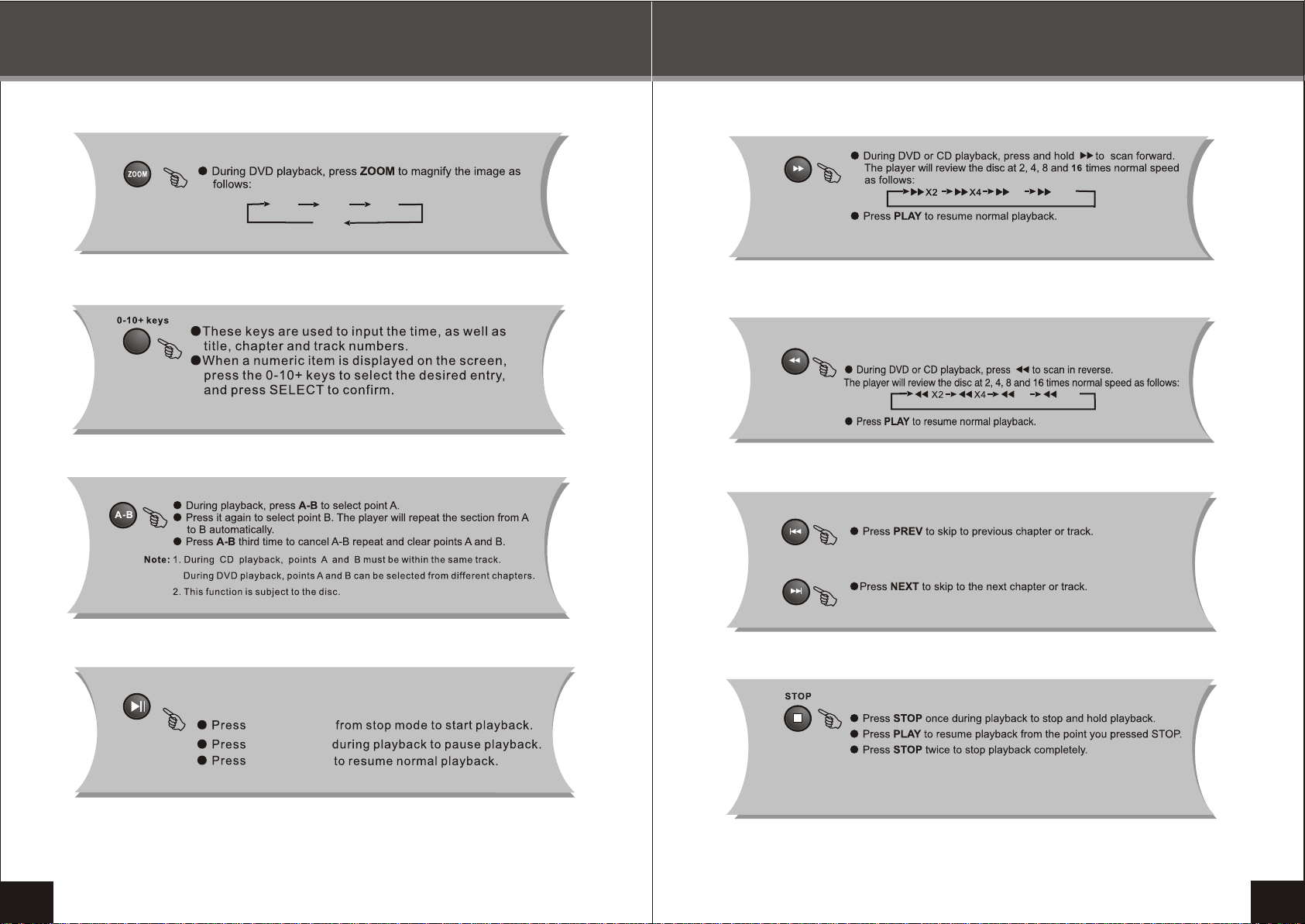
REMOTE CONTROL OPERATION
Q 1
Q 2
Q off
Q 3
REMOTE CONTROL OPERATION
X16
X8
X16
X8
15
PLAY/P AUSE
PLAY/P AUSE
PLAY/PAUSE
16
Page 10
REMOTE CONTROL OPERATION REMOTE CONTROL OPERATION
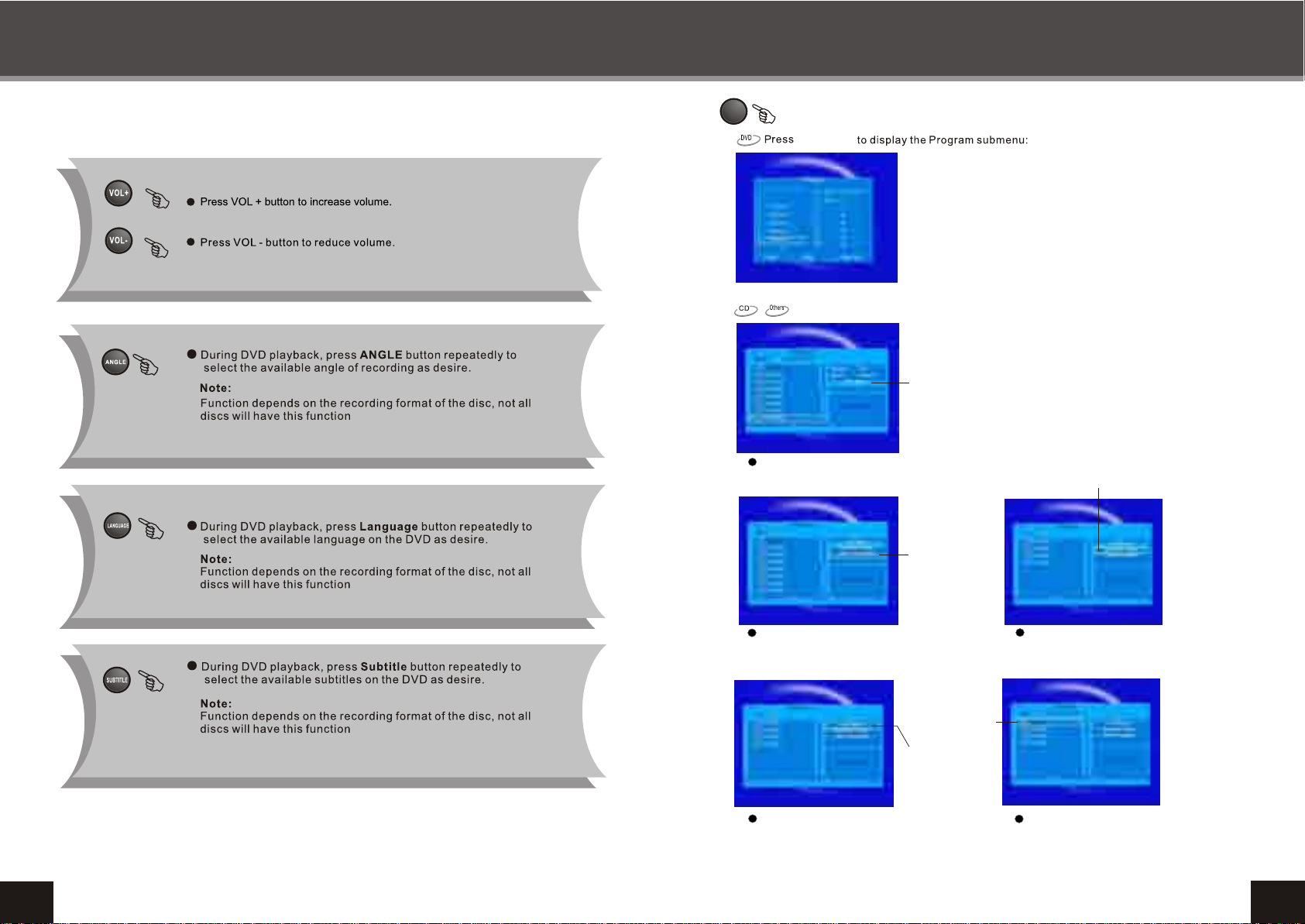
PROGRAM
[
PROGRAM
]
Program operation:
1 [--] 5[--] 9[--] 13[--]
2 [--] 6[--] 10[--] 14[--]
3 [--] 7[--] 11[--] 15[--]
4 [--] 8[--] 12[--] 16[--]
1
Press right and down arrow button to
Press right and down arrow button to
select Edit Mode , and select tracks
select Edit Mode , and select tracks
witch you want to program.
witch you want to program.
Edit Mode
Add to program
Select the title number and the chapter number in the
desired order. Then select [ Play ] and press ENTER
to play the chapter in the order you have set.
Select [Clear] and press ENTER to clear one of the
number you have select.
Select [Clear All] and press ENTER to clear all the
numbers you have select.
When play CD or others disc, the Program button
of remote control is not function. Program operation
must be according to follow way step by step.
Browser View
17
2
2
Use right and down arrow button to
select Add to Program and press
ENTER button.
Change the
Edit Mode to
unselect.
4
Use up arrow button to select Edit Mode,
and press ENTER button to change the
Edit Mode to unselect.
Program
Program
Program
play
play
play
3
Use up arrow button to select
Browser View and press ENTER
button to view the program tracks.
5
Use left arrow and ENTER button
to play program tracks.
18
Page 11
REMOTE CONTROL OPERATION REMOTE CONTROL OPERATION
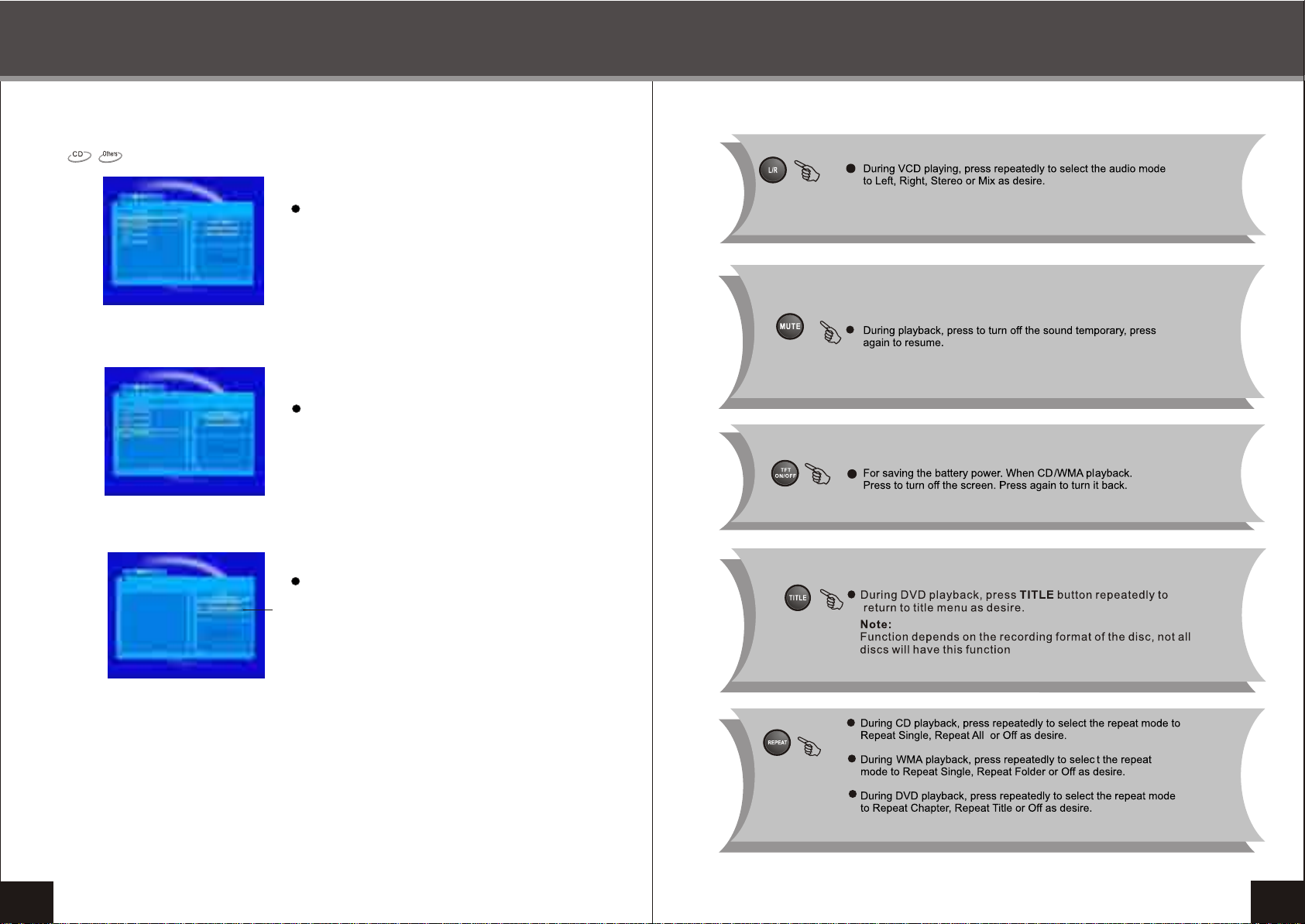
Clear Program operation:
6
Press STOP button twice to enter stop play mode.
7
In stop mode, use right arrow and enter button to
select Edit Mode, and select you want to clear
program tracks.
19
8
Use up and down arrow button to select Clear Program,
and press ENTER to clear program tracks.
Clear Program
20
Page 12
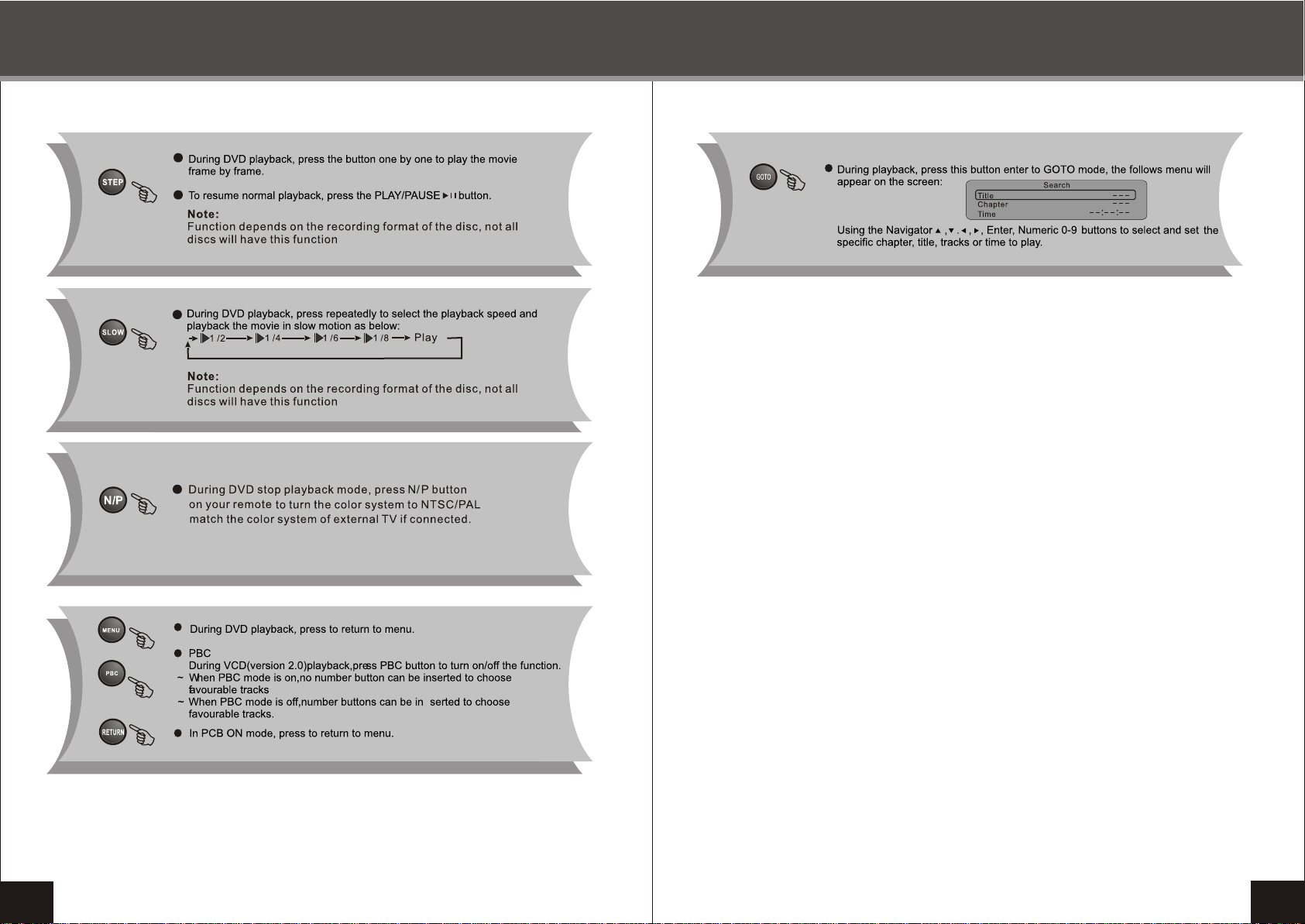
REMOTE CONTROL OPERATION REMOTE CONTROL OPERATION
21
22
Page 13
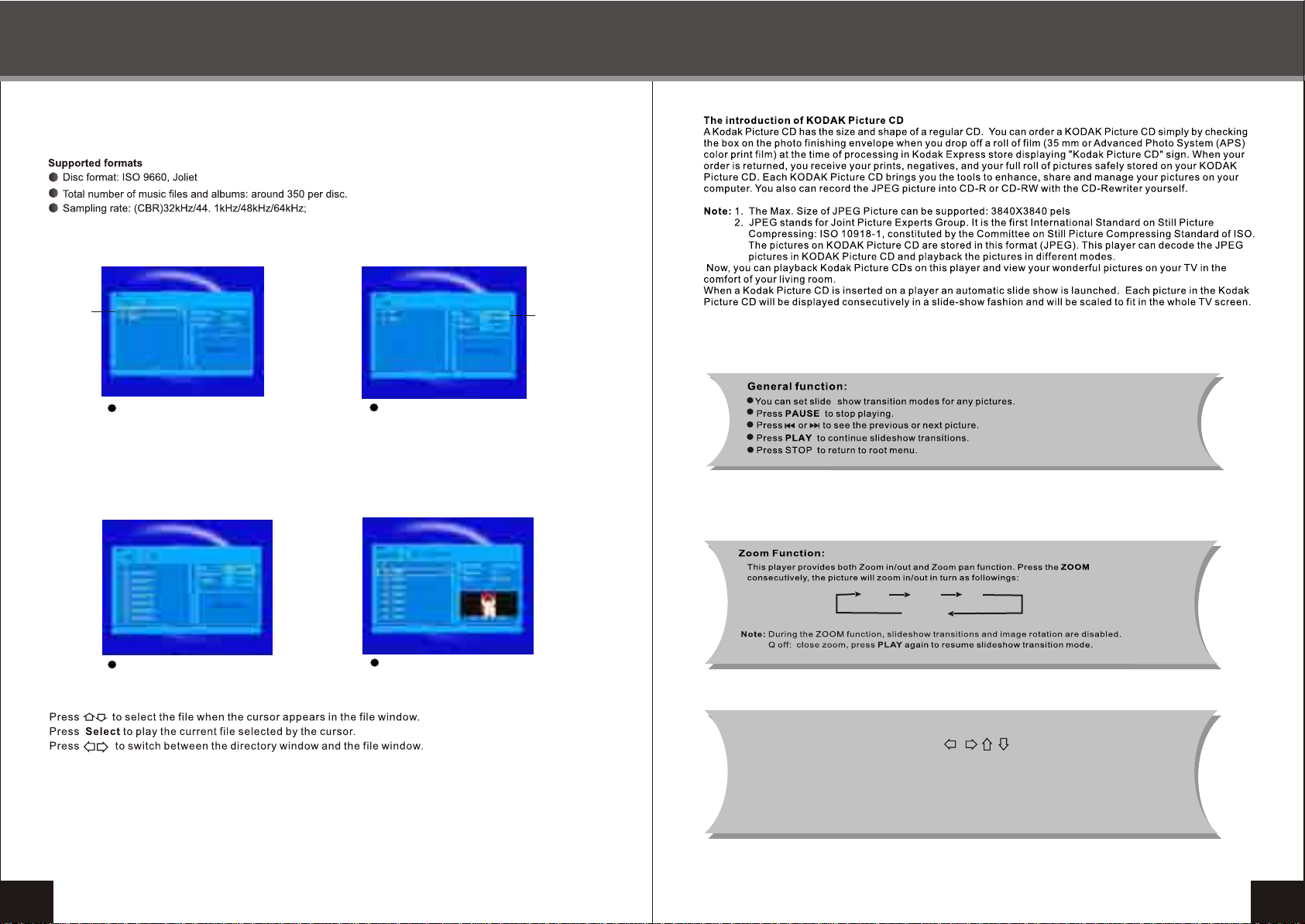
JPEG/WMA/MP4 PLAYBACK
KODAK PICTURE CD PLAYBACK
Files name
1
Current JPEG/WMA/MP4 files name,
and press ENTER twice to to play current
file.
3
Play WMA files.
Select one of the
Audio or Photo
or Video
2
If you want to select AUDIO files only,
use the right arrow and ENTER button
to select AUDIO files.
4
Play JPEG files.
Q1
Q2
Q off
Q3
Circumgyrate picture
While playing picture disc,press button to circumgyrate
the picture for up,down,left,right.
23
24
Page 14
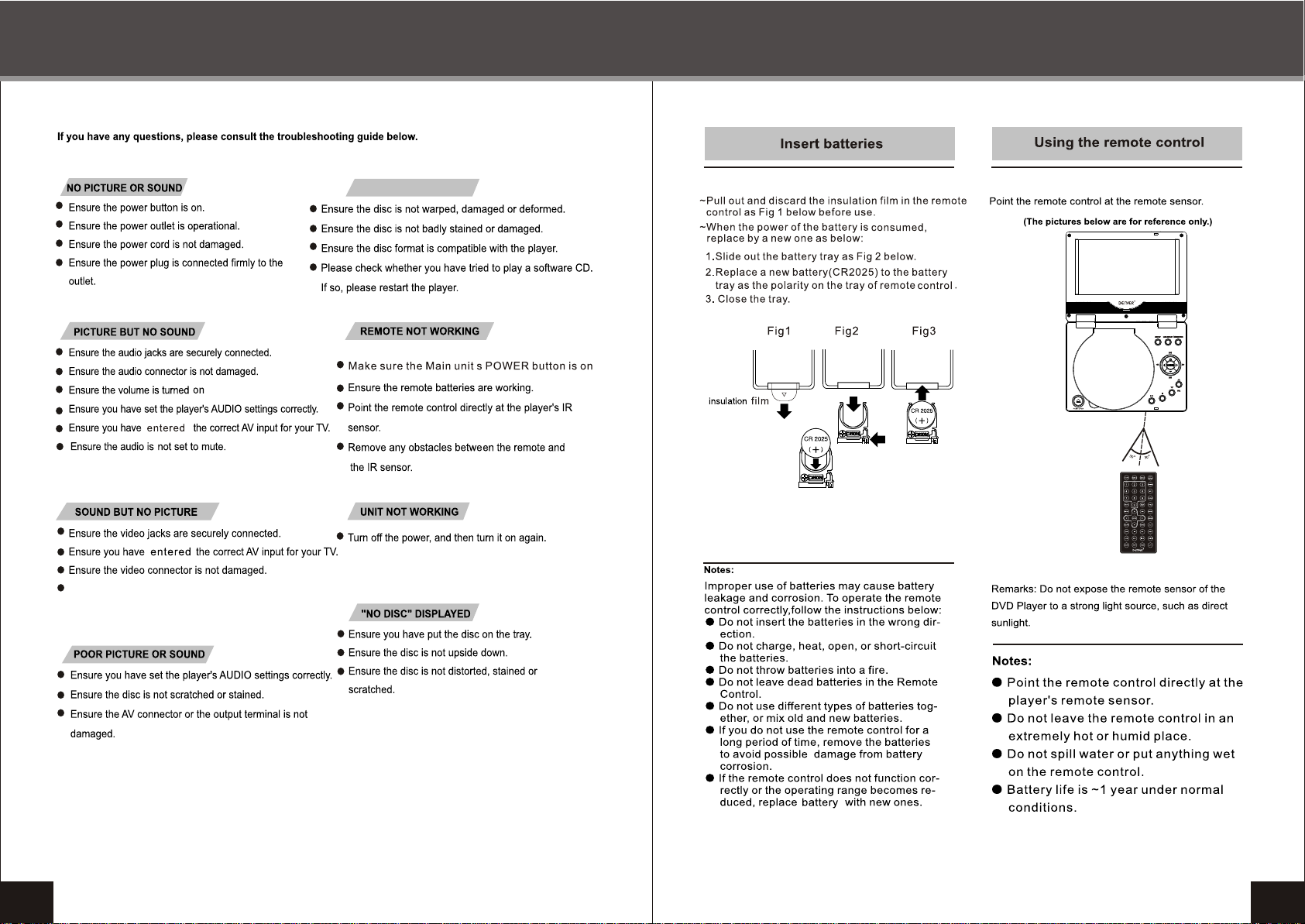
TROUBLESHOOTING
DO NOT READ DISC
.
REMOTE CONTROL PREPARATION
25
Ensure you haven`t press [ TFT ON/OFF] key
on the remote control.
26
Page 15
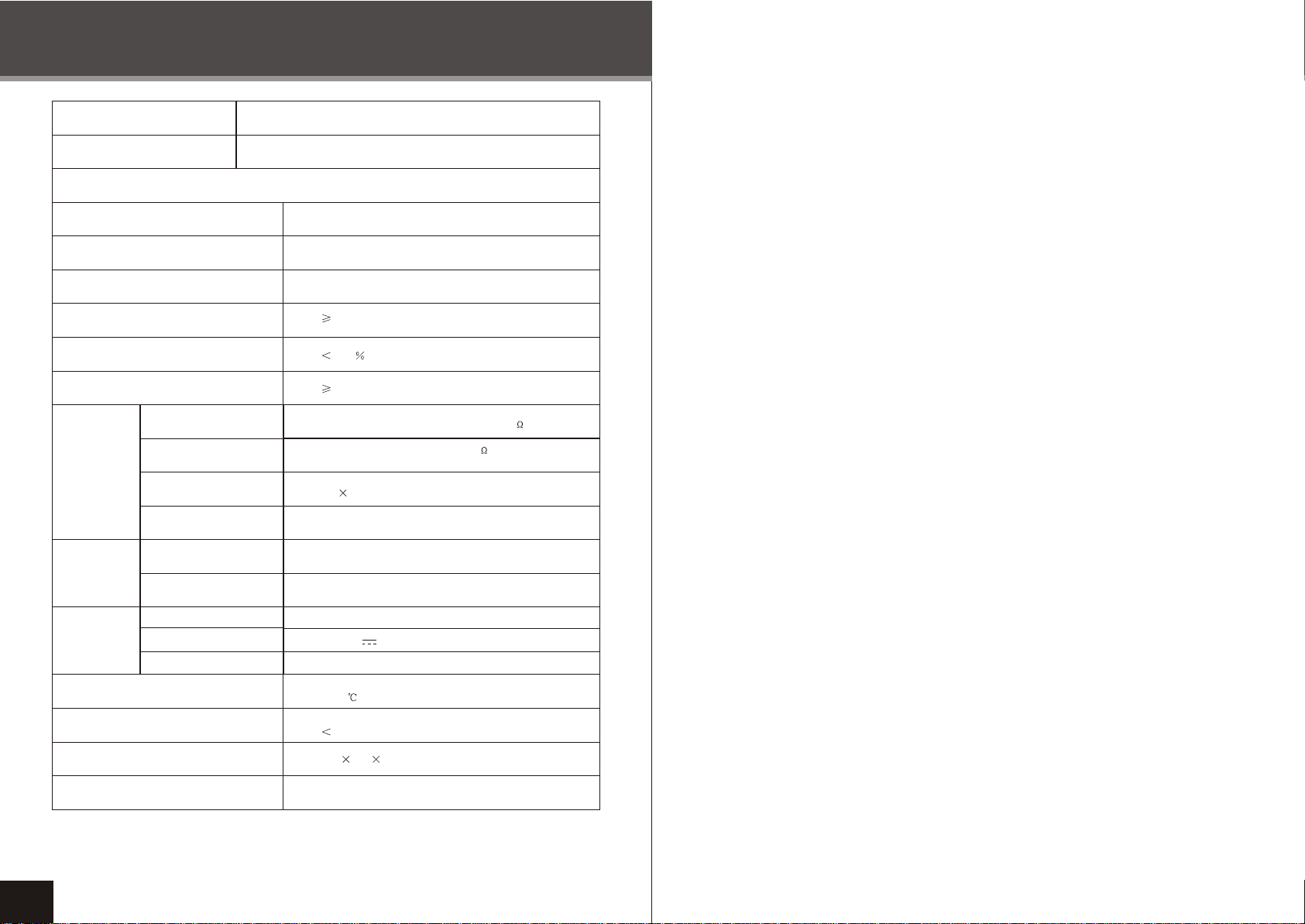
SPECIFICA TIONS
NAME
MODEL
DVD SPECIFICATIONS
Laser Wave Lenth
Video System
Audio Respons
Audio S/N
Distorion
Channel Separation
Audio output
(Analog Audio)
OUTPUT
CARD & USB
POWER
Video output
Speakers
Earphone
CARD
USB
AC ADAPTER
DC INPUT
Batteries
Portable DVD player
MT-769
650nm/780nm
PAL/NTSC
20Hz~20KHz
85dB
0.07
75dB
1.2V~2V Load Impedence:10K
1Vp-p Impedence:75
1W 2 1KHz 0dB
20~60mW 1KHz 0dB
SD / MMC / MS
USB2.0
100-240V~ 50/60Hz
DC 12V 1.5A
7.4 V / 1350mAh
27
Accepted working temperature
Power consumption
Dimension
Weight
5~35
10W
191 142 37 mm
0.64Kg
 Loading...