

Page 1
DIGITAL RECORDABLE MULTI PLAYER
MP–122/222/522/1022
INSTRUCTION MANUAL
Page 2

※CAUTION
Ensure you read the safety warnings carefully below before you operate the unit.
Don’t attempt to disassemble or repair this unit casually.Go to consult the properly qualified center when
malfunction happened .
Don’t use the unit in places such as airport where electricity products are forbidden.
Don’t drop the unit into water and pay attention to prevent the liquid from the unit .
When transcribe please obey the law consciously,don’t try to copy.
Use stipulated batteries applied to the unit.
Disconnect the mains lead from the outlet audiovisual products in a illegal way when replace the
batteries.
English-1
In case of malfunction due to electrical fast transient (Burst), just reset the product (reconnect of
power source may be required) to resume normal operation.
in case of malfunction due to electrostatic discharge, just reset the product (reconnect of power
source may be required ) to resume normal operation.
Page 3
※FOR SAFETY
Strong vibration or shocks result malfution, please protect it carefully’
When the unit distort because of strong smoke and heat, remove the batteries and cut off the power
supply quickly.
Strong pressure will damage the LCD screen and cause the display malfunction.
Keep the unit away from long time sunshine ,liquid ans heat sources.
Keep the unit far from magenetic objects such as all kinds of credit cards.etc.
Our company will not take the resposibility if the following things happened:
Wrongly use.
Memory data will lose during products servicing.
Before maintain or update softwares, please resave the files in the player.
Keep the unit far from magnetic objects such as all kinds of credit cards.etc.
Forbid to use the product to wiretapp or meddle in others’ privacy.
Don't allow different software versions to complex when it's upgraded.
English-2
Page 4
1: CONTROLS
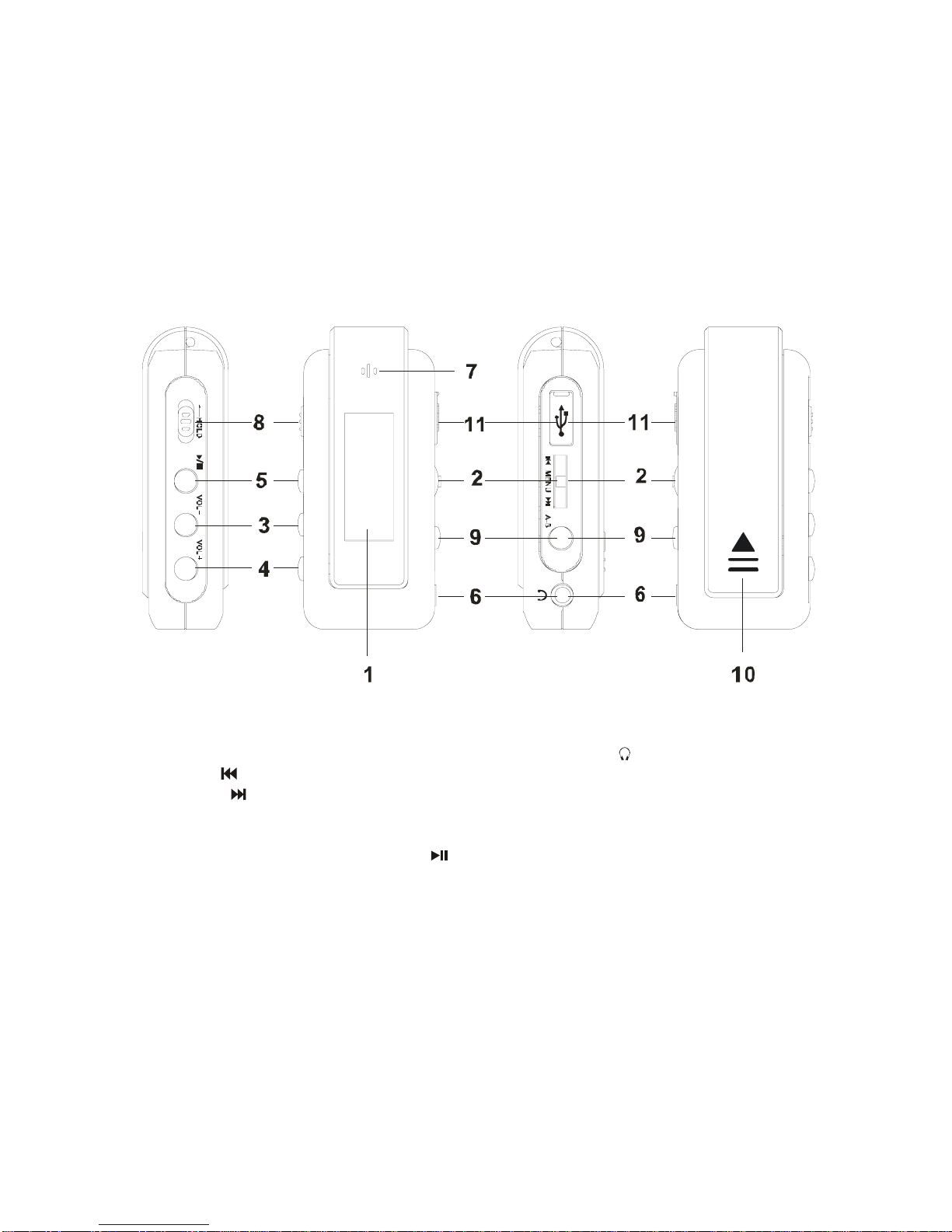
S1. LCD
S2. REW / search up / MENU /
FF /search down
S3. Volume down -
S4. Volume up +
S5. Power on / Play / Pause / Stop / Power OFF
S6. PHONE
S7. MIC
S8. Converse hole
S9. A-B
S10. Battery compartment
S11. USB jack
English-3
Page 5

Feature:
1. Power Supply
AAA/LR03/UM4 Size Battery X1
2. Battery life:
Continue playing more than 7.5 Hrs
3. Support file
Support Audio file
Support MP3 ALL bit rates (8-320kbps) & ALL sample rates (8-48kHz). Constant bit rate (CBR) and
variable bit rate (VBR) support too.
Support WMA ALL bit rates (5-192kbps) & ALL sample rates (8-48kHz)
ID3 & LRC (LyricsShow )
4. EQ MODE:
Normal
Rock
Jazz
Classical
Pop
X-Bass
5. USB PORT VERSION:
Competitive USB download performance. Using USB MSC, speed is about 3.2Mbps.support USB
2.0/USB1.1
Support OS :
Windows 98se/2000/me/xp,MAC 9.2x
6. MIC
Voice encode in ADPCM format.
English-4
Page 6

7. Input and output Port
Φ3.5mm Headphone Jack Φ3.5mm
A type USB Socket
Buildin MIC
8. Display
96X32 DOTS MATRIX LCD With Blue Back Light.
9. Key
Play/Stop (Power on/Play/Pause/Stop/Power Off)
FF (next/search+/Tuning+)
REW (Back/Search -/Tuning-)
VOL+
VOL Menu
A -B/Rec
Hold
10. Play Mode
normal
repeat 1
repeat all
Random
Intro
11. Upgradeable firmware
Upgradeable firmware from PC Via USB port
12. Low Battery indication
English-5
Page 7

specifications
Frequency response :20 – 20000HWZ
Outputs: Phones stereo jack (3.5 mm)
Power supply : AAA / LRO3 Size Battery x 1
Dimensions: 68.9 x30.2 x 19.6 mm
Weight: 23g (w/o Battery)
Menu and Function Description:
Description Key Function:
Define: Press and Release = PR
Press and Hold = PH
Play/Stop:1
st
PR is Power On, Next PR is play, PR again is Pause; PH is stop playing, PH again is Power Off.
FF: PR Skip to next track, or next submenu at MENU mode.
FF: PH is fast forward
REW: PR Skip to previous track, or previous submenu at MENU mode.
REW: PH is Fast Review.
VOL+: PR is increase Volume one step, PH is increase Volume quickly.
VOL-: PR is decrease Volume one step, PH is decrease Volume quickly.
Menu: PR or PH to show MENU, PR again is select the MENU.
A-B/REC: Twice PR Set A-B section repeat and the 3rd PR cancel A-B when playing track.
Set EQ mode by PH when playing MUSIC.
PR is set Play mode when pause.
PR to voice recording when stop voice playing
Hold: Disable all key’s function when direct ON and display “Locked”
Structure of MENU
There are 7 submenu in mainmenu follow as:
Music
English-6
Page 8

Voice
Record
Erase
Settings
About
Exit
OPERATION GUIDE
1: Power On & Power Off :
To turn power on by pressing “
” and turn power off by pressing “ ” long time.
After power on action, the default mode is Music mode and the machine is in idle status.
2: Mode select:
press “menu” key entry menu mode. Press
or search item that you want, press “MENU” key enter.
It’s Music, Voice, Record, Erase, Setting,About,Exit.
3: Operation under Music mode
3-1: Playing:
Press “
”to play music downloaded.
3-2: Tracks select:
Press
or with short time.
3-3: FF:
Press with long time while playing.
3-4: REW:
Press with long time while playing.
3-5: A-B:
While playing, Press “A-B” key twice to set A-B section repeat, It’s canceled by pressing “A-B”key again.
3-6: Repeat mode select
English-7
Page 9

While Pause, press “A-B” key repeatedly with short time to choose: repeat 1 , repeat all
,random , shuffle and repeat all ,intro 10s , “normal” items.
3-7: Change Volume value
To Change Volume value Press or hold “vol+”or “vol-” key.
3-8: Stop
Press
key about 1second to stop playing.
4: Operation under Voice mode
4-1: Playing
Press to play Voice-Record files.
4-2: Pause
Press key again while playing.
4-3: Track select
Press or key with short time.
4-4: FF
Press
key with long time while playing.
4-5: REW:
Press
key with long time while playing.
4-6: A-B:
While playing, Press “A-B” key two time to decide start point and end point, the machine will be in A-B
mode and Start A-B play. It’s canceled by pressing “A-B” key again.
4-7: Repeat mode select
While pause, press repeat key repeatedly with short time to choose repeat one, repeat all,
nomal, items.
4-8: Change Volume value
Press “VOL+”or “VOL-” key.
4-9: Stop
Press
key about 1second to stop playing.
English-8
Page 10

Press to pause record.
5-2: Stop record
Press “A-B” key to stop and exit the record mode.
6: Settings
There are EQ, PlayMode, contrast, backlight, power Set, record set.
6-1: EQ set There are 6 EQ mode: normal, rock, jazz, classical, pop,Full Bass,
6-2: Playmode: Repeat 1
, repeat all ,random , shuffle and repeat all ,intro 10s ,
“normal” items.
6-3: Contrast: Adjust the LCD contrast by FF or REW.
6-4: Backlight: Adjust the backlight turn on time from 0s to 60s.
6-5: Auto Off: Set the time of power off automatica after stop.
6-6: REC SET: Set recorde quality that sample rate from 8KHz to 48KHz
6-7: Return: Return to Settings menu.
7: Erase
This mode may be erase file witch music, voice and line in.
7-1: Press or select file that you want to erase, Press “menu” key to erase, then press key confirm
and “menu” key to cancel, the other key to exit.
8: About: it is show the informatin about the play include firmware version, total and free space
English-9
5: RECORD
Select record menu and press “menu” key to record.
5-1: Record Pause
Page 11
3: install host driver
3-1: Install MP3 HOST DRIVER
Insert the disc to PC, Disc will auto run and guide you complate setup.
English-10
Page 12
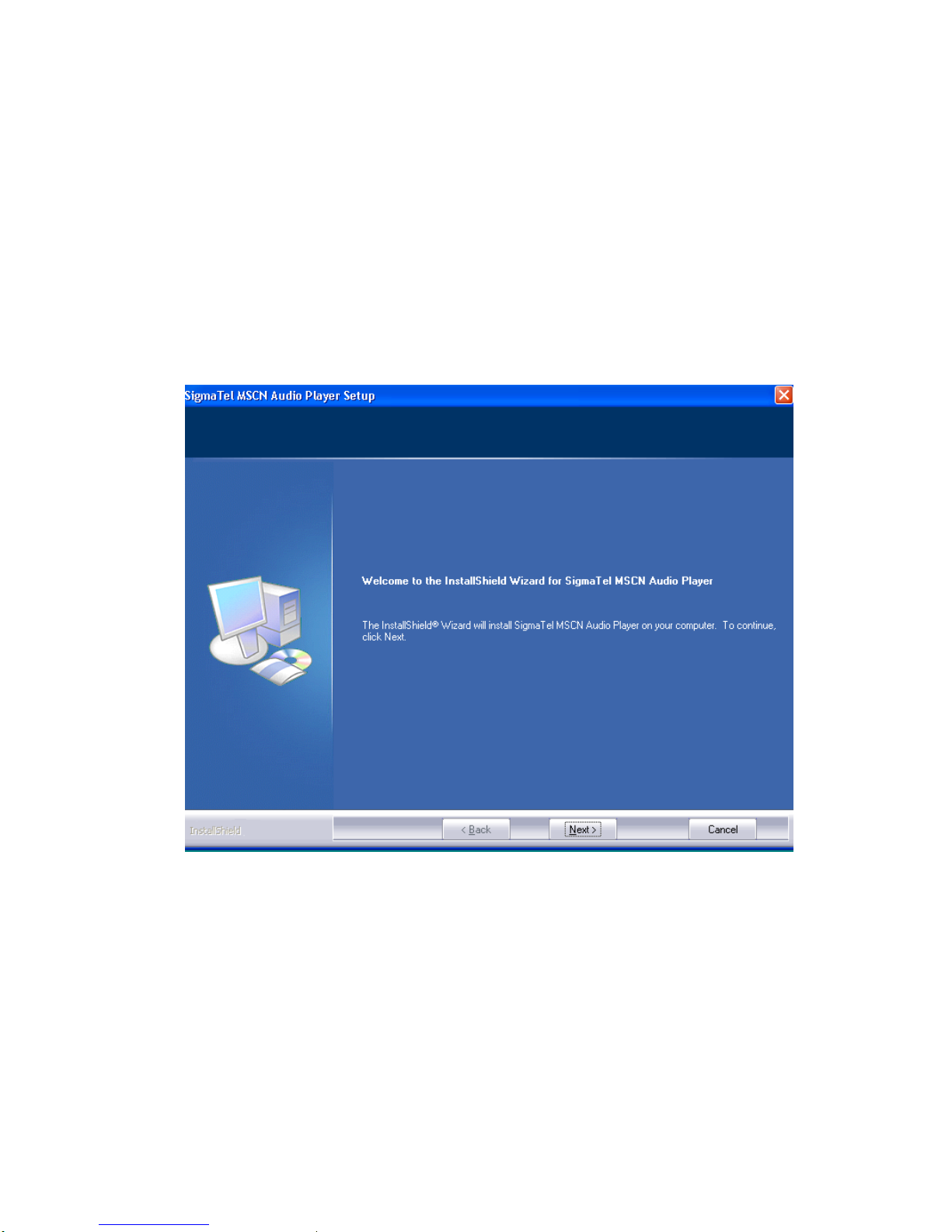
3-2: Start install.
click “Next”
English-11
Page 13
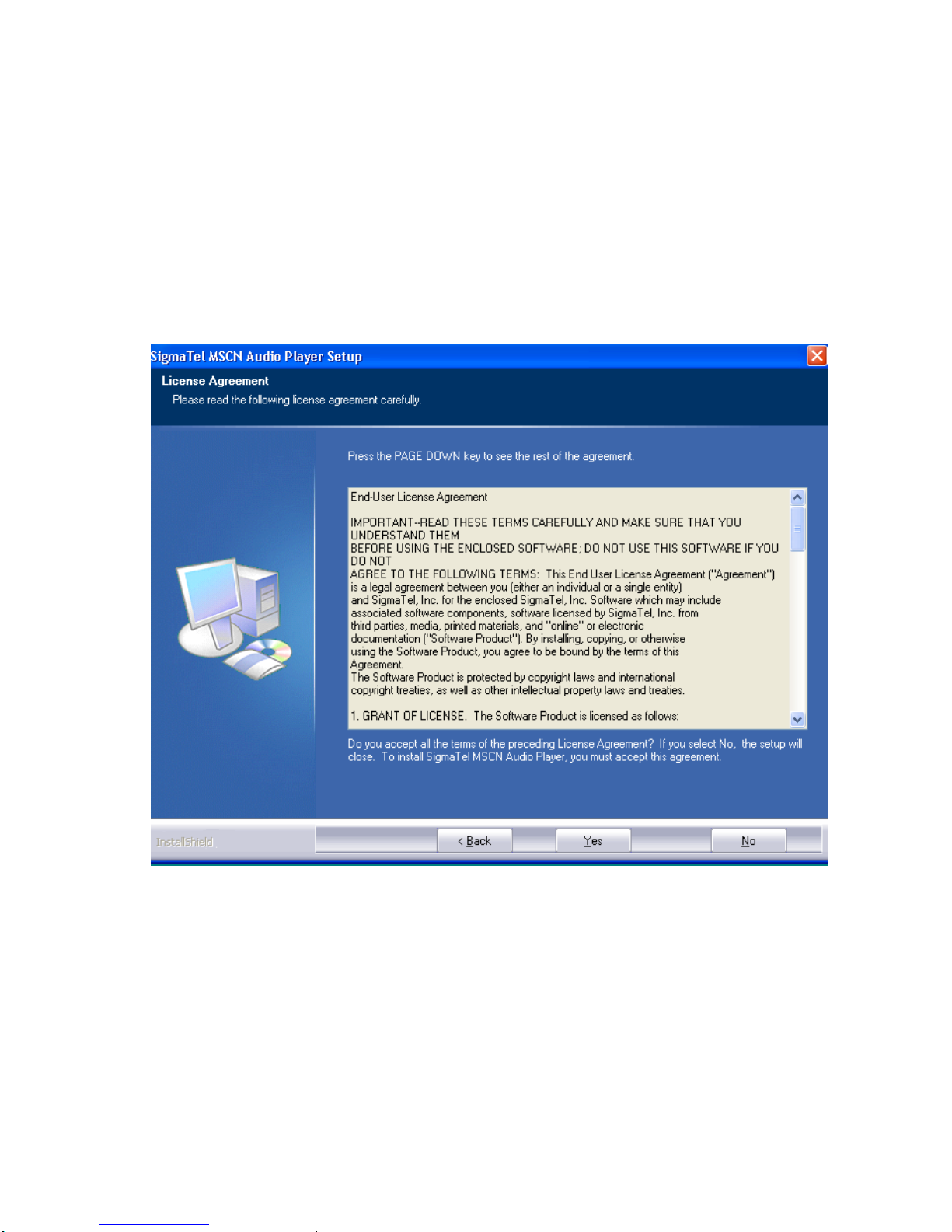
Click “Yes”
English-12
Page 14
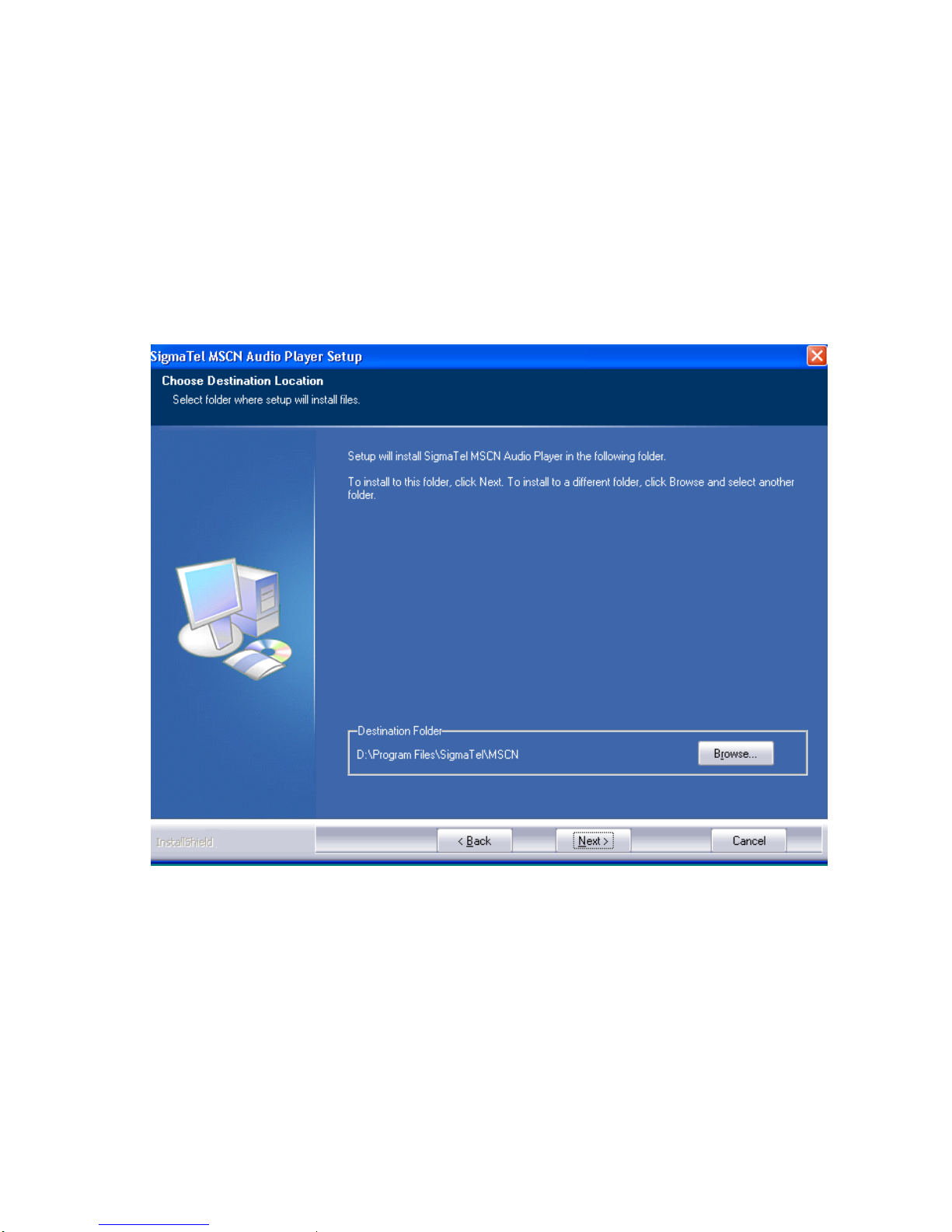
Click “Next” will install to the default folder, and you can select the other folder to install by “Browse”.
English-13
Page 15
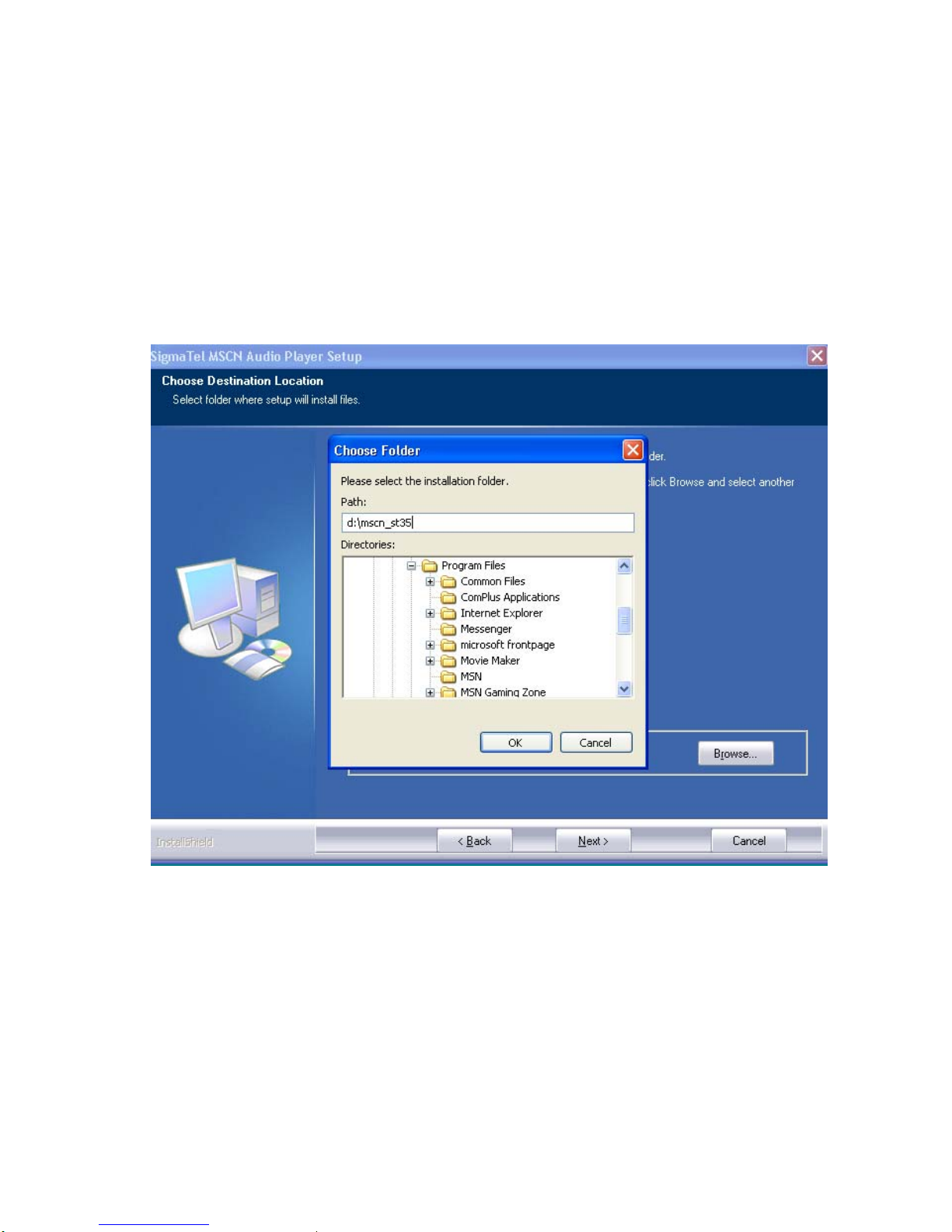
click “Next” to add program icons.
English-14
Page 16
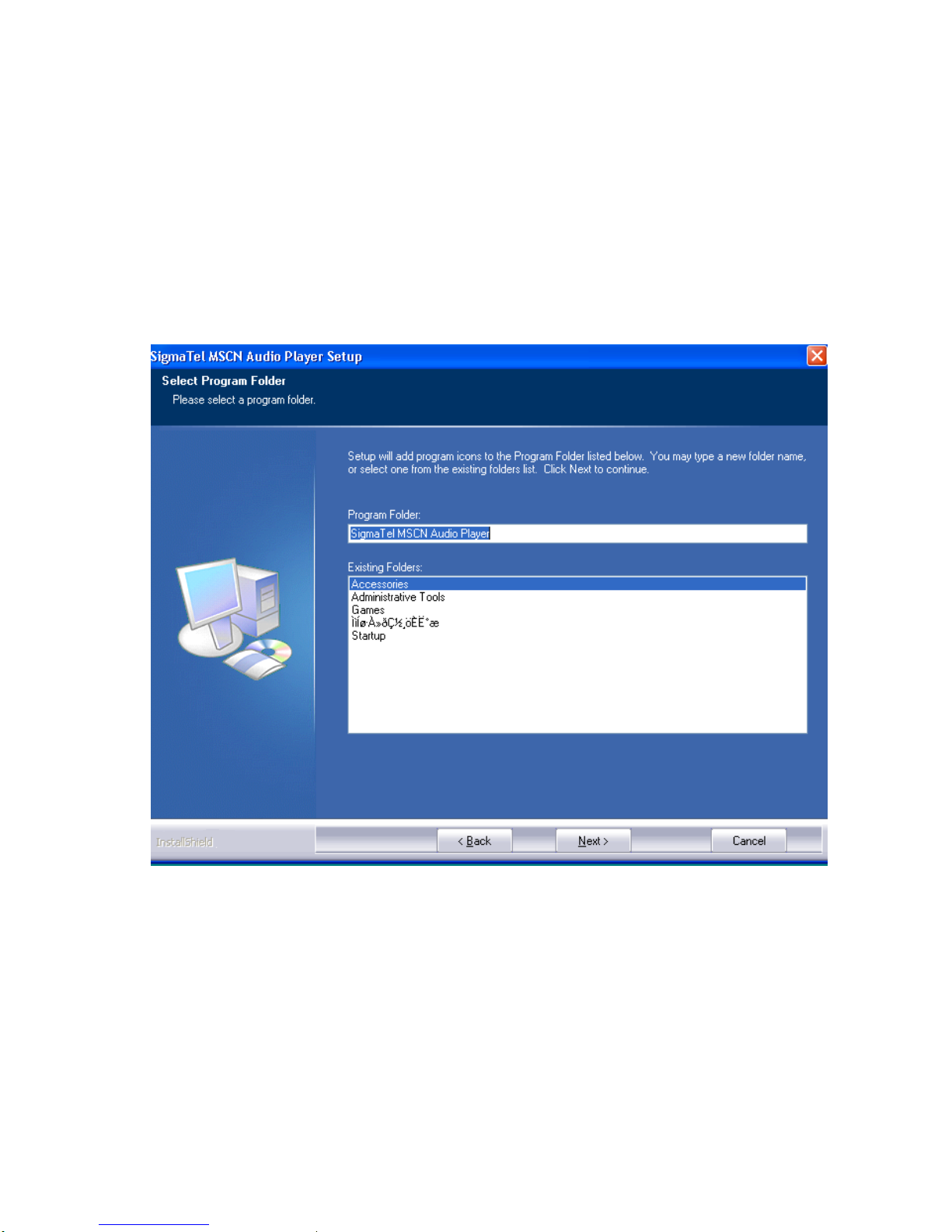
Click “Next ” to continue.
English-15
Page 17
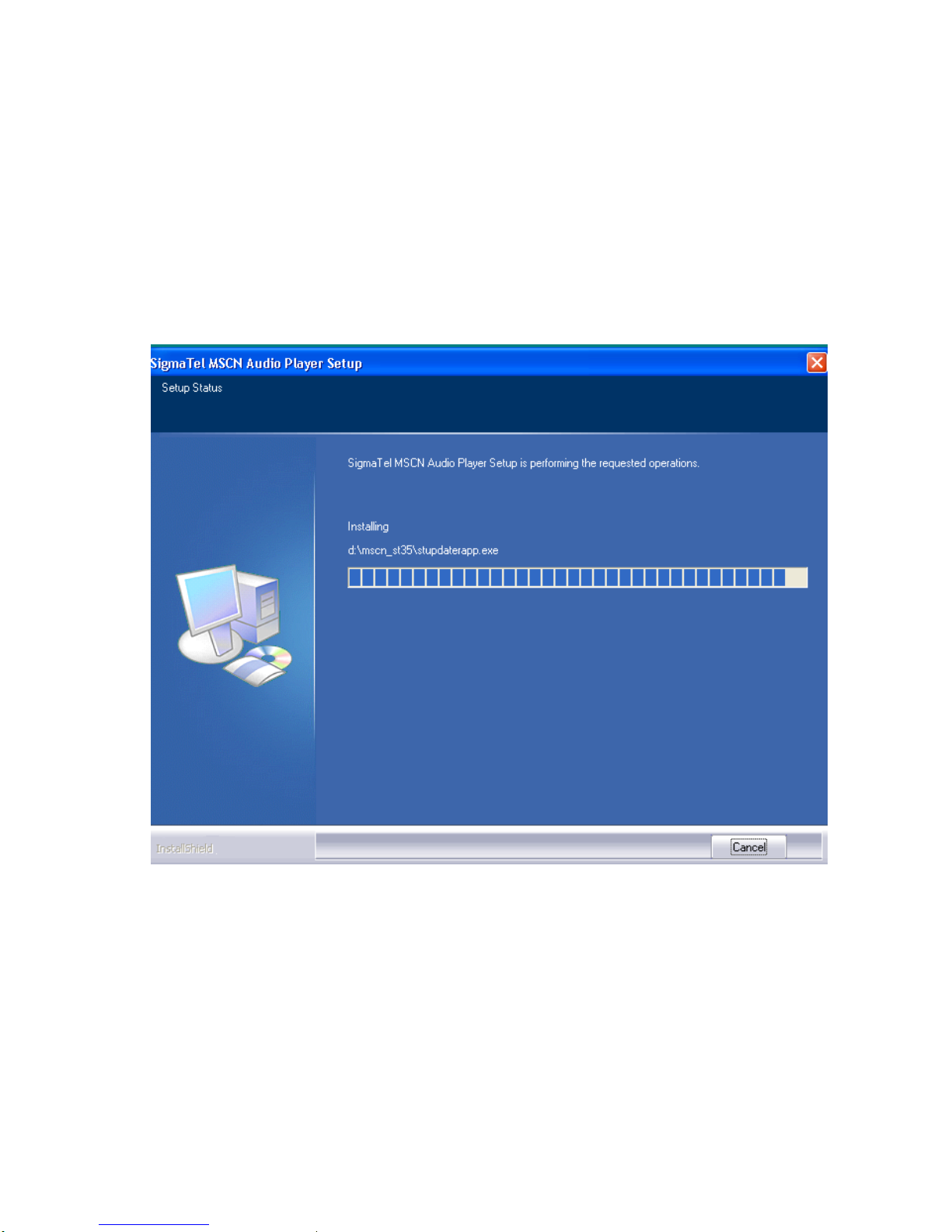
Install guage.
English-16
Page 18
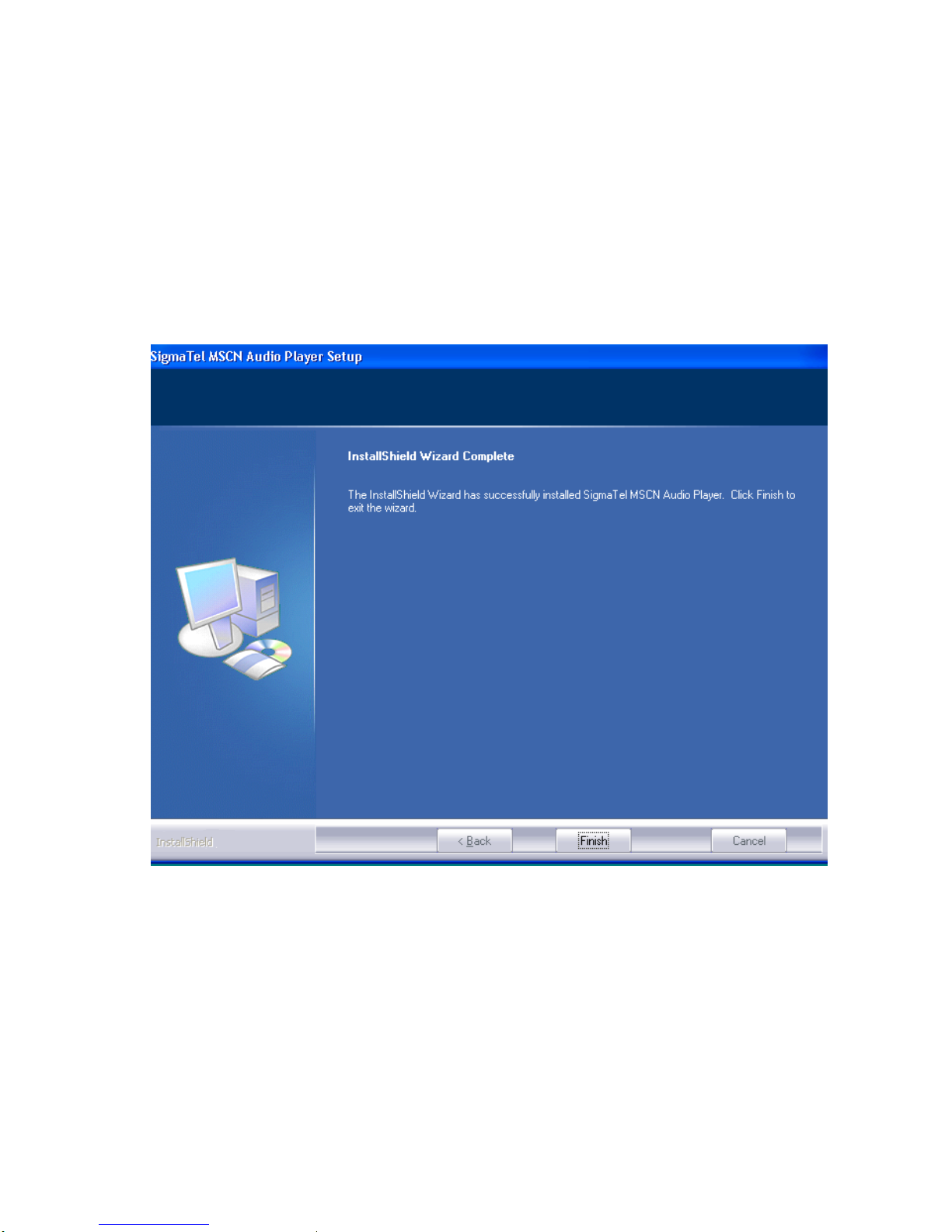
Press “Finish” to complete install.
English-17
Page 19
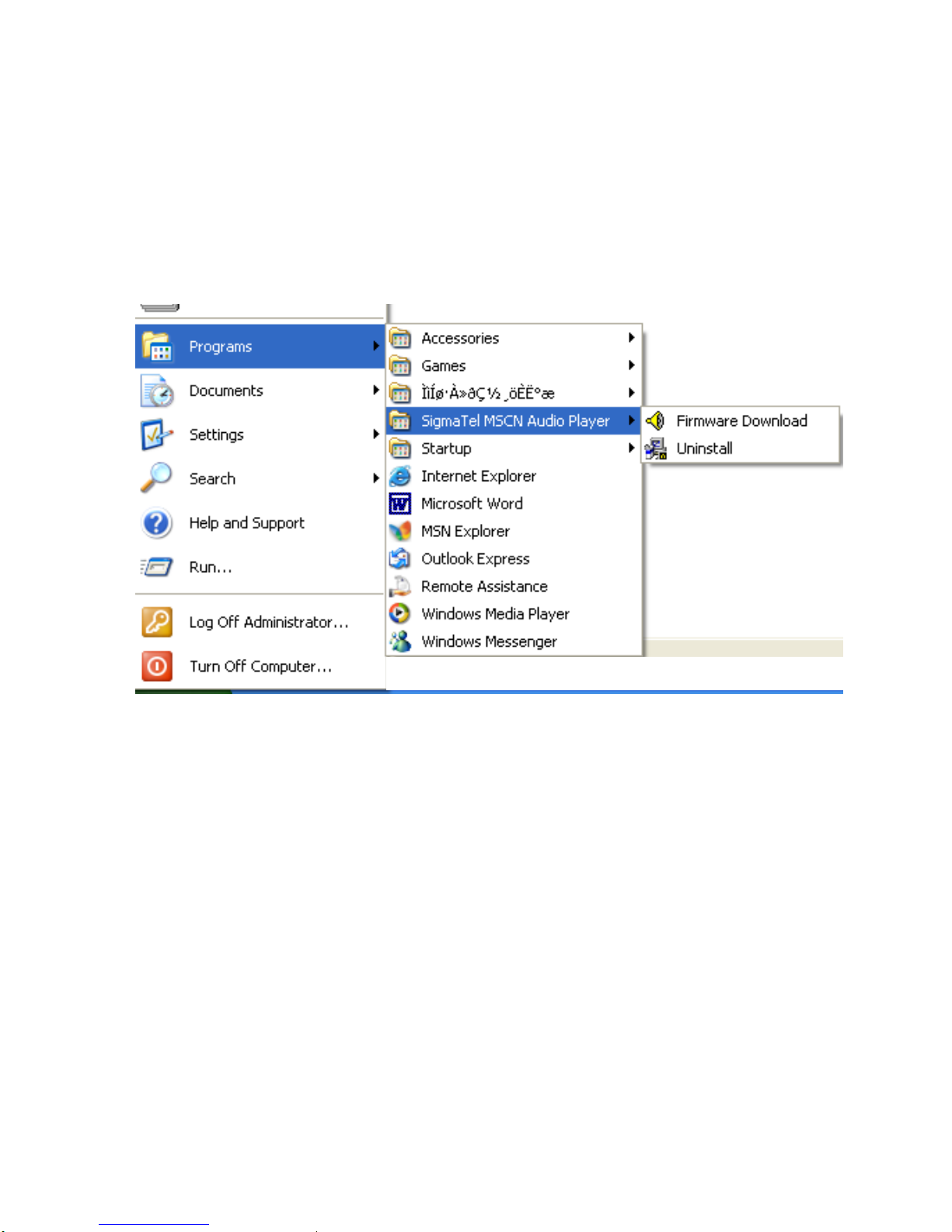
3-3: link the player to PC and turn on player, The PC will found device and install host driver
English-18
Page 20
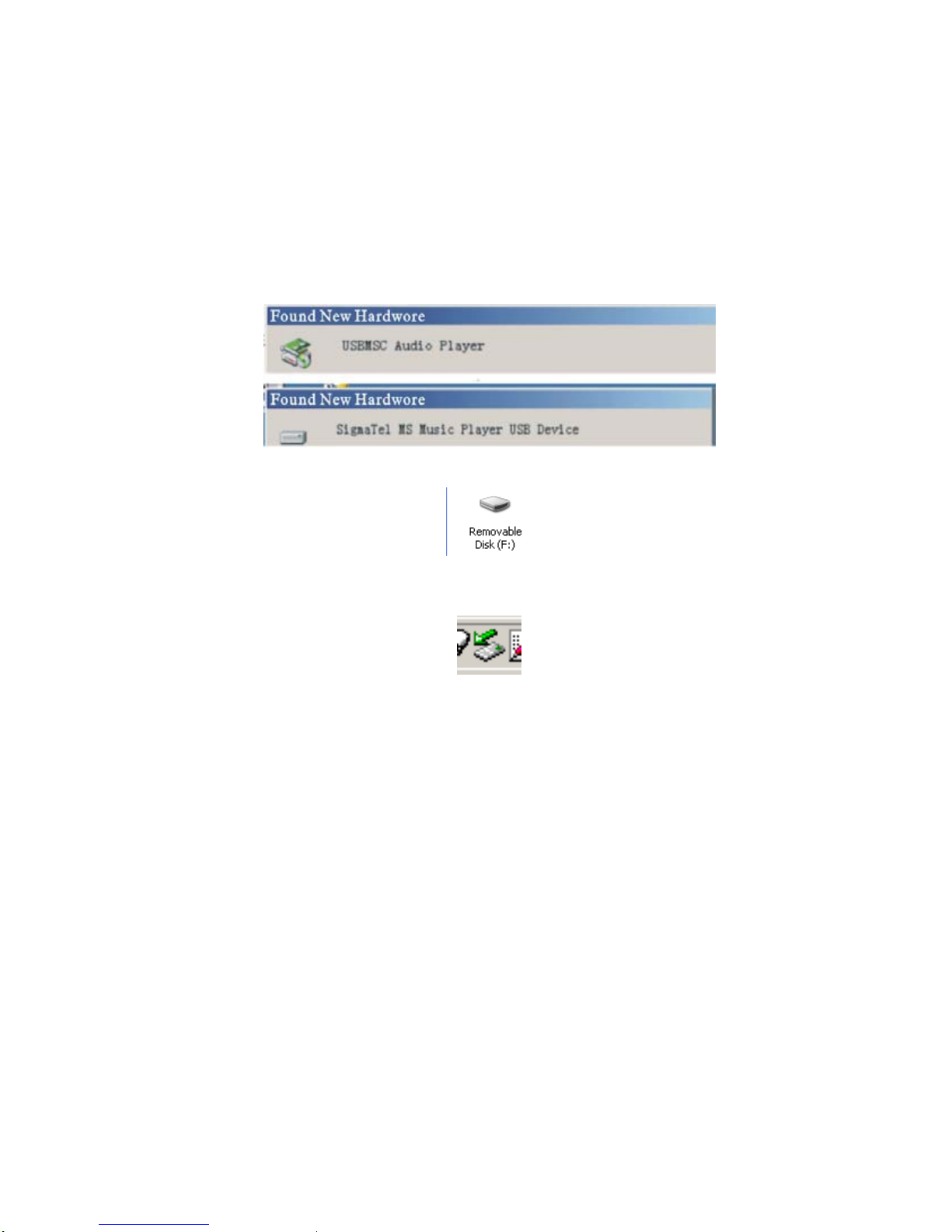
Dubole click “My computer”, you can find “moveable disk”
3-4: Eject the player from PC
Dubole click the icon
English-19
Page 21
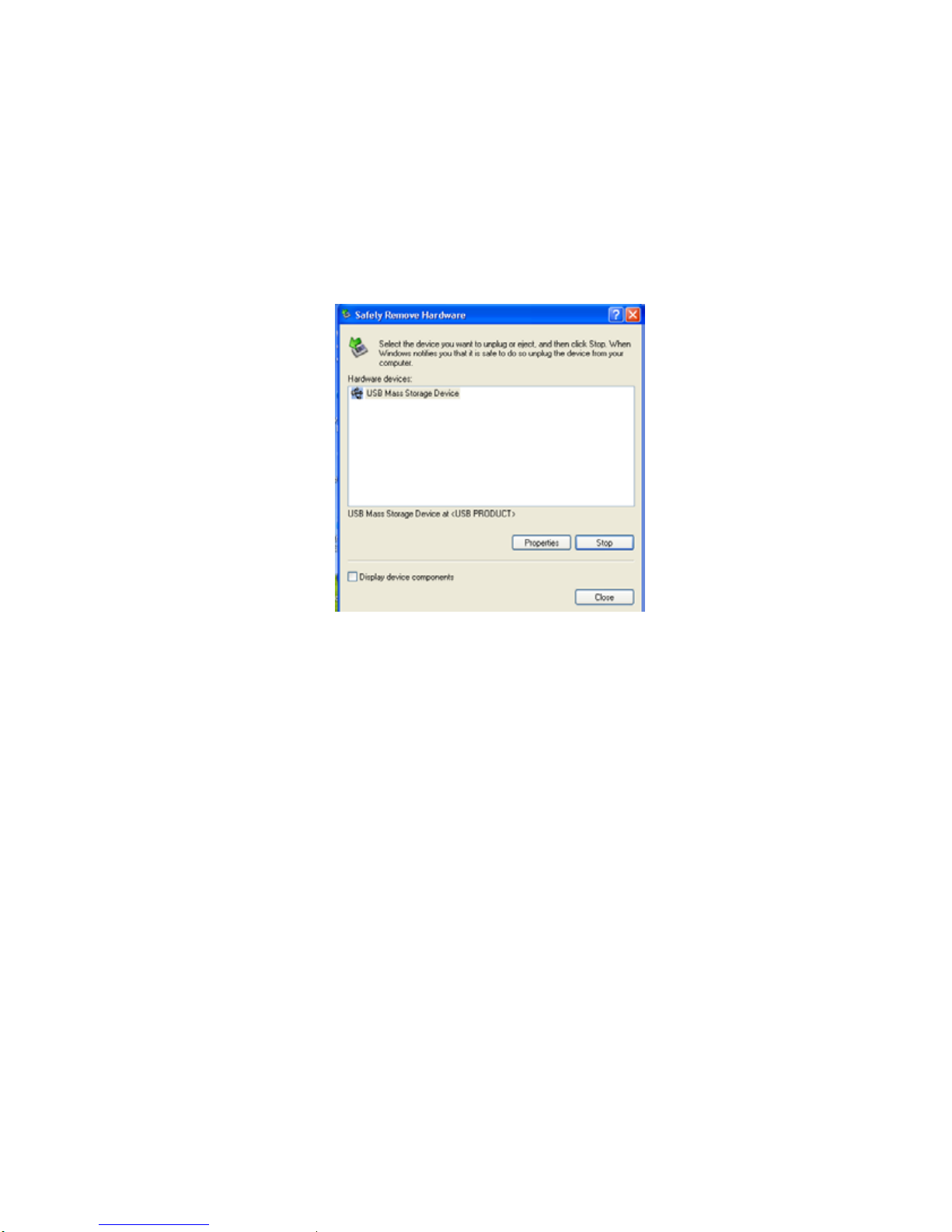
Click “Stop”
English-20
Page 22
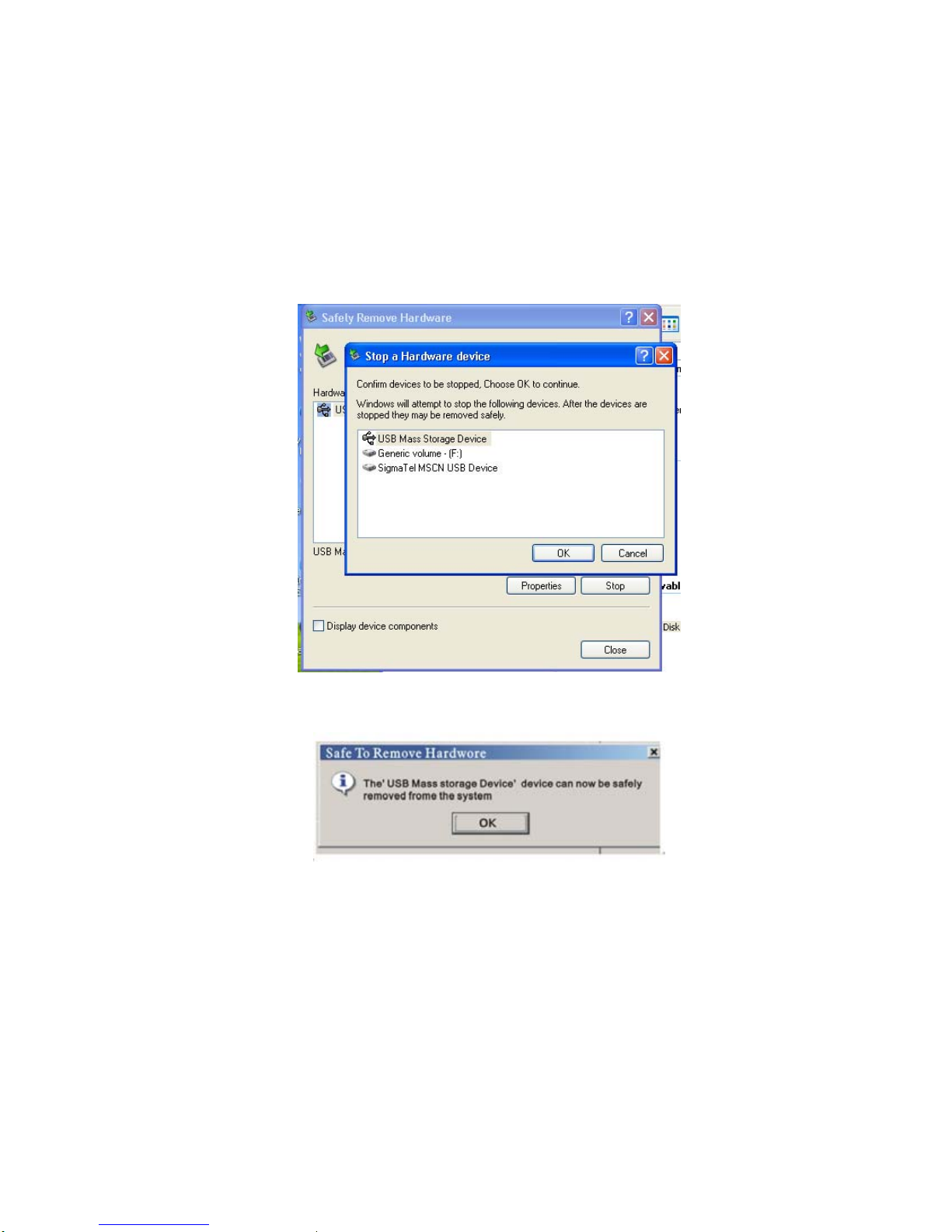
press “Ok”
Click “Ok”, then you can pull out of PC.
English-21
Page 23
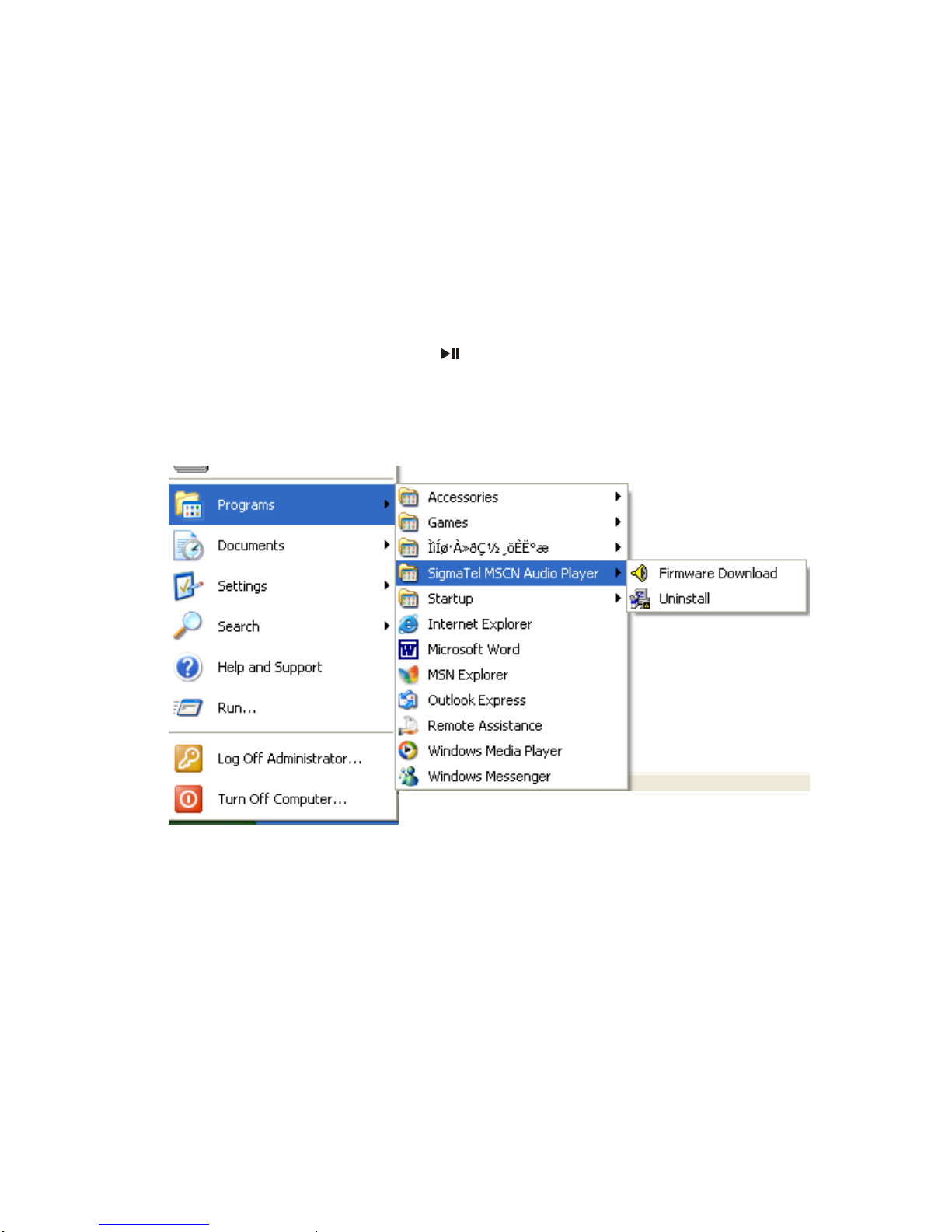
4: Upgreat firmware
4-1: Connect the player to PC, press and keep
, run “Firmware Download”
English-22
Page 24
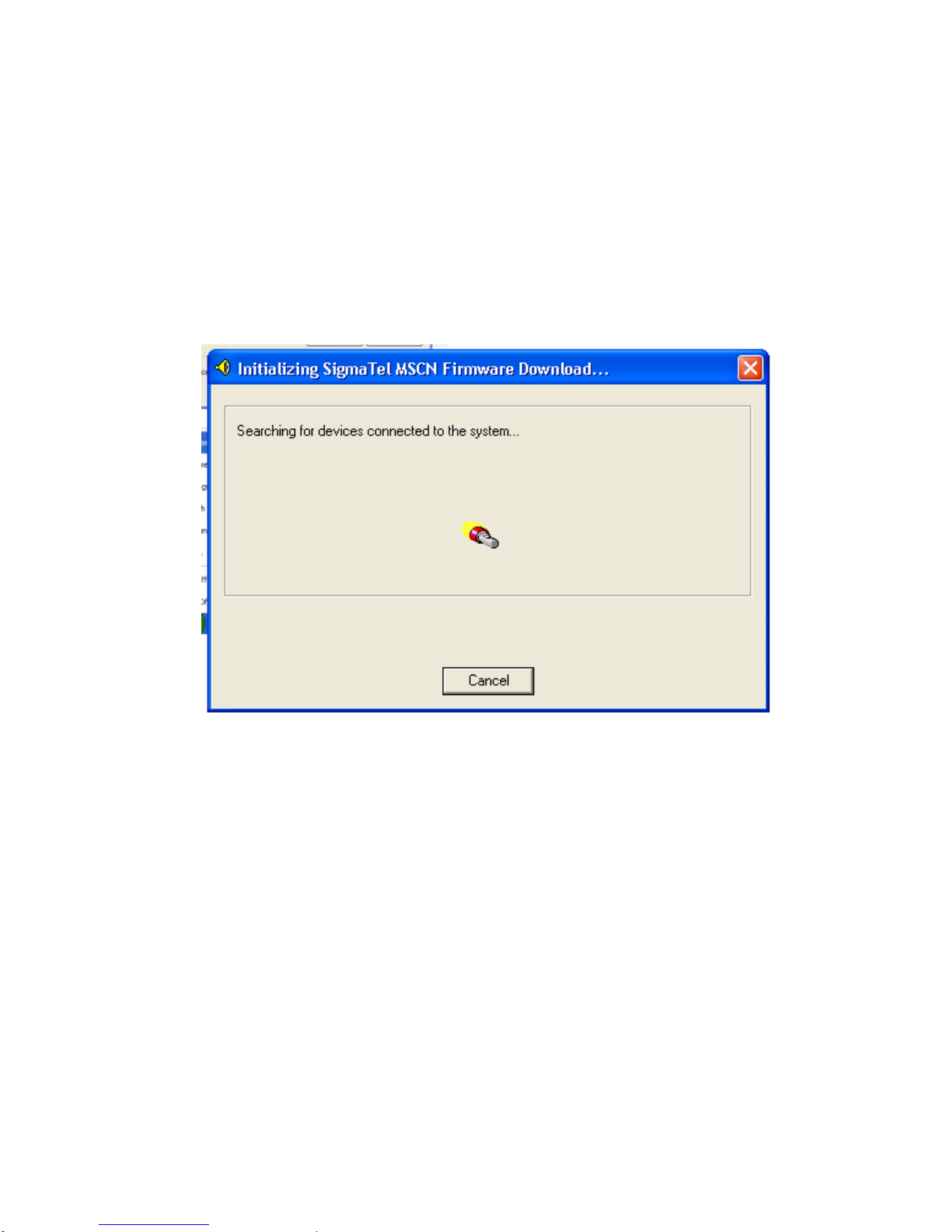
4-2: PC will seach devices connected to the system.
find device and prepare download firmware.
English-23
Page 25
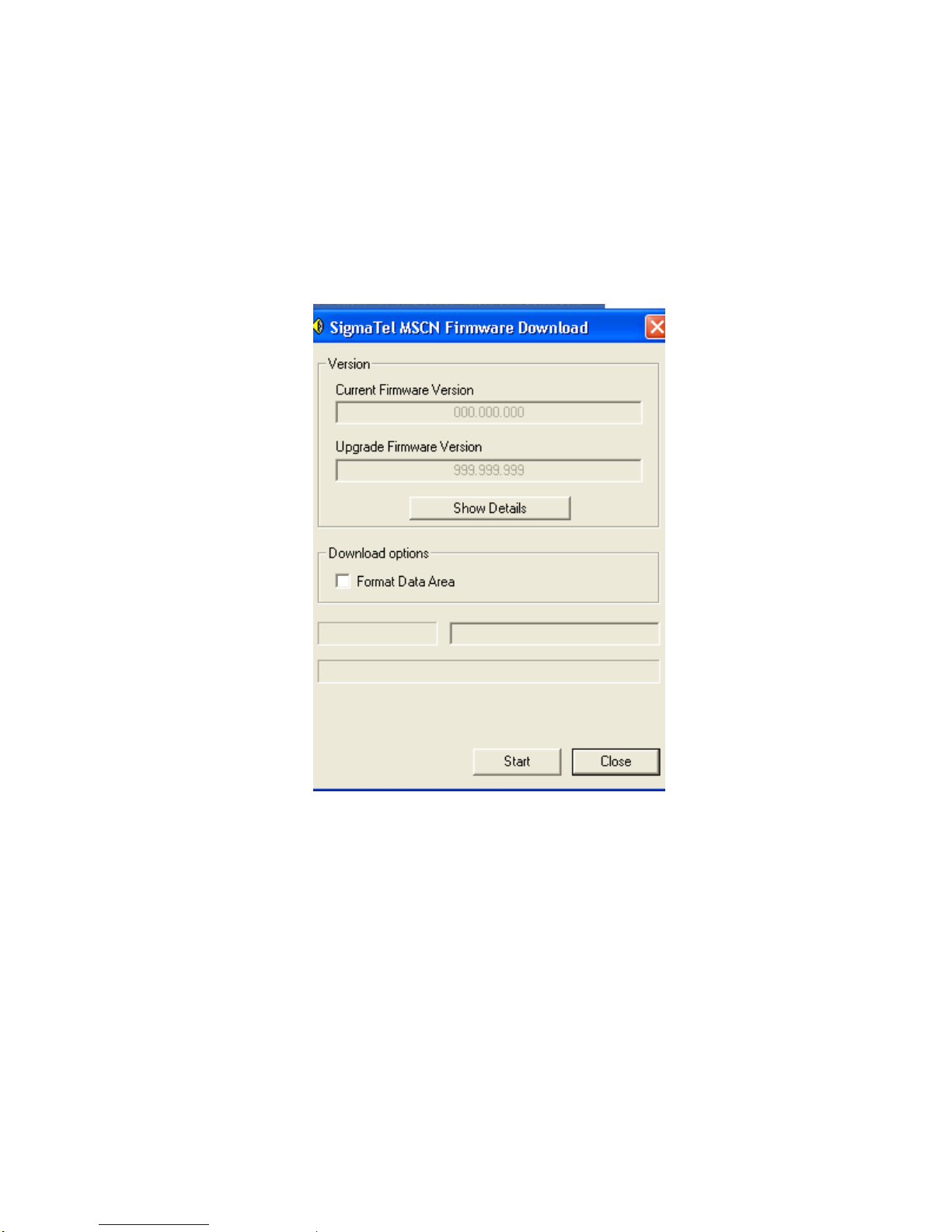
You can click “Start”, or selete “Format Data Area”
English-24
Page 26
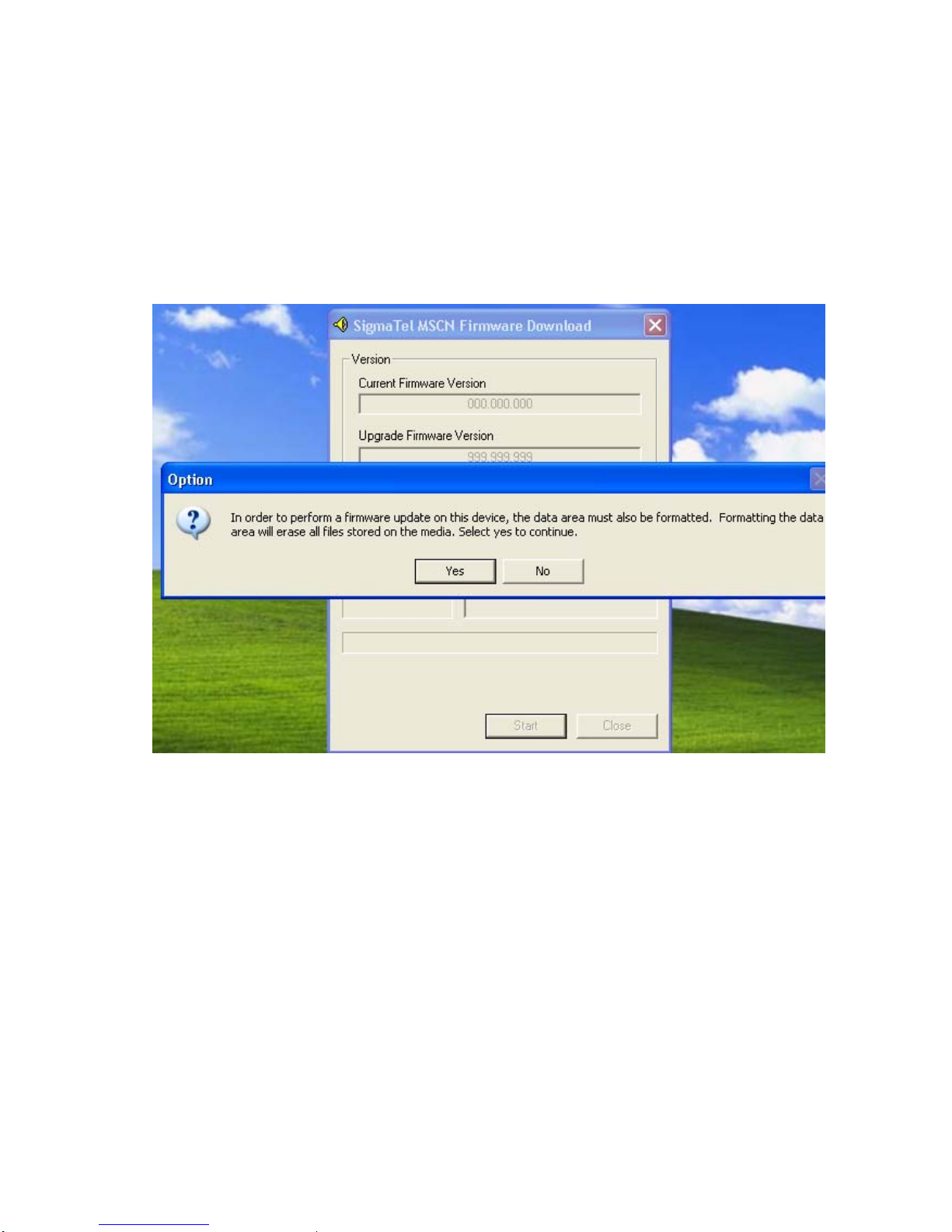
Note: Formatting the date area will erase all files stored on the madia.
Start download firmware。
English-25
Page 27
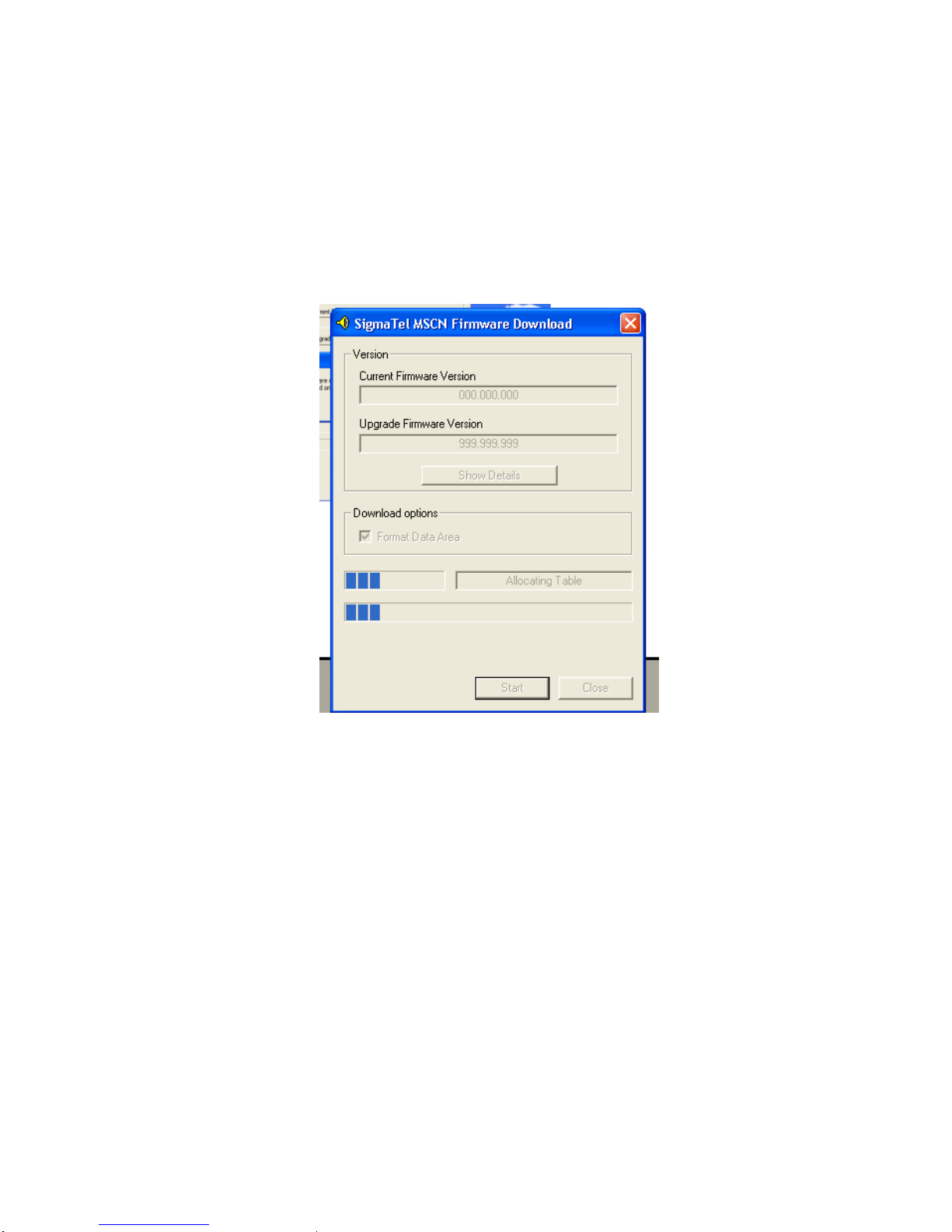
Click “Close” to complete upgreat firmware.
5: Disc oprate
This player may be a USB disk, you can operate it refer some books of PC. Our commpany will be irresponsible
for lost data during operation.
English-26
Page 28
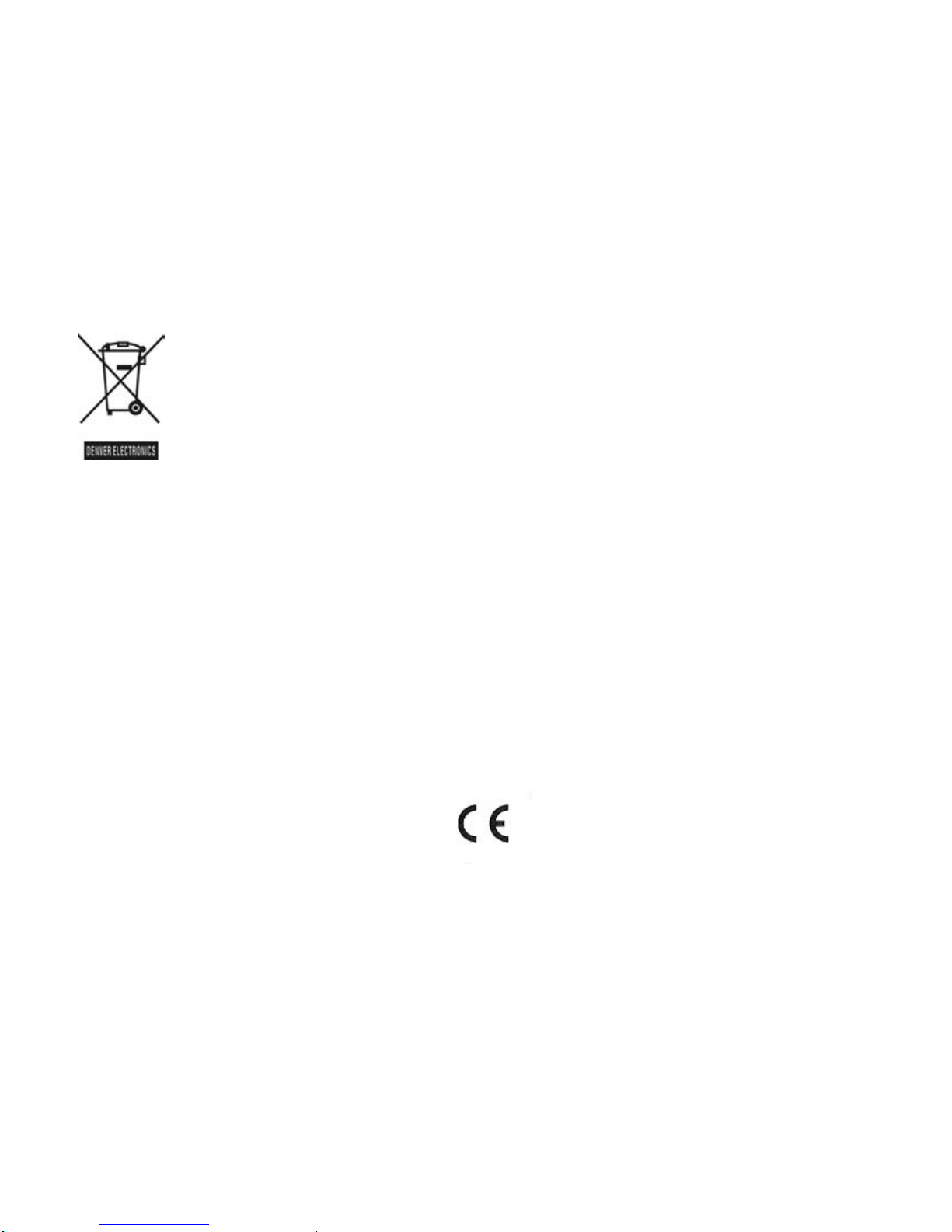
Instructions on environment protection
Do not dispose of this product in the usual household garbage at the end of its lifecycle; hand it over at a
collection point for the recycling of electrical and electronic appliances. The symbol on the product, the
instructions for use or the packing will inform about the methods for disposal.
The materials are recyclable as mentioned in this marking. By recycling, material recycling or other
forms of re-utilization of old appliances, you are making an important contribution to protect our
environment.
Please inquire at the community administration for the authorized disposal location.
ALL RIGHTS RESERVED
COPY RIGHT DENVER ELECTRONICS A/S
www.denver-electronics.com
English-27
 Loading...