

Page 1
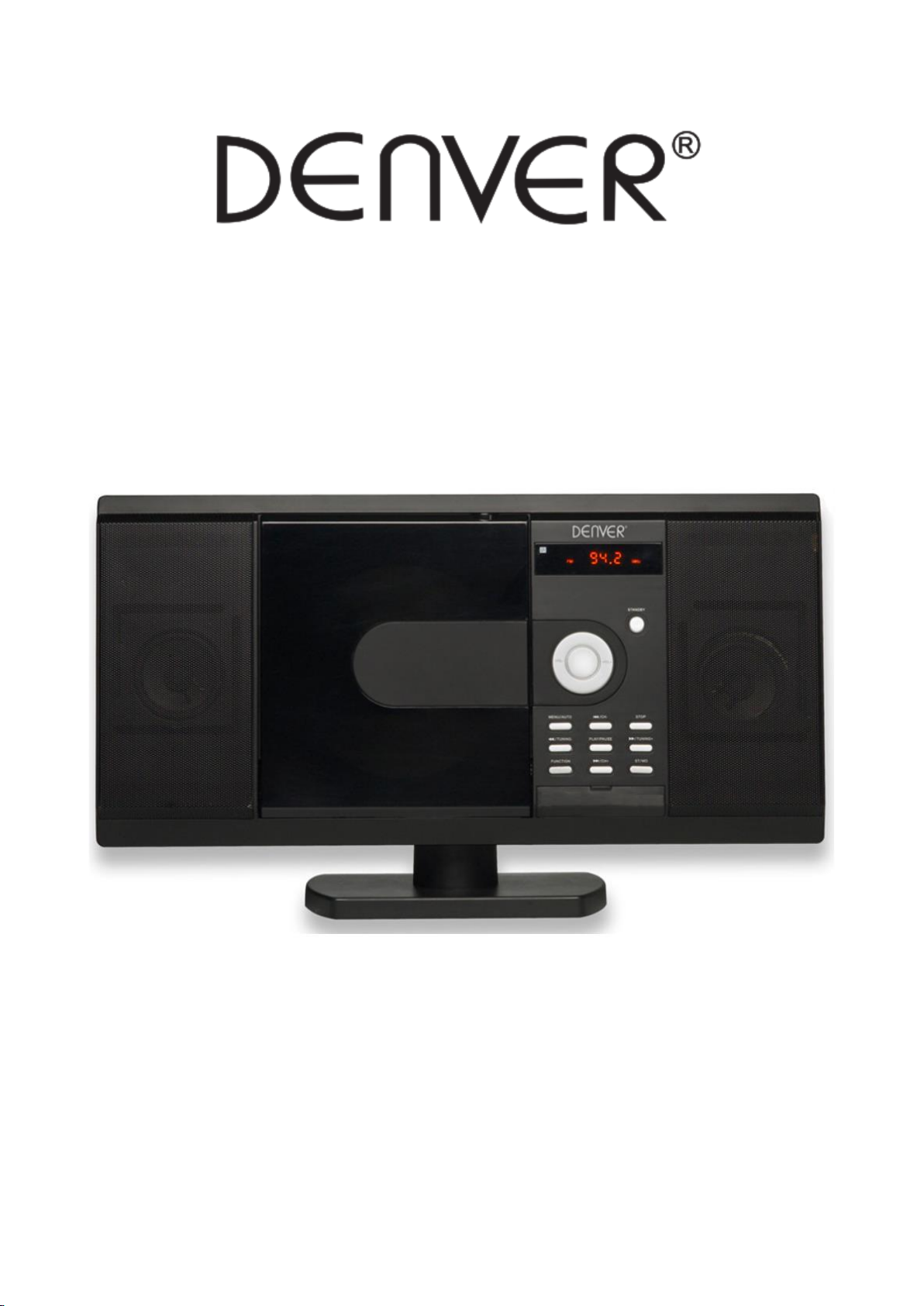
Music Center
DENVER MCD-63
Quick start guide
www.denver-electronics.com
Before connecting, operating or adjusting this product,
please read this guide carefully and completely
Page 2
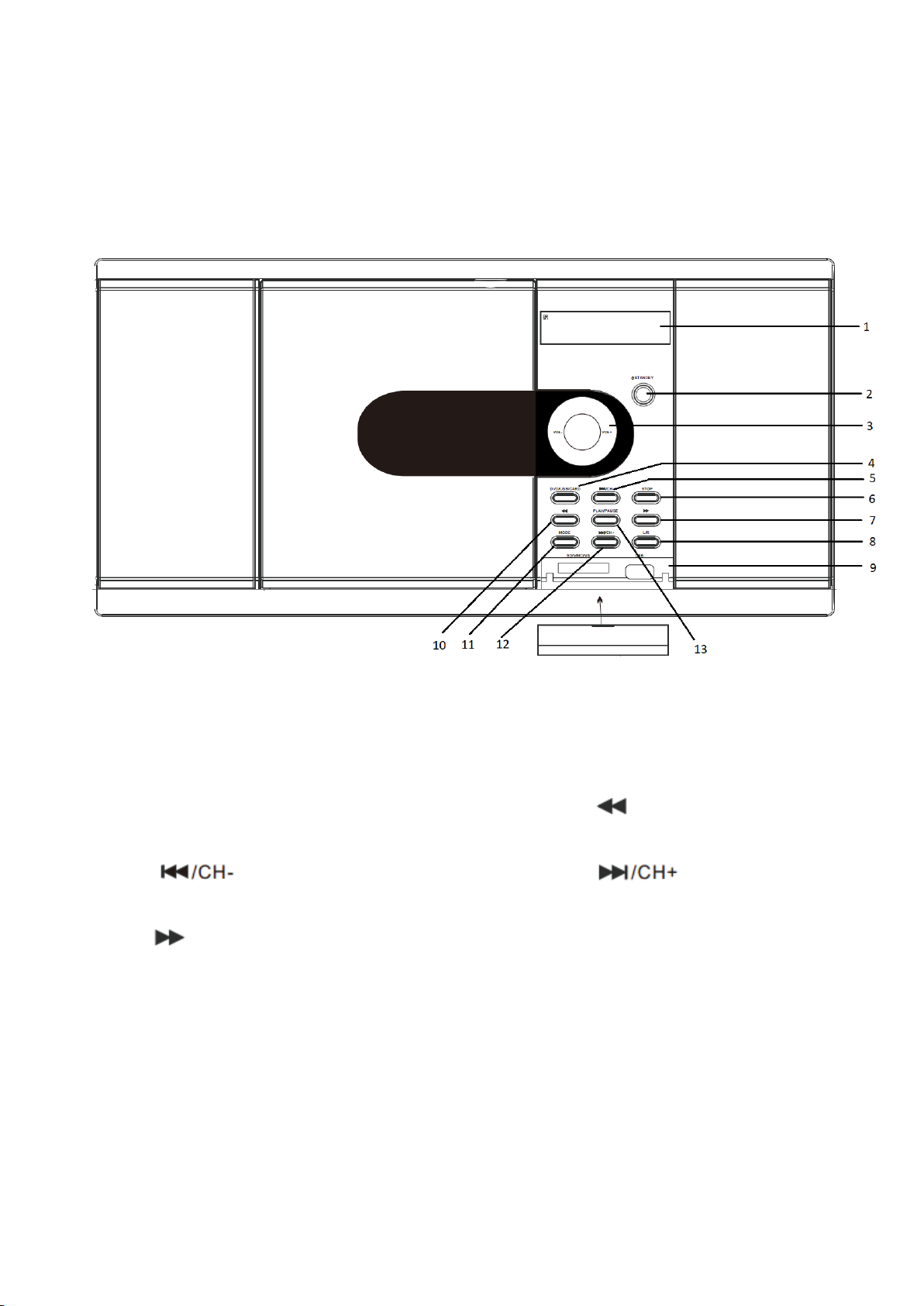
Front panel
1. Display
2. Standby / ON
3. Volume +/-
4. DVD/USB/CARD
5. PREVIOUS
6. STOP
7. FWD
8. L/R
9. SD/MMC/MS/USB slot
10. REV
11. MODE
12. NEXT
13. PLAY/PAUSE
Page 3
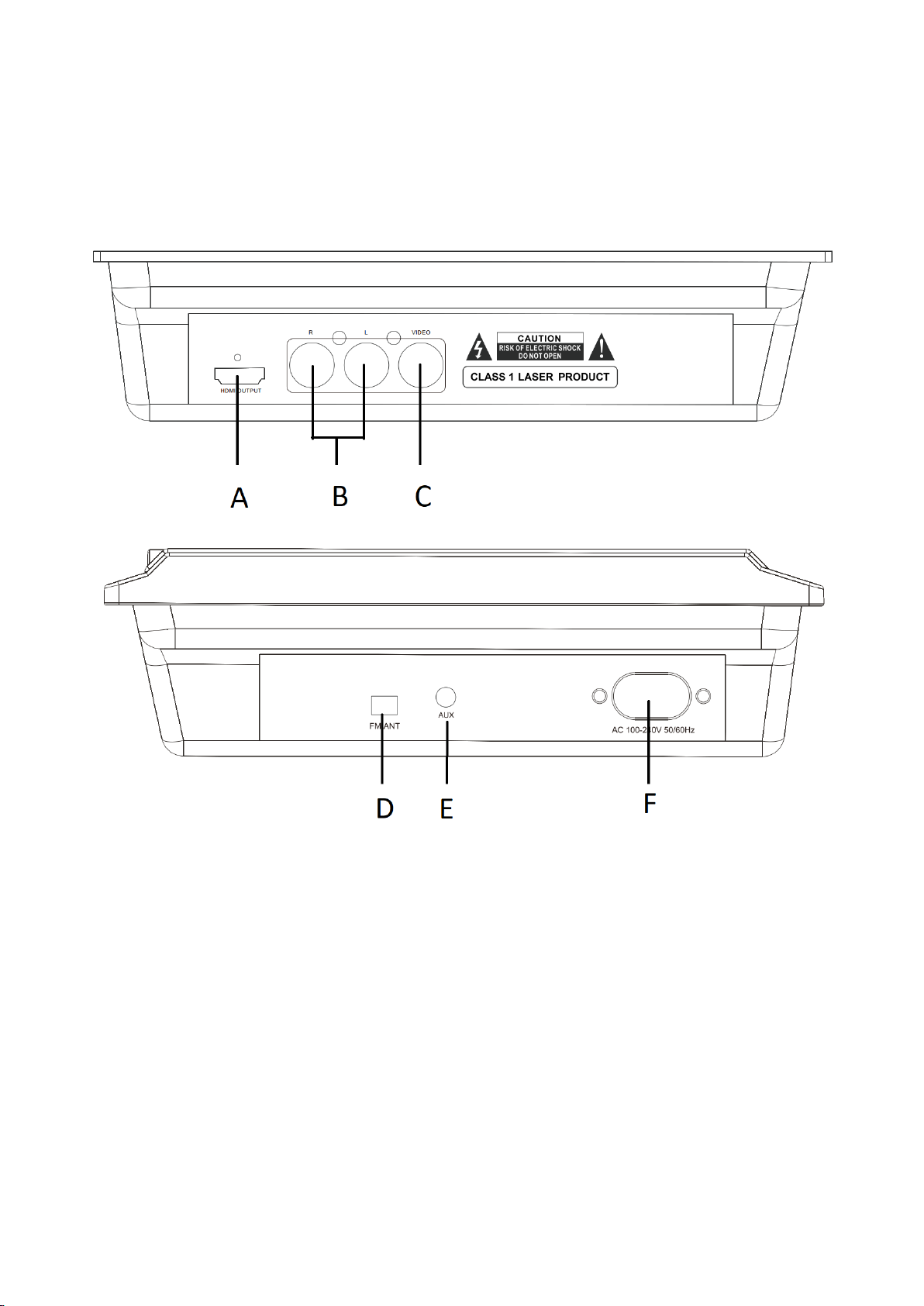
Rear Panel
A. HDMI OUTPUT
B. Analog Audio L/R
C. Video out
D. FM Antenna
E. AUX in
F. POWER
Page 4
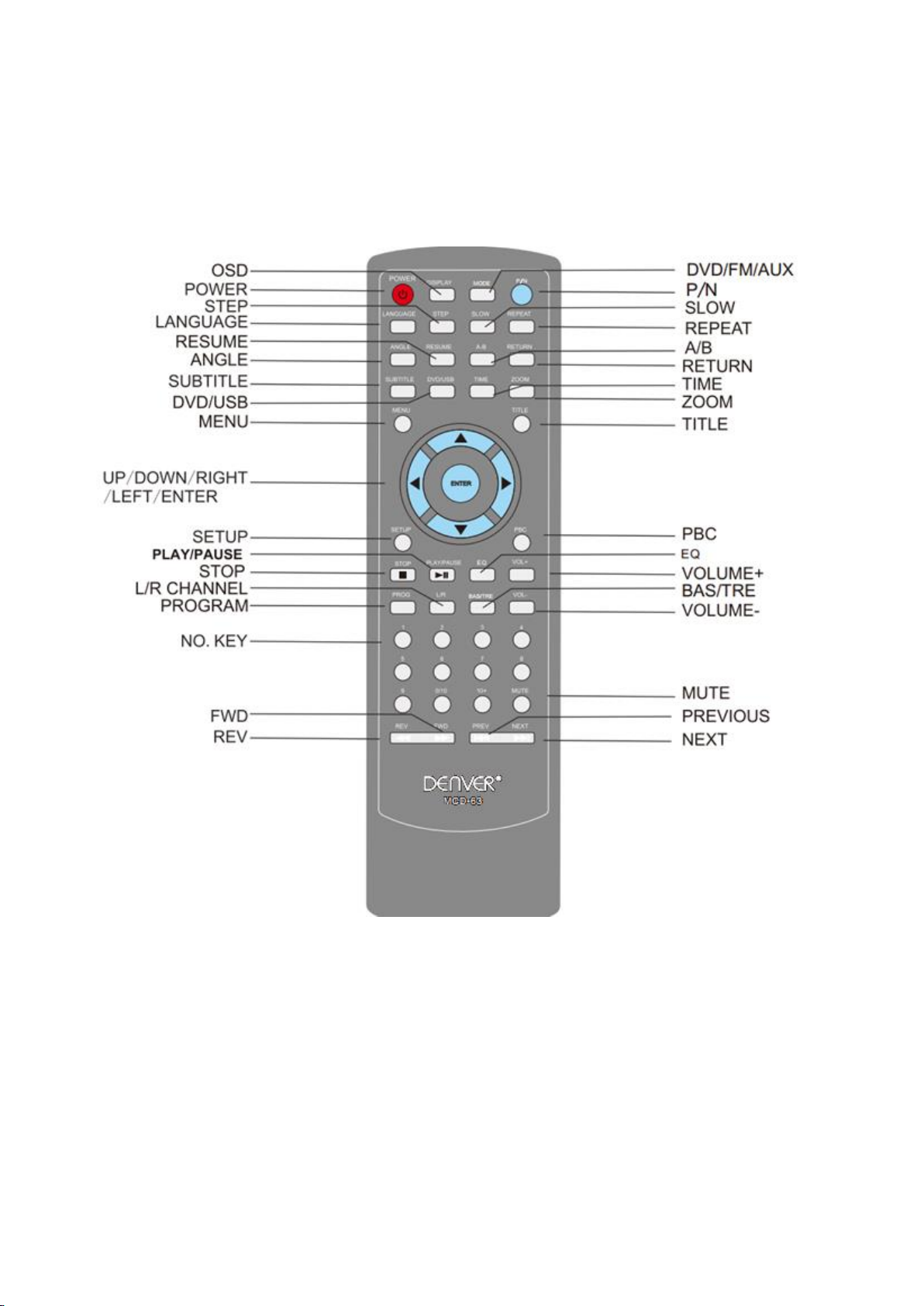
Remote control
Page 5

Remote control functions
POWER BUTTON
Press POWER button on remote control turn on the MCD-63 product. Make sure you have connected the
power cable and connected the unit to a TV via HDMI or Video out.
OSD BUTTON
Press this button show on screen display.
Time elapsed-> Time Remain -> Chapter Elapsed -> Chapter remain
SUBTITLE BUTTON
Press button and it will display DVD subtitles if available.
RANDOM BUTTON (RANDOM SELECTION)
Press this button to activate random playback
LANGUAGE BUTTON
Press this button to select DVD language.
MENU BUTTON
Press this button choose DVD menu.
MODE BUTTON
Press this button to change between DVD/FM/AUX modes.
SETUP BUTTON
Press this button to enter DVD setup.
HDMI Connection
This unit has HDMI output. You can use a HDMI connection cable to connect to your TV. Make sure you
have set your TV to HDMI input.
DVD PASSWORD
If prompted for pass for DVD password. Please enter: 0000
Page 6
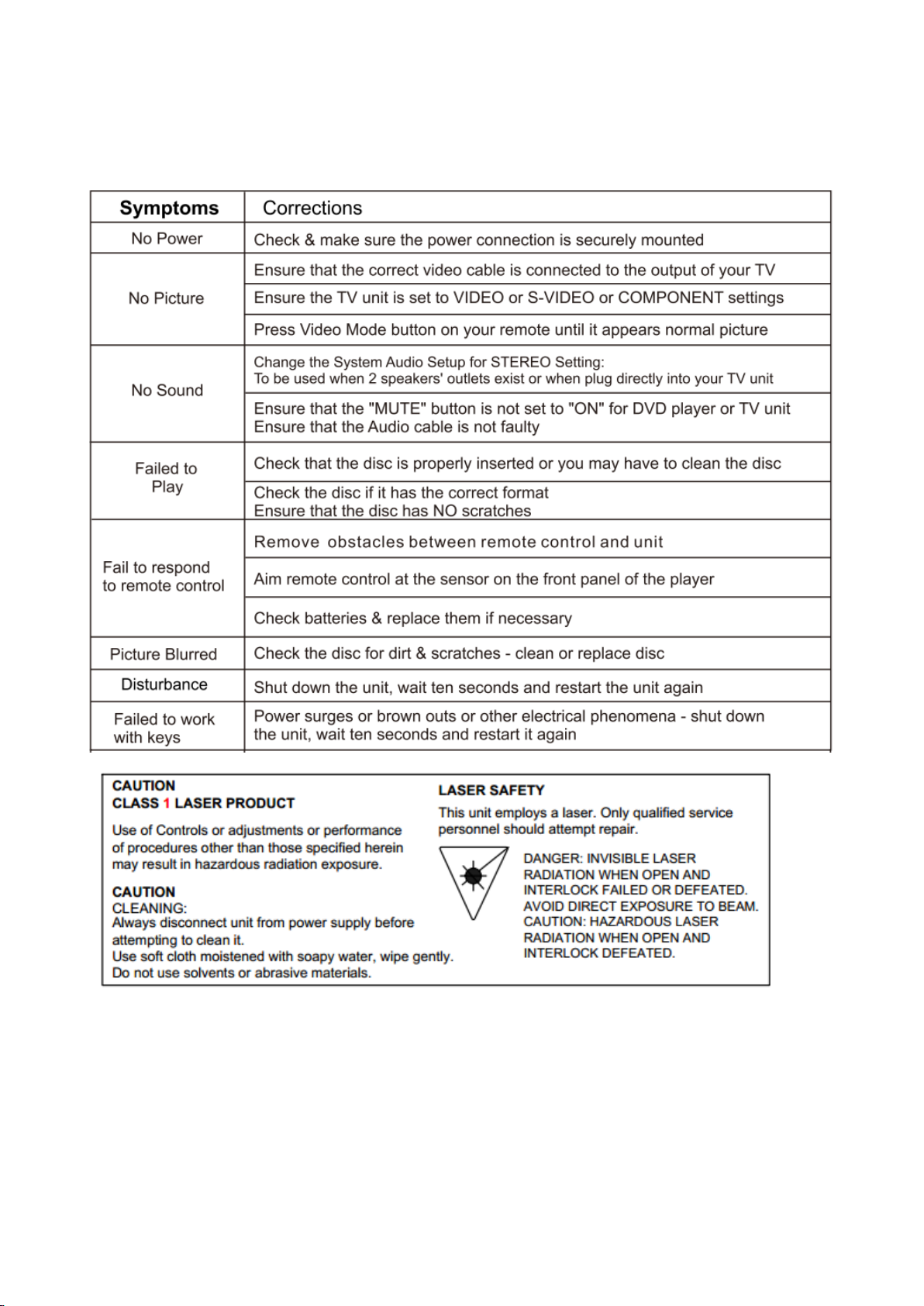
TROUBLE SHOOTING
Page 7
ALL RIGHTS RESERVED, COPYRIGHT DENVER ELECTRONICS A/S
Electric and electronic equipment contains materials, components and substances that can be hazardous to
your health and the environment, if the waste material (discarded electric and electronic equipment) is not
handled correctly.
Electric and electronic equipment is marked with the crossed out trash can symbol, seen below. This
symbol signifies that electric and electronic equipment should not be disposed of with other household
waste, but should be disposed of separately.
All cities have established collection points, where electric and electronic equipment can either be
submitted free of charge at recycling stations and other collection sites, or be collected from the
households. Additional information is available at the technical department of your city.
Hereby, Inter Sales A/S declares that the radio equipment type MCD-63 is in compliance with Directive 2014/53/EU.
The full text of the EU declaration of conformity is available at the following internet address: http://www.denver-
electronics.com/denver-MCD-63/
Operating Frequency Range: 87.5 – 108MHz
Max Output Power:20W
Imported by:
DENVER ELECTRONICS A/S
Omega 5A, Soeften
DK-8382 Hinnerup
Denmark
www.facebook.com/denverelectronics
 Loading...