

Page 1
Dell™ PowerConnect™ RPS-600
Setup Guide
安装指南
安裝指南
Instalační příručka
Guide d'installation
Setup-Handbuch
Telepítési útmutató
セットアップガイド
설치 안내서
Instrukcja instalacji
Guia de configuração
Руководство по
установке
Návod na inštaláciu
Navodila za nastavitve
Guía de instalación
Model PowerConnect RPS-600
www.dell.com | support.dell.com
Page 2

Dell™ PowerConnect™ RPS-600
Setup Guide
www.dell.com | support.dell.com
Page 3

Notes, Notices, and Cautions
NOTE: A NOTE indicates important information that helps you make better
use of your computer.
NOTICE: A NOTICE indicates either potential damage to hardware or loss of
data and tells you how to avoid the problem.
CAUTION: A CAUTION indicates a potential for property damage,
personal injury, or death.
____________________
Information in this document is subject to change without notice.
© 2002 Dell Computer Corporation. All rights reserved.
Reproduction in any manner whatsoever without the written permission of
Dell Computer Corporation is strictly forbidden.
Trademarks used in this text: Dell, the DELL logo, and PowerConnect are trademarks of
Dell Computer Corporation; EMC is the trademark of EMC Corporation.
Other trademarks and trade names may be used in this document to refer to either the entities claiming
the marks and names or their products. Dell Computer Corporation disclaims any proprietary interest
in trademarks and trade names other than its own.
December 2002 P/N 2T227 Rev. A02
Page 4

Contents
Caution: Safety Instructions . . . . . . . . . . . . . . . . . . . . 5
General
Rack Mounting of Systems
Modems, Telecommunications, or Local Area
Network Options
Protecting Against Electrostatic Discharge
Package Contents . . . . . . . . . . . . . . . . . . . . . . . . . 10
. . . . . . . . . . . . . . . . . . . . . . . . . . . . . 5
. . . . . . . . . . . . . . . . . . . . 7
. . . . . . . . . . . . . . . . . . . . . . . . . 8
. . . . . . . . . . . . 9
Features
Front Panel Indicators
Mounting Instructions
. . . . . . . . . . . . . . . . . . . . . . . . . . . . . . 10
. . . . . . . . . . . . . . . . . . . . . . . 10
. . . . . . . . . . . . . . . . . . . . . . . 11
Installing the PowerConnect RPS-600 on a Flat Surface
Installing the PowerConnect RPS-600 in a Rack
Technical Information
Power Supply Specification
Technical Assistance
Regulatory Notices
Limited Warranties and Return Policy
Limited Warranty for the U.S.
. . . . . . . . . . . . . . . . . . . . . . . 12
. . . . . . . . . . . . . . . . . . 12
. . . . . . . . . . . . . . . . . . . . . . . 13
. . . . . . . . . . . . . . . . . . . . . . . . 14
. . . . . . . . . . . . . . 27
. . . . . . . . . . . . . . . . . 27
"Total Satisfaction" Return Policy (U.S. Only)
Limited Warranty Terms for Canada
"Total Satisfaction" Return Policy
Dell Software and Peripherals
. . . . . . . . . . . . . . 31
. . . . . . . . . . . . . . . . 35
. . . . . . . . . . . . . . . . . 36
One-Year End-User Manufacturer Guarantee
(Latin America and the Caribbean Only)
. . . . . . . . . . . . 37
. . . . 11
. . . . . . . . 11
. . . . . . . . . . 31
Contents 3
Page 5

4 Contents
Page 6

Caution: Safety Instructions
Use the following safety guidelines to ensure your own personal safety and to help protect
your system from potential damage.
General
• Observe and follow service markings. Do not service any product except as explained
in your system documentation. Opening or removing covers that are marked with the
triangular symbol with a lightning bolt may expose you to electrical shock.
Components inside these compartments should be serviced only by a trained service
technician.
• If any of the following conditions occur, unplug the product from the electrical outlet
and replace the part or contact your trained service provider:
– The power cable, extension cable, or plug is damaged.
– An object has fallen into the product.
– The product has been exposed to water.
– The product has been dropped or damaged.
– The product does not operate correctly when you follow the operating
instructions.
• Keep your system away from radiators and heat sources. Also, do not block
cooling vents.
• Do not spill food or liquids on your system components, and never operate the
product in a wet environment. If the system gets wet, see the appropriate section in
your troubleshooting guide or contact your trained service provider.
• Do not push any objects into the openings of your system. Doing so can cause fire or
electric shock by shorting out interior components.
• Use the product only with approved equipment.
• Allow the product to cool before removing covers or touching internal components.
• Operate the product only from the type of external power source indicated on the
electrical ratings label. If you are not sure of the type of power source required,
consult your service provider or local power company.
Dell PowerConnect RPS-600 Setup Guide 5
Page 7

Caution: Safety Instructions (continued)
• Use only approved power cable(s). If you have not been provided with a power cable
for your system or for any AC-powered option intended for your system, purchase a
power cable that is approved for use in your country. The power cable must be rated
for the product and for the voltage and current marked on the product's electrical
ratings label. The voltage and current rating of the cable should be greater than the
ratings marked on the product.
• To help prevent electric shock, plug the system and peripheral power cables into
properly grounded electrical outlets. These cables are equipped with three-prong
plugs to help ensure proper grounding. Do not use adapter plugs or remove the
www.dell.com | support.dell.com
grounding prong from a cable. If you must use an extension cable, use a 3-wire cable
with properly grounded plugs.
• Observe extension cable and power strip ratings. Make sure that the total ampere
rating of all products plugged into the extension cable or power strip does not exceed
80 percent of the ampere ratings limit for the extension cable or power strip.
• To help protect your system from sudden, transient increases and decreases in
electrical power, use a surge suppressor, line conditioner, or uninterruptible power
supply (UPS).
• Position system cables and power cables carefully; route cables so that they cannot be
stepped on or tripped over. Be sure that nothing rests on any cables.
• Do not modify power cables or plugs. Consult a licensed electrician or your power
company for site modifications. Always follow your local/national wiring rules.
• When connecting or disconnecting power to hot-pluggable power supplies, if offered
with your system, observe the following guidelines:
– Install the power supply before connecting the power cable to the power supply.
– Unplug the power cable before removing the power supply.
– If the system has multiple sources of power, disconnect power from the system by
unplugging all power cables from the power supplies.
• Move products with care; ensure that all casters and/or stabilizers are firmly
connected to the system. Avoid sudden stops and uneven surfaces.
6 Dell PowerConnect RPS-600 Setup Guide
Page 8
Caution: Safety Instructions (continued)
Rack Mounting of Systems
Observe the following precautions for rack stability and safety. Also refer to the rack
installation documentation accompanying the system and the rack for specific caution
statements and procedures.
Systems are considered to be components in a rack. Thus, "component" refers to any
system as well as to various peripherals or supporting hardware.
CAUTION: Installing systems in a rack without the front and side stabilizers
installed could cause the rack to tip over, potentially resulting in bodily injury
under certain circumstances. Therefore, always install the stabilizers before
installing components in the rack.
After installing system/components in a rack, never pull more than one
component out of the rack on its slide assemblies at one time. The weight of
more than one extended component could cause the rack to tip over and may
result in serious injury.
NOTE: Your system is safety-certified as a free-standing unit and as a component for use in a Dell™
rack cabinet using the customer rack kit. The installation of your system and rack kit in any other
rack cabinet has not been approved by any safety agencies. It is your responsibility to have the final
combination of system and rack kit in a rack cabinet evaluated for suitability by a certified safety
agency. Dell disclaims all liability and warranties in connection with such combinations.
• System rack kits are intended to be installed in a rack by trained service technicians. If
you install the kit in any other rack, be sure that the rack meets the specifications of a
Dell rack.
CAUTION: Do not move racks by yourself. Due to the height and weight of the
rack, a minimum of two people should accomplish this task.
• Before working on the rack, make sure that the stabilizers are secured to the rack,
extended to the floor, and that the full weight of the rack rests on the floor. Install
front and side stabilizers on a single rack or front stabilizers for joined multiple racks
before working on the rack.
• Always load the rack from the bottom up, and load the heaviest item in the rack first.
• Make sure that the rack is level and stable before extending a component from
the rack.
• Use caution when pressing the component rail release latches and sliding a
component into or out of a rack; the slide rails can pinch your fingers.
Dell PowerConnect RPS-600 Setup Guide 7
Page 9

Caution: Safety Instructions (continued)
• After a component is inserted into the rack, carefully extend the rail into a locking
position, and then slide the component into the rack.
• Do not overload the AC supply branch circuit that provides power to the rack. The
total rack load should not exceed 80 percent of the branch circuit rating.
• Ensure that proper airflow is provided to components in the rack.
• Do not step on or stand on any component when servicing other components in
a rack.
www.dell.com | support.dell.com
CAUTION: A qualified electrician must perform all connections to DC power and
to safety grounds. All electrical wiring must comply with applicable local or
national codes and practices.
CAUTION: Never defeat the ground conductor or operate the equipment in the
absence of a suitably installed ground conductor. Contact the appropriate
electrical inspection authority or an electrician if you are uncertain that
suitable grounding is available.
CAUTION: The system chassis must be positively grounded to the rack cabinet
frame. Do not attempt to connect power to the system until grounding cables
are connected. Completed power and safety ground wiring must be inspected by
a qualified electrical inspector. An energy hazard will exist if the safety ground
cable is omitted or disconnected.
Modems, Telecommunications, or Local Area Network Options
• Do not connect or use a modem during a lightning storm. There may be a risk of
electrical shock from lightning.
• Never connect or use a modem in a wet environment.
• Do not plug a modem or telephone cable into the network interface controller (NIC)
receptacle.
• Disconnect the modem cable before opening a product enclosure, touching or
installing internal components, or touching an uninsulated modem cable or jack.
8 Dell PowerConnect RPS-600 Setup Guide
Page 10

When Using Your System
Protecting Against Electrostatic Discharge
NOTICE: Only a certified service technician should perform repairs on your system. Damage
due to servicing that is not authorized by Dell is not covered by your warranty.
Static electricity can harm delicate components inside your system. To prevent static
damage, discharge static electricity from your body before you touch any of the electronic
components, such as the microprocessor. You can do so by periodically touching an
unpainted metal surface on the chassis.
You can also take the following steps to prevent damage from electrostatic discharge
(ESD):
• When unpacking a static-sensitive component from its shipping carton, do not
remove the component from the antistatic packing material until you are ready to
install the component in your system. Just before unwrapping the antistatic
packaging, be sure to discharge static electricity from your body.
• When transporting a sensitive component, first place it in an antistatic container or
packaging.
• Handle all sensitive components in a static-safe area. If possible, use antistatic floor
pads and workbench pads and an antistatic grounding strap.
NOTE: Your system may also include circuit cards or other components that contain batteries. These
batteries must also be disposed of in a battery deposit site. For information about such batteries,
refer to the documentation for the specific card or component.
Dell PowerConnect RPS-600 Setup Guide 9
Page 11

www.dell.com | support.dell.com
Package Contents
Before you install the RPS-600, verify that your package contains the
following items:
• RPS-600 Redundant Power Bank
• Documentation CD
• AC power cord
• Rack mounting kit
• Switch DC power cords (4 each)
Features
The PowerConnect RPS-600 Redundant Power Bank provides four external,
redundant power supplies for your PowerConnect switches, eliminating the
power supply as a single point of failure.
• Supports up to four PowerConnect switches through 12-V DC output
• Dedicated 150-W power supply for up to four connected switches
• Front panel LEDs to display status of individual power supplies
• 1-U, 19-inch rack mountable system
Front Panel Indicators
10 Dell PowerConnect RPS-600 Setup Guide
Page 12

Mounting Instructions
NOTICE: Before you install the PowerConnect™ RPS-600, consult your
PowerConnect switch User's Guide to confirm that your switch supports the
PowerConnect RPS-600 Redundant Power Bank.
Installing the PowerConnect RPS-600 on a Flat Surface
You can install the RPS-600 on any appropriate level surface that can safely
support the weight of the switches, the RPS-600, and their attached cables.
There must be adequate space around the RPS-600 for ventilation and to
access cable connectors.
To install the RPS-600 on a flat surface:
1 Set the RPS-600 on the flat surface and check for proper ventilation.
NOTICE: Allow at least 2 inches (5.1 cm) on each side for proper ventilation
and 5 inches (12.7 cm) at the back for power-cord clearance.
Attach rubber feet on each marked location on the bottom of
2
the chassis.
The rubber feet are optional, but recommended to keep the unit
from slipping.
Installing the PowerConnect RPS-600 in a Rack
The RPS-600 can be installed in most standard 19-inch racks.
NOTE: For racks that are not prethreaded, cage nuts are provided.
To install the RPS-600 in a rack:
1 Use the supplied screws to attach a mounting bracket to each side of
the RPS-600.
2 Position the RPS-600 in the rack and align the holes in the mounting
bracket with the holes in the rack.
3 Insert and tighten two screws appropriate for your rack through each of
the mounting brackets.
Dell PowerConnect RPS-600 Setup Guide 11
Page 13

www.dell.com | support.dell.com
To operate the RPS-600 after installation:
1 Plug one end of the switch DC power cord into the connector labeled
"RPS" on the back of the switch. Connect the other end of the switch
DC power cord to any available RPS connector on the back of the
RPS-600.
2 Attach the AC power cord to the RPS-600 and to an AC power outlet.
The switch is now using both power supplies simultaneously. You can
monitor the status of the two power supplies through the front panel LEDs
on your PowerConnect switch and the RPS-600.
Technical Information
Power Supply Specification
The PowerConnect RPS-600 contains four independent 150-W power
supplies.
• The dimension of each supply is 4.0 x 7.0 x 1.334 inches
(1.16 x 17.78 x 3.338 cm) (max.).
• Each power supply has a single output of 12 V. The following table
details the characteristics of each power supply.
12 Dell PowerConnect RPS-600 Setup Guide
Page 14

Parameter 12-V Output
Voltage +12.0 VDC
Initial accuracy +/–1%
Minimum current 2 A
Maximum current 13 A
Line regulation +/–1%
Load regulation +/–10%
Noise and ripple 10%, peak to peak
Overshoot 5%
Undershoot 5%
Environmental Specifications
Operating temperature 0º to 40ºC (32º to 104ºF)
Operating relative humidity 8% to 90%
Storage temperature –40º to 80ºC (–40º to 176ºF)
Storage relative humidity 5% to 95% noncondensing
Vibration 10 to 300 Hz, sweep at a constant acceleration
of 1.0 G for a duration of 1 hour for each of the
perpendicular axes X, Y, Z
Technical Assistance
If you need help with a technical problem, Dell is ready to assist you. See
the PowerConnect CD that came with your PowerConnect switch for
information about contacting Dell.
Dell PowerConnect RPS-600 Setup Guide 13
Page 15

www.dell.com | support.dell.com
Regulatory Notices
Electromagnetic Interference (EMI) is any signal or emission, radiated in
free space or conducted along power or signal leads, that endangers the
functioning of a radio navigation or other safety service or seriously
degrades, obstructs, or repeatedly interrupts a licensed radio
communications service. Radio communications services include but are
not limited to AM/FM commercial broadcast, television, cellular services,
radar, air-traffic control, pager, and Personal Communication Services
(PCS). These licensed services, along with unintentional radiators such as
digital devices, including computer systems, contribute to the
electromagnetic environment.
Electromagnetic Compatibility (EMC) is the ability of items of electronic
equipment to function properly together in the electronic environment.
While this computer system has been designed and determined to be
compliant with regulatory agency limits for EMI, there is no guarantee that
interference will not occur in a particular installation. If this equipment
does cause interference with radio communications services, which can be
determined by turning the equipment off and on, you are encouraged to try
to correct the interference by one or more of the following measures:
• Reorient the receiving antenna.
• Relocate the computer with respect to the receiver.
• Move the computer away from the receiver.
• Plug the computer into a different outlet so that the computer and the
receiver are on different branch circuits.
If necessary, consult a Dell Technical Support representative or an
experienced radio/television technician for additional suggestions.
Dell computer systems are designed, tested, and classified for their
intended electromagnetic environment. These electromagnetic
environment classifications generally refer to the following harmonized
definitions:
• Class A is typically for business or industrial environments.
• Class B is typically for residential environments.
14 Dell PowerConnect RPS-600 Setup Guide
Page 16

Information Technology Equipment (ITE), including peripherals,
expansion cards, printers, input/output (I/O) devices, monitors, and so on,
that are integrated into or connected to the system should match the
electromagnetic environment classification of the computer system.
A Notice About Shielded Signal Cables: Use only shielded cables for
connecting peripherals to any Dell device to reduce the possibility of
interference with radio communications services. Using shielded cables
ensures that you maintain the appropriate EMC classification for the
intended environment. For parallel printers, a cable is available from Dell.
If you prefer, you can order a cable from Dell on the World Wide Web at
accessories.us.dell.com/sna/category.asp?category_id=4117.
Most Dell computer systems are classified for Class B environments.
However, the inclusion of certain options can change the rating of some
configurations to Class A. To determine the electromagnetic classification
for your system or device, refer to the following sections specific for each
regulatory agency. Each section provides country-specific EMC/EMI or
product safety information.
FCC Notices (U.S. Only)
Most Dell computer systems are classified by the Federal Communications
Commission (FCC) as Class B digital devices. To determine which
classification applies to your computer system, examine all FCC
registration labels located on the bottom, side, or back panel of your
computer, on card-mounting brackets, and on the cards themselves. If any
one of the labels carries a Class A rating, your entire system is considered to
be a Class A digital device. If all labels carry an FCC Class B rating as
distinguished by either an FCC ID number or the FCC logo, ( ), your
system is considered to be a Class B digital device.
Once you have determined your system’s FCC classification, read the
appropriate FCC notice. Note that FCC regulations provide that changes
or modifications not expressly approved by Dell could void your authority to
operate this equipment.
Dell PowerConnect RPS-600 Setup Guide 15
Page 17

www.dell.com | support.dell.com
This device complies with Part 15 of the FCC Rules. Operation is subject to
the following two conditions:
• This device may not cause harmful interference.
• This device must accept any interference received, including
interference that may cause undesired operation.
Class A
This equipment has been tested and found to comply with the limits for a
Class A digital device pursuant to Part 15 of the FCC Rules. These limits
are designed to provide reasonable protection against harmful interference
when the equipment is operated in a commercial environment. This
equipment generates, uses, and can radiate radio frequency energy and, if
not installed and used in accordance with the manufacturer’s instruction
manual, may cause harmful interference with radio communications.
Operation of this equipment in a residential area is likely to cause harmful
interference, in which case you will be required to correct the interference at
your own expense.
Class B
This equipment has been tested and found to comply with the limits for a
Class B digital device pursuant to Part 15 of the FCC Rules. These limits are
designed to provide reasonable protection against harmful interference in a
residential installation. This equipment generates, uses, and can radiate
radio frequency energy and, if not installed and used in accordance with the
manufacturer’s instruction manual, may cause interference with radio
communications. However, there is no guarantee that interference will not
occur in a particular installation. If this equipment does cause harmful
interference to radio or television reception, which can be determined by
turning the equipment off and on, you are encouraged to try to correct the
interference by one or more of the following measures:
• Reorient or relocate the receiving antenna.
• Increase the separation between the equipment and the receiver.
• Connect the equipment into an outlet on a circuit different from that
to which the receiver is connected.
• Consult the dealer or an experienced radio/television technician
for help.
16 Dell PowerConnect RPS-600 Setup Guide
Page 18
The following information is provided on the device or devices covered in
this document in compliance with FCC regulations:
• Model number: Dell PowerConnect RPS-600
• Company name:
Dell Computer Corporation
One Dell Way
Round Rock, Texas 78682 USA
512-338-4400
IC Notice (Canada Only)
Most Dell computer systems (and other Dell digital apparatus) are
classified by the Industry Canada (IC) Interference-Causing Equipment
Standard #3 (ICES-003) as Class B digital devices. To determine which
classification (Class A or B) applies to your computer system (or other Dell
digital apparatus), examine all registration labels located on the bottom,
side, or the back panel of your computer (or other digital apparatus). A
statement in the form of "IC Class A ICES-003" or "IC Class B ICES-003"
will be located on one of these labels. Note that Industry Canada
regulations provide that changes or modifications not expressly approved by
Dell could void your authority to operate this equipment.
This Class B (or Class A, if so indicated on the registration label) digital
apparatus meets the requirements of the Canadian InterferenceCausing Equipment Regulations.
Cet appareil numérique de la Classe B (ou Classe A, si ainsi indiqué sur
l’étiquette d’enregistration) respecte toutes les exigences du Reglement
sur le Materiel Brouilleur du Canada.
Dell PowerConnect RPS-600 Setup Guide 17
Page 19

www.dell.com | support.dell.com
CE Notice (European Union)
Marking by the symbol indicates compliance of this Dell computer to
the EMC Directive and the Low Voltage Directive of the European Union.
Such marking is indicative that this Dell system meets the following
technical standards:
• EN 55022 — "Information Technology Equipment — Radio
Disturbance Characteristics — Limits and Methods of Measurement."
• EN 55024 — "Information Technology Equipment - Immunity
Characteristics - Limits and Methods of Measurement."
• EN 61000-3-2 — "Electromagnetic Compatibility (EMC) - Part 3:
Limits - Section 2: Limits for Harmonic Current Emissions
(Equipment Input Current Up to and Including 16 A Per Phase)."
• EN 61000-3-3 — "Electromagnetic Compatibility (EMC) - Part 3:
Limits - Section 3: Limitation of Voltage Fluctuations and Flicker in
Low-Voltage Supply Systems for Equipment With Rated Current Up
to and Including 16 A."
• EN 60950 — "Safety of Information Technology Equipment."
NOTE: EN 55022 emissions requirements provide for two classifications:
• Class A is for typical commercial areas.
• Class B is for typical domestic areas.
RF INTERFERENCE WARNING: This is a Class A product. In a
domestic environment this product may cause radio frequency (RF)
interference, in which case the user may be required to take adequate
measures.
A "Declaration of Conformity" in accordance with the preceding directives
and standards has been made and is on file at Dell Computer Corporation
Products Europe BV, Limerick, Ireland.
18 Dell PowerConnect RPS-600 Setup Guide
Page 20

Simplified Chinese Class A Warning Notice (China Only)
On Class A systems, the following warning will appear near the regulatory
label:
Warning: This is a Class A product. In a domestic environment this
product may cause radio interference, in which case the user may be
required to take adequate measures.
EN 55022 Compliance (Czech Republic Only)
This device belongs to Class B devices as described in EN 55022, unless
it is specifically stated that it is a Class A device on the specification
label. The following applies to devices in Class A of EN 55022 (radius of
protection up to 30 meters). The user of the device is obliged to take all
steps necessary to remove sources of interference to telecommunication
or other devices.
Pokud není na typovém štítku počítače uvedeno, že spadá do
třídy A podle EN 55022, spadá automaticky do třídy B podle
EN 55022. Pro zařízení zařazená do třídy A (ochranné pásmo
30 m) podle EN 55022 platí následující. Dojde−li k rušení
telekomunikačních nebo jinych zařízení, je uživatel povinen
provést taková opatření, aby rušení odstranil.
VCCI Notice (Japan Only)
Most Dell computer systems are classified by the Voluntary Control Council
for Interference (VCCI) as Class B information technology equipment
(ITE). However, the inclusion of certain options can change the rating of
some configurations to Class A. ITE, including peripherals, expansion cards,
printers, input/output (I/O) devices, monitors, and so on, integrated into or
connected to the system should match the electromagnetic environment
classification (Class A or B) of the computer system.
Dell PowerConnect RPS-600 Setup Guide 19
Page 21

www.dell.com | support.dell.com
To determine which classification applies to your computer system,
examine the regulatory labels/markings (see "VCCI Class A ITE Regulatory
Mark" and "VCCI Class B ITE Regulatory Mark") located on the bottom,
side, or back panel of your computer. Once you have determined your
system’s VCCI classification, read the appropriate VCCI notice.
Class A ITE
This is a Class A product based on the standard of the Voluntary Control
Council for Interference (VCCI) for information technology equipment. If
this equipment is used in a domestic environment, radio disturbance may
arise. When such trouble occurs, the user may be required to take corrective
actions.
VCCI Class A ITE Regulatory Mark
If the regulatory label includes the following marking, your computer is a
Class A product:
VCCI
Class B ITE
This is a Class B product based on the standard of the Voluntary Control
Council for Interference (VCCI) for information technology equipment. If
this equipment is used near a radio or television receiver in a domestic
environment, it may cause radio interference. Install and use the equipment
according to the instruction manual.
20 Dell PowerConnect RPS-600 Setup Guide
Page 22
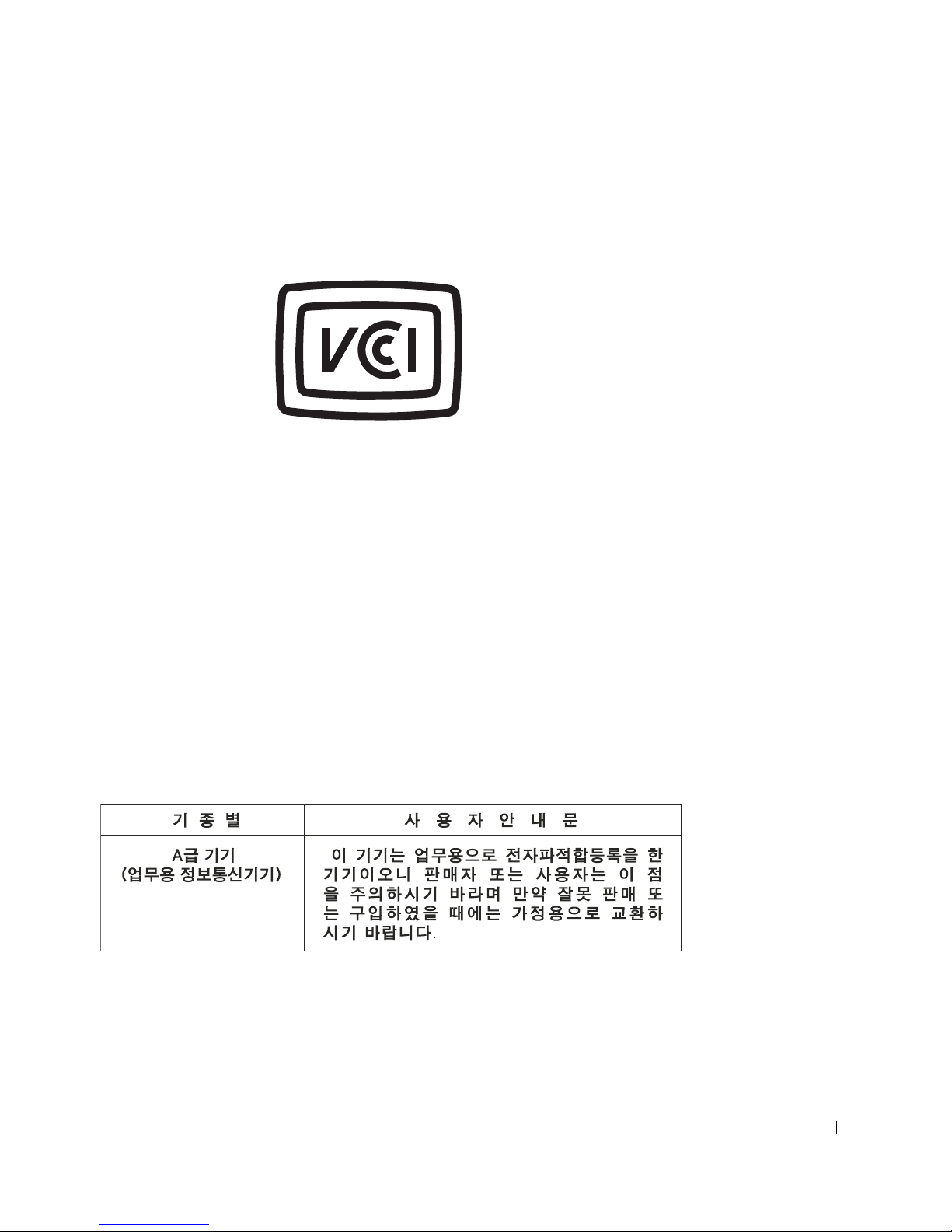
VCCI Class B ITE Regulatory Mark
If the regulatory label includes the following marking, your computer is a
Class B product:
MIC Notice (Republic of Korea Only)
To determine which classification (Class A or B) applies to your computer
(or other Dell digital device), examine the Republic of Korean Ministry of
Information and Communications (MIC) registration labels located on
your computer (or other Dell digital device). The MIC label may be located
separately from the other regulatory marking applied to your product. Line
two of the label identifies the emissions class for the product—"(A)" for
Class A products or "(B)" for Class B products.
NOTE: MIC emissions requirements provide for two classifications:
• Class A devices are for business purposes.
• Class B devices are for nonbusiness purposes.
Class A Device
Please note that this device has been approved for business purposes with
regard to electromagnetic interference. If you find that this device is not
suitable for your use, you may exchange it for a nonbusiness-purpose device.
Dell PowerConnect RPS-600 Setup Guide 21
Page 23
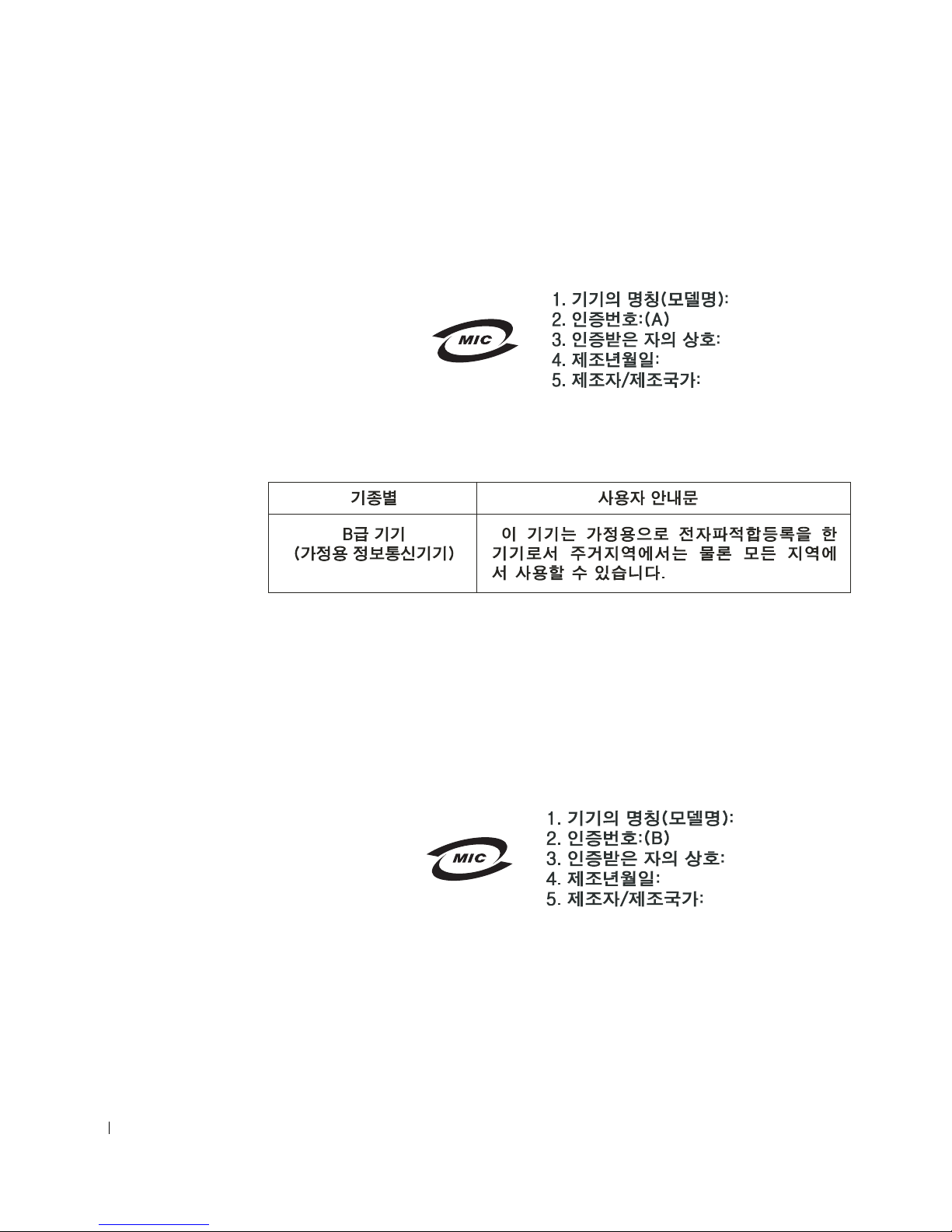
MIC Class A Regulatory Label
If the regulatory label includes the following marking, your computer is a
Class A product:
www.dell.com | support.dell.com
Class B Device
Please note that this device has been approved for nonbusiness purposes
and may be used in any environment, including residential areas.
MIC Class B Regulatory Label
If the regulatory label includes the following marking, your computer is a
Class B product.
22 Dell PowerConnect RPS-600 Setup Guide
Page 24

Polish Center for Testing and Certification Notice
The equipment should draw power from a socket with an attached
protection circuit (a 3-prong socket). All equipment that works together
(computer, monitor, printer, and so on) should have the same power supply
source.
The phasing conductor of the room’s electrical installation should have a
reserve short-circuit protection device in the form of a fuse with a nominal
value no larger than 16 amperes (A).
To completely switch off the equipment, the power supply cable must be
removed from the power supply socket, which should be located near the
equipment and easily accessible.
A protection mark "B" confirms that the equipment is in compliance with
the protection usage requirements of standards PN-93/T-42107 and
PN-EN 55022: 1996.
Dell PowerConnect RPS-600 Setup Guide 23
Page 25
www.dell.com | support.dell.com
24 Dell PowerConnect RPS-600 Setup Guide
Page 26
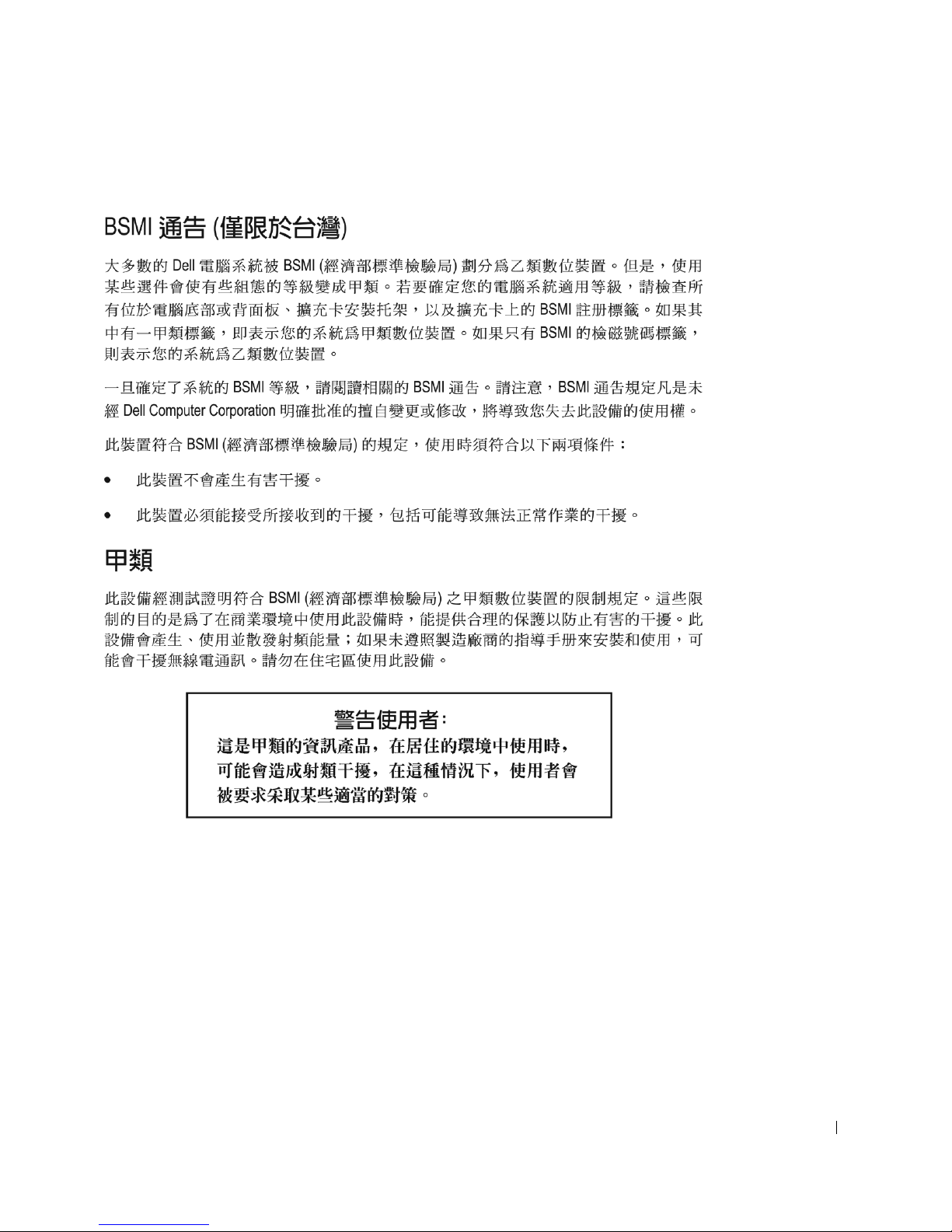
BSMI Notice (Taiwan Only)
Dell PowerConnect RPS-600 Setup Guide 25
Page 27
www.dell.com | support.dell.com
NOM Information (Mexico Only)
The following information is provided on the device(s) described in this
document in compliance with the requirements of the official Mexican
standards (NOM):
Exporter: Dell Computer Corporation
One Dell Way
Round Rock, TX 78682
Importer: Dell Computer de México,
S.A. de C.V.
Paseo de la Reforma 2620 - 11° Piso
Col. Lomas Altas
11950 México, D.F.
Ship to: Dell Computer de México,
S.A. de C.V. al Cuidado de Kuehne &
Nagel de México S. de R.I.
Avenida Soles No. 55
Col. Peñon de los Baños
15520 México, D.F.
Model number: PowerConnect RPS-600
Supply voltage: 100–240
Frequency: 50–60 Hz
Input current rating: 12 A
26 Dell PowerConnect RPS-600 Setup Guide
Page 28

Limited Warranties and Return Policy
Dell-branded hardware products purchased in the U.S. or Canada come with either a 90-day
(U.S. only), one-year, two-year, three-year, or four-year limited warranty. To determine which
warranty you purchased, see the Dell invoice that accompanied your computer. The following
sections describe the limited warranties and return policy for the U.S., the limited warranties
and return policy for Canada, and the manufacturer guarantee for Latin America and the
Caribbean.
Limited Warranty for the U.S.
What is covered by this limited warranty?
This limited warranty covers defects in materials and workmanship in your—our end-user
customer's—Dell-branded hardware products, including Dell-branded monitors, keyboards,
and pointing devices (mice).
What is not covered by this limited warranty?
This limited warranty does not cover:
• Software, including the operating system and software added to the Dell-branded
hardware products through our factory-integration system, third-party software, or the
reloading of software
• Non-Dell-branded products and accessories
• Problems that result from:
– External causes such as accident, abuse, misuse, or problems with electrical power
– Servicing not authorized by us
– Usage that is not in accordance with product instructions
– Failure to follow the product instructions or failure to perform preventive
maintenance
– Problems caused by using accessories, parts, or components not supplied by us
• Products with missing or altered service tags or serial numbers
• Products for which we have not received payment
THIS WARRANTY GIVES YOU SPECIFIC LEGAL RIGHTS, AND YOU MAY ALSO
HAVE OTHER RIGHTS WHICH VARY FROM STATE TO STATE (OR JURISDICTION
TO JURISDICTION). DELL'S RESPONSIBILITY FOR MALFUNCITONS AND
DEFECTS IN HARDWARE IS LIMITED TO REPAIR AND REPLACEMENT AS SET
FORTH IN THIS WARRANTY STATEMENT. ALL EXPRESS AND IMPLIED
WARRANTIES FOR THE PRODUCT, INCLUDING BUT NOT LIMITED TO ANY
IMPLIED WARRANTIES AND CONDITIONS OF MERCHANTABILITY AND
FITNESS FOR A PARTICULAR PURPOSE, ARE LIMITED IN TIME TO THE TERM
OF THE LIMITED WARRANTY PERIOD REFLECTED ON YOUR INVOICE. NO
WARRANTIES, WHETHER EXPRESS OR IMPLIED, WILL APPLY AFTER THE
LIMITED WARRANTY PERIOD HAS EXPIRED. SOME STATES DO NOT ALLOW
LIMITATIONS ON HOW LONG AN IMPLIED WARRANTY LASTS, SO THIS
LIMITATION MAY NOT APPLY TO YOU.
PowerConnect RPS-600 Setup Guide 27
Page 29

www.dell.com | support.dell.com
WE DO NOT ACCEPT LIABILITY BEYOND THE REMEDIES PROVIDED FOR IN
THIS LIMITED WARRANTY OR FOR CONSEQUENTIAL OR INCIDENTAL
DAMAGES, INCLUDING, WITHOUT LIMITATION, ANY LIABILTY FOR THIRD
PARTY CLAIMS AGAINST YOU FOR DAMAGES, FOR PRODUCTS NOT BEING
AVAILABLE FOR USE, OR FOR LOST DATA OR LOST SOFTWARE. OUR LIABILITY
WILL BE NO MORE THAN THE AMOUNT YOU PAID FOR THE PRODUCT THAT IS
THE SUBJECT OF A CLAIM. THIS IS THE MAXIMUM AMOUNT FOR WHICH WE
ARE RESPONSIBLE.
SOME STATES DO NOT ALLOW THE EXCLUSION OR LIMITATION OF
INCIDENTAL OR CONSEQUENTIAL DAMAGES, SO THE ABOVE LIMITATION OR
EXCLUSION MAY NOT APPLY TO YOU.
How long does this limited warranty last?
This limited warranty lasts for the time period indicated on your invoice, except that the
limited warranty on Dell-branded batteries lasts only one year and the limited warranty on the
lamps for Dell-branded projectors lasts only ninety days. The limited warranty begins on the
date of the invoice. The warranty period is not extended if we repair or replace a warranted
product or any parts. Dell may change the availability of limited warranties, at its discretion,
but any changes will not be retroactive.
What do I do if I need warranty service?
Before the warranty expires, please call us at the relevant number listed in the following table.
Please also have your Dell service tag number or order number available.
Individual Home Consumers:
Technical Support 1-800-624-9896
Customer Service 1-800-624-9897
Individual Home Consumers who purchased through an
Employee Purchase Program:
Technical Support and Customer Service 1-800-822-8965
Home and Small Business Commercial Customers:
Technical Support and Customer Service 1-800-456-3355
Medium, Large, or Global Commercial Customers, Healthcare
Customers, and Value Added Resellers (VARs):
Technical Support and Customer Service 1-800-822-8965
Government and Education Customers:
Technical Support and Customer Service 1-800-234-1490
Dell-Branded Memory
1-888-363-5150
28 PowerConnect RPS-600 Setup Guide
Page 30

What will Dell do?
During the first 90 days of the 90-day limited warranty and the first year of all other limited
warranties: For the first 90 days of the 90-day limited warranty and the first year of all other
limited warranties, we will repair any Dell-branded hardware products returned to us that prove
to be defective in materials or workmanship. If we are not able to repair the product, we will
replace it with a comparable product that is new or refurbished.
When you contact us, we will issue a Return Material Authorization Number for you to include
with your return. You must return the products to us in their original or equivalent packaging,
prepay shipping charges, and insure the shipment or accept the risk if the product is lost or
damaged in shipment. We will return the repaired or replacement products to you. We will pay
to ship the repaired or replaced products to you if you use an address in the United States
(excluding Puerto Rico and U.S. possessions and territories). Otherwise, we will ship the
product to you freight collect.
If we determine that the product is not covered under this warranty, we will notify you and
inform you of service alternatives that are available to you on a fee basis.
NOTE: Before you ship the product(s) to us, make sure to back up the data on the hard
drive(s) and any other storage device(s) in the product(s). Remove any confidential, proprietary,
or personal information and removable media such as floppy disks, CDs, or PC Cards. We are
not responsible for any of your confidential, proprietary, or personal information; lost or
corrupted data; or damaged or lost removable media.
During the remaining years: For the remaining period of the limited warranty, we will replace
any defective part with new or refurbished parts, if we agree that it needs to be replaced. When
you contact us, we will require a valid credit card number at the time you request a
replacement part, but we will not charge you for the replacement part as long as you return the
original part to us within thirty days after we ship the replacement part to you. If we do not
receive the original part within thirty days, we will charge to your credit card the then-current
standard price for that part.
We will pay to ship the part to you if you use an address in the United States (excluding Puerto
Rico and U.S. possessions and territories). Otherwise, we will ship the part freight collect. We
will also include a prepaid shipping container with each replacement part for your use in
returning the replaced part to us.
NOTE: Before you replace parts, make sure to back up the data on the hard drive(s) and any
other storage device(s) in the product(s). We are not responsible for lost or corrupted data.
What if I purchased a service contract?
If your on-site service contract is with Dell, on-site service will be provided to you under the
terms of the on-site service agreement. Please refer to that contract for details on how to obtain
service.
If you purchased through us a service contract with one of our third-party service providers,
please refer to that contract for details on how to obtain service.
PowerConnect RPS-600 Setup Guide 29
Page 31

www.dell.com | support.dell.com
How will you fix my product?
We use new and refurbished parts made by various manufacturers in performing warranty
repairs and in building replacement parts and systems. Refurbished parts and systems are parts
or systems that have been returned to Dell, some of which were never used by a customer. All
parts and systems are inspected and tested for quality. Replacement parts and systems are
covered for the remaining period of the limited warranty for the product you bought.
What do I do if I am not satisfied?
We pride ourselves on our great customer service. If you are not satisfied with the service you
receive under this limited warranty, please let us know. We have found that the best way to
resolve issues regarding our limited warranty is to work together. If, after those discussions, you
are still not satisfied, we believe arbitration is the most expeditious way to resolve your
concerns. Therefore, ANY CLAIM, DISPUTE, OR CONTROVERSY (WHETHER IN
CONTRACT, TORT, OR OTHERWISE, WHETHER PREEXISTING, PRESENT, OR
FUTURE, AND INCLUDING STATUTORY, COMMON LAW, INTENTIONAL TORT,
AND EQUITABLE CLAIMS) AGAINST DELL arising from or relating to this limited
warranty, its interpretation, or the breach, termination, or validity thereof, the relationships
which result from this limited warranty (including, to the full extent permitted by applicable
law, relationships with third parties), Dell's advertising, or any related purchase SHALL BE
RESOLVED EXCLUSIVELY AND FINALLY BY BINDING ARBITRATION
ADMINISTERED BY THE NATIONAL ARBITRATION FORUM (NAF) under its Code
of Procedure then in effect (available via the Internet at www.arb-forum.com/ or via telephone
at 1-800-474-2371). The arbitration will be limited solely to the dispute or controversy between
you and Dell. Any award of the arbitrator(s) shall be final and binding on each of the parties,
and may be entered as a judgment in any court of competent jurisdiction. Information may be
obtained and claims may be filed with the NAF at P.O. Box 50191, Minneapolis, MN 55405.
This provision applies only to individual home consumers and consumers who purchased
through an employee purchase program. It does not apply to small, medium, large, and global
commercial customers or government, education, and healthcare customers.
May I transfer the limited warranty?
Limited warranties on systems may be transferred if the current owner transfers ownership of
the system and records the transfer with us. The limited warranty on Dell-branded memory
may not be transferred. You may record your transfer by going to Dell's website:
• If you are an Individual Home Consumer, go to
www.dell.com/us/en/dhs/topics/sbtopic_015_ccare.htm
• If you are a Small, Medium, Large, or Global Commercial Customer, go to
www.dell.com/us/en/biz/topics/sbtopic_ccare_nav_015_ccare.htm
• If you are a Government, Education, or Healthcare Customer, or an Individual
Consumer who purchased through an employee purchase program, go to
www.dell.com/us/en/pub/topics/sbtopic_015_ccare.htm
If you do not have Internet access, please call your customer care representative or call
1-800-624-9897.
30 PowerConnect RPS-600 Setup Guide
Page 32

"Total Satisfaction" Return Policy (U.S. Only)
We value our relationship with you and want to make sure that you're satisfied with your
purchases. That's why we offer a "Total Satisfaction" return policy for most products that you—
the end-user customer—purchase directly from Dell. Under this policy, you may return to Dell
products that you purchased directly from Dell for a credit or a refund of the purchase price
paid, less shipping and handling and applicable restocking fees as follows:
• New Hardware Products and Accessories — All new hardware, accessories, parts, and
unopened software still in its sealed package, excluding the products listed below, may
be returned within thirty days from the invoice date. To return applications software or
an operating system that has been installed by Dell, you must return the entire
computer. A different return policy applies to nondefective products purchased through
Dell's Software and Peripherals division by customers of our Small and Medium Business
divisions. Those products may be returned within thirty days from the invoice date, but
a fifteen percent (15%) restocking fee will be deducted from any refund or credit. The
"Total Satisfaction" Return Policy and Software and Peripherals division return policy are
not available for Dell | EMC storage products, EMC-branded products, or enterprise
software.
• Reconditioned or Refurbished Dell-Branded Hardware Products and Parts — All
reconditioned or refurbished Dell-branded server and storage products may be returned
within thirty days from the invoice date. All other reconditioned or refurbished Dellbranded hardware products and parts may be returned within fourteen days of the
invoice date.
To return products, e-mail or call Dell customer service to receive a Credit Return
Authorization Number within the return policy period applicable to the product you want to
return. You must obtain a Credit Return Authorization Number in order to return the product.
See "Getting Help" on your PowerConnect network switch CD (or
www.dell.com/us/en/gen/contact.htm) to find the appropriate contact information for
obtaining customer assistance.
You must ship the products to Dell within five days of the date that Dell issues the Credit
Return Authorization Number. You must also return the products to Dell in their original
packaging, in as-new condition along with any media, documentation, and all other items that
were included in the original shipment, prepay shipping charges, and insure the shipment or
accept the risk of loss or damage during shipment.
Limited Warranty Terms for Canada
What is covered by this limited warranty?
This limited warranty covers defects in materials and workmanship in your-our end-user
customer's--Dell-branded hardware products, including Dell-branded monitors, keyboards, and
pointing devices (mice).
PowerConnect RPS-600 Setup Guide 31
Page 33

www.dell.com | support.dell.com
What is not covered by this limited warranty?
This limited warranty does not cover:
• Software, including the operating system and software added to the Dell-branded
hardware products through our factory-integration system, or the reloading of the
software
• Non-Dell branded products and accessories
• Problems that result from:
– External causes such as accident, abuse, misuse, or problems with electrical power
– Servicing not authorized by us
– Usage that is not in accordance with product instructions
– Failure to follow the product instructions or failure to perform preventive
maintenance
– Problems caused by using accessories, parts, or components not supplied by us
• Products with missing or altered service tags or serial numbers
• Products for which we have not received payment
THIS WARRANTY GIVES YOU SPECIFIC LEGAL RIGHTS, AND YOU MAY ALSO
HAVE OTHER RIGHTS WHICH VARY FROM PROVINCE TO PROVINCE. DELL'S
RESPONSIBILITY FOR MALFUNCTIONS AND DEFECTS IN PRODUCT IS
LIMITED TO REPAIR AND REPLACEMENT AS SET FORTH IN THIS WARRANTY
STATEMENT, FOR THE TERM OF THE WARRANTY PERIOD REFLECTED ON
YOUR INVOICE. EXCEPT FOR THE EXPRESS WARRANTIES CONTAINED IN THIS
WARRANTY STATEMENT, DELL DISCLAIMS ALL OTHER WARRANTIES AND
CONDITIONS, EXPRESS OR IMPLIED, INCLUDING WITHOUT LIMITATION
IMPLIED WARRANTIES AND CONDITIONS OF MERCHANTABILITY AND
FITNESS FOR A PARTICULAR PURPOSE, STATUTORY OR OTHERWISE. SOME
PROVINCES DO NOT ALLOW THE EXCLUSION OF CERTAIN IMPLIED
WARRANTIES OR CONDITIONS, OR LIMITATIONS ON HOW LONG AN IMPLIED
WARRANTY OR CONDITION LASTS. THEREFORE, THE FOREGOING
EXCLUSIONS AND LIMITATIONS MAY NOT APPLY TO YOU.
WE DO NOT ACCEPT LIABILITY BEYOND THE REMEDIES PROVIDED FOR IN
THIS WARRANTY STATEMENT OR FOR SPECIAL, INDIRECT, CONSEQUENTIAL,
OR INCIDENTAL DAMAGES, INCLUDING, WITHOUT LIMITATION, ANY
LIABILTY FOR THIRD PARTY CLAIMS AGAINST YOU FOR DAMAGES, FOR
PRODUCTS NOT BEING AVAILABLE FOR USE, OR FOR LOST DATA OR LOST
SOFTWARE. OUR LIABILITY WILL BE NO MORE THAN THE AMOUNT YOU PAID
FOR THE PRODUCT THAT IS THE SUBJECT OF A CLAIM. THIS IS THE
MAXIMUM AMOUNT FOR WHICH WE ARE RESPONSIBLE.
SOME PROVINCES DO NOT ALLOW THE EXCLUSION OR LIMITATION OF
SPECIAL, INDIRECT, INCIDENTAL, OR CONSEQUENTIAL DAMAGES, SO THE
ABOVE LIMITATION OR EXCLUSION MAY NOT APPLY TO YOU.
32 PowerConnect RPS-600 Setup Guide
Page 34

How long does this limited warranty last?
This limited warranty lasts for the time period indicated on your invoice, except that the
limited warranty on Dell-branded batteries lasts only one year and the limited warranty on the
lamps for Dell-branded projectors lasts only ninety days. The limited warranty begins on the
date of the invoice. The warranty period is not extended if we repair or replace a warranted
product or any parts. Dell may change the terms and availability of limited warranties, at its
discretion, but any changes will not be retroactive (that is, the warranty terms in place at the
time of purchase will apply to your purchase).
What do I do if I need warranty service?
Before the warranty expires, please call us at the relevant number listed in the following table.
Please also have your Dell service tag number or order number available.
Individual Home Consumers; Home Office and
Small Business Customers:
Technical Support and Customer Service 1-800-847-4096
Medium, Large, and Global Commercial Customers;
Government, Education, and Healthcare
Customers; and Value Added Resellers (VARs):
Technical Support 1-800-387-5757
Customer Service 1-800-326-9463
Government or Education Customers, or Individual
Home Consumers who purchased through an
Employee Purchase Program:
Technical Support 1-800-387-5757
Customer Service 1-800-326-9463 (Extension
8221for Individual Consumers)
Dell-Branded Memory
1-888-363-5150
What will Dell do?
During the first year of all limited warranties: During the first year of all limited warranties, we
will repair any Dell-branded hardware products returned to us that prove to be defective in
materials or workmanship. If we are not able to repair the product, we will replace it with a
comparable product that is new or refurbished.
When you contact us, we will issue a Return Material Authorization Number for you to include
with your return. You must return the products to us in their original or equivalent packaging,
prepay shipping charges, and insure the shipment or accept the risk if the product is lost or
damaged in shipment. We will return the repaired or replacement products to you. We will pay
to ship the repaired or replaced products to you if you use an address in Canada. Otherwise, we
will ship the product to you freight collect.
If we determine that the problem is not covered under this warranty, we will notify you and
inform you of service alternatives that are available to you on a fee basis.
PowerConnect RPS-600 Setup Guide 33
Page 35

www.dell.com | support.dell.com
NOTE: Before you ship the product(s) to us, make sure to back up the data on the hard
drive(s) and any other storage device(s) in the product(s). Remove any confidential, proprietary
or personal information, removable media, such as floppy disks, CDs, or PC Cards. We are not
responsible for any of your confidential, proprietary or personal information; lost or corrupted
data; or damaged or lost removable media.
During the remaining years following the first year of all limited warranties: We will replace
any defective part with new or refurbished parts, if we agree that it needs to be replaced. When
you contact us, we will require a valid credit card number at the time you request a
replacement part, but we will not charge you for the replacement part as long as you return the
original part to us within thirty days after we ship the replacement part to you. If we do not
receive the original part within thirty days, we will charge to your credit card the then-current
standard price for that part.
We will pay to ship the part to you if you use an address in Canada. Otherwise, we will ship the
part freight collect. We will also include a prepaid shipping container with each replacement
part for your use in returning the replaced part to us.
NOTE: Before you replace parts, make sure to back up the data on the hard drive(s) and any
other storage device(s) in the product(s). We are not responsible for lost or corrupted data.
What if I purchased an on-site service contract?
If your service contract is with Dell, service will be provided to you under the terms of the
service contract. Please refer to that contract for details on how to obtain service. Dell's service
contracts can be found online at www.dell.ca or by calling Customer Care at 1-800-847-4096. If
you purchased through us a service contract with one of our third-party service providers,
please refer to that contract (mailed to you with your invoice) for details on how to obtain
service.
How will you fix my product?
We use new and refurbished parts made by various manufacturers in performing warranty
repairs and in building replacement parts and systems. Refurbished parts and systems are parts
or systems that have been returned to Dell, some of which were never used by a customer. All
parts and systems are inspected and tested for quality. Replacement parts and systems are
covered for the remaining period of the limited warranty for the product you bought. Dell owns
all parts removed from repaired products.
34 PowerConnect RPS-600 Setup Guide
Page 36

What do I do if I am not satisfied?
We pride ourselves on our great customer service. If you are not satisfied with the service you
receive under this limited warranty, please let us know. We have found that the best way to
resolve issues regarding our limited warranty is to work together. If, after those discussions, you
are still not satisfied, we believe arbitration is the most expeditious way to resolve your
concerns. Therefore, ANY CLAIM, DISPUTE, OR CONTROVERSY (WHETHER IN
CONTRACT, TORT, OR OTHERWISE, WHETHER PREEXISTING, PRESENT OR
FUTURE, AND INCLUDING STATUTORY, COMMON LAW, INTENTIONAL TORT,
AND EQUITABLE CLAIMS) AGAINST DELL arising from or relating to this limited
warranty, its interpretation, or the breach, termination or validity thereof, the relationships
which result from this limited warranty (including, to the full extent permitted by applicable
law, relationships with third parties), Dell's advertising, or any related purchase SHALL BE
RESOLVED EXCLUSIVELY AND FINALLY BY BINDING ARBITRATION
ADMINISTERED BY THE NATIONAL ARBITRATION FORUM (NAF) under its Code
of Procedure then in effect (available via the Internet at www.arb-forum.com/, or via telephone
at 1-800-474-2371). The arbitration will be limited solely to the dispute or controversy between
you and Dell. Any award of the arbitrator(s) shall be final and binding on each of the parties,
and may be entered as a judgment in any court of competent jurisdiction. Information may be
obtained and claims may be filed with the NAF at P.O. Box 50191, Minneapolis, MN 55405.
May I transfer the limited warranty?
Limited warranties on systems may be transferred if the current owner transfers ownership of
the system and records the transfer with us. The limited warranty on Dell-branded memory
may not be transferred. You may record your transfer by going to our website:
• If you are an Individual Home Consumer, go to
www.dell.com/us/en/dhs/topics/sbtopic_016_ccare.htm
• If you are a Home Office, Small, Medium, Large, or Global Commercial Customer, go to
www.dell.com/us/en/biz/topics/sbtopic_ccare_nav_016_ccare.htm
• If you are a Government, Education, or Healthcare Customer, or an Individual Home
Consumer who purchased through an Employee Purchase Program, go to
www.dell.com/us/en/pub/topics/sbtopic_016_ccare.htm
If you do not have Internet access, please call Dell at 1-800-326-9463.
"Total Satisfaction" Return Policy
If you are an end-user customer who bought new products directly from Dell, you may return
them to Dell up to 30 days after you receive them for a refund or credit of the product purchase
price. If you are an end-user customer who bought reconditioned or refurbished products from
Dell, you may return them to Dell within 14 days after the date of invoice for a refund or credit
of the product purchase price. In either case, the refund or credit will not include any shipping
and handling charges shown on your invoice and will be subject to a fifteen percent (15%)
restocking fee, unless otherwise prohibited by law. If you are an organization that bought the
products under a written agreement with Dell, the agreement may contain different terms for
the return of products than specified by this policy.
PowerConnect RPS-600 Setup Guide 35
Page 37

www.dell.com | support.dell.com
To return products, you must call Dell Customer Service at 1-800-387-5759 to receive a Credit
Return Authorization Number. To expedite the process of your refund or credit, Dell expects
you to return the products to Dell in their original packaging within five days of the date that
Dell issues the Credit Return Authorization Number. You must also prepay shipping charges
and insure the shipment or accept the risk of loss or damage during shipment. You may return
software for a refund or credit only if the sealed package containing the floppy disk(s) or CD(s)
is unopened. Returned products must be in as-new condition, and all of the manuals, floppy
disk(s), CD(s), power cables, and other items included with a product must be returned with
it. For customers who want to return, for refund or credit only, either application or operating
system software that has been installed by Dell, the whole system must be returned, along with
any media and documentation that may have been included in the original shipment.
The "Total Satisfaction" Return Policy does not apply to Dell | EMC storage products. It also
does not apply to products purchased through Dell's Software and Peripherals division. For
those products, please instead refer to Dell's Software and Peripheral's then-current return
policy (see the following section, "Dell Software and Peripherals").
Dell Software and Peripherals
Third-Party Software and Peripherals Products
Similar to other resellers of software and peripherals, Dell does not warrant third-party
products. Third-party software and peripheral products are covered by the warranties provided
by the original manufacturer or publisher only. Third party manufacturer warranties vary from
product to product. Consult your product documentation for specific warranty information.
More information may also be available from the manufacturer or publisher.
While Dell offers a wide selection of software and peripheral products, we do not specifically
test or guarantee that all of the products we offer work with any or all of the various models of
Dell computers, nor do we test or guarantee all of the products we sell on the hundreds of
different brands of computers available today. If you have questions about compatibility, we
recommend and encourage you to contact the third-party software and peripheral product
manufacturer or publisher directly.
Dell-Branded Peripheral Products
Dell does provide a limited warranty for new Dell-branded peripheral products (products for
which Dell is listed as the manufacturer) such as monitors, batteries, memory, docking stations,
and projectors). To determine which limited warranty applies to the product you purchased,
see the Dell invoice and/or the product documentation that accompanied your product.
Descriptions of Dell's limited warranties are described in preceding sections.
Return Policy
If you are an end-user customer who bought Dell Software and Peripherals products directly
from a Dell company, you may return Dell Software and Peripherals products that are in as-new
condition to Dell up to 30 days from the date of invoice for a refund of the product purchase
price if already paid. This refund will not include any shipping and handling charges shown on
your invoice; you are responsible for those.
36 PowerConnect RPS-600 Setup Guide
Page 38

To return products, you must call Dell Customer Service at 1-800-387-5759 to receive a Credit
Return Authorization Number. You must ship the Dell Software and Peripherals products back
to Dell in their original manufacturer's packaging (which must be in as-new condition), prepay
shipping charges, and insure the shipment or accept the risk of loss or damage during
shipment.
To qualify for refund or replacement, returned products must be in as-new condition, software
products must be unopened, and all of the manuals, floppy disk(s), CD(s), power cables, and
other items included with a product must be returned with it.
One-Year End-User Manufacturer Guarantee (Latin America and
the Caribbean Only)
Guarantee
Dell Computer Corporation ("Dell") warrants to the end user in accordance with the following
provisions that its branded hardware products, purchased by the end user from a Dell company
or an authorized Dell distributor in Latin America or the Caribbean, will be free from defects
in materials, workmanship, and design affecting normal use, for a period of one year from the
original purchase date. Products for which proper claims are made will, at Dell’s option, be
repaired or replaced at Dell’s expense. Dell owns all parts removed from repaired products. Dell
uses new and reconditioned parts made by various manufacturers in performing repairs and
building replacement products.
Exclusions
This Guarantee does not apply to defects resulting from: improper or inadequate installation,
use, or maintenance; actions or modifications by unauthorized third parties or the end user;
accidental or willful damage; or normal wear and tear.
Making a Claim
Claims must be made in Latin America or the Caribbean by contacting the Dell point of sale
within the guarantee period. The end user must always supply proof of purchase, indicating
name and address of the seller, date of purchase, model and serial number, name and address of
the customer, and details of symptoms and configuration at the time of malfunction, including
peripherals and software used. Otherwise, Dell may refuse the guarantee claim. Upon diagnosis
of a warranted defect, Dell will make arrangements and pay for ground freight and insurance to
and from Dell’s repair/replacement center. The end user must ensure that the defective
product is available for collection properly packed in original or equally protective packaging
together with the details listed above and the return number provided to the end user by Dell.
Limitation and Statutory Rights
Dell makes no other warranty, guarantee or like statement other than as explicitly stated above,
and this Guarantee is given in place of all other guarantees whatsoever, to the fullest extent
permitted by law. In the absence of applicable legislation, this Guarantee will be the end user’s
sole and exclusive remedy against Dell or any of its affiliates, and neither Dell nor any of its
affiliates shall be liable for loss of profit or contracts, or any other indirect or consequential loss
arising from negligence, breach of contract, or howsoever.
PowerConnect RPS-600 Setup Guide 37
Page 39

This Guarantee does not impair or affect mandatory statutory rights of the end user against
and/or any rights resulting from other contracts concluded by the end user with Dell and/or
any other seller.
Dell World Trade LP
One Dell Way, Round Rock, TX 78682, USA
Dell Computadores do Brasil Ltda (CNPJ No. 72.381.189/0001-10)/
Dell Commercial do Brasil Ltda (CNPJ No. 03 405 822/0001-40)
Avenida Industrial Belgraf, 400
92990-000 - Eldorado do Sul – RS - Brasil
Dell Computer de Chile Ltda
Coyancura 2283, Piso 3- Of.302,
Providencia, Santiago - Chile
www.dell.com | support.dell.com
Dell Computer de Colombia Corporation
Carrera 7 #115-33 Oficina 603
Bogota, Colombia
Dell Computer de Mexico SA de CV
Paseo de la Reforma 2620 - 11° Piso
Col. Lomas Altas
11950 México, D.F.
38 PowerConnect RPS-600 Setup Guide
Page 40

Dell™ PowerConnect™ RPS-600
安装指南
www.dell.com | support.dell.com
Page 41
注、注意和警告
注:注表示可以帮助您更好地使用计算机的重要信息。
注意:注意表示可能会损坏硬件或导致数据丢失,并告诉您如何避免此类
问题。
警告:警告表示可能会导致财产损失、人身伤害甚至死亡。
____________________
本说明文件中的信息如有更改,恕不另行通知。
© 2002 Dell Computer Corporation。版权所有,翻印必究。
未经 Dell Computer Corporation 书面许可,严禁以任何形式进行复制。
本文中使用的商标:Dell、 DELL 徽标和 PowerConnect 是 Dell Computer Corporation 的
商标; EMC 是 EMC Corporation 的商标。
本说明文件中述及的其它商标和产品名称是指拥有相应商标和产品名称的公司或其制造的
产品。 Dell Computer Corporation 对其它公司的商标和产品名称不拥有任何专利权。
2002 年 12 月 P/N 2T227 Rev. A02
Page 42

目录
警告:安全说明 . . . . . . . . . . . . . . . . . . . . . . . . . . . 43
一般原则
在机架中安装系统
调制解调器、电信或局域网选项
防止静电损害
. . . . . . . . . . . . . . . . . . . . . . . . . . . . 43
. . . . . . . . . . . . . . . . . . . . . . . 45
. . . . . . . . . . . . . . . . 46
. . . . . . . . . . . . . . . . . . . . . . . . . 46
套件内容
配置
前面板指示灯
. . . . . . . . . . . . . . . . . . . . . . . . . . . . . . 47
. . . . . . . . . . . . . . . . . . . . . . . . . . . . . . . . . 47
. . . . . . . . . . . . . . . . . . . . . . . . . . . . 47
安装说明 . . . . . . . . . . . . . . . . . . . . . . . . . . . . . . 48
在平面上安装 PowerConnect RPS-600
在机架中安装 PowerConnect RPS-600
技术信息
技术帮助
管制通告
有限保修和退回规定
. . . . . . . . . . . . . . . . . . . . . . . . . . . . . . 49
电源设备规格
. . . . . . . . . . . . . . . . . . . . . . . . . . . . . . 50
. . . . . . . . . . . . . . . . . . . . . . . . . . . . . . 50
适用于美国的有限保修规定
. . . . . . . . . . . . . . . . . . . . . . . . . 49
. . . . . . . . . . . . . . . . . . . . . . . . 53
. . . . . . . . . . . . . . . . . . 53
“完全满意”退回规定 (仅限于美国)
适用于加拿大的有限保修规定条款
“完全满意”退回规定
Dell 软件和外围设备
. . . . . . . . . . . . . . . . . . . . . 60
. . . . . . . . . . . . . . . . . . . . . . 60
. . . . . . . . . . . . . 48
. . . . . . . . . . . . . 48
. . . . . . . . . . . . 56
. . . . . . . . . . . . . . 57
一年最终用户制造商保证
(仅限于拉丁美洲和加勒比海地区)
. . . . . . . . . . . . . . 61
目录 41
Page 43

42 目录
Page 44

警告:安全说明
遵循以下安全原则有助于确保您的人身安全并防止您的计算机受到潜在的损害。
一般原则
• 仔细查看并遵守维修标记。请勿维修任何产品,除非系统说明文件另有说明。打
开或卸下标有带闪电的三角符号的护盖可能会使您遭受电击。只有经过培训的维
修技术人员才能对这些护盖内的组件进行维修。
• 如果出现以下任意情况,请从电源插座处拔下产品的插头并更换部件,或与经过
培训的服务提供商联络:
— 电源电缆、延长电缆或插头损坏。
— 物品落入产品中。
— 产品被水沾湿。
— 产品跌落或损坏。
— 按照说明进行操作时,产品不能正常运行。
• 将系统放在远离暖气片和热源的地方。另外,请勿堵塞冷却通风孔。
• 请勿将食物和液体溅落到系统组件上;切勿在潮湿环境中运行产品。如果系统受
潮,请参阅故障排除指南中的相关章节,或与经过培训的服务提供商联络。
• 请勿将任何物品塞入系统的开口处,否则可能会导致内部组件短路而引起火灾或
触电。
• 仅将产品与许可的设备配合使用。
• 待产品冷却后再卸下护盖或触摸内部组件。
• 仅使用电气额定值标签上所示类型的外部电源运行产品。如果您不能确定所要求
的电源类型,请咨询您的服务提供商或当地的电力公司。
Dell PowerConnect RPS-600 安装指南 43
Page 45

警告:安全说明 (续)
• 仅使用许可的电源电缆。如果系统未附带电源电缆,或者用于系统的任何使用交
流电源的选件未附带电源电缆,请购买许可用于您所在国家或地区的电源电缆。
电源电缆必须与产品以及产品电气额定值标签上标出的电压和电流相匹配。电缆
的电压和电流额定值应该大于产品上标出的额定值。
• 为避免触电,请将系统和外围设备的电源电缆插入正确接地的电源插座。这些电
缆均配有三相插头,有助于确保正确接地。请勿使用转接插头,也不要卸下电缆
的接地插脚。如果必须使用延长电缆,请使用带有正确接地插头的 3 线电缆。
• 查看延长电缆和配电盘的额定值。确保连接至延长电缆或配电盘的所有产品的额
定安培总值不超过该延长电缆或配电盘所限制的额定安培值的 80%。
www.dell.com | support.dell.com
• 为保护您的系统免受电压瞬间升高或降低所导致的损坏,请使用电涌保护器、线
路调节器或不间断电源设备 (UPS)。
• 仔细整理好系统电缆和电源电缆;将电缆放置在不会被踩踏或绊到的地方。确保
没有任何物品压在任何电缆上。
• 请勿改动电源电缆或插头。如果要改动电缆或插头的位置,请咨询经过认证的电
气技术人员或电力公司。请始终遵循当地 / 本国的布线规定。
• 连接或断开热插拔电源设备 (如果系统附带了此设备)的电源时,请遵循以下原
则:
— 先安装电源设备,再将电源电缆连接至电源设备。
— 先拔下电源电缆,再卸下电源设备。
— 如果系统使用多个电源,请通过拔下电源设备的所有电源电缆来断开系统电
源。
• 移动产品时请小心;确保所有脚轮和 /或加固装置均稳固地连接至系统。避免在移
动时突然停止或在不平整的表面上移动。
44 Dell PowerConnect RPS-600 安装指南
Page 46

警告:安全说明 (续)
在机架中安装系统
为了机架的稳固和安全,请遵守以下预防措施。并请参阅系统和机架附带的机架安装
说明文件,以了解特定警告声明和步骤。
系统被认为是机架中的组件。因此,“组件”是指任意系统以及各种外围设备或支持硬
件。
警告:如果在未安装正面和侧面加固装置的机架中安装系统,则可能会导致机架翻
倒,某些情况下可能会导致人身伤害。因此,请始终在将组件装入机架之前安装加固
装置。
在机架中安装系统
件上。多个组件延伸到机架外时,重心偏移可能会导致机架翻倒,并可能导致严重的
人身伤害。
注:您的系统已经过安全认证,可以作为单独放置的装置使用,也可以作为安装在 Dell™ 机柜
(使用客户机架套件)中的组件使用。将您的系统和机架套件安装在任何其它机柜中的做法尚
未经过任何安全机构认证。您有责任请有资格的安全机构对机柜中系统和机架套件的最终组合
进行适用性评估。Dell 不对这样的组合承担任何责任,也不作任何保证。
/
组件后,每次最多只能从机架中拉出一个组件并将其置于滑动部
• 系统机架套件应该由经过培训的维修技术人员安装到机架中。如果您要将此套件
安装到任何其它机架中,请确保该机架符合 Dell 机架的规格。
警告:请勿独自移动机架。鉴于机架的高度和重量,至少需要两人才能移动机架。
• 在对机架进行操作之前,确保加固装置已固定至机架并延伸到地面上,并且机架
的全部重量都落在地面上。在对机架进行操作之前,请在单个机架上安装正面和
侧面加固装置,或为相连的多个机架安装正面加固装置。
• 始终从下到上将组件装入机架,并首先装入最重的组件。
• 从机架中拉出组件之前,确保机架水平并且稳固。
• 按压组件滑轨释放闩锁并将组件滑入或滑出机架时请千万小心;滑轨可能会夹住
您的手指。
• 将组件插入机架后,请小心地将滑轨拉出至锁定位置,然后将组件滑入机架。
• 请勿使为机架供电的交流电源设备分支电路过载。机架的总负载不应超过分支电
路额定值的 80%。
• 确保机架中的组件通风正常。
• 维修机架中的组件时,请勿踩踏或站立在任何其它组件上。
Dell PowerConnect RPS-600 安装指南 45
Page 47
警告:安全说明 (续)
警告:必须由有资格的电气技术人员进行所有直流电源和安全接地的连接。所有供电
线路均必须符合当地或本国适用的法规和惯例。
警告:请勿拆除接地导线,或在未正确安装接地导线的情况下运行设备。如果您不能
确定是否已正确接地,请与相应的电气检查机构或电气技术人员联络。
警告:必须将系统机箱正 极 接地至机柜框架。未连接接地电缆之前,请勿尝试将电源
连接至系统。完成电源和安全接地布线后,必须由有资格的电气检查人员进行检查。
如果未连接安全接地电缆或断开该电缆的连接,则有电击危险。
调制解调器、电信或局域网选项
www.dell.com | support.dell.com
• 请勿在雷电天气连接或使用调制解调器。闪电可能会导致电击危险。
• 请勿在潮湿环境中连接或使用调制解调器。
• 请勿将调制解调器或电话线插入网络接口控制器 (NIC) 插座。
• 在打开产品的外壳、触摸或安装内部组件或者触摸非绝缘的调制解调器电缆或插
孔之前,请断开调制解调器电缆的连接。
使用系统
防止静电损害
注意:只有经认证的维修技术人员才能对您的系统进行维修。未经 Dell 授权而擅自进行
维修所造成的损坏不在保修范围内。
静电会损坏系统内部的精密组件。为防止静电损害,请在触摸任何电子组件 (例如微
处理器)之前,先导去身上的静电。您可以不时触摸机箱上未上漆的金属表面,以导
去身上的静电。
您还可以采取以下措施防止静电释放 (ESD) 造成的损害:
• 打开静电敏感组件的包装后,请勿将组件从防静电包装中取出,除非您已准备好
将其安装至计算机。打开防静电包装之前,请确保已导去身上的静电。
• 运送对静电敏感的组件时,请先将其放入防静电容器或包装中。
• 在无静电的工作区内处理所有敏感组件。如果可能,请使用防静电地板垫和工作
台垫以及防静电接地腕带。
注:您的系统可能还包括包含电池的电路卡或其它组件。必须将这些电池丢弃在电池回收处。
有关这些电池的详细信息,请参阅特定插卡或组件的说明文件。
46 Dell PowerConnect RPS-600 安装指南
Page 48
套件内容
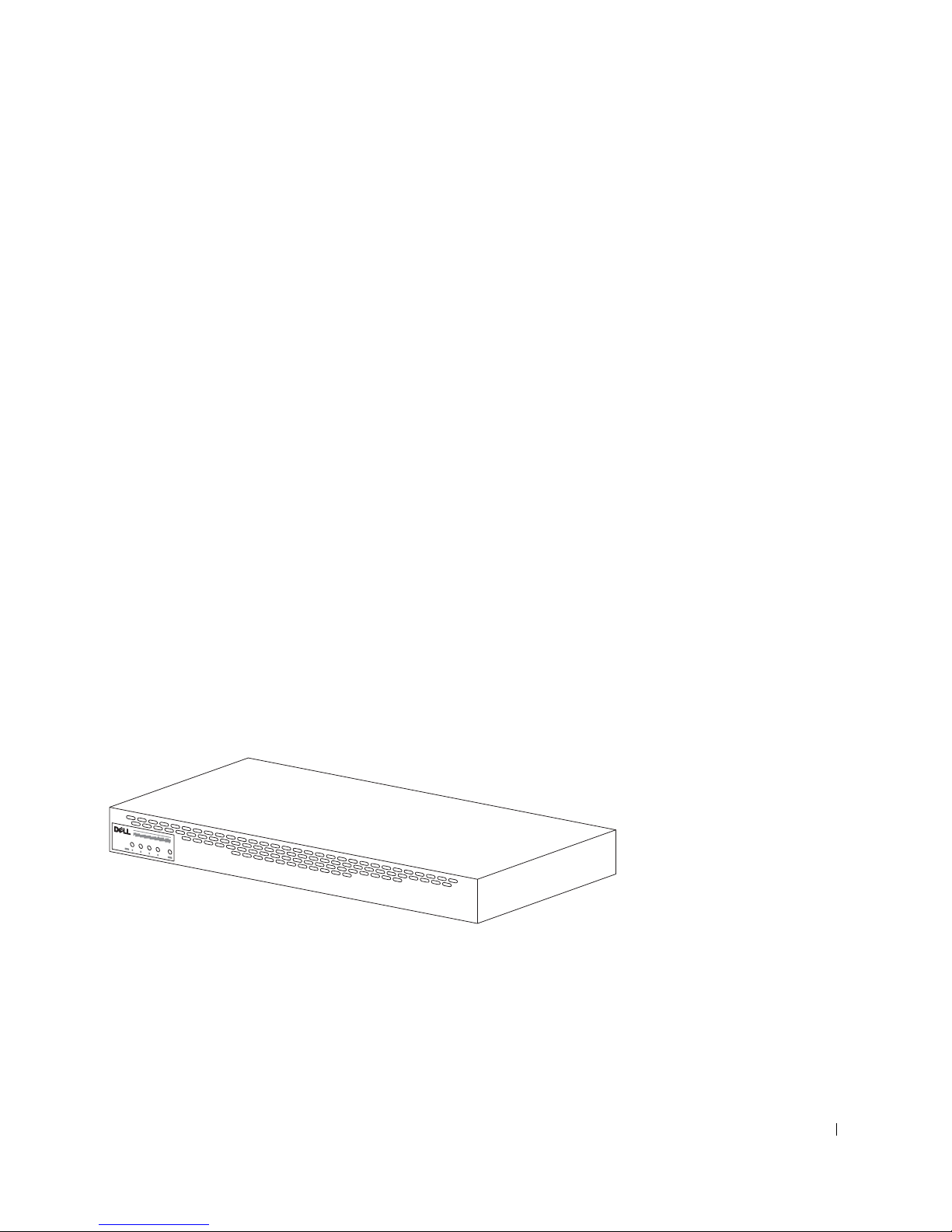
安装 RPS-600 之前,请验证您的套件中包含以下项目:
• RPS-600 冗余电源模块
• 说明文件 CD
• 交流电源线
• 机架安装套件
• 交换机直流电源线 (每个交换机 4 根)
配置
PowerConnect RPS-600 冗余电源模块为您的 PowerConnect 交换机提供
了四个外部冗余电源设备,以避免仅由于电源设备而导致的故障。
• 12 V 直流电压输出,最多可支持四个 PowerConnect 交换机
• 专用的 150 W 电源设备,最多可为四个已连接的交换机供电
• 前面板 LED,显示各个电源设备的状态
• 1 U、 19 英寸系统,可安装在机架中
前面板指示灯
Dell PowerConnect RPS-600 安装指南 47
Page 49

www.dell.com | support.dell.com
安装说明
注意:安装 PowerConnect™ RPS-600 之前,请参阅您的 PowerConnect 交
换机用户指南,以确认您的交换机支持 PowerConnect RPS-600 冗余电源
模块。
在平面上安装 PowerConnect RPS-600
可以将 RPS-600 安装在能够安全支撑交换机、 RPS-600 及所连接电缆的
重量的任意适宜平面上。 RPS-600 周围必须留有足够的空间,以便于通
风和使用电缆连接器。
要在平面上安装 RPS-600,请:
1 将 RPS-600 放置在平面上并检查是否可以正常通风。
注意:交换机的两侧至少分别留出 2 英寸 (5.1 cm) 的空间以确保正常通
风,交换机的背面至少留出 5 英寸 (12.7 cm) 的空间以整理电源线。
将橡皮支脚连接至机箱底部各个带标记的位置。
2
橡皮支脚为可选部件,但建议您使用橡皮支脚以避免装置滑动。
在机架中安装 PowerConnect RPS-600
RPS-600 可以安装在大多数标准 19 英寸机架中。
注:未预先刻制螺纹的机架附带锁紧螺帽。
要在机架中安装 RPS-600,请:
1 使用附带的螺钉将固定支架连接至 RPS-600 的每一侧。
2 将 RPS-600 放置在机架中,并将固定支架上的孔与机架上的孔对准。
3 在每个固定支架中插入两颗适用于您的机架的螺钉并将它们拧紧。
48 Dell PowerConnect RPS-600 安装指南
Page 50
要在安装后运行 RPS-600,请:
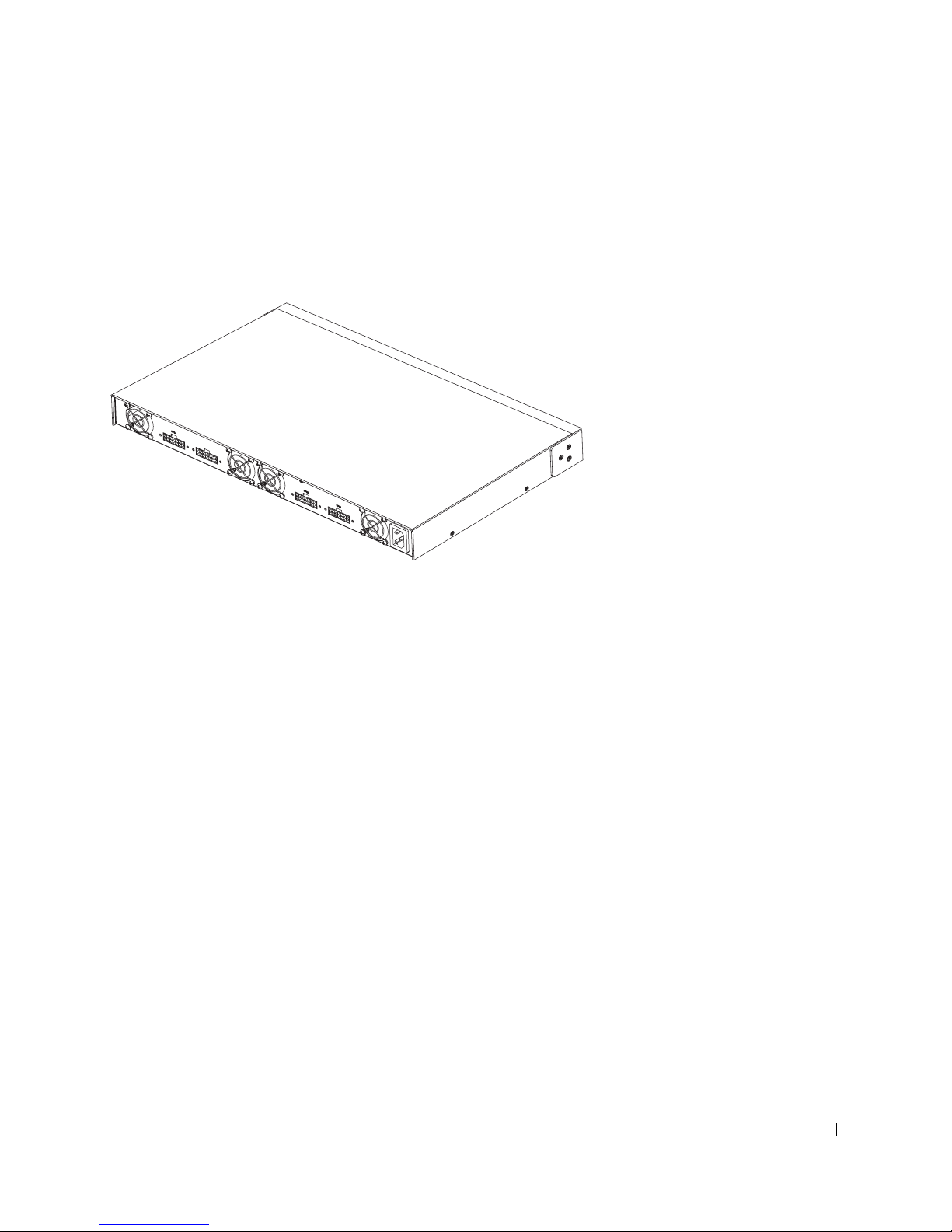
1 将交换机直流电源线的一端插入交换机背面标有 “RPS”的连接
器。将交换机直流电源线的另一端连接至 RPS-600 背面任意可用的
RPS 连接器。
2 将交流电源线连接至 RPS-600 和交流电源插座。
此时交换机便可以同时使用两个电源设备。您可以通过 PowerConnect 交
换机和 RPS-600 的前面板 LED 监测两个电源设备的状态。
技术信息
电源设备规格
PowerConnect RPS-600 包含四个独立的 150 W 电源设备。
• 每个电源设备的尺寸均为 4.0 x 7.0 x 1.334 英寸 (10.16 x 17.78 x
3.388 cm) (最大)。
• 每个电源设备仅具有 12 V 输出。下表详细说明了每个电源设备的特
性。
Dell PowerConnect RPS-600 安装指南 49
Page 51

www.dell.com | support.dell.com
参数 12 V 输出
电压
初始精度
最小电流
最大电流
线路调节
负载调节
噪声和脉动 10%,峰到峰
过冲
下冲
环境参数
运行时的温度 0º 至 40ºC (32º 至 104ºF)
运行时的相对湿度 8% 至 90%
存放时的温度 –40º 至 80ºC (–40º 至 176ºF)
存放时的相对湿度 5% 至 95% (非冷凝)
振动 10 至 300 Hz、正交轴 X、Y、Z 方向上分别承
+12.0 VDC
+/–1%
2 A
13 A
+/–1%
+/–10%
5%
5%
受 1.0 G 的加速度时,可持续振动 1 小时
技术帮助
如果您遇到技术问题需要帮助,Dell 将助您一臂之力。有关与 Dell 联络
的信息,请参阅您的 PowerConnect 交换机附带的 PowerConnect CD。
管制通告
电磁干扰 (EMI) 是一种信号或辐射,它散布在空中或通过电源电缆或信
号线传送。它会危害无线电导航系统或其它安全服务设施的正常工作,
并且严重干扰、阻碍或重复中断经许可的无线电通信服务。无线电通信
服务包括但不仅限于 AM/FM 商业电台、电视、蜂窝式无线电通信、雷
达、空中交通管制、寻呼机和个人通信服务 (PCS)。这些经过许可的服
务设施与无意辐射体 (例如计算机系统等数字设备)共同形成了电磁环
境。
50 Dell PowerConnect RPS-600 安装指南
Page 52

电磁兼容性 (EMC) 是指各种电子设备在电子环境中共同正常工作的能
力。此计算机系统的设计符合管制机构关于 EMI 的限制,但并不排除某
些特定安装产生干扰的可能性。如果发现此设备对无线电通信服务造成
干扰,并且通过关闭和打开此设备确定干扰确实存在,请尝试以下一种
或多种方法排除干扰:
• 重新调整接收天线的方向。
• 根据被干扰设备的位置重新放置计算机。
• 将计算机移至远离被干扰设备的位置。
• 将计算机连接至不同的电源插座,以使计算机与被干扰设备使用不
同的分支电路。
/
如果有必要,请向 Dell 技术支持代表或有经验的无线电
电视技术人员咨
询,以获得其它建议。
Dell 计算机系统经设计、检测和分类,适用于相应的电磁环境。这些电
磁环境分类通常是指以下标准定义:
• A 级通常适用于商业或工业环境。
• B 级通常适用于居住环境。
集成至或连接至系统的信息技术设备 (ITE)(包括外围设备、扩充卡、打
印机、输入 / 输出 [I/O] 设备和显示器等)均应与计算机系统的电磁环境
分类相匹配。
关于屏蔽信号电缆的注意事项:将外围设备连接至任何 Dell 设备时,请
仅使用屏蔽电缆,以减少对无线电通信服务造成干扰的可能性。使用屏
蔽电缆可确保在相应的环境中维持适当的 EMC 分类。对于并行打印
机,您可以向 Dell 订购适用的电缆。如果您愿意,也可以通过 WWW 上
的 accessories.us.dell.com/sna/category.asp?category_id=4117 向 Dell 订
购电缆。
Dell PowerConnect RPS-600 安装指南 51
Page 53
www.dell.com | support.dell.com
大多数 Dell 计算机系统均分类为用于 B 级环境。但是,安装某些选件可
能会将某些配置的等级更改为 A 级。要确定您的系统或设备的电磁分
类,请参阅针对每个管制机构的以下各节。每一节均提供了特定国家或
地区的 EMC/EMI 信息或产品安全信息。
简体中文 A 级声明通告 (仅限于中国)
A 级系统上的管制标签旁边将出现以下声明:
52 Dell PowerConnect RPS-600 安装指南
Page 54

有限保修和退回规定
在美国或加拿大购买的 Dell 品牌硬件产品享有 90 天 (仅限于美国)、一年、两年、三年
或四年有限保修。要确定您所购买的产品享有的保修,请参阅您的计算机附带的 Dell 发
票。以下各节分别介绍了适用于美国的有限保修和退回规定、适用于加拿大的有限保修和
退回规定以及适用于拉丁美洲和加勒比海地区的制造商保证。
适用于美国的有限保修规定
此有限保修规定适用于哪些情况?
此有限保修规定适用于您 (最终用户)的 Dell 品牌硬件产品 (包括 Dell 品牌显示器、键
盘和定点设备 [鼠标])在材料或工艺方面出现的缺陷。
此有限保修规定不适用于哪些情况?
此有限保修规定不适用于:
• 软件,包括通过工厂集成系统添加至 Dell 品牌硬件产品的操作系统和软件、第三方
软件或重新载入的软件
• 非 Dell 品牌的产品和附件
• 由于以下原因导致的问题:
— 外部原因,例如意外事故、滥用、误用或电源问题
—未经 Dell 授权的维修
— 违反产品说明的使用
— 未按照产品说明进行操作或未执行预防性维护
— 使用非 Dell 提供的附件、部件或组件所产生的问题
• 产品的服务标签或序列号缺少或被更改
• Dell 未收到付款的产品
此保修规定赋予您特定的合法权益,而且您可能还拥有其它权益,这些权益因州(或辖区)
的不同而有所差异。对于硬件的故障及缺陷,Dell 的责任仅限于此保修声明中所述的维修
及更换范围之内。关于产品的所有明示和暗示保证 (包括但不限于适销性和某一特定目的
的适用性的任何暗示保证和条款)均以发票上反映的有限保修期为限。此有限保修期到期
后,任何明示或暗示的保证均不适用。某些州不允许限制暗示保证的持续时间,因此该限
制可能不适用于您。
Dell 不承担此有限保修规定所述补偿措施之外的任何责任,也不对任何继起或偶然损坏负
责,包括但不限于第三方因损坏向您提出索赔、产品无法使用、数据丢失或软件丢失。Dell
所承担的费用不会超过您为索赔产品所支付的金额。这是 Dell 负责承担的最大金额。
某些州不允许对偶然或继起损坏进行排除或限制,因此上述限制或排除可能不适用于您。
PowerConnect RPS-600 安装指南 53
Page 55

www.dell.com | support.dell.com
此有限保修的期限有多长?
除 Dell 品牌电池的有限保修期仅为一年、Dell 品牌投影机灯的有限保修期仅为九十天外,
有限保修期均已在您的发票上注明。此有限保修自发票开具之日起开始。如果 Dell 维修或
更换了保修产品或任何部件,其保修期不会因此而延长。 Dell 可能会酌情更改有限保修的
可用性,但所有更改均无追溯效力。
需要保修服务时应该怎么做?
在保修到期之前,请拨打下表中列出的相关电话号码与 Dell 联络。另外,请准备好您的
Dell 服务标签号码或订单号码。
家庭个人客户:
技术支持
客户服务
通过员工购买计划进行购买的家庭个人客户:
技术支持和客户服务
家庭和小型企业商业客户:
技术支持和客户服务
中型、大型或全球商业客户、医疗机构和增值经销商 (VAR):
技术支持和客户服务
政府和教育部门客户:
技术支持和客户服务
Dell 品牌内存
1-800-624-9896
1-800-624-9897
1-800-822-8965
1-800-456-3355
1-800-822-8965
1-800-234-1490
1-888-363-5150
Dell 将采取什么措施?
在 90 天有限保修的第一个 90 天内和所有其它有限保修的第一年内 : 在 90 天有限保修的
第一个 90 天内和所有其它有限保修的第一年内, Dell 将维修任何退回 Dell 的、证明在材
料或工艺上有缺陷的 Dell 品牌硬件产品。如果 Dell 无法维修产品,则会将其更换为全新或
重新配备的同类产品。
当您与 Dell 联络时, Dell 将发给您一个退回材料授权号,退回产品时需要附上此授权号。
您必须使用原来的包装或同等的包装将产品退回 Dell,预付运费,并为运送投保或承担运
送过程中发生丢失或损坏的风险。 Dell 会将已维修或已更换的产品送回给您。如果您的地
址在美国 (不包括波多黎各和美国属地), Dell 将支付将已维修或已更换的产品运送给您
所需的费用。否则, Dell 将以到付运费的方式运送该产品。
如果 Dell 确定该产品不在此保修范围内,Dell 将通知您,并为您提供有关可获得的其它收
费服务的信息。
注:在将产品运送至 Dell 之前,请确保备份产品中硬盘驱动器和其它所有存储设备上的数
据。请删除所有机密、专利或个人信息,并取出所有可移动介质 (例如软盘、 CD 或 PC
卡)。对于任何机密、专利或个人信息;数据的丢失或损坏或者可移动介质的损坏或丢失,
Dell 不承担任何责任。
54 PowerConnect RPS-600 安装指南
Page 56

在剩余年限内 :在有限保修的剩余期限内,如果 Dell 认为需要更换任何有缺陷的部件,
Dell 将使用全新或重新配备的部件更换该部件。与 Dell 联络时,如果您要求更换部件,
Dell 将要求您提供有效的信用卡号,但只要您在 Dell 将更换部件运送给您后的三十天内将
原来的部件退回 Dell,Dell 将不收取更换部件的费用。如果 Dell 在三十天内未收到原来的
部件,则将按该部件当时的标准价格从您的信用卡中收取费用。
如果您的地址在美国 (不包括波多黎各和美国属地), Dell 将支付将部件运送给您所需的
费用。否则,Dell 将以到付运费的方式运送部件。Dell 还为每一个被更换的部件提供一个
预付费用的运送容器,以便您将被更换的部件退回 Dell。
注:在更换部件前,请确保备份产品中硬盘驱动器和其它所有存储设备上的数据。 Dell 对
数据丢失或损坏不承担责任。
如果购买了服务合约将会怎样?
如果您与 Dell 签订了上门服务合约,您将按照上门服务合约的条款享有上门服务。有关如
何获得服务的详细信息,请参阅上门服务合约。
如果您通过 Dell 购买了 Dell 的第三方服务提供商的服务合约,请参阅该合约以获取有关
如何获得服务的详细信息。
Dell 将如何维修产品?
对部件和系统进行保修和更换时, Dell 可以使用由不同制造商制造的全新或重新配备的部
件。重新配备的部件和系统是被退回 Dell 的部件或系统,其中有些部件或系统从未被客户
使用过。所有部件和系统均经过质量检验和测试。更换的部件和系统享有您所购买产品的
有限保修期的剩余期限。
如果不满意应该怎么办?
Dell 以其优异的客户服务而自豪。如果您对根据此有限保修规定获得的服务不满意,请告
知 Dell。 Dell 发现,解决有关有限保修问题的最佳方式是共同协商。如果经过共同协商讨
论,您仍不满意,Dell 相信仲裁是解决问题的最快捷的方式。因此,对于任何针对 Dell 的
索赔、争论或争议 (无论有关合同、侵权或其它方面;无论以前、现在或将来;包括成文
法规、普通法、故意侵权和衡平法索赔),其起因包括此有限保修规定及其解释、违反、终
止或有效性,由此有限保修导致的关系 (在适用法律许可的最大范围内,包括与第三方的
关系), Dell 广告或任何相关购买行为,均应由美国国家仲裁论坛 (NAF) 按其当时生效的
仲裁程序条款做出的具有约束力的仲裁给予唯一最终裁决 (可通过 Internet 访问
http://www.arb-forum.com/ 或致电 1-800-474-2371)。 此 仲裁仅限于您与 Dell 之间的争论或
争议。任何仲裁员的裁决都是最终裁决,双方都必须遵守,并可以作为任何具有司法权的
法院 的 判决。您可以从 NAF 获得信息或 向 其提起索赔诉讼, NAF 的地址为 P.O. Box
50191,Minneapolis,MN 55405。此规定仅适用于个人家庭客户和通过员工购买计划进行
购买的客户,不适用于小型、中型、大型和全球商业客户或政府部门、教育部门和医疗机
构客户。
PowerConnect RPS-600 安装指南 55
Page 57

有限保修可以转让吗?
如果系统的当前所有者转让系统的所有权并且通知 Dell 进行转让登记,则可以转让系统的
有限保修。但不能转让 Dell 品牌内存的有限保修。您可以通过访问 Dell Web 站点来登记
转让:
• 如果是家庭个人客户,请访问
www.dell.com/us/en/dhs/topics/sbtopic_015_ccare.htm
• 如果是小型、中型、大型或全球商业客户,请访问
www.dell.com/us/en/biz/topics/sbtopic_ccare_nav_015_ccare.htm
• 如果是政府部门、教育部门或医疗机构客户,或者是通过员工购买计划进行购买的
个人客户,请访问 www.dell.com/us/en/pub/topics/sbtopic_015_ccare.htm
如果您无法进行 Internet 访问,请致电客户服务代表或拨打 1-800-624-9897。
www.dell.com | support.dell.com
“完全满意”退回规定 (仅限于美国)
Dell 珍视与您的关系,并希望确保您对购买满意。这是 Dell 为您(最终用户)直接从 Dell
购买的大部分产品提供 “完全满意”退回规定的原因。根据此规定,您可以将直接从 Dell
购买的下列产品退回 Dell,按购买价格获得信用退回或退款,其中扣除运费、手续费和适
当的重新备货费用:
• 新硬件产品和附件 — 所有新硬件、附件、部件和密封包装中仍未打开的软件(不包
括下面列出的产品)可以在发票开具之日起的三十天内退回。要退回 Dell 安装的应
用程序软件或操作系统,则必须退回整个计算机。对于小型和中型企业部门客户通
过 Dell 软件和外围设备部门购买的无缺陷产品,适用的退回规定有所不同。这些产
品可以在发票开具之日起的三十天内退回,但是要从退款或信用退回中扣除百分之
十五 (15%) 的重新备货费用。此 “完全满意”退回规定及软件和外围设备部门退回
规定不适用于 Dell | EMC 存储设备产品、 EMC 品牌产品或企业软件。
• 经过修理或重新配备的 Dell 品牌硬件产品和部件 — 所有经过修理或重新配备的 Dell
品牌服务器和存储设备产品可以在发票开具之日起的三十天内退回。所有其它经过
修理或重新配备的 Dell 品牌硬件产品和部件可以在发票开具之日起的十四天内退
回。
要退回产品,请在适用于所要退回产品的退回规定期限内致电 Dell 客户服务部门或向其发
送电子邮件,以获得信用退回授权号。您必须获得信用退回授权号才能退回产品。要查找
获得客户帮助所需的相应联络信息,请参阅您的 PowerConnect 网络交换机 CD 上的 “获
得帮助”(或访问 www.dell.com/us/en/gen/contact.htm)。
您必须在 Dell 发出信用退回授权号的五天内,将产品运送至 Dell。而且,您必须使用原来
的包装将产品(包括所有介质、说 明 文件以及出厂时附带的所有其它项目)原 样退回 Dell,
预付运费,并为运送投保或承担运送过程中发生丢失或损坏的风险。
56 PowerConnect RPS-600 安装指南
Page 58

适用于加拿大的有限保修规定条款
此有限保修规定适用于哪些情况?
此有限保修规定适用于您 (最终用户)的 Dell 品牌硬件产品 (包括 Dell 品牌显示器、键
盘和定点设备 [鼠标])在材料或工艺方面出现的缺陷。
此有限保修规定不适用于哪些情况?
此有限保修规定不适用于:
• 软件,包括通过工厂集成系统添加至 Dell 品牌硬件产品的操作系统和软件或重新载
入的软件
• 非 Dell 品牌的产品和附件
• 由于以下原因导致的问题:
— 外部原因,例如意外事故、滥用、误用或电源问题
—未经 Dell 授权的维修
— 违反产品说明的使用
— 未按照产品说明进行操作或未执行预防性维护
— 使用非 Dell 提供的附件、部件或组件所产生的问题
• 产品的服务标签或序列号缺少或被更改
• Dell 未收到付款的产品
此保修规定赋予您特定的合法权益,而且您可能还拥有其它权益,这些权益因各省的不同
而有所差异。对于产品的故障和缺陷, DELL 的责任仅限于此保修声明中所述的维修及更
换范围之内,并以发票上反映的保修期为限。除此保修声明中包含的明示保证之外,DELL
否认其它所有明示或暗示的保证和条款,包括但不限于对适销性和某一特定目的、法规或
其它方面的适用性的暗示保证和条款。某些省不允许排除某些暗示保证或条款,也不允许
限制暗示保证或条款的持续时间。因此,上述排除和限制可能不适用于您。
Dell 不承担此保修声明所述补偿措施之外的任何责任,也不对任何特殊、间接、继起或偶
然损坏负责,包括但不限于第三方因损坏向您提出索赔、产品无法使用、数据丢失或软件
丢失。Dell 所承担的费用不会超过您为索赔产品所支付的金额。这是 Dell 负责承担的最大
金额。
某些省不允许对特殊、间接、偶然或继起损坏进行排除或限制,因此上述限制或排除可能
不适用于您。
PowerConnect RPS-600 安装指南 57
Page 59

www.dell.com | support.dell.com
此有限保修的期限有多长?
除 Dell 品牌电池的有限保修期仅为一年、Dell 品牌投影机灯的有限保修期仅为九十天外,
有限保修期均已在您的发票上注明。此有限保修自发票开具之日起开始。如果 Dell 维修或
更换了保修产品或任何部件,其保修期不会因此而延长。 Dell 可能会酌情更改有限保修的
条款和可用性,但所有更改均无追溯效力 (即,购买行为发生时适用的保修条款适用于您
的购买)。
需要保修服务时应该怎么做?
在保修到期之前,请拨打下表中列出的相关电话号码与 Dell 联络。另外,请准备好您的
Dell 服务标签号码或订单号码。
家庭个人客户;家庭办公室和小型企业客户:
技术支持和客户服务
中型、大型和全球商业客户;政府部门、教育部门和
医疗机构客户;增值经销商 (VAR):
技术支持
客户服务
政府或教育部门客户,或通过员工购买计划进行购买
的家庭个人客户:
技术支持
客户服务 1-800-326-9463 (个人客户的
Dell 品牌内存
1-800-847-4096
1-800-387-5757
1-800-326-9463
1-800-387-5757
分机号码为 8221)
1-888-363-5150
Dell 将采取什么措施?
在所有有限保修的第一年内:在所有有限保修的第一年内, Dell 将维修任何退回 Dell 的、
证明在材料或工艺上有缺陷的 Dell 品牌硬件产品。如果 Dell 无法维修产品,则会将其更换
为全新或重新配备的同类产品。
当您与 Dell 联络时, Dell 将发给您一个退回材料授权号,退回产品时需要附上此授权号。
您必须使用原来的包装或同等的包装将产品退回 Dell,预付运费,并为运送投保或承担运
送过程中发生丢失或损坏的风险。 Dell 会将已维修或已更换的产品送回给您。如果您的地
址在加拿大,Dell 将支付将已维修或已更换的产品运送给您所需的费用。否则,Dell 将以
到付运费的方式运送该产品。
如果 Dell 确定故障不在此保修范围内,Dell 将通知您,并为您提供有关可获得的其它收费
服务的信息。
注:在将产品运送至 Dell 之前,请确保备份产品中硬盘驱动器和其它所有存储设备上的数
据。请删除所有机密、专利或个人信息,并取出所有可移动介质 (例如软盘、 CD 或 PC
卡)。对于任何机密、专利或个人信息;数据的丢失或损坏或者可移动介质的损坏或丢失,
Dell 不承担任何责任。
58 PowerConnect RPS-600 安装指南
Page 60

在所有有限保修第一年后的剩余年限内:如果 Dell 认为需要更换任何有缺陷的部件, Dell
将使用全新或重新配备的部件更换该部件。与 Dell 联络时,如果您要求更换部件, Dell 将
要求您提供有效的信用卡号,但只要您在 Dell 将更换部件运送给您后的三十天内将原来的
部件退回 Dell, Dell 将不收取更换部件的费用。如果 Dell 在三十天内未收到原来的部件,
则将按该部件当时的标准价格从您的信用卡中收取费用。
如果您的地址在加拿大,Dell 将支付将部件运送给您所需的费用。否则,Dell 将以到付运
费的方式运送部件。 Dell 还为每一个被更换的部件提供一个预付费用的运送容器,以便您
将被更换的部件退回 Dell。
注:在更换部件前,请确保备份产品中硬盘驱动器和其它所有存储设备上的数据。 Dell 对
数据丢失或损坏不承担责任。
如果购买了上门服务合约将会怎样?
如果您与 Dell 签订了服务合约,Dell 将按照服务合约的条款为您提供服务。有关如何获得
服务的详细信息,请参阅上门服务合约。您可以在线访问 www.dell.ca 或拨打 1-800-847-
4096 致电 Dell 的客户服务部门,以获得 Dell 服务合约的信息。如果您通过 Dell 购买了
Dell 的第三方服务提供商的服务合约,请参阅该合约 (已随发票邮寄给您)以获取有关如
何获得服务的详细信息。
Dell 将如何维修产品?
对部件和系统进行保修和更换时, Dell 可以使用由不同制造商制造的全新或重新配备的部
件。重新配备的部件和系统是被退回 Dell 的部件或系统,其中有些部件或系统从未被客户
使用过。所有部件和系统均经过质量检验和测试。更换的部件和系统享有您所购买产品的
有限保修期的剩余期限。所有从已维修产品中取出的部件均归 Dell 所有。
如果不满意应该怎么办?
Dell 以其优异的客户服务而自豪。如果您对根据此有限保修规定获得的服务不满意,请告
知 Dell。 Dell 发现,解决有关有限保修问题的最佳方式是共同协商。如果经过共同协商讨
论,您仍不满意,Dell 相信仲裁是解决问题的最快捷的方式。因此,对于任何针对 Dell 的
索赔、争论或争议 (无论有关合同、侵权或其它方面;无论以前、现在或将来;包括成文
法规、普通法、故意侵权和衡平法索赔),其起因包括此有限保修规定及其解释、违反、终
止或有效性,由此有限保修导致的关系 (在适用法律许可的最大范围内,包括与第三方的
关系), Dell 广告或任何相关购买行为,均应由美国国家仲裁论坛 (NAF) 按其当时生效的
仲裁程序条款做出的具有约束力的仲裁给予唯一最终裁决 (可通过 Internet 访问 www.arb-
forum.com/ 或致电 1-800-474-2371)。此 仲裁仅限于您与 Dell 之间的争论或争议。任何仲
裁员的裁决都是最终裁决,双方都必须遵守,并可以作为任何具有司法权的法院的判决。
您可以从 NAF 获得信息或向其提起索赔诉讼,NAF 的地址为 P.O. Box 50191, Minneapolis,
MN 55405。
PowerConnect RPS-600 安装指南 59
Page 61

有限保修可以转让吗?
如果系统的当前所有者转让系统的所有权并且通知 Dell 进行转让登记,则可以转让系统的
有限保修。但不能转让 Dell 品牌内存的有限保修。您可以通过访问 Dell Web 站点来登记
转让:
• 如果是家庭个人客户,请访问
www.dell.com/us/en/dhs/topics/sbtopic_016_ccare.htm
• 如果是家庭办公室、小型、中型、大型或全球商业客户,请访问
www.dell.com/us/en/biz/topics/sbtopic_ccare_nav_016_ccare.htm
• 如果是政府部门、教育部门或医疗机构客户,或者是通过员工购买计划进行购买的
家庭个人客户,请访问 www.dell.com/us/en/pub/topics/sbtopic_016_ccare.htm
如果您无法进行 Internet 访问,请致电 Dell (1-800-326-9463)。
www.dell.com | support.dell.com
“完全满意”退回规定
如果您是直接从 Dell 购买了新产品的最终用户,则可以在收到产品的 30 天内将所购产品
退回 Dell,以便按购买价格获得退款或信用退回。如果您是从 Dell 购买了经过修理或重新
配备的产品的最终用户,则可以在自发票开具之日起的 14 天内将所购产品退回 Dell,以 便
按购买价格获得退款或信用退回。在法律许可时,无论属于以上何种情况,退款或信用退
回均不包含发票中列出的运费和手续费,并且要扣除百分之十五 (15%) 的重新备货费用。
如果您是在与 Dell 的书面协议下购买其产品的组织,则 协议中可能包含与此规定不同的产
品退回条款。
要退回产品,您必须拨打 1-800-387-5759 致电 Dell 客户服务部门,以获得信用退回授权
号。为尽快处理您的退款或信用退回请求,Dell 希望您在 Dell 发出信用退回授权号五天之
内,使用原来的包装将产品退回。您还必须预付运费并且为运送投保,或者承担运送过程
中发生丢失或损坏的风险。如果您要退回软件,则仅在软盘或 CD 的封印包装未被打开的
情况下才能得到退款或信用退回。退回的产品必须保持原样,并且所有的手册、软盘、
CD、电源电缆以及产品附带的其它项目均应一起退回。对于要退回 Dell 已安装的应用程
序或操作系统软件以获得退款或信用退回的客户,应将整个系统连同出厂时附带的介质和
说明文件一起退回。
“完全满意”退回规定不适用于 Dell | EMC 存储设备产品。也不适用于通过 Dell 软件和外
围设备部门购买的产品。对于这些产品,另请参阅 Dell 软件和外围设备部门当时的退回规
定 (请参阅下节 “Dell 软件和外围设备”)。
Dell 软件和外围设备
第三方软件和外围设备产品
与其它软件和外围设备经销商类似, Dell 不保修第三方产品。第三方软件和外围设备产品
仅由其原始制造商或发行商提供保修。第三方制造商的保修因产品的不同而有所差异。请
参阅您的产品说明文件,以获取特定保修信息。也可以咨询制造商或发行商以获得详细信
息。
虽然 Dell 可提供多种软件和外围设备产品,但 Dell 并不特别检测或保证 Dell 提供的所有
产品均可以和所有型号的 Dell 计算机配合使用,也不检测或保证 Dell 随成百上千种不同
品牌的计算机销售的所有产品现在都可以使用。如果您遇到兼容性问题, Dell 建议并鼓励
您与第三方软件和外围设备产品制造商或发行商直接联络。
60 PowerConnect RPS-600 安装指南
Page 62

Dell 品牌外围设备产品
对于显示器、电池、内存、对接站和投影机等新的 Dell 品牌外围设备产品 (即 Dell 被列
为制造商的产品), Dell 提供有限保修。要确定适用于您所购产品的有限保修规定,请参
阅随产品提供的 Dell 发票和 / 或产品说明文件。上述各节说明了 Dell 有限保修规定。
退回规定
如果您是直接从 Dell 公司购买 Dell 软件和外围设备产品的最终用户,则可以在自发票开
具之日起 30 天内将所购 Dell 软件和外围设备产品以原样退回 Dell,以便按已支付的购买
价格获得退款。此退款不包含发票中列出的运费和手续费;您必须负责支付这些费用。
要退回产品,您必须拨打 1-800-387-5759 致电 Dell 客户服务部门,以获得信用退回授权
号。您必须使用 Dell 软件和外围设备产品原始制造商的包装(必须保持原样)将 该产品运
送回 Dell,预付运费,并为运送投保或承担运送过程中发生丢失或损坏的风险。
为保证具有退款或更换的资格,退回的产品必须保持原样,软件产品必须尚未开封,并且
所有手册、软盘、 CD、电源电缆以及产品附带的其它项目必须一起退回。
一年最终用户制造商保证 (仅限于拉丁美洲和加勒比海地区)
保证
自购买之日起一年内, Dell Computer Corporation (“Dell”)按照以下条款保证最终用户
从 Dell 公司或者拉丁美洲或加勒比海地区的 Dell 授权经销商购买的硬件产品不会有材料
或工艺上的缺陷以及影响正常使用的设计缺陷。对于正当的索赔要求, Dell 将负责支付产
品的维修或更换费用。所有从已维修产品中取出的部件均归 Dell 所有。对产品进行维修和
更换时, Dell 可以使用由不同制造商制造的全新或经过修理的部件。
例外
本保证不适用于由以下原因导致的缺陷:不正确或不适当的安装、使用或维护;未经授权
的第三方或最终用户所进行的操作或修改;偶然的或故意的损坏;或正常的磨损。
提出索赔
最终用户必须在保证期限内与拉丁美洲或加勒比海地区的 Dell 销售点联络,提出索赔。最
终用户必须提供购买证明,指明销售商的名称和地址、购买日期、型号和序列号、客户的
名称和地址,以及故障发生时的详细状况和配置 (包括使用的外围设备和软件) 。否则,
Dell 可能拒绝保证索赔。对于保修范围内的缺陷,Dell 将酌情做出安排并承担至 Dell 维修 /
更换中心的往返陆地运输费用和保险费用。最终用户必须确保使用原来的或同等的防护性
包装将有缺陷的产品与上述详细资料以及 Dell 提供给最终用户的退回材料授权号包装在
一起。
PowerConnect RPS-600 安装指南 61
Page 63

www.dell.com | support.dell.com
限制与法定权利
除上述明确规定之外, Dell 不承诺其它保修、保证或类似声明,并且本保证在法律许可的
最大范围内高于所有其它任何保证。在无适用法律条款的情况下,本保证是最终用户和
Dell 或其任一经销商之间唯一的赔偿约定。对于利润损失或合同丧失,或因疏忽、违约或
任何其它原因导致的间接或继起损失, Dell 及其任一经销商均不承担责任。
本保证不会削弱或影响最终用户的必要法定权利,以及最终用户与 Dell 和 / 或其他销售商
签订的其它合约所规定的任何权利。
Dell World Trade LP
One Dell Way, Round Rock, TX 78682, USA
Dell Computadores do Brasil Ltda (CNPJ No. 72.381.189/0001-10)/
Dell Commercial do Brasil Ltda (CNPJ No. 03 405 822/0001-40)
Avenida Industrial Belgraf, 400
92990-000 - Eldorado do Sul - RS - Brasil
Dell Computer de Chile Ltda
Coyancura 2283, Piso 3- Of.302,
Providencia, Santiago - Chile
Dell Computer de Colombia Corporation
Carrera 7 #115-33 Oficina 603
Bogota, Colombia
Dell Computer de Mexico SA de CV
Paseo de la Reforma 2620 - 11° Piso
Col. Lomas Altas
11950 México, D.F.
62 PowerConnect RPS-600 安装指南
Page 64

Dell™ PowerConnect™ RPS-600
安裝指南
www.dell.com | support.dell.com
Page 65
註、注意事項和注意
註:註表示可以幫助您更有效地使用您的電腦的重要資訊。
注意事項:注意事項表示可能會損壞硬體或導致資料遺失,並告訴您如
何避免發生此類問題。
注意:注意表示可能會導致財產損壞、人身受傷或生命危險。
____________________
本文件中的資訊如有變更,恕不另行通知。
著作權所有 ©
未經
本文件中使用的商標:
商標;
本文件中述及的其他商標和商業名稱可能指擁有相應商標和名稱的公司實體或其產品。
Dell Computer Corporation
2002 年 12 月 P/N 2T227 Rev. A02
2002年 Dell Computer Corporation
Dell Computer Corporation
Dell、DELL
EMC 是 EMC Corporation
對本公司之外的商標和產品名稱不擁有任何專利權。
。所有權利均予保留。
的書面許可,不得以任何形式進行複製。
標誌和
PowerConnect 是 Dell Computer Corporation
的註冊商標。
的
Page 66

目錄
注意:安全說明 . . . . . . . . . . . . . . . . . . . . . . . . . . . . . . . . . . . . .67
一般規定 . . . . . . . . . . . . . . . . . . . . . . . . . . . . . . . . . . . . . . . . . .67
系統的機架安裝 . . . . . . . . . . . . . . . . . . . . . . . . . . . . . . . . . . . . . 69
數據機、電信或區域網路選項 . . . . . . . . . . . . . . . . . . . . . . . . . .70
防止靜電損害 . . . . . . . . . . . . . . . . . . . . . . . . . . . . . . . . . . . . . . . 71
套件中的物件 . . . . . . . . . . . . . . . . . . . . . . . . . . . . . . . . . . . . . .72
功能 . . . . . . . . . . . . . . . . . . . . . . . . . . . . . . . . . . . . . . . . . . . . .72
前面板指示燈 . . . . . . . . . . . . . . . . . . . . . . . . . . . . . . . . . . . . . .72
安裝說明 . . . . . . . . . . . . . . . . . . . . . . . . . . . . . . . . . . . . . . . . . .73
在平面上安裝 PowerConnect RPS-600 . . . . . . . . . . . . . . . . . . . . 73
在機架中安裝 PowerConnect RPS-600 . . . . . . . . . . . . . . . . . . . . 73
技術資訊 . . . . . . . . . . . . . . . . . . . . . . . . . . . . . . . . . . . . . . . . . .74
電源供應器規格 . . . . . . . . . . . . . . . . . . . . . . . . . . . . . . . . . . . . . 74
技術援助 . . . . . . . . . . . . . . . . . . . . . . . . . . . . . . . . . . . . . . . . . .75
管制通告 . . . . . . . . . . . . . . . . . . . . . . . . . . . . . . . . . . . . . . . . . .76
有限保固和退回規定 . . . . . . . . . . . . . . . . . . . . . . . . . . . . . . . . .80
適用於美國的有限保固 . . . . . . . . . . . . . . . . . . . . . . . . . . . . . . . 80
「完全滿意」退回規定 ( 僅限於美國 ) . . . . . . . . . . . . . . . . . . . . 83
適用於加拿大的有限保固條款 . . . . . . . . . . . . . . . . . . . . . . . . . .84
「完全滿意」退回規定 . . . . . . . . . . . . . . . . . . . . . . . . . . . . . . . . 86
Dell 軟體與週邊裝置 . . . . . . . . . . . . . . . . . . . . . . . . . . . . . . . . . 87
一年最終使用者製造廠商保證
( 僅限於拉丁美洲和加勒比海地區 ) . . . . . . . . . . . . . . . . . . . . . .88
目錄 65
Page 67

66 目錄
Page 68

注意:安全說明
為了協助確保您自身的安全,以及保護系統免受潛在因素的損壞,請務必遵照下列安
全規範。
一般規定
• 遵循服務標誌。切勿維修任何產品,除非在系統說明文件中另有說明。打開或卸
下標有三角形閃電符號的蓋子可能會使您觸電。這些櫃中的元件應該僅由受過訓
練的維修技術人員進行維修。
• 如果出現下列任何情況,請從電源插座上拔下產品的電源線,然後更換零件或與
受過訓練的服務提供者聯絡:
– 電源線、延長線或插頭已損壞。
– 有物件掉進產品中。
– 產品曾被水淋過。
– 產品曾掉落地面或損壞。
– 按照操作說明執行,但產品無法正常操作。
• 將系統擺放在遠離散熱器或其他熱源的地方。此外,不可堵塞散熱通風孔。
• 避免讓食物或液體濺到您的系統元件上,並請勿在潮濕的環境中使用此產品。如果
系統被濺濕,請參閱故障排除指南中的適當章節或與受過訓練的服務提供者聯絡。
• 切勿在系統的開口處塞入任何物件,否則可能會導致內部元件短路而發生火災或
觸電。
• 僅在獲准使用的設備中使用本產品。
• 卸下蓋子或觸摸內部元件之前,讓產品有足夠的時間冷卻。
• 僅使用額定電功率標籤上所示的外部電源類型操作此產品。如果不確定所需的電
源類型,請向服務供應商或當地的電力公司諮詢。
• 僅使用獲准使用的電源線。如果您的系統或適用於您系統的交流供電選件中未隨
附電源線,請購買准用於您所在國家之電源線。電源線的額定值必須適用於該產
品,且符合產品額定電功率標籤上標記的電壓和電流。纜線的電壓和電流額定值
應大於產品上標記的額定值。
Dell PowerConnect RPS-600 安裝指南 67
Page 69

注意:安全說明 ( 續 )
• 為防止觸電,請將系統和週邊裝置的電源線插入已正確接地的電源插座。這些電源
線配有三叉式插頭以協助您確保正確接地。請勿使用配接插頭或移除電源線插頭上
的接地叉腳。如果您必須使用延長線,請使用具有正確接地插頭的
• 查看延長線和電源板的額定值。確定與延長線或電源板插接的所有產品之總安培
額定值不超過延長線或電源板安培額定值的
• 為了保護您的系統免受電壓瞬間升高或降低所導致的損壞,請使用突波抑制器、
線路調節器或不斷電系統
(UPS)
。
80%
。
線電源線。
3
www.dell.com | support.dell.com
• 將系統纜線和電源線妥當放置;請將它們安排在不會被踩到或絆倒的地方。確定
所有纜線上沒有放置任何物件。
• 請勿維修電源線或插頭。向經授權的電工或電力公司諮詢以進行現場維修。請務
必遵循當地/國家的佈線規則。
• 如果系統隨附可熱插拔的電源供應器,請在接通或中斷其電源時遵循下列指引:
– 先安裝電源供應器,然後將電源線連接至電源供應器。
– 先拔下電源線,然後卸下電源供應器。
– 如果系統具有多種電源來源,請從電源供應器上拔下所有電源線以中斷系統
電源。
• 小心移動產品,確保所有腳輪和 (或) 穩定裝置已穩固地連接至系統。避免移動時
突然停止以及在不平坦的表面上移動。
68 Dell PowerConnect RPS-600 安裝指南
Page 70
注意:安全說明 ( 續 )
系統的機架安裝
請遵循下列有關機架穩定性和安全性的預防措施。另請參閱系統和機架隨附的機架安
裝說明文件,以瞭解特別注意說明和程序。
您可以將系統看作機架中的元件。因此,「元件」是指任何系統和各種週邊裝置或支
援硬體。
注意:在機架中安裝系統時不安裝前面和側面的穩定裝置將導致機架傾斜,因而在某些
情況下可能會造成人身受傷。因此,請務必先安裝穩定裝置,然後才在機架中安裝元件。
在機架中安裝系統/元件之後,切勿將多個元件從其滑動組件中一次性拉出。多個延伸元
件的重量會使機架翻倒,並可能會導致嚴重受傷。
註:您的系統是經過安全認證的獨立式裝置,並可作為元件在使用客戶機架套件的 Dell™ 機架
櫃中使用。您未取得任何安全部門的獲准即在任何其他機架櫃中安裝系統和機架套件。您有責
任讓認可的安全部門評估機架櫃中系統與機架套件最終組合的適用性。Dell 不承擔與此組合相
關的所有責任和保固。
• 系統機架套件應由受過訓練的維修技術人員將其安裝在機架中。如果您在任何其
他機架中安裝套件,請確定此機架符合
Dell
機架規格。
注意:切勿自己移動機架。考慮到機架的高度和重量,至少應該有兩個人來完成此工作。
• 安裝機架之前,請確定已將穩定裝置固定在機架上並延伸到地板上,然後確定機
架的全部重量均落在地板上。在安裝機架之前,首先要安裝單個機架的前面和側
面穩定裝置,或安裝相連的多個機架的前面穩定裝置。
• 務必從底部向上安裝機架,並首先將最重的部分安裝在機架中。
• 從機架上延伸元件之前,請確定機架處於水平穩定的位置。
• 按下元件滑軌的釋放閂鎖並將元件滑入/滑出機架時,請小心操作,因為滑軌可
能會夾到您的手指。
• 將元件插入機架後,小心地將滑軌延伸至鎖定位置,然後將元件滑入機架。
• 切勿使為機架提供電源的交流電源分支電路超載。機架負載的總電量不能超過分
支電路額定值的
• 確定機架中的元件通風良好。
80%
。
• 切勿在維修機架中的其他元件時踩到任何元件。
Dell PowerConnect RPS-600 安裝指南 69
Page 71
注意:安全說明 ( 續 )
注意:必須由合格的電工連接直流電源和進行安全接地的連線。所有的電線必須符合當
地或國家適用的編碼及慣例。
注意:請勿去除接地導線,或在沒有正確連接接地導線的情況下操作設備。如果您不確
定適宜的接地導線是否可用,請與適當的電氣檢查部門或電工聯絡。
注意:系統底架必須透過連接至機架櫃框架真正接地。切勿在連接接地纜線之前嘗試為
系統通電。完成通電並安全接地後必須接受合格電力工作人員的檢查。如果忘記連接或中
斷安全接地纜線,則將存在觸電危險。
www.dell.com | support.dell.com
數據機、電信或區域網路選項
• 切勿在發生雷暴時連接或使用數據機。否則可能會有閃電觸電的危險。
• 切勿在潮濕的環境中連接或使用數據機。
• 切勿將數據機或電話線插入網路介面控制器
• 打開產品附件、觸摸或安裝內部元件,或觸摸未絕緣的數據機纜線或插孔之前,
首先要拔下數據機纜線。
(NIC)
插座。
70 Dell PowerConnect RPS-600 安裝指南
Page 72

使用您的系統時
防止靜電損害
注意事項:只有合格的技術人員才能維修您的系統。您的保固不包括由於未經 Dell 授權
的維修而導致的損壞。
靜電會損壞系統內部的精密元件。為防止靜電損壞,請在觸摸任何電子元件 (例如微
處理器) 之前,先導去您身上的靜電。您可以經常觸摸底架上未上漆的金屬表面,以
導去您身上的靜電。
您亦可採取下列步驟以防止靜電釋放
• 打開對靜電敏感之元件的運送紙箱後,在您已準備好將它安裝在系統中之前,請
勿將元件從防靜電的包裝材料中取出。在打開防靜電的包裝之前,請務必導去您
身上的靜電。
• 運送敏感元件時,首先應將它放入防靜電的容器或包裝內。
• 請在無靜電的工作區域處理所有的敏感元件。如有可能,請使用防靜電地板墊、
工作檯墊和防靜電的接地金屬箍。
您的系統也可能包括帶電池的電路板或元件。這些電池也必須在電池收集地點進行處理。
註:
若要獲得有關這些電池的資訊,請參閱特定電路板或元件的說明文件。
(ESD)
造成的損壞:
Dell PowerConnect RPS-600 安裝指南 71
Page 73
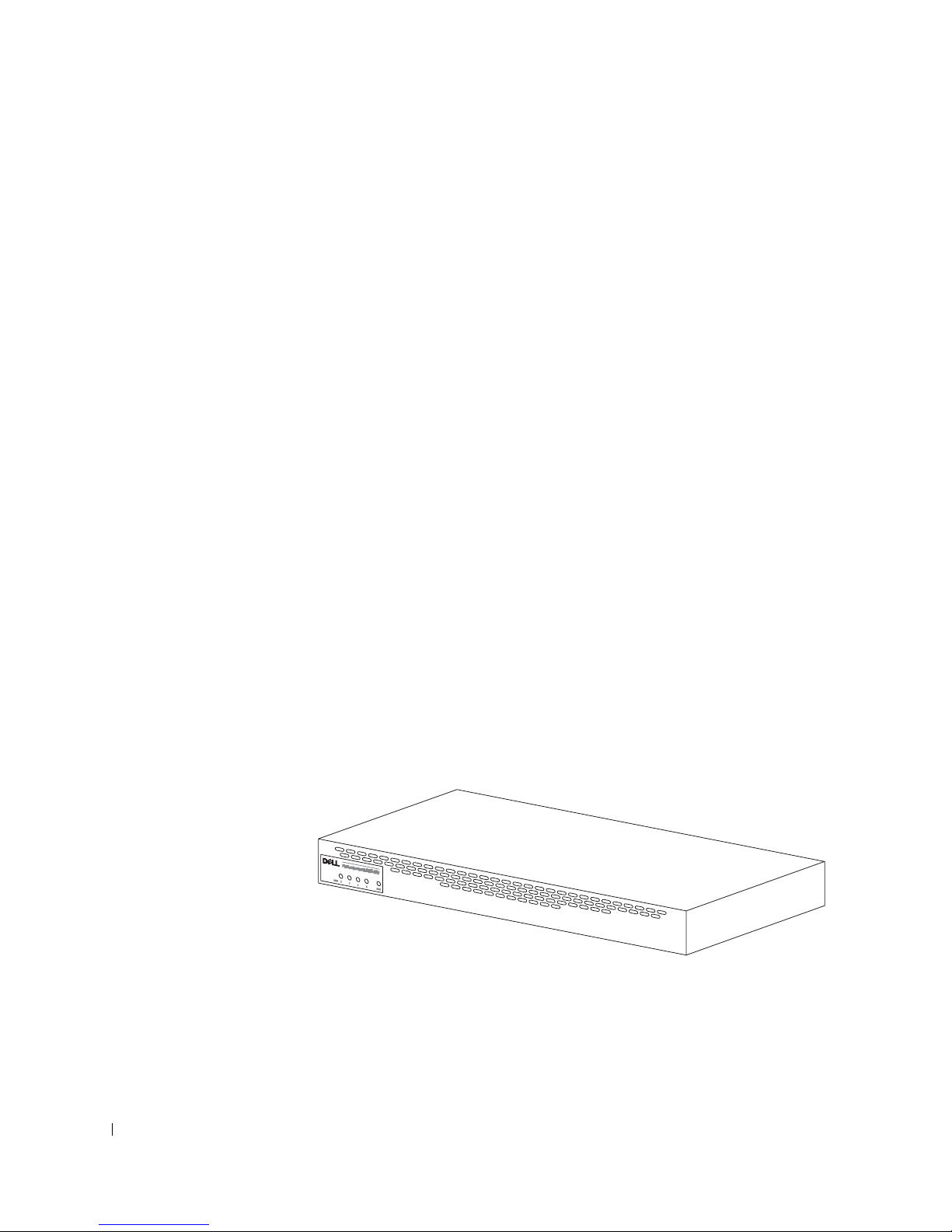
套件中的物件
www.dell.com | support.dell.com
安裝
RPS-600
•
RPS-600
• 說明文件
• 交流電源線
• 機架安裝套件
• 交換器直流電源線
之前,請先確認套件中包含下列項目:
備援電源組
CD
(4 條)
功能
PowerConnect RPS-600
外接式備援電源供應器,從而可消除單點電源供應器導致的故障。
• 具有
• 專用的
• 前面板的
•
1 U、19
直流電輸出,可以支援多達四台
12 V
150 W
LED
吋可拆卸機架系統
備援電源組可為
電源供應器,可以支援多達四台連接的交換器
可顯示每個電源供應器的狀態
PowerConnect
PowerConnect
交換器提供四台
交換器
前面板指示燈
72 Dell PowerConnect RPS-600 安裝指南
Page 74

安裝說明
注意事項:安裝 PowerConnect™ RPS-600 之前,請查閱 PowerConnect 交換
器使用者指南以確認您的交換器支援 PowerConnect RPS-600 備援電源組。
在平面上安裝 PowerConnect RPS-600
您可以在任何可安全承受交換器、
面上安裝
RPS-600。RPS-600
周圍必須留有足夠的空間以便於通風和存
RPS-600
及它們連接纜線重量的水平
取纜線接頭。
若要在平面上安裝
1 將
RPS-600
注意事項:每側至少留出 2 吋 (5.1 公分) 空間以保持良好的通風,背面應
留出 5 吋 (12.7 公分) 空間以放置電源線。
將橡膠腳墊安放在底架底部每個帶標記的位置。
2
RPS-600
放置在平面上,然後檢查通風狀況是否良好。
,請:
橡膠腳墊是可選安裝元件,但建議您安裝它以防止裝置滑動。
在機架中安裝 PowerConnect RPS-600
RPS-600
若要在機架中安裝
1 使用隨附的螺絲將安裝托架安裝在
可以安裝在大多數標準的
註:由於機架上沒有螺紋,所以隨附了鎖緊螺帽。
RPS-600
,請:
吋機架中。
19
RPS-600
的兩側。
2 將
RPS-600
3 將用於機架的兩顆螺絲插入每個安裝托架並旋緊。
放置在機架中,使 安 裝托架上的小孔與機架上的小孔對齊。
Dell PowerConnect RPS-600 安裝指南 73
Page 75
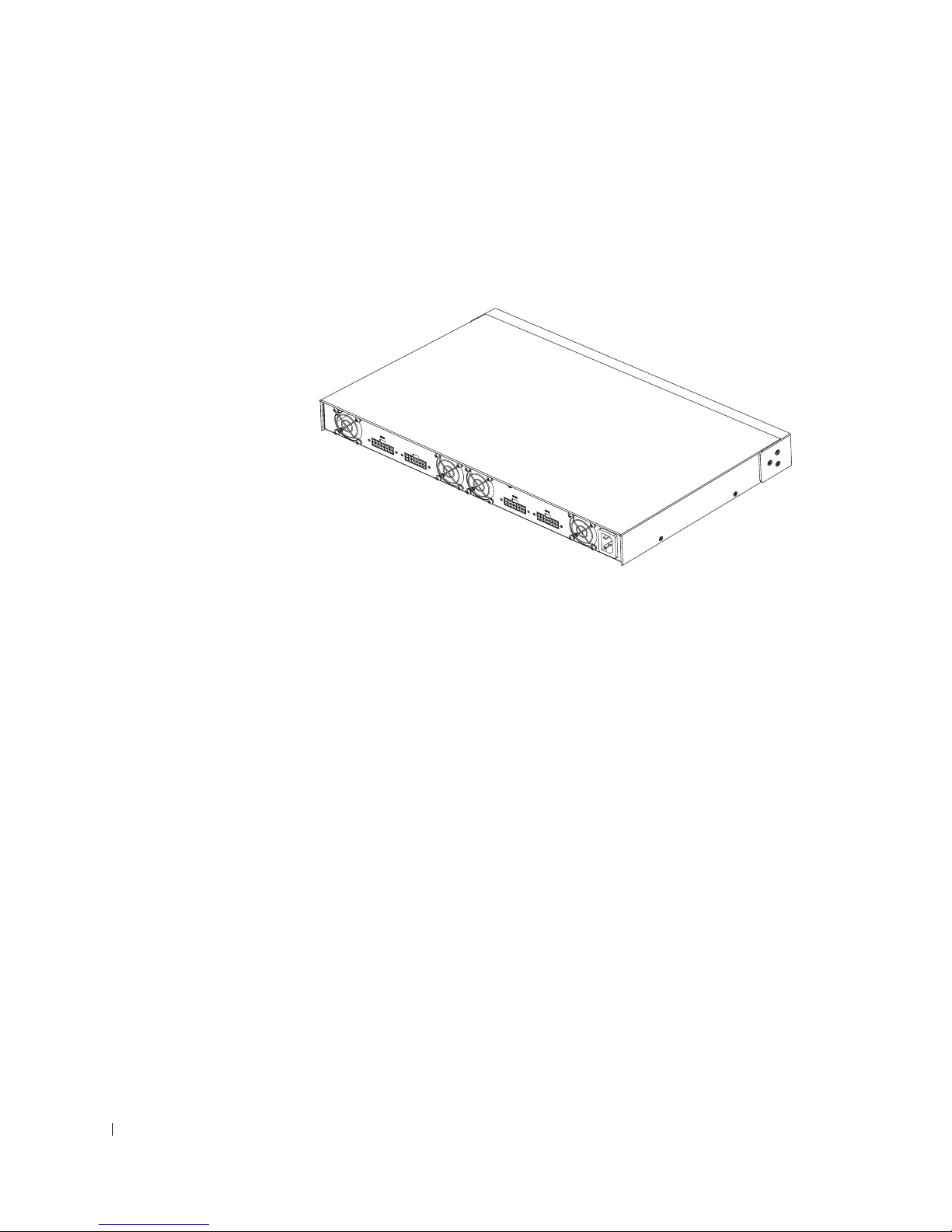
若要在安裝後操作
RPS-600
,請:
www.dell.com | support.dell.com
1 將交換器直流電源線的一端插入交換器背面標有「
將交換器直流電源線的另一端連接至
接頭。
2 將交流電源線連接至
此交換器目前同時使用兩個電源供應器。您可透過
器與
RPS-600
上的前面板
RPS-600
LED
,然後連接至交流電源插座。
監視兩個電源供應器的狀態。
RPS-600
背面任何可用的
」的接頭。
RPS
PowerConnect
RPS
交換
技術資訊
電源供應器規格
PowerConnect RPS-600
• 每個電源供應器的尺寸為
(1.16 x 17.78 x 3.338
• 每個電源供應器只能輸出
應器的特性。
74 Dell PowerConnect RPS-600 安裝指南
包含四個獨立的
4.0 x 7.0 x 1.334
公分
最大尺寸)。
) (
電流。下表將詳細說明每個電源供
12 V
150 W
電源供應器。
英吋
Page 76

參數 12 V 輸出
電壓
起始精確度
最小電流
最大電流
線路調整率
負載調整率
+12.0 VDC
+/–1%
2 A
13 A
+/–1%
+/–10%
雜波和脈動
過高電壓容許度
過低電壓容許度
環境規格
作業溫度 攝氏
作業相對濕度
存放溫度 攝氏
存放相對濕度
震動
,峰間值
10%
5%
5%
0 至 40 度 (
8% 至 90%
度至
40
5% 至 95%
10 至 300 Hz
速度對每個正交座標軸 X、Y、Z 進行掃描
技術援助
隨時可為您提供您所需的技術援助。請參閱
Dell
隨附的
PowerConnect CD
,以獲得關於與
華氏
32 至 104 度)
80 度 (
非冷凝
,在一小時內以
華氏
PowerConnect
公司聯絡的資訊。
Dell
40
度至
1.0 G
176 度)
的固定加
交換器
Dell PowerConnect RPS-600 安裝指南 75
Page 77

管制通告
www.dell.com | support.dell.com
電磁干擾
號或發射,它會危及無線導航或其他安全服務的操作,也會嚴重降低、
妨礙或反覆中斷有執照的無線電通訊服務。無線電通訊服務包括但不侷
限於
和個人通訊服務
裝置,包括電腦系統) 共同產生了電磁環境。
電磁相容性
管本電腦系統的設計符合管制機構對
並不保證在個別的安裝中不會產生干擾。您可以透過關閉和開啟本設備
來判斷它是否會對無線電通訊服務產生干擾;如果確實如此,我們建議
您嘗試採取下列一種或多種措施來排除干擾:
• 重新調整天線的接收方向。
• 依接收器的位置,重新放置電腦。
• 將電腦移到遠離接收器的地方。
• 將電腦的電源線插入不同的電源插座,使電腦與接收器使用不同的
如有必要,請向
詢,以獲得更多的建議。
(EMI)
AM/FM
分支電路。
是在周圍空間散發,或沿電源或訊號導線傳導的任何訊
商業廣播、電視、蜂巢式服務、雷達、飛行控制、傳呼機
(PCS)
(EMC)
Dell
。這些有執照的服務和非有意的發射體 (例如數位
是指電子設備能夠在電子環境中正常運作的能力。儘
的限制並已得到確定,但我們
EMI
技術支援代表或有經驗的無線電/電視技術人員諮
電腦系統根據其計畫使用的電磁環境進行設計、測試,並劃分等
Dell
級。通常,電磁環境的等級一致定義如下:
•
級或甲類通常適用於商業或工業環境。
A
•
級或乙類通常適用於居家環境。
B
整合或連接至系統的資訊技術設備
機、輸入/輸出
級。
關於帶保護層訊號纜線的注意事項:請僅使用帶保護層的纜線將週邊裝
置連接至所有
保護層纜線可確保系統符合相應使用環境的
機,其纜線將由
(accessories.us.dell.com/sna/category.asp?category_id=4117) 向 Dell
纜線。
76 Dell PowerConnect RPS-600 安裝指南
(ITE) (
裝置及監視器等),必須符合電腦系統的電磁環境等
[I/O]
裝置,以降低干擾無線電通訊服務的可能性。使用帶
Dell
提供。您亦可透過
Dell
包括週邊裝置、擴充卡、印表
EMC
World Wide Web (
等級。對於並列印表
全球資訊網
)
訂購
Page 78
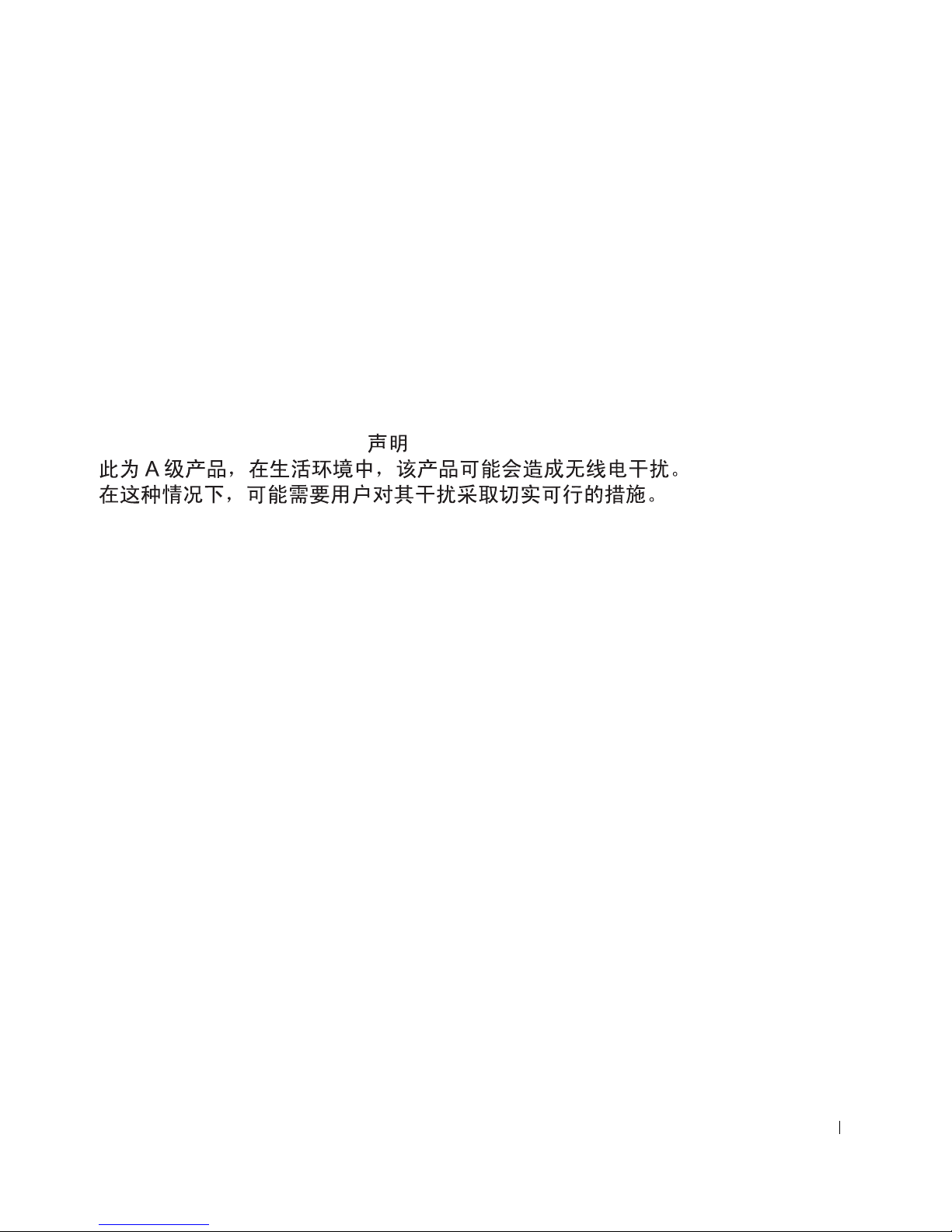
大多數
某些組態的等級變成
電腦系統被劃分為用於
Dell
A
級環境。但是,使用某些選件會使
B
級。若要確定您的系統或裝置的電磁等級,請參
閱下列特定於每個管制機構的章節。每個章節均 提供了特定國家的
EMC/EMI
或產品安全資訊。
簡體中文 A 級警告通告 ( 僅限於中國 )
在
級系統上,下列警告將會出現在管制標籤的旁邊:
A
警告:本裝置為
級產品。在居家環境中,本產品可能會產生無線電干
A
擾,使用者必須採取適當的措施。
Dell PowerConnect RPS-600 安裝指南 77
Page 79
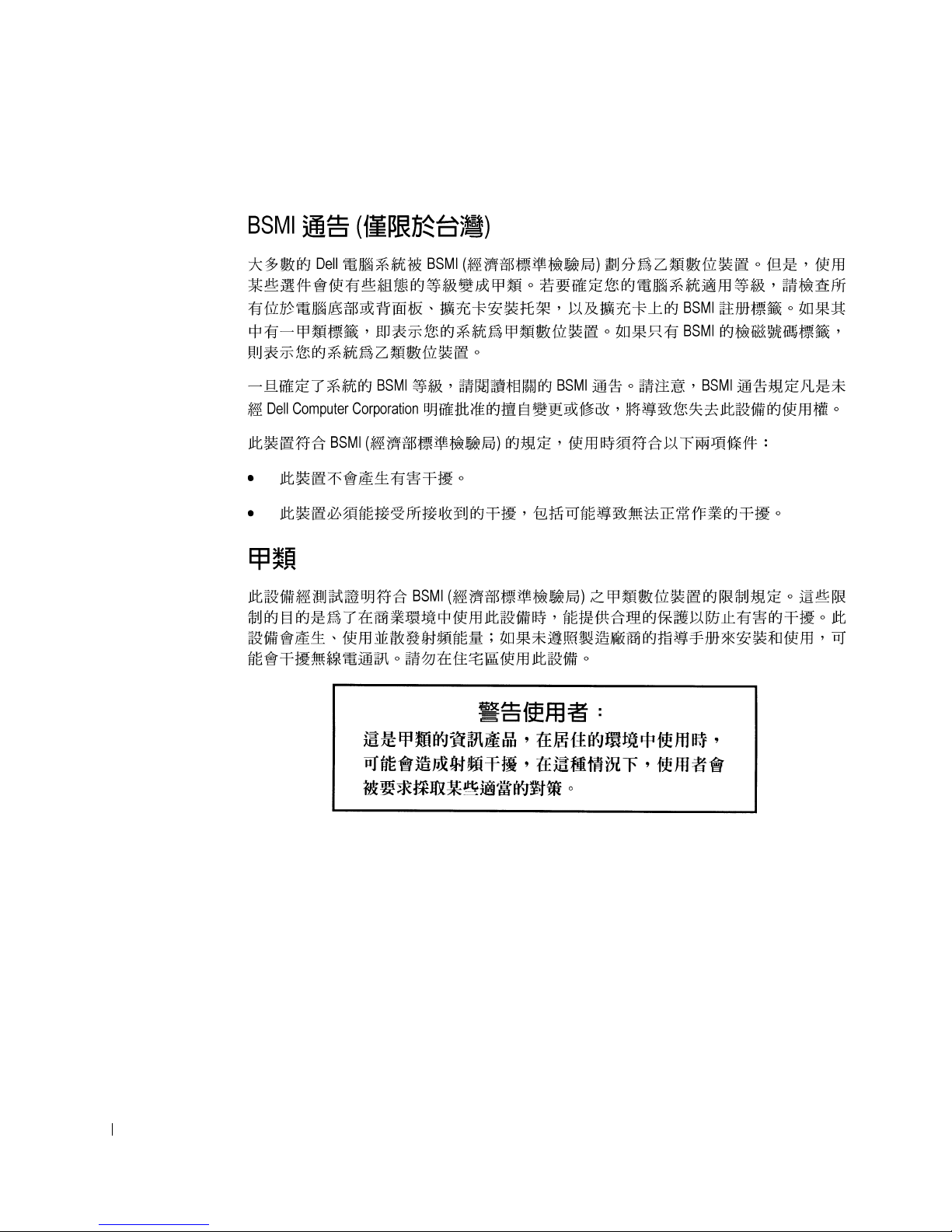
www.dell.com | support.dell.com
BSMI 通告 ( 僅限於台灣 )
78 Dell PowerConnect RPS-600 安裝指南
Page 80
Dell PowerConnect RPS-600 安裝指南 79
Page 81

有限保固和退回規定
在美國或加拿大購買的 Dell 品牌硬體產品,具有 90 天 ( 僅限於美國 )、一年、兩年、三年
或四年的有限保固。若要確定您購買了何種保固,請參閱電腦隨附的 Dell 發票。以下章節
說明適用於美國的有限保固和退回規定、適用於加拿大的有限保固和退回規定,以及適用
於拉丁美洲和加勒比海地區的製造廠商保證。
適用於美國的有限保固
有限保固包含哪些內容?
此有限保固針對您 (我們的最終使用者 ) 的 Dell 品牌硬體產品 ( 包括 Dell 品牌的顯示器、
鍵盤和游標控制裝置 [滑鼠]) 中的材料和工藝上的缺陷,提供維修服務。
www.dell.com | support.dell.com
此有限保固不提供哪些服務?
此有限保固不包括︰
• 軟體 ( 含括透過 Dell 工廠整合系統整合至 Dell 品牌硬體產品的作業系統和軟體 )、
第三方軟體或軟體的重新載入
• 非 Dell 品牌的產品和附件
• 由以下原因引起的問題︰
─ 外部原因,例如意外事故、濫用、誤用或電源問題
─未經 Dell 授權的維修
─ 違反產品說明的操作
─ 未能遵照產品說明或未能執行預防性維護措施
─使用非 Dell 提供的附件、零件或元件所導致的問題
• 服務標籤或序號遺失或變更的產品
• Dell 尚未收到付款的產品
此保固賦予您特定的法定權益,並且您還可以擁有其他權益,這些權益隨州 ( 或轄區 ) 的
不同而有所差異。對於硬體故障及缺陷,Dell 僅負責此有限保固聲明所述的產品維修及更
換。所有明確與默示的產品保固,包括但不僅限於為某一特定用途的商業及其適用性之默
示保固和條件契約,僅在您的發票所示的有限保固期限內有效。有限保固期限之後,將無
任何明確或默示之保固。某些州不允許針對默示保固期限有所限制,因此以上限制可能不
適用於您。
Dell 不會接受此有限保固聲明之外的任何責任,也不會對相因或偶發損壞負責,包括但不
限於第三方向您提出的損壞索賠、產品無法使用、資料或軟體遺失等責任。對於要求索賠
的產品,Dell 所付金額不會超過購買該產品時的價格。這是 Dell 負責支付的最大數額。
某些州不允許針對偶發或相因損壞有除外或限制條款,因此上述限制或除外條款可能不適
用於您。
80 PowerConnect RPS-600 安裝指南
Page 82

此有限保固的期限為多久?
此有限保固的期限標示在您的發票上,但 Dell 品牌的電池之有限保固期限僅為一年,Dell
品牌放映機上的電燈之有限保固期限僅為九十天。此有限保固自發票開具之日起生效。如
果 Dell 維修或更換保固產品或任何零件,其保固期限不會延長。Dell 可能會酌情變更有限
保固的可用性,但任何變更均無追溯性。
需要保固服務時應如何做?
在保固期終止之前,請使用下表中列出的相關電話號碼致電 Dell。並請準備好您的 Dell 服
務標籤號碼或可用的訂購號碼。
個別家庭用戶︰
技術支援
客戶服務
透過員工購買計畫購買電腦的個別家庭用戶︰
技術支援和客戶服務
家庭和小型企業商業客戶︰
技術支援和客戶服務
中型、大型或全球商業客戶,醫療機構客戶和增值經銷商 (VAR) ︰
技術支援和客戶服務
政府和教育機構客戶︰
技術支援和客戶服務
Dell 品牌的記憶體
1-800-624-9896
1-800-624-9897
1-800-822-8965
1-800-456-3355
1-800-822-8965
1-800-234-1490
1-888-363-5150
Dell 將做些什麼?
在 90 天有限保固的前 90 天內以及所有其他有限保固的第一年內︰ 在 90 天有限保固的前
90 天內以及所有其他有限保固的第一年內,Dell 將維修使用者退回的所有 Dell 品牌硬體產
品 ( 經證實在材料或工藝上有缺陷 )。如果 Dell 不能維修此產品,則會使用新的或以舊翻
新的同等產品進行更換。
在您與 Dell 公司聯絡時,Dell 將發出一個退回材料授權號碼,在退回產品時需隨附此號
碼。您必須用原來的包裝或類似的包裝將產品裝好寄回 Dell、預付運送費用並為貨品投保,
否則就要承擔貨物在運送途中遺失或損壞的風險。Dell 會將維修或更換產品寄回給您。如
果您的地址在美國本土 ( 除波多黎各與美屬領地之外 ),Dell 將支付維修或更換產品的運輸
費用。否則,Dell 將以對方付費的方式運送產品。
如果 Dell 確定此產品不在保固範圍之內,我們將通知您採用以收費為基礎的其他服務方
式。
註 : 在運送產品至 Dell 之前,請確定已備份硬碟機及產品中任何其他儲存裝置的資料。
取出所有機密、私有或個人資訊以及抽取式媒體,例如軟式磁碟、CD 或 PC 卡。Dell 對您
的任何機密、私有或個人資訊;遺失或損毀的資料;損壞或遺失的抽取式媒體概不負責。
PowerConnect RPS-600 安裝指南 81
Page 83

www.dell.com | support.dell.com
在剩餘的保固年限內︰在剩餘的有限保固期限內,如果 Dell 認為產品需要更換,我們將以
新的或以舊翻新的零件更換任何有缺陷的零件。在與 Dell 公司聯絡時,我們將在您要求更
換零件時向您詢問有效的信用卡號碼。但是,只要您在 Dell 寄送更換零件後的三十天內退
回原有零件,Dell 將不收取更換零件的費用。如果 Dell 在三十天內未收到原有零件,我們
將以此零件的目前標準價格從您的信用卡上支取費用。
如果您的地址在美國本土 ( 除波多黎各與美屬領地之外 ),Dell 將支付零件的運費。否則,
Dell 將以對方付費的方式運送零件。Dell 寄出更換零件時,也會提供一個已預付運費的容
器,方便您將被更換的舊零件退回 Dell。
註 : 在您更換零件之前,請確定備份硬碟機及產品中任何其他儲存裝置的資料。Dell 對遺
失或損壞的資料概不負責。
如果我已購買服務合約該如何?
如果您已購買 Dell 的現場服務合約,那麼 Dell 將依據現場服務協議的條款向您提供現場
服務。請參閱此合約,以瞭解有關如何獲得服務的詳細資訊。
如果您已從 Dell 購買與第三方服務供應商的服務合約,請參閱此合約,以瞭解有關如何獲
得服務的詳細資訊。
Dell 將如何維修產品?
在進行保固維修與更換零件和系統時,Dell 會使用由不同製造廠商所生產的新零件和以舊
翻新的零件。以舊翻新的零件和系統是退回至 Dell 的零件或系統,有些是客戶從未使用過
的零件或系統。所有零件和系統均已進行品質檢查與測試。更換零件和系統將包括在您購
買的 Dell 產品的剩餘有限保固期內。
如果我不滿意,應該做些什麼?
Dell 深信可以為客戶提供優質的服務。如果在有限保固期內您對服務不滿意,請與 Dell 公
司聯絡。對於有限保固方面的問題,Dell 認為最佳的解決方式就是雙方協作解決。如果您
在協商後仍不滿意,Dell 認為仲裁是解決此類問題的最快捷方式。因此,由於此有限保固、
對於它的解釋或違反、終止或有效性問題以及由此有限保固產生的關係 ( 包括適用法律最
大允許範圍內的與第三方的關係 )、Dell 的廣告或任何相關的購買而對 Dell 提出的任何索
賠、糾紛或爭議 ( 無論是關於合約、侵權,或是先前存在、目前存在或將來存在,且包含
法規、普通法、蓄意侵權與合理索賠 ),將在當時有效的程序法典下,透過全國仲裁論壇
(NAF) 掌管的具有約束力的仲裁作出最終的專門裁定 ( 可存取網際網路
[www.arb-forum.com/] 或撥打 1-800-474-2371 電話來查詢相關資訊 )。仲裁僅限於解決客戶
與 Dell 之間的糾紛或爭議。仲裁者的任何裁決將是最終裁決,它對當事人各方均有約束力,
並有可能成為任何具有法定裁判權的法院之裁決。NAF (P.O. Box 50191, Minneapolis, MN
55405) 可提供相關資訊,並歸檔儲存這些聲明。此條款僅適用於個別家庭客戶與透過員工
購買計畫購買產品的客戶。它不適用於小型、中型、大型以及全球商業客戶或政府、教育
和醫療機構客戶。
82 PowerConnect RPS-600 安裝指南
Page 84

有限保固是否可以轉讓?
如果目前的擁有者已轉讓系統的擁有權並且向 Dell 作了轉讓記錄,則系統的有限保固可以
轉讓。Dell 品牌的記憶體之有限保固不可轉讓。透過訪問 Dell 的 We b 站台,您可以記錄
轉讓內容︰
• 如果您是個別家庭用戶,請訪問
www.dell.com/us/en/dhs/topics/sbtopic_015_ccare.htm
• 如果您是小型、中型、大型或全球商業客戶,請訪問
www.dell.com/us/en/biz/topics/sbtopic_ccare_nav_015_ccare.htm
• 如果您是政府、教育、醫療機構客戶,或是透過員工購買計畫購買產品的個別用戶,
請訪問 www.dell.com/us/en/pub/topics/sbtopic_015_ccare.htm
如果您無法存取網際網路,請致電您的客戶關懷中心代表或撥打 1-800-624-9897。
「完全滿意」退回規定 ( 僅限於美國 )
Dell 非常珍惜與您之間的關係,並希望您對購買的產品滿意。這就是 Dell 為什麼對您 ( 我
們的最終使用者 ) 從 Dell 直接購買的大部份產品提供 「完全滿意」退回規定的原因。在此
規定 下,您可以退回 從 Dell 直接購買的 Dell 產 品,要求獲得產品購買價格的全額退款、少
量運費、處理費以及適當的再貯備費用,可退回的產品如下︰
• 新硬體產品和附件 ─ 所有新硬體、附件、零件以及未開啟包裝的軟體 ( 不包括以下
列出的產品 ) 均可以在發票開具之日起三十天之內退回。若要退回 Dell 已安裝的應
用程式軟體或作業系統,您必須退回整台電腦。另一項退回規定適用於小型與中型
企業部門的客戶透過 Dell 軟體與週邊裝置部門購買的無缺陷產品。這些產品可以在
發票開具之日起的三十天內退回,但要從退款中扣除百分之十五 (15%) 的再貯備費
用。「完全滿意」退回規定和軟體與週邊裝置部門的退回規定不適用於 Dell | EMC
的儲存產品、EMC 品牌的產品或企業軟體。
• 改良的或以舊翻新的 Dell 品牌硬體產品與零件 ─ 所有改良或以舊翻新的 Dell 品牌
伺服器與儲存產品可以在發票開具之日起的三十天之內退回。所有其他改良的或以
舊翻新的 Dell 品牌硬體產品與零件可以在發票開具之日起的十四天之內退回。
若要退回產品,請在該產品的退回規定期限內向 Dell 發送電子郵件或致電 Dell 客戶服務
部門,以獲得退回款項授權號碼。您必須獲得退回款項授權號碼,才能退回產品。請參閱
PowerConnect 網路交換機 CD 上的「獲得幫助」( 或 www.dell.com/us/en/gen/contact.htm)
以尋找獲得客戶援助的相應聯絡資訊。
您必須在 Dell 發出退回款項授權號之日起的五天之內將產品寄至 Dell。同時您必須使用原
有包裝將產品按原樣裝好退回至 Dell,並隨附產品出廠時所隨附的所有媒體、說明文件與
所有其他項目,預付運送費用,並且支付運輸保險費用或承擔運送產品時遺失或損壞的風
險。
PowerConnect RPS-600 安裝指南 83
Page 85

www.dell.com | support.dell.com
適用於加拿大的有限保固條款
有限保固包含哪些內容?
此有限保固針對您 ( 我們的最終使用者 ) 的 Dell 品牌硬體產品 ( 包括 Dell 品牌的顯示器、
鍵盤和游標控制裝置 [ 滑鼠 ]) 中的材料和工藝上的缺陷,提供維修服務。
此有限保固不提供哪些服務?
此有限保固不包括︰
• 軟體 ( 含括透過 Dell 工廠整合系統整合至 Dell 品牌硬體產品的作業系統和軟體 ) 或
軟體的重新載入
• 非 Dell 品牌的產品和附件
• 由以下原因引起的問題︰
─ 外部原因,例如意外事故、濫用、誤用或電源問題
─未經 Dell 授權的維修
─ 違反產品說明的操作
─ 未能遵照產品說明或未能執行預防性維護措施
─使用非 Dell 提供的附件、零件或元件所導致的問題
• 服務標籤或序號遺失或變更的產品
• Dell 尚未收到付款的產品
此保固賦予您特定的法定權益,並且您還可以擁有其他權益,這些權益隨州的不同而有所
差異。對於產品的故障及缺陷,Dell 的責任僅限於此保固聲明所述的維修和更換,保固期
限為發票所示的期限。除此保固聲明中明確的保固之外,Dell 否認所有其他明確或默示的
保固與條件契約,包括但不限於為某一特定用途、法定或其他方面的商業及其適用性之默
示保固和條件契約。某些州不允許對某些默示保固或條件契約有除外責任條款,亦不允許
對默示保固或條件契約之期限有所限制。因此,上述的除外責任條款及限制可能不適用於
您。
Dell 不會接受此保固聲明之外的任何責任,也不會對特殊、間接、相因或偶發損壞負責,
包括但不限於第三方向您提出的損壞索賠、產品無法使用、資料或軟體遺失等責任。對於
要求索賠的產品,Dell 所付金額不會超過購買該產品時的價格。這是 Dell 負責支付的最
大數額。
某些州不允許針對特殊、間接、偶發或相因損壞有除外責任條款或限制,因此上述限制或
除外責任條款可能不適用於您。
此有限保固的期限為多久?
此有限保固的期限標示在您的發票上,但 Dell 品牌的電池之有限保固期限僅為一年,Dell
品牌放映機上的電燈之有限保固期限僅為九十天。此有限保固自發票開具之日起生效。如
果 Dell 維修或更換保固產品或任何零件,其保固期限不會延長。Dell 可能會酌情變更有限
保固的條款及可用性,但任何變更均無追溯性 ( 即僅購買產品時實施的保固條款適用於您
的產品 )。
84 PowerConnect RPS-600 安裝指南
Page 86

需要保固服務時應如何做?
在保固期終止之前,請使用下表中列出的相關電話號碼致電 Dell。並請準備好您的 Dell 服
務標籤號碼或可用的訂購號碼。
個別家庭用戶;家庭辦公室及小型企業客戶:
技術支援和客戶服務
中型、大型或全球商業客戶;政府、教育和醫療機構客
戶;增值經銷商 (VAR) ︰
技術支援
客戶服務
政府或教育機構客戶,或透過員工購買計畫購買電腦的
個別家庭用戶︰
技術支援
客戶服務 1-800-326-9463 ( 分機 8221
Dell 品牌的記憶體
1-800-847-4096
1-800-387-5757
1-800-326-9463
1-800-387-5757
適用於個別用戶 )
1-888-363-5150
Dell 將做些什麼?
在所有有限保固的第一年內:在所有有限保固的第一年內,Dell 將維修退回 Dell 並且經證
實在材料或工藝上有缺陷的任何 Dell 品牌硬體產品。如果 Dell 不能維修此產品,則會使用
新的或以舊翻新的同等產品進行更換。
在您與 Dell 公司聯絡時,Dell 將發出一個退回材料授權號碼,在退回產品時需隨附此號
碼。您必須用原來的包裝或類似的包裝將產品裝好寄回 Dell、預付運送費用並為貨品投保,
否則就要承擔貨物在運送途中遺失或損壞的風險。Dell 會將維修或更換產品寄回給您。如
果您的地址在加拿大,Dell 將支付維修或更換產品的運送費用。否則,Dell 將以對方付費
的方式運送產品。
如果 Dell 確定此問題不在保固範圍之內,我們將通知您採用以收費為基礎的其他服務方
式。
註 : 在運送產品至 Dell 之前,請確定已備份硬碟機及產品中任何其他儲存裝置的資料。
取出所有機密、私有或個人資訊以及抽取式媒體,例如軟式磁碟、CD 或 PC 卡。Dell 對您
的任何機密、私有或個人資訊,遺失或損毀的資料,損壞或遺失的抽取式媒體概不負責。
在所有有限保固第一年之後的剩餘年限內:如果 Dell 認為產品需要更換,我們將使用新的
或以舊翻新的零件來更換任何有故障的零件。在與 Dell 公司聯絡時,我們將在您要求更換
零件時向您詢問有效的信用卡號碼。但是,只要您在 Dell 寄送更換零件後的三十天內退回
原有零件,Dell 將不收取更換零件的費用。如果 Dell 在三十天內未收到原有零件,我們將
以此零件的目前標準價格從您的信用卡上支取費用。
如果您的地址在加拿大,Dell 將支付零件的運費。否則,Dell 將以對方付費的方式運送零
件。Dell 寄出更換零件時,也會提供一個已預付運費的容器,方便您將被更換的舊零件退
回 Dell。
註 : 在您更換零件之前,請確定備份硬碟機及產品中任何其他儲存裝置的資料。Dell 對遺
失或損壞的資料概不負責。
PowerConnect RPS-600 安裝指南 85
Page 87

www.dell.com | support.dell.com
如果我已購買現場服務合約該如何?
如果您與 Dell 簽訂服務合約,我們將按照服務合約的條款為您提供服務。請參閱此合約,
以瞭解有關如何獲得服務的詳細資訊。Dell 的服務合約可在線上 (www.dell.ca ) 找到,或撥
打 1-800-847-4096 致電客戶關懷中心獲取。如果您透過 Dell 購買了與 Dell 第三方服務供應
商的服務合約,請參閱該合約 ( 隨發票郵寄給您 ),以獲得有關如何獲取服務的詳細資訊。
Dell 將如何維修產品?
在進行保固維修與更換零件和系統時,Dell 會使用由不同製造廠商所生產的新零件和以舊
翻新的零件。以舊翻新的零件和系統是退回至 Dell 的零件或系統,有些是客戶從未使用過
的零件或系統。所有零件和系統均已進行品質檢查與測試。更換零件和系統將包括在您購
買的 Dell 產品的剩餘有限保固期內。所有從維修產品中取出的零件皆歸 Dell 所有。
如果我不滿意,應該做些什麼?
Dell 深信可以為客戶提供優質的服務。如果在有限保固期內您對服務不滿意,請與 Dell 公
司聯絡。對於有限保固方面的問題,Dell 認為最佳的解決方式就是雙方協作解決。如果您
在協商後仍不滿意,Dell 認為仲裁是解決此類問題的最快捷方式。因此,由於此有限保固、
對於它的解釋或違反、終止或有效性問題以及由此有限保固產生的關係 ( 包括適用法律最
大允許範圍內的與第三方的關係 )、Dell 的廣告或任何相關的購買而對 Dell 提出的任何索
賠、糾紛或爭議 ( 無論是關於合約、侵權,或是先前存在、目前存在或將來存在,且包含
法規、普通法、蓄意侵權與合理索賠 ),將在當時有效的程序法典下,透過全國仲裁論壇
(NAF) 掌管的具有約束力的仲裁作出最終的專門裁定 ( 可存取網際網路
[www.arb-forum.com/] 或撥打 1-800-474-2371 電話來查詢相關資訊 )。仲裁僅限於解決客戶
與 Dell 之間的糾紛或爭議。仲裁者的任何裁決將是最終裁決,它對當事人各方均有約束力,
並有可能成為任何具有法定裁判權的法院之裁決。NAF (P.O. Box 50191, Minneapolis, MN
55405) 可提供相關資訊,並可將聲明歸檔。
有限保固是否可以轉讓?
如果目前的擁有者已轉讓系統的擁有權並且向 Dell 作了轉讓記錄,則系統的有限保固可以
轉讓。Dell 品牌的記憶體之有限保固不可轉讓。透過訪問 Dell 的 We b 站台,您可以記錄
轉讓內容︰
• 如果您是個別家庭用戶,請訪問
www.dell.com/us/en/dhs/topics/sbtopic_016_ccare.htm
• 如果您是家庭辦公室、小型、中型、大型或全球商業客戶,請訪問
www.dell.com/us/en/biz/topics/sbtopic_ccare_nav_016_ccare.htm
• 如果您是政府、教育、醫療機構客戶,或是透過員工購買計畫購買產品的個別家庭
用戶,請訪問 www.dell.com/us/en/pub/topics/sbtopic_016_ccare.htm
如果您無法存取網際網路,請撥打 1-800-326-9463 致電 Dell 公司。
「完全滿意」退回規定
如果您是直接從 Dell 公司購買新產品的最終使用者,則可以在收到產品後的 30 天內將其
退回 Dell 公司,以獲得全額退款。如果您是從 Dell 公司購買改良或以舊翻新產品的最終使
用者,則可以在發票開具之日起的 14 天內將其退回 Dell 公司,以獲得全額退款。對於上
述任何一種情況,退款將不包括發票上所示的任何運費及處理費用,並扣除百分之十五
(15%) 的再貯備費用,除非法律禁止。如果您的機構向 Dell 購買產品時簽署了書面協議,
協議中可能會有不同的產品退還條款。
86 PowerConnect RPS-600 安裝指南
Page 88

若要退回產品,您必須致電 Dell 客戶服務部門 (1-800-387-5759),以獲得一個退回款項授
權號碼。若要加快退款進程,Dell 希望您在 Dell 發出退回款項授權號碼五天之內,使用原
來的包裝將產品退回給 Dell。您還必須預付運送費用並為貨物投保,否則就要承擔運送時
遺失或損壞的風險。如果您要退回軟體,只有在軟式磁碟或 CD 的包裝封條未被打開的情
況下才能得到退款。退回的產品必須保持原樣,所有的手冊、軟式磁碟、CD、電源線以及
所有產品包括的其他項目,均應一併退回。對於要退回由 Dell 安裝的應用程式或作業系統
軟體並要得到退款的客戶,必須將整個系統,連同出廠時所有原裝的媒體和說明文件一併
退回。
「完全滿意」退回規定不適用於 Dell | EMC 儲存裝置,也不適用於透過 Dell 的軟體與週邊
裝置部門購買的產品。對於這些產品,請參閱 Dell 的軟體與週邊裝置部門當時的退回規定
( 請參閱下一節 「Dell 軟體與週邊裝置」 )。
Dell 軟體與週邊裝置
第三方軟體與週邊裝置產品
與其他軟體與週邊裝置的經銷商一樣,Dell 並不保固第三方產品。第三方軟體與週邊裝置
產品的保固僅由原始製造廠商或出版商提供。第三方製造廠商的保固根據產品的不同而有
所差異。請參閱您產品的說明文件,以獲得特定的保固資訊。亦可從製造廠商或出版商處
獲得更多資訊。
雖然 Dell 提供多種軟體與週邊裝置產品,但並不專門測試或保證它提供的所有產品均能與
任何或所有型號的 Dell 電腦配合使用,亦不測試或保證所銷售的所有產品均能與目前數百
種不同品牌的電腦配合使用。如果您有關於相容性方面的問題,Dell 建議並鼓勵您與第三
方軟體和週邊裝置產品製造廠商或出版商直接聯絡。
Dell 品牌的週邊裝置產品
Dell 對新 Dell 品牌的週邊裝置產品 ( 將 Dell 列示為製造廠商的產品,如顯示器、電池、記
憶體、塢接站以及放映機 ) 提供有限保固。若要確定您購買的產品適用於何種有限保固,
請參閱 Dell 發票和 / 或產品隨附的產品說明文件。有 關 Dell 有限保固的說明在前面的章節
中已有所介紹。
退回規定
如果您是從 Dell 公司直接購買 Dell 軟體和週邊裝置產品的最終使用者,則可以在發票開具
之日起 30 天內,將 Dell 軟體和週邊裝置產品保持原樣退回至 Dell,以獲得全額退款 ( 如
果已付款 )。此退款並不包括發票上所示的任何運費及處理費用,這些費用由您承擔。
若要退回產品,您必須致電 Dell 客戶服務部門 (1-800-387-5759),以獲得一個退回款項授
權號碼。您必須用原始製造廠商的包裝 ( 須保持原樣 ) 將 Dell 軟體和週邊裝置產品裝好寄
回 Dell、預 付運送費用,並 為 貨品投保,否則就要承擔貨物在運送途中遺失或損壞的風險。
為符合退款或更換產品的要求,退回的產品必須保持原樣,軟體產品必須尚未開啟,產品
隨附的所有手冊、軟式磁碟、CD、電源線以及其他項目均應一併退回。
PowerConnect RPS-600 安裝指南 87
Page 89

一年最終使用者製造廠商保證 ( 僅限於拉丁美洲和加勒比海地區 )
保證
Dell Computer Corporation ( 「Dell」 ) 根據以下條款,向最終使用者保證,自最初購買日
期算起一年內,拉丁美洲或加勒比海地區的最終使用者從 Dell 公司或經授權的 Dell 分銷
商處購買的其品牌的硬體產品,不會有材料、工藝與影響正常使用的設計上的缺陷。Dell
將根據正當的產品要求,選擇免費維修或更換產品。所有從維修產品中取出的零件皆歸
Dell 所有。在維修和更換產品時,Dell 使用不同製造廠商生產的新零件和改良的零件。
除外責任條款
此保證並不適用於以下原因所造成的缺陷:不正確或不適當的安裝、使用或維護;未經授
權的第三方或最終使用者擅自更正或修改;有意或無意的損壞;或正常的損耗。
www.dell.com | support.dell.com
提出要求
拉丁美洲或加勒比海地區的客戶必須在保固期內聯絡 Dell 銷售點以提出要求。最終使用者
務必提供購買證明 ( 銷售者姓名和地址、購買日期、型號和序號、客戶姓名和地址 ) 以及
故障發生時的徵狀和組態之詳細資料,包括使用的週邊裝置和軟體。否則,Dell 可能會拒
絕保證要求。診斷出保固缺陷後,Dell 將作出安排並支付產品寄至 Dell 維修 / 更換中心以
及從該中心寄出的基本運費與保險費。最終使用者務必確保按照上述細節,使用原來或類
似的保護包裝將故障產品與清單包裝好,並隨附 Dell 提供給最終使用者的退回號碼。
限制與法定權限
除上述明確規定以外,Dell 不作任何其他保固、保證或類似聲明,並且在法律完全允許的
情況下此保證可取代所有其他保證。在沒有適用法規的情況下,此保證是 Dell 或其任何子
公司向最終使用者提供的唯一且專有的補救辦法,Dell 及其任何子公司對由於疏忽、違反
合約或任何其他方式造成的營利或合約損失、任何其他偶發或間接的損失概不負責。
此保證不會損害或影響最終使用者的法定權利,以及 / 或最終使用者與 Dell 和 / 或任何其他
銷售商簽訂的其他合約所規範的權利。
Dell World Trade LP
One Dell Way, Round Rock, TX 78682, USA
Dell Computadores do Brasil Ltda (CNPJ No. 72.381.189/0001-10)/
Dell Commercial do Brasil Ltda (CNPJ No. 03 405 822/0001-40)
Avenida Industrial Belgraf, 400
92990-000 - Eldorado do Sul - RS - Brasil
Dell Computer de Chile Ltda
Coyancura 2283, Piso 3- Of.302,
Providencia, Santiago - Chile
Dell Computer de Colombia Corporation
Carrera 7 #115-33 Oficina 603
Bogota, Colombia
Dell Computer de Mexico SA de CV
Paseo de la Reforma 2620 - 11° Piso
Col. Lomas Altas
11950 México, D.F.
88 PowerConnect RPS-600 安裝指南
Page 90

Dell™ PowerConnect™ RPS-600
Instalační příručka
www.dell.com | support.dell.com
Page 91

Poznámky, upozornění a výstrahy
POZNÁMKA: POZNÁMKA obsahuje důležité informace, které Vám
pomohou počítač lépe využívat.
UPOZORNĚNÍ: UPOZORNĚNÍ poukazuje na možnost poškození
hardwaru nebo ztráty dat a poskytuje návod, jak se danému problému
vyhnout.
POZOR: Výstraha („POZOR“) poukazuje na riziko poškození majetku,
poranění nebo smrtelného úrazu.
____________________
Informace v tomto dokumentu se mohou měnit bez oznámení.
© 2002 Dell Computer Corporation. Veškerá práva vyhrazena.
Reprodukce jakýmkoliv způsobem bez písemného povolení společnosti
Dell Computer Corporation je přísně zakázána.
Ochranné známky použité v tomto textu:
známky společnosti Dell Computer Corporation;
EMC Corporation.
V tomto dokumentu mohou být použity další ochranné známky a obchodní názvy, buď
s odkazem na právnické osoby a organizace, které uplatňují na dané ochranné známky
a obchodní názvy nárok, nebo s odkazem na jejich výrobky. Společnost Dell Computer
Corporation nemá vlastnické zájmy vůči ochranným známkám a obchodním názvům jiným
než svým vlastním.
Prosinec 2002 P/N 2T227 Rev. A02
Dell,
logo
EMC
DELL
a
PowerConnect
je ochranná známka společnosti
jsou ochranné
Page 92

Obsah
Pozor: Bezpečnostní pokyny . . . . . . . . . . . . . . . . . . 93
Obecné pokyny
Připevnění systémů do stojanů
. . . . . . . . . . . . . . . . . . . . . . . . 93
. . . . . . . . . . . . . . . . 95
Volitelné vybavení modemy, telekomunikačním
zařízením či místní sítí LAN
Ochrana před elektrostatickým výbojem
. . . . . . . . . . . . . . . . . 97
. . . . . . . . . . . 97
Obsah balení . . . . . . . . . . . . . . . . . . . . . . . . . . . 98
Vlastnosti
Indikátory čelního panelu
Montážní pokyny
. . . . . . . . . . . . . . . . . . . . . . . . . . . . . 99
. . . . . . . . . . . . . . . . . . . . 99
. . . . . . . . . . . . . . . . . . . . . . . . . 99
Instalace systému PowerConnect RPS-600
na plochý povrch
. . . . . . . . . . . . . . . . . . . . . . . 100
Instalace systému PowerConnect RPS-600
do stojanu
Technické informace
Specifikace zdroje napájení
Technická pomoc
Právní ustanovení
. . . . . . . . . . . . . . . . . . . . . . . . . . . 100
. . . . . . . . . . . . . . . . . . . . . . . 101
. . . . . . . . . . . . . . . . . 101
. . . . . . . . . . . . . . . . . . . . . . . . 102
. . . . . . . . . . . . . . . . . . . . . . . . 103
Obsah 91
Page 93

92 Obsah
Page 94

Pozor: Bezpečnostní
pokyny
Dodržováním následujících bezpečnostních pokynů zajistíte svou vlastní bezpečnost
a přispějete i k ochraně svého systému před možným poškozením.
Obecné pokyny
• Sledujte a dodržujte servisní značení. Údržbu výrobků provádějte výhradně
podle vysvětlení v dokumentaci daného systému. Otevřením nebo odstraněním
krytů označených symbolem trojúhelníku s bleskem se vystavujete nebezpečí
úrazu elektrickým proudem. Údržbu a opravu komponent uvnitř těchto částí by
měl provádět výhradně školený servisní technik.
• Vznikne-li některá z následujících situací, odpojte výrobek ze zásuvky
elektrického proudu a díl vyměňte, nebo se obraťte na školeného servisního
technika:
– Je poškozen napájecí kabel, prodlužovací kabel nebo zástrčka.
– Do výrobku upadl nějaký předmět.
– Výrobek byl vystaven působení vody.
– Výrobek spadl nebo byl poškozen.
– Výrobek nepracuje správně, přestože dodržujete návod k obsluze.
• Systém neumísťujte u radiátorů ani jiných zdrojů tepla. Nezakrývejte ani jinak
neblokujte větrací otvory chlazení.
• Zabraňte kontaktu potravin a tekutin se systémovými komponentami a nikdy se
systémem nepracujte ve vlhkém prostředí. Pokud systém navlhne, přečtěte si
příslušnou část v průvodci odstraňováním problémů, nebo se obraťte na
školeného servisního technika.
• Do otvorů systému nevsouvejte žádné předměty. Takový postup by mohl
způsobit požár nebo úraz elektrickým proudem následkem zkratu vnitřních
součástek.
• Výrobek používejte pouze se schváleným vybavením či zařízením.
•Před sejmutím krytů nebo dotekem s vnitřními součástmi nechte výrobek
nejdříve vychladnout.
Instalač ní př íruč ka systému Dell PowerConnect RPS-600 93
Page 95

Pozor: Bezpečnostní
pokyny
• Výrobek provozujte výhradně s typem externího zdroje napájení uvedeným na
typovém štítku. Nejste-li si jisti, jaký zdroj napájení je zapotřebí, obraťte se na
servisní středisko či servisního technika, nebo na místní energetickou
společnost.
• Používejte pouze schválený napájecí kabel (schválené napájecí kabely). Pokud
jste pro svůj systém nebo pro jakýkoli doplněk napájený střídavým proudem
aurčený k použití s Vaším systémem nedostali napájecí kabel, opatřete si
napájecí kabel schválený pro použití ve Vaší zemi. Napájecí kabel musí být
www.dell.com | support.dell.com
dimenzován pro daný výrobek a pro napětí a proud označené na typovém štítku
výrobku. Hodnoty napětí a proudu, pro něž je kabel dimenzován, by měly být
vyšší než hodnoty napětí a proudu vyznačené na výrobku.
• Abyste zabránili možnosti úrazu elektrickým proudem, připojujte napájecí kabely
systému a periferií ke správně uzemněným elektrickým zásuvkám. Tyto kabely
jsou pro zajištění správného uzemnění vybaveny zástrčkami se třemi kolíky.
Nepoužívejte adaptační zástrčky a z kabelů neodstraňujte zemnící kolík.
Musíte-li použít prodlužovací kabel, použijte třížilový kabel se správně
uzemněnými zástrčkami.
• Dbejte na to, aby prodlužovací a rozpojovací kabel byly správně dimenzovány.
Přesvědčte se, že celkový proud odebíraný všemi zařízeními připojenými
k prodlužovacímu nebo rozpojovacímu kabelu nepřekročí 80 % mezní hodnoty
daného kabelu.
(pokračování)
• Pro ochranu svého systému před náhlým přechodným nárůstem nebo poklesem
napětí v síti používejte stabilizátor síťového napětí, zařízení na úpravu napětí
nebo UPS (Uninterruptible Power Supply [zdroj nepřerušitelného napájení]).
• Systémové a napájecí kabely umístěte s rozmyslem; veďte je tak, aby na ně
nikdo nemohl stoupnout ani o ně klopýtnout. Ujistěte se, že na kabelech není nic
postaveno.
• Neupravujte napájecí kabely ani zástrčky. O místních úpravách se poraďte
s pověřeným elektrikářem nebo s místní energetickou společností. Vždy
dodržujte místní/státní normy či pravidla pro zapojení zařízení.
94 Instalač ní př íruč ka systému Dell PowerConnect RPS-600
Page 96
Pozor: Bezpečnostní
pokyny
•Při připojování a odpojování proudu od napájecích zdrojů přepínatelných za
provozu (jsou-li dodávány s Vaším systémem) dodržujte následující pokyny:
– Zdroj napájení instalujte před připojením napájecího kabelu ke zdroji.
–Před odstraněním zdroje napájení odpojte napájecí kabel.
– Pokud má systém více zdrojů napájení, odpojte systém od proudu
odpojením
• Výrobky přemísťujte opatrně. Zajistěte, aby všechna kolečka a/nebo
stabilizátory byly k systému pevně připojeny. Nezastavujte prudce a vyhněte se
nerovným povrchům.
(pokračování)
všech
napájecích kabelů ode všech zdrojů napájení.
Připevnění systémů do stojanů
Dodržujte následující opatření pro stabilitu a bezpečnost stojanů. Prostudujte si také
dokumentaci k instalaci stojanu dodávanou se systémem a stojanem a přečtěte si
zvláštní bezpečnostní upozornění a postupy.
Systémy jsou považovány za komponenty ve stojanu. Proto se termín „komponenta“
vztahuje k jakémukoli systému, stejně tak jako k různým periferiím nebo pomocnému
hardwaru.
POZOR: Instalace systémů do stojanu, aniž by byly instalovány přední
aboční stabilizátory, může způsobit převrhnutí stojanu, což může za
určitých okolností vést k tělesnému úrazu. Proto před instalací komponent
do stojanu vždy instalujte stabilizátory.
Po instalaci systému/komponent do stojanu nikdy nevysouvejte ze stojanu
současně více než jednu komponentu. Hmotnost více vysunutých
komponent by mohla způsobit převrhnutí stojanu a případně i vážný úraz.
POZNÁMKA: Váš systém je z hlediska bezpečnosti schválen jako samostatně stojící
jednotka i jako komponenta určená k instalaci ve stojanové skříni firmy Dell™ pomocí
zákaznické soupravy stojanu. Instalace Vašeho systému a soupravy stojanu do skříně jiné
značky nebyla schválena žádným úřadem zabývajícím se bezpečností. Proto za vyhodnocení
vhodnosti konečné kombinace systémů a stojanů ve stojanových skříních příslušným úřadem
zabývajícím se bezpečností odpovídá zákazník. Společnost Dell nenese žádnou odpovědnost
a neposkytuje žádné záruky, pokud se jedná o tyto kombinace.
Instalač ní př íruč ka systému Dell PowerConnect RPS-600 95
Page 97
Pozor: Bezpečnostní
pokyny
• Soupravy stojanových systémů jsou určeny pro instalaci do stojanu; instalaci
musí provést vyškolený servisní technik. Při instalaci soupravy do jiného stojanu
je třeba se ujistit, že stojan odpovídá specifikacím stojanu firmy Dell.
POZOR: Stojany nesmí přemísťovat jediná osoba. Vzhledem k výšce a
hmotnosti stojanu by se této úlohy měly ujmout nejméně dvě osoby.
•Před prací na stojanech je třeba zajistit, aby byly stojany zabezpečeny
stabilizátory opřenými o podlahu a aby celá hmotnost stojanu spočívala na
www.dell.com | support.dell.com
podlaze. U samostatně stojícího stojanu instalujte před prací na stojanu přední
aboční stabilizátory, u spojených stojanů instalujte přední stabilizátory.
• Stojan vždy zatěžujte zdola nahoru a nejtěžší komponentu instalujte nejdříve.
•Před vysunutím komponenty ze stojanu se ujistěte, že je stojan postaven
vodorovně a že je stabilní.
•Při uvolňování západky kolejničky a zasunování či vysunování komponent
postupujte s citem, výsuvné kolejničky by Vám mohly poranit prsty.
• Po zasunutí komponenty do stojanu opatrně vysuňte kolejničku do zablokované
polohy a poté zasuňte komponentu zcela do stojanu.
(pokračování)
•Větev napájecího obvodu střídavého proudu, která napájí stojan, nepřetěžujte.
Celková zátěž stojanu by neměla překročit 80 % kapacity příslušné větve
napájecího obvodu.
•Zajistěte dostatečný přívod vzduchu ke komponentám ve stojanu.
•Při práci na komponentách ve stojanu nestoupejte na jiné komponenty.
POZOR: Kvalifikovaný elektrikář musí provést všechna zapojení do
napájení stejnosměrného proudu i do bezpečnostního uzemnění. Veškerá
elektroinstalace musí odpovídat všem na ni se vztahujícím místním nebo
národním normám a praxím.
POZOR: Nikdy se nepokoušejte přerušit (odpojit) vodič uzemnění nebo
provozovat zařízení bez jeho správné instalace. Nejste-li si jisti tím, zda je
systém správně uzemněn, obraťte se na příslušný úřad inspekce
elektrických zařízení nebo na kvalifikovaného elektrikáře.
96 Instalač ní př íruč ka systému Dell PowerConnect RPS-600
Page 98

Pozor: Bezpečnostní
pokyny
POZOR: Šasi systému musí být kladně uzemněné do rámu stojanové
skříně. Nepřipojujte systém k napájení, dokud nezapojíte zemnící kabely.
Hotová instalace napájení a bezpečnostního uzemnění musí projít inspekcí
revizního technika s příslušnou kvalifikací. Pokud je bezpečnostní zemnící
kabel opomenut nebo odpojen, hrozí nebezpečí úrazu nebo škody
elektrickým proudem.
(pokračování)
Volitelné vybavení modemy, telekomunikačním zařízením či místní
sítí LAN
•Při bouřce se nepřipojujte pomocí modemu a nepoužívejte jej. Může dojít
k elektrickému výboji způsobenému bleskem.
• Nikdy se nepřipojujte pomocí modemu ani jej nepoužívejte ve vlhkém prostředí.
• Telefonní kabel nebo kabel modemu nezapojujte do zdířky NIC (Network
Interface Controller [řadič síťového rozhraní]).
•Před otevřením krytu výrobku, dotykem s vnitřními komponentami nebo jejich
instalací, či dotykem s neizolovaným kabelem nebo zdířkou modemu odpojte
kabel modemu.
Při provozu systému
Ochrana před elektrostatickým výbojem
UPOZORNĚNÍ: Opravy systému by měl provádět pouze oprávněný servisní technik. Na
škody vzniklé servisem bez oprávnění společnosti Dell se nevztahuje záruka.
Statická elektřina může ohrozit jemné součástky uvnitř systému. Abyste předešli
možnosti poškození součástek statickou elektřinou, dříve než se dotknete jakékoli
elektronické komponenty (například mikroprocesoru), vybijte statický náboj svého
těla. Toho dosáhnete například opakovaným dotykem s nenalakovaným kovovým
povrchem šasi.
Instalač ní př íruč ka systému Dell PowerConnect RPS-600 97
Page 99

Pro ochranu před poškozením součástek ESD (ElectroStatic Discharge
[elektrostatickým výbojem]) můžete použít také následující kroky:
•Při vybalování součástky citlivé na statickou elektřinu z krabice, v níž byla
dodána, součástku nevyjímejte z obalu s antistatickou úpravou, dokud nejste
zcela připraveni k její instalaci do systému. Než otevřete antistatický obal,
vybijte elektrostatický náboj svého těla.
•Při přepravě citlivou součástku nejdříve umístěte do antistatického obalu
nebo kontejneru.
• Se všemi citlivými součástkami manipulujte v oblasti zabezpečené proti
elektrostatickému výboji. Je-li to možné, používejte antistatické podložky na
www.dell.com | support.dell.com
podlahu a pracovní stůl a antistatický pásek pro uzemnění.
POZNÁMKA: Systém může obsahovat také karty obvodů nebo jiné komponenty, jež obsahují
baterie. Tyto baterie je rovněž třeba odevzdat k likvidaci ve sběrně starých baterií. Podrobnější
informace o těchto bateriích jsou uvedeny v dokumentaci příslušných karet nebo komponent.
Obsah balení
Před instalací systému RPS-600 ověřte, zda balení obsahuje
následující položky:
• zálohové napájení RPS-600 Redundant Power Bank;
• kompaktní disk s dokumentací;
•šňůru napájení střídavým proudem;
• soupravu pro připevnění do stojanu;
• napájecí šňůry stejnosměrného proudu přepínače (4 pro každý).
98 Instalač ní př íruč ka systému Dell PowerConnect RPS-600
Page 100
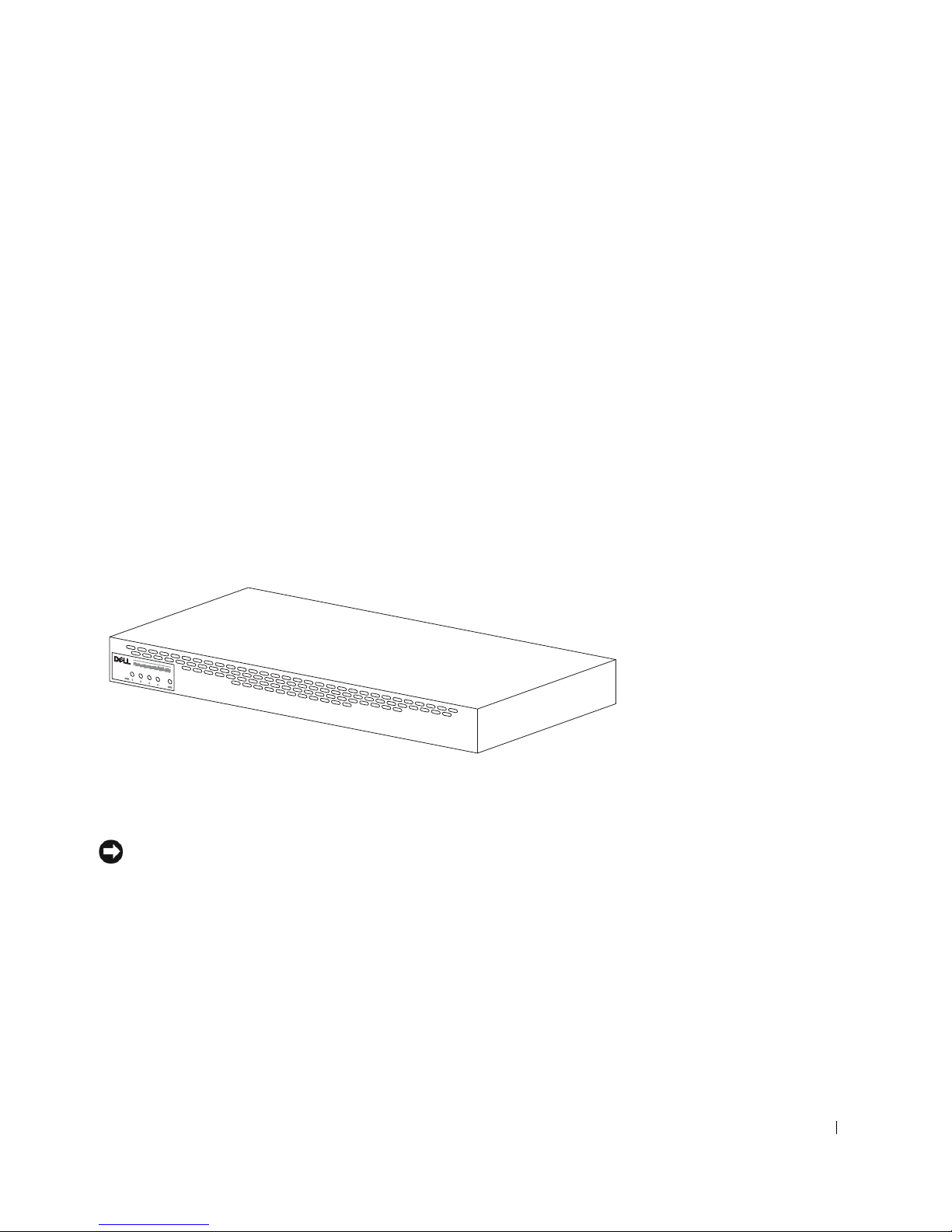
Vlastnosti
Zálohové napájení PowerConnect RPS-600 Redundant Power Bank
poskytuje čtyři externí zálohové zdroje napájení Vašich přepínačů
PowerConnect, eliminujíc tak zdroj napájení jako samostatnou příčinu
poruchy.
•Přes 12 V stejnosměrný výstup podporuje až čtyři přepínače
PowerConnect
• Vyhrazený zdroj 150 W pro až čtyři připojené přepínače
• Indikátory LED na čelním panelu pro zobrazení stavu jednotlivých
zdrojů napájení
• Systém 1-U, 19 palců (48,26 cm), namontovatelný do stojanu
Indikátory čelního panelu
Montážní pokyny
UPOZORNĚNÍ: Před instalací systému PowerConnect™ RPS-600 se
seznamte s
přesvědčili, zda Váš přepínač zálohový systém napájení PowerConnect
RPS-600 Redundant Power Bank podporuje.
Příručkou uživatele
přepínače PowerConnect, abyste se
Instalač ní př íruč ka systému Dell PowerConnect RPS-600 99
 Loading...