

Page 1
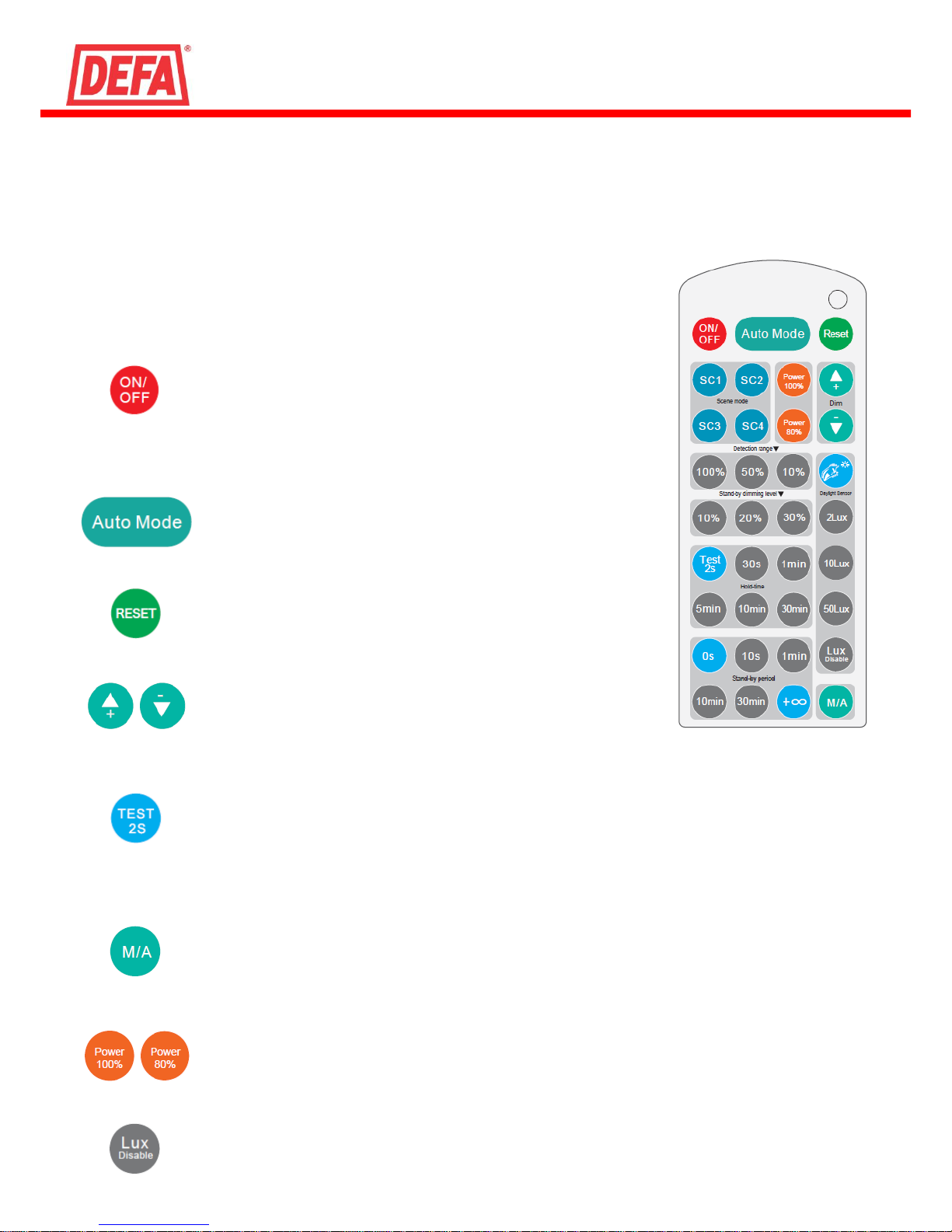
Remotecontrol HRC-05
Manual
Description
This IR-remotecontrol works with LedgeCircle PIR MinMaxOff (not Radar versions).
The Lightfixtures can always be set via the dipswitches within the controlmodule
but the remote makes it fast and easy to change all settings and functions remotely
and is very suitable for larger installations. The lightfixture “beeps” to confirm any
settings made by the remote. At any time, you can go back to change the settings via
the DIP-switches, the light fixture will use the latest settings that has been changed.
Permanent ON/OFF function
Press the “ON/OFF” button, the light goes to permanent on or
permanent off mode, sensor is disabled.
* Press “Auto Mode”, “RESET” or “Scene mode” buttons to quit from
this mode.
Sensor mode
Press “Auto Mode” button, the sensor is activated, and all settings
remain the same as the latest status before the light was switched
on/off.
Reset function
Press “RESET” button, all settings go back to the value of DIPswitch settings.
Dim +/-
Long press “Dim +” or “Dim -” to adjust the light brightness between
10% and 100% during hold-time.
Test mode
The button “Test 2s” is for testing purpose only. The sensor goes to test mode (hold-time is 2s)
automatically after commissioning, meanwhile the stand-by period and daylight sensor are disabled.
* This mode can be ended by pressing “reset”, or any button of “scene mode” and “hold time”. The
sensor setting is changed accordingly.
Manual override / Semi-auto mode (absence detection)
By pressing this button, the sensor goes to manual override or Semi-auto mode (absence detection)
function. This function is not in use
Power output
By pressing these two buttons, the output shifts between 80% (at initial 10,000 hours) and 100%, for
energy saving purpose.
Lux Disable
Press this button to disable the built-in daylight sensor. All motion detected will turn on the light
fixture, no matter how bright the natural light is.
Page 2
2
Adress Telephone
DEFA +46 10 498 38 00
Södra Kvistoftavägen 261 62 GLUMSLÖV www.defa.com
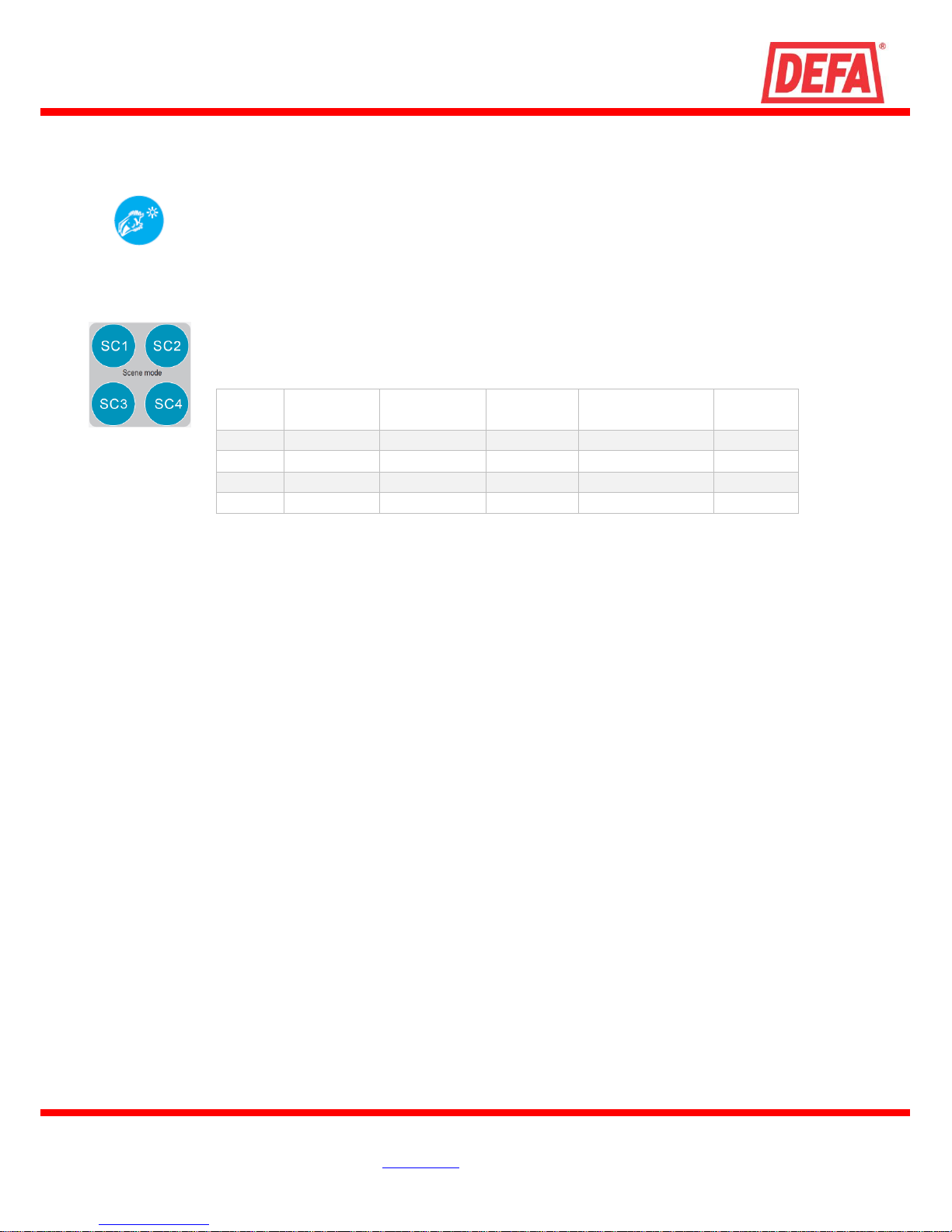
Scene
Detection
range
Hold-time
Stand-by
period
Stand-by
dimming level
Daylight
sensor
SC1
100%
1min
10min
10%
2Lux
SC2
100%
5min
5min
10%
2Lux
SC3
100%
10min
30min
10%
10Lux
SC4
100%
10min
∞
10%
50Lux
122016 E00
Ambient daylight threshold
By pressing this button, you overwrite existing lux value with the actual lux value measured. This
becomes the new daylight threshold. If the light is over this value, the light fixture will not turn on in
case of motion to save energy.
Scene mode (pre-programmed scenes)
If preferred there is 4 pre-programmed scenes for quick programming and setup time. After a scene
has been set, individual settings can still be adjusted.
 Loading...