

Page 1

Voyager serial
Daxten Ltd
4 Harp Business Centre
Apsley Way
London NW2 7LW
Tel.: +44 (0)20 8438 3800
Fax: +44 (0)20 8438 3899
[email protected]
www.daxten.co.uk
Addendum for Voyager UTP Extenders
with Serial Link Option
This extender contains daughter boards that allow a full-duplex serial data link to be
maintained across the CAT5 interconnection cable in addition to PS/2 keyboard/mouse
and SuperVGA video.
To set-up your extender for keyboard/mouse/video please follow the instructions detailed
in the user’s manual. To set-up the extender’s serial link, please follow the instructions
detailed in this addendum. If you have any questions, contact your dealer.
Serial Option Specification
Baud Rates Supported: 9600 Baud (Default) and 19200 Baud (Jumper Selectable)
Serial Data Format: 8-N-l (8 Data Bits, No Parity, 1 Stop Bit)
Flow Control: RTS/CTS or DTR/DSR (Jumper Selectable)
Default Setting: Handshaking is not enabled.
Local Unit Connector: DB9 Female (DCE)
Remote Unit Connector: DB9 Male (DTE)
Serial Cable (Supplied): DB9 Male-Female, 1.8m (3'), Wiring 1:1 (DTE-DCE)
For use between the CPU and Local Unit
Typical Applications: Touchscreens, Serial Printers, Industrial Control
Serial Mouse: Not supported as standard. Please see note below.
Setting Up and Operation
For the vast majority of typical applications the default settings (9600 Baud, No Hardware
Flow Control) will suffice. Simply set-up your extender as detailed in the manual and
connect the required serial peripheral.
Please bear in mind that the Remote Unit’s serial port is wired as DTE (i.e. the same as
that on a PC). To connect a serial printer (or other DTE rather than DCE device) to the
Remote Unit. you will need a Null-Modem (crossover) cable between the Remote Unit
and the printer. Select Xon/Xoff software flow control on the printer and PC.
A serial Touchscreen may be plugged directly into the Remote Unit.
Page 2
Voyager serial
Daxten Ltd
4 Harp Business Centre
Apsley Way
London NW2 7LW
Tel.: +44 (0)20 8438 3800
Fax: +44 (0)20 8438 3899
[email protected]
www.daxten.co.uk
Baud Rate Selection
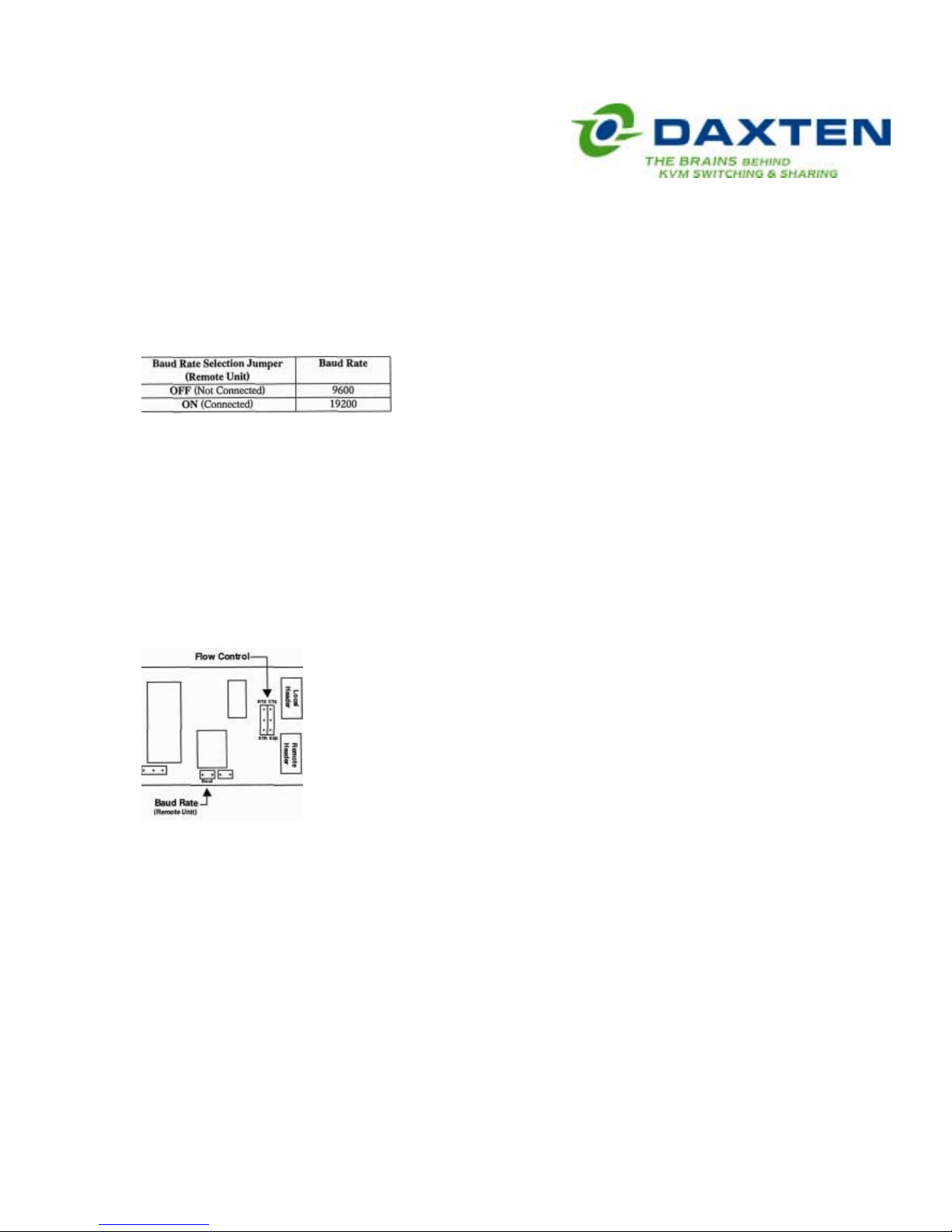
The daughterboard in the Remote unit has a jumper which is used to select between bau d
rates of 9600 (default) and 19200. Refer to the drawing below for the location of this
jumper. Ensure the Rmote Unit is powered down before changing the jumper setting.
Hardware Flow Control
Most applications for the serial link will not require hardware flow control and therefore
However, the daughterboards in both the Local and Remote Units have a series of
jumpers which allow the selection of two alternative hardware flow control schemes
across the CAT5 link, or local loopback of the flow control lines for those PC’s and
peripherals that require the presence of a handshaking con trol signal to enable them.
Do not alter the position of any jumpers or headers on the daughterboard except for
those described above and whose locations are shown below.
Serial
Daughter
Board
Use with a Serial Mouse
As standard the serial link does not support a serial mouse. If you have a PC which does
not have a PS/2 mouse port you should plug a PS/2 mouse into the Remote Unit and use
it is not enabled by default.
a 2146-00C PS/2-Serial Mouse converter at the CPU side. If however, you have a special
serial mouse device such as an industrial trackball which is not available with a PS/2
interface it may be possible to use it through the extender if a custom firmware revision is
supplied. Please contact technical support for details.
Dual Unit (Model 1035-21R) Specific Notes
Please note that the remote serial link is always active even if the Local console is
selected.
 Loading...