

Page 1
DATECS
USER'S
MANUAL
Mobile Bluetooth
Scaner
DBS-55
Page 2

We wish you a pleasant work
with DBS-55!
The information contained in this document is subject to change without prior notice.
All rights reserved. Any mechanical, electrical or electronic reproduction
or adaptation of the information in this document
without prior written permission from DATECS Ltd. is prohibited
1784 Sofia, Bulgaria, 115A Tzarigradsko shosse blvd.
Tel.: +359 2/8165 500, 8165 501, 8165 506, 8165 511; Fax: +359 2/8165 510
Е-mail: [email protected]
Version:
December 2012 г.
Page 3

C O N T E N T S
DATECS
DBS-55
3
Introduction
Main features
..........................................................................................................................
4
1. Technical Specifications
....................................................................................................
5
2. Safety Instructions
...............................................................................................................
6
3. Confirmation of Carton Contents
...................................................................................
7
6. Quick start
................................................................................................................................
8
7. Charging the battery
............................................................................................................
9
7.Pairing
.....................................................................................................................................
10
Page 4

I N T R O D U C T I O N
DATECS
DBS-55
Main Features
4
DATECS BlueScan DBS-55 is the first miniature Bluetooth laser barcode
scanner produced by DATECS. It is one of the smallest and lightest mobile laser
scanners in the world.
Features:
Modes of Operation
• Active Bluetooth - disconnected / connected
• Active Search
• Button: One Scan Button
• Barcode Reader: 1D Barcode scanner – MDL-1000 Laser Scanning Engine
• Supported Barcodes: JAN/UPC/EAN/Add-on – NW-7/ CODABAR, CODE 11, CODE
39, CODE 93, CODE 39 FULL ASCII, CODE 128, IATA, Matrix 2 to 5, Code 11, 2 of 5
industrial, 2 of 5 interleaved, Codebar, MSI/Plessey, UK/Plessey, IATA, ISBN, ISMN,
ISSN, Telepen, RSS 14, RSS Limited, RSS- Expanded, UCC/EAN-128
• Regulatory: Laser safety class: IEC 825, Class I laser product EMC : EN 55022, EN
55024
• LEDs: Three Bi-color LED for Device status (on the Main PCB)
• Processor: HD64F3687
Page 5

1
Technical Specifications
DATECS
DBS-55
5
Optical Specification
• Light Source: 650 nm visible laser diode
• Scan Method: Vibrating mirror
• Scan Rate: 100 scans/sec
• Decode Rate: 100 decodes/sec
• Reading Pitch Angle: +35° to 0°, 0° to -35°
• Reading Skew Angle: -8° to -50°, +8° to +50°
• Reading Tilt Angle: +20° to 0°, 0o to -20°
Interfaces
• Bluetooth
• BT Module
• Micro USB (option)– for charging
Bluetooth (option 1)
• Version 2.0
• Class 2
• Distance - up to 10m
• Serial port profile
• Antenna ANT8030-2R4-01A
Bluetooth (option 2)
• Version 3.0+HS
• Class 2
• Serial port profile
• iPod Accessory Protocol
• Antenna ANT8030-2R4-01A
• Operating: 0°C to +40°C / 35 to 85% RH
• Storage: -5°C to +40°C / 10 to 90% RH
Options
• Cable (option): Micro USB B to USB A
• Memory (option): 128 MB NAND Flash for Database storage
Size/Weight/Power
• W x L x H - 15 x 32 x 63 mm
• Weight - 25 gr.
• Power - 3.7V@260 mAh Li-Po battery
Page 6

2
Safety Instructions
DATECS
DBS-55
6
DATECS
NOTICE
● Before use, be sure to read this manual. And keep it handy for reference when
needed.
●
DATECS
reserves the right to change the content of this manual without prior notice.
●Repr
oduction, tr
ansfer, or transmission of
the
cont
ents of
this manual without prior
consent is strictly pr
ohibit
ed.
●
DATECS
is not liable
for any problems resulting
from the
use of
optional products and
consumable supplies other than
the designated pr
oducts
cont
ained her
ein.
●
Do not
handle, disa
ssemble or r
epair
the
parts other than those specified in this manual.
●
DATECS is not
liable for any
damage caused by user's err
oneous use of
the
scanner
and
inadequate en
vir
onment.
●
Please cont
act us if there are any
mistakes or
ambiguities
within this manual.
We would be grateful!
Page 7
3
Confirmation of Carton Contents
DATECS
DBS-55
7
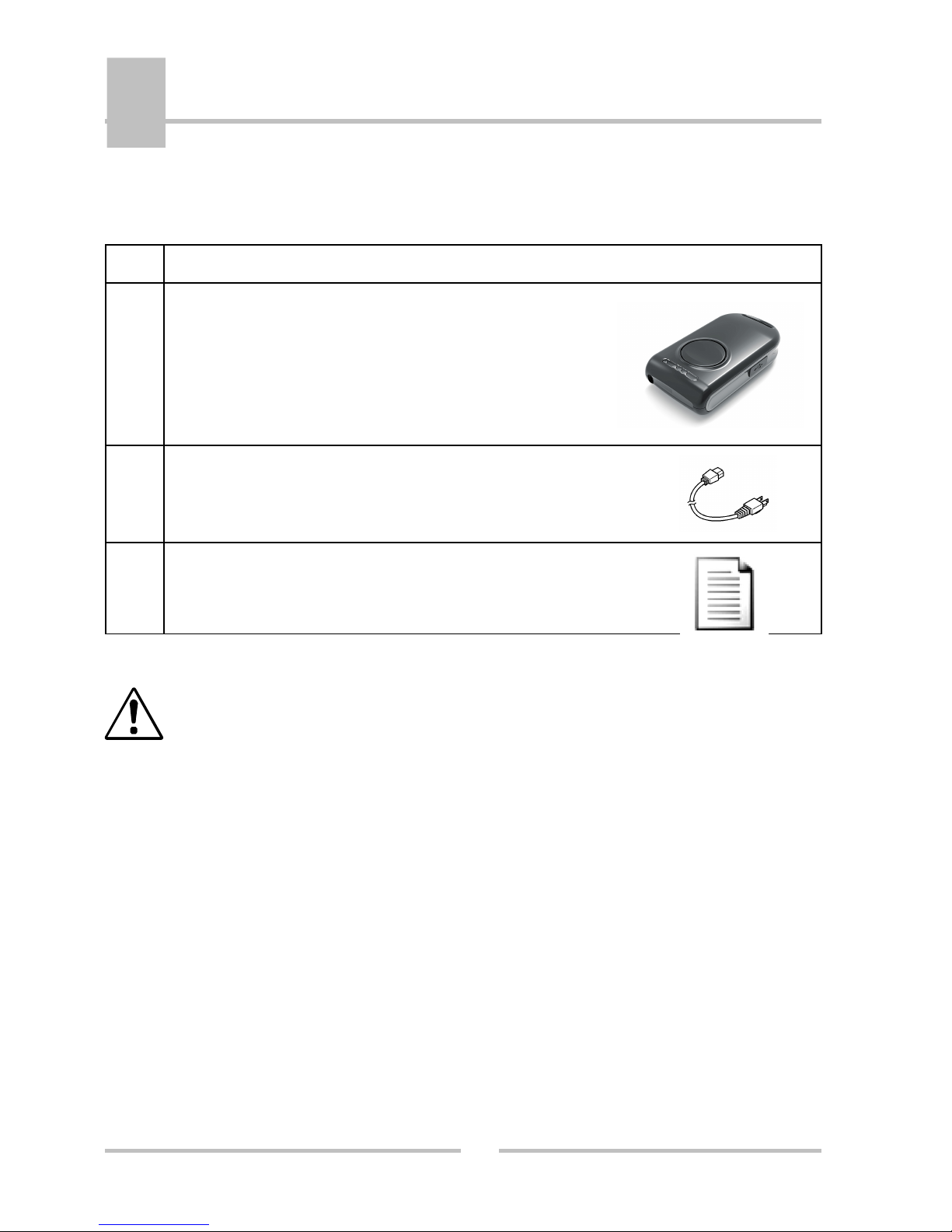
When unpacking the printer, check carefully that the following accessories are included in the
carton:
Item Part Name
1
DATECS BlueScan DBS-55
2
USB cable (option)
5
User's Manual
Because of the continually evolving Drivers & SDK to support new mobile devices,
Drivers & SDK are distributed online andis available for download at our website
indicated below:
http://datecs.bg/support.php?cat=4&soft=1#1
Page 8

4
Quick Start
DATECS
DBS-55
8
Quick Start:
Step What to do Purpose
Where to find
more information
1
Fully charge your
DBS-55 as
recommended.
The battery pack
should be fully
charged before use to
ensure long battery
life.
Charging Battery,
Page 9.
2 Install Software.
Barcode Scanning
require software to be
installed onto your
Smartphone.
Software is not
provided by
Datecs Please
contact your DBS55 reseller
3
Pair DBS-55 with
your Smartphone
Established
communication
between your
Smartphone and
DBS-55
Pairing
Page 12.
Page 9
Charging the battery
DATECS
DBS-55
9
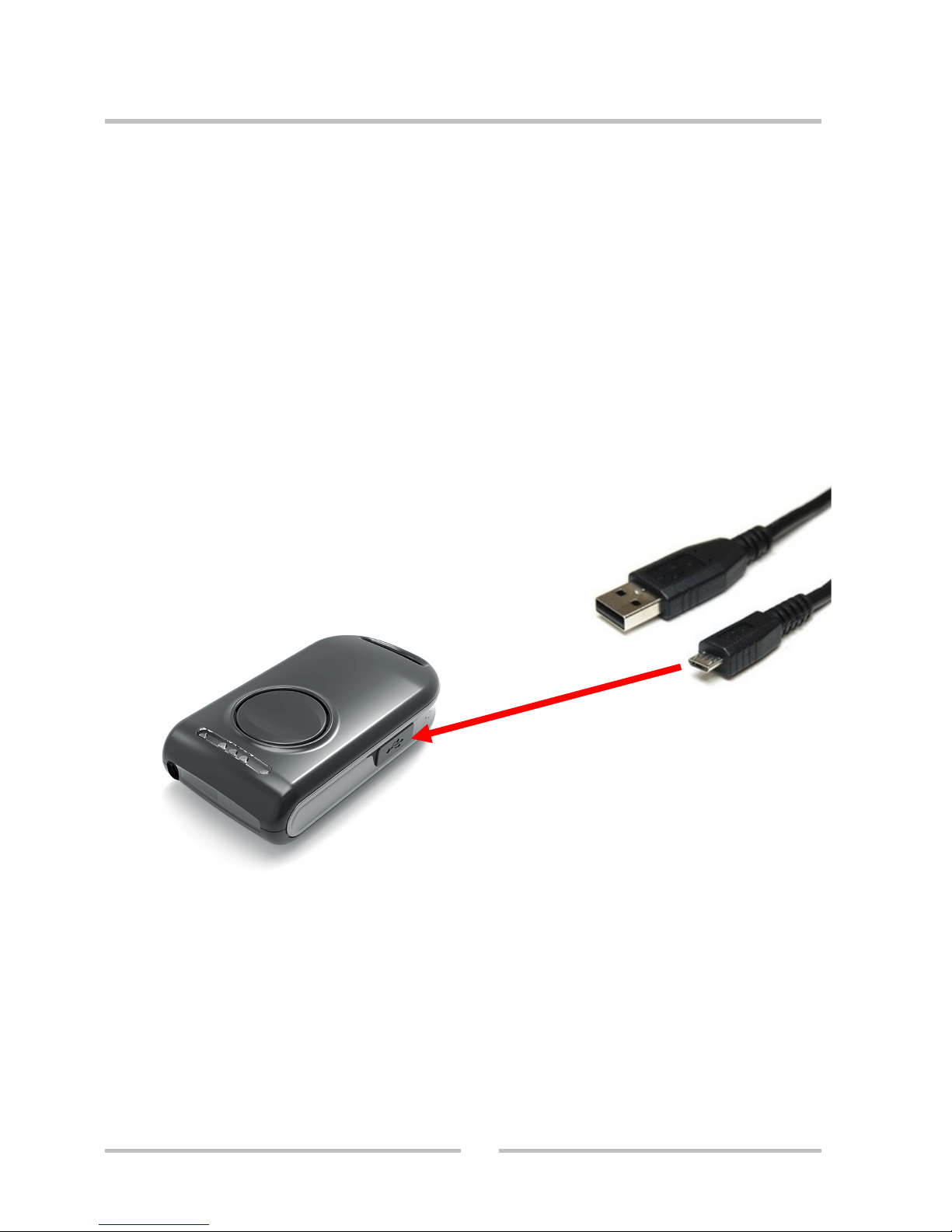
Charging the DBS-55:
The DBS-55 uses a Li-Po battery rechargeable battery pack. Before first use, the battery
pack should be charged for at least (2) hours.
To prevent electrical damage to the DBS-55 and/or battery pack, please use approved
USB to Micro USB cables only.
Charging via USB cable
(type A to micro USB), connected
to PC 5V
Page 10
DATECS
DBS-55
Pairing the device
10
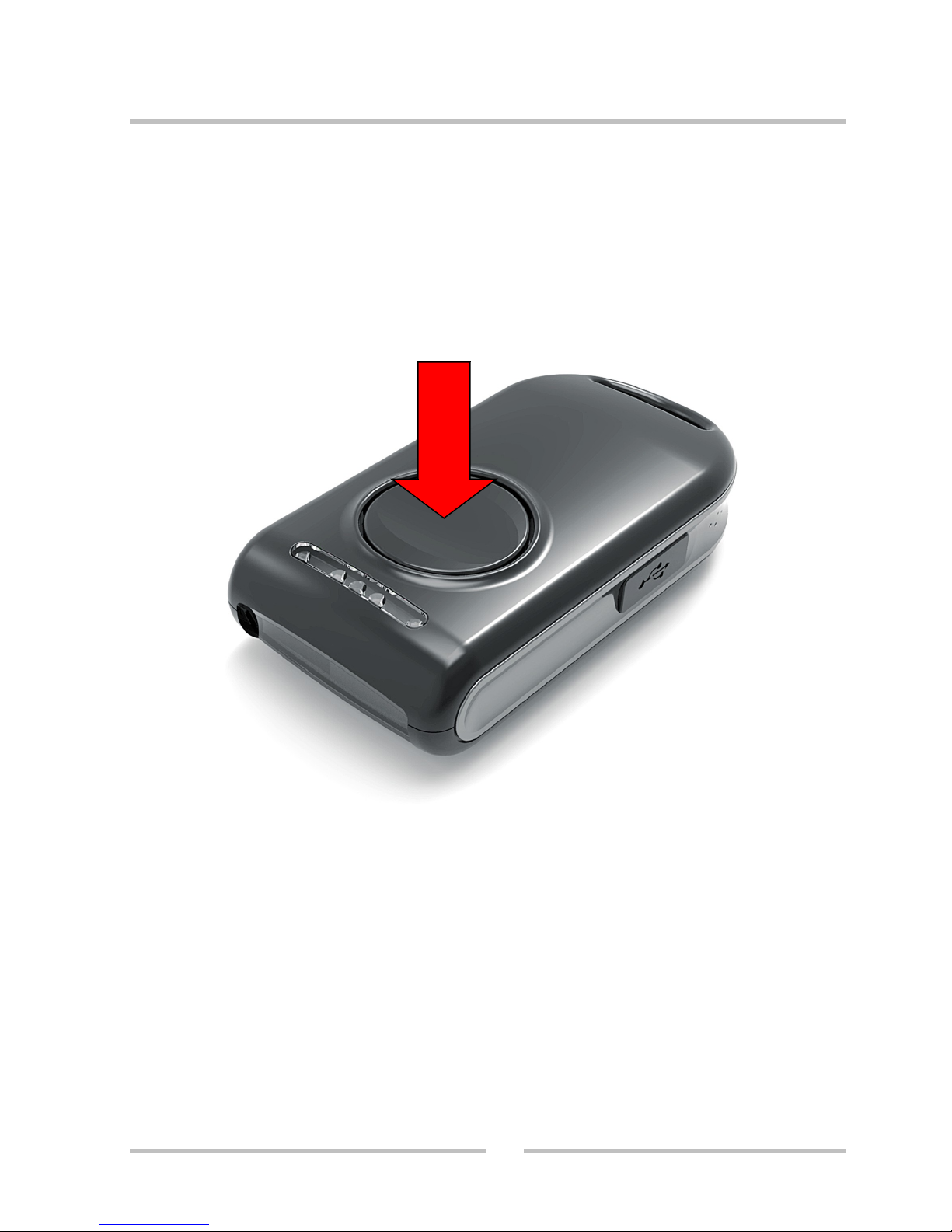
The scanner has to be in OFF mode.
Press and hold the scan button for 15 seconds.
You will head two beep sounds. Release the button. Now the scanner is in pairing mode and can be
browsed from the PDA, smart phone or a PC.
The device appears with DBS-55 in the bluethoot device list. When you find it, double click on it and
click “pair”( Secure Simple Pairing). (For DBS-55 with BT3.0+HS)
The device appears with DBS-55 in the bluethoot device list. When you find it, double click on it and
use 0000 as pass key. (For DBS-55 with BT2.0)
 Loading...