

Page 1
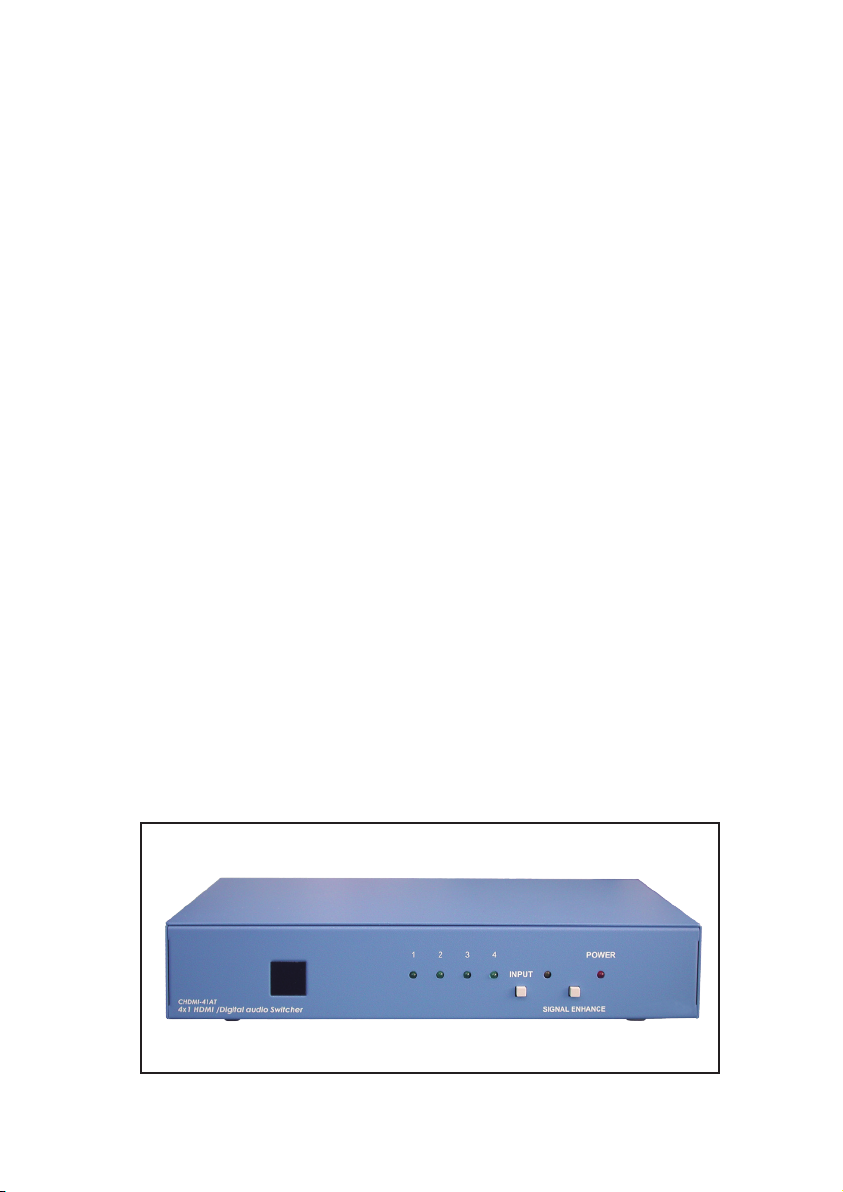
4-in 1-out
HDMI /Digital
Audio Switcher
Operation Manual
CHDMI-41AT
Page 2
Introduction
CHDMI-41AT is a high performance HDMI switcher with separate digital audio
input and output. It allows your various HDMI sources to share one HDTV display.
Simply pressing one button to select your desired HDMI source
for display on the HDTV.
Features
* HDMI, HDCP 1.1 and DVI 1.0 compliant.
* Signal Enhancement feature allows you to improve signal quality
after long distance transmission.
* Optical and coaxial digital inputs and outputs.
* LED indicators.
* Ideal for home theater integration.
* Supports high resolution input:
PC: VGA, SVGA, XGA, SXGA, and UXGA (1600 x 1200)&
HDTV: 480i, 576i, 480p, 576p, 720p, 1080i, and 1080p
* Remote control.
* Easy to install and simple to operate.
Operation Controls and Functions
Front Panel
CHDMI-41AT
4x1 HDMI /Digital audio Switcher
1
1
INPUT1 2 3 4
SIGNAL ENHANCE
2
2
POWER
3 4
3 4
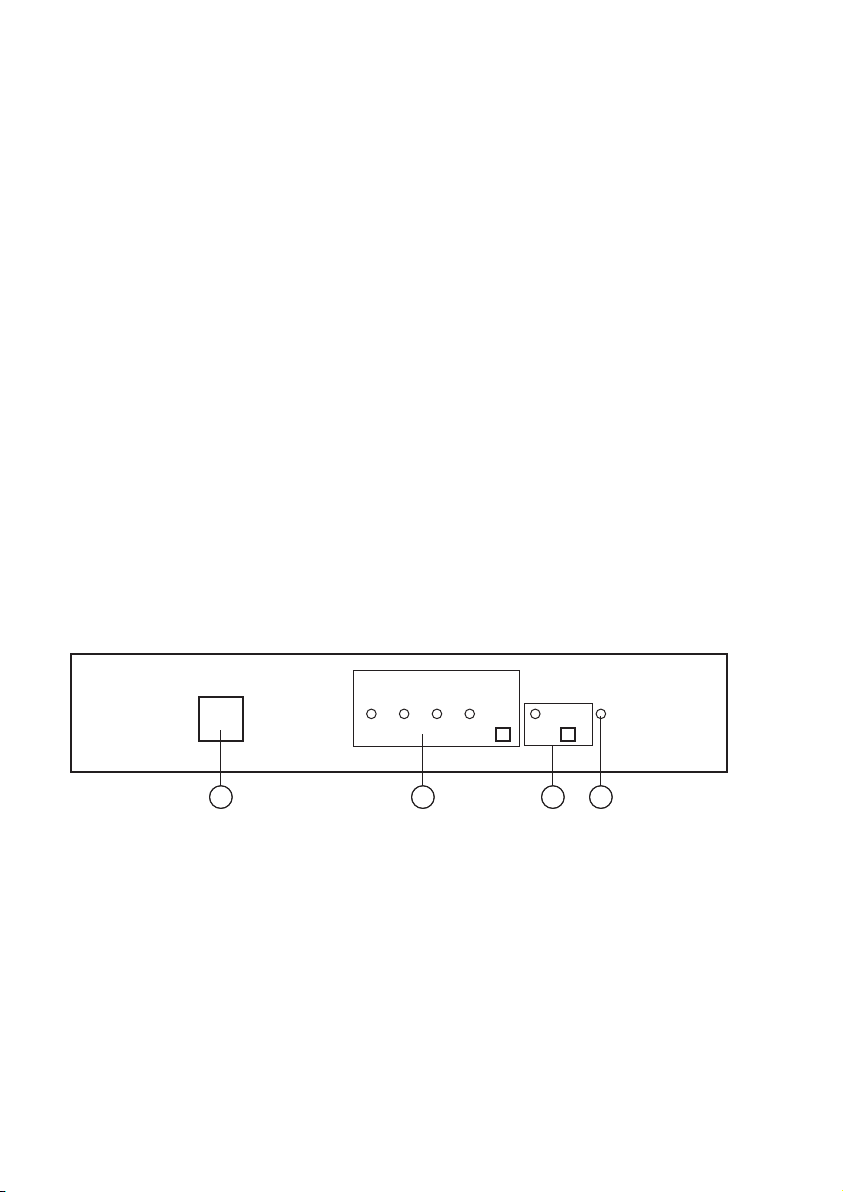
1. Remote control sensor.
2. Input select/Indicators: Press the " INPUT" button repeatedly to switch to your
desired input source and the LED will illuminate to indicate which
input source is being selected.
3. Signal Enhancement/Indicator: Press the " Signal Enhance" button to turn
on this feature to improve signal quality after long distance transmission.
Press again to turn off. The LED will illuminate when the signal is enhanced.
4. Power LED Indicator: The LED will illuminate when the power is connected.
1
Page 3
Operation Controls and Functions
Rear Panel
RS-232
1
5 4
OUT
OPTICAL COAXIAL
HDMI IN 4HDMI OUT HDMI IN 3 HDMI IN 2 HDMI IN 1
4 3 2 1 4 3 2 1
6
OPTICAL IN
COAXIAL IN
2 3
DC 5V
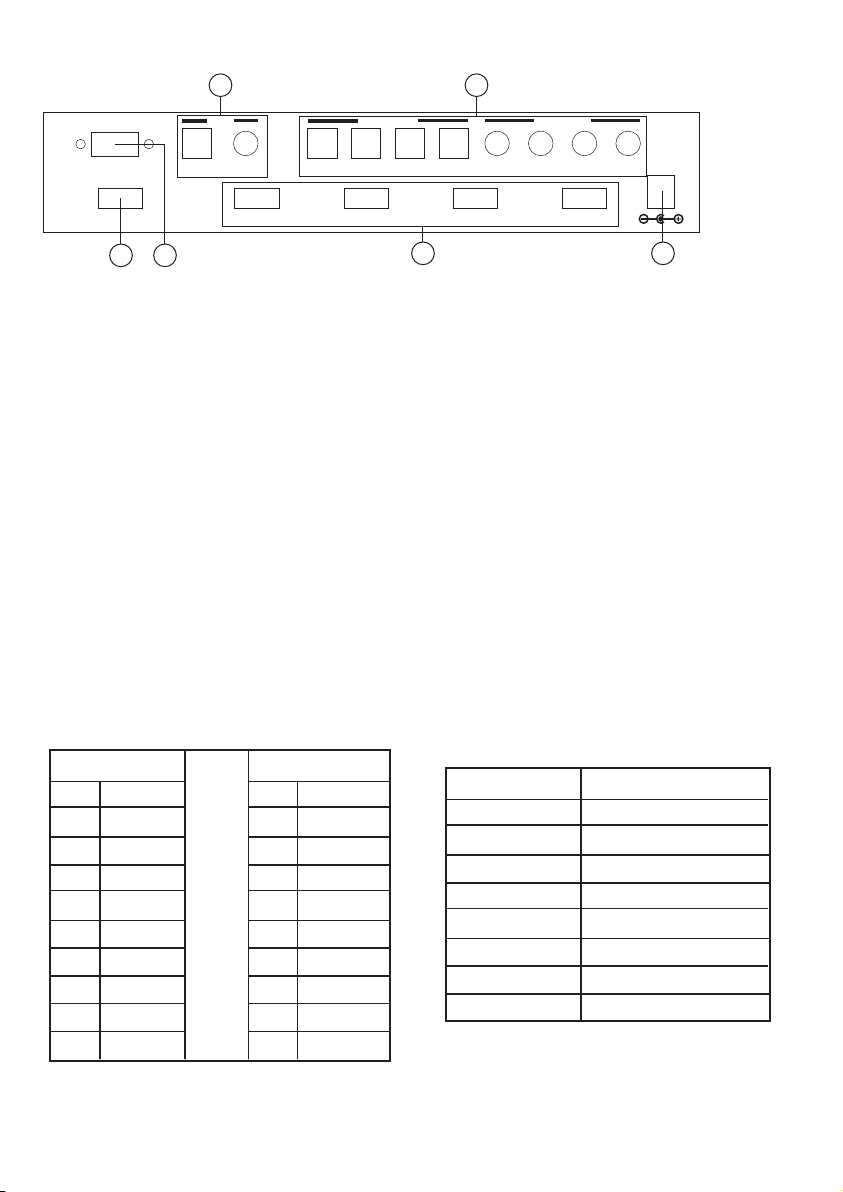
1. HDMI output: Connect the HDMI output to the HDMI input of
your display using HDMI cable.
2. HDMI inputs: Connect your various HDMI sources to each of the
HDMI input of the unit using HDMI cables.
3. Power: Plug the supplied 5VDC power supply into the unit.
4. Digital audio inputs:
- Connects your various toslink sources to each of the toslink input of the unit
using optical cables.
- Connects your various SPDIF sources to each of the coax input of the unit
using coax cables.
5. Digital audio output:
- Connects the toslink output to the toslink input of your display using
optical cable.
- Connects the digital SPDIF output to the digital coax input of the display
using coax cable.
6. RS232: 9-pin D-sub female connector for connecting to your other control
console for remote control.
* The connection between CHDMI-41AT and remote controller through
RS-232 modem cable.
RS-232 Remote Control Protocol
Pins definition of
modem cable
PIN
Definition
1
NC
2
TxD
3
RxD
4
NC
5
GND
6
NC
7
NC
8
NC
9
NC
* RS-232 transmission format:
Baud Rate: 9600 bps
Data Bit : 8 bits
Parity : None
Stop Bit : 1 bit
Remote Controller
PIN
1
2
3
4
5
6
7
8
9
Definition
NC
RxD
TxD
NC
GND
NC
NC
NC
NC
* Command:
Command Code
"I" + "1"
"I" + "2"
"I" + "3"
"I" + "4"
"S" + "1"
"S" + "0"
"P" + "1"
"P" + "0"
2
Comment
PORT 1 ON
PORT 2 ON
PORT 3 ON
PORT 4 ON
ENABLE SIGNAL ENHANCE
ENABLE SIGNAL ENHANCE
POWER ON
POWER OFF
Page 4

Remote Control
1. Power:
Press the button to turn on/off the unit.
2. Direct input selector:
Press numerical number button to select your desired
input source.
3. Void buttons (No function). If the button number is
greater than the total input number of the unit then
the button is of no function.
Specifications
* Frequency bandwidth: 1.65Gbps(single link)
* Inputs: - 4 x HDMI female ports (Type A connector)
- 4 x SPDIF digital inputs.
- 4 x toslink digital inputs.
* Output: - 1 x HDMI female port (single link).
- 1 x SPDIF digital output.
- 1 x Toslink digital output.
* 5VDC power supply
* Weight: 0.85kgs
* Dimension: 240(W) x110(L) x 50(H)mm
* Option: CHDMI-41 4-in/1-out HDMI switcher.
CHDMI-31 3-in/1-out HDMI switcher.
CHDMI-61 6-in/1-out HDMI switcher.
CHDMI-81 8-in/1-out HDMI switcher.
CH-210 2-in/1-out HDMI switcher.
1
2
3
CR-22
Connection and Installation
LCD TV
DVD 3
DVD 2DVD 1 DVD 3
3
DVD 2
DVD 1
STB
STB
 Loading...