

Page 1
Datalogic Scanning, Inc.
959 Terry Street
Eugene, Oregon 97402
USA
Telephone: (541) 683-5700
Fax: (541) 345-7140
An Unpublished Work - All rights reserved. No part of the contents of this documentation or the
procedures described therein may be reproduced or transmitted in any form or by any means
without prior written permission of Datalogic Scanning, Inc. or its subsidiaries or affiliates
("Datalogic" or “Datalogic Scanning”). Owners of Datalogic products are hereby gran ted a nonexclusive, revocable license to reproduce and transmit this documentation for the purchaser's
own internal business purposes. Purchaser shall not remove or alter any proprietary notices,
including copyright notices, contained in this documentation and shall ensure that all notices
appear on any reproductions of the documentation.
Should future revisions of this manual be published, you can acquire printed versions by
contacting your Datalogic representative. Electronic versions may either be downloadable from
the Datalogic website (www.scanning.datalogic.com) or provided on appropriate media. If you
visit our website and would like to make comments or suggestions about this or other Datalogic
publications, please let us know via the "Conta ct Datalogic" page.
DISCLAIMER
Datalogic has taken reasonable measures to provide information in this manual that is complete
and accurate, however, Datalogic reserves the right to change any specification at any time
without prior notice. Datalogic is a registered trademark of Datalogic S.p.A. in many countries
and the Datalogic logo is a trademark of Datalogic S.p.A. all licensed to Datalogic Scanning, Inc.
All other trademarks and trade names referred to herein are property of their respective owners.
SERVICE AND SUPPORT
Datalogic provides several services as well as technical support through its website. Log on to
www.scanning.datalogic.com
and click on the links indicated for further information including:
PRODUCTS
Search through the links to arrive at your product page where you can download specific
Manuals and Software & Utilities including:
- Datalogic Aladdin™, a multi-platform utility program that allows device
configuration using a PC. It provides RS-232 interface configuration as well as
configuration barcode printing.
SERVICE & SUPPORT
- Technical Support - Product documentation and programming guides and Technical
Support Department in the world
- Service Programs - Warranty Extensions and Maintenance Agreements
- Repair Services - Flat Rate Repairs and Return Material Authorization (RMA) Repairs.
- Downloads – Manuals & Documentation, Data
Sheets, Product Catalogues, etc.
CONTACT US
Information Request Form and Sales & Service Network
PowerScan™ D8340
READERS
QUICK REFERENCE GUIDE
820035814 (Rev. E) July-2011
UPDATES AND LANGUAGE AVAILABILITY
UK/US
The latest drivers and documentation updates for this product are available
on the Internet.
Log on to: www.scanning.datalogic.com
I
Su Internet sono disponibili le versioni aggiornate di driver e documentazione
di questo prodotto. Questo manuale è disponibile anche nella versione
italiana.
Collegarsi a: www.scanning.datalogic.com
D
Im Internet finden Sie die aktuellsten Versionen der Treiber und
Dokumentation für dieses Produkt. Die deutschsprachige Version dieses
Handbuches ist auch verfügbar.
Adresse : www.scanning.datalogic.com
F
Les versions mises à jour de drivers et documentation de ce produit sont
disponibles sur Internet. Ce manuel est aussi disponible en version française.
Cliquez sur : www.scanning.datalogic.com
E
En Internet están disponibles las versiones actualizadas de los drivers y
documentación de este producto. También está disponible la versión en
español de este manual.
Dirección Internet : www.scanning.datalogic.com
CONNECTIONS
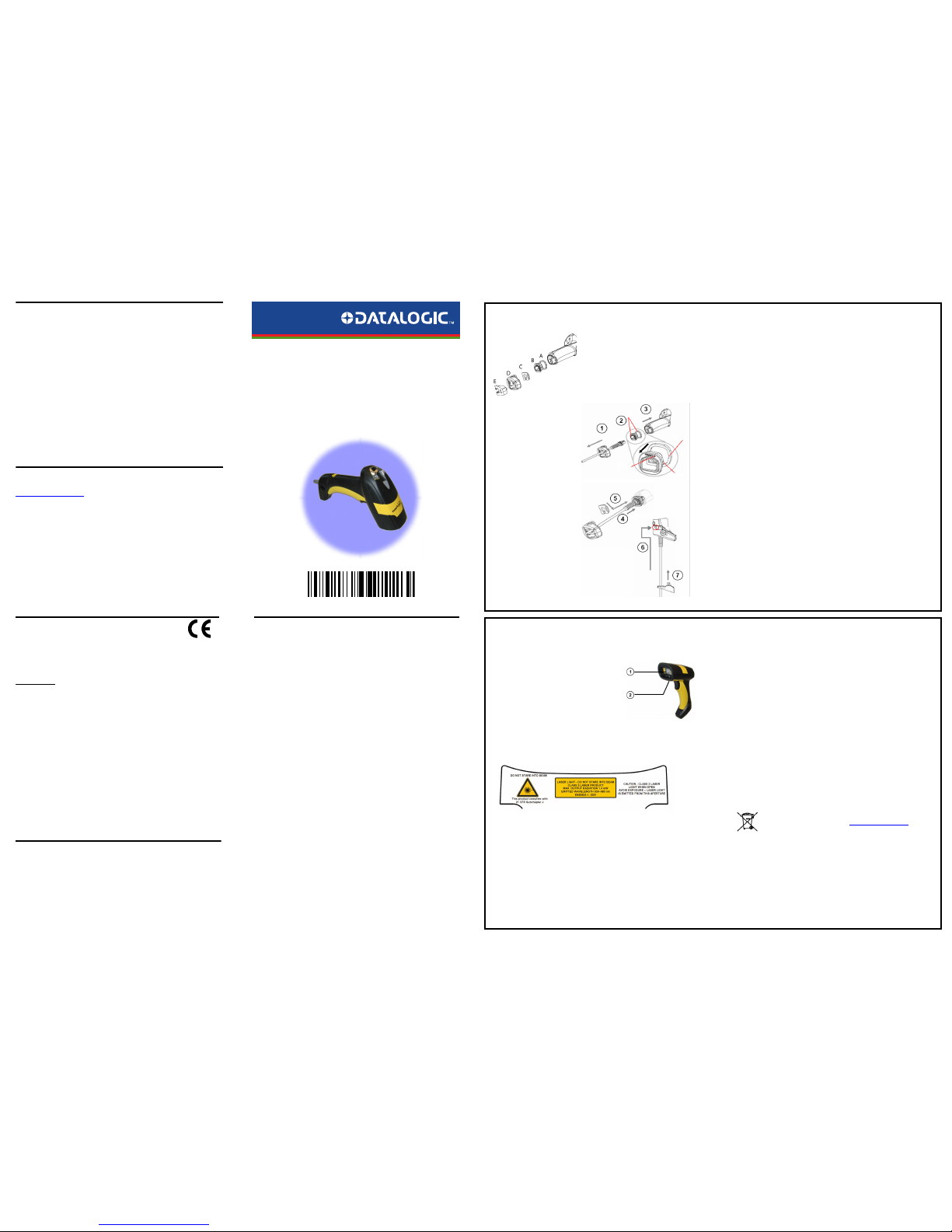
CONNECTING THE CABLE
A. Rubber gasket
B. Plastic boot
C. Cable spacer
D. Cover
E. Strain relief
1. Slip the cover over the cable.
2. Push the plastic boot into the
rubber gasket. Take care that
the tab on the plastic boot is
aligned with the notch in the
rubber gasket.
3. Push the plastic boot and gasket
into the handle. Ensure that the
“Front” marking on the plastic
boot is facing out, with the
arrow pointing towards the
front of the scanner.
4. Insert the cable into the socket
of the plastic boot.
5. Insert the cable spacer into the
cable wire and slide it towards
the handle.
6. Push the cover along the cable
towards the reader, and hook it
over the yellow “tooth”.
7. Insert the strain relief into the
cover and tighten the screw to
fix the whole assembly to the
reader handle.
Align
Notch
Tab
Arrow
COMPLIANCE
LASER SAFETY COMPLIANCE
The laser scanner conforms to the applicable requirements of both CDRH 21 CFR 1040 and EN60825-1 at
the date of manufacture.
The laser scanner utilizes a low-power laser diode. Although staring directly at the laser beam
momentarily causes no known biological damage, avoid staring at the beam as one would with any very
strong light source, such as the sun. Avoid that the laser beam hits the eye of an observer, even through
reflective surfaces such as mirrors, etc.
The following information is shown on the laser scanner device class label:
LED CLASS
Class 1 LED product.
This product conforms to EN60825-1:2001.
The laser light is visible to the human eye and is emitted from
the output window (1).
Laser warning and classification label (2).
CAUTION:
Use of controls or adjustments or performance of procedures
other than those specified herein may result in exposure to
hazardous visible laser light.
ITALIANO
LUCE LASER
NON FISSARE IL RAGGIO
APPARECCHIO LASER DI CLASSE 2
FRANÇAIS
RAYON LASER
EVITER DE REGARDER LE RAYON
APPAREIL LASER DE CLASSE 2
DEUTSCH
LASERSTRAHLUNG
NICHT IN DEN STRAHL BLICKEN
PRODUKT DER LASERKLASSE 2
ESPAÑOL
RAYO LÁSER
NO MIRAR FIJO EL RAYO
APARATO LÁSERDE CLASE 2
CE COMPLIANCE
Warning:
This is a Class A product. In a domestic environment this product may cause radio interference in which
case the user may be required to take adequate measures.
FCC COMPLIANCE
Modifications or changes to this equipment without the expressed written approval of Datalogic could
void the authority to use the equipment.
This device complies with PART 15 of the FCC Rules. Operation is subject to the following two conditions:
(1) This device may not cause harmful interference, and (2) this device must accept any interference
received, including interference which may cause undesired operation.
This equipment has been tested and found to comply with the limits for a Class A digital device, pursuant
to part 15 of the FCC Rules. These limits are designed to provide reasonable protection against harmful
interference when the equipment is operated in a commercial environment. This equipment generates,
uses, and can radiate radio frequency energy and, if not installed and used in accordance with the
instruction manual, may cause harmful interference to radio communications. Operation of this
equipment in a residential area is likely to cause harmful interference in which case the user will be
required to correct the interference at his own expense.
POWER SUPPLY
This device is intended to be connected to a UL Listed/CSA Certified computer which supplies power
directly to the reader or else be supplied by a UL Listed/CSA Certified Power Unit marked “Class 2” or LPS
power source rated 4 - 30 V, minimum 420 mA, which supplies power directly to the reader via the power
connector of the cable.
WEEE COMPLIANCE
PATENTS
This product is covered by one or more of the following patents.
Design Pat. AU 310201; AU 310202; CN 693980; CN735959; HK 0602013.5M001; HK 0602013.5M002; JP
1305693; KR 30-0460940; US D570,843 S; USD588,596 S.
US Pat. 5,992,740; 6,305,606 B1; 6,517,003; 6,808,114 B1; 6,997,385 B2; 7,387,24 6 B2; 5,367,151; 5,449,893;
5,545,889; 6,098,877; 6,220,514 B1; 6,412,698 B2; 6,607,132 B1; 6,817,529 B2; 6,834,805 B2; 7,948,214 B2.
European Pat. 789,315 B1; 895,175 B1; 1,128,314 B1; 1,128,315 B1; 1,396,811 B1; 1,413,971 B1; 1,816,585
B1; 1,942,442 B1.
Additional patents pending.
For information about the disposal of Waste Electrical and Electronic Equipment
(WEEE), please refer to the website at www.scanning.datalogic.com.
dichiara che
declares that the
déclare que le
bescheinigt, daß das Gerät
declare que el
POWERSCAN D8xx
sono conformi alle Direttive del Consiglio Europeo sottoelencate:
are in conformity with the requirements of the European Council Directives listed below:
sont conformes aux spécifications des Directives de l'Union Européenne ci-dessous:
den nachstehenden angeführten Direktiven des Europäischen Rats:
cumple con los requisitos de las Directivas del Consejo Europeo, según la lista siguiente:
Basate sulle legislazioni degli Stati membri in relazione alla compatibilità elettromagnetica ed alla
sicurezza dei prodotti.
On the approximation of the laws of Member States relating to electromagnetic compatibility and
product safety.
Basée sur la législation des Etats membres relative à la compatibilité électromagnétique et à la sécurité
des produits.
Über die Annäherung der Gesetze der Mitgliedsstaaten in bezug auf elektromagnetische Verträglichkeit
und Produktsicherheit entsprechen.
Basado en la aproximación de las leyes de los Países Miembros respecto a la compatibilidad
electromagnética y las Medidas de seguridad relativas al producto.
Questa dichiarazione è basata sulla conformità dei prodotti alle norme seguenti:
This declaration is based upon compliance of the products to the following standards:
Cette déclaration repose sur la conformité des produits aux normes suivantes:
Diese Erklärung basiert darauf, daß das Produkt den folgenden Normen entspricht:
Esta declaración se basa en el cumplimiento de los productos con las siguientes norm as:
Datalogic Scanning, Inc.
07
959 Terry Street
Eugene, OR 97402
USA
e tutti i suoi modelli
and all its models
et tous ses modèles
und seine Modelle
y todos sus modelos
89/336/EEC EMC Directive e 92/31/EEC, 93/68/EEC emendamenti successivi
and further amendments
et ses successifs amendements
und späteren Abänderungen
y succesivas enmiendas
EN 55022 (CLASS A ITE), August 1994:
AMENDMENT A1 (CLASS A ITE), October 2000:
LIMITS AND METHODS OF MEASUREMENTS OF RADIO
DISTURBANCE CHARACTERISTICS OF INFORMATION
TECHNOLOGY EQUIPMENT
EN 61000-6-2, October 2001: ELECTROMAGNETIC COMPATIBILITY (EMC).
PART 6-2: GENERIC STANDARDS - IMMUNITY FOR
INDUSTRIAL ENVIRONMENTS.
March 1st, 2007
Page 2
USING POWERSCAN™ D8340 SERIES READERS
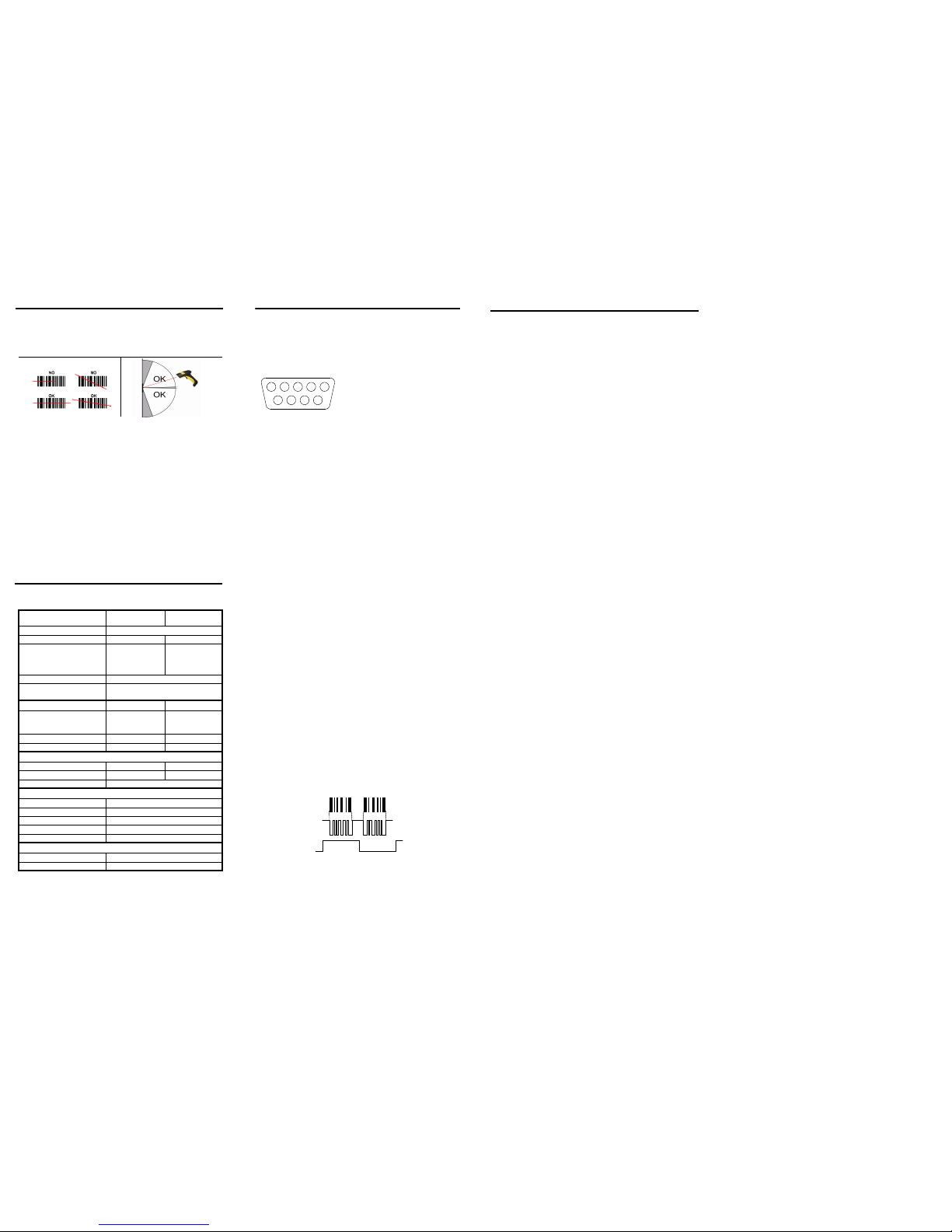
PowerScan™ D8340 readers automatically scan barcodes at a distance. Simply aim and
pull the trigger. Code scanning is performed along the scan line emitted from the reading
window. This line must cross the entire code. The best reading angles are indicated in the
figure below.:
TECHNICAL FEATURES
PowerScan™ D8340/ D8340 AR
Electrical Features PowerScan™ D8330
PowerScan™ D8330
AR
Power Supply
4 to 30 VDC
Max. Consu mptio n: 0.076 mm (3 mils) 0.25 mm (10 mils)
@ 4V
@5V
@30V
Sleep mode
420 mA
310 mA
62 mA
4 mA
500 mA
370 mA
70 mA
4 mA
Scan Rate 35 ± 5 scans/sec
Reading Indicators
Good Read LED (green)
Good Read Spot (green), Beeper
Optical Features
Reading Field
(Typical performance at 20ºC / 68ºF
on high quality barcodes)
97.8 cm (38.5 in)
@ 40 mils
12.5 m (41.0 ft)
@ 100 mils reflective
Max. Res olu tio n 0.076 mm (3 mils) 0.178 (7,5 mils)
PCS (Datalogic Test Chart) 15% 25%
Laser Features
Power (ma x) 0.9 mW 1.3 mW
Scan Ang le 42° 13.5° ± 0.7
Laser Safety Class Class 2 EN 60825-1/CDRH
Environmental Features
Working Temperature -30 °C to + 50 °C / -22° to +122 °F
Storage Temperature -30 °C to + 70 °C / -22° to +158 °F
Humidity 90% non condensing
Drop Resistance IEC 68-2-32 Test ED 2 m
Protection Class IP65
Mechanical Features
Weight (without cable) about 295 g (10.4 oz)
Cable Length 2 m (6 ft 6 in)
ELECTRICAL CONNECTIONS
The PowerScan™ D8340/D8340 AR scanner can be used with CAB 468 (coiled cable and
9-pin male connector) for direct connection to the DATAPLUS and DLD series decoders.
CAB 468
1 - Not connected 5 - TRIGGER
2 - SCAN 6 - BEEPER/LED
3 - Not connected 7 - VIDEO
4 - GND 8 – LASER ON
9 - +VCC
9-pin male connector
6
78
9
123
45
A definition of the terms used to identify the pins is as follows:
SCAN This scanner “open collector” output signal is used to synchronize the
decoding logic with the scanner. Each transition of this signal from
low-to-high or high-to-low corresponds to the start of a scan. The
signal is a TTL level 57 ms period square wave (see the following figure
Video and Scan signals).
GND Supply ground and signal reference.
TRIGGER This output is connected to GND when the trigger is pressed and is left
floating when the trigger is released.
BEEPER/LED This scanner input drives the green decoding LED, and the beeper in
the scanner. The LED turns on when a positive current is applied to the
pin. The beeper sound is obtained pulsating this current at a
frequency of about 2 kHz. The maximum voltage that can be applied
to this input is 5 VDC.
VIDEO This “open collector” scanner output is electrically identical to the
barcode. It supplies a series of pulses the length of which are
proportional to the width of the elements within the barcode read. A
low output level corresponds to a bar. The frequency of the pulses
depends on the density of the code, the distance from code and the
programmed output scan frequency (see the following figure Video
and Scan signals).
LASER ON A positive voltage between 4.75 and 5 VDC is applied to this input by
the decoder when the decoding logic senses the trigger is pressed;
this causes the laser to start scanning and the red LED to turn on.
+VCC This input must be connected to the positive pin of the supply voltage
(4.75 - 14 VDC). When the LASER ON pin is positive, all the current
necessary to power the scanner flows through +VCC.
Video and Scan Signals
DATALOGIC SCANNING LIMITED FACTORY WARRANTY
Warrant y Covera ge
Datalogic warranties this product against defects in workmanship and materials, for a
period of 3 years from the date of shipment, provided that the product is operated under
normal and proper conditions.
Datalogic Scanning ("Datalogic") hardware products are warranted against defects in
material and workmanship under normal and proper use. The liability of Datalogic under
this warranty is limited to furnishing the labor and parts necessary to remedy any defect
covered by this warranty and restore the product to its normal operating condition. Repair
or replacement of product during the warranty does not extend the original warranty
term. Products are sold on the basis of specifications applicable at the time of manufacture
and Datalogic has no obligation to modify or update products once sold.
If Datalogic determines that a product has defects in material or workman ship, Datalogic
shall, at its sole option repair or replace the product without additional charge for parts
and labor, or credit or refund the defective products duly returned to Datalogic. To perform repairs, Datalogic may use new or reconditioned parts, components, subassemblies
or products that have been tested as meeting applicable specifications for equivalent new
material and products. Customer will allow Datalogic to scrap all parts removed from the
repaired product. The warranty period shall extend from the date of shipment from Datalogic for the duration published by Datalogic for the product at the time of purchase (Warranty period). Datalogic warrants repaired hardware devices against defects in
workmanship and materials on the repaired assembly for a 90 day period starting from the
date of shipment of the repaired product from Datalogic or until the expiration of the original warranty period, whichever is longer. Datalogic does not guarantee, and it is not
responsible for, the maintenance of, damage to, or loss of configurations, data, and applications on the repaired units and at its sole discretion can return the units in the "factory
default" confi guration or with any software or firmware update av ailable at the t ime of the
repair (other than the firmware or software installed during the manufacture of the product). Customer accepts responsibility to maintain a back up copy of its software and data.
Warranty Claims Process
In order to obtain service under the Factory Warranty, Customer must notify Datalogic of
the claimed defect before the expiration of the applicable Warranty period and obtain
from Datalogic a return authorization number (RMA) for return of the product to a designated Datalogic service center. If Datalogic determines Customer's claim is valid, Datalogic
will repair or replace product without additional charge for parts and labor. Customer shall
be responsible for packaging and shipping the product to the designated Datalogic service center, with shipping charges prepaid. Datalogic shall pay for the return of the product to Customer if the shipment is to a location within the country in which th e Datalogic
service center is located. Customer shall be responsible for paying all shipping charges,
duties, taxes, and any other charges for products returned to any other locations. Failure
to follow the applicable RMA policy, may result in a processing fee. Customer shall be
responsible for return shipment expenses for products which Datalogic, at its sole discretion, determines are not defective or eligible for warranty repair.
Warrant y Exclu sions
The Datalogic Factory Warranty shall not apply to:
(i) any product which has been damaged, modified, altered, repaired or upgraded
by other than Datalogic service personnel or its authorized representatives;
(ii) any claimed defect, failure or damage which Datalogic determines was caused
by faulty operations, improper use, abuse, misuse, wear and tear, negligence,
improper storage or use of parts or accessories not approved or supplied by
Datalogic;
(iii) any claimed defect or damage caused by the use of product with any other
instrument, equipment or apparatus;
(iv) any claimed defect or damage caused by the failure to provide proper
maintenance, including but not limited to cleaning the upper window in
accordance with product manual;
(v) any defect or damage caused by natural or man-made disaster such as but not
limited to fire, water damage, floods, other natural disasters, vandalism or
abusive events that would cause internal and external component damage or
destruction of the whole unit, consumable items;
(vi) any damage or malfunctioning caused by non-restoring action as for example
firmware or software upgrades, software or hardware reconfigurations etc.;
(vii) the replacement of upper window/cartridge due to scratching, stains or other
degradation and/or
(viii) any consumable or equivalent (e.g., cables, power supply, batteries, keypads,
touch screen, triggers etc.).
No Assignment
Customer may not assign or otherwise transfer its rights or obligations under this warranty
except to a purchaser or transferee of product. No attempted assignment or transfer in violation of this provision shall be valid or binding upon Datalogic
DATALOGIC'S LIMITED WARRANTY IS IN LIEU OF ALL OTHER WARRANTIES, EXPRESS OR
IMPLIED, ORAL OR WRITTEN, STATUTORY OR OTHERWISE, INCLUDING, WITHOUT LIMITATION, ANY IMPLIED WARRANTIES OF MERCHANTABILITY, FITNESS FOR A PARTICULAR PURPOSE, OR NONINFRINGEMENT. DATALOGIC SHALL NOT BE LIABLE FOR ANY DAMAGES
SUSTAINED BY CUSTOMER ARISING FROM DELAYS IN THE REPLACEMENT OR REPAIR OF
PRODUCTS UNDER THE ABOVE. THE REMEDY SET FORTH IN THIS WARRANTY STATEMENT
IS THE CUSTOMER'S SOLE AND EXCLUSIVE REMEDY FOR WARRANTY CLAIMS. UNDER NO
CIRCUMSTANCES WILL DATALOGIC BE LIABLE TO CUSTOMER OR ANY THIRD PARTY FOR
ANY LOST PROFITS, OR ANY INCIDENTAL, CONSEQUENTIAL IN-DIRECT, SPECIAL OR CONTINGENT DAMAGES REGARDLESS OF WHETHER DATALOGIC HAD ADVANCE NOTICE OF
THE POSSIBILITY OF SUCH DAMAGES.
Risk of Loss
Customer shall bear risk of loss or damage for product in transit to Datalogic. Datalogic
shall assume risk of loss or damage for product in Datalogic's possession. In the absence of
specific written instructions for the return of product to Customer, Datalogic will selec t the
carrier, but Datalogic shall not thereby assume any liability in connection with the return
shipment.
 Loading...