

Page 1
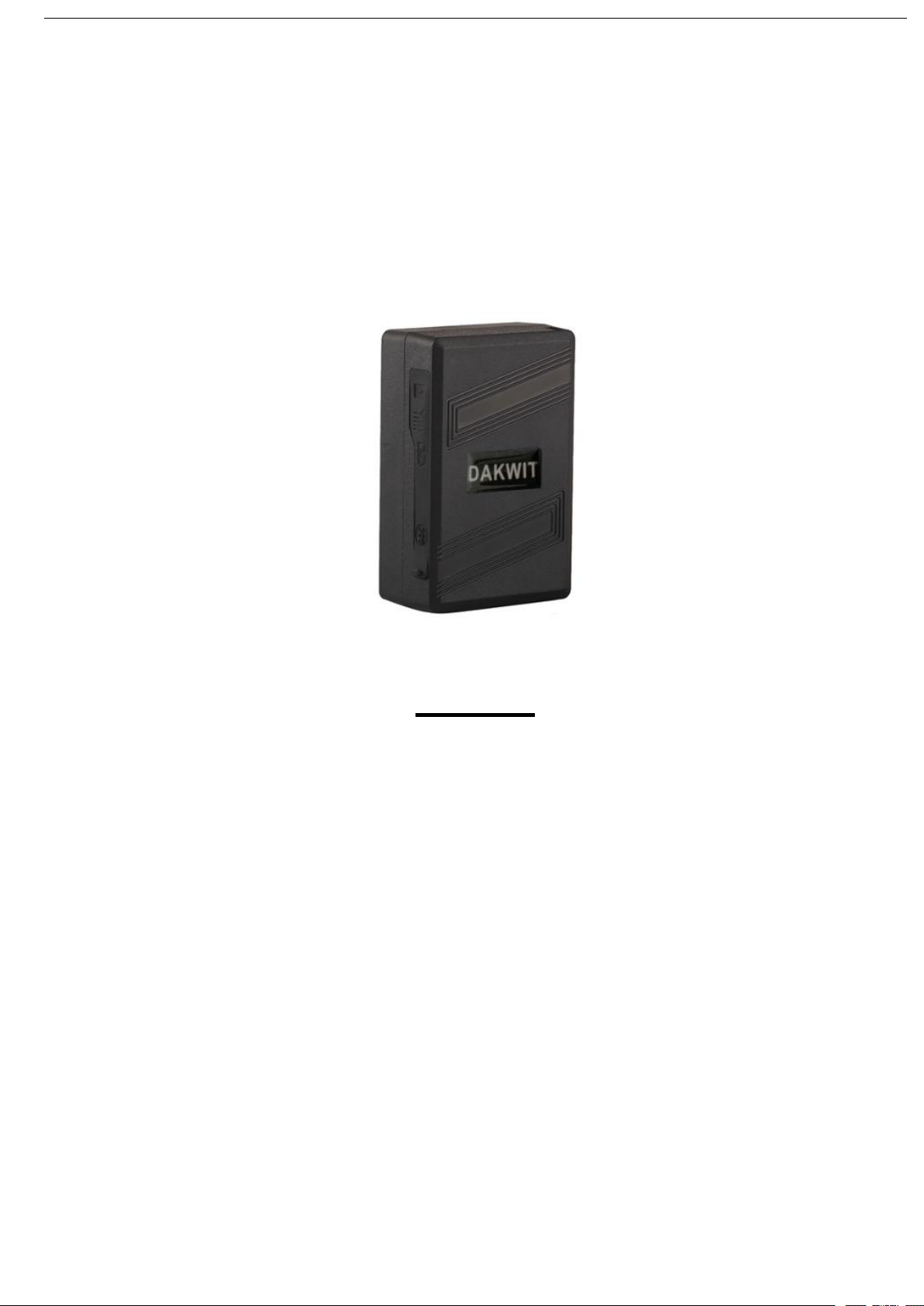
GSM/GPRS/GPS TRACKER
MANUAL
Preface
Thank you for purchasing the tracker. This manual shows how to operate the
device smoothly and correctly. Make sure to read this manual carefully before
using this product. Please note that specification and information are subject to
changes without prior notice in this manual. Any change will be integrated in
the latest release. The manufacturer assumes no responsibility for any errors
or omissions in this document.
1
Page 2
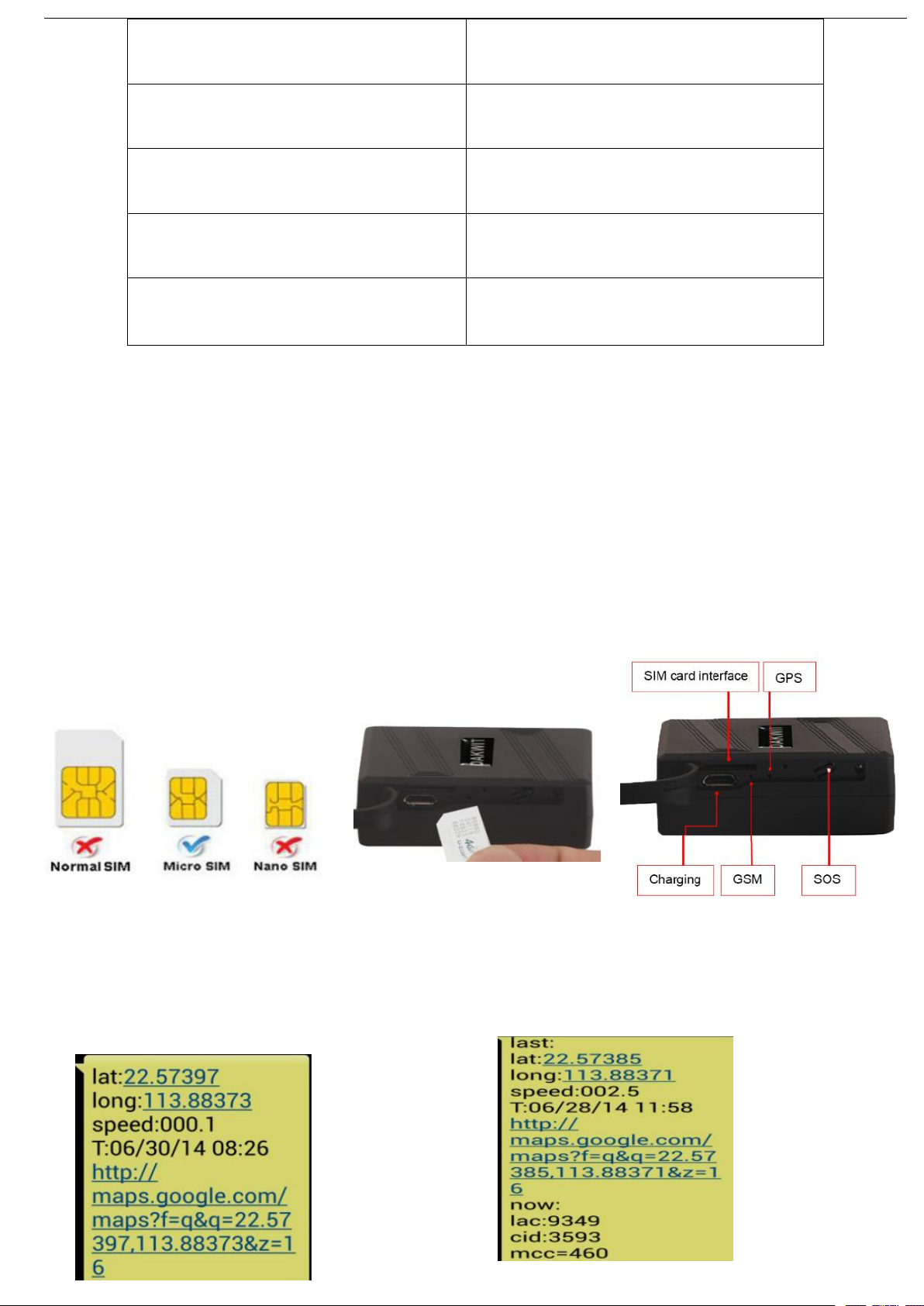
LED INDICATOR STATUS
MEANING
Red light continuously work
Charging
Red light not lit
Fully charged
Green light Flashing
Success get GSM singnal
Green light continuously lit
Searching GSM signal
2.Operational
card, supports making calls, sending messages,
GPRS network with noral working
Quick using
1)The GPS need to be carry into outdoor for the first time working. It must have
mobile phone GSM signal and GPS signal. The GPS satellite signal will be blocked
when there are metal obstructions or building above the GPS tracker
2).Please make sure it is 2G SIM card or 3G/4G compatibility 2G GSM network SIM
Then Use mobile phone call the device and hang up or sending message
“smslink123456” to sim card in tracker ,device reply position
2
Page 3
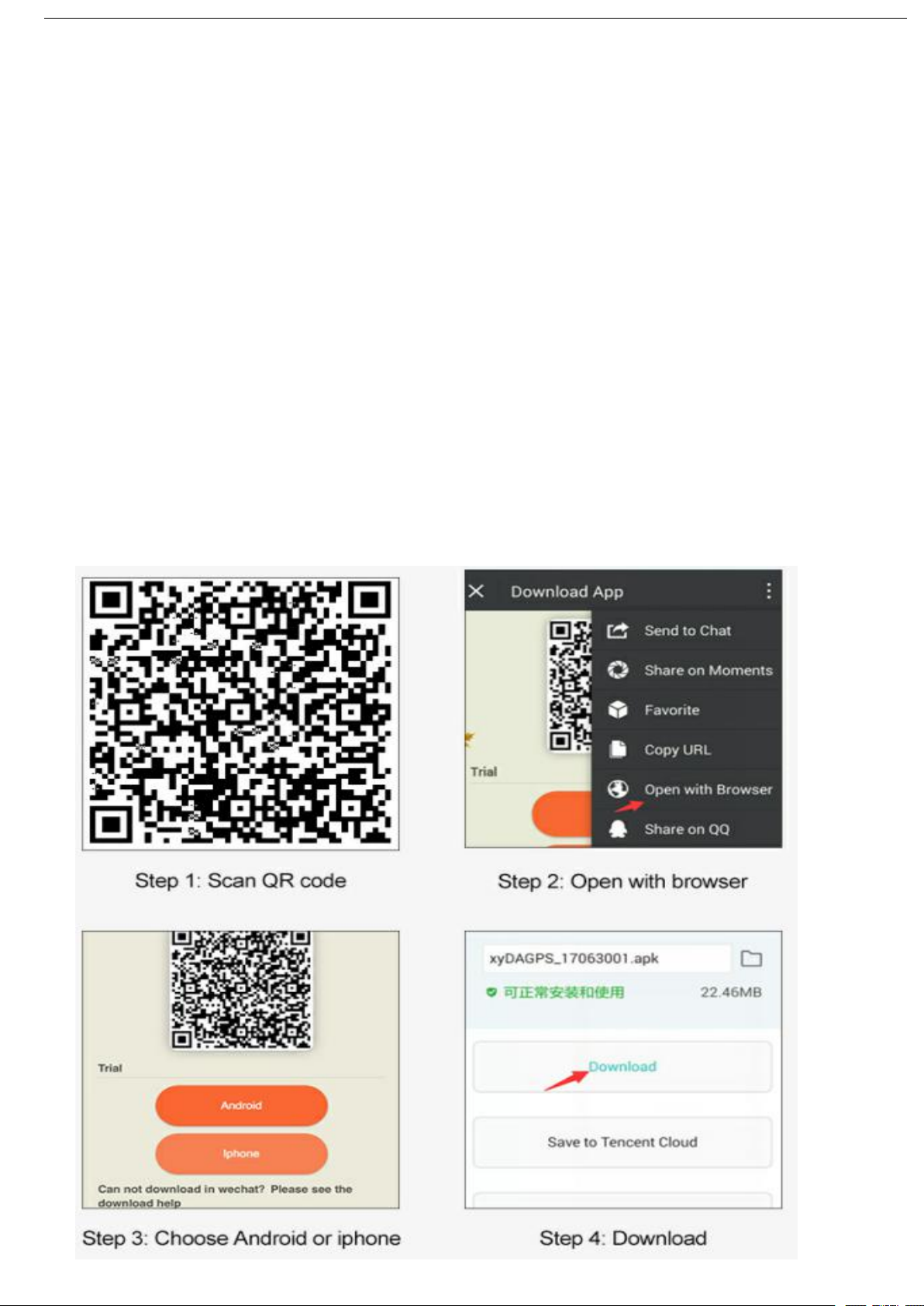
Picture (1) With GPS Signal Picture (2) Without GPS Signal
Pic(1):Replied real-time tracking information
Lat:22.67533 lon:114.03913: Position of the latitude and longitude
Speed:000.1: Device moving speed. The unit is km/h.
T:06/14/17 09:14 : Real-tracking time, the Default is London time. You can
Set a time zone by sms command
Google Link: Google map showing the position of the device.
Pic( 2):Replied last time position information. Now is LBS position information.
no GPS signal
please take GPS tracker to outdoor till satellite signal searched.
.Support Website tracking and APP tracking
3
1)Scan QR code---Open with browser--- Choose Android or
IPHONE---Download-- Install DAGPS APP
2) Download IOS APP: App Store search ---DAGPS ---Install the APP
3
Page 4

3): Login Platform Position
1)Open www.gps110.org
Use tracker ID login, default password 123456.
PC login APP login
NOTE: If you insert the correct SIM card and open GPRS. device in outdoor,login
the app,as above picture,the address and time are incorrect,device did not upload
location to APP,Please set the APN commands
we have two methods to find out APN content: ask SIM card company or insert SIM
card into Mobile phone to find out APN
SMS: APN123456 APN Name
(for example, if the apn name is ABC, so send :apn123456 ABC)
(If have the APN user name and password, need add APN user name and
4
Page 5

password behind the APN name)
Eg: APN123456 APN name APN username APN password
(note the space key in the command)
Mileage 0: means the device keeps in static
Signal time: The time for Tracker to upload data
Locate time: It is the gps position time. The tracker won't upload data at same
location when the tracker stays in static
LBS positioning error 50-1000 meters indoors, if you no need to LBS
positioning,please turn off LBS, Click advanced and close lbs
4.Working mode (APP setting)
You can switch mode by APP anytime and anywhere.click single positioning
mode,enter single positioning mode,click vibration saving power mode,Auto switch to
vibration saving power mode. every 1mins/1 times positioning by default.switch to
emergency ,you need to set upload time
【Default Mode1】 Vibration Power Saving Mode (About 7 working days)
The tracker will keep sleeping while it cannot feel vibrated. It will upload location eve
ry 1 min while vibrating. It will save power and GPRS data without more settings
5
Page 6

【Mode 2】 Emergency Real-time Mode (T-mode) (About 3 days)
The tracker will upload location at every 1mins no matter it moves or static, if time
interval you set is 1mins. It will consume power very quickly. The tracker will keep w
orking for 4 days. We do not suggest to use this working mode very frequently.
【Mode 3】:Single Positioning Mode (The most power saving mode)
(About 15 working days)
The tracker won’t upload location automatically anymore unless you asked. When the
tracker stays in this working mode, the location and locating time will keep same as la
st time. You need to request single position on DAGPS app when you need. You canno
t check historical route under this working mode.
【Mode 4】:SMS mode position
If you don’t want to use GPRS tracking, you can send a message “sms123456” to
close GPRS function. And send a message “smslink123456” or call the tracker whe
n you need a location.
Switch way: SMS 1: sms123456
SMS 2: notn123456
5.Command
1) Device default password:123456 (note the space key in the command)
2) Use the DAGPS phone app or send message to the tracker for all command setting
3) If you want longer standby time, please don't open move alarm and real-time location
tracking function (Trajectory mode). Otherwise, the battery will run out very quickly.
6
Page 7

Instructions/Solutions
INSTRUCTION
Example
REPLY
Set time zone
time zone123456 1(default no need set)
(1 is east 1, -1 is west 1)
Time zone ok
Set time zone(half time zone)
time zone123456 8 30default no need set
(8 30 is east 8.5 time zone)
Time zone ok
gprs mode(default app tracking)
Gprs123456(default no need set)
Gprs ok
set APP online position(set apn)
APN123456 APN Name
(Apn name is SIM card access point)
Apn ok
real-time tracking (default
2min)set time interval
t001m***n123456(default no need set)
Every 1min/1times positioning,can
change positioning time interval
Tn0k
sms tracking
smslink123456
Get address
Set admin number
(Support 5 admins)
admin123456 mobile number
admin number receive alarm message
admin ok
Cancel admin number
noadmin123456 mobile number
noadmin ok
Set shock alarm
Shock123456
Shock ok
Cancel shock alarm
noshock123456
noshock ok
Parameter
Check123456
Device status
Restore factory settings
Begin123456(default no need set)
Begin ok
Vibration Power Saving mode
static123456 60(default no need set)
every 1mins/1 times positioning when
device is vibrating
Set ok
7
Page 8

Fail to turn on
Please check if device has electricity and charge cable
is rechargeable
No GSM signal
Please check if SIM card installed correctly and have
money,have gprs
there a mobile phone GSM signal
Please check if SIM card is 2G or 3G/4gCompatible 2G
No GPS
Make sure the device can receive the GPS signal
normally. please take the device to outside and search
satellite signal.take device to walk around
No reply to SMS
command
SMS command password wrong or the format is wrong.
Please restore factory settings send “begin123456”
No reply & No alarm
message
Check if Authorized / admin phone number is incorrect
and SIM card is normal working
SMS can get
position, APP and
web platform can’t
Please check if APN is correctly set and find out the
correct APN content
Platform position is
different from the
actual position.
No upload position time or no GPS signal, received last
time position. If it shows like Pic 2, please make sure the
device can receive the GPS signal normally. Please
take device to outdoor and walk around.
6.
Content
Specs
Specifications
8
Page 9

Dim.
55*35*20MM
Weight
55g
Network
GSM/GPRS
Band
850/900/1800/1900Mhz
GPS sensitivity
-159dBm
GPS accuracy
5-10m
Time To First Fix
Cold status 45-85s
Warm status 35s
Hot status 1s
Work voltage
5V
Battery
Chargeable changeable 3.7V, 1500ma
Storage Temp.
-40°C to +85°C
Operation Temp.
-20°C to +55°C
Humidity
5%--95% non-condensing
7. If need register Administrator account and tracking multiple devices
operation
point user register--- Fill in the APP---login in registered accounts device
:
list----add device---fill in --OK
If you add device more than two , continue to add ID number
8.If you want use the device on other platform, please set customer service IP and
port. send message to SIM card with below format
SMS1: adminip123456+space+IP+space+port(No need to set by default)
Eg: Adminip123456 103.110.152.62 7018
or SMS1: adminip123456+space+DNS+port(No need to set by default)
Eg:adminip123456 www.gps110.org 7018
9
 Loading...