

Page 1
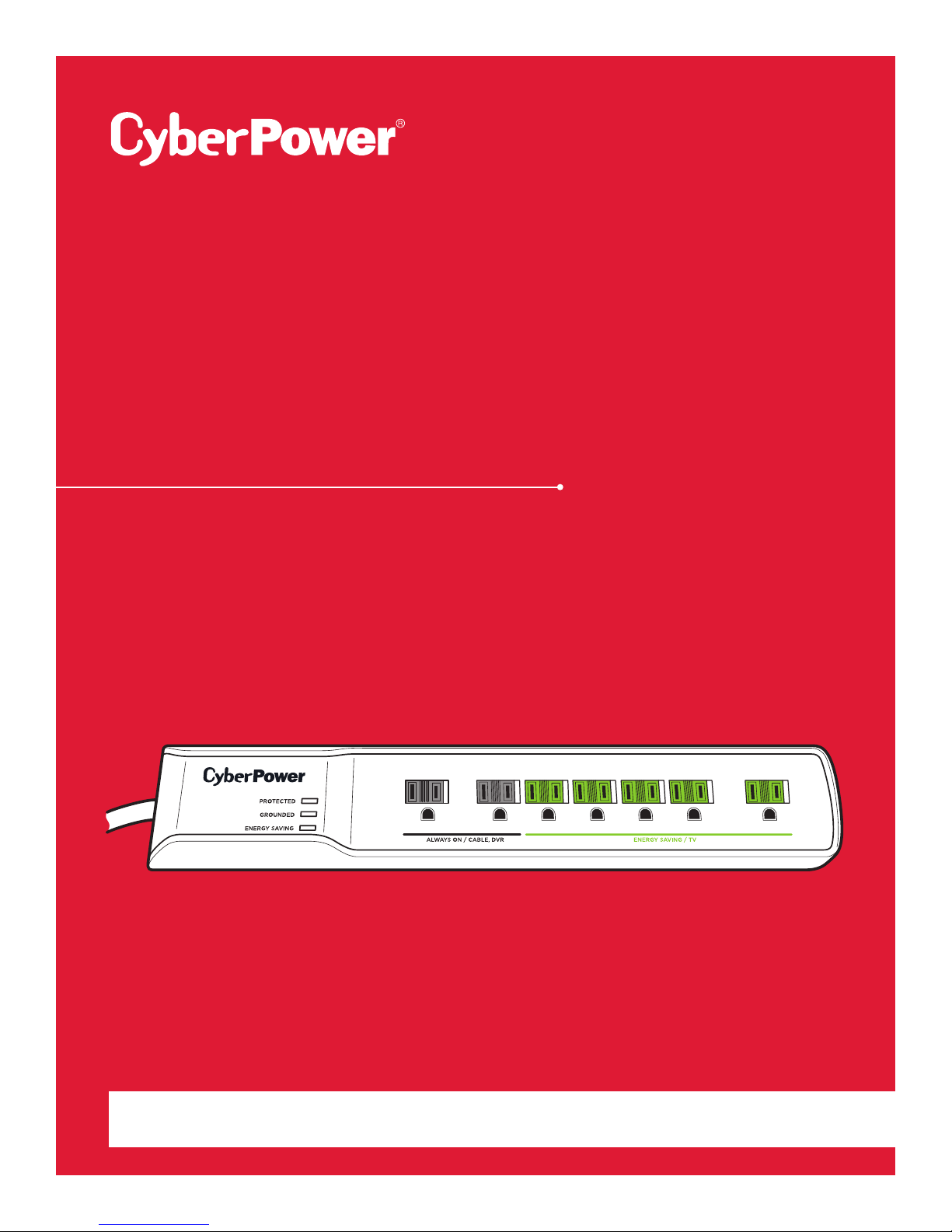
7-OUTLET TIER 2
ADVANCED
POWER STRIP
USER MANUAL
HT705GR
SAVE THESE INSTRUCTIONS
Please read this manual and follow the instructions for installation and operation.
©2018 Cyber Power Systems (USA), Inc. All rights reserved. K01-0000630- 01
Page 2
HT705GR
QUICK START GUIDE: (SEE QUICK START GUIDE)
1. Connections: Turn power switch to OFF. Plug surge protector into wall. Plug powered-down electronic
devices in to appropriate outlets. Connect infrared (IR) sensor to surge protector into small input jack.
Place glossy side of IR sensor in sightline of remotes. Turn power switch to ON using green rocker
switch. LED indicators (Protected & Grounded) should illuminate.
2. Power-Saving Measurement Initialization: The HT705GR performs a power-saving detection
measurement after the green rocker switch is turned ON. The Energy-Saving outlets will be turned on
for 10 seconds, and the energy-saving LED indicator will illuminate at the same time. After initialization
is complete, the Energy-Saving outlets and energy-saving LED indicator will turn OFF, and the unit is
available for use. To reset the measurement of your power consumption, press and hold the IR sensor
button for more than 10 seconds, release, and this will trigger a new energy-saving measurement of the
connected equipment.
3. The Energy-Saving Timer: The energy-saving timer monitors the time period of power delivery to the
Energy-Saving outlets. The timer has a default setting of 1 hour. If the timer does not receive any IR
signal during this window, it will turn o Energy-Saving outlets.
4. Operation: Turn TV ON. Power ON all connected equipment. When the IR sensor receives IR signals,
the Energy-Saving outlets will power on. The IR sensor’s blue LED light will blink for 15 minutes after 1
hour after last click of remote to give user a notice of shutdown. Click any button on a TV remote or the
volume button on a cable provider’s remote to restart energy-saving timer at zero. Blue LED light will
stop blinking.
5. Setting the Energy-Saving Timer: If you want to change the energy-saving time window, hold the IR
sensor button down for 7 seconds; LED light will flash 3 times, release. Press IR sensor 1 time. LED light
will flash 1 time, and timer will be 1 hour. Hold the IR sensor button down for 7 seconds. LED light will
flash 3 times, release. Press IR sensor 2 times, pausing in between. LED light will flash 2 times, and timer
will be 2 hours.
6. Timer Shut-Down: When the timer expires, the IR sensor will continue to flash for 15 minutes, then the
Energy-Saving outlets will power o.
©2018 Cyber Power Systems (USA), Inc. All rights reserved. All other trademarks are the property of their respective owners.
1
Page 3

HT705GR CONT.
1 Green Rocker Switch
2 Protected
3 Grounded
4 Energy-Saving
5 Small Input Jack
6 Sensor Plug
7 Always On
8 Energy Saving Outlets
9 IR Sensor
10 IR Sensor Button
11 Wide-Spaced Outlets
FEATURES
1. Green Rocker Power Switch
2. Surge-Protected Indicator LED
Illuminated when the surge-protection feature is working properly
3. Ground Indicator LED
Illuminated when the grounded feature is working properly
4. Energy-Saving Indicator LED: Illuminated only during the
Power-Saving Measurement Initialization
4
5
5. Small-Input Jack
6. Sensor Plug
7. Always-On Outlets: These outlets receive continuous power
6
8. Energy-Saving Outlets: See operation section above
9. IR Sensor: Detects IR signals from your remote
10. IR Sensor Button: Sets the energy saving timer
11. 2 Wide-Spaced Outlets
SPECIFICATIONS
• Model Number: HT705GR
• Outlets: 2 Always-On outlets & 5 Energy-Saving outlets
(5 Standard Outlets and 2 Transformer spaced outlets )
• Surge Protection: 1500 Joules
• Electrical Rating: 125 V/15 A/1875 W
• UL Clamping Voltage: UL 1449 3rd/500 V (H-N, H-G, N-G)
• Maximum Peak Current: 60,000 A
• 3 AC Lines Protected: H-N: 30,000 A, H-G: 15,000 A,
N-G: 15,000 A; (The maximum surge possible on household
wiring is 6,000 volts)
• Response Time: Less than 1 nanosecond
• Attenuation: Up to 43 dB
• EMI/RFI Filtration: 150 kHz to 100 MHz
• IR Detection Range/Degree: 16.4 ft./60
WARNING
TO REDUCE THE RISK OF ELECTRIC SHOCK – Use only in dry locations and only indoors. DO NOT plug
into another relocatable power tap. DO NOT “daisy chain” surge protectors. DO NOT use with any aquarium
equipment. DO NOT use if properly grounded outlets are not available. DO NOT install this device if there
is not at least 10 meters (30 feet) or more of wire between the electrical outlet and electrical service panel.
This device features an internal protection that will disconnect the surge-protective component at the end
of its useful life but will maintain power to load-now unprotected
9
ENERGY SAVING
ALWAYS ON / CABLE, DVR ENERGY SAVING / TV
PROTECTED
GROUNDED
1
2
3
11
7
8
11
10
©2018 Cyber Power Systems (USA), Inc. All rights reserved. All other trademarks are the property of their respective owners.
2
Page 4
HT705GR CONT.
LIMITED WARRANTY AND CONNECTED EQUIPMENT GUARANTEE
Read the following terms and conditions carefully before using the CyberPower HT705GR (the “CPS
product”). By using the CPS product, you consent to be bound by the terms and conditions of this lifetime
limited warranty and connected equipment guarantee (together referred to as this “warranty”). IF YOU DO
NOT AGREE TO THE TERMS AND CONDITIONS OF THIS WARRANTY, YOU SHOULD RETURN THE CPS
PRODUCT FOR A FULL REFUND PRIOR TO USING IT.
Who is providing this warranty, what does it cover?
Cyber Power Systems (USA), Inc. (“CyberPower”) provides this lifetime limited warranty. It only covers
the original purchaser and ends if you no longer own the CPS product. This warranty covers defects in the
materials and workmanship in the CPS product under normal use and conditions. It also covers equipment
connected to the CPS product and damaged because of the failure of the CPS product. This warranty
covers the CPS product and connected equipment for as long as you own the CPS product.
How do you open a Connected Equipment Warranty Claim?
1. Call us at 1-877- 297-6937, or write to us at Cyber Power Systems (USA), Inc., 4241 12th Ave. E., STE 400,
Shakopee, MN 55379, or send us an e-mail at [email protected] for instructions, within 10 days of the
occurrence.
2. When you contact CyberPower, identify the CPS product, the purchase date, and the item(s) of
connected equipment. Have information on all applicable insurance or other resources of recovery/
payment that are available to the initial customer and request a claim number.
3. You must provide a dated purchase receipt (or other proof of the original purchase) for the CyberPower
unit and connected equipment. You also need to provide a description of the damage to your
connected equipment.
4. Pack and ship the product to CyberPower and, if requested, the item(s) of connected equipment, repair
cost estimate for the damage to the connected equipment, and all claims forms that CyberPower
provides to you. Show the claim number on the shipping label or include it with the CPS product. You
must prepay all shipping cost, you are responsible for packaging and shipment, and you must pay the
cost of the repair estimate.
What will CyberPower do to correct problems?
CyberPower will inspect and examine the CPS product. If the CPS product is defective in material or
workmanship, CyberPower will replace it at CyberPower’s expense, or CyberPower will refund the full
purchase price you paid for the CPS product (purchase receipt showing price paid is required). If the CPS
product failed to protect any equipment plugged into it, we will also send you forms for making your claim
for the connected equipment. We will replace the equipment that was damaged because of the failure of
the CPS product or pay you the fair market value (NOT REPLACEMENT COST) of the equipment at of the
time of the damage. We will use Orion Blue Book, another a third-party valuation guide, ebay, craigslist, or
other source to establish that amount. Our maximum liability is limited to $75,000 for the HT705GR.
©2018 Cyber Power Systems (USA), Inc. All rights reserved. All other trademarks are the property of their respective owners.
3
Page 5
HT705GR CONT.
LIMITED WARRANTY AND CONNECTED EQUIPMENT GUARANTEE CONT.
Who pays for shipping?
We pay when we send items to you; you pay when you send items to us.
What are some things this warranty does not cover?
1. THIS WARRANTY DOES NOT COVER ANY SOFTWARE THAT WAS DAMAGED OR NEEDS TO
BE REPLACED DUE TO THE FAILURE OF THE CPS PRODUCT OR ANY DATA THAT IS LOST AS A
RESULT OF THE FAILURE OR THE RESTORATIONS OF DATA OR RECORDS, OR THE REINSTALLATION
OF SOFTWARE.
2. This warranty does not cover: misuse, modifications, operation or storage outside environmental limits
of the CPS product or the equipment connected to it, or for damage while in transit or in storage, nor if
there has been improper operations or maintenance or use with items not designed or intended for use
with the CPS product, such as laser printers, appliances, aquariums, medical or life support devices, etc.
What are the other limitations?
The sole and exclusive remedies of the initial customer are those provided by this warranty.
1. This warranty does not apply unless the CPS product and the connected equipment were connected to
properly wired and grounded outlets (including compliance with electrical and safety codes of the most
current electrical code), without the use of any adapters or other connectors.
2. The CPS product must have been plugged directly into the power source and the equipment connected
to the CPS product must be directly connected in the CPS product, not “daisy chained” together in
serial fashion with any extension cords, another product or device similar to the CPS product, surge
suppressor, or power tap. Any such installation voids the warranty.
3. The CPS product and the connected equipment must have been used properly in a suitable and proper
environment, in conformance with any applicable license, instruction manual, or warnings.
4. The CPS product must have been used at all times within the limitations on the CPS product’s
VA capacity.
Where can I get more information?
Contact CyberPower at:
Mailing Address: 4241 12th Ave. E., Ste. 400
Shakopee, MN 55379
Phon e: 1. 87 7.2 97. 6937
Email: [email protected]
©2018 Cyber Power Systems (USA), Inc. All rights reserved. All other trademarks are the property of their respective owners.
4
Page 6

HT705GR CONT.
TROUBLESHOOTING
PROBLEM TO CHECK
The Always-On outlets are not receiving
the power
The HT705GR does not power o the
connected equipment in standby mode.
The IR Sensor is not operating.
The IR Sensor flashes frequently during
normal operation.
The surge protected LED of the HT705GR
is on, but my IR Sensor LED does not work
(when the IR Sensor is plugged in and
powered on).
The HT705GR is not working / the protected
LED is not illuminated.
The connected equipment turned o
after 1 hour.
• Ensure the plug connections are secure and the power
switch is set to the on/reset position.
• Ensure the equipment is plugged into the EnergySaving outlets, not into the Always On outlets.
• The HT705GR has not detected the connected
equipment in standby. Please press the IR sensor
button for more than 10 seconds and release to enter
into the setting mode. When switching surge o/on
again assure all connected equipment are placed in
power-o or standby mode.
• Turn o the HT705GR power, re-plug the IR Sensor
cable, then turn on the HT705GR
• It may be radio frequency interference. Check for other
devices that may be causing interference in the area.
• Move the IR Sensor to another location that is within
line of sight and normal operation range of connected
equipment remote controls.
• Ensure the IR Sensor cable is safely and securely
connected to the HT705GR, and;
• Press the IR Sensor button, the Energy-Saving outlet
will turn on.
• Remove all the connected equipment and power
cord from the wall outlet. Reset surge protector by
pressing and hold the IR Sensor button for more than
10 seconds, then release.
• If the grounded indicator does not light when you
plug in the surge protector, move the surge protector
to a dierent grounded three-prong AC outlet. If the
surge protector proves to be working properly, your
outlets may not be properly grounded and need to be
repaired by a professional electrician.
• The default setting for the energy saving time is 1 hour.
• If you want to change the energy saving time, please
check the quick start guide section to change default
energy saving time from 1 or 2 hours.
©2018 Cyber Power Systems (USA), Inc. All rights reserved. All other trademarks are the property of their respective owners.
5
Page 7
HT705GR CONT.
TECHNICAL SUPPORT
Please contact our tech support department with installation, troubleshooting, or general product questions.
• Phone: 1 .87 7. 297. 6937
• Email: [email protected]
• Hours of Operation: Monday – Friday, 7:00 am – 6:00 pm CST
PRODUCT REGISTRATION
Prompt product registration assures coverage under the lifetime limited warranty, and also allows the
opportunity to be notified of product enhancements, upgrades, and other announcements.
Registration is quick and easy. Go to product page at www.CyberPowerSystems.com.
©2018 Cyber Power Systems (USA), Inc. All rights reserved. All other trademarks are the property of their respective owners.
6
Page 8
Cyber Power Systems (USA), Inc. | www.CyberPowerSystems.com
For USA and Canada | 4241 12th Ave East, Suite 400, Shakopee, MN 55379 | Toll-free: 877.297.6937
For all other regions | Please visit our website for local contact information.
This device complies with Part 15 of the FCC Rules. Operation is subject to the following two conditions: (1) this device may
not cause harmful interference, and (2) this device must accept any inference received, including interference that may be
undesired operation. This equipment has been tested and found comply with the limits for a Class B digital device, pursuant
to Part 15 of the FCC Rules. These limits are designed to provide reasonable protection against harmful interference in a
residential installation.
This equipment generates, uses, and can radiate radio frequency energy and, if not installed and used in accordance with
the instructions, may cause harmful interference to radio communications. However, there is no guarantee that interference
will not occur in a particular installation. If this equipment does cause harmful interference to radio or television reception,
which can be determined by turning the equipment o and on, the user is encouraged to try to correct the interference by
one or more of the following measures:
• Reorient or relocate the receiving antenna.
• Increase the separation between the equipment into an outlet on a circuit dierent from that to which the receiver is
connected.
• Consult the dealer or an experienced radio/TV technician for help.
Warning: Changes or modifications not expressly approved by the party responsible for compliance could void the user’s
authority to operate the equipment.
ICES-003: This Class B digital apparatus complies with Canadian ICES-003.
This device is manufactured using environmentally safe procedures in compliances
with the Restrictions on Hazardous Substances (RoHS) directive.
WARNING: This produc t can expose you to chemicals including bisphenol A (BPA) and styrene (ABS), which is known to the State of
California to cause reproductive harm and cancer. For more information , go to www.p65warnings.ca.gov.
Copyright ©2018 Cyber Power Systems (USA), Inc. All rights reserved.
 Loading...