

Page 1

SIP-enabled IP Ceiling Speaker
The IP Endpoint Company
Setup Guide (Alteva)
CyberData Corporation • 3 Justin Court • Monterey, CA • 93940 • T:831-373-2601 • F: 831-373-4193
www.CyberData.net
Page 2
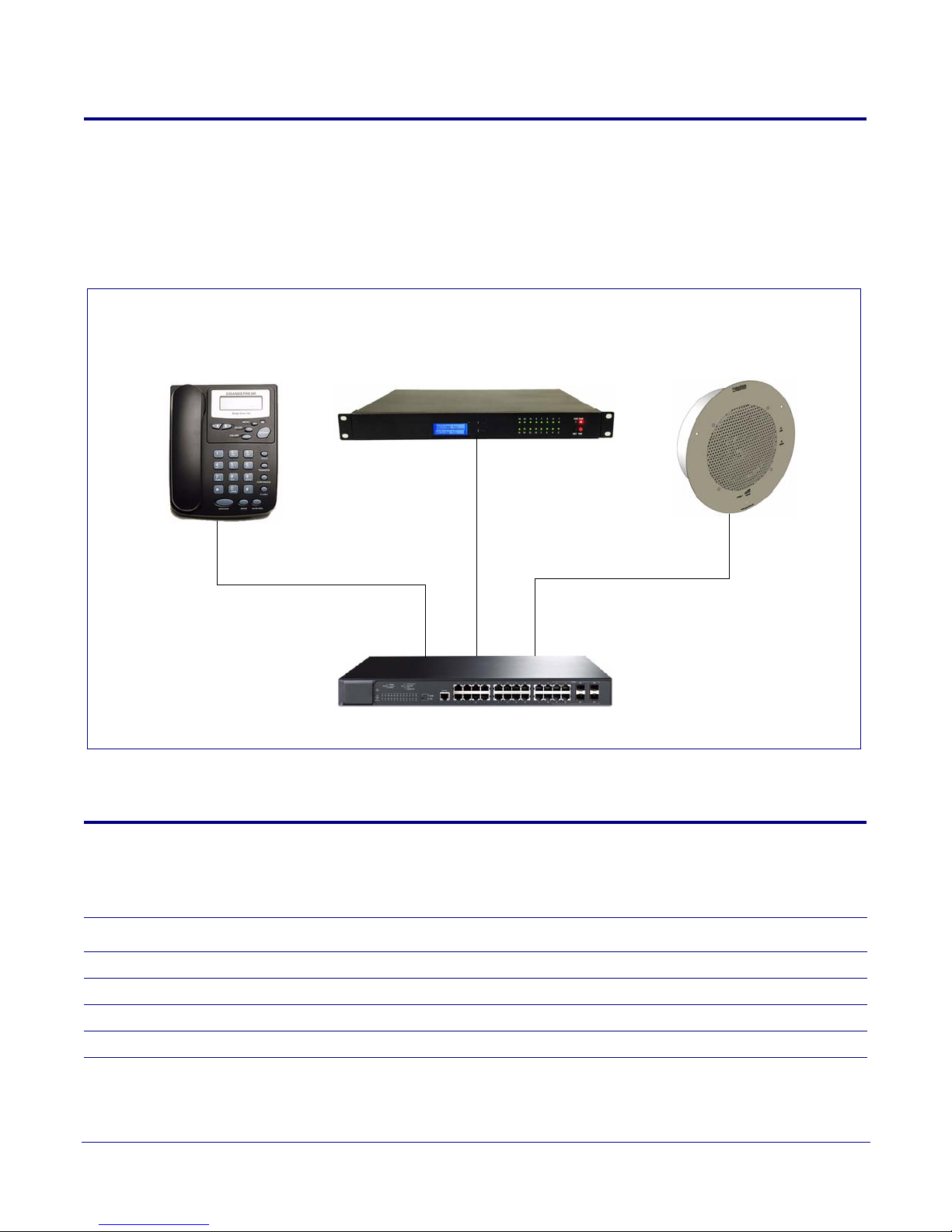
1.0 Setup Diagram
IP Phone
IP Address: ______________________
CyberData VoIP Ceiling Speaker
IP Address: _____________________
Alteva IP-PBX Server
IP Address: _____________________
PoE Switch
Figure 1 is a setup diagram for a single VoIP Ceiling Speaker configuration. In this configuration, the
VoIP Ceiling Speaker acts as a standalone S
IP telephony device.
Figure 1. Setup Diagram
2
2.0 Host Environment
Description
Hardware Type
Hardware Version
Software Type
Software Version
Server Setup Guide 930628A CyberData Corporation
Table 1. Host Environment Details
Page 3

3.0 Test Setup Equipment
Table 2. Test Setup Equipment
Equipment Model Version
VoIP Ceiling Speaker
Notes:
IP (SIP) Phone
Notes:
PoE Switch
Notes:
3
Notes:
Notes:
Notes:
Notes:
Notes:
Notes:
Notes:
Notes:
Server Setup Guide 930628A CyberData Corporation
Page 4
4.0 Procedure
GENERAL ALERT
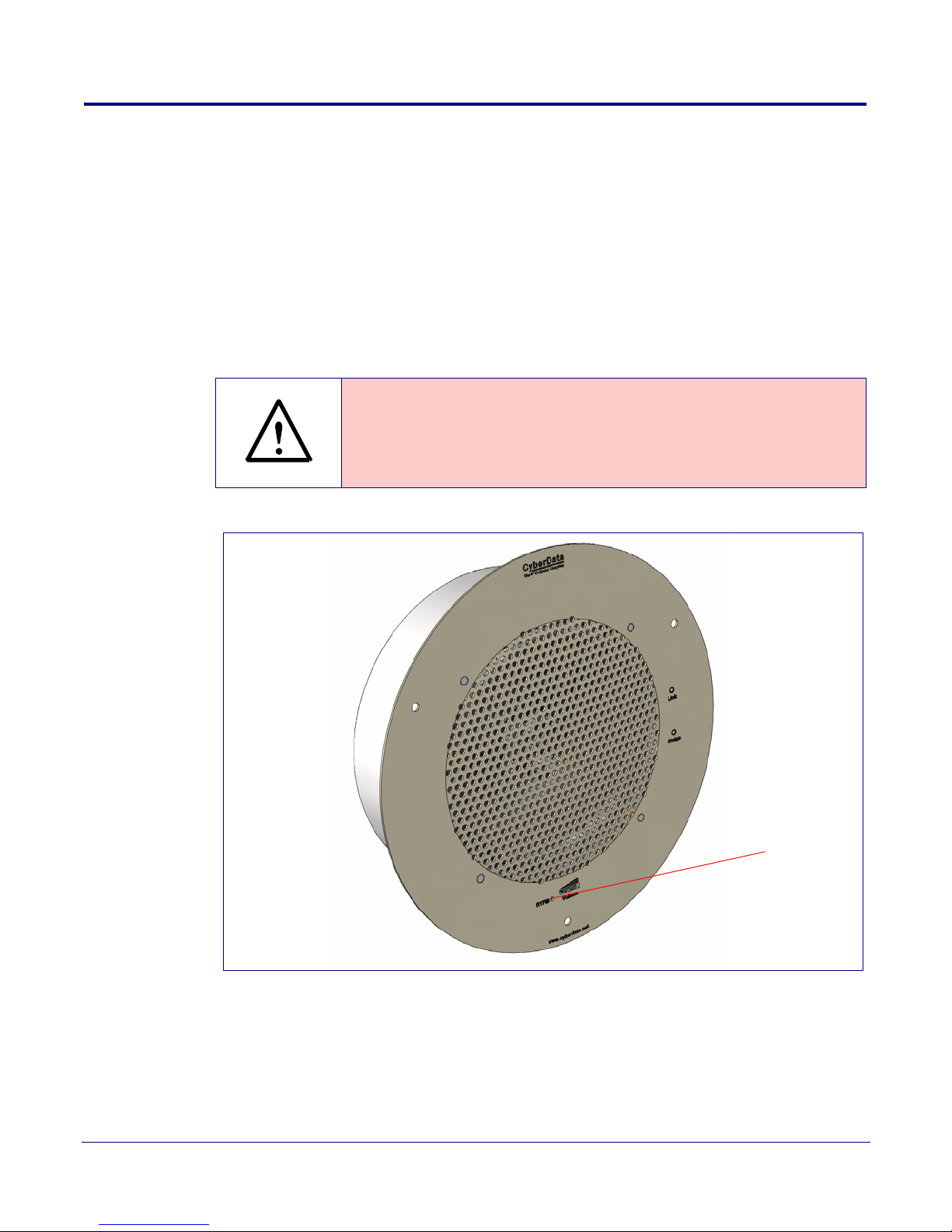
RTFM button
1. After you have spoken to your Alteva service dept and they have assigned a user license and
account to you, complete the following instructions:
2. Open the devices web interface by navigating to the IP address of the device. If you are unsure
of the device IP please do the following:
a. Make sure that your device is plugged into your network and powered on (this device must
be plugged into power over ethernet).
b. Use a paperclip to press and hold the RTFM button through the hole on the front of the
device until it beeps. See Figure 2.
Caution
If you hold the button for longer than five seconds, the device will reboot and restore
the factory default settings.
4
Figure 2. RTFM Button
c. You will hear the IP address spoken to you by the device.
3. When prompted, type the username and password to get into the configuration page (the
default username and password are both admin).
Server Setup Guide 930628A CyberData Corporation
Page 5
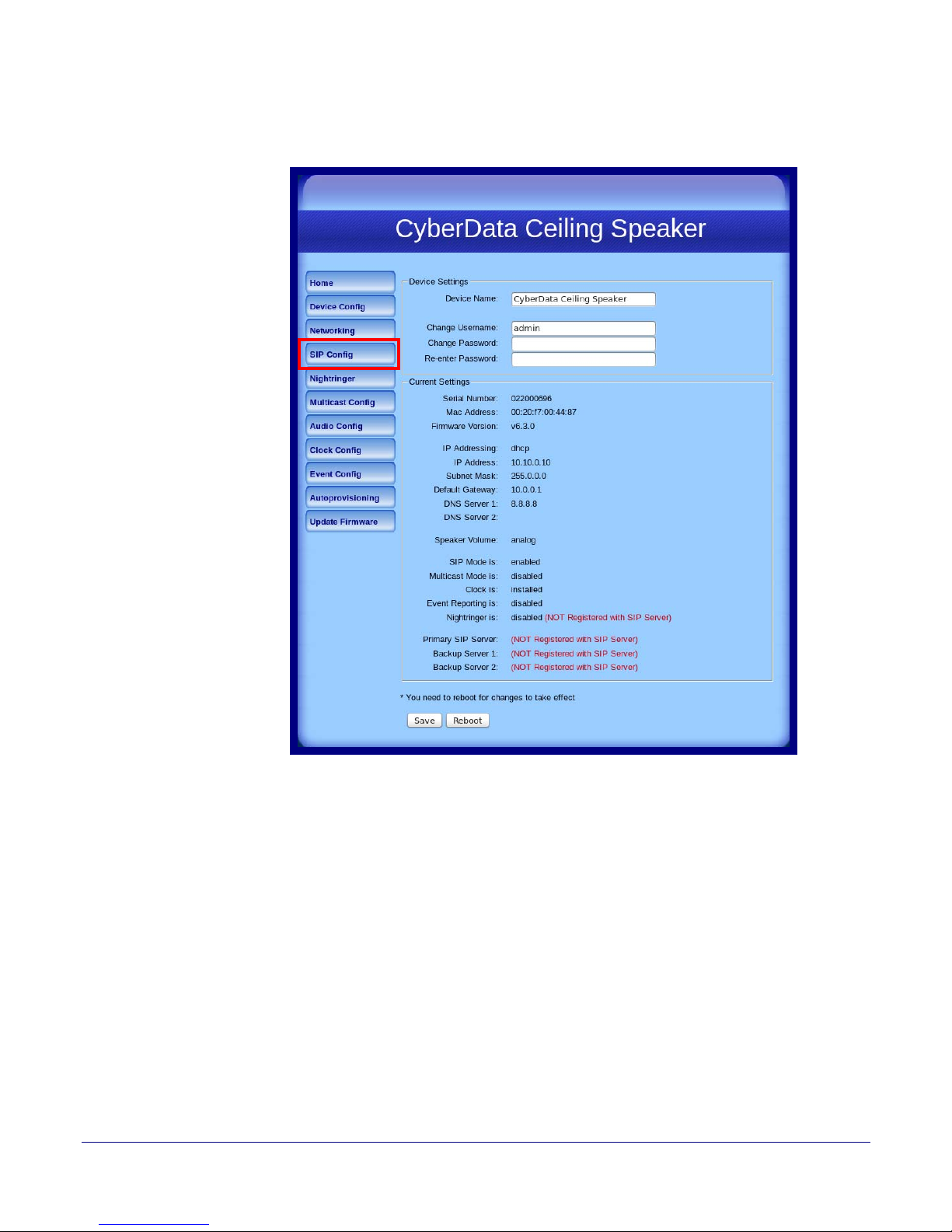
4. Click on the SIP Config button on the left side of the Home Page. See Figure 3.
Figure 3. Home Page
5
Server Setup Guide 930628A CyberData Corporation
Page 6
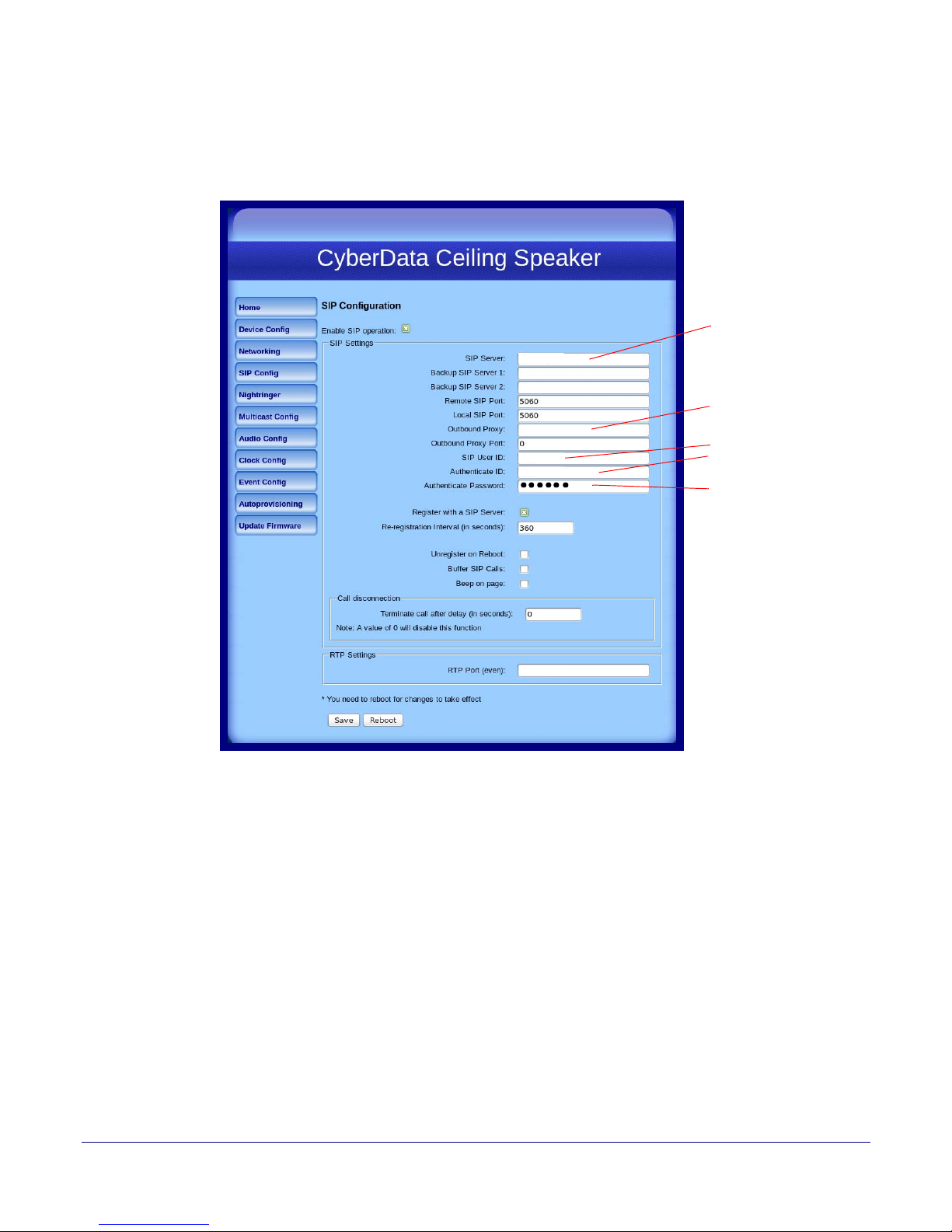
5. Enter the information as shown in Figure 4.
sip.XXXXX.com
USER_ID
AUTH_Username
sip.XXXXX.com
5060
Proxy Registrar Address
Outbound Proxy Registrar
(may not be needed in all cases)
SIP User ID
IP Auth Username
IP Auth Password
Note The information in Figure 4 will be provided by your service representative.
Figure 4. SIP Configuration Page
6
6. Click Save.
7. Click Reboot.
8. You are now ready to use your SIP-enabled IP Ceiling Speaker.
Server Setup Guide 930628A CyberData Corporation
 Loading...