

Page 1
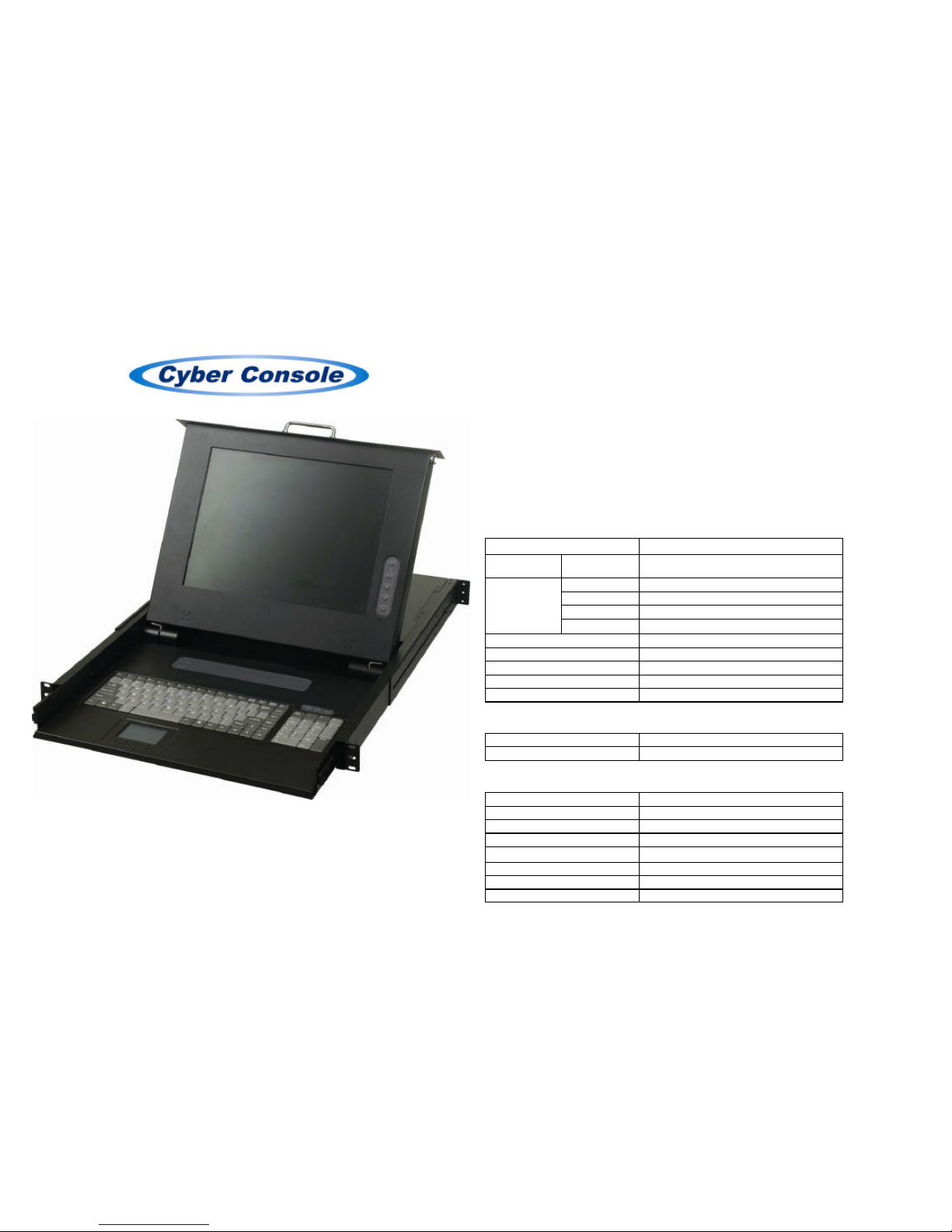
LCD CONSOLE
IC-1501 / IC-1701
USER MANUAL
IC-1501
Package Inside
LCD Console x 1
USER Manual x 1
Power Cord x 1
Rack-Mount Brackets x 2
Screws (for Brackets) x 6
Key x 2
Features
• The keyboard, mouse and 15” LCD monitor was built-in on LCD console.
• Support resolution of 1024x768, 75Hz.
• Comply with the height of the 1U chassis specification and installable with a hanging
stand into a 19” chassis system.
• Requiry no additional software or hardware.
Specifications
Function
IC-1501
LEDs Power 1
Keyboard 1x6 pin mini-DIN Female (PS/2)
Mouse 1x6 pin mini-DIN Female (PS/2)
Monitor 1x HD-15 Female (Std. VGA/SVGA)
Console Port
Audio
1x 3.5ψ Stereo Plug
VGA Resolution 1024x768@75Hz
Power AC 100~240V, 50~60Hz
Housing Metal
Weight 12.1Kg
Dimensions (LxWxH) 600x447x48 mm
Keyboard and Mouse Specifications
Keyboard Standard 104 key
Mouse Touch pad module
LCD Monitor Specifications
Size 15 inch
Screen Type TFT
Contrast 500:1
Brightness 250 cd/m2
View Angle
110°
Resolution 1024x768@75Hz
Response Time 16 ms
Display Color 16.7 M
-1-
Page 2
LCD Monitor Operation
Keypad Define
Power key: Use this key to turn on or off the LCD monitor.
Menu key: Use this key to open the OSD menu or return to a previous menu or exit the OSD
menu.
Up key: Use this key to highlight an item in the menu, move a highlighted function up, or
increase the numeric value (parameter) in certain menu.
Down key: Use this key to highlight an item in the menu, move a highlighted function down,
or decrease the numeric value (parameter) in certain menu.
Enter key: Use this key to enter next menu or highlight a confirmed function.
If the screen is not in a full screen graphic mode (such as in a DOS) or is connected with an
allocator, the position of the appeared image may be adjusted automatically and then deviated.
By then, it is necessary to enter into the OSD menu to manually adjust the level or vertical
position and phase.
OSD Control Function List
1. Contrast
2. Brightness
3. Display Adjust: V-Position, H-Position, Phase, Clock, Auto Adjust, Returm.
4. Color Control: 9300K, 6500K, User, Auto Color, Returm.
5. Language: English, Deutsch, Français, Italiano, Español, Chinese, Returm.
6. OSD Adjust: OSD V-Position, OSD H-Position, OSD Timeout, Returm.
7. Audio Control: Mute, Volume, Returm.
8. Reset
9. Exit.
-2-
IC-1701
Package Inside
LCD Console x 1
USER Manual x 1
Power Cord x 1
Rack-Mount Brackets x 2
Screws (for Brackets) x 6
Key x 2
Features
• The keyboard, mouse and 17” LCD monitor was built-in on LCD console.
• Support resolution of 1280×1024, 75Hz.
• Comply with the height of the 1U chassis specification and installable with a hanging
stand into a 19” chassis system.
• Requiry no additional software or hardware.
Specifications
Function
IC-1701
LEDs Power 1
Keyboard 1x6 pin mini-DIN Female (PS/2)
Mouse 1x6 pin mini-DIN Female (PS/2)
Monitor 1x HD-15 Female (Std. VGA/SVGA)
Console Port
Audio
1x 3.5ψ Stereo Plug
VGA Resolution 1280x1024@75Hz
Power AC 100~240V, 50~60Hz
Housing Metal
Weight 13.2Kg
Dimensions (LxWxH) 600x450x48 mm
Keyboard and Mouse Specifications
Keyboard Standard 104 key
Mouse Touch pad module
LCD Monitor Specifications
Size 17 inch
Screen Type TFT
Contrast 450:1
Brightness 300 cd/m2
View Angle
110°
Resolution 1280x1024@75Hz
Response Time 12 ms
Display Color 16.7 M
-3-
Page 3

LCD Monitor Operation
Keypad Define
Power key: Use this key to turn on or off the LCD monitor.
Menu key: Use this key to open the OSD menu and enter to next menu or highlight a
confirmed function.
Up key: Use this key to highlight an item in the menu, move a highlighted function up, or
increase the numeric value (parameter) in certain menu.
Down key: Use this key to highlight an item in the menu, move a highlighted function down,
or decrease the numeric value (parameter) in certain menu.
Auto key: Use this key to automatically adjust the image position and phase, and return to the
previous menu or exit a highlight item.
If the screen is not in a full screen graphic mode (such as in a DOS) or is connected with an
allocator, the position of the appeared image may be adjusted automatically and then deviated.
By then, it is necessary to enter into the OSD menu to manually adjust the level or vertical
position and phase.
OSD Control Function List
1. Contrast
2. Brightness
3. Auto Adjust
4. Phase/Clock: Phase, Clock.
5. H/V Position: H Position, V Position.
6. Mise:
Information
OSD Timer
Color Temperature: 5500K, 6500K, 9300K.
Language: English, Deutsch, Français, Italiano, Español, Chinese, Japanese.
Display Mode
7. Reset
Trademarks:
All the companies, brand names, and product names referred to this manual are the trademarks
or registered trademarks belonging to their respective companies.
-4-
 Loading...