

Page 1
Anti-Theft Security Kiosk Stand for iPad Pro 12.9
INSTRUCTION MANUAL
PAD-ASKP
Please follow the guidelines and instructions as laid out in this instruction manual.
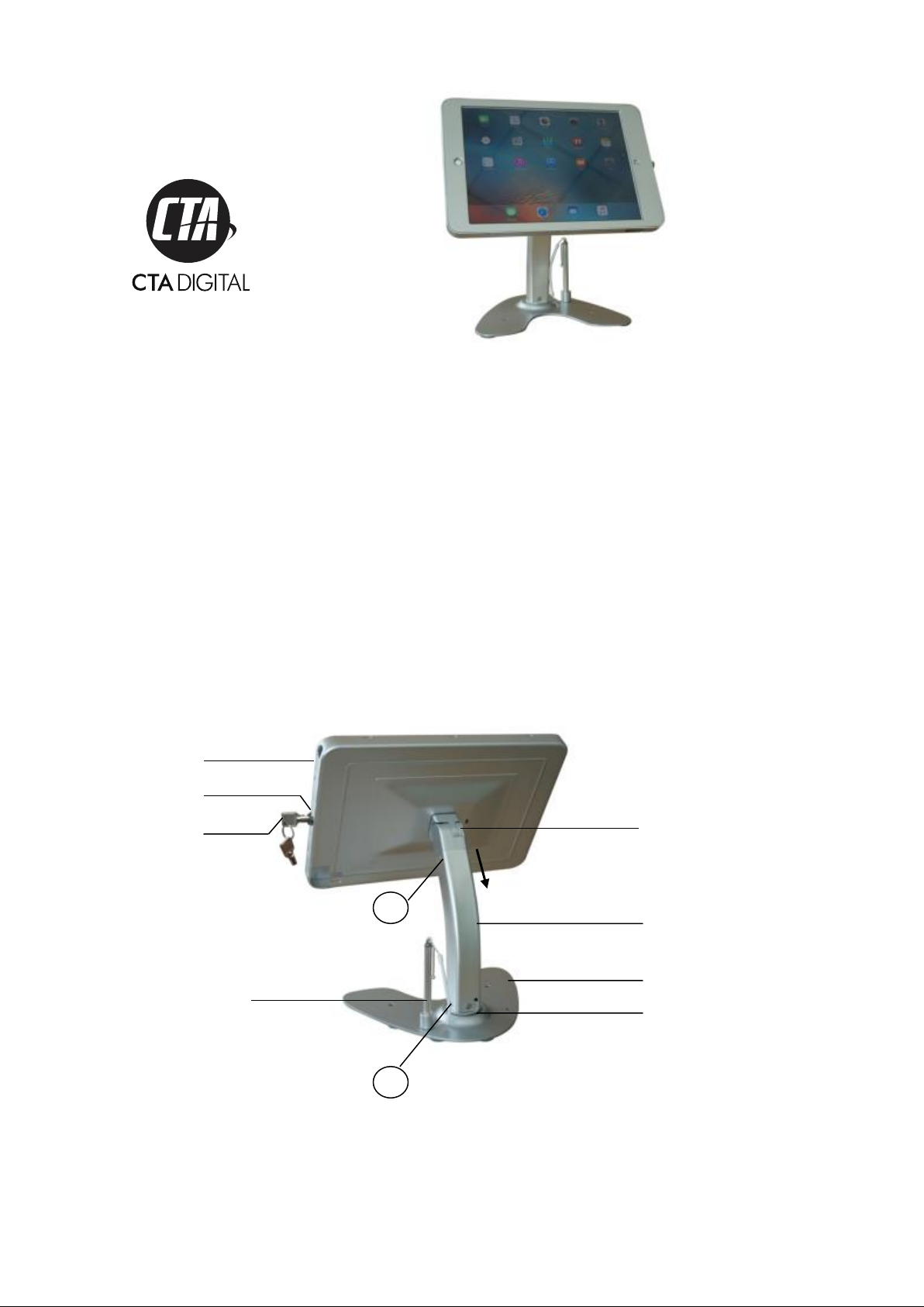
Package Contents
Case connector
Enclosure
Base connector
Key
Lock
1
Insert tube into case
connector and tighten
screws on both sides
Tube
Base
2
Insert tube into base connector and
tighten all 4 screws
Stylus
Page 2
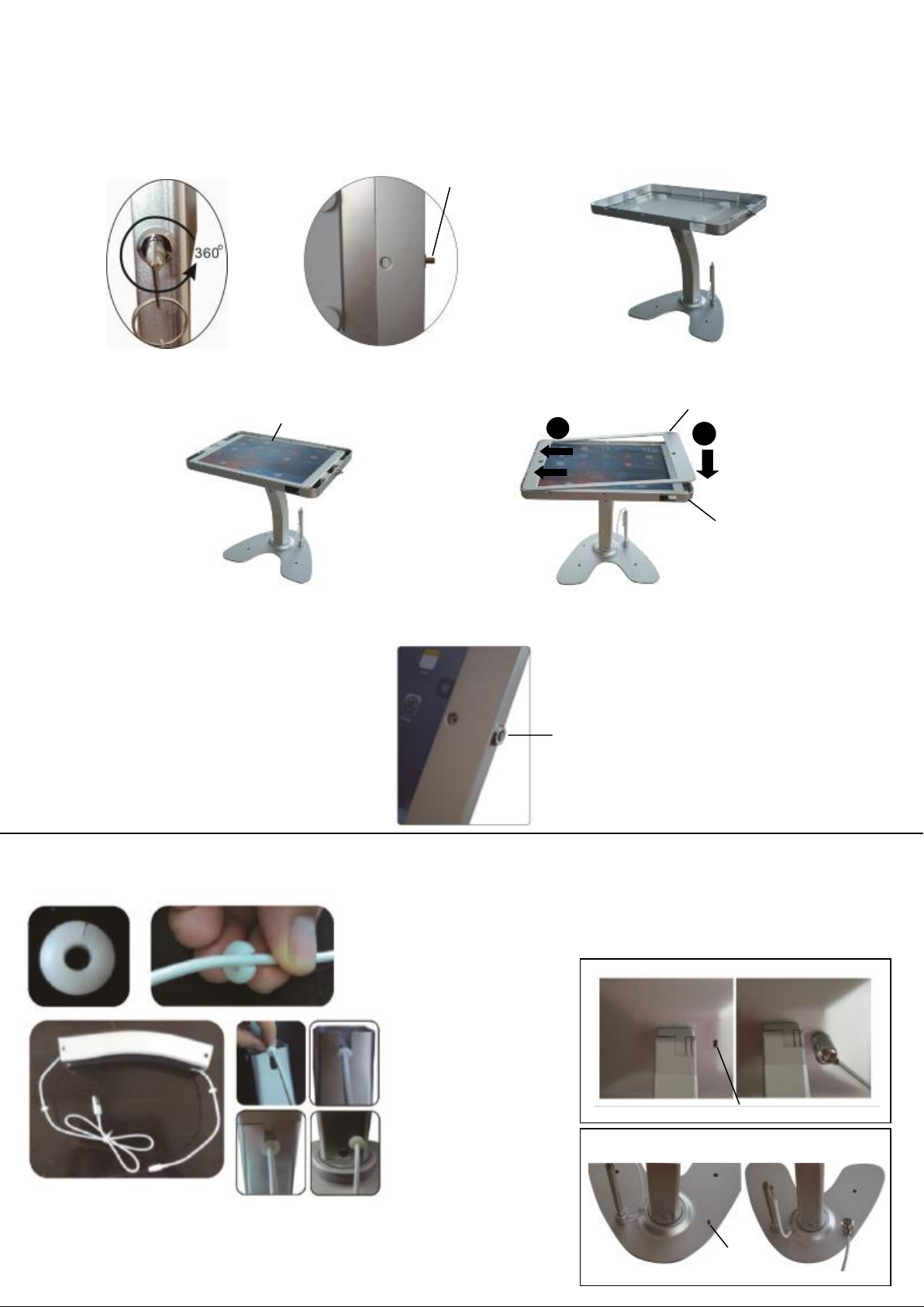
1) Place the stand on a flat surface.
2) Adjust the enclosure to the horizontal position, then insert the key and turn clockwise
to release the lock. Remove enclosure faceplate.
3) Place iPad Pro into the enclosure tray, and then place faceplate on top.
4) Close the enclosure and press the lock button.
iPad
Un lo cked
Press in to lock
1
2
Cable management system
Slide protectors
over the cable.
Align protectors
so opening is
perpendicular to
slot openings on
tube.
Pull cable through
tube.
Key slot
Key slot
Using anti-theft cable:
1. Attach cable to slot at base of s ta nd
or on back of case.
2. Attach opposite end to any
permane nt fixture using loop.
Faceplate
Enclosure
tray
Case
Base
 Loading...