

Page 1
PAD-AALDS
Angle-Adjustable Locking Desktop Stand
for 7-13 Inch Tablets
Instructions:
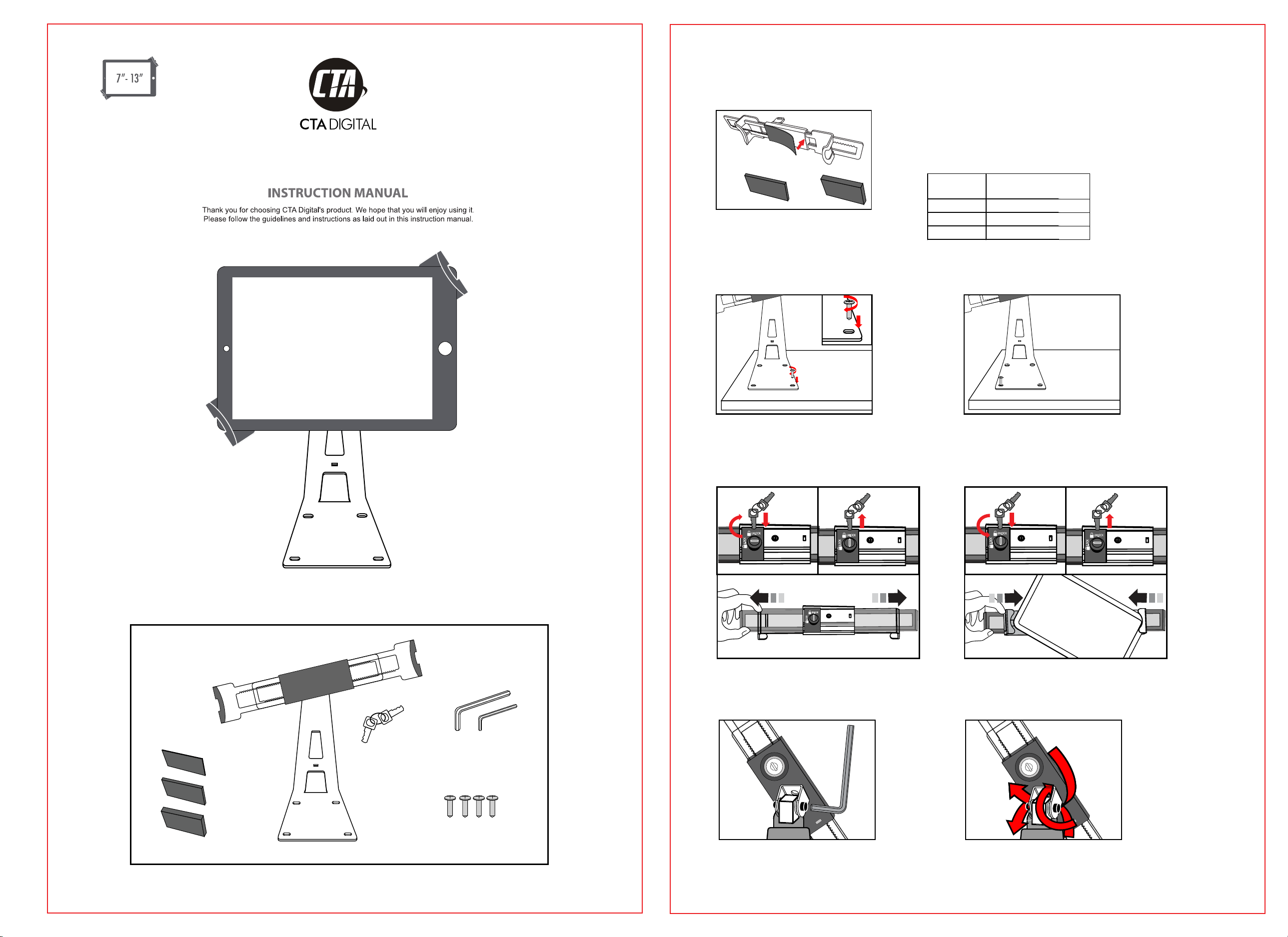
1.Attaching Foam Pad to Tablet Holder
1mm Foam Pad
5mm
Foam
Pad
Select the appropriate foam pad according
to the thickness of your tablet (or tablet in its
case), then press adhesive side into center
of the tablet holder.
2. Mounting Your Stand
10mm
Foam
Pad
Use this table to determine the appropriate
foam pad to use with your tablet.
Note: sizes refer to total tablet size with or
without a case.
Foam Pad
Thickness
1mm 0.67-1.06in
5mm 0.51-0.91in
10mm 0.31-0.71in
Tablet
Thickness:
17-27m
/
13-23m
/
8-18mm
/
m
m
Package Contents:
Keys
1. Insert screw into hole on the stand
base and use a Phillips head
screwdriver to tighten.
3. Installing Your Device:
UNLOCK
LOCK
UNLOCK
LOCK
1. Insert key and unlock the holder,take out the key, then slide
the arm to open to a width according to your need.
UNLOCK
LOCK
4. Adjusting your Tablet Holder:
2. Repeat step 1 for all screws.
UNLOCK
LOCK
2. Insert key and lock the holder, take out the key, then
insert your device corner first. Slide the arm back in until it
is tightly gripping your tablet by the corners.
UNLOCK
LOCK
Foam Pads
1mm
5mm
10mm
Screws
Allen Key
Use Allen key to adjust tension of connection between the tablet holder and metal block.
at point
 Loading...