

Page 1
H2S
CO
CH
4
Gas-Pro
Quick Start Guide
Gas-Pro
Multi-Gas Confined Space Monitor
M07998/Eng
Issue 2 Jan 2015
IN USE
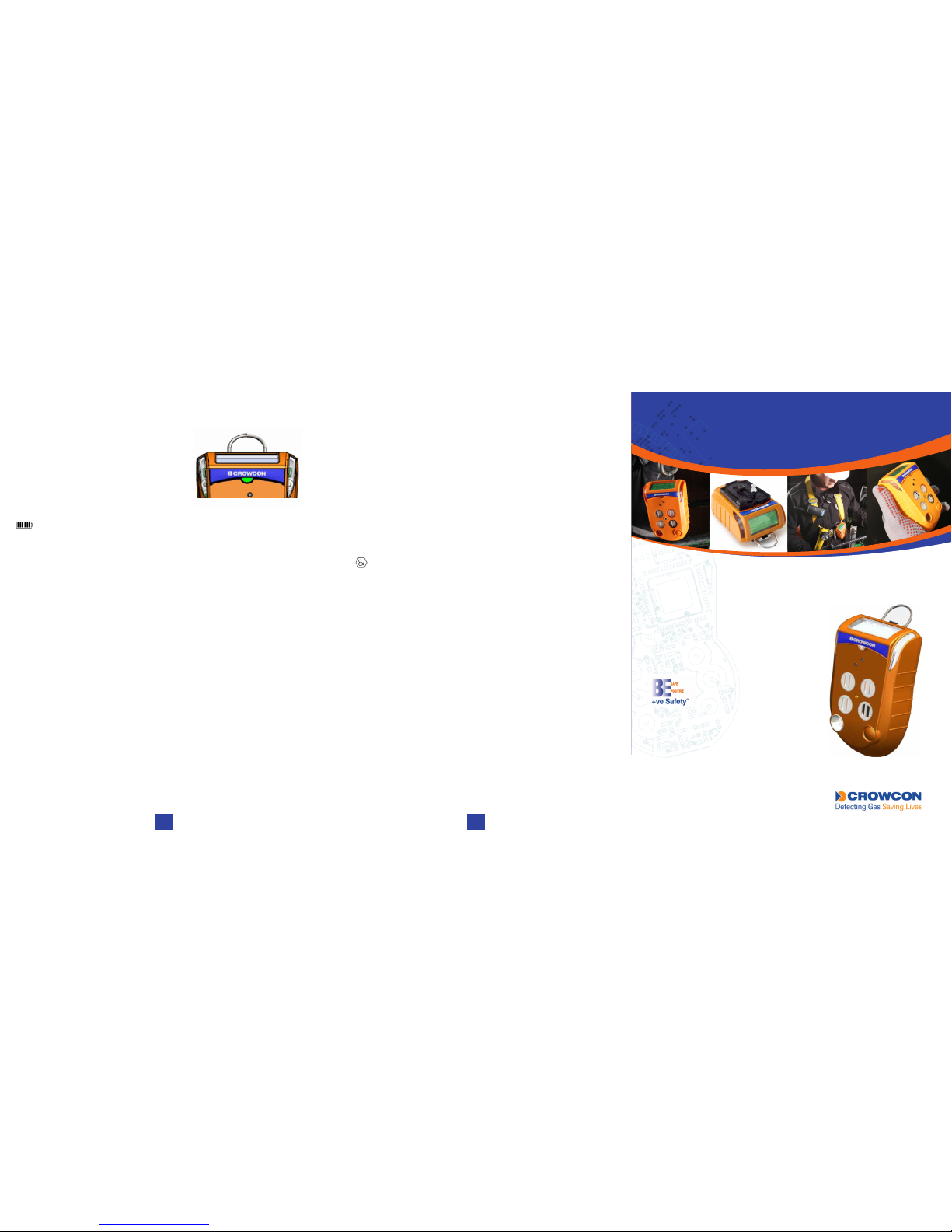
+ve Safety™
+ve Safety™ (Positive Safety) provides
positive conrmation of detector status prior
to deployment in the eld or on return from
site. The front mount tri-colour LED gives
the Safety Manager or Supervisor unrivalled
visibility of the status of the Operator’s
detector.
Charging
• To charge, insert the charger connected into the socket at the back of
the Gas-Pro.
• The display will show the battery lling and RED LED’s will ash red
until the battery is full, when they will ash green.
Gas Testing
Crowcon recommends regular gas tests (also known as bump tests) to
conrm sensor operation. A number of exible and simple solutions are
available:
Q-Test Quick and simple in-led gas test and calibration solution.
I-Test Intelligent wall or desk mount, powered data management
solution.
S-Test Service and maintenance solution for up to 5 detectors.
If congured to do so, test and calibration can also be completed manually
by using the non-pumped ow plate and following prompts on the screen. If
a test should fail or calibration is due and the Gas-Pro has been manually
zeroed in the last 15 minutes a calibration can also be completed.
See the Gas-Pro User and Operator manual for details.
Safety Information
• Gas-Pro is a hazardous area certied gas detector and as such must
be operated and maintained in strict accordance with the instructions,
warnings and label information.
• Read and understand all instructions in the operation section of “Gas-Pro
User & Operator Manual”, P/N M07995 prior to use.
• The Gas-Pro re-chargeable battery must only be charged in non-
hazardous (safe) areas.
• Gas-Pro is certied for use in ambient temperatures in the range -20°C to
+55°C (-4 to 131°F).
Certication Information
IECEx: Ex d ia IIC T4 Gb Tamb -20°C to +55°C
IECEx ULD 11.0004X
ATEX: II 2 G Ex d ia IIC T4 Gb Tamb -20°C to +55°C
DEMKO 11 ATEX 1031772X
UL: Gas detector use in hazardous locations Class 1 Division 1, Groups A,
B, C and D only as to intrinsic safety.
Contact Crowcon:
UK: 172 Brook Drive, Milton Park, Abingdon, Oxfordshire OX14 4SD
Tel: +44 (0) 1235 557700 Email: [email protected]
US: 1455 Jamike Ave, Suite 100, Erlanger, KY 41018
Tel: +1 859 957 1039 Email: [email protected]
NL: Vlambloem 129, 3068JG, Rotterdam, Netherlands
Tel: +31 10 421 1232 Email: [email protected]
SG: Block 194 Pandan Loop, #06-20 Pantech Industrial Complex,
Singapore, 128383
Tel: +65 6745 2936 Email: [email protected]
CN: Unit 316, Area 1, Tower B, Chuangxin Building, 12 Hongda North Road, Beijing
Economic & Technological Development Area, Beijing, China 100176
Tel: +86 10 6787 0335 Email: [email protected]
www.crowcon.com
5 6
Page 2
SET-UP
Prior to use
Before use, the Gas-Pro should always be checked for any signs of physical
damage.
i
Read and understand the User and Operator manual prior to use.
Gas-Pro orientation
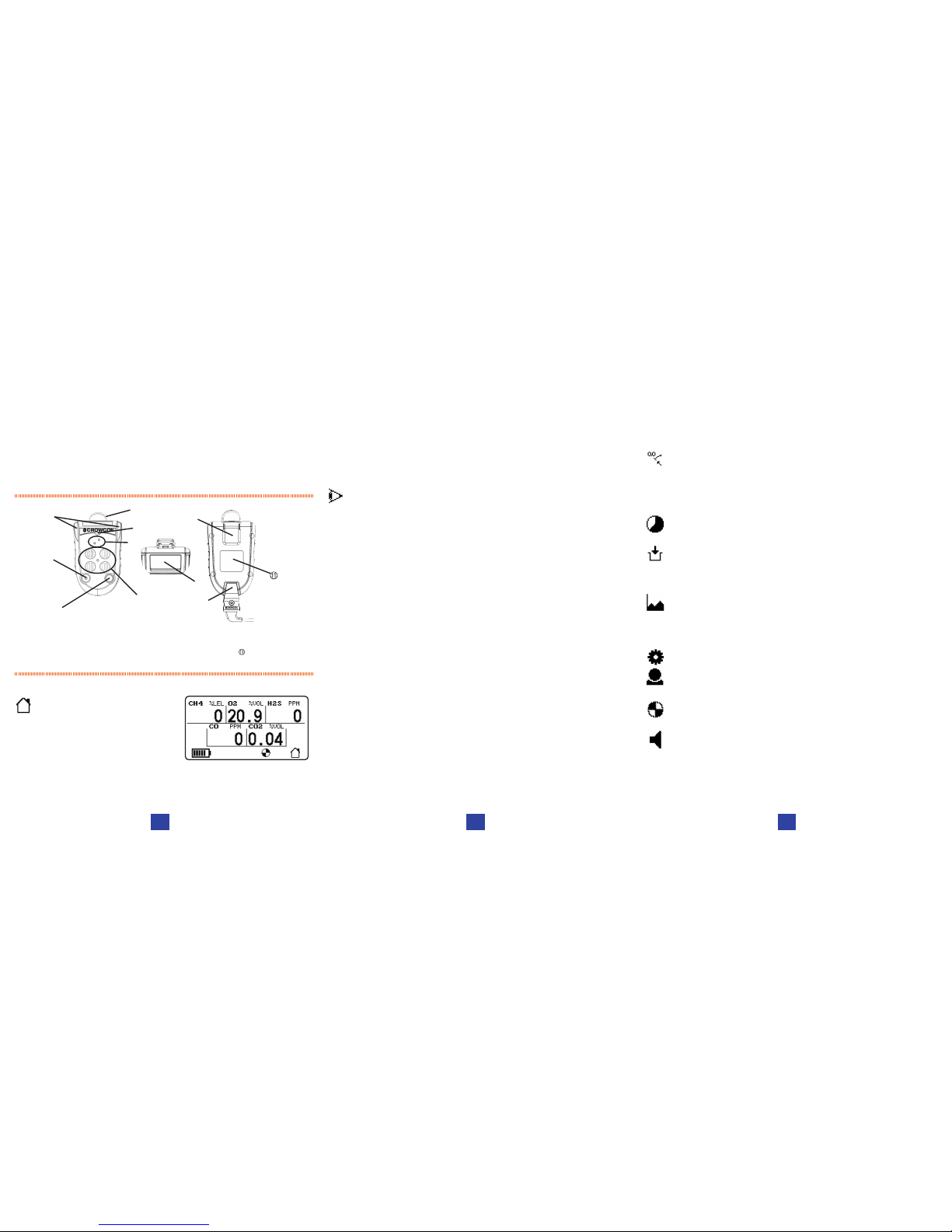
Figure 1: Gas-Pro
À D-ring à Operator button Æ +ve Safety™ indicator É Charging cable
Á Alarm bars Ä Sensor apertures Ç Dual colour LCD display Certication label
 Sounder Å Pump inlet/outlet È Alligator clip
DISPLAY
Home Screen
• Gas-Pro simultaneously displays up
to 5 gases.
• The dual colour backlight aids
recognition of alarm events.
• The home icon will invert to show normal operation.
• The backlight is green and changes to red during an alarm highlighting
the gas in alarm.
Â
Å
À
Æ
Ä
Ç
Ã
Á
È
É
OPERATION
Switching On/Off
• In clean air turn on the Gas-Pro by holding down the operator button
for 3 audible blips. The Gas-Pro will warm up, going through a series of
automatic processes.
• To turn off, press and hold the operator button. During the 4 second
countdown hold the button down until the countdown has nished.
Quick View
• A momentary press of the operator button allows the user to see the gas
type and unit, battery level, user and +ve Safety™ status.
Alarms
• Gas-Pro offers audible, visual and vibrate alarms as standard.
• Each gas has 2 instantaneous alarms and toxics also have TWA alarms.
• When in alarm the display backlight will change from green to red and
highlight the gas in alarm.
• When the Gas-Pro warns of a low battery, the sounder will emit an audible
double blip every 5 seconds and the +ve Safety™ LED will go red. This
means the battery has at least 30 minutes of battery life remaining. After 30
minutes the Gas-Pro will enter full alarm state and the battery icon will ash
empty as shut down is imminent.
Backlight
• The backlight is congurable but set as standard to come on at the press
of the operator button or during alarm.
Pump
• If the internal pump option has been chosen, the pump is activated by
attaching the pumped ow plate.
• Ensure the gasket is clean and undamaged prior to placement.
• The pump test will activate every time the ow plate is attached the user
will be prompted to cover the inlet to ensure a tight seal. Gas-Pro will
indicate a pass or fail, if failed the ow plate should be removed, checked
and reapplied.
USER MENU
• Access the user menu by double clicking the operator button, then
scroll through the menu using single clicks. Once the correct function
is highlighted, double click to choose.
Zero
• During start-up the operator has the option to perform an autozero, or
leave the countdown if an autozero is not required/possible.
• A manual zero can be performed at any time following start up and is
needed less than 15 minutes prior to running a manual calibration.
Time Weighted Average (TWA)
• This function allows the 8 hour TWA to be reviewed.
Pre-Entry Check (PEC)
• This function is intended for sampling air of unknown quality before
gaining access to it (e.g. going under ground through a manhole
cover) thereby avoiding unnecessary exposure.
Peak Review
• This function allows the highest level of each gas detected to be
reviewed during the last 8 hours, 12 hours or since turned on.
Settings
User setting: Up to 5 different users can be loaded into Gas-Pro using
the Portables-Pro PC application.
Pump setting: This function, which is only present if the Gas-Pro has
an internal pump, allows authorised users to turn the pump on or off.
Sounder volume: This function allows authorised users to change the
sounder volume between 2 levels.
2 3 4
 Loading...