

Page 1

DUAL SCREEN 7 INCH
DUAL SCREEN 7 INCH
PORTABLE DVD/CD
PORTABLE DVD/CD
PLAYER
PLAYER
Owner's Manual
PLEASE READ BEFORE OPERATING THIS EQUIPMENT.
Model: CTFT719
Page 2
1
CAUTION: TO REDUCE THE RISK OF ELECTRIC
SHOCK, DO NOT REMOVE COVER (OR BACK).
NO U SER -SE RVI C EA B LE PAR TS I NSI D E.
REFE R SERV ICING TO QUALIFIE D SERV ICE
PERSONNEL.
CAUTION:
THIS DIGITAL VIDEO DISC PLAYER EMPLOYS A
LASER SYSTEM.
TO ENSURE PROPER USE OF THIS PRODUCT.
PLEASE READ THIS OWNER`S MANUAL
CAR EF U LL Y AN D RE TAI N FO R FU T UR E
REF ERE NCE . SHOUL D TH E UNIT REQUIRE
MAINTENANCE, CONT ACT AN AUTH ORIZE D
S E R V I C E L O C A T I O N - S E E S E RV I C E
PROCEDURE.
US E CO NT RO LS , ADJ US TM ENTS OR THE
PERFO RMANC E OF PROCEDU RES OTHER
THAN THOSE SPECIFIED HEREIN MAY RESULT
IN HAZARDOUS RADIATION EXPOSURE.
T O P R E V EN T D IR EC T EX P O S U RE T O
LASER BE AM, DO NOT TRY TO OPEN TH E
EN CL OS URE. VIS IB LE LAS ER RAD IAT IO N
MAY BE PRESENT WHEN THE ENCLOSURE IS
OPENED. DO NOT STARE INTO BEAM.
WARNING:
TO REDUCE THE RISK OF FIRE OR ELECTRIC
SHOCK, DO NOT EXPOSE THIS PRODUCT TO
RAIN OR MOISTURE.
WARNING:
TO REDUCE THE RISK OF FIRE OR ELECTRIC
SHOCK, AND ANNOYING INTERFERENCE, USE
THE RECOMMENDED ACCESSORIES ONLY.
SURGE PROTECTORS:
It is recommended to use a surge protector for AC
connection. Lightning and power surges ARE NOT
covered under warranty for this product.
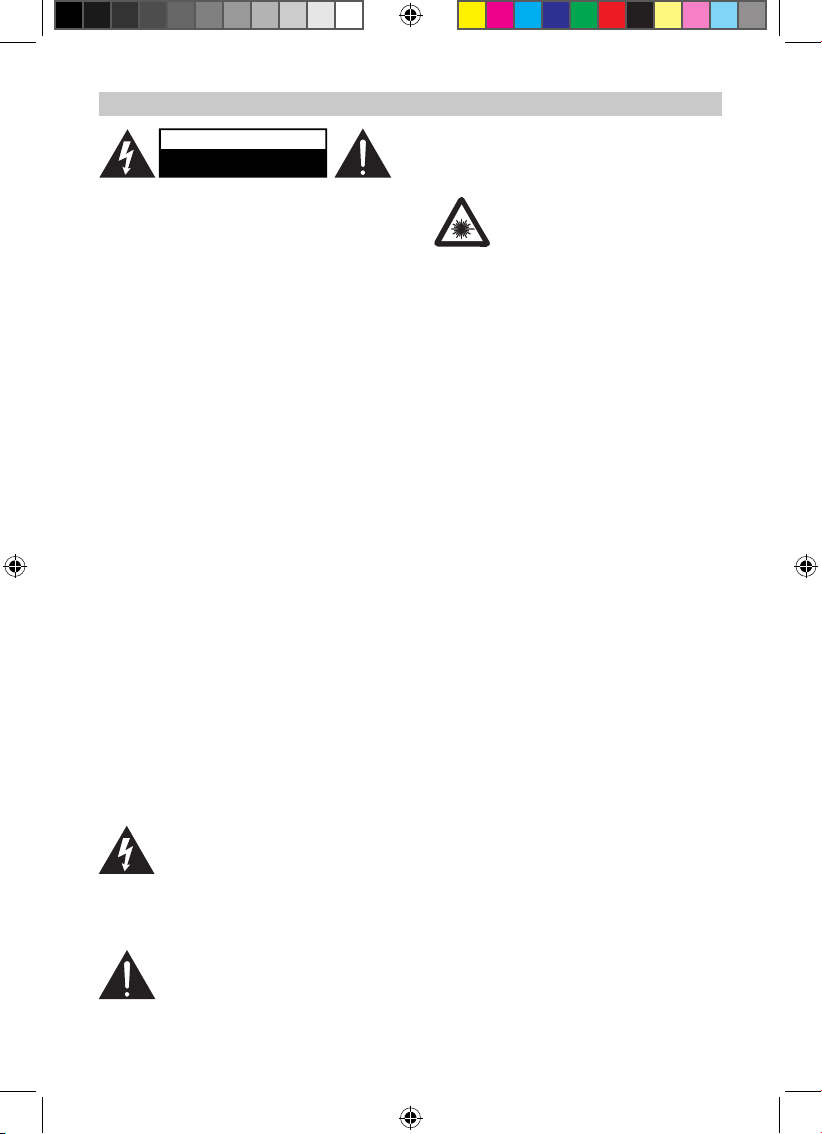
The li ghtni ng fla sh wit h arro whead
symb ol wit hin an e quilatera l triangle
is int end ed to ale rt the use r to th e
pre sen ce of uninsulated dang ero us
voltage within the product`s enclosure that may
be of sufficient magnitude to constitute a risk of
electric shock to persons.
Th e excl a ma tio n poi nt w it h in a n
equilateral triangle is intended to alert
the user to the presence of important
operating and maintenance(servicing) instructions
in the literature accompanying the appliance.
DANGER:
Invisible and hazardous laser radiation
wh en ope n and in terlo ck fa iled or
def eat ed. A voi d direc t expos ure to
beam.
FCC NOTICE:
Thi s equipment has been tested and found to
comply with the limits for a Class B digital device,
pursuant to part 15 of the FCC Rules. These limits
are desi gned to provide reason able pro tection
ag ai ns t har mf ul in te rf er en ce in a resid en ti al
in stall at io n. Thi s equ ip ment gen er at es, uses
and can rad iate r adio frequ ency energy and, if
not Install ed and used in acc ord ance wit h th e
instructions, may cause harmf ul interfer ence to
radio communications.
However, there is no guarantee that interference
will not occur i n a particular i nsta llat ion. If this
eq ui pm en t do es cause ha rm ful in te rf er enc e
to radi o or tel evi sio n recep tion, which can be
deter mined by turni ng the eq ui pme nt off an d
on, the user is en couraged to try to correct the
in terfe re nc e by one or mor e of the follo wi ng
measures:
● Reorient or relocate the receiving antenna.
Increase the separation between the equipment
and receiver.
● Connect the equipment i nto an outlet on a
circuit different from that to which the receiver is
connected.
● Consult the dealer or an experienced radio/
TV technician for help.
FCC WARNING:
To ass ur e contin ue d com pli an ce , fol low th e
att ached installation ins tructio ns and use only
shielded cables when connecting to other devices.
Modications not authorized by the manufacturer
may void user`s authority to operate this device.
WARNING
USE UNDER SUPERVISION OF AN ADULT DUE
TO LONG CORD
This unit has a long AC cord or ot her long co rd
that can easily be tripped on or pulled on, causing
injury, Please make sure it is arranged so it will not
drape over a tabletop, etc. Where it can be pulled
on by children or tripped over accidentally.
EXERCISE CAUTION AS UNIT HAS SHARP
POINTS.
CAUTION
RISK OF ELECTRIC SHOCK
DO NOT OPEN
IMPORTANT SAFETY INSTRUCTION
CTFT719说明书.indd 1 2012-3-9 11:19:24
Page 3
2
Before using the unit, be sure to read all operating
instructions carefully. Please note that these are
general precautions and may not pertain to your
unit.
1 ) Read these instructions.
All the safety and operating instructions should be
read before the product is operated.
2 ) Keep these instructions.
The safety and operating instruction s should be
retained for future reference.
3 ) Heed all warnings.
All warnings on the product and in the operating
instructions should be adhered to.
4 ) Follow all instructions.
Al l oper at in g and use inst ru ction s sho ul d be
followed.
5 ) Do not use this apparatus near water.
Do not use this product near water and moisture,
for example: near a bathtub, washbowl, kitchen
sink or laundry tub; in a wet basement; or near a
swimming pool.
6 ) Clean only with dry cloth.
Unpl ug thi s product from the wall o utle t befo re
cleaning. Do not use liquid cleaners or aerosol
cleaners. Use a dry cloth for cleaning.
7 ) Do not bloc k any vent ila tion open ing s.
Install in accordance with the manufacturer's
instructions.
Slots and openings in the cabinet and in the back
or bottom are provided for ventilation, to ensure
reliable operation of the product and to protect it
from overheating. These openings must not be
blocked or covered. The openings should never be
blocked by placing the product on a bed, sofa,
rug or other similar surface. This product should
never be placed near or over a radiator or heat
source. Thi s product should not be pla ced in a
built-in installation such as a bookcase or rack
un le ss pro pe r vent il at io n is pr ovi de d or th e
manufacturer's instructions have been adhered to.
8 ) Do not install near any heat sources such as
radiators, heat registers, stoves, or other
apparatus(including ampliers) that produce heat.
9 ) Do no t def ea t th e saf et y purpose of the
polarized or grounding-type plug. A polarized plug
has two blades with one wider than the other. A
grounding type plug has two blades and a
third grounding prong. The wide blade or the third
prong are provided for your safety. If the
provided plug does not t into your outlet, consult
an electrician for replacement of the
obsolete outlet.
10 ) Protect the power cord from being walked on
or pinched particularly at plugs, convenience
receptacles, and the point where they exit from the
apparatus.
11 ) Only use attachments/accessories specified
by the manufacturer.
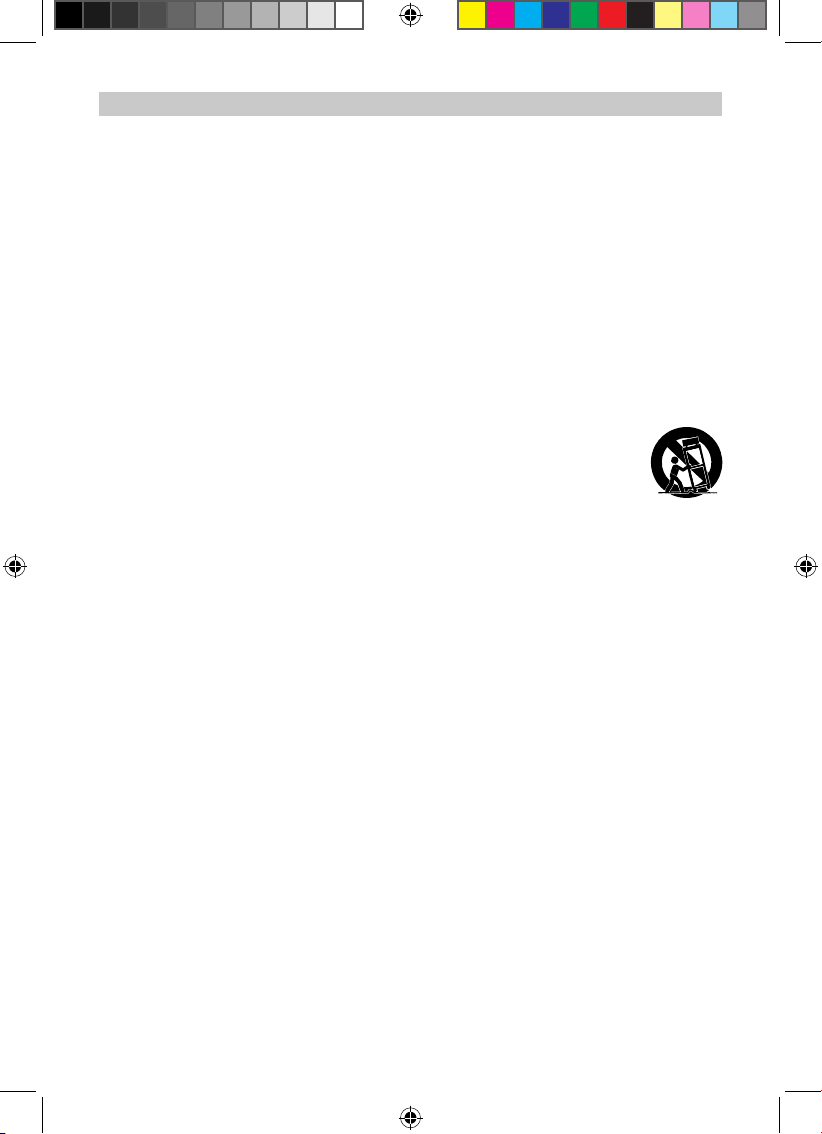
12 ) Use only with the cart, stand, tripod, bracket,
or table specied by the manufacturer, or sold with
the apparatus. When a cart is used, use caution
when moving the cart/apparatus combination to
avoid injury from tip-over.
An appliance and cart combination
should be moved with care.
Quick stop, exce ssive force and
une ven surface s may cause the
appliance and cart combination to
overturn.
13 ) Unplu g this apparatus during l ightning
storms or when unus ed for lon g per iods of
time.
To protect your product from a lightning storm, or
when it is left unattended and unused for long
periods of time, unplug it from the wall outlet and
disconnect the antenna or cable system. This
will prevent damage to the product due to lightning
and power-line surges.
14 ) R ef er all ser vi ci ng to qual if ie d se rv ic e
pe rso nne l. Se r vi c in g i s re qui r ed w h en t h e
apparatus
has been damaged in any way, such as powersupply cord or plug is damaged, liquid has been
spilled or objects have fallen into the apparatus,
th e ap pa ra tus ha s be en exp ose d to ra in or
moisture does not operate normally, or has been
dropped.
15 ) Power source.
This product should be operated only from the type
of power source indicated on the marking label.
If you are not sure of the type of power supply to
your home, consult your appliance dealer or local
power company. For products intended to operate
from battery power, or other source, refer to the
operation instructions.
16 ) Power lines
IMPORTANT SAFETY INSTRUCTION
CTFT719说明书.indd 2 2012-3-9 11:19:25
Page 4
3
An outside antenna system should not be located
in the vicin ity of o verhead power lin es or other
electric light or power circuits, or where it can fall
into such power lines or circuits.
Wh en in st al li ng an outs id e antenna system,
ex tr em e care sh ou ld be tak en to kee p fro m
touchi ng such power lines or circuits as contact
with them might be fatal.
17 ) Overloading
Do not overload wall outlets and extension cords
as this can result in a risk of re or electric shock.
18 ) Object and liquid entry
Never push objects of any kind into the product
through o penings as they may touch d angerous
voltage points or short out parts that could result in
re or electric shock. Never spill or spray any type
of liquid on the product.
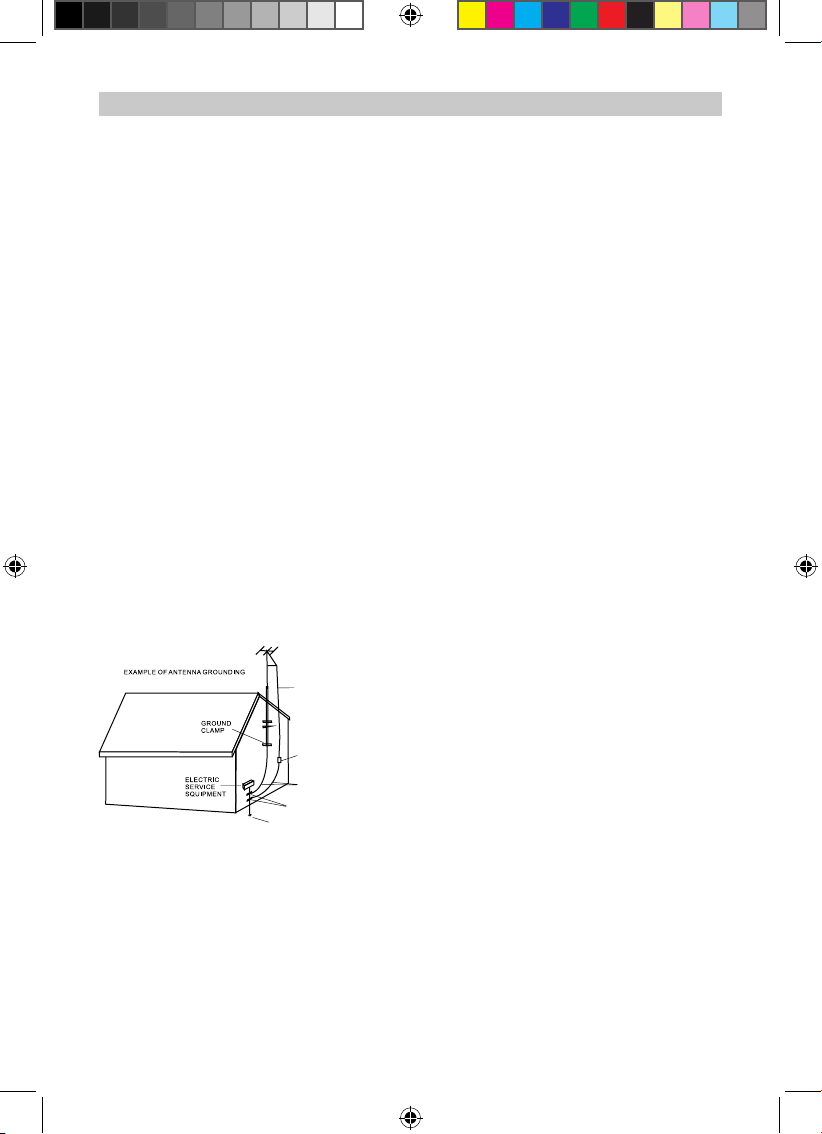
19 ) Outdoor antenna grounding
If an outside antenna is connected to the product,
be sure the antenna system is grounded so as to
Provide some protection against voltage surges
and built u p static charges. Sec tion 810 of the
Nati onal E lectric Code A NSI/NFPA 70 provides
information with respect to proper to grounding of
the mast and supporting structure, grounding of
the lead-in wire to an antenna discharge product,
size of grounding conductors, location of antennadi sc ha rg e pr od uc t, conne ct io n to gr ou nd in g
elec trodes and requirements for t he grounding
electrodes.
20 ) Service
Do not atte mpt to service this pro duct yourself
as opening or removing covers may expose you
to dangerous voltage or other hazards. Refer all
servicing to qualied service personnel.
21 ) Replacement parts
When repl acem ent parts a re requir ed, be sure
the serv ice tech nician uses r epl acem ent part s
specied by the manufacturer or those that have
the same characteristics as the original parts.
Unauthori zed substit ution s may result i n fire or
electric shock or other hazards.
22 ) Safety check
Upon completion of any service or repairs to this
product , ask the serv ice tech nician to per form
safety checks to determine that the product is in
proper operational condition.
23 ) Wall or ceiling mounting
The product should be mounted to a wall or ceiling
only as recommended by the manufacturer.
24 ) Damage requiring service
Unplug this product from the wall outlet and refer
service to qualied service personnel under the
following conditions.
a ) Wh en the pow e r- su ppl y co rd or pl ug is
damaged.
b ) If liquid has been spilled or objects have fallen
into the product.
c ) If the p roduct has bee n exp osed to rain or
water.
d ) If the product does not oper ate normally by
following the operating instructions. Adjust only
those controls that are covered by the operating
instructio ns, as an adjustment of other c ontro ls
ma y re sul t in dam a ge and wil l and req ui re
extensive work by a qualied technician to restore
in the product to its normal operation.
e ) If the product has been dropped or the cabinet
has been damaged.
f ) when the product exhibits a distinct change in
performance-this indicates a need for service.
25 ) Note to CATV system installer
This reminder is provided to call the CATV system
installer's attention to Article 820-40 of the NEC
tha t prov ide s guidelines for prope r groun ding
and, in particular, species that the cable ground
shall be connected to the grounding system of the
building, as close to the p oint of ca ble entry as
practical.
NOTE: Ref er all serv ici ng to qualified service
per son nel Ser vic ing is required when the unit
ha s been da maged in any way su ch as the
fol lowing: the pow er- supply core d or plug has
been damaged, liquid has been spilled into unit,
the unit has been exposed to rain or moisture, the
unit has been dropped or the unit does not operate
normally.
IMPORTANT SAFETY INSTRUCTION
ANTENNA LEAD
IN WIRE
ANTENNA DISCHARGE UNIT
( NEC SECTION 810-20 )
GROUNDING CONDUCTORS
( NEC SECTION 810-21 )
POWER SERVICE GROUNDING
ELECTRODE SYSTEM
( NEC ART 250, PARTH )
GROUND CLAMPS
CTFT719说明书.indd 3 2012-3-9 11:19:25
Page 5
4
NOTES ON HANDLING:
● When shipping the unit, always use the original
shipping carton and packing materials.
For maximum protection, repack the unit as it was
originally packed at the factory.
● Do not use volatile liquids, such as insect spray,
near the un it . Do not lea ve rub be r or plas ti c
products in contact with the unit for a long time.
They will leave marks on the nish.
● The top and rear panels of the unit
may become warm after a long period of use.
This is normal and not a malfunction.
● When the DVD player is not in use, be sure
to remove the disc and turn off the power.
NOTES ON LOCATING THE DVD PLAYER:
When you place this unit near a TV, radio or VCR,
the playback picture may becom e poor and the
sound m ay be distorted. In this case, move t he
unit away from the TV, radio or VCR.
NOTES ON CLEANING:
Use a soft, dry cloth for cleaning
● For stub bor n dirt , so ak the clo th in a wea k
dete rgen t solution, wri ng well and wipe. Use a
dry cloth to wipe it dry. Do not use any type of
solvent, such as thinner and benzene, as they may
damage the surface of the unit.
● If you use a chemical-saturated cloth to clean
the unit, follow that product's instructions.
Warning: Cleaning and adjustment of lenses and
/or oth er comp one nts of playback mechanism
sh ou ld be pe rf or med by a qua li fi ed s er vi ce
technician.
NOTES ON MOISTURE CONDENSATION:
Mo is tu re co nd en sa ti on da ma ge s the DV D
player.
Please read the following carefully.
● Mo isture condensatio n oc curs, for exampl e,
when you pour a cold drink into a glass on a warm
day. Drops of w ater form on the outsid e of the
glass. In the same way, moisture may condense
on the optical pick-up lens inside this unit, one of
the most crucial internal parts of the DVD player.
Mo is ture co ndensat io n occ ur s dur in g the
following cases:
● When you bring the DVD player directly from a
cold place to a warm place.
● When you use the DVD player in a room where
you just turned on the heater, or a place where the
cold wind from the air conditioner directly hits the
unit.
● ln summer, when you use the DVD player in a
hot and humid place just after you moved the unit
from an air conditioned room.
● When you use the DVD player in a humid place.
Do not use the DV D play er when mo ist ure
condensation may occur.
● lf you use the DVD pla yer in such a situation,
it may damage discs and internal parts. Remove
the disc, connect the AC/DC Adaptor to the DVD
player and the wall outlet, turn on the DVD player
and leave it ON for two or three hours. After two or
three hours, the DVD player will have warmed up
and evaporated any moisture.
IMPORTANT SAFETY INSTRUCTIONS(CONTINUED)
CTFT719说明书.indd 4 2012-3-9 11:19:25
Page 6
5
The region number for this DVD Player is: 1
See the following page for information regarding region numbers.
PLAYABLE DISCS:
The following discs can be played back on this DVD player:
DISC TYPES:
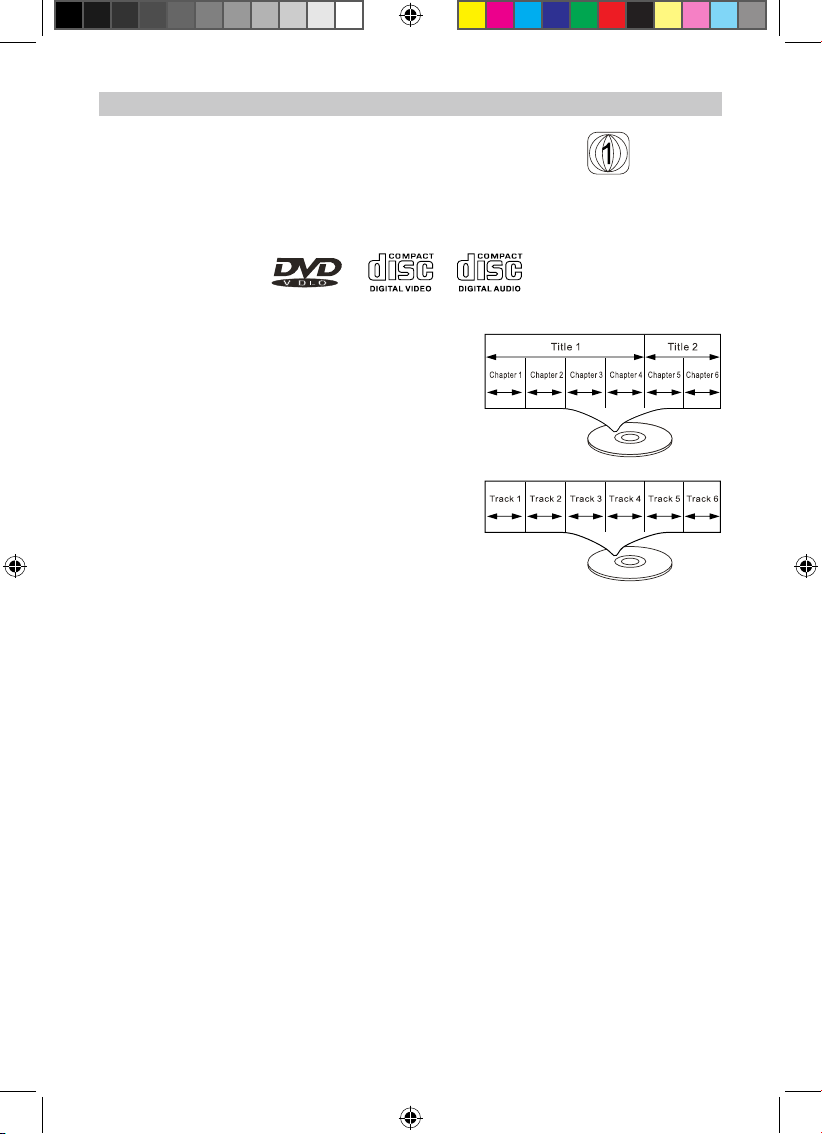
DVD
Data on most DVDs is divided into sections called titles
and then into subsections called chapters, each of which
is given a title or chapter number. Some features of this
DVD player will not operate with some DVD discs as they
are preset. If a function you selected does not run as
desired , refer to the manual accompanying the DVD disc.
AUDIO CD
Data on an audio CD is divided into sections called tracks ,
each of which is given a track number.
IMPORTANT:
It is important that you read the manual that accompanies the DVD disc , as there are features that are on
the DVD player that cannot be used with certain DVDs .
There are also extra features on the DVD disc that are different for each DVD disc, so they are not explained
in this owner's manual.
This player conforms to the NTSC and PAL color systems . However , if you are in the USA , Canada or
Mexico,leave this setting on NTSC . If incorrectly set to PAL ,the TV picture may roll vertically. In this case ,
set the TV system to NTSC as specied on page 15.
ABOUT DISCS
Notes on Copyright:
It is forbidden by law to copy, broadcast, show, broadcast on cable, play in public and rent copyrighted
material without permission. DVD video discs are copy protected, and any recordings made from these
discs will be distorted. This product incorporates copyright protection technology that is protected by method
claims of certain U.S. Patents and other intellectual property rights owned by Macrovision
Macrovision Corporation, and is intended for home and other limited viewing uses only, unless otherwise
authorized by Macrovision Corporation. Reverse engineering or disassembly is prohibited.
Region Management Information:
This DVD Player is designed and manufactured to respond to the Region Management Information that
is recorded on a DVD disc. If the Region number described on the DVD disc does not correspond to the
Region number of this DVD player, this DVD player cannot play that disc. You may not be able to play back
some DVD video discs on this player if they were purchased from outside your geographic area or made
for business purposes. When you try to play back an unauthorized disc, Wrong Region appears on the TV
screen.
ABOUT DISCS
CTFT719说明书.indd 5 2012-3-9 11:19:25
Page 7

6
1. Play/Pause( ►ІІ ): Press to play or pause.
2. STOP( ■ ): Press to stop the playback.
3. DISPLAY ON/OFF: Turn on or off the display.
4. VOL-: Press to decrease volume level.
5. VOL+: Press to increase the volume level.
6. Charge Indicator: Red Indicator will turn on when the unit is charging, and turn off when the unit
is fully charged.
7. Remote Control Sensor
8. Power Indicator: Green Indicator will turn on when the unit is power on, and turn off if the unit
shut off.
9. DISPLAY ON/OFF: Turn on or off the display.
10. MUTE: Press to mute the sound, press again to turn the sound back.
11. Display Setup: Press to enter to display setup menu.
12. VOL-: Press to decrease volume level.
13. VOL+: Press to increase volume level.
14. Power Indicator: Turn on when power on the sub-unit, and turn off if shut off the sub-unit.
Main Unit
Sub Unit
1
6 7 8
2 3
9 1110 12 13
14
4 5
LOCATION OF CONTROLS
CTFT719说明书.indd 6 2012-3-9 11:19:25
Page 8

7
20. DC IN: DC in jack, connect to the DC out jack
on main unit by the supplied DC connection
cable.
21. AV IN: Audio/video in jack, connect to the AV IN
Jack on the main unit by the supplied AV
connection cable.
22. EARPHONE: Earphone jack.
23. ON/OFF: Power ON/OFF
Switch, slide to ON position to
power on. Slide to OFF position
to shut off.
15. ON/OFF: Power ON/OFF Switch,
Slide to ON position to power on.
Slide to OFF position to power off.
16. EARPHONE: Earphone jack.
17. AV OUT: Audio/video output jack.
18. DC OUT: To Connect to sub unit.
19. DC in: DC in jack( DC 9V,
2A ), connect to supplied
AC/DC Adapter.
Sub Unit
Main Unit
15
16 17
20 2221 23
18 19
LOCATION OF CONTROLS
CTFT719说明书.indd 7 2012-3-9 11:19:25
Page 9

8
LOCATION OF CONTROLS - REMOTE CONTROL
1. DISPLAY ON/OFF: To turn On or OFF the screen.
2. TITLE: To display the title menu of current disc. Using
the Direction and ENTER buttons to select and play
the desired title.
3. MENU: To display the menu of current disc. Using
the Direction and ENTER buttons to select and play
the desired track.
4. PREV (Previous): Press repeatedly to skip the
tracks backward.
5. NEXT : Press repeatedly to skip the tracks
forward.
6. Stop ■ : Press to stop.
7. Direction buttons: press to select the desired
functions within the setting menu.
8. SETUP: Press to enter or exit setup menu.
9. Numeric buttons: Press numeric buttons to enter
numbers.
10. PROG (Program) button: press to display program setting menu. Using the Numeric; Direction
and ENTER buttons to set the program as on screen instructions.
11. ZOOM: Press repeatedly to zoom in/out the picture.
12. SLOW: Press repeatedly to set and play the current video in slow motion. Press the button to
resume normal playback.
13. GOTO: Press to enter to goto menu. Using the Numeric; Direction and ENTER buttons to select
the desired tract to play.
14. SUBTITLE: Press repeatedly to select the subtitle.
15. (Fast searching forward): Press repeatedly to searching the desired section forward.
Press button to resume normal playback.
16. (Fast searching backward): Press repeatedly to searching the desired section backward.
Press button to resume normal playback.
17. VOL (Volume) +: Press to increase the volume level.
18. ENTER: Press the conrm the selection (settings).
19. VOL (Volume) -: Press to decrease the volume level.
A-B
SLOWDISPLAY ON/OFF
1
2
3
4
5
6
7
8
9
10
11
12
13
14
15
16
17
18
19
20
21
22
23
24
25
26
ZOOM
ІІ
►
ІІ
►
►►
І
►►
І
►►
►►
ІІ
►
CTFT719说明书.indd 8 2012-3-9 11:19:25
Page 10

9
20. (Play/Pause): Press to play or pause playback.
21. AUDIO: Press repeatedly to select the audio channels.
22. MUTE: Press to turn off the sound. Press again to resume.
23. REPEAT: Press repeatedly to set repeat mode.
24. A-B: During playback, press to set the beginning point of A-B repeat. Press again to set the end
point of A-B repeat. The unit will start playback the selected section repeatedly. To resume normal
playback, press the A-B button again.
25. ANGLE: Press repeatedly to select the available viewing angle.
26. OSD (On Screen Display): Press repeatedly to display the playback status.
Battery installation:
1. Press the tabs on the battery door and lifting it off.
2. Install two (2) x AAA size batteries ( included) into the battery
compart ment as the gure on right and the polarity markings inside
battery compartment.
3. Replace the battery door.
BATTERY PRECAUTIONS
Follow these precautions when using batteries in this device:
1. Use only the size and type of batteries specied.
2. Be sure to follow the correct polarity when installing the batteries as indicated next to the battery
compartment. Reversed batteries may cause damage to the device.
3. Do not mix different types of batteries together (e.g. Alkaline, Rechargeable and Carbonzinc) or
old batteries with fresh ones.
4. If the device is not to be used for a long period of time, remove the batteries to preventdamage or
injury from possible battery leakage.
5. Do not try to recharge batteries not intended to be recharged; they can overheat and rupture.
(Follow battery manufacturer`s directions.)
6. Do not dispose of batteries in re, batteries may explode or leak.
7. Clean the batter contacts and also those ofthe device prior to battery installation.
ІІ
►
+
-
LOCATION OF CONTROLS - REMOTE CONTROL
CTFT719说明书.indd 9 2012-3-9 11:19:25
Page 11

10
Video input jack ( yellow )
Audio left channel input jack ( white )
Audio right channel input jack ( red )
The unit has a DC (DC ) 7.4V, 1900mAh Li-ion rechargeable battery.
Recharge it by the supplied AC/DC Adaptor as follows:
1. Connected the small plug on the supplied AC/DC Adaptor to the DC
IN Jack on Main unit as the gure on right.
2. Connected the AC/DC Adaptor to the to a wall outlet having 120V,
60Hz AC only.
3. During charging, you can play the disc as usual.
NB: The AC/DC Adaptor is intended to be correctly orientated in a
vertical or oor mount position.
Notes: Your battery will last longer if you follow these simple guidelines
for caring for and storing it.
A. For rst time charge, charge it approximate 12 hours. For normal
charge, it need approximate 6 hours.
B. Recharge and store the device within the temperature range of
5°C~35°C (40°F~95°F).
C. Do not overcharge (longer than 24 hours). Excessive charging or
discharging may shorten the battery’s life.
D. Battery life naturally shortens slowly over time.
Main Unit
Audio/Video cable( not included )
Connected to the TV
Using AC/DC Adaptor
CTFT719说明书.indd 10 2012-3-9 11:19:25
Page 12

11
Sub Unit
Main Unit
☼ Connect to the cigarette lighter socket of a vehicle that has a 12V battery. It is not compatible with
a vehicle that has a 24V battery.
☼ This is a special negative grounded
Car Adapter. Using this Car Adapter
with a plus grounded car can cause
malfunction.
☼ Do NOT plug in the Car Adapter until
the car ignition is turned on.
Disconnect the Car Adapter from the
cigarette ligher after use.
DC to DC cable
(included)
3.5mm audio/video
cable(included)
To the cigarette
lighter socket
Note: Secondary display cannot operation by
itself and must be connected to the Main
unit.
Using the Car Power Adaptor
CONNECTION OF MAIN AND SUB-UNIT:
To DC IN
Jack on the main unit
CTFT719说明书.indd 11 2012-3-9 11:19:25
Page 13

12
OPERATION
Main unit:
1. Recharged or connect the unit to AC/DC Adaptor; Car Adaptor as previous produce.
2. Lift up the panel on the main unit as the gure below:
3. Insert the disc to the center spindle with label side face up.
4. Power on the unit by slide the POWER ON/OFF switch on the rear of unit to ON position. The
green power on indicator will turn on and the unit will start playback automatically.
5. For private listening, insert the supplied earbug to the phones jack. The speakers will cut off
automatically.
6. For saving battery power while listening music, press the DISPLAY ON/OFF button to turn off.
Press again to turn it back.
7. To power off, slide the POWER ON/OFF switch to OFF position.
Sub-unit:
1. Connect the sub-unit to the main unit by the supplied DC and AV connection cables as previous
procedures.
2. Slide the POWER ON/OFF switch on the right side of unit to ON position to power on the sub-unit.
3. Press the DISPLAY SETUP button to enter to display setting menu. Press repeatedly to select
desired function to set. Press the VOL +/- button on the sub-unit to set.
4. For private listening, insert the supplied earbug to the phones jack. The speakers will cut off
automatically.
5. For saving battery power while listening music, press the DISPLAY ON/OFF button to turn off.
Press again to turn it back.
6.To power off, slide the POWER ON/OFF switch to OFF position.
Lift up the panel on the main unit
CTFT719说明书.indd 12 2012-3-9 11:19:25
Page 14

13
In stop playback, press the SETUP button
on the Remote Control, the setting menu will
app ear on the sc reen. Usi ng the Numer ic;
Direction and ENTER buttons to set or reset
the selected functions.
General Setup Page
● Tv Shape: To set the aspect ratio of the
screen to match the current movie.
● Angle Mark: To turn ON/OF F the angl e
mark. When turn on, if multi-angle is available
in the current disc. The angle mark will appear
on the screen.
● Osd Lang: To set the language of on screen
display.
● Screen Saver: To turn ON/OFF the screen
saver. If set to on, when the disc stop playback
couple minutes, the screen saver will appear
on the screen.
● Last Memory: To turn ON /OFF the last
me mo ry. Wh en set to on, if pla yb ac k the
currect disc. It will start playback at the point
you were stopped last time.
Speaker Setup Page
● Downmix
Set the rear audio channels to stereo (hearing
the rear-left channel in Dolby 5.1 disc in left
speaker; rear-right channel in right channel)
or Lt/Rt mode (hearing rear-right and rear-left
channel in both right and left speakers).
Dolby Digital Step
● Dual Mono:
Select and set the audio channels to play.
● Dynamic:
Set the dynamic level or turn it off.
Video Setup Page:
● Main Picture: Set the picture quality of main
unit.
● Sub Picture: Set the picture quality of the
Video output signal through AV Out jack.
● Aspect ration: Set the picture size of Main
unit to 4:3 or 16:9 to match the aspect ration of
the movie.
NOTE: The aspect ration of th e sub-unit
cannot turn to 4:3.
Tv Shape Lb
Angle Mark On
Osd Language Eng
Screen Saver On
Last Memory Off
- - General Setup Page - -
Go To General Setup Page
Downmix Str
- - Speaker Setup Page- -
Go To Speaker Setup Page
SETTING MENU
Dual Mono
Dynamic
- - Dolby Digital Setup- -
Go To dolby digital setup
Main picture
Sub picture
Aspect ration
- - Video Setup Page - -
Go To Video Setup Page
CTFT719说明书.indd 13 2012-3-9 11:19:26
Page 15

14
Preference Page
● Tv Type: Set the color system to NTSC; PAL
or AUTO. (The color system in US; Canada
and Mexico is NTSC).
● Audio: Select and set the priority of the
available language.
● Subtitle: Select and set the priority of the
available language of the subtitle.
● Disc Menu:
Sel ect an d se t the prior ity of the avail abl e
language of the disc menu.
● Parental: Using the password “136900” to
set or reset the rate level as below:
Level 1 : Kid Saf
Level 2 : G
Level 3 : PG
Level 4 : PG 13
Level 5 : PGR
Level 6 : R
Level 7 : NC17
Level 8 : Adult
● Password:
Password Mode: To turn the set rating ON/
OFF.
Password: To change the password.
● Default: To reset all the setti ng to factory
default settings.
TROUBLE SHOOTING
The remote control does not function
• Point the remote directly at the infrared
remote sensor on the unit.
• Replace the battery in the remote with a new
one.
Forget Password
Using the super password "136900" to set or
reset new password.
Tv Type Ntsc
Audio Eng
Subtitle Eng
Disc Menu Eng
Parental
Password
Default
- - Preference Page - -
Go To Preference Page
SETUP MENU
CTFT719说明书.indd 14 2012-3-9 11:19:26
Page 16

15
Caring for Discs
Treat the disc carefully. Handle the disc only by its edges.
Never allow your ngers to contact with the shiny, unprinted side of the disc.
● Do not attach adhesive tape, stickers, etc. to the disc label.
● Clean the disc periodically with a soft, lint-free,dry cloth, Never use detergents or abrasive cleaners
to clean the disc. If necessary, use a CD cleaning kit.
● If a disc skips or gets stuck on a section of the disc, it is probably dirty or damaged(scratched).
● When cleaning the disc, wipe in straight lines from the center of the disc to the outer edge of the
disc. Never wipe in circular motions.
● Discs should be stored in their cases after each use to avoid damage.
● Do not expose discs to direct sunlight, high temperatures or dust, etc. Prolonged exposure or
extreme temperatures can warp the disc.
● Do not stick or write anything on either side of the disc. Sharp writing Instruments, or the ink, may
damage the surface.
Cleaning the Unit
● To prevent re or shock hazard, disconnect your unit from the AC power source when cleaning.
● The nish on your unit may be cleaned with a dust cloth and cared for as other furniture. Use
caution when cleaning and wiping the plastic parts.
● Mild soap and a damp cloth may be used on the front panel.
CARE AND MAINTENANCE
CTFT719说明书.indd 15 2012-3-9 11:19:26
Page 17

16
ACCESSORIES
• Remote control: uses 2 x AAA size batteries (included)
• 3.5mm audio/video connection cable
• Earphones
• AC/DC Adapter
• Car Adapter
• DC connection cable
• Headrest straps
• Instruction Manual
SPECIFICATIONS ARE SUBJECT TO CHANGE WITHOUT NOTICE
x 1
x 1
x 2
x 1
x 1
x 1
x 2
x 3
SPECIFICATIONS
Power Source:
Main Unit Built-in DC 7.4V,1900mAh Li-ion battery
Recharge by DC 9V, 2A
AC Adapter Input : 100-240V~, 50/60Hz
Output : DC 9V, 2A
Car Adapter Input Voltage: DC 12V
Output Voltage : DC 12V, 1.4A
Built-in fuse: F-2A,250V
Power Source of Remote Control DC 3V, 2x “AAA” size batteries, included
Power consumption: 18W (Max)
Color system: NTSC / PAL
OBattery charging time : Approximately 6 hours
Battery life (Full charge) : Approximately 2 hours
Discs played :
(1) DVD-VIDEO disc 12cm single-sided, single-layer
12cm single-sided, dual-layer
12cm double-sided, single-layer
8cm single-sided, single-layer
8cm single-sided, dual-layer
8cm double-sided, single-layer
(2) Compact disc 12cm disc
8cm disc
Video output level: 1 Vp-p
Audio output level: 1.5Vrms(1 KHz, 0dB)
Audio signal output characteristics:
Frequency responses:
DVD (linear audio): 20Hz-20KHz (48KHz sampling)
20Hz-20KHz (96KHz sampling)
CD aydui: 20Hz-20KHz
S/N ratio : 70dB
Pickup:
Wave length : DVD640±10nm, CD790±15nm
Laser power : CLASS 1
CTFT719说明书.indd 16 2012-3-9 11:19:26
Page 18

LIMITED WARRANTY
Craig warrants this product to be free from manufacturing defects in material and
workmanship under normal use for a period of 90 days from date of purchase. If service
is required, please return the product to the store where it was purchased for exchange;
or, pack the unit in the original packing material with all accessories if applicable, a copy
of your sales receipt and a Cashier’s check or Money Order for $20.00 (to cover shipping
and handling costs) payable to Craig Electronics Inc. For consumers in Canada, please
make sure that the cashier check or money order is redeemable through a U.S. bank.
Ship your product freight pre-paid. Your unit will be repaired, replaced or if the unit can
not be repaired or replaced, a refund will be forwarded to you within four weeks of receipt
of your unit. Please ship your unit to:
Craig Electronics Inc.
1160 NW 163 Drive
Miami, Fl 33169
This warranty is void if the product has been: a) Used in a commercial application or
rental. b) Damaged through misuse, negligence, or abuse. c) Modified or repaired by
anyone other than an authorized Craig service center. d) Damaged because it is
improperly connected to any other equipment.
Note: This warranty does not cover: a) Ordinary adjustments as outlined in the Owner’s
Manual which can be performed by the customer. b) Damage to equipment not properly
connected to the product. c) Any cost incurred in shipping the product for repair. d)
Damage to the product not used in the USA.
This warranty is not transferable and only applies to the original purchase. Any implied
warranties, including the warranty of merchantability, are limited in duration to the period
of this expressed warranty and no warranty whether expressed or implied shall apply to
the product thereafter.
Under no circumstance shall Craig be liable for any loss or consequential damage arising
out of the use of this product. This warranty gives specific legal rights. However, you may
have other rights which may vary from state to state. Some states do not allow limitations
on implied warranties or exclusion of consequential damage. Therefore, these
restrictions may not apply to you.
To Obtain Service on your Product
email:service@craigelectronics.com
Printed in China CTFT719-IB-E0CL1-H0US
 Loading...