

Page 1
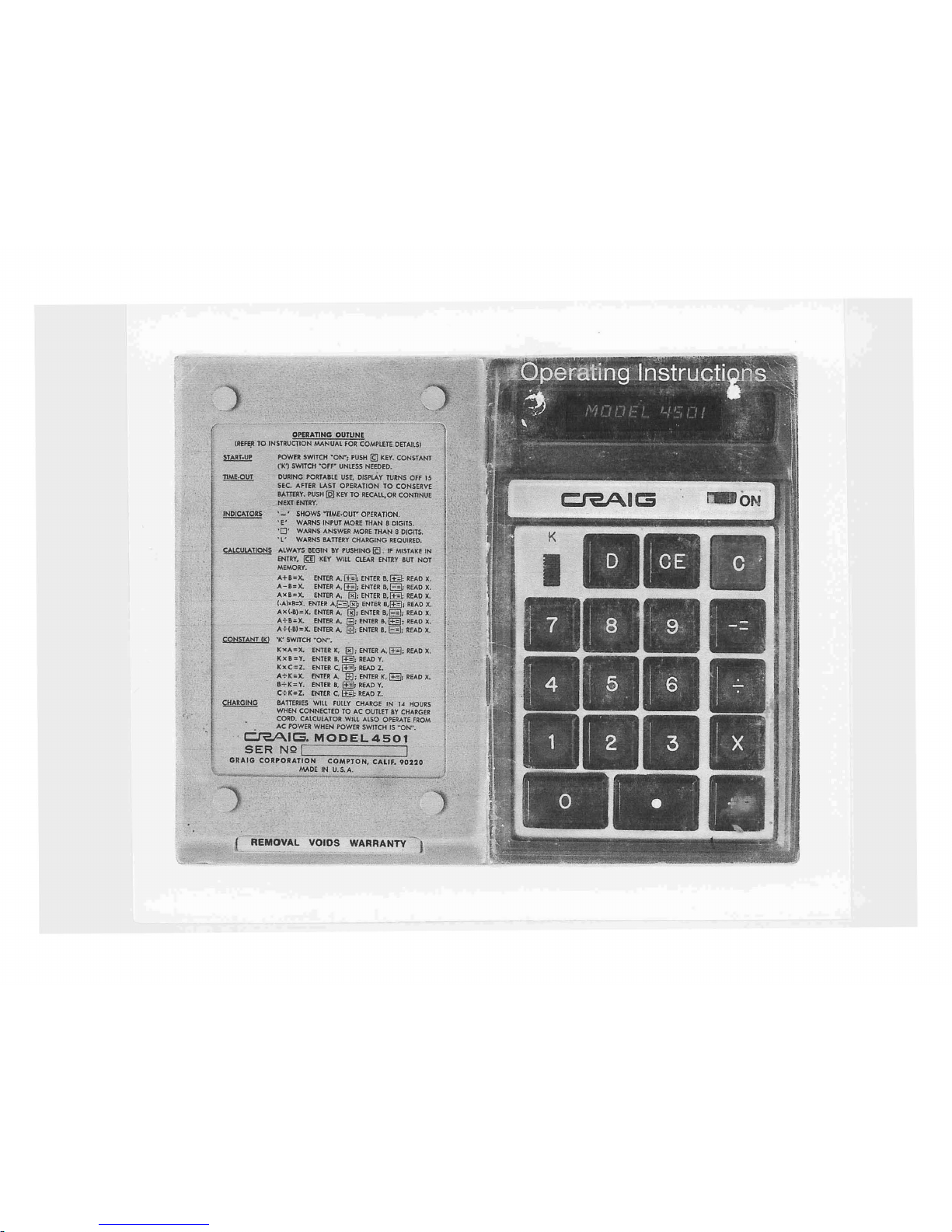
Page 2

WARRANTY
Craig
Corporation
warrantstothe
purchaser
of
this
new
Craig
Calculator
thatifthe
machine
or
any
part
thereofinthe
judgmentofCraig
is
proven
to be
defectiveinmaterialorwork-
manship
within
one
year
from
dateoforiginal
purchase,
such
defects
willberepaired
or
replaced
(at
the
Company's
option)
free
of
charge
for
parts
and
labor.
This
warranty
does
not
apply·to
any
product
which
has
been
damagedbyaccidentorwhich
has
been
misused,
abused,
altered,orrepaired
by
anyone
other
than
Craig.
Absenceordeface-
mentofthe
warranty
seal on
the
unit
shall
be
consideredasevidenceofunauthorized
repairs
and
the
warrantyisthereby
immediately
void.
This
warrantyisin
lieuofall
other
warranties
expressedorimplied,
andnopersonisauthor-
izedtoassume
for
Craig
any
other
liability
in
connection
with
the
saleofthis
product.
To
obtain
repairs,
the
Calculator
should
be
delivered,
prepaid,toCraig
Corporation
at
either
address
shown
below.
In-warranty
units
willbereturned
postage
prepaid.
Craig
Corporation
921W.Artesia
Blvd.
Compton,CA90220
Craig
Corporation
50-52
Joseph
St.
Moonachie,
N.J.
07074
INTRODUCTION
Your Craig 4501 Electronic Calculator
represents a significant engineering
achievement resulting in full-size capability
in
a pocket-size package. Major
advances
in
miniaturized computer
circuits using single-chip LSI (Large
Scale Integration), LED (Light Emitting
Diode) display technology, and unique
snap-action keyboard construction have
provided a rugged and reliable unit, and
the
AC
power supply and self-contained
nickel-cadmium rechargeable batteries
permit convenient use even when AC
power
is
not available.
The
Craig 4501 will perform addition,
SUbtraction, multiplication, and division
functions, including chain or mixed
multiplication and divisions, and utilization of a stored constant. Eight digits
are provided for entry and read-out, with
full-floating decimal point and positive
~r
negative sign capability. Additional
display indicators denote power on, low
battery,·overflow,error, and negative
result (minus sign). A "time-out" feature
,
J
Page 3

to extend batteryoperating timecauses
the display to blank out approximately
15 seconds after the last entry, without
loss of stored information.
It is suggested that the following instructions for operation be read with the
calculator at hand, and that all calculation examples be performedto increase
your familiarity with the unit. A short
outline of operating procedures is also
printed on the backof the calculator
for quick reference.
OPERATION
AC Operation:
Connect
the Charger
unit
to any standard
120
Volt
electrical
outlet
and plug the
3-wire
connector
into
the
Calculator. (Note
that
the
3-wire
connector
is keyed and
should
not be forced
into
the
socket
the
wrong
way.)
After
the above connections,
the
power
switch
maybeturned on and
operation
started. (While
connected
to AC.
the
internal batteries are automatically
charged
whether
the
power
switch
is
"ON"or"OFF".)
Battery Operation:
Disconnect
the
Charger
cord
and turn the
power
switch
"ON".
(An
interlock
switch
in
the
Calculator
socket
will
prevent battery
operation if
the
3-wire plug remains
connected.) With normal use. a full battery
charge can be expected to supply about
5
hoursofworking
time.
NOTE: When the
low
battery
indicator
(L)
on the
display
is lighted,donot continue
battery operation.
This
indicates
need
for
a battery charge. Use of the Calcu-
lator
canbecontinued
during the charge
cycle.
Battery Charging:
Simply
follow
the same
procedure
as in
AC operation. The
Calculator
may be used
during
the charge
period
if desired.
In
order
to fully charge a battery
which
has
been
completely
discharged,14hours is
required. In
most
cases,anovernight
charge
should be adequate if the batteries
have not been fully discharged.
NOTE:
Although
no damage
will
result
from
prolonged
periods with the Charger
connected, it is advisable to remove the
Charger
cord
when
the
Calculator
is not
in use after a full recharge cycle.
Page 4

CONTROLS &INDICATORS
• Key
Enters a
decimal
point.
"ON"
Switch
Turns
Calculator
"ON"
&
_-.Keys
Enter
digitsofa number
"OFF".
(limit
8 digits).
'K'Switch
Slide
switch
with 2 positions;
Power-ON
Appears at the
center
of the
in the up position,
the
'K'
Indicator
Display when all
other
por-
operation is in effect. Use of
tions
of the Display are off.
'K'
allows
a numbertobe
Appears
as
entered and retained as a
"constant"
for
series multi-
Overflow
Indicates a
calculation
result
II
Key
plicationordivision.
Indicator
that
contains
more
than
eight
During
battery
operation, the
digits.
display
will
automatically
turn
Appears as
off
about
15 seconds after
the
last operation. Pressing the
II
key
recalls
the contents
Low Battery
Warns of need
for
battery
of the display. Pressing
any
Indicator
charge
during
battery
key also reactivates the
operation.
display.
Appears
as
Key
Clears the
Calculator
and the
displayofall numbers.
Minus Sign
Activated
by
the.
key
for
III Key
Clears
displayofthe
previous
Indicator
operations
with negative
II
Key
keyboard entry.
numbers.
Enters a
"multiply"
command.
Decimal Point
Automatically
appearstothe
• Key
Enters a
"divide"
command.
Indicator
rightofany number entered,
• Key
Adds
the entered number,
or
unless inserted in another
carries
outapreviously
sequencebyuse of
the
entered
"multiply"or"divide"
Decimal key. With
fractional
command.
numbers,itwill
be preceded
II
Key
Addsaminus
signtoan
by
a zero.
entry.
Subtracts
the entered
Error
Indicates an
entry
of more
numberorcompletes
a pre-
Indicator
than 8 digits.
viously
entered
"multiply"
or
Appears as
"divide"
command.
Page 5

Note: UseIIduring,orimmediately
after entry of a number.
F.
Finally,
touch
the.
key
for
answer
Display
will
be:
E.
Then enter '12'
Display
will
be:
A mistake!
D.Toclear
13, touch theIIkey
Display
will
be:
C.
Then you
enter13by mistake
The display is:
PRELIMINARY
INSTRUCTIONS
2.Toenter
(write
a number)
Example:
enter
123.45
A. First,
clearbytouching
B.
Then
touch
number
and
decimal
keys
for
123.45 oneata time. Always start
with the
left
hand
digit
and progress
from
lefttoright.
Display
will
then be:
1. To
clear
(erase)
A.
Touch
the
key
B.
123.45
3.Toclearanincorrect
entry
Example:
48+12is
your
calculation
A. You have
already
entered
48
Display is:
B.
You
now
touch
the.
key
Display
will
be:
I
Page 6

'CALCULATIONS
1.
ADDITION
Example
,#1:Tocalculate
16.39 +9.83 =
Do
these
steps
display
will
be
a.
Touch
1
!
2.
SUBTRACTION
Example
#1:Tocalculate
12.81 - 3.6 =
Do
these
steps
display
will
be
a.
Touch
9.21
12.81
12.81
b.
Enter
12.81
c.
Touch
II
d.
Enter
3.6
e.
TOUCh.
Answer
Example
#2:Tocalculate
23 - 6 +
2.1
- 5 =
Do these
steps
display
will
be
9.83
16.39
26.22
16.39
b.
Enter
16.39
c.
Touch
•..
d.
Enter
9.83
e.
Touch
II
Answer
Example
#2:
To
calculate
16 +9 +8.3 +
4.1
=
Do
these
steps
display
will
be
a.
Touch
b
..
Enter
16
c.
Touch.
d.
Enter
9
e
..
Touchll
f.
Enter
8.3
g.
TouCh.
h.
.
~nter
4.1
i.
TOU~h.
Answer
..:.
33.3
37.4
a.
Touch
b.
Enter
23
c.
TOUCh.
d.
Enter
6
e.
Touch.
f.
Enter
2.1
g.
TouCh.
h.
Enter 5
i.
Touch.
Answer
.
17.
19.1
14.1
I
Page 7

186.
384.3
Example
#2:
To calculate 3 x21x
6.1
=
Do
these steps display will be
a.
Touch
b.
Enter 3
c.
Touch II
d.
Enter
21
e.
Touch II
f.
Enter
6.1
g.
Touch II.
Answer
Example
#3:
To calculate31x 6
Use of
'K'
Switch
31
x 8.2 =
31
x7.6 =
Do these steps display
will
be
a.
Touch
b.
Push 'K' on (up)
c. Enter
31
d.
Touch II
e.
Enter 6
f.
Touch
II
1st
Answer
g.
Enter
8.2
56.5
29.32
29.32
--
20.
--- 50.
b.
Enter
29.32
c.
Touch
II
d.
Enter
56.5
e.
Touch
II
Answer
3. MULTIPLICATION
Example
#1:
To
calculate
29.32 x 56.5 =
Do
these
steps display
will
be
a.
TouCh.
c.
TOUCh.
d.
Enter
82
e.
TouCh.
f.
Enter
10
g..Touch
II
h.
Enter
40
i.
TOUCh.
Answer
Example
#3:
To
calculate
62 - 82 +
10
- 40 =
Do
these
steps display will be
a.
Touch
II
b.
Enter
62
Page 8

I
181.
181.
12.066666
, 117.
b.
Push
'K'
on (up)
c.
Enter
181
d.
TOUCh.
e.
Enter
15
f.
Touch.
1
p
t Answer
g.
Enter
96
h.
TouchII2nd Answer
i.
Enter
117
j.
TO!J
ch
II
3rd Answer
k.
Push 'K' off (down)
e.
Touch.
f.
Enter
9
g.
Touch
II
Answer
Example
#3:Tocalculate
181
-;-.15 =
Useof'K'
switch
96
-;-.
15 =
117 -;-.15 =
Do these steps
display
will be
a.
Touch
376.
376.
254.2
235.6
7.0943396
a.
Touch
b..
'Enter
81
c..TOUCh
.•
d.
Enter
3
e.
Touch
II
Answer
Example
#2:Tocalculate81-;-.3
-;-.
9 =
Do
these
steps
display
will
be
a.
Touch
b.
Enter
376
c.
TOUCh.
d.
Enter
53
4. DIVISION
Example
#1:Tocalculate
37~
-;-.
53
=
Do
these
steps
display
will
be
h.
TouchII2nd
Answer
i.
Enter
7.6
j.
TouchII3rd
Answer
k.
Push
'K'
off (down)
Page 9

g.
TOUCh.
h.
TOUCh.
i.
Enter
B
j.
TouCh.
k.
Enter
20
I.
Touch
II
m.
EnterB
n.
Touch
II
Answer
6.
EXPONENTS
Example
#1:Tocalculate
(3)5 =
Do these steps
display
will
be
a.
Touch
c.
Enter
3
d.
TOUCh.
e.
Enter
3
b.
Push
'K'
on (up)
f.
TouchII
g.
Touch II
h.
Touch II
15.333333
- 92.
- 92.
Answer
(9 +6 - 5) x 8
20
-8=
display
will
be
e.
Touch
II
f.
TOUCh.
g.
Enter
6
h.
TouCh.
Example
#2:
To
calculate
Do
these
steps
a.
Touch
b.
Enter
9
c.
Touch
II
d.
Enter
6
e.
TouCh.
f.
Enter
5
5. MIXED ARITHMETIC
Example
#1:Tocalculate
23 x
(-4)-7(-6)
=
Do
these
steps
display
will
be
a.
Touch
II
b.
Enter
23
c.
TOUCh.
d.
Enter
4
Page 10

I
-/?676.2D2
7.
OVERFLPW INTERPRETATION
The
overflow
indicator
"0"
will
appear
when
the
display
capacity of
the
Calculator
is
exceeded.
For example,
multiplication
of
12345678 X 345678
will
give
the
following
display
The
"0"
symbol
indicates
"overflow",oran
answerofmore
than the 8
digits
shown. To
obtain
the
correct
decimal
location, simply
record
the displayed
number
and movethe
decimal
point
8 placestothe right. The real
answer
will
then be:
4,267,629,200,000.
L8
places.J"
This
procedure
appliestoall operations,
mul-
tiplication,
division,
addition
and subtraction.
Use
the'
C ' key to
clear
the
overflow.
i.
Touch
II
Answer
j. Push
'K'
off
(down)
243.
BATTERY NOTES
1.
With normal useatroom temperature, a
full
battery
charge
canbeexpectedtosupply
about
5
hoursofaccumulated
working
lime.
2.
The
Calculator
may be used
while
its
battery
is
charging.
3.
Batteries
that
have been
neither
used
nor
charged
foraslong
as 2or3 months
will
suffer substantial
loss
of
operating
time
throughatendency
to
self-discharge.Asa general rule,
batteries
lose
about 1%
charge
per
day
duetoself-discharge,
at normal temperatures.
4.
For
optimum
performance
and
long
life:
a.
Alternate
frequently
between Battery and
AC
power.
b.
Operateator
near normal room temperatures.
c. Charge as
soonaspossible
upon
appearance
of
the
Low-Battery
indicator.
5.
Recharge
timeis14
hours
forafully
discharged
battery.
6.
The Low-Battery
indicatorisdesignedtoappear
as soon as
battery
voltage
dropstothe
lowest
value
that
will
support
optimum
performance
of
. the
Calculator.
Should
further
discharge
occur,
through
continued
operationsorself-discharge,
the Low-Battery
indicator
may
failtoappear.
Do
not
conti
nuetooperateonbatteries
when
this
conditionisnoted,ora damaged
battery
may result.
7.
As a
general
rule,ifimproper
operation
occurs,
first
try
the
Calculator
with
its
charger
connected.
If
operationisthen
normal,
this
indicates
the
batteries
are
low.
8.Donot
store
the
unitinhigh
temperature areas
such as the
topofradiatorsorthe
rear
deck
of
automobiles
exposedtothe sun. The
Calculator
will
operate
satisfactorily
overanambient
tem-
perature rangeof0to50C
(32to122F)
and
relative
humidityto95%.
 Loading...