

Page 1
1
FCS-8005 / FCS-8006
Analog Camera Capture Card
Quick Install Guide
This guide covers only the most common situations. All detail information is described
in the user’s manual.
Page 2
Viewing System Requirements
FCS-8005/8006
CPU
Intel Core 2 Duo E5300 or above
RAM
1GB or above
Mother-
board
Intel 35 or 33 chip or above, MB vendor Asus, Gigabyte or Intel
with Intel Chipset recommended
Display
ATI Radeon 4650 , nVIDIA GeForce GF-9600 or above (ATI
recommended)
Hard Disk
250 GB or above
OS
MS Windows XP pro SP3 / Vista SP1/ Win 7
NOTE:
All the captured images of installation mentioned in this user’s manual were based on
Windows VISTA operating system. For installation on other Windows OS, e.g. Windows XP, all
the procedures remains the same.
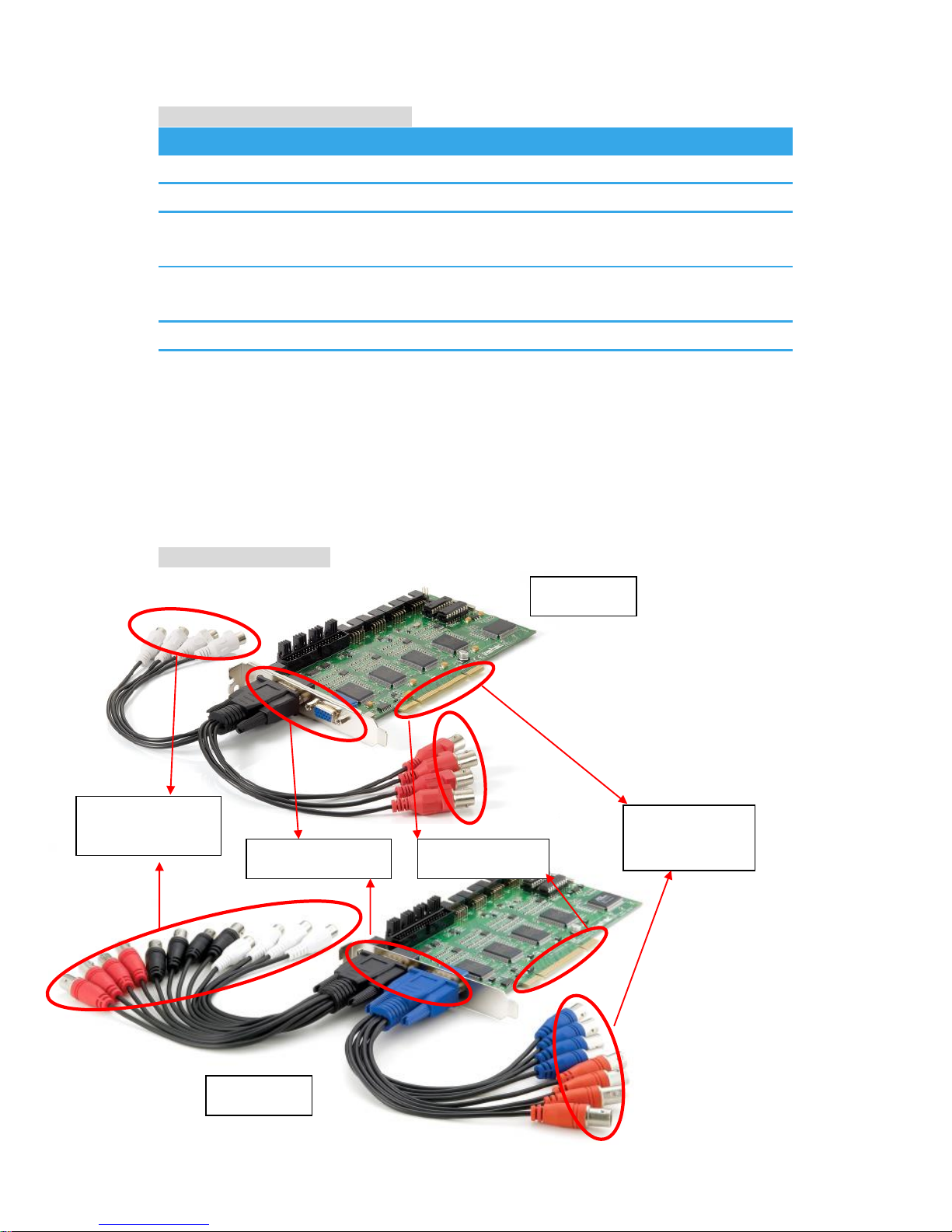
Physical Description
PCI Interface
VGA Connector
RCA Female
connector
BNC Female
connector
FCS-8005
FCS-8006
2
Page 3
3
Figure 1-1
Figure 1-2
Figure 1-3
Page 4
4
Figure 1-5
Figure 1-4
Page 5

5
Check your package contents
FCS-8005/8006
Audio/Video Cables
CD Manual / Driver / Utility
Install the Capture Card to your PC
Step1: Insert the card onto an empty PCI slot. Connect the Audio/Video cables
to the connectors in the same color.
Step 2: Turn on your PC and start Windows.
Install the driver
Insert the included CD into CD-ROM. The setup page should load
automatically. If it does not, please select your CD-ROM drive manually to run
autorun.exe.
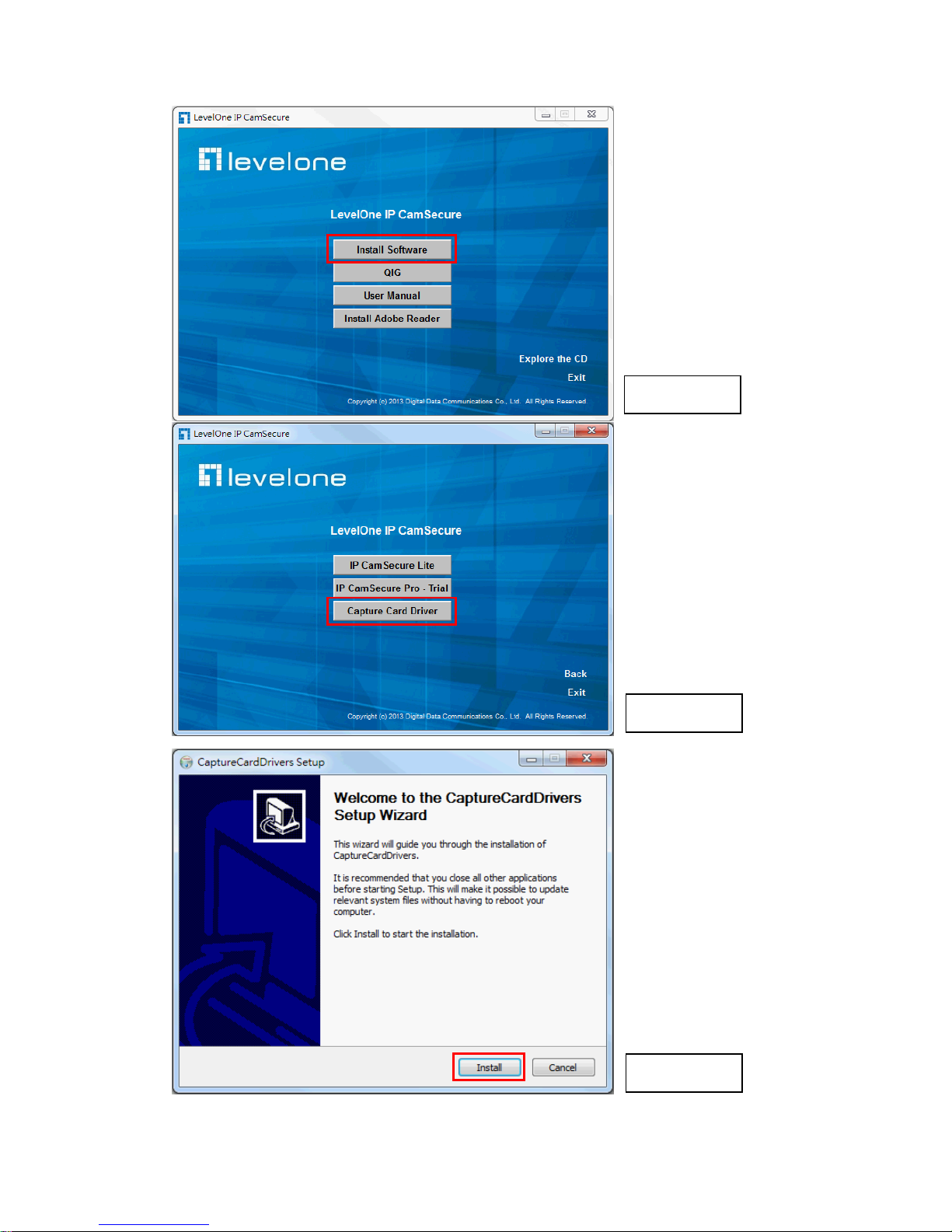
Click ”Install Software” (Figure 1-1)
Click “Capture Card’s driver” (Figure 1-2)
Click “Install” to install the driver (Figure 1-3)
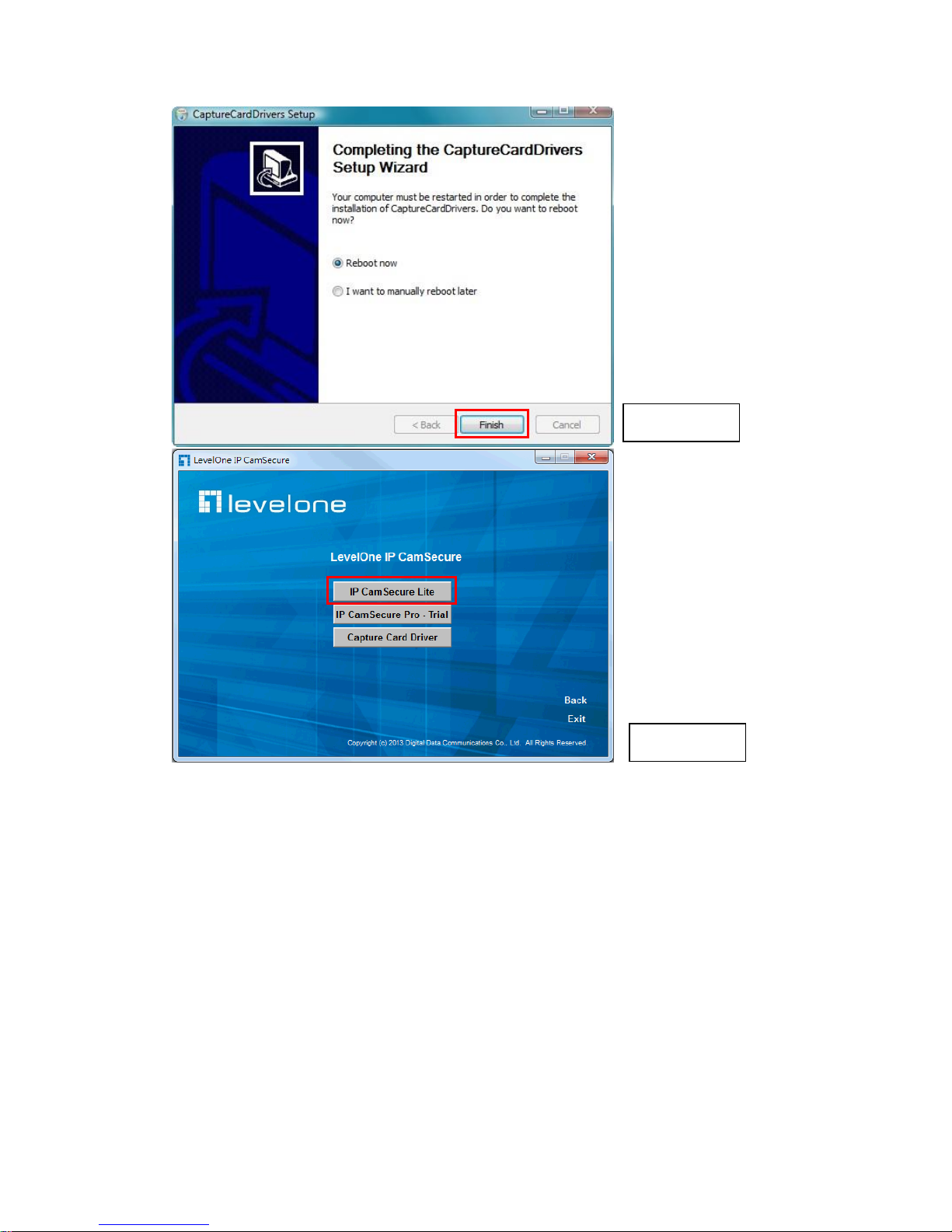
Click “Finish” to complete the driver installation. (Figure 1-4)
Run dxdiag.exe from start menu ‘Start-> Run’ to check your DirectX
version. If the installed version is less than 9.0, install DirectX 9.0 from the
CD-ROM directx9/ directory.
Restart your PC.
Install IP CamSecure
Click ”Install Software” (Figure 1-1)
Click ”IP CamSecure” (Figure 1-5)
Follow the onscreen instruction or refer to the user’s manual to complete
installation.
English
English
 Loading...