

Page 1
文管中心
發行章
確認章
出圖人
2008.04.24
簡世宗
研發部
2008.04.24
余長興
研發部
正式文件,妥善保存
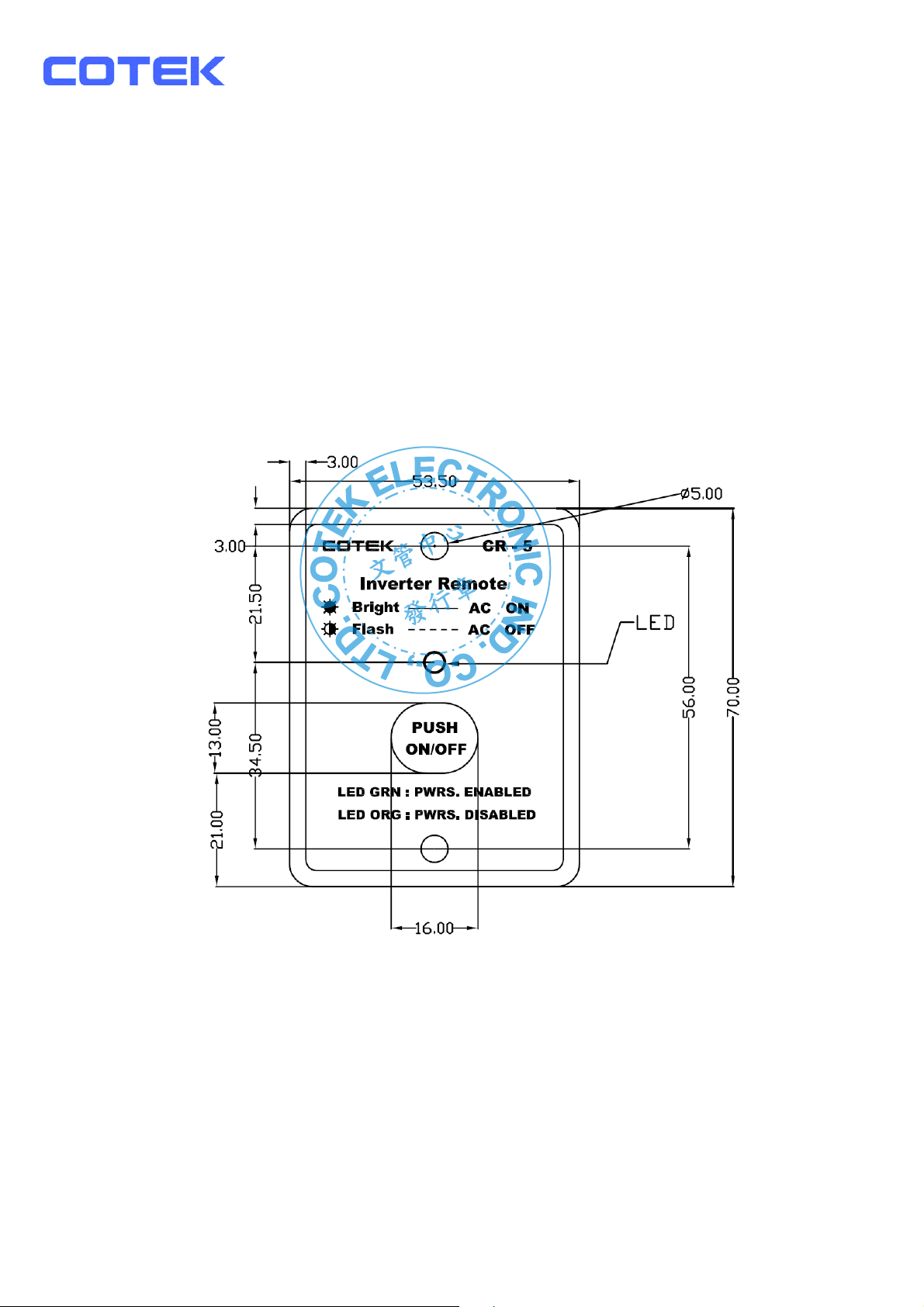
1.CR5 Remote Controller
1-1. Features:
z Remote ON/OFF switching for the inverter
z Failed connection display
z Power Saving Mode Setup
1-2. Specification:
z Input Voltage : 10.5 – 30Vdc
z Operating Temperature Range : 0 – 40℃
z Storage Temperature Range : - 30℃ - 70℃
z Stand-By Current Draw : < 40mA
z Applicable Models : S1500 Series
1-3. Introduction:
z System Configuration:
Plug the 9-pin D-SUB connector of the remote controller into the RS-232 port of the
Inverter.
Check the setting of DIP-SW S5 & S6, The communication BAUD RATE should be set to
4800bps (S5 & S6 OFF).
z LED Introduction:
Turn on the power of the Inverter. There will be two short beep sounds coming from the
Inverter. All LEDs will be ON, and one second later, there will be a short Beep sound. The
amber, green, and red LEDs of the remote controller will be ON for 0.5 second then OFF
sequentially. The Inverter is then in OFF mode. The amber LED will be flashing every 2~3
seconds.
Page 2
p
文管中心
發行章
z Remote Controller LED:
Color Status Power Saving Power Output
Solid Green Enable ON
Flashing Green Enable OFF
Solid Amber Disable ON
Flashing Amber Disable OFF
Set SLIDE SW “ON” (Keypads will not work if SLIDE SW is set “OFF”)
z Remote ON/OFF:
Pressing a button (and releasing in one second) changes (toggle) the
output ON/OFF mode and the display of LED will be changed accordingly.
z Operation of Power Saving Mode:
Press and hold the button for 2 seconds, then the color of LED will be changed.
Keep pressing the button and the color will be toggled between amber and green light
every 2~3 seconds.The color of LED will determine the mode of operation.Green color
indicates that power saving mode is ON and amber color indicates that power saving
mode is OFF.Release the button when the LED indicates the desired status.
The operation power saving mode does not change the power ON/OFF mode.
Regardless of power saving mode, when the power OFF command is set, the power will
be turned OFF and the power saving mode will be set to OFF automatically (amber LED
will flash for 2~3 seconds).
When the power is On, the power saving mode will restore the previous setting.
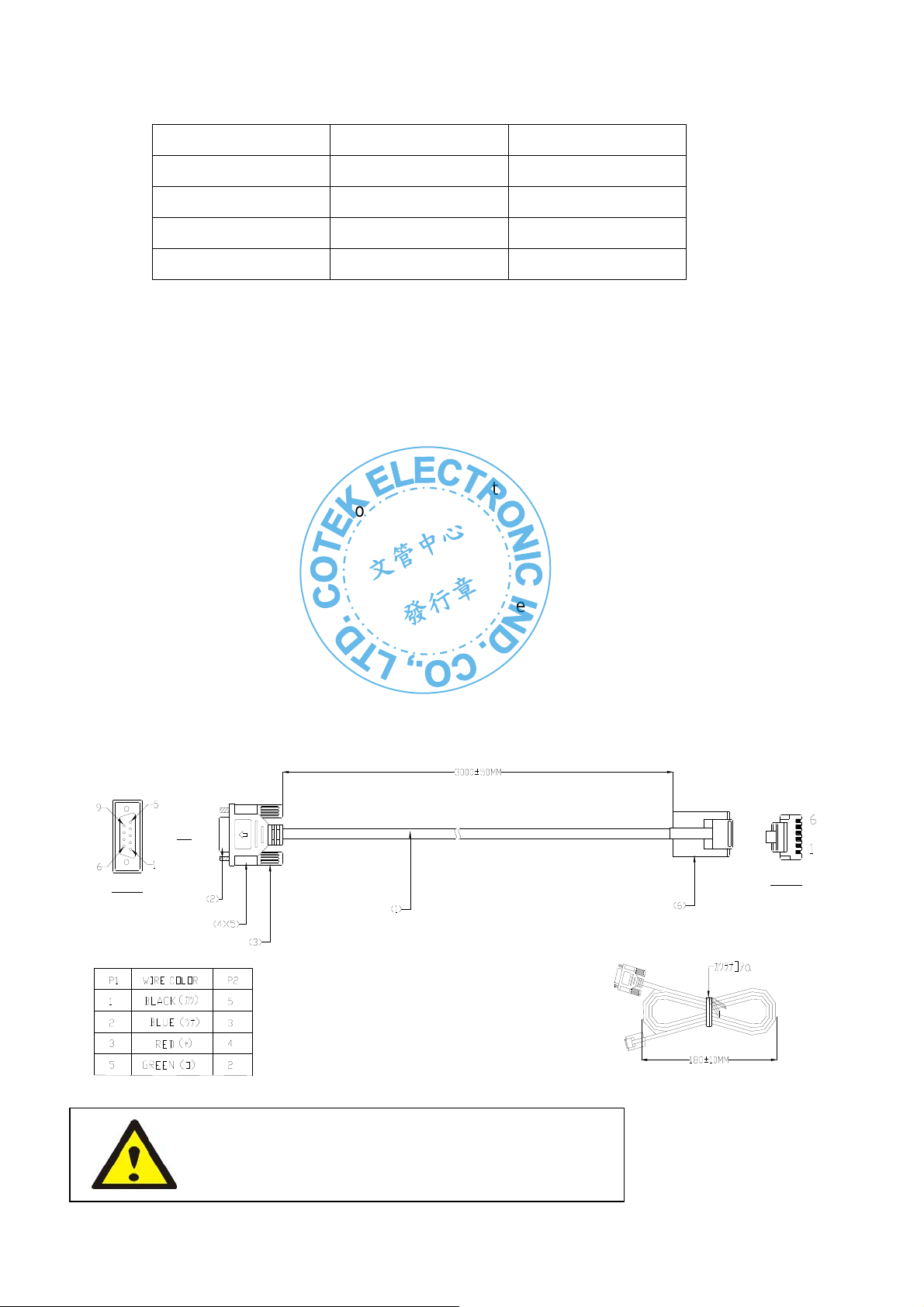
1-4. Remote Control Cable For CR5 Drawing
P1
俯視面
俯視面
WARNING!
DO NOT use standard tele
hone cable.
 Loading...