

Page 1
User Manual
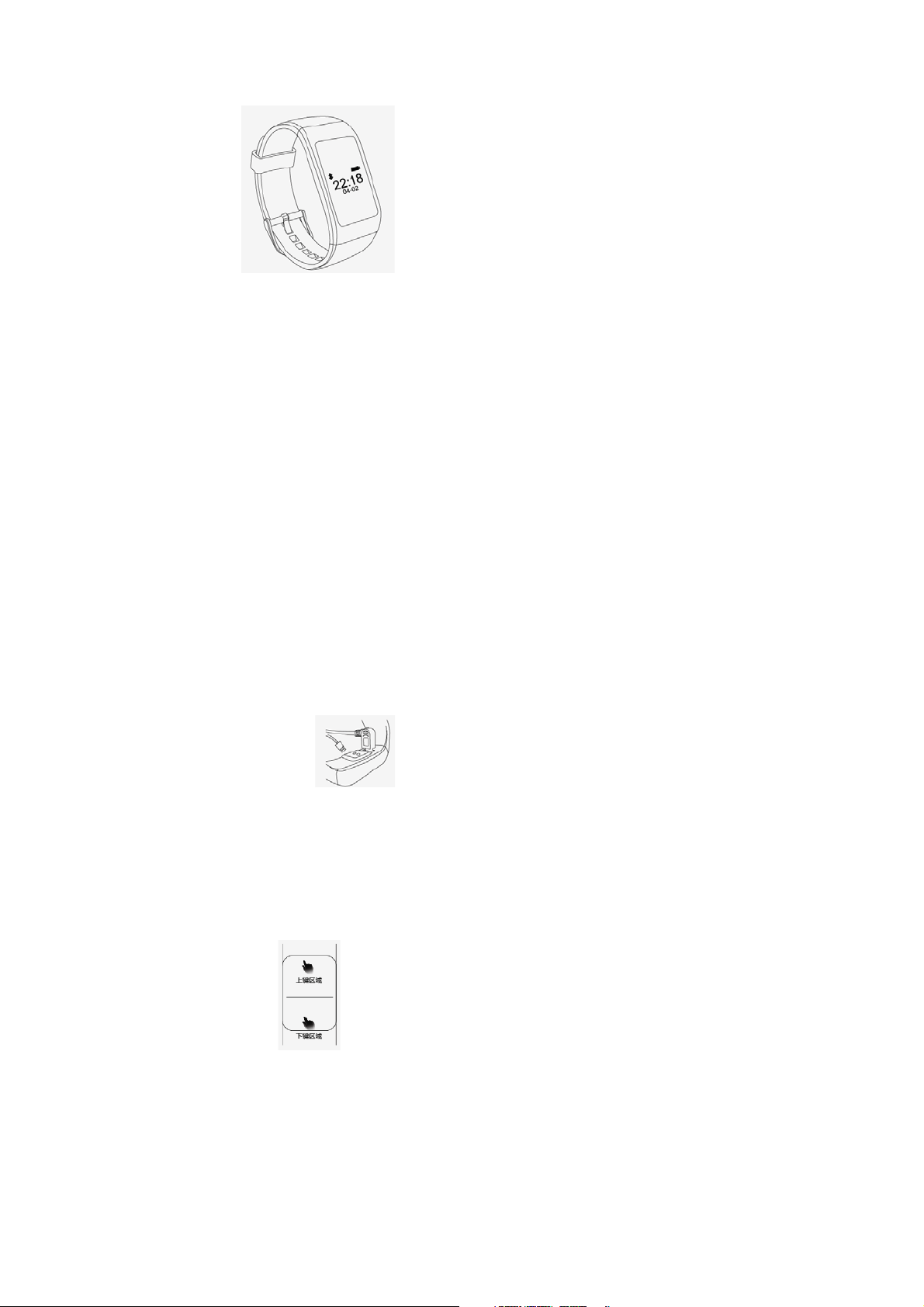
Charging
Operation Chart
Power:5V,500MA-1000MA
Recharge time:60 minutes
Connecting with charger
Up and down key
Page 2
Operation
A flip of the wrist switch screen
Interfaces
Touch the up and down keys to switch the interface, and the screen will turn off
automatically after 10 seconds without operation, and default into time interface.
The interface will keep 10 seconds if the screen is off and also default into time
interface after 10 seconds.
Raise arm and shoulder parallelly for 1-2s,the screen lights up automatically for
easy to check the information.
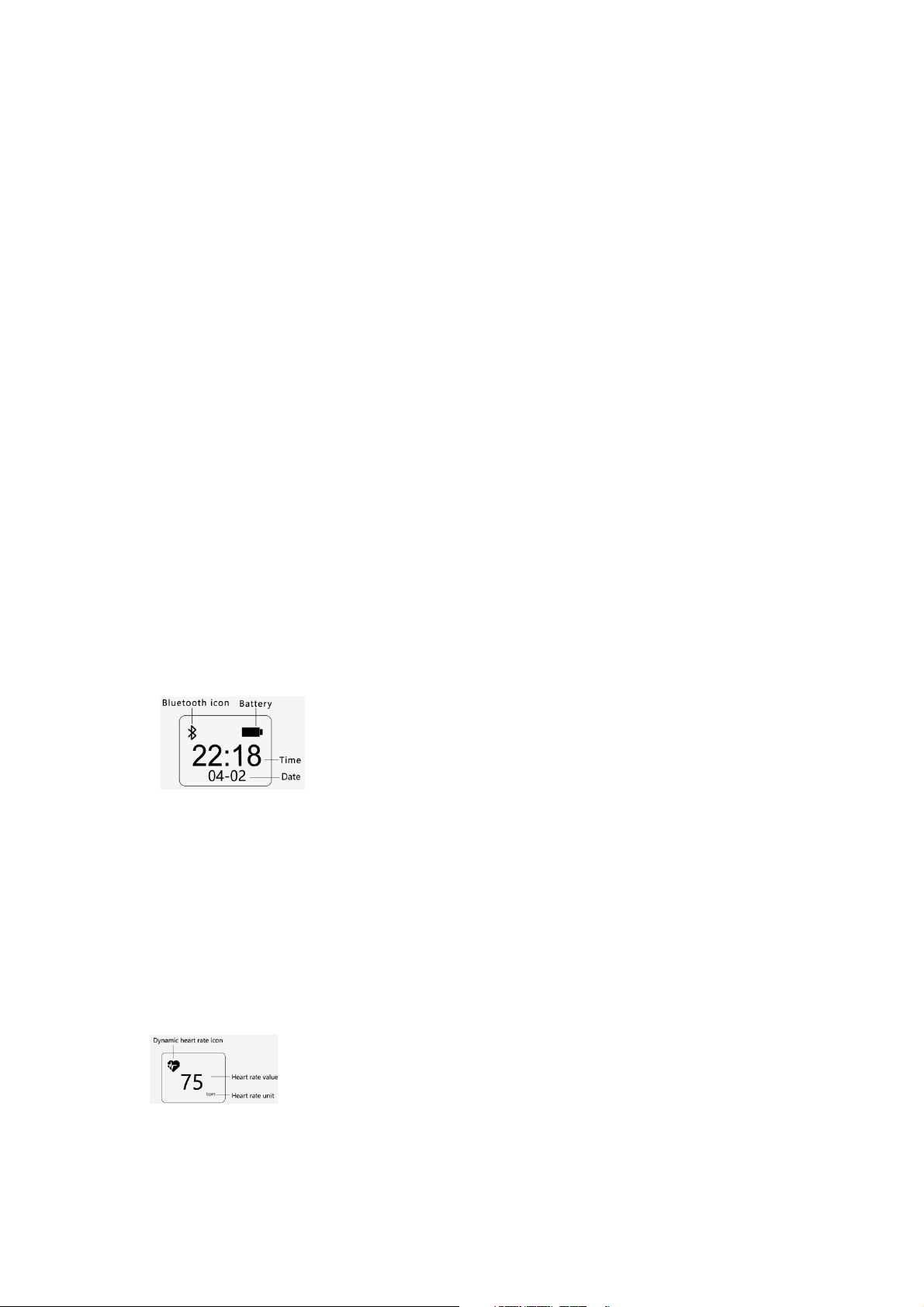
1. Interface details
Bluetooth icon displays, it is connected, the icon will not
appear if it is not connected
2.Heart Rate Interface
On heart rate page, long touch the down key to turn on or off
Page 3
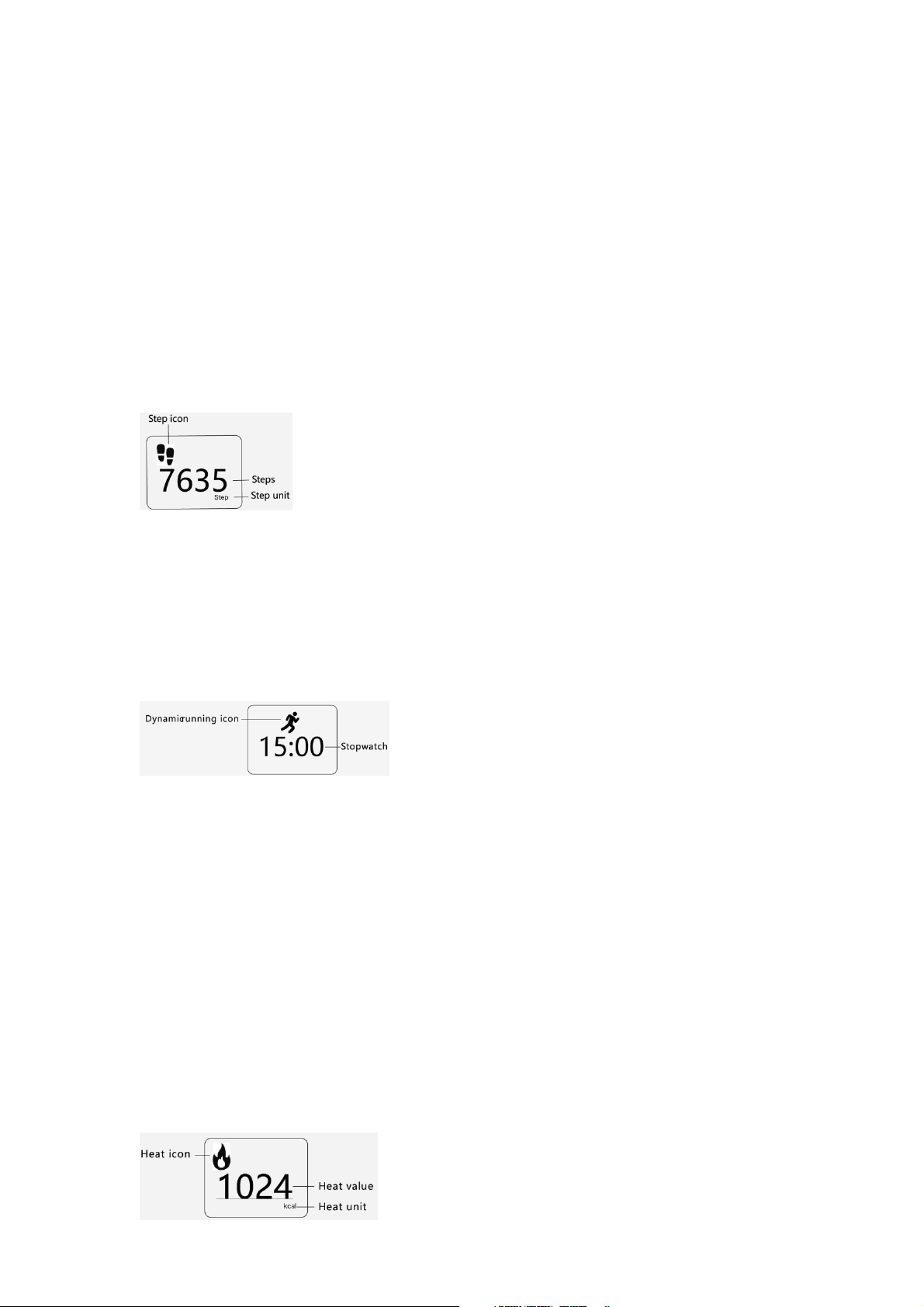
heart rate monitoring; long touch up key to lock the screen, and then screen
displays permanently heart rate icon flashes. Default is “--” flashing while there is
no data of heart rate and if it does not start heart rate, it only displays “--” without
flashing.
3.Pedometer Interface
4.Motion page
On pedometer interface, long touch to turn on
sports
monitoring, and wristband will open automatically heart rate monitoring and
pedometer. Long touch the down key again turn off sports monitoring
5.Heat page
Page 4
6.Mileage page
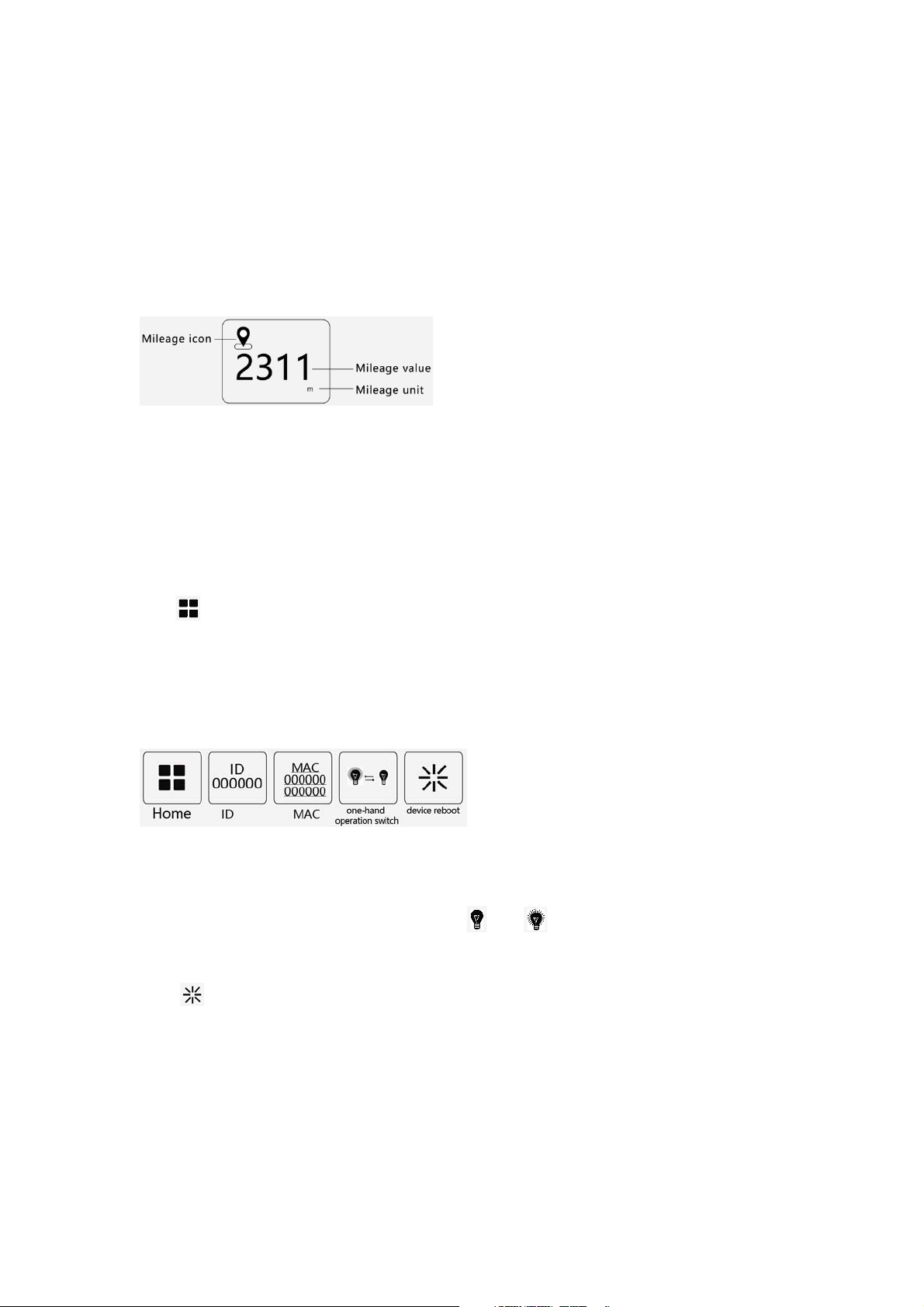
Device Management interface
BT connection
touch management icon switches , device ID, MAC address, one-hand operation
switch,reboot switch in turn, long touch down key to open and long press up key
to exit.
* Long press down key , one-hand operation icon off, on
* On interface, long touch down key, bracelet reboots to factory setting
(exclude fault rebooting)
Page 5
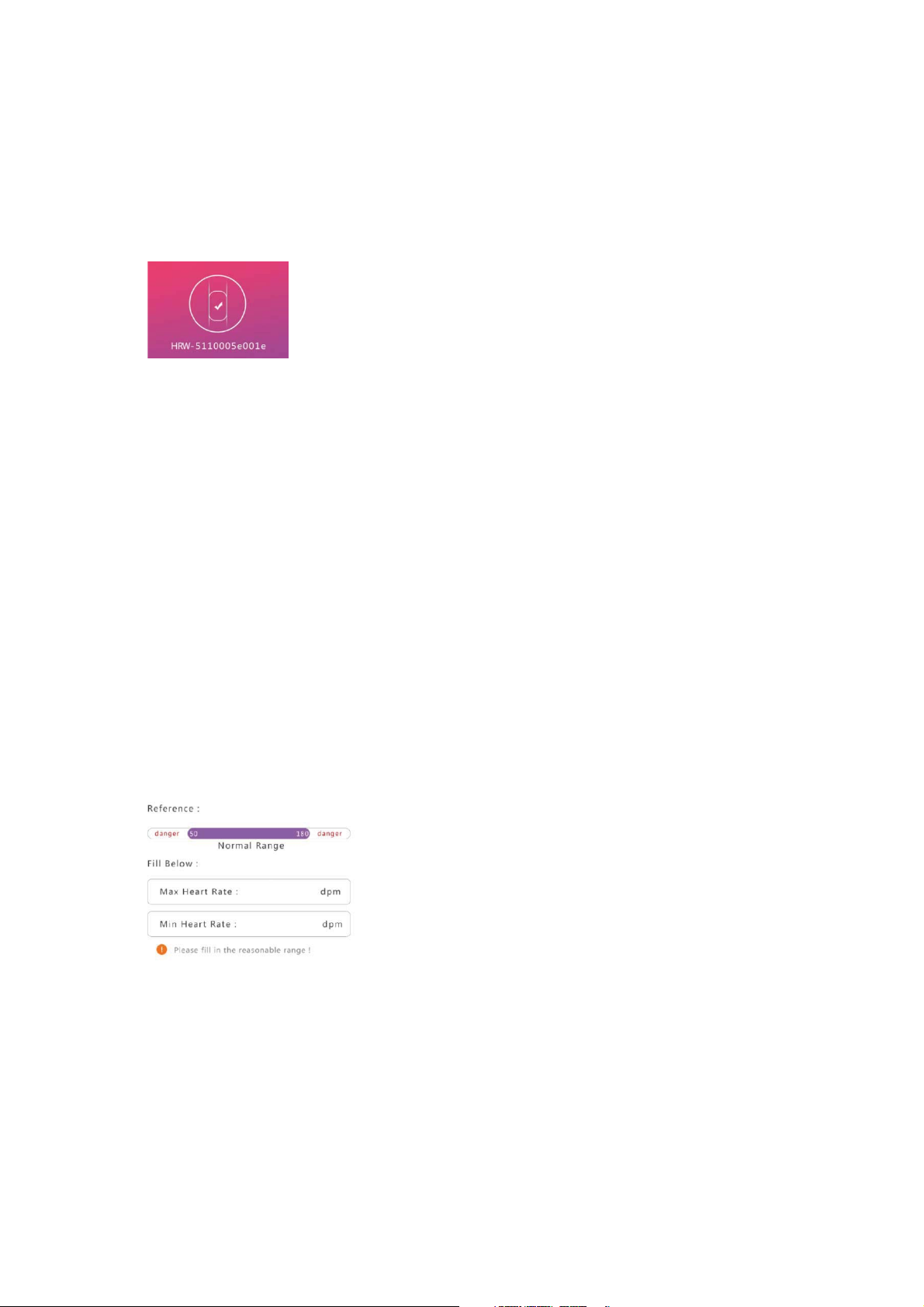
* After connected successfully,APP will save the MAC number automatically.
Heart rate warning
* APP will search and connect bracelet again automatically after APP opened or
running in background.
When open heart rate monitoring functions,you can set up minimum heart rate
and the maximum heart rate range according to individuan body state. The above
settings should be finished while connecting the bracelet,and synchronous with
bracelet.with bracelet.
Page 6
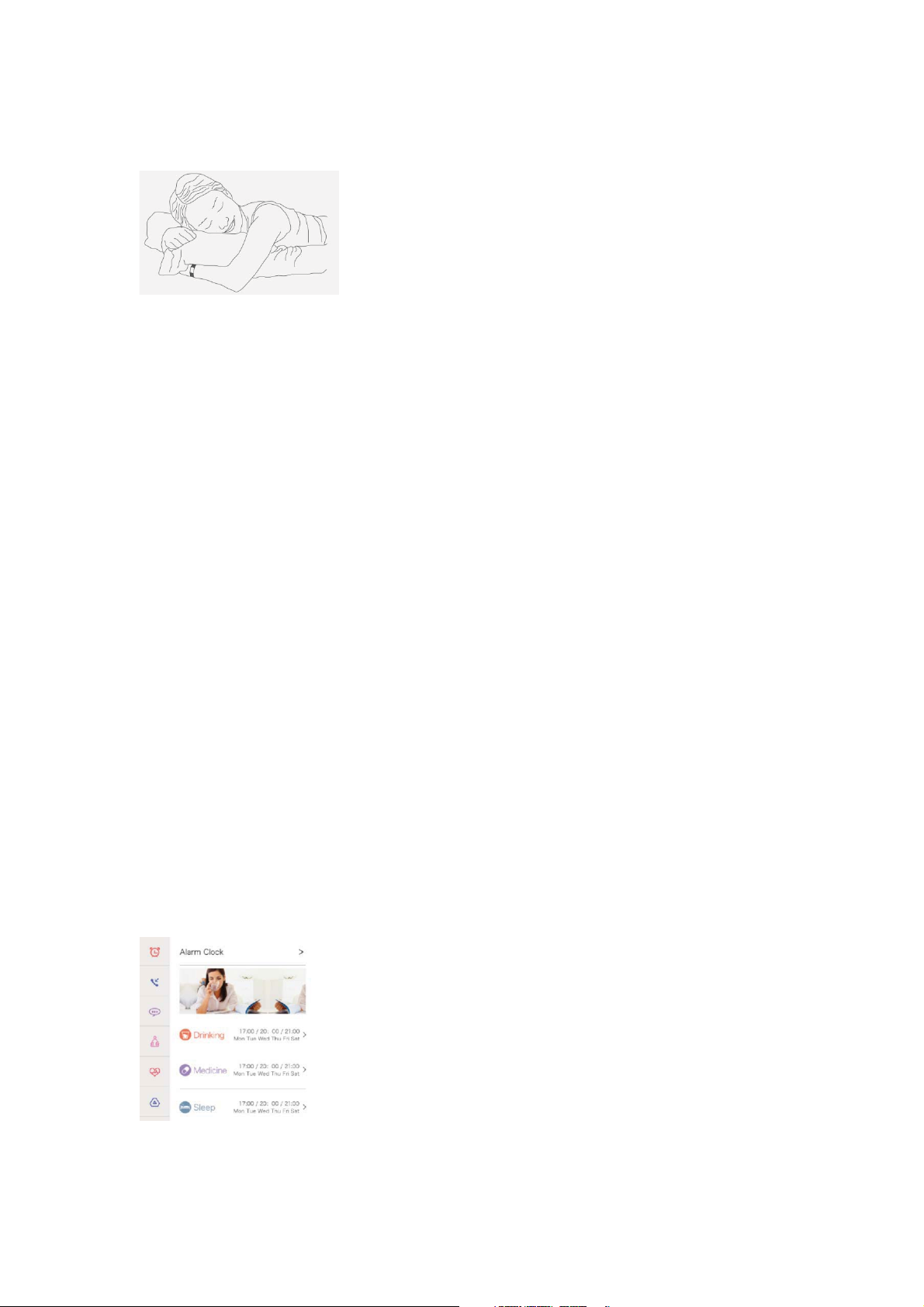
Automatic sleep monitoring
Reminder and Alarm
Automatically determine whether to sleep, start sleep
monitoring.
Open the sleep monitoring, bracelet will analysis your sleep by combining with
heart rate change
Sieep monitoring are more accurate.
To set alarms and reminder,please connect bracelet with APP.
Vibration reminder:Anti-lost reminder,Messages reminder(support messages
from phonebook numbers only)and Call reminder.
Custom Alert:set alarms to remind your daily activity schedules.
Page 7

Data Refresh
Firmware Upgrade
Notes
Data refresh every 5 minutes automatically.You can refresh manually in APP data
management interfaces. Note: Heart rate bracelet has lots records,data refresh will
take a certain time.
Keep BT is connected, it will take 3-5 minutes. Note:Do not disconnect BT during
updating.
1. The product contains magnetic spare parts, he who installed a pacemaker, or
have implanted devices, or metal, please do not use this product.
2. Any symptoms of discomfort or allergy, please immediately stop using this
product.
Page 8

3. If use substandard charging power supply, will shorten the battery life, and
Q & A
even damage to the battery.
4. The bracelet is with sealing technique,anti-perspirationcan satisfy the daily
waterproof, such as hand washing,bathing, etc., but does not support the
swimming anddiving level .
1. Why test the heart rate needs to wait for 8 seconds?
Testing the heart rate, need to collect signal for a long time, that can accurately
calculate your heart rate.
2. why need to take more tight when measure heart rate?
Bracelet is on the principle of light reflection, through the light penetrate the skin,
after gathering reflection to the sensor signalˈto calculate your heart rate, if don't
wear tight, there will be a
ambient light into the sensor, will be affected to the accuracy of measurement.
3. Why need to open the heart rate before exercising and start to move after the
appear of heart rate data?
The bracelet support dynamic heart rate test, measurement of heart rate in
stationary state as a benchmark values, then do some parameters compensation
with the acceleration sensor value, can make the dynamic measurement more
accurate.
4. Bracelet system reset and problem solving?
Page 9

A,Heart rate measurement for a long timeˈcan not output the heart rate, system
APP Download
crash.B,Pedometer date no changeˈacceleration sensor crash.C, long press the
clock page last for 6 seconds , switch device address in turn - bluetooth switch -
device restarts, long press restart bracelet will vibrate, page displays are all bright
and rapid response to the clock.
5. IOS system, after the bluetooth connection, why call and sms alerts function not
achieve?
Our IOS system for calls and text messages reminder adopt Apple ANCS channel,
other functions are APP bluetooth channel to realize the above call and sms alerts
function at the same time,will need to connect two bluetooth channel at the same
time.Connecting bluetooth on the device management interface confirm the
pop-up system confirmation box at the same time to finish two channel
connection .In addition, if ISO bluetooth system has to connect to other bluetooth
device, such as headphones, or other smart bracelet, and occupy ANCS channel
need to delete the above device to return to the interface of APP equipment
management to set the bluetooth connection
Android
1.The Chinese users, please in the "
ᑨ⫼ᅱ
" search "Mistep" download and install.
Page 10
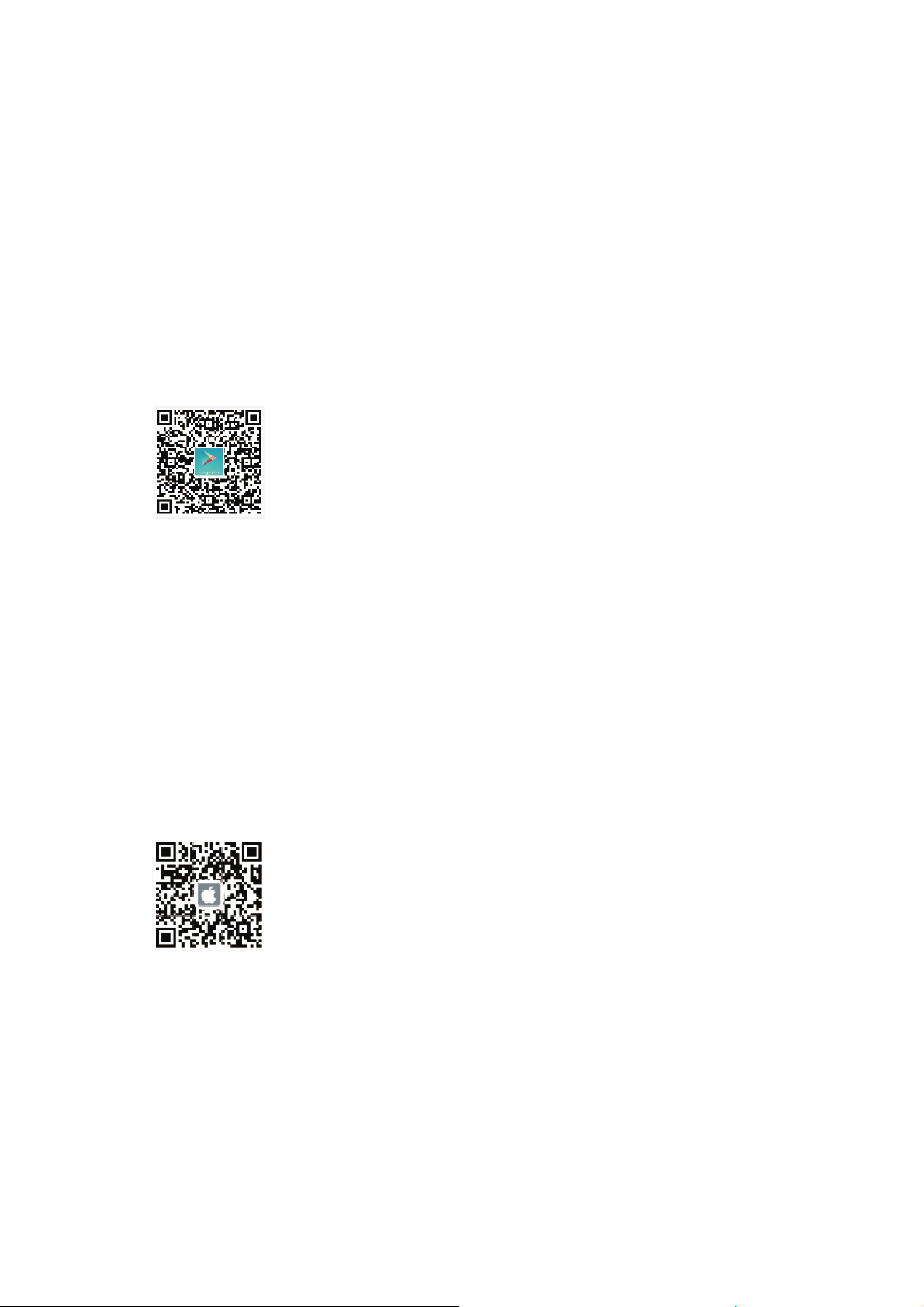
2. Outside the Chinese users, please in "GooglePlay" search "Mistep" downloadand
install.
Ios
Please search "Mistep" download and install in the APP Store, or scan QR Code to
download installation.
Software Compatibility
Page 11

Android : Compatible with Android 4.3 or higher system, include Samsung Galaxy
Certificate
notes
OPPO series
IOS : Compatible IOS 7.0 or higher system
ċ
series or higher, Huawei Honor/Mate/P series, Mi 4 or higher, VIVO and
aǃCNAS quality certificate
bǃCE certificate
cǃFCC certificate
dǃROHS environmental-friendly certificate.
FCC Warning Statement
Changes or modifications not expressly approved by the party responsible for
compliance could void the user’s authority to operate the equipment. This
equipment has been tested and found to comply with the limits for a Class B
digital device, pursuant to Part 15 of the FCC Rules. These limits are designed to
provide reasonable protection against harmful interference in a residential
installation. This equipment generates uses and can radiate radio frequency
energy and, if not installed and used in accordance with the instructions, may
cause harmful interference to radio communications. However, there is no
guarantee that interference will not occur in a particular installation. If this
equipment does cause harmful interference to radio or television reception, which
Page 12

can be determined by turning the equipment off and on, the user is encouraged to
try to correct the interference by one or more of the following measures:
ϋϋ
Reorient or relocate the receiving antenna.
ϋϋ
Increase the separation between the equipment and receiver.
ϋϋ
Connect the equipment into an outlet on a circuit different from that to which
the receiver is connected.
ϋϋ
Consult the dealer or an experienced radio/TV technician for help.
This device complies with part 15 of the FCC Rules. Operation is subject to the following
two conditions: (1) This device may not cause harmful interference, and (2) this device
must accept any interference received, including interference that may cause undesired
operation.
 Loading...