

Page 1
User manual for C3 Device
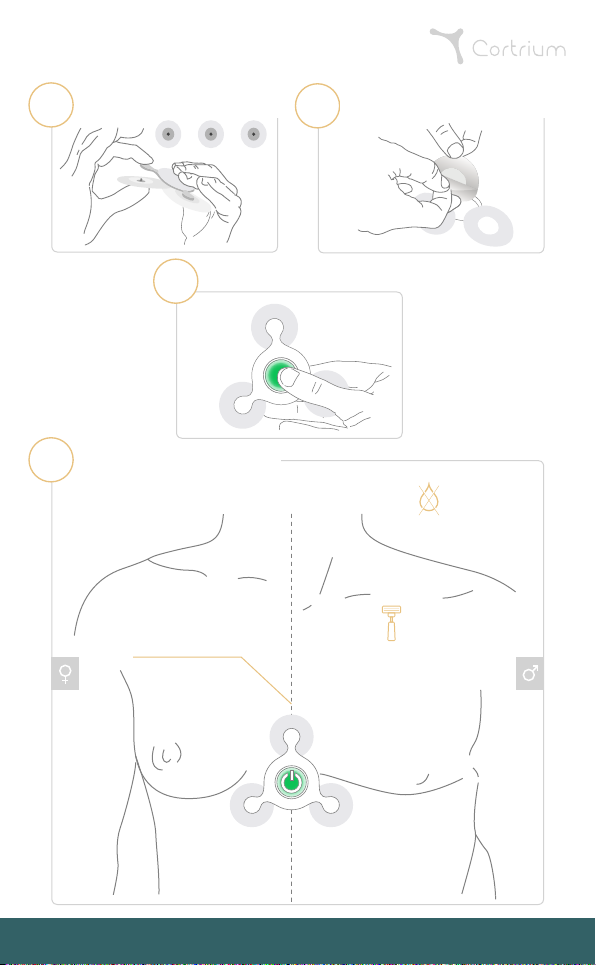
Attach electrodes to device
1
Turn on device
3
Press button
Attach device to patient
4
- Slow green flashes indicate C3 is correctly attached and recording
- The C3 will keep recording for 24h - 48h
Place C3 on midsternal line
Peel off plastic from electrodes
2
Please note:
C3 is NOT
waterproof
Please note:
In case of chest hair,
shaving may be required
Support: Telephone: +45 4057 4771 I Email: [email protected]
Cortrium C3 Holter device - User manual for C3 Device - Document Version: 0.3 Danish Date: 2017-04-05
Page 2
Additional instructions
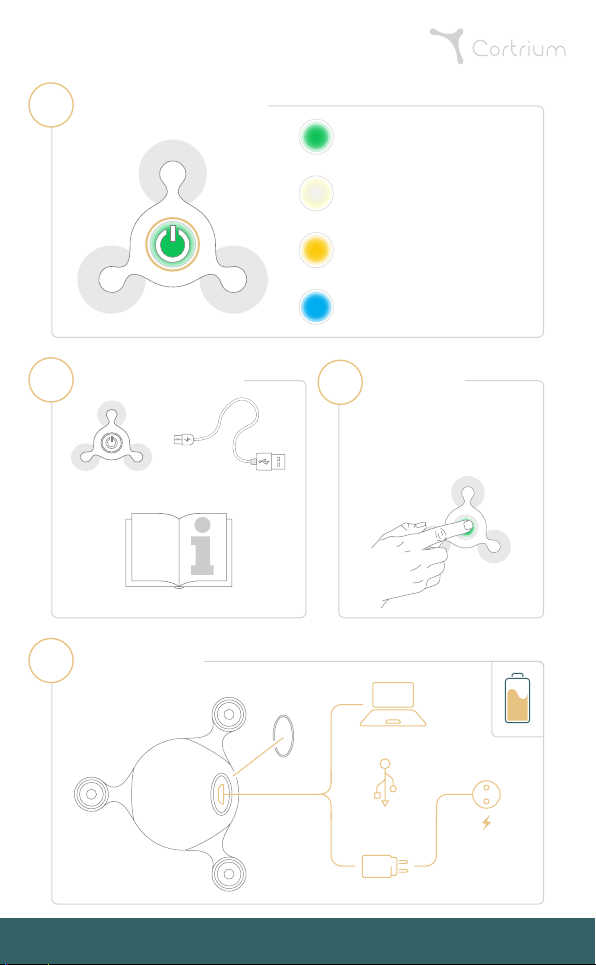
Device notification lights
A
Green flashes
- Fast: ON / Event button pressed
- Slow: C3 is recording
White flashes
- C3 does not have proper
contact to the body
Yellow flashes
- Slow: Low battery
- Fast: Non-critical Error (Consult Manual)
Blue flashes
- Critical Error (Contact Supplier)
Contents of package
B
Micro
USB socket
1 USB-cable
USB Plug
USB Cable
1 Cortrium C3 unit
1 Instructions for Use
Charging the C3
C
Showing:
The back of C3 device
Support: Telephone: +45 4057 4771 I Email: [email protected]
Cortrium C3 Holter device - User manual for C3 Device - Document Version: 0.3 Danish Date: 2017-04-05
Discomfort!
NB
If sensing symptoms
or discomfort, press button
- Button will flash green
quickly for 10 seconds.
Main power outlet
 Loading...