

Page 1
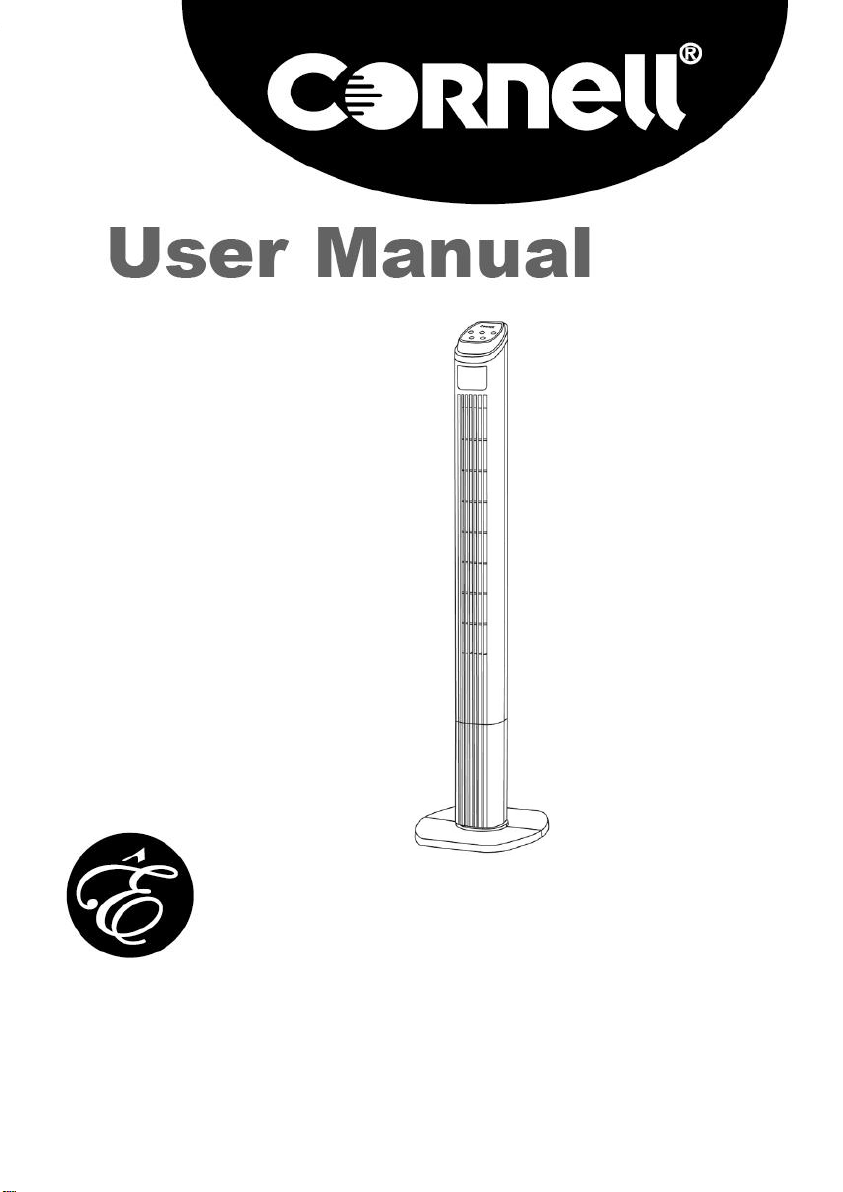
Tower Fan
CTF-E45RC
0
Page 2
SAFETY REGULATION
Read all the instruction carefully. Keep this user manual for
future reference.
This appliance in not intended for use by persons (including
children) with reduced physical, sensory or mental
capabilities, or lack of experience and knowledge, unless
they have been given supervision or instruction concerning
the use of appliance by a person responsible for their safety.
Use only original accessories supplied.
The current voltage which indicates on the plate must
correspond to your local voltage.
The appliance should be used only on condition that the type
of power supply corresponds to the marking label. Otherwise,
it will not work or even be damaged.
Never use the appliance inside the bath, under a shower or
over a wash basin full of water.
If the appliance falls into water, pull the power plug out from
the power socket immediately.
Never use the appliance unless it is fully assembled.
Do not overload outlets or extension cords. It can result in fire
or electric shock.
Do not use the appliance if the power supply cord or plug has
been damaged.
Unplug from outlet when not in use, before putting on or
taking off parts, and before cleaning.
The use of accessory attachments not recommended by
the appliance manufacturer may cause injuries.
1
Page 3
Do not immerse the cord, plug or appliance in water or other
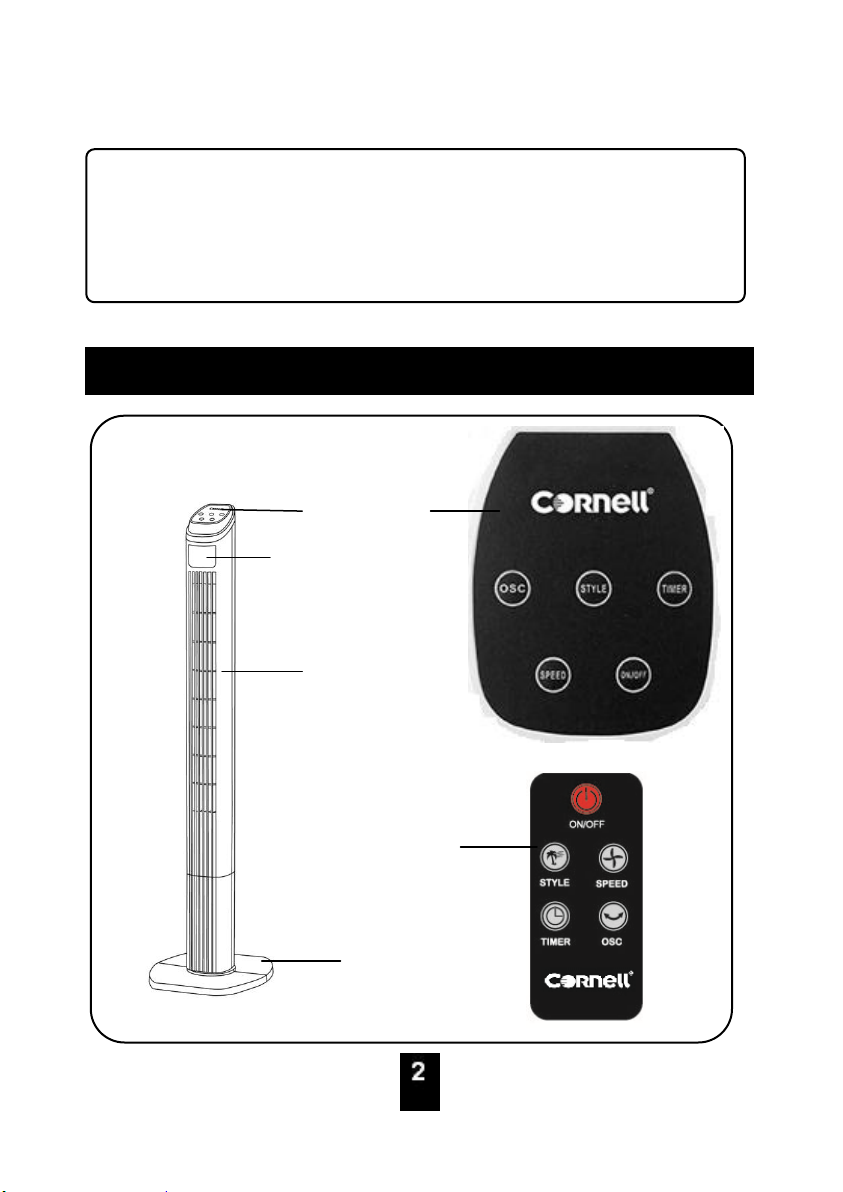
PARTS IDENTIFICATION
2
Control Panel
LED Display Panel
Main Body
Base
Remote Control
types of liquid and do not pour water onto it to avoid from fire,
electrical shock or personal injury.
To protect against risk of electrical shock, do not force any
foreign objects such as pins and wires into any openings.
2
Page 4
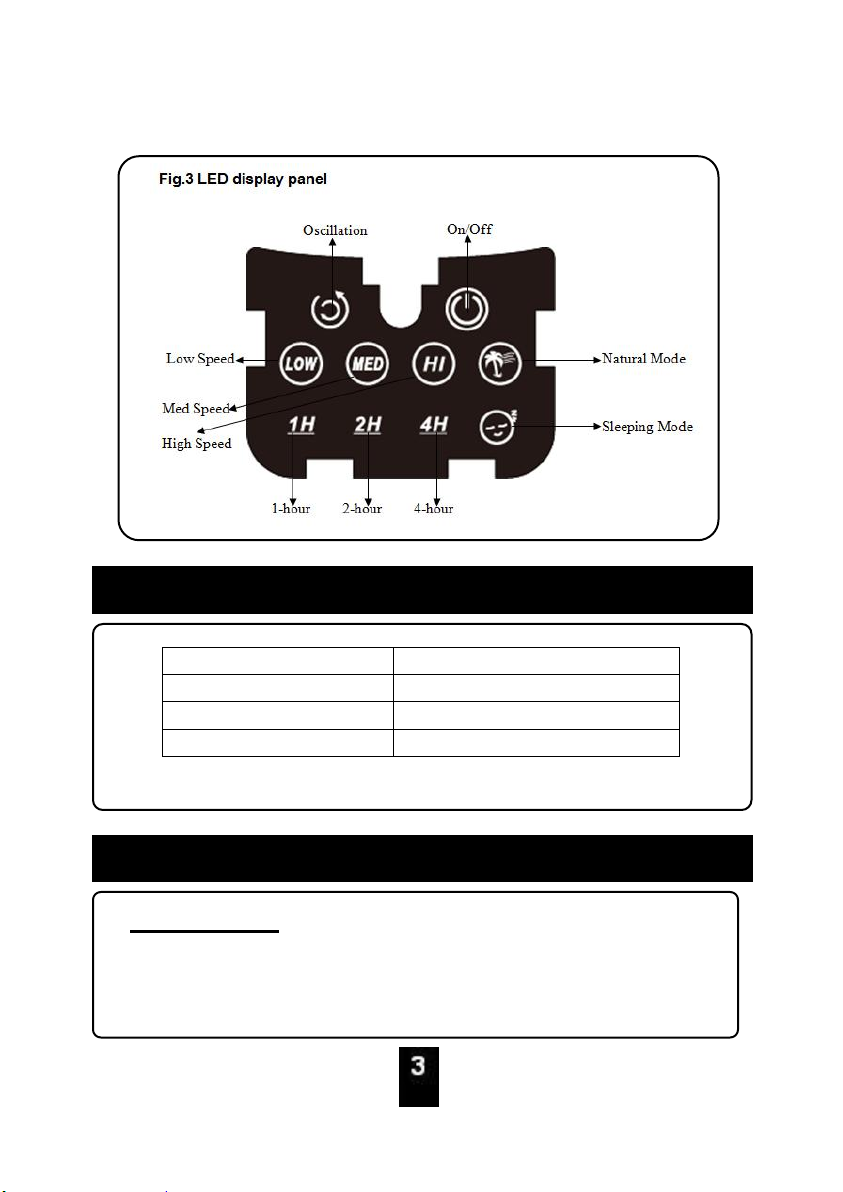
Model
CTF-E45RC
Voltage
220-240V~
Frequency
50-60Hz
Power
50W
SPECIFICATION
OPERATING INSTRUCTIONS
Before Using
Please read these instructions carefully before using and
keep them for future reference.
3
Page 5
Check your local main voltage whether it is the same as
stated on the rating label.
Before using for the first time, remove any protective
films or stickers from the table fan.
Ensure the power switch is at the “0” position.
Always attach plug to appliance first, then plug cord into
the wall outlet. To disconnect, turn OFF any control,
then remove plug from wall outlet.
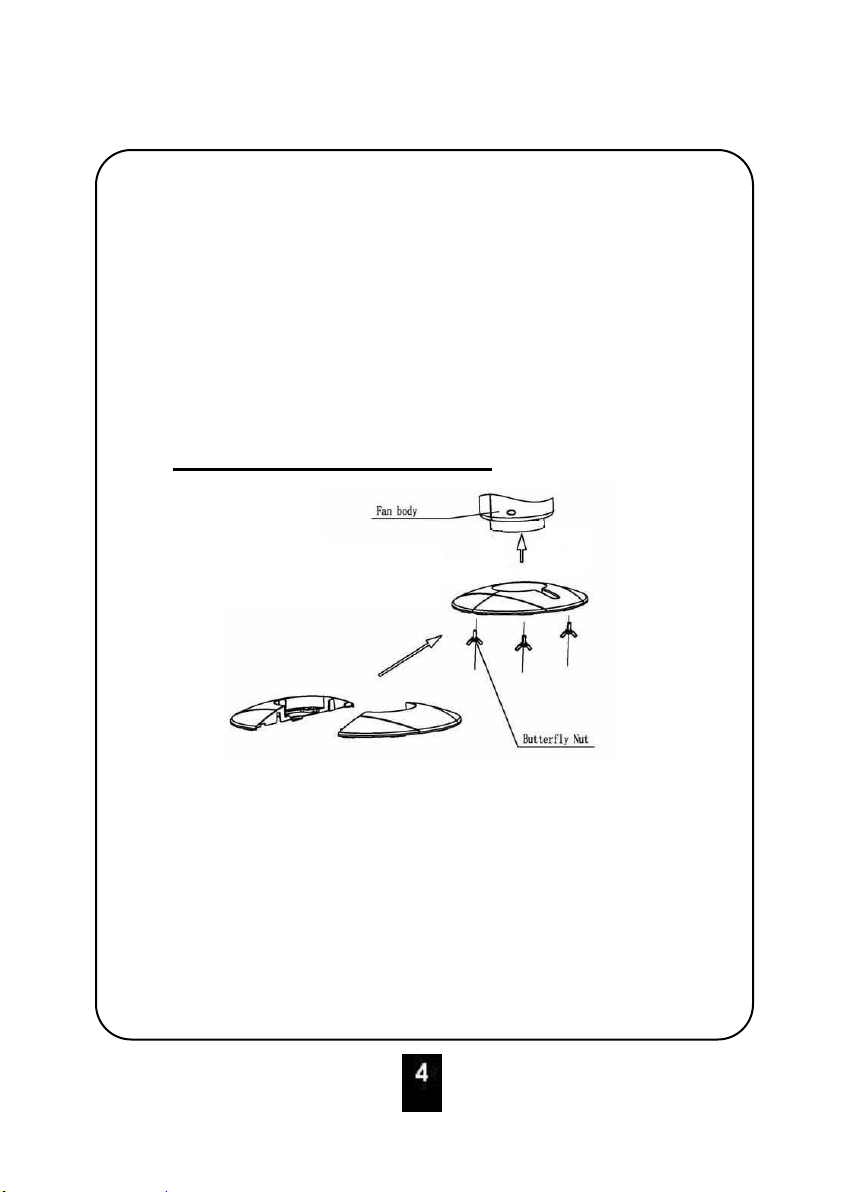
How to Assembly Table Fan
Assembly the front base and rear base.
Insert the assembly base to main body. Use the base
screws (provided) to secure base to the main body.
Do not use this appliance before finish assembly.
Ensure the stand body is completely interlocked with the
base unit.
4
Page 6
How to Use Table Fan
CONTROL PANEL:
“ON, OFF” button
Press the ON button once, the fan will start at low speed,
normal style and normal mode.
Press the OFF button again will turn the fan off.
“SPEED” button:
To adjust fan speed, press once for medium speed, and
twice for high speed.
Press the third time to return to low fan speed.
“STYLE” button:
To select normal mode, natural mode or sleep mode:
NORMAL mode: unit operates in selected fan speed, High,
Medium or Low.
NATURAL mode: unit operates according to computerized
intervals of changing speeds.
SLEEP mode: unit operates according to computerized
intervals of changing speeds
“OSC” button
To activate the Oscillation feature, press the OSC button
once.
Press the OSC button again to turn the Oscillation feature
off.
“TIMER” button
When the fan is in use, you can set the time to close the
appliance. Press the TIMER button, the default time is
1h.You can press the timer buttons continually to set the
timer off function between 1, and 7 hours.
5
Page 7
REMOTE CONTROL:
button
Press once to turn on the fan. Unit will start at Low fan
speed.
Press will turn the fan off
button
To select normal mode, natural mode or sleep mode:
NORMAL: unit operates in selected fan speed, High,
Medium or Low.
NATURAL mode: unit operates according to computerized
intervals of changing speeds.
SLEEP mode: unit operates according to computerized
intervals of changing speeds.
bbutton
Press once to turn on the fan.
Unit will start at Low fan speed.
To adjust fan speed, press once for medium speed, and
twice for high speed.
Press the third time to return to low fan speed.
button
6
Page 8
When the fan is in use, you can set the time to close the
CARE AND CLEANING
7
appliance. Press the TIMER button, The default time is
1h.You can press the timer buttons continually to set the
timer off function between 1, and 7 hours.
button
To activate the Oscillation feature, press the OSC button
once.
Press the OSC button again to turn the Oscillation feature
off.
Always unplug the product from the wall socket and shut
down completely prior to cleaning.
Do not use abrasive sponge, scouring pads or stiff brush to
clean the appliance.
Please be cautious when cleaning the product near to the
heater housing area.
Use only damp cloth to wipe the exterior surfaces of the unit.
Do not immerse the main body in water.
Do not allow the electrical components to be exposed to
water.
For proper storage, always place the unit in a low humidity
environment.
7
Page 9
8
 Loading...