

Page 1
CR30 User Manual
http://www.corewise.cn
2014
1
USER MANUAL
CR30
Nanjing Corewise Smart Technology Inc.
Support
Hotline: 0086-13851413726, 13851629242
Skype: xiafan_max(software), cruise.xiao (hardware)
E-mail: [email protected]
Page 2

CR30 User Manual
http://www.corewise.cn
2014
2
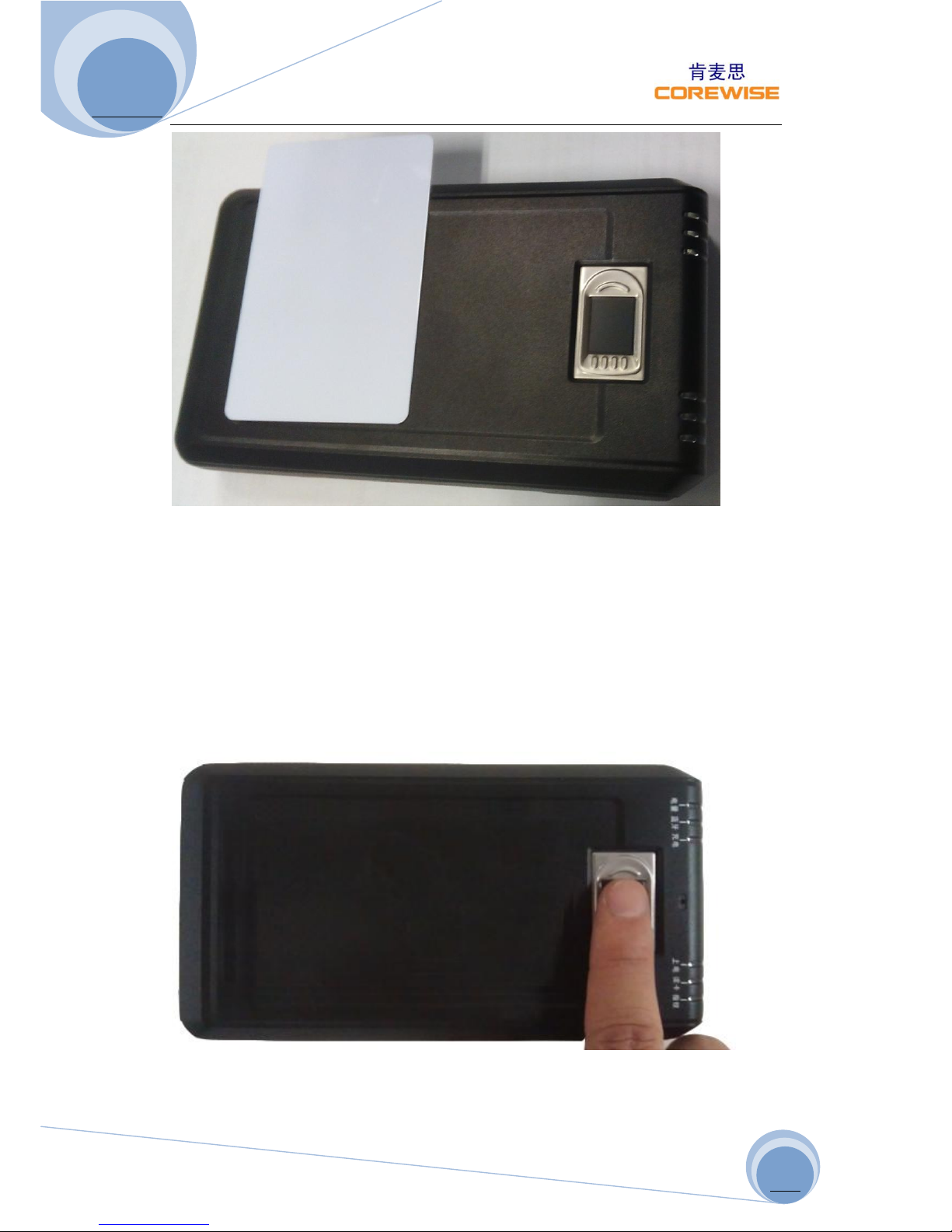
Profile Picture
Fingerprint Sensor
Power On
Button
USB Port
Indicator
RFID Reading
Area
Page 3
CR30 User Manual
http://www.corewise.cn
2014
3
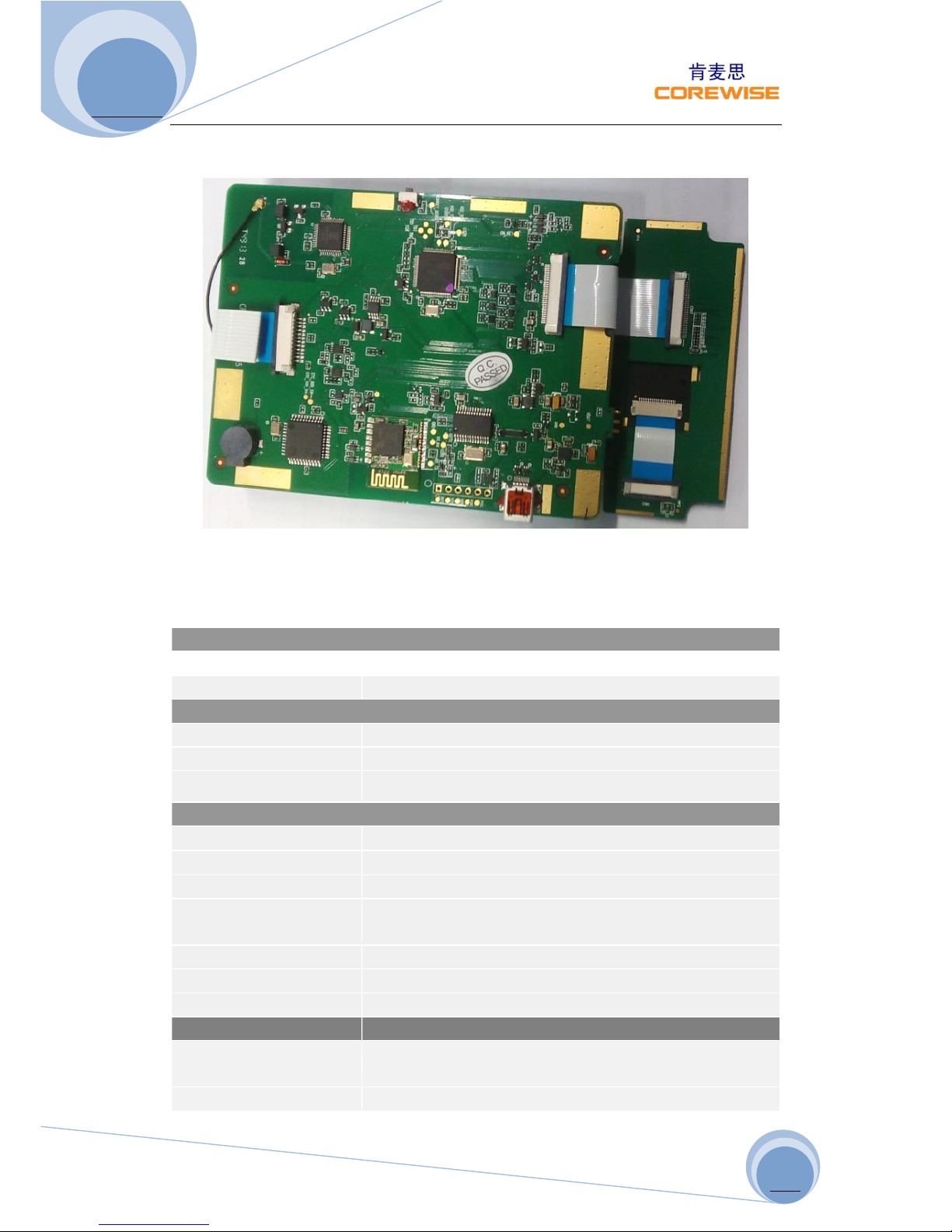
CR30 PCBA (Printed Circuit Board Assembly)
Technical Specifications
Technical Specifications
Physical Indices
Dimensions
152*87*27 (mm)
Weight
300g
RFID Parameters
Reading Range
3~5 cm
RFID Frequency
13.56Mhz, High Frequency
RFID Protocol
ISO/IEC 14443 Type B
Biometric Parameters
Fingerprint Sensor
Capacitive, 508DPI
FAR
<0.0001%
FRR
<0.01%
Matching & Verification
Time
<1s
Storage
1000pcs Fingerprint Images (max.)
Sensor Size
10.4*14.4 mm (small), 12.8*18.0mm (large)
Durability
1mn times (press, capture, or verify)
Developing Kits & Ports
Portable Computer or
Desktop
Microsoft Win98/2000/XP/Win7 OS
Pocket Terminals
Google Android OS
Page 4
CR30 User Manual
http://www.corewise.cn
2014
4
Programming Tools
Support VS etc
I/O Ports
10-pin mini USB, RS232
Bluetooth
BT2.0, 10m
Battery
2000mAh, 3.7V
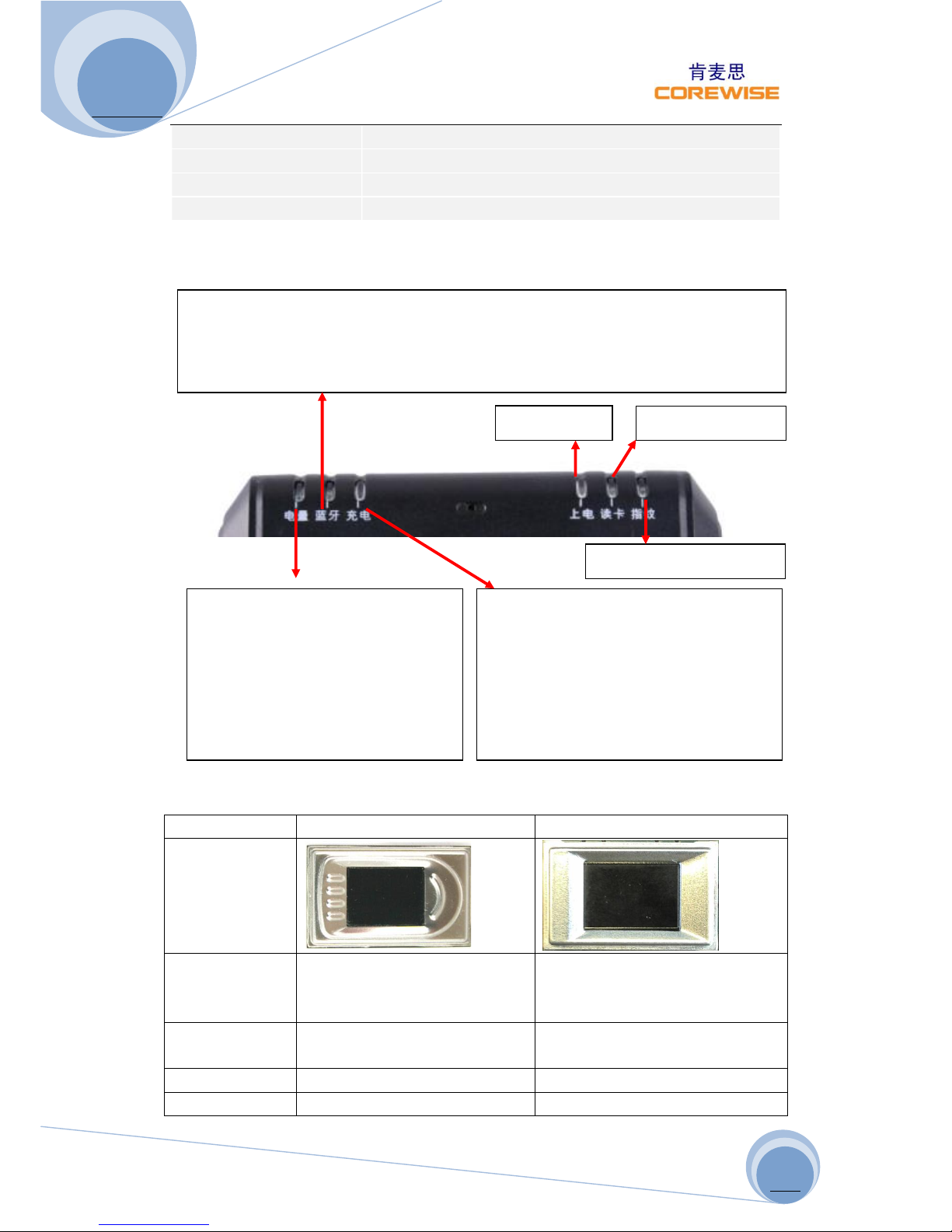
Indicators
Fingerprint Sensor
TCS2SS
TCS1ST
Picture
Vendor
AuthenTec Inc. (On 27 July
2012, AuthenTec was
acquired by Apple Inc.
AuthenTec Inc. (On 27 July
2012, AuthenTec was
acquired by Apple Inc.
Size
10.4*14.4mm array (imaging
area)
12.8*18.0mm array (imaging
area)
Type
Capacitive touch chip
Capacitive touch chip
DPI
208*288pixel array, 508DPI,
256*360pixel array, 508DPI,
Battery Indicators
Red Light: battery low, <3.4V till
battery used up and power off
Red Flash: battery 3.4~3.65V
Blue Flash: battery 3.65~3.94V
Green Flash: battery 3.94~4.2V
Bluetooth Indicator
When power on, Bluetooth indicator flashes in blue. If connected to other
devices successfully via Bluetooth, then Bluetooth indicator remains light
on. If disconnected, Bluetooth indicator flashes again.
Charging Indicator
Suggest to charge when battery
<3.98V, insert USB charger, “blue
light” shows charging status. When
battery reaches 4.2V, battery shows
green light and charging indicator
extinct.
Power On
RFID Indicator
Fingerprint Indicator
Page 5
CR30 User Manual
http://www.corewise.cn
2014
5
8bits per pixel
8bits per pixel
Lifetime
4M finger placements
4M finger placements
Imaging Mode
<=20mA @ 5.0V
<=20mA @ 5.0V
Standard IM
Supply
4.4V to 5.5V
4.4V to 5.5V
EIM Modes
Supply
4.5V to 4.6V
4.5V to 4.6V
Operating
Temperature
-30 ºC to +85 ºC
-30 ºC to +85 ºC
Storage
Temperature
-40 ºC to +85 ºC
-40 ºC to +85 ºC
Compliant
RoHS, FIPS 201
RoHS, FIPS 201
Caution: The sensor surface is hard and extremely robust and will withstand
years of normal wear-and-tear. However, do not subject the sensor to sharp or
hard objects since this might cause permanent damage. Cleaning should be
done with a lint-free cotton textile. Do not subject the sensor surface to
mechanical force.
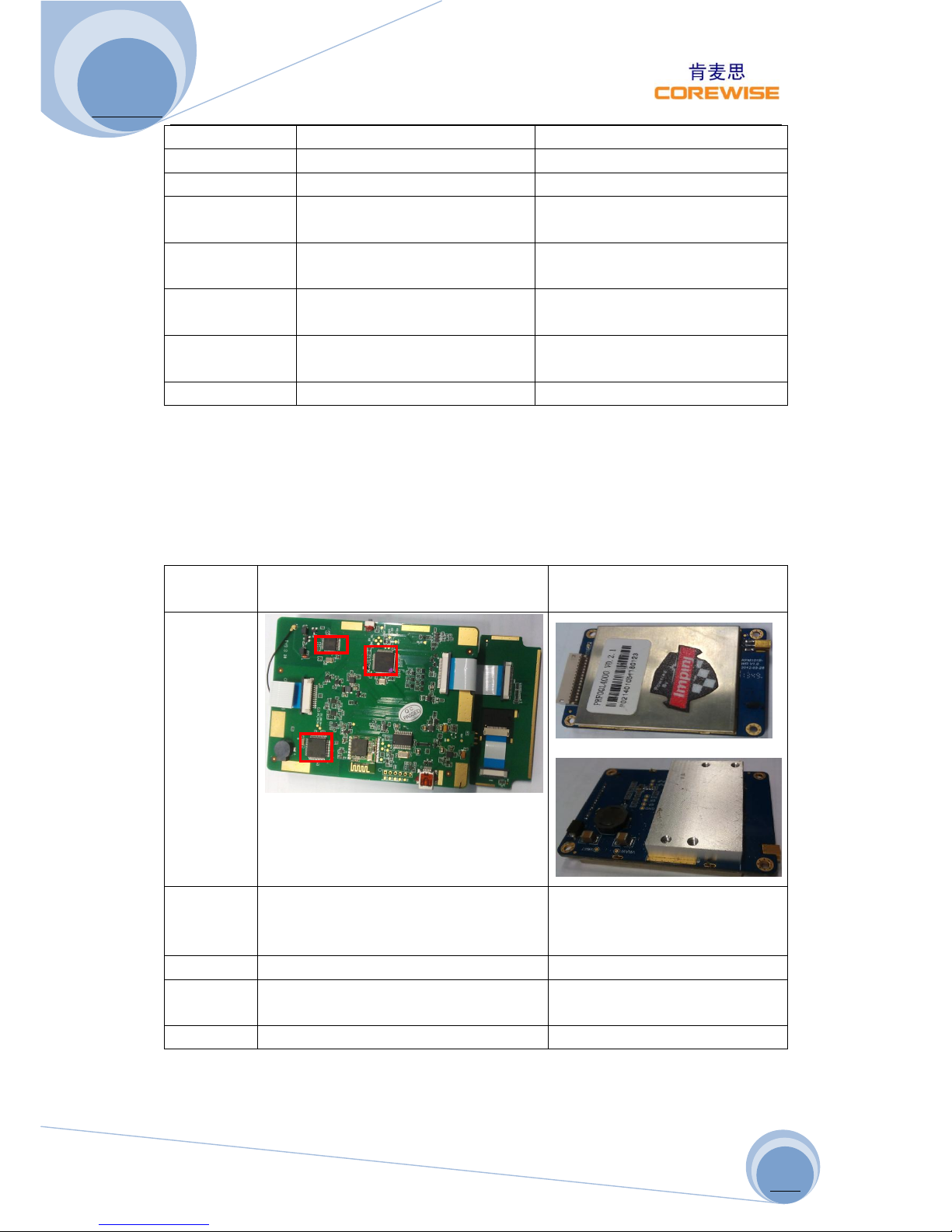
RFID (Radio-Frequency Identification)
High Frequency (HF)
Ultra-High Frequency
(UHF)
Picture
Bands
13.56Mhz(HF)
865-868 MHz (Europe)
902-928 MHz (North
America)
Range
10cm-1m
1-10m
Standard
s
ISO/IEC 14443 Type A, ISO/IEC
14443 Type B, ISO/IEC 15693
ISO18000-6C
Vendor
Corewise
Impinj R2000
Page 6
CR30 User Manual
http://www.corewise.cn
2014
6
Applications
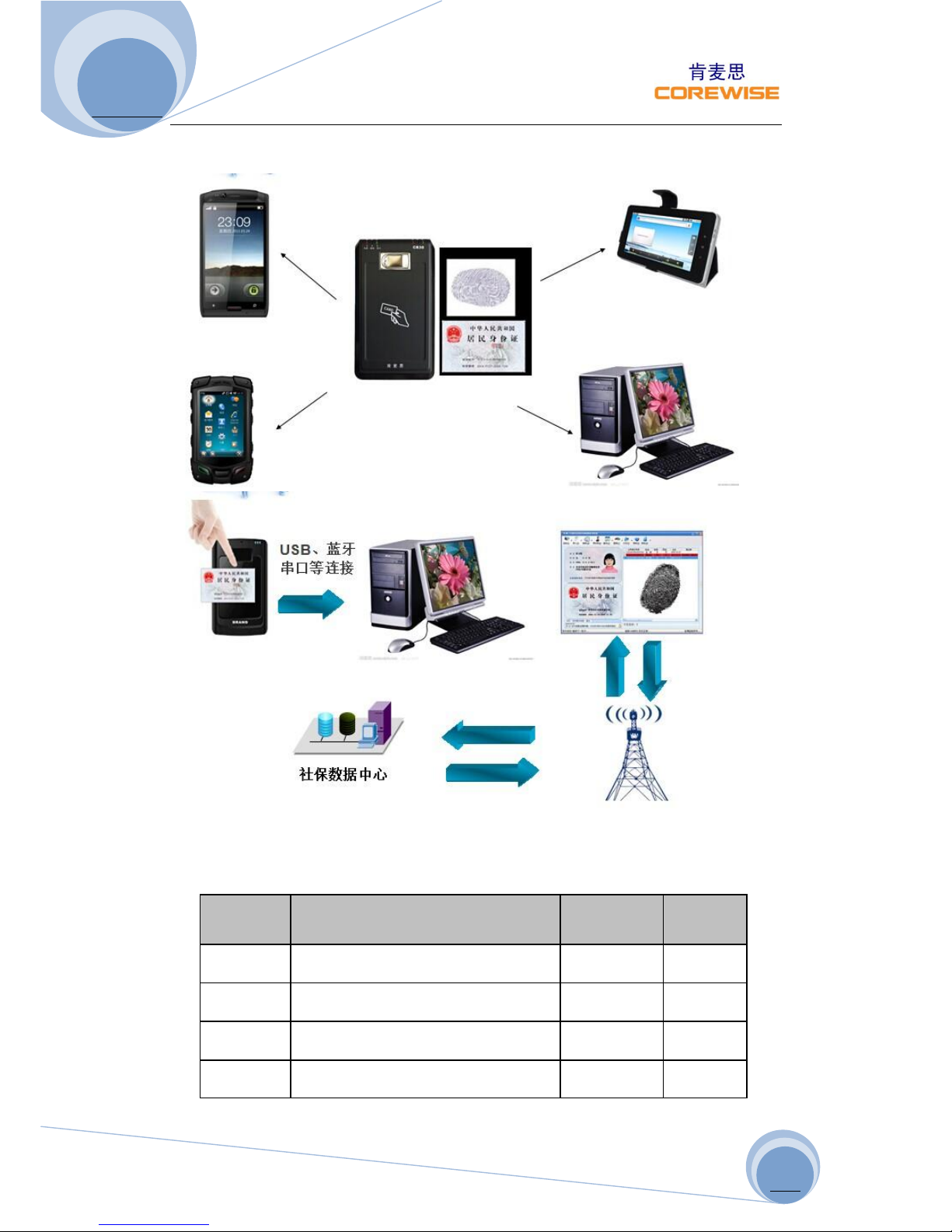
Our device CR30 can be connected to PC, mobile phones, desktop computers,
UMPC and so on smart devices via USB cable or Bluetooth. It can be utilized
in various scenarios, e.g. mobile attendance checking, identity verification for
exams/driving tests/ insurance beneficiary, etc.
Step 1: Take an Impression of a Fingerprint
Fingerprint impression is captured by our CR30 and stored temporarily in the
device itself (max. 1000pcs images).
Step 2: Transmit Captured Images to Backend Server
Page 7
CR30 User Manual
http://www.corewise.cn
2014
7
The captured images in the device can be transmitted to other devices or
backend server via USB cable or Bluetooth afterward.
Packing List
S.N.
Items
Unit
Qty
1
Reader Device
Set
1
2
Charger
Set 1 3
Manual
Set
1
4
Warranty Card
Piece
1
 Loading...