

Page 1
Your new Coomber
Accessorise your Coomber
We also produce a comprehensive range
of accessories that can help you get more
from your Coomber:
Please contact
Coomber
to place your
order now!
…….………………………………………………... .………………………………………………………..
Connecting to your Coomber
Controlling your Coomber
Product Instruction Manual
3321 &3325 CD Player
41330 Headphones
1819 Carry Bag
1999 iPod Lead
The menu oers some useful extra features,
accessed using the LCD screen and the
menu, standby/select and volume keys.
• Connecting to the stereo line input mutes the
CD sound if playing.
• Connect headphones with a 6.3mm jack
plug to the master socket to cut sound to the
ll loudspeakers.
• Connect up to six pairs of headphones.
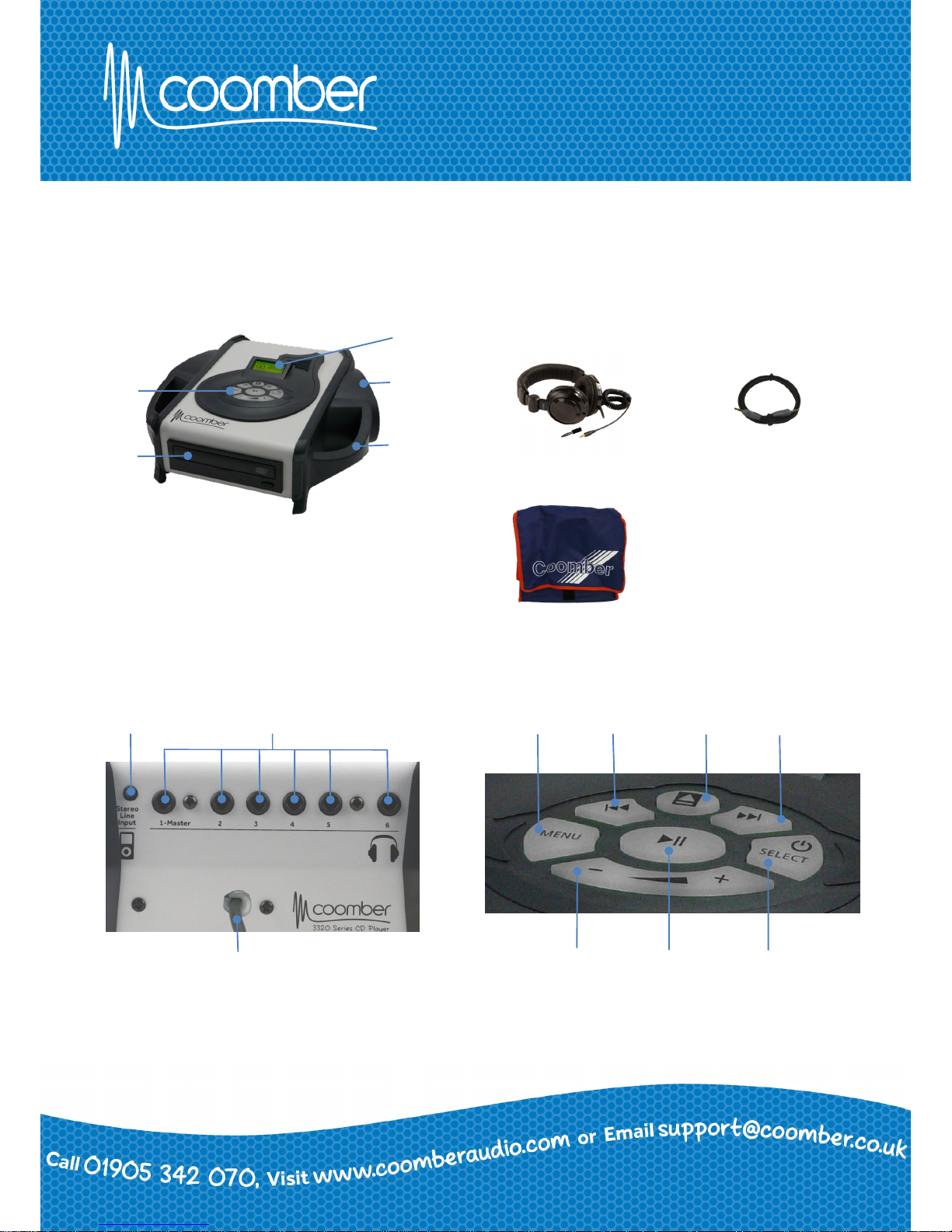
Control
Panel
LCD Screen
Speaker
Carry Handle
CD
Drive
Power lead
Stereo Line Input
Headphone outputs
Next Track
Menu
Previous Track Stop/Eject
Play/Pause Standby/Select - Volume +
Page 2
………………………………………………………..
See Website for Full Safety Information
• Do not use in conned space.
• This unit requires 24V DC only 2.7A max.
• All Coomber equipment is covered by a 12 months warranty against
defective components or faulty manufacture from date of dispatch.
• Any modications to or misuse of the equipment renders this warranty void.
• Equipment that is security marked or damaged cannot,
under any circumstances, be exchanged.
• We reserve the right to change products and specications without notice.
Product Instruction Manual
3321 &3325 CD player
……………………………………………………….
• Connect external power supply to the input.
• Connect to the mains and switch on at the socket.
Power connection
Tone & Balance
……………………………………………………….
………………………………………………………..
………………………………………………………...
………………………………………………………..
………………………………………………………..
Stand by
• Press and hold standby/select to put the
CD player into energy saving standby mode.
The button will glow red.
• Press the standby/select button again to start
the CD player again.
Repeat options
Insert or eject a CD
Working with the menu
Cue & review
• Press stop/eject on the keypad to
open the CD tray.
• Insert CD printed side up.
• Press stop/eject again or push the
tray lightly to make it close.
You can also use the CD drive button to open or close the tray.
• Press menu to show available options.
• Use the volume button to move down
or up through the menu.
• Press standby/select to select a
highlighted option.
• Press menu again to exit without
making any changes.
• When playing a CD, cue can be selected to
help nd a particular part of a track.
• Press menu, highlight & select cue mode.
• Pressing the volume buttons now allow you to
move forward and backwards through the track
as it plays.
• To cancel, press menu, highlight & select cancel
cue.
Cue also works in pause mode. A particular point can be located by reading the time elapsed counter in the display.
• Press menu, highlight and select tone & balance.
• Highlight and select treble, bass, mid range
or balance.
• Pressing the volume buttons now allow you to
adjust the selected option.
• Press menu, highlight and select repeat options.
• Highlight and select from no repeat (default
setting) repeat track or repeat disc.
The tick indicates the option currently enabled.
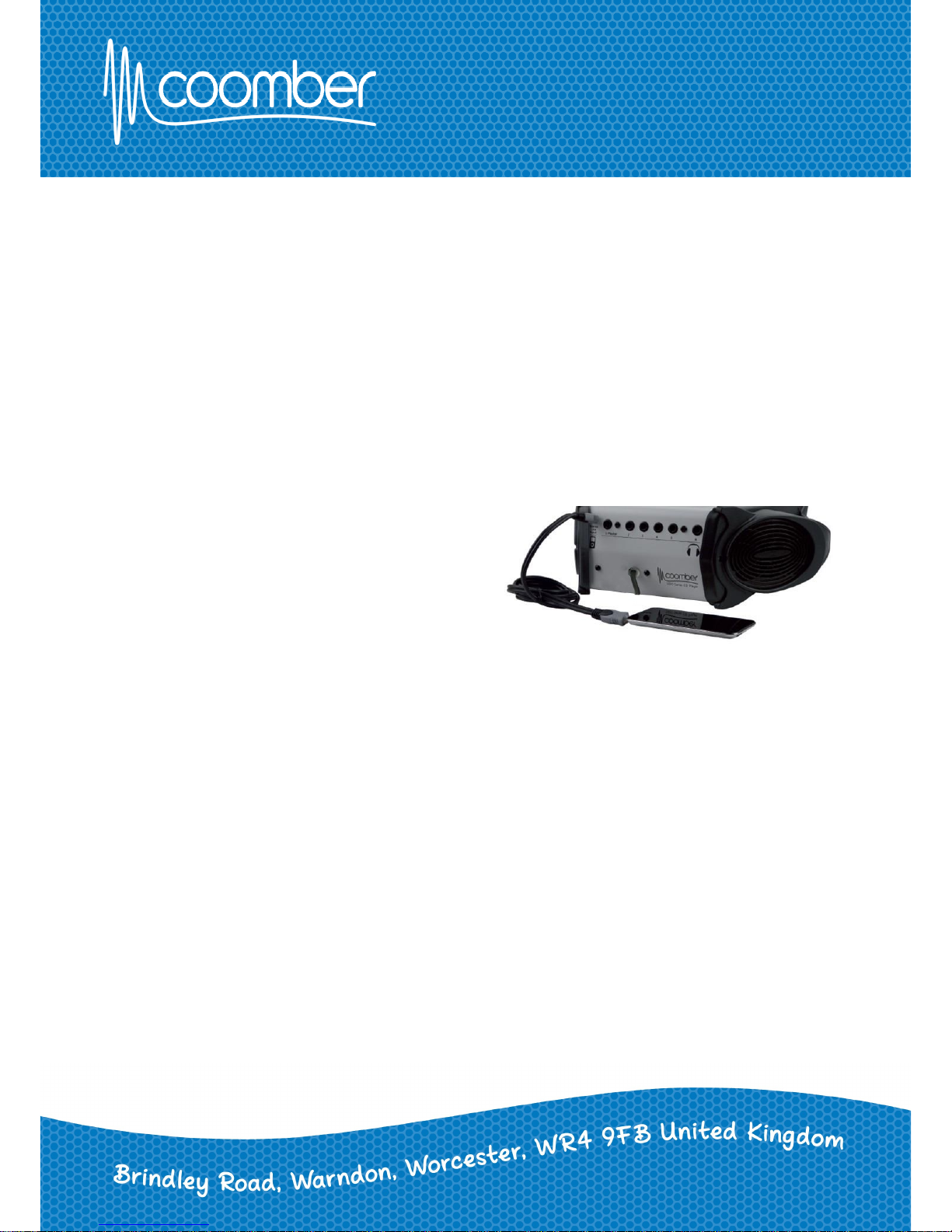
• Using a 3.5mm mini jack plug lead connect the
headphone output of the external device to the
stereo line input. (Coomber part no. 1999).
• Use the external device to play and adjust the
volume after it is plugged in.
• You can adjust the tone & balance and volume
using your Coomber.
• You can connect headphones to turn your
external device into a listening centre.
Keypad controls & menu features will not control your
external device.
Connecting an iPod or
External audio device
 Loading...