

Page 1

Compact Player
User Manual
Page 2

2
Table of Contents
............31 HAZARD WARNING
............52 COMPACT PLAYER
Page 3
3
1 HAZARD WARNING
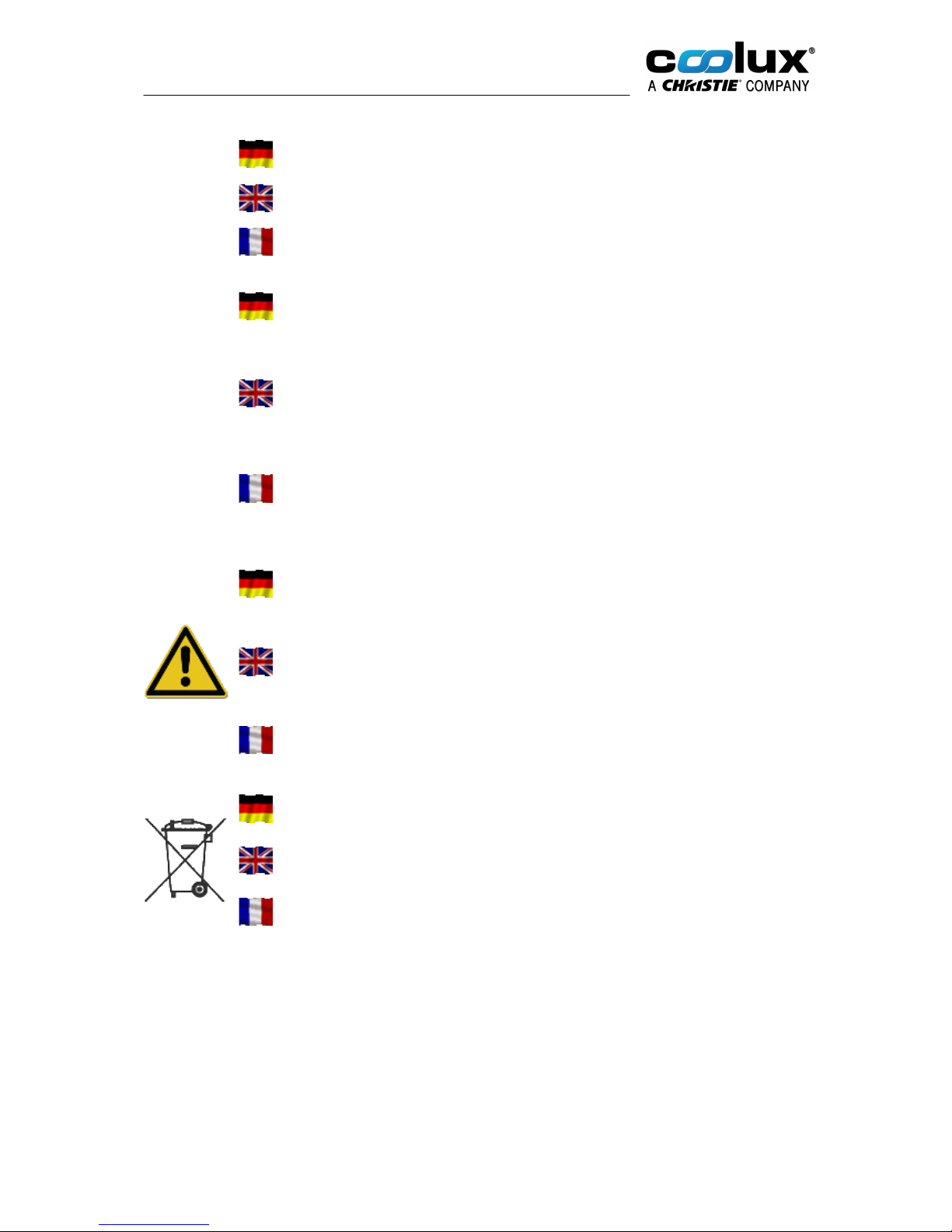
Dieser Warnhinweis ist Bestandteil des erworbenen Pandoras Box Produktes.
This warning note is part of the Pandoras Box product that you have purchased.
Cet avertissement fait partie du produit Pandoras Box que vous avez acheté.
Gefahrenhinweise:
Betreiben Sie das Gerät nur in Innenräumen und vermeiden Sie den Einfluss von
Feuchtigkeit,Staub sowie Sonnen- oder andere Wärmebestrahlung. Öffnen Sie
das Gerät nicht, es enthält keine durch den Anwender zu wartenden Teile.
Hazard information:
This device is to be operated indoors only and to be kept away from the influences
of humidity,dust and sunshine or other radiating heat sources. Do not open the
device. It does not contain any parts to be maintained by the user.
Avertissements de danger:
Installez l'appareil dans un endroit à l'abri de la chaleur, de l'humidité et de la
poussière. N'exposez pas l'appareil directement aux rayons solaires ou à des
sources de chaleur telles que radiateurs, fours, etc. Ne pas ouvrir l’appareil, il
contient aucun composant a maintenir par l’utilisateur.zzz
Vorsicht!
Explosionsgefahr bei unsachgemäßem Austausch der Batterie. Ersatz nur durch
den denselben oder einen vom Hersteller empfohlenen gleichwertigen Typ.
Entsorgung gebrauchter Batterien nach Angaben des Herstellers.
Caution!
Risk of explosion if battery is replaced by an incorrect type. Dispose of used
batteries according to the instructions.
Attention! Il y danger d’explosion s’il y a replacement incorrect de la batterie.
Remplacer uniquement avec une batterie du meme type ou d’un type équivalent
recommandé par le constructeur. Mettre au rebut les batteries usagées
conformément aux instructions du fabricant.
Verbrauchte Batterien gehören nicht in den Hausmüll! Entsorgen Sie diese in Ihrer
örtlichen Batteriesammelstelle!
Used batteries are not to be disposed of with the house-hold waste! Please
dispose them at your local battery collection point!
Ne pas jeter les piles aux ordures menageres (loi relative aux piles et accu).
Veuillez rapporter vos piles usagees dans un centre de collecte agree.
Page 4

4
Entsorgungshinweis:
Gerät nicht im Hausmüll entsorgen! Elektronische Geräte sind entsprechend der
Richtlinie für Elektro- und Elektronik-Altgeräte über die örtlichen Sammelstellen für
Elektronik-Altgeräte zu entsorgen.
Instructions for disposal:
Do not dispose off the device as part of household garbage! Electronic devices are
to be disposed of in accordance with the guidelines concerning electrical and
electronic devices via the local collecting point for old electronic devices.
Instruction pour l’ élimination des dechets:
Ne jetez pas l’appareil en fin de vie avec les ordures ménagères, mais déposez-le
à un endroit prévu à cet effet par les pouvoirs publics pour son recyclage.
Dieses Gerät darf nur unterhalb von 2000m Höhe genutzt werden.
This device may only be used lower than 2000m altitude.
Ce produit est seulement utilisable à une altitudes inférieures à 2000m.
Dieses Gerät darf nicht in Tropenregionen genutzt werden.
This device may only be used in non-tropical regions.
Ce produit est seulement utilisable dans les régions non tropicales.
Page 5

5
2 COMPACT PLAYER
The Compact Player is a software and hardware based solution for show control and video processing.
When looking at the Pandoras Box product family, the Compact Player can be found in the Pandoras
Box "Player" product range. Like all Players, the Compact Player is an upgradeable model featuring a
real-time 2D compositing engine for image and video playback. The guaranteed playback performance is
2 x 1920x1080 for MPEG2 or DDS image sequence.
Its distinctive hardware feature is its size: the Compact Player is only one rack unit high and roughly half
19" wide. The Compact Player software variations define the number of outputs. The option of zero
outputs is of interest when you require hardware for backup scenarios or for software products like the
Manager or Widget Designer or others.
For more information regarding the Pandoras Box product structure, please see the chapter "Product
Overview" in the Pandoras Box manual. It also includes links to chapters that explain the different
software solutions and possible hardware accessories. We offer specialized interfaces for SMPTE I/O,
DMX, serial and sensor control.
Drivers
All drivers are preinstalled on the system. Also, software like the PB Menu is preinstalled. Please check
the Download-Center for drivers, software updates and more documentation.
PB Menu
There is software pre-installed on Pandoras Box hardware called the PB Menu. It starts automatically
when booting. It covers the Windows desktop and consists of a few buttons that give access to the most
needed actions, e.g. starting the master or client software, opening the Windows Explorer (File
Browser).
The PB Menu includes another software called the VNC Remote, or simply Remote. With that software
you can establish a VNC connection to another computer that is in your network. The other computer
needs to have a VNC client running to pick up the connection. If there, PB Menu is started, it
automatically does this for you. You enter the according IP address and see the desktop of that
computer. Now you can click your local mouse and use the local keyboard to interact with the remote
desktop.
For more information see the according topics in the main manual.
Product Specifications
Operating system: Windows 8.1
Microprocessor: Intel i5 processor
SSD drives: depends on hardware edition, i.e. LT - 480GB, STD - 960GB, PRO - 1900GB
USB ports: 4x USB 3.0 ports (1x internal, 3x front and rear panel)
LAN: 2x 1 Gigabit Ethernet ports
Audio*: Optical S/PDIF output; stereo analog audio output and microphone input
Graphics card: NVIDIA GeForce GTX 750 Ti
Product Size: 210mm x 172mm x 42mm (one rack unit high and roughly half 19" wide)
Power: DC 19.5V/120W with an external power supply unit
* Regarding audio support, the Compact Player license includes ASIO Tracks. Eventhough the
hardware does not natively support ASIO, it is possible to install the ASIO4ALL driver. When using this
driver, we cannot guarantee perfect synchronization. Audio playback on Video Layer (with MP3, WMA,
WAV format and embedded sound) is supported.
Page 6
6
Compact Player Hardware
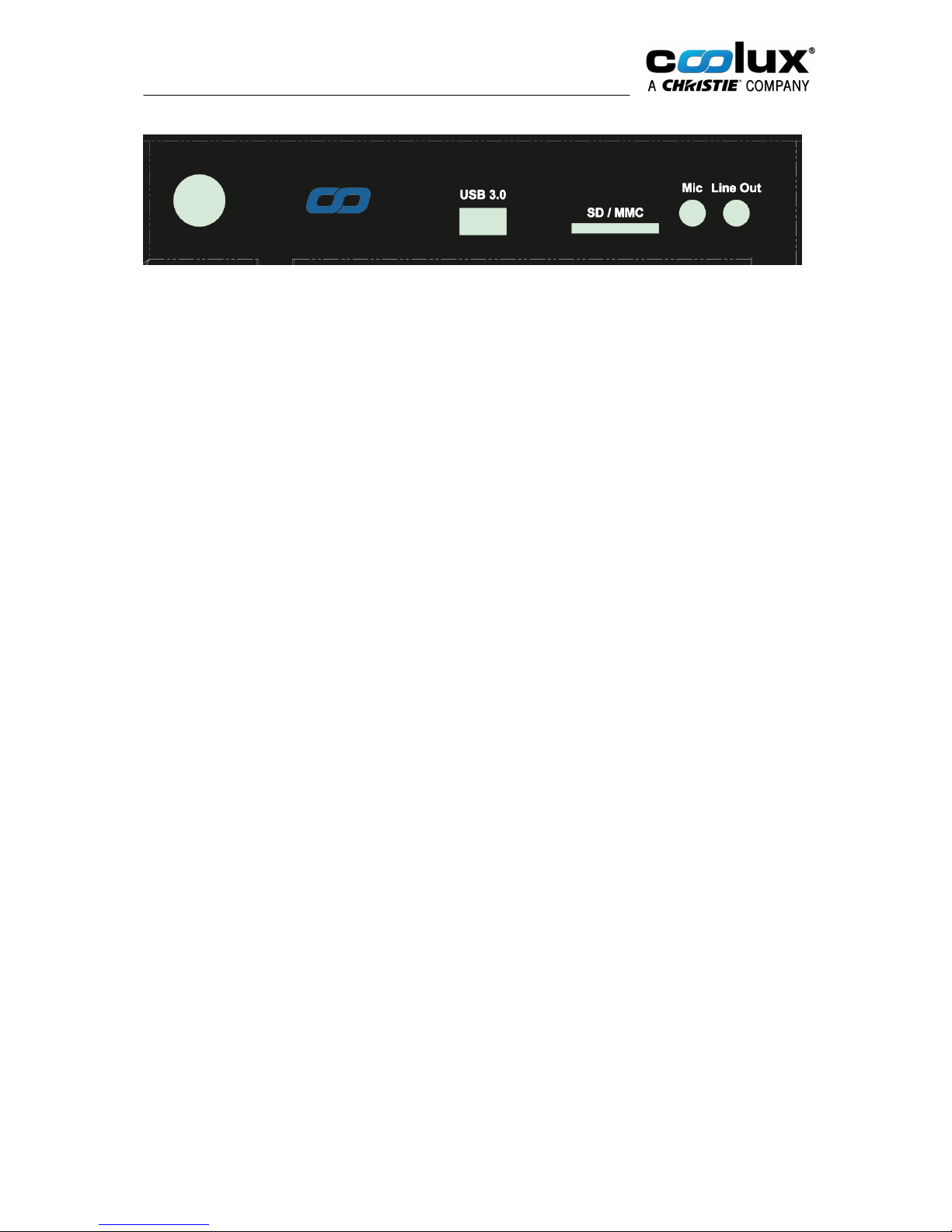
Front view, connections from left to right
Power switch
The power switch allows powering on and off the system.
Press the power button after connecting the supplied PSU to the power jack on
the system rear panel. Note that the button's back light LED lights up when the
system is on.
USB 3.0 port
Connect USB devices such as external hard drives, SSDs and flash drives to this
port. The USB 3.0 port supports SuperSpeed USB 3.0 devices and is backwards
compatible with USB 2.0/1.1 devices.
Memory card slot
The built-in memory card reader reads SD/SDHC/SDXC/MMC cards.
Microphone jack
Connect a microphone to the microphone jack (3.5mm).
Headphone/
Audio Out jack
Connect amplified speakers or headphones to the stereo headphone jack
(3.5mm) and receive the system’s audio output signal.
Page 7
7
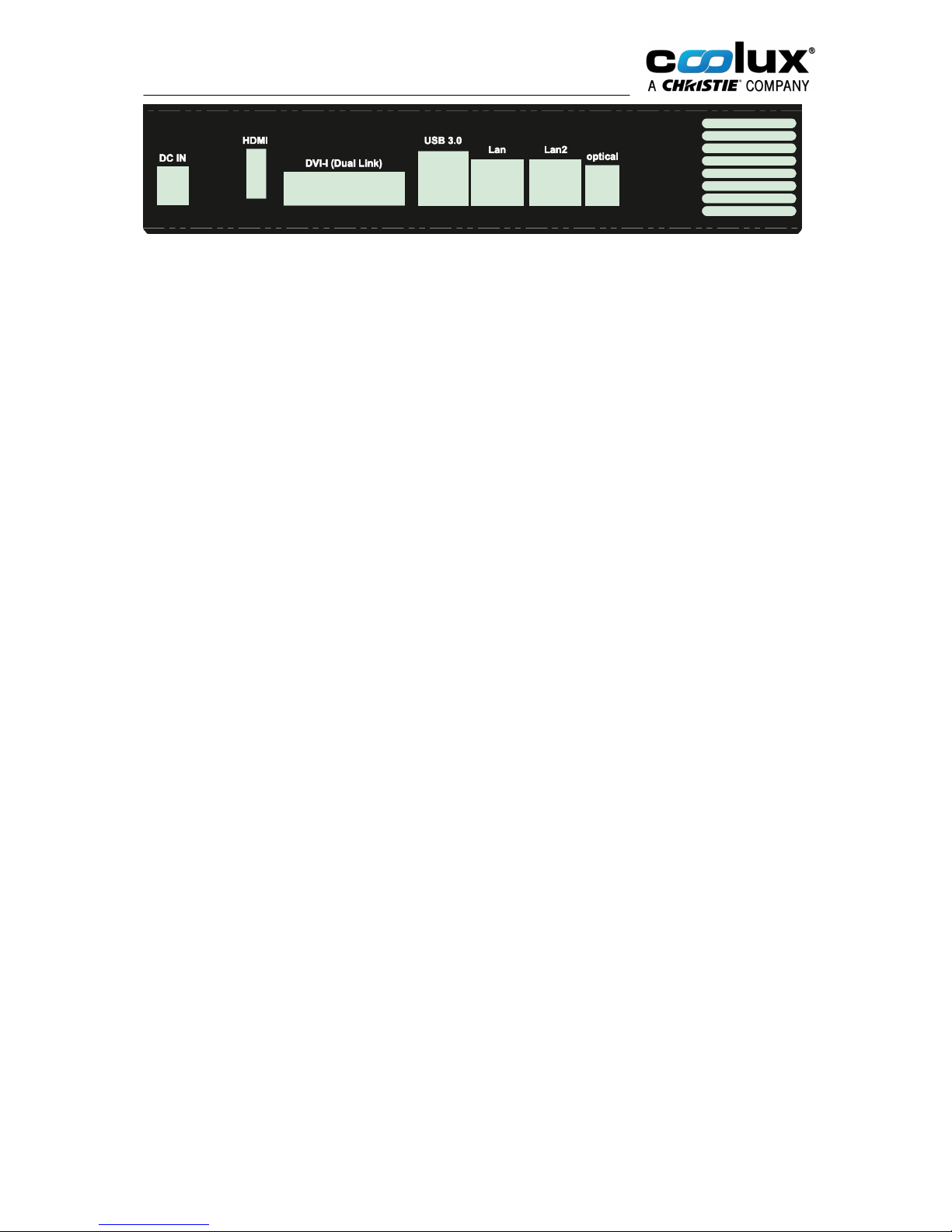
Rear view, connections from left to right
Power input
DC 19.5V/120W
Connect the supplied power adapter to this jack. Then press the power
switch on the front panel to turn on the system.
Please note: To prevent damage to the PC, always use the supplied
power adapter. The power adapter may become warm to hot when in use.
Do not cover the adapter and keep it away from your body.
HDMI port
Connect a digital display device to the HDMI 1.4a port (max. resolution:
4096x2160 @24Hz).
DVI-I port
Connect a digital display device to the DVI-I Dual Link port (max.
resolution: 2560×1600 @60Hz).
2x USB 3.0 ports
Connect USB devices such as external hard drives, SSDs and flash drives
to this port. The USB 3.0 port supports SuperSpeed USB 3.0 devices and
is backwards compatible with USB 2.0/1.1 devices.
Ethernet ports
Connect a network router, hub or switch or another computer to this port.
The eight-pin RJ-45 LAN port supports standard Ethernet cable for
connections to local area networks (LAN) with speeds of
10/100/1000Mbps.
Optical (S/PDIF out) jack
Connect digital audio receivers and speakers to the optical S/PDIF output.
 Loading...