

Page 1

Table of C onten t
1 Function Description .........................................................................................
2 How to Setup ....................................................................................................
3 Specifications ...................................................................................................
4 Precaution ........................................................................................................
5 Simple Maintainance .......................................................................................
6 Mechanical Diagram ........................................................................................
1
1
1-3
3
3
4
Page 2

1. Function Description
This power supply is designed for personal computer. There are seven DC outputs:
+3.3V, +5V, +12V1, +12V2, +12V3, -12V & +5V
, and it provides power to all
SB
computer systems and peripherals with maximum protection.
Here are some of the key features:
●
Full Range Input Voltage (OPTIONAL)
●
Active Power Factor Correction(OPTIONAL)
●
Surge Current Protection
●
Input Transient Voltage Protection
●
Over Voltage Protection
●
Over Load Protection
●
Short Circuit Protection
●
Low noise design ***
Compare with the conventional power supply which hires 80mm fan
assembled at the side of chassis, the power supply is assembled with a
120mm fan horizontally located at the top chassis, with bigger fan blade,
and just right assembly location, it cools down the heating components
more effectively, and much low noise also gained.
2. How to Setup
It is rather simple to install this power supply to your precious computer tower.
Follow the steps below to finish the setup.
Step1: Open the computer tower cover; put the power supply into the
corresponding location of the tower, and then use right screws
to fix the power supply to tower.
Step2: Put the Main Power Connector, ATX12V Connector, Peripheral
Connectors, Floppy Connectors, PCI-Express Conntector and many
others (when available) to the corresponding male sockets such as
main-board, peripheral devices (i.e. HDD, CDROM etc.) and floppy
drivers respectively. When you connect connectors, please pay
attention to the orientation of them because of the different hole sizes.
Find the proper orientation and push down firmly making sure that
the pins are aligned.
3. Specifications
3.1 Input Requirements
The power supply shall operate as below:
1
Page 3
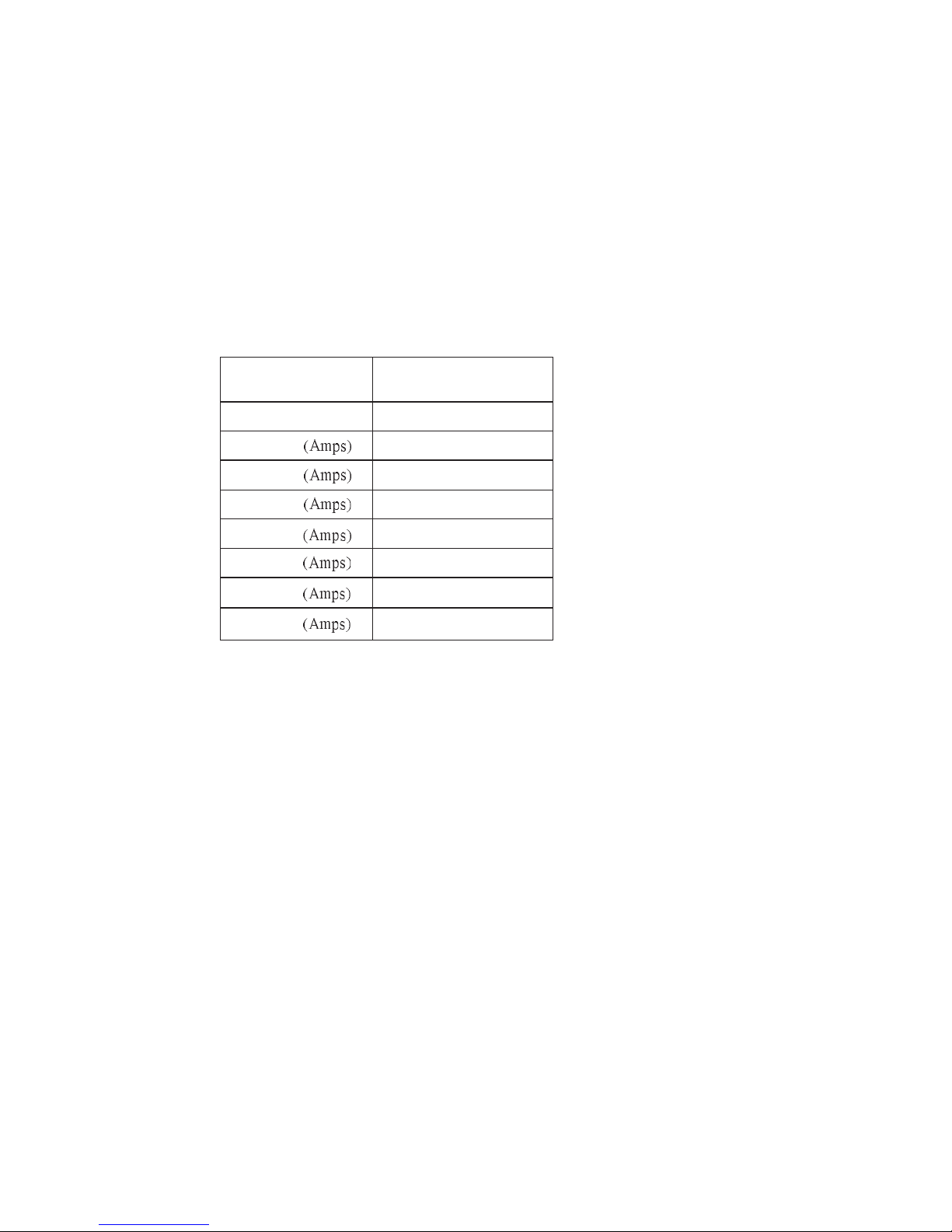
115V(100Vmin.-120Vmax.),
230V (200Vmin.-240Vmax.). 50Hz-60Hz.
3.2 DC Output
Power distribution configuration:
Model NW-450
DC O/P Load Max. 450W
+3.3V
+5V
+12V1
+12V2
+12V3
-12V
+5V
SB
21A
20A
18A
18A
-
0.5A
2.5A
+3.3V & +5V max. 150W; +12V1, +12V2 & +12V3 max. 350W.
3.3 Protection
The power supply itself is designed with short circuit, over voltage and over
load protection functions described as below:
3.3.1 Short Circuit Protection
A short circuit on any DC output will cause the power to latch. The power
supply will withstand a continuous short circuit to the output without damage
or overseers to the unit. The +5V
can be shorted indefinitely and will recover
SB
automatically when the short is removed.
3.3.2 No Load Operation
No hazardous conditions or damage to the supply will occur with all of the DC
output connectors disconnected from the load.
2
Page 4
3.3.3 Over Load Protection
When the total load exceed 130%~160% of the maximum output current, the
power supply shall be latched into the state of shutdown.
3.4 Physical Environment
Operation Conditions
The power supply shall be capable of continuous operation and meet all
electrical specification without need for adjustment when subjected to the
following environmental conditions:
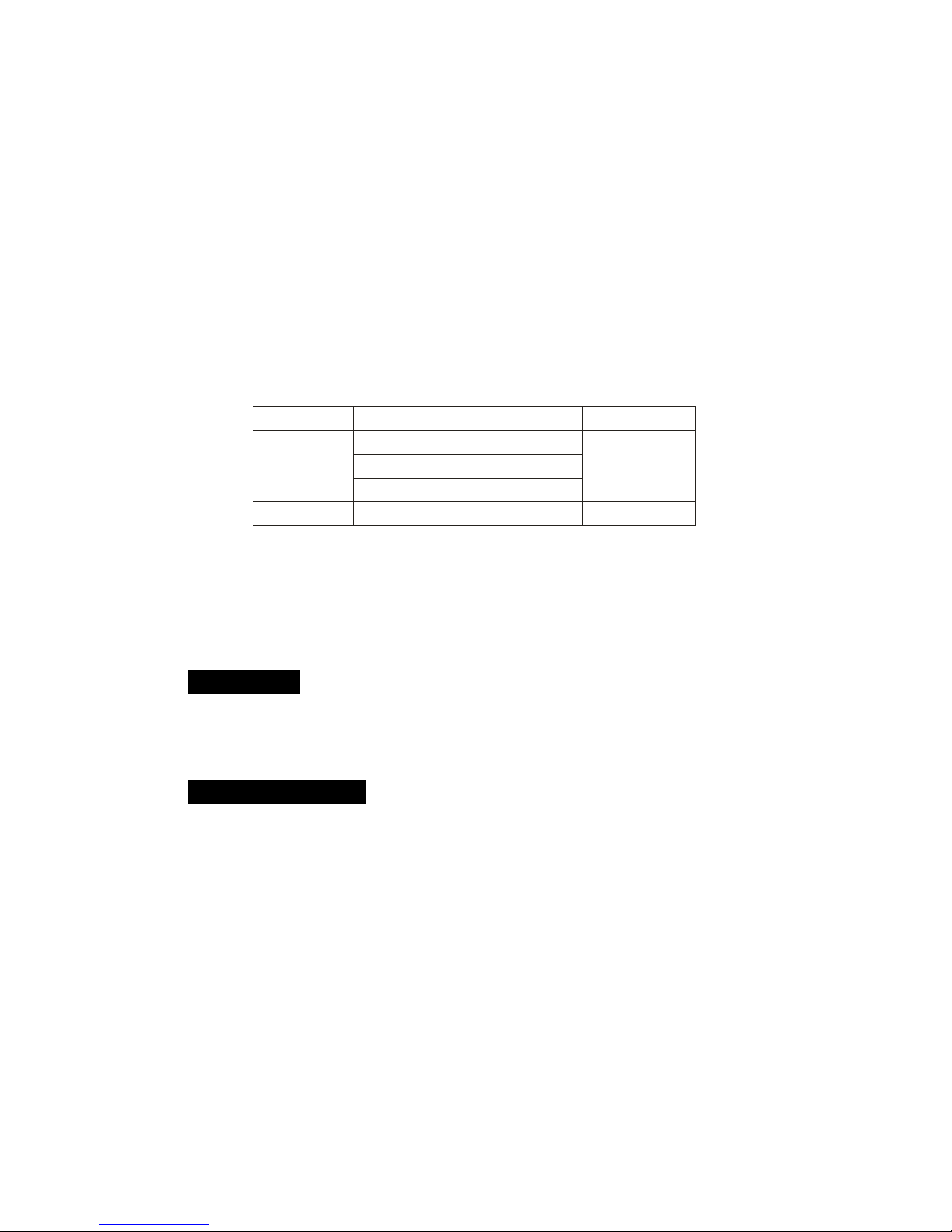
Temp. Vs Load Condition Humidity
0 ~30°C@Full Load
Operation
40°C@90%Rated Load
10%~90%RH
50°C@80%Rated Load
Storage
-20°C ~80°C
5%~90%RH
No degradation of the power supply shall occur during shipping or storage at the
specified condition.
3.5 Regulatory Compliance
Our power supply has been certified to comply with multi-national Safety and EMI.
-- UL, CUL, CSA, TUV, FCC
4. Precaution
Caution: Unauthorized personnel should not do this to avoid electrical shock!
4.1 Do not open the top cover of the power supply case.
4.2 Please keep the power supply from humidity.
5. Simple Maintenance
If power supply cannot work properly, before send for repair, please check the
following items:
5.1 Does power cord indeed plug into electrical outlet?
5.2 Does Input Voltage set in power supply correspond to the main source in
your environment?
5.3 Please check the output connectors plugging in proper direction and connecting firmly.
5.4 Please turn off the power and turn it on for several times, and the interval must
be at least 5 seconds.
5.5 Having checked above items, if the power supply still does not function, please
send it back to your retailer or distributor for repair.
3
Page 5
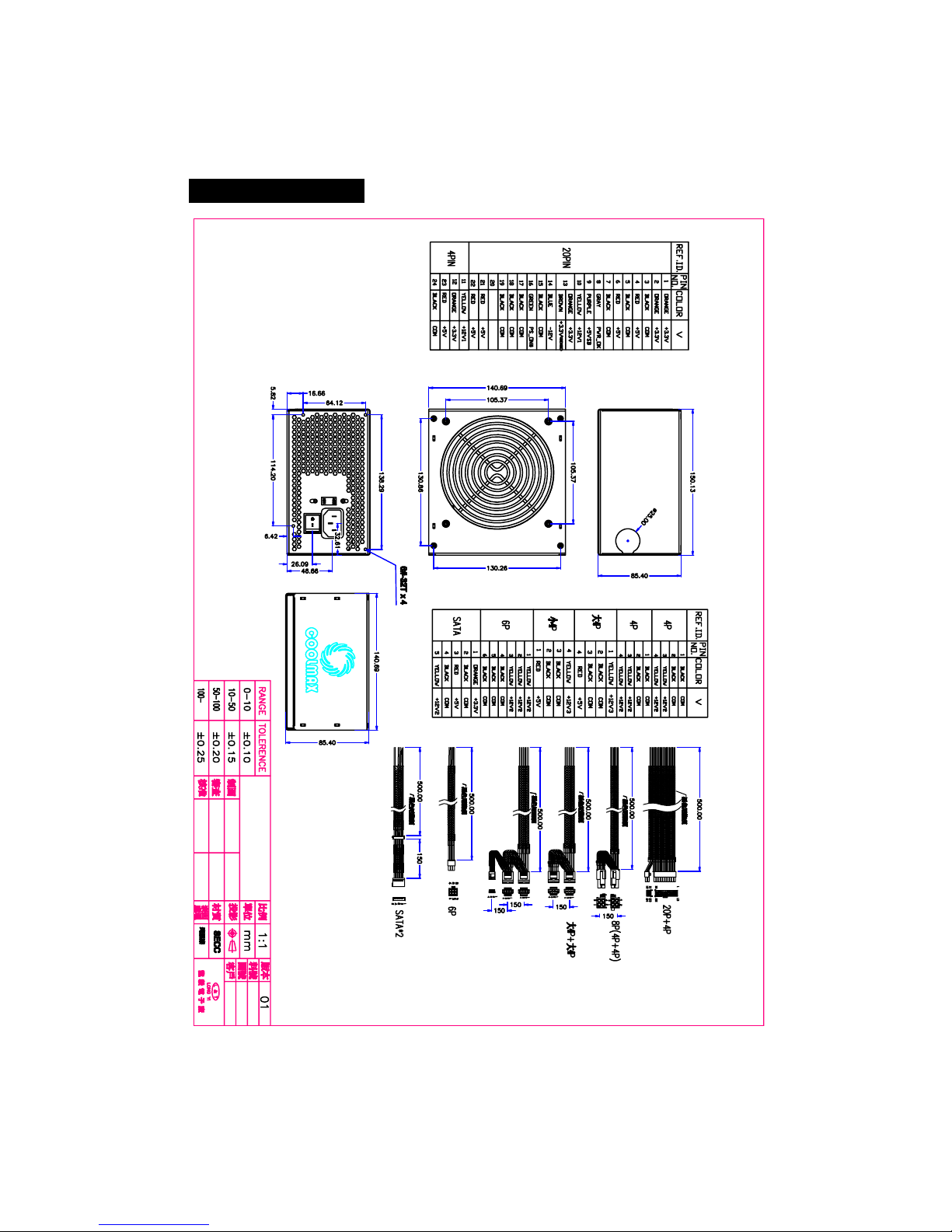
6. Mechanical Diagram
NW-450B
4
 Loading...