

Page 1
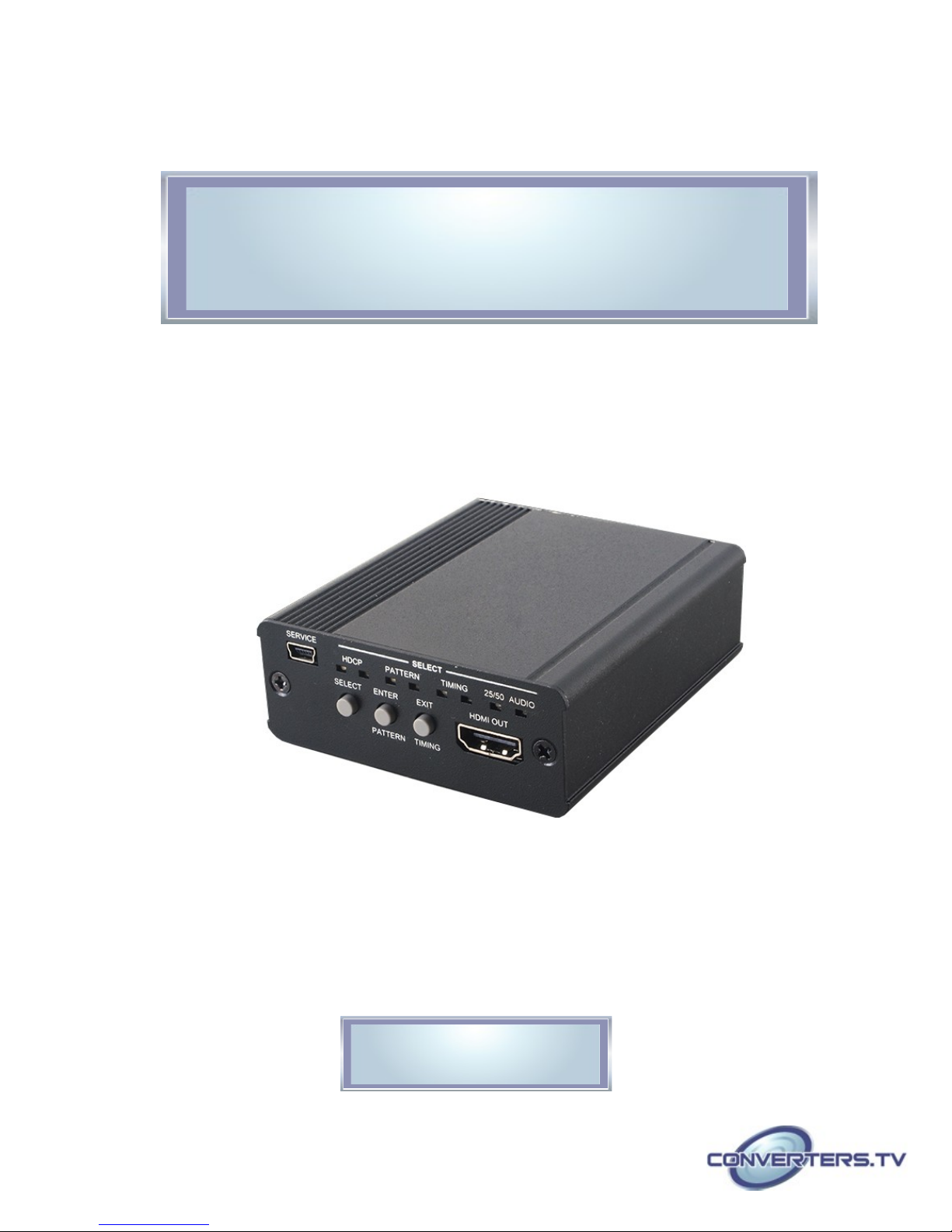
HDMI 6G Audio Bridge with Pattern
Generator - # 15421
Operation Manual
Page 2

Introduction
Applications
Features
The 4K2K HDMI 6G Pattern Generator with Audio Bridge is an advanced
and convenient tool for generating HDMI 6G signals for testing HDMI
devices. With 6 built-in settings covering Ultra HD and Full HD resolutions,
4 test patterns, HDCP (1.4, 2.2 and non-HDCP) and 2 audio types each
providing a large array of test patterns, and incorporates both digital and
analog audio inputs for embedding into an HDMI output. The colorful LED
design allows fast and easy selection of patterns and quick viewing of the
current status.
• Production testing
• R&D design and testing
• HDMI with 4K2K 6G supported and HDCP 2.2 compliant
• Generate HDMI timings up to 6Gbps 4K2K@60
• Generate HDCP v1.4/v2.2 and non-HDCP signal
• Supports external analog stereo and optical digital audio inputs
System
Requirements
Input audio source signals with output HDMI display/monitor and
connection cables.
Page 3
Operation
Controls and Front Panel
Functions
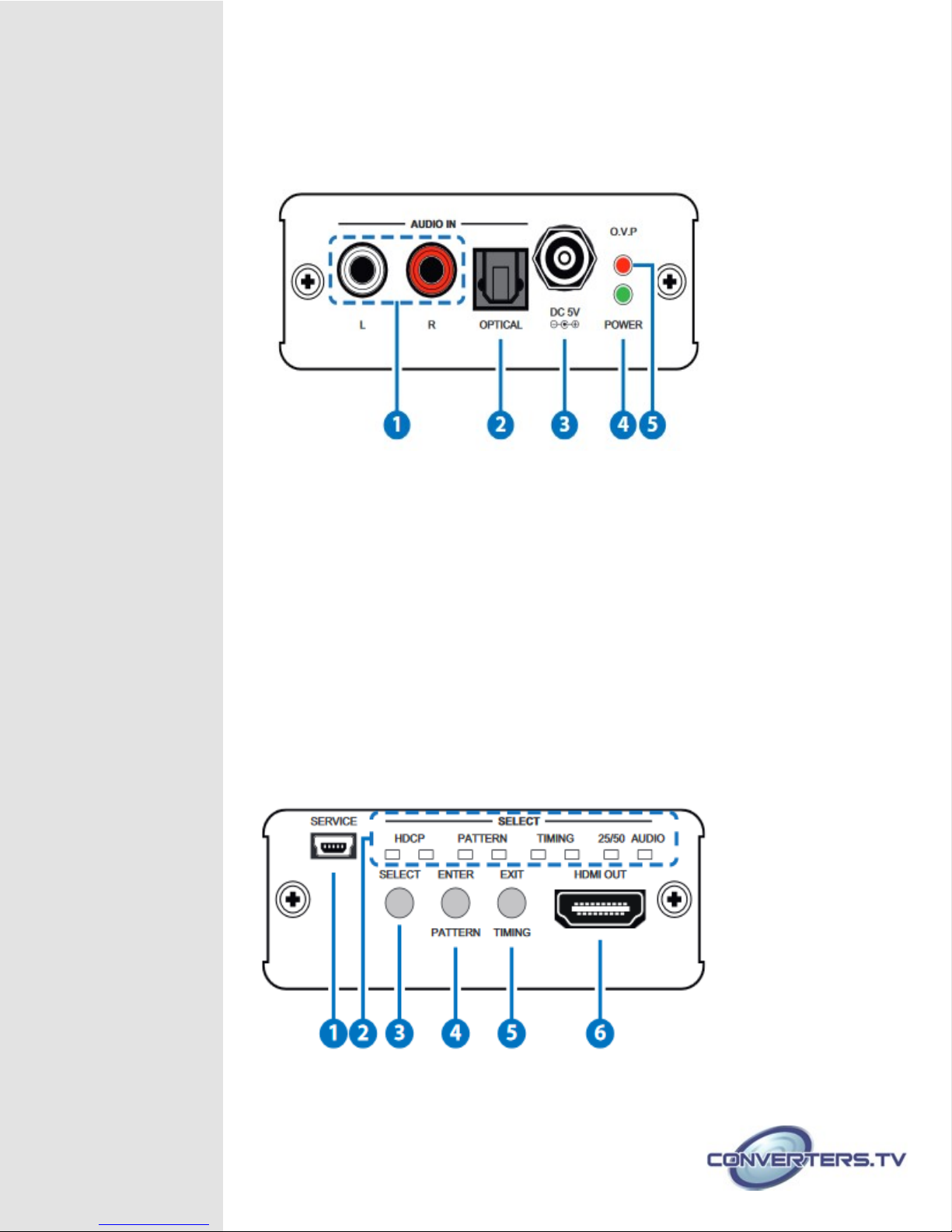
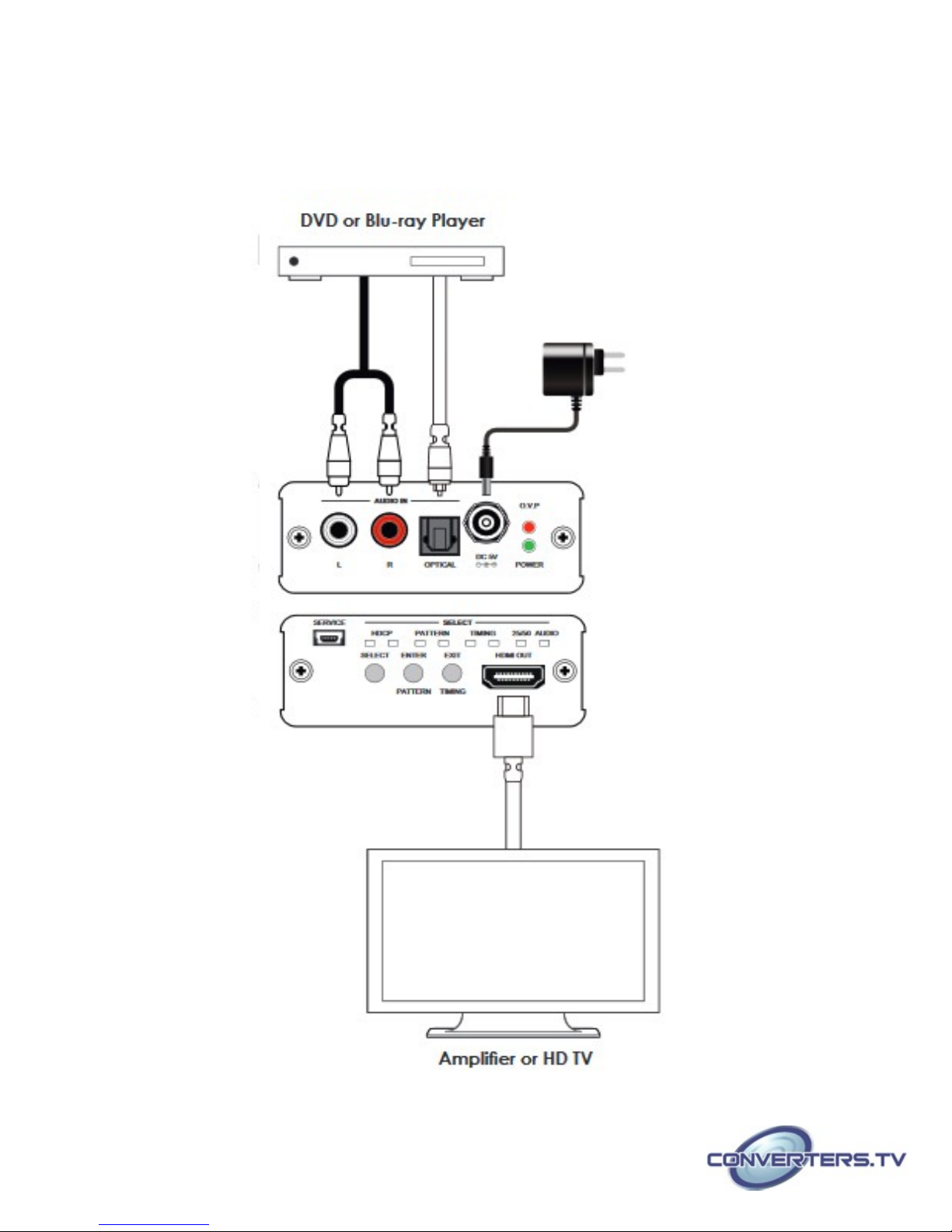
1. AUDIO IN L/R:
Connect from audio source equipment with L/R cables.
2. AUDIO IN OPTICAL:
Connect from audio source equipment with optical cable.
3. POWER:
Plug the 5V DC power supply into the unit and connect the adaptor to an
AC outlet.
4. POWER:
This LED will illuminate when the device is connected with power supply.
5. O.V.P.(Over Voltage Protection):
This LED will illuminate when the input power supply exceed from 5V to
28V and the device will be terminated.
Rear Panel
1. SERVICE:
This slot is reserved for factory use only.
Page 4
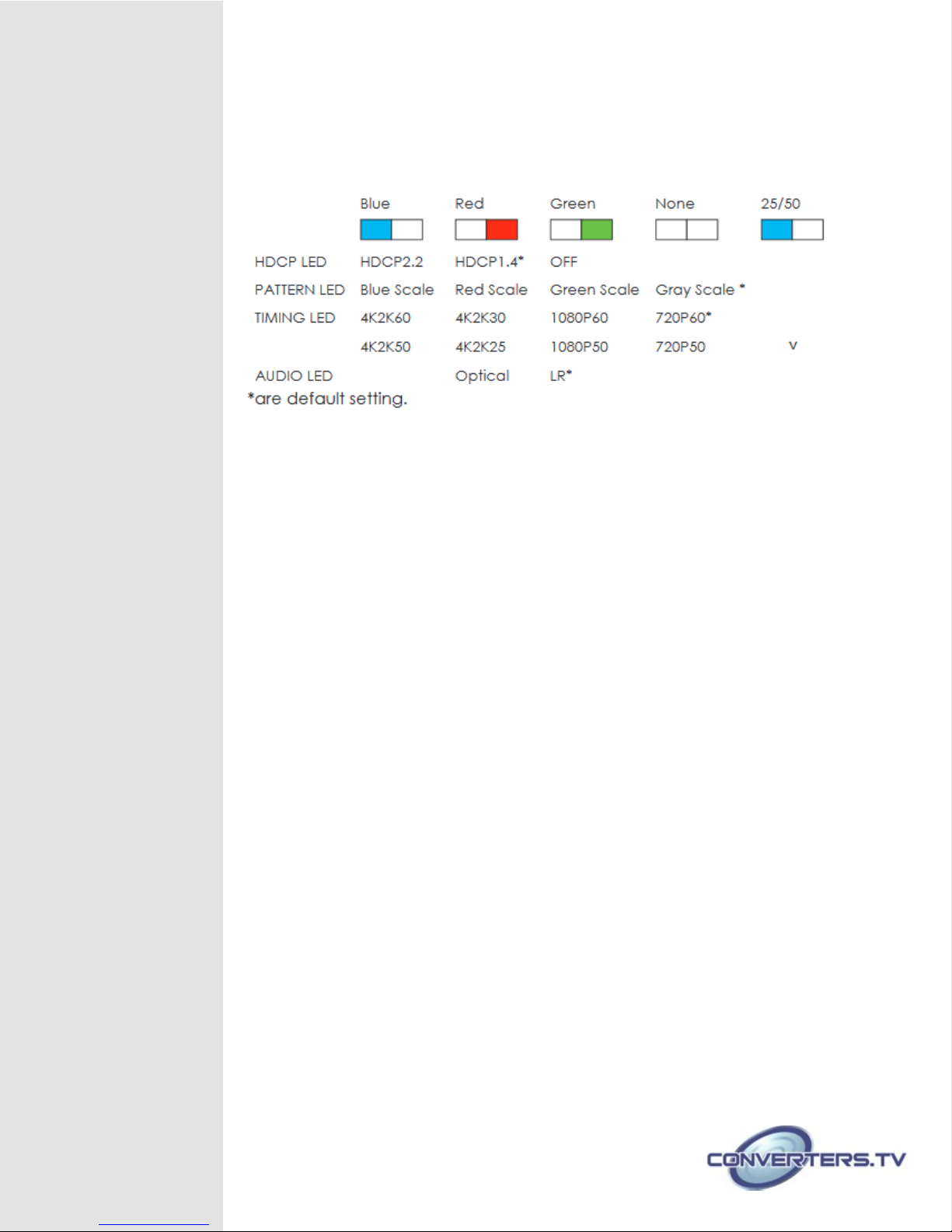
2. SELECT LED:
These LEDs will illuminate according to the selection.
Each selection with 2 LEDs of 3 colors, left LED is blue and right LED are
red or green. Each LED color represent a pattern/timing as below:
3. SELECT Button:
Press this button to enter into selection mode and both LEDs will be
flashing in blue and green. Press again to enter into another selection.
4. ENTER/PATTERN Button:
Press this button to enter into the selection then press the SELECT button
to select and the LED will illuminate in sequence from the default setting,
press ENTER again to confirm the selection. When exit selection mode
press this button to select pattern directly.
For example, to select HDCP 2.2 with blue scale and 4K2K60 timing
from the default setting, press SELECT (to enter into selection)→press
ENTER (to select HDCP) → press SELECT 2 times (to select
HDCP2.2/Blue LED) → press ENTER (to confirm HDCP selection) →
press SELECT again (to enter into PATTERN selection)→ press ENTER
(to select Patter) → press SELECT twice (to select Blue Scale/Blue
LED) → press ENTER (to confirm Pattern selection) → press SELECT
again(to enter into Timing selection) → press ENTER(to select Timing) →
press SELECT 5 times(to select 4K2k60/Blue LED)) → and press ENTER
(to confirm Timing selection).
Press ENTER together with EXIT to reset the setting back to default.
Note:
If the ENTER button is not pressed after the selection is made the setting
will not be established and will remain under the selection mode.
5. EXIT/TIMING Button:
Press this button to exit/cancel the selection.
When exit selection mode press this button to select timing directly.
6. HDMI OUT:
Connect with display/monitor with HDMI cable.
Page 5
Specifications
Video Bandwidth 600MHz/18Gbps
Input Port 1 x L/R (RCA)
1 x Optical
1 x USB(Service)
Output Ports 1 x HDMI
Supported Resolutions 720p@50/60, 1080p@50/60,
4K2K@25/30/50/60
HDMI Cable Length 5M/4K2K@25/30/50/60
5M/1080p@50/60
Support Digital Audio 48kHz Output Sampling Rate
Support Analog Audio 2Vrms
Power Supply 5V/2.6A DC (US/EU standards,
CE/FCC/UL certified)
Chassis Material Aluminum
Chassis color Black
Weight 202g
Dimensions 78.5mm(W) x 95.25mm(D) x 30mm(H)
Power Consumption 2.5 W
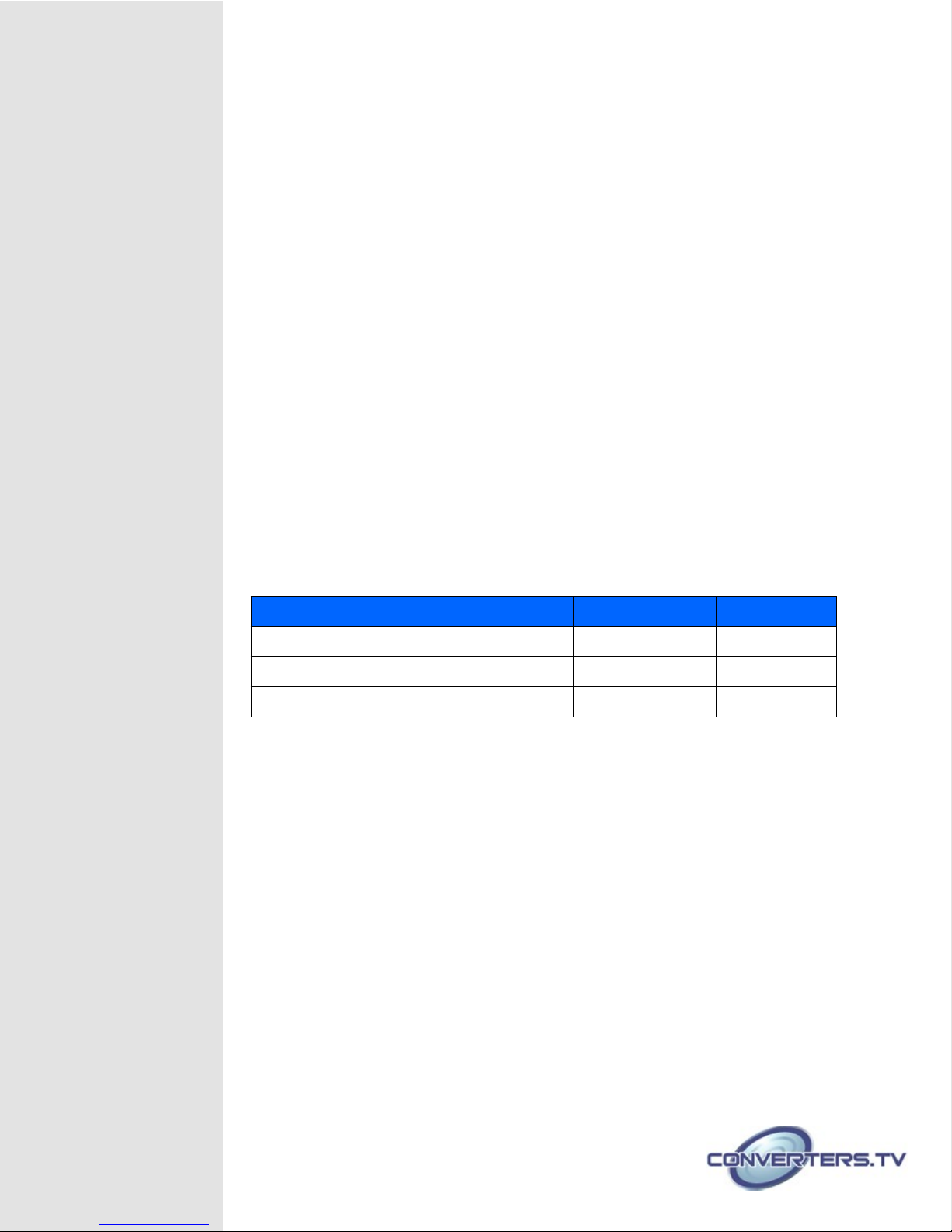
Supported Resolutions
Resolutions EMBEDDED OUTPUT
1280×720p@50/60 √ √
1920×1080p@50/60 √ √
3840×2160@25/30/50/60 √ √
Page 6
 Loading...