

Page 1
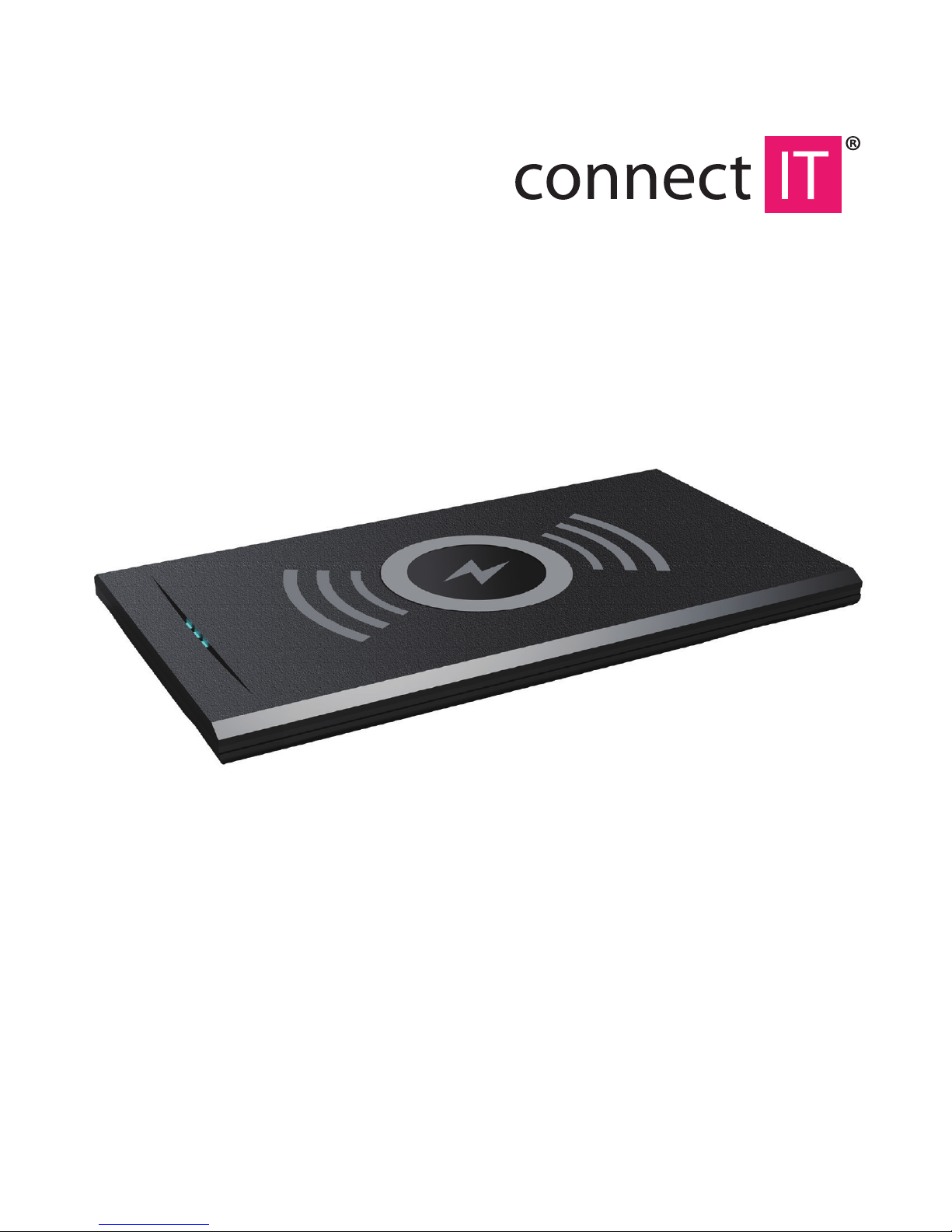
Wireless Charger K7
USER MANUAL
Page 2
Do not disassemble the device!
It may cause a risk of re or electric shock.
If you use a pacemaker or a similar medical device, consult the use of
this product with a doctor.
Always keep a pacemaker more than 22 cm from the wireless charger.
Electromagnetic waves of the charger could interfere the pacemaker.
Do not immerse the device in water or another liquid.
The charger must not get wet.
It may come to overheating or electric shock.
Please, make sure that the feeder cable is rmly connected to the charger.
If the cable is not connected rmly, it may cause a risk of re or electric shock.
1 Introduction
Thank you for buying our new product. Before the rst use of the device, please,
read carefully this manual for your safety. We would like to ask you to read all the
warnings before using it.
Warning:
In order to protect persons against injury and damage to property we further give
explanation what you should observe:
This warning warns of possible damage caused by improper use.
Warning! In case of a failure to observe the directions it may come to serious injuries.
Caution! This warning refers to possible injuries or damage to property.
What should you observe is determined in the bellow mentioned examples:
What you should not do What you should observe
Page 3

Do not handle with the charging adapter if your hands are wet.
It may cause a risk of re or electric shock.
Before using this device give training according to the manual to children and young
persons.
Thus you avoid possible accidents.
Remove regularly dust from the supply adapter.
If dust accumulates, it may cause a risk of re or accident.
Do not place any objects between the charged device and the charging plate.
It may cause a risk of re.
Use the charger at temperatures -10°C to 40°C.
In case of a failure to observe it may cause a risk of re.
Do not expose the charger to a direct sunshine long.
It may cause a risk of re.
Do not use or keep the charger in places exposed to high humidity or dustiness.
It may cause a risk of re or electric shock.
Do not use a supply adapter or cables with a dierent specication than the
recommended one.
It may cause a risk of re.
Do not use supply adapter if it is mechanically damaged.
It may cause a risk of re or electric shock.
When charging do not leave the charger or charged device covered with fabric.
It may cause a risk of re.
Do not use the travel adapters (for foreign wall outlets) for charging adapter (for
foreign countries´ wall outlets).
It may cause a risk of re or electric shock.
Page 4

Do not keep the charger in the places, where it can fall down easily.
It may cause a risk of re or electric shock.
If you do not use the charger, do not keep the supply adapter in the wall outlet.
It may cause a risk of re or electric shock.
Do not use a damaged cable or a cable with the connector, which is not hold rmly
in the charger.
It may cause a risk of re or electric shock.
Do not place any metal object or aluminium stickers on the charger.
It may cause a risk of re or accident.
Please, charge on stable horizontal surfaces.
It may cause a risk of accident.
2 Tipes for use
1 Please, study the manual and place the charged device in the charging area.
Try to place the charged device the nearest possible to the indicated area. After
placing the device to the charging area the charging will start automatically.
2 If after completing of charging process the device is not 100% charged, it is not
a defect of the charger or device.
3 In charging the charger should be placed at least 1m far from a television set or
radio receiver.
4 Mobile phone wallets can interfere charging. If possible take the wallet away.
Do not place credit (magnetic) cards, magnetic recording device or sensitive ones too close to the charger!
If you place near the charger a magnetic card, or magnetic recording media, it may cause
arisk of their damage or data erasure, or it may cause a risk of damage of sensitive instruments.
Page 5
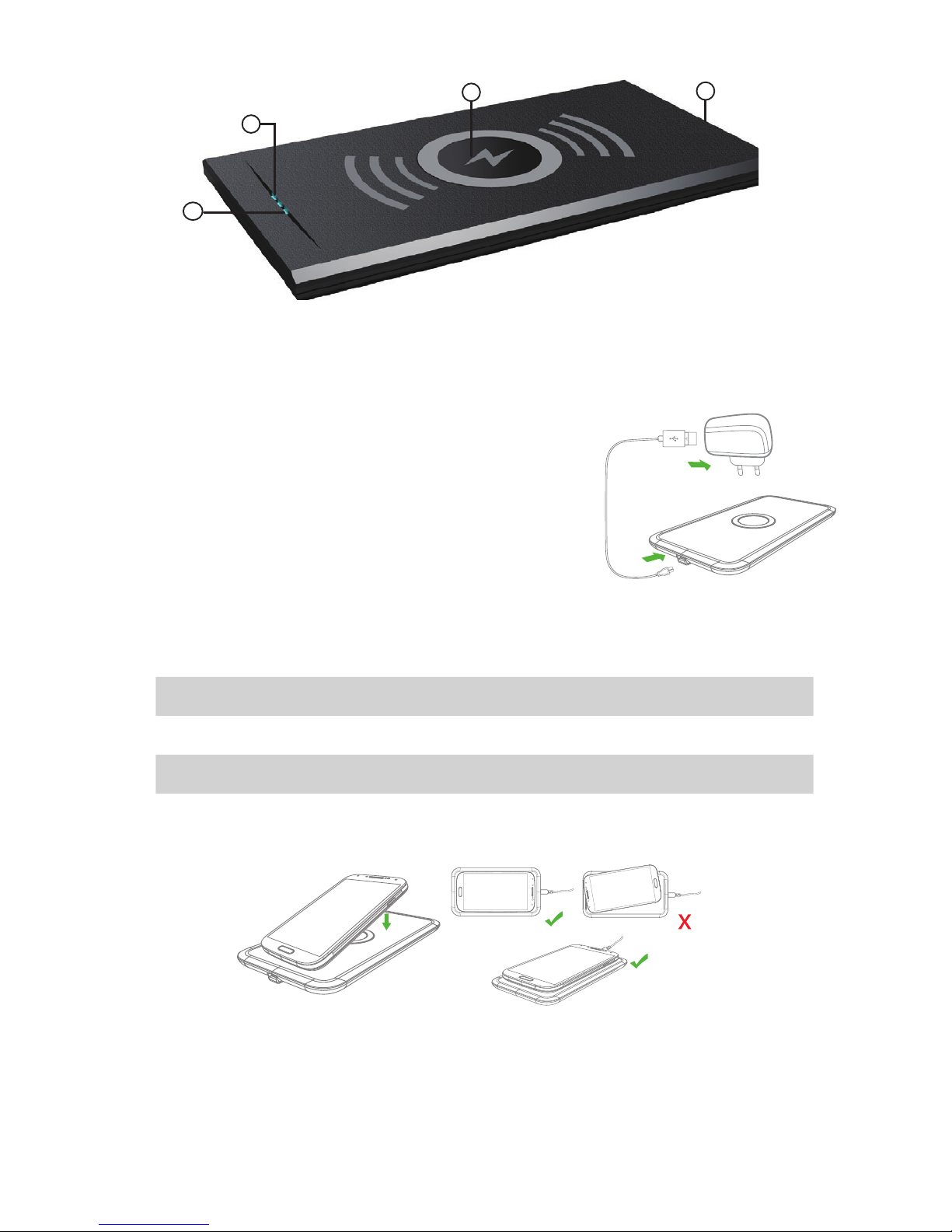
Charging
1 Put Qi compatible device on wireless charger.
2 LED indicators are going to inform you about charging:
Red Wireless charger is under power
Green, blinking Charging
Green, constantly Charging complete (supported by selected devices)
3 If charging did not start, move your device more accurately to charging area.
3 Package contents
1 Charging area
2 Power LED indicator
3 Charging LED indicator
4 microUSB input
1
2
3
4
USB cable
Wireless charger
Power supply adapter
User manual
How to connect power supply adapter
1 Connect USB cable to wireless charger.
2 Connect USB cable to power supply adapter.
Connect power supply adapter to wall plug.
 Loading...