

Page 1
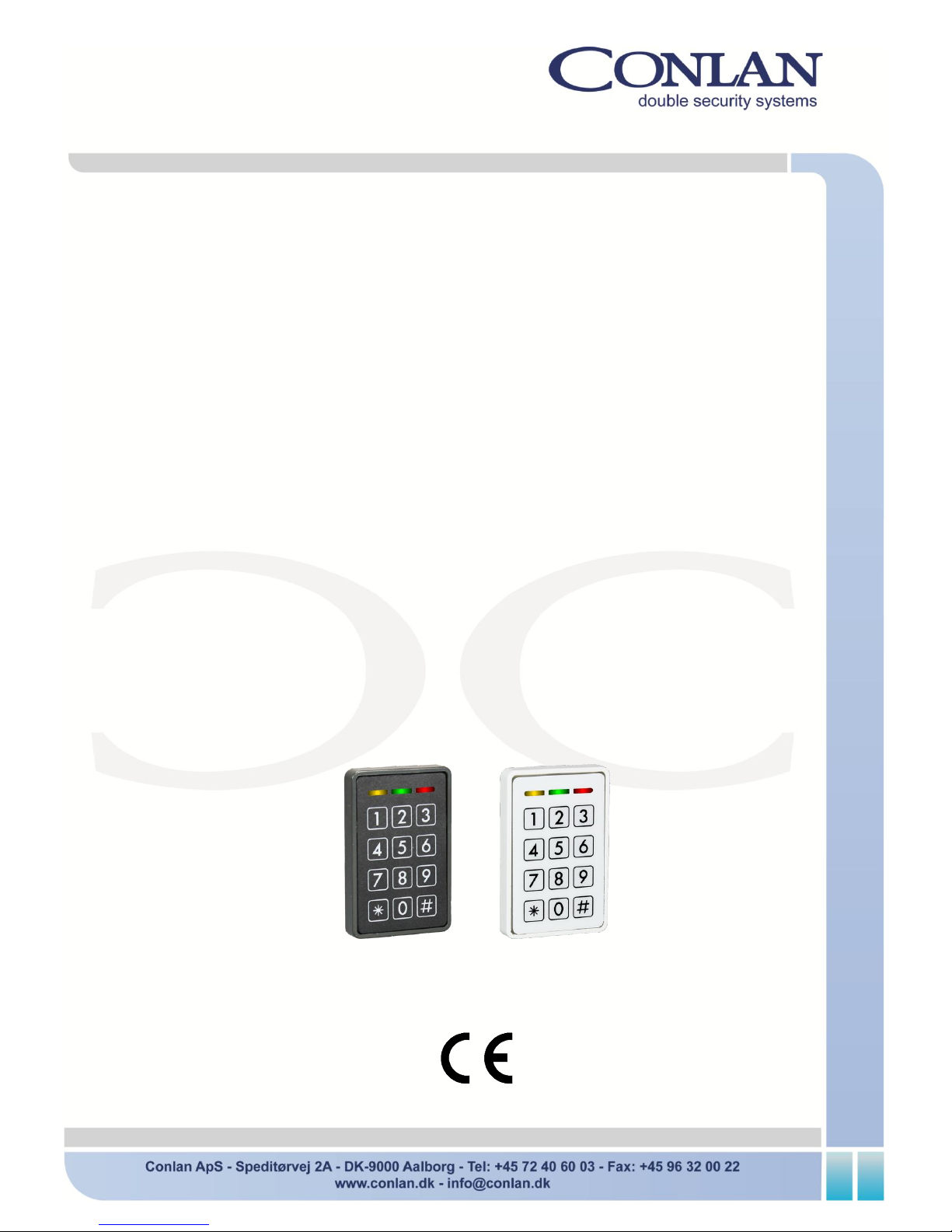
CB 1200
Bluetooth
Art. No.: 490030 (black)
Art. No.: 490031 (white)
User Manual
CB1200_v.1_User_manual_ENGdec13
Page 2
Page 2 CB 1200
Introduction
The Bluetooth reader is a combined for codes and Bluetooth.
The output is a Wiegand format as for other Conlan Wiegand readers. To be used in
connection to other Wiegand controllers or the stand alone Wiegand Controller from
Conlan (Art. No. 460116).
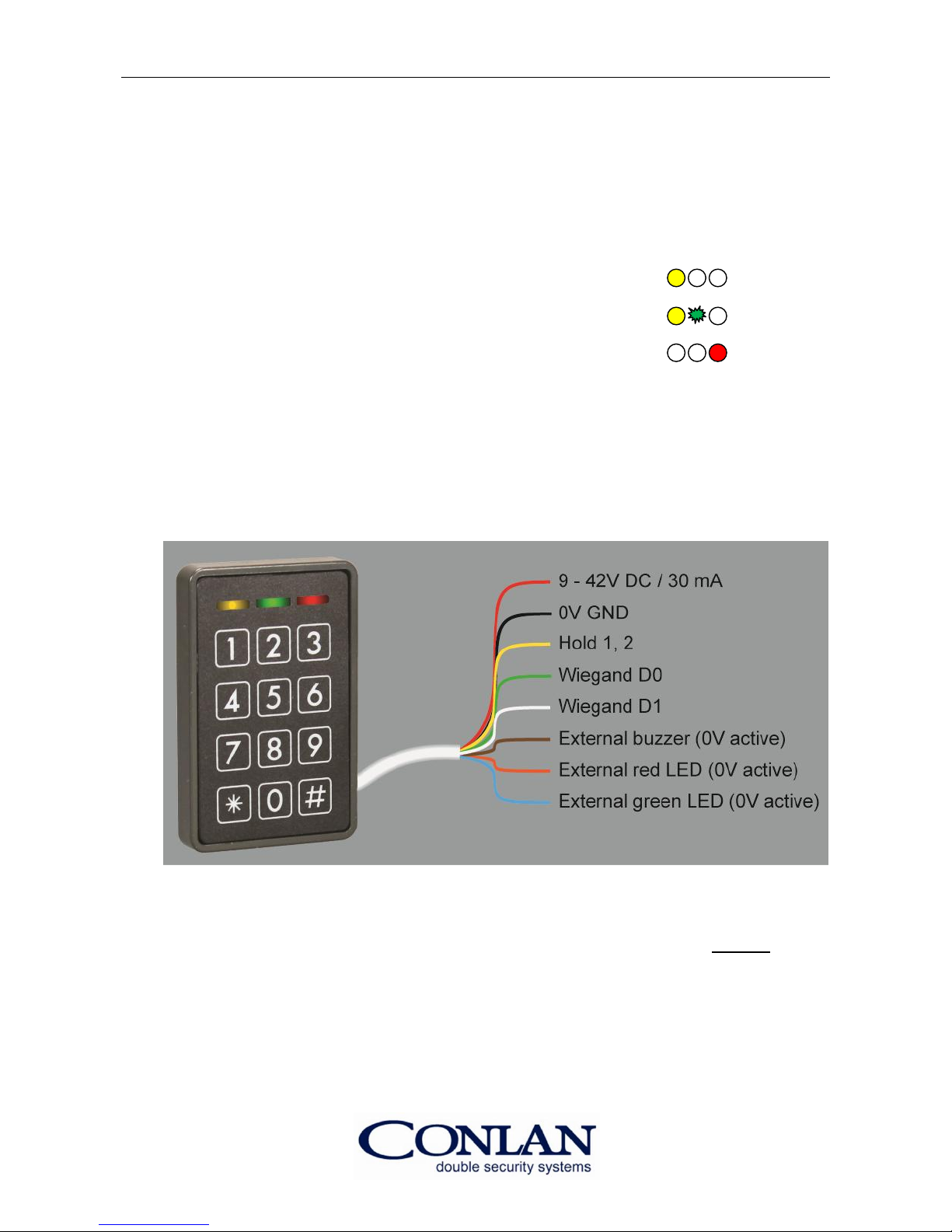
In standby the yellow LED is lit. Example:
Correct mobile phone flashes the green LED one time. Example:
Incorrect code lights the red LED. Example:
Installation
• Mount the reader.
• Connect the wires to the power supply, Wiegand Controller etc.
CB 1200 - wiring diagram
• Apply voltage min. 9V, max. 42V DC.
Note: Right after applying the voltage all LED's light and the buzzer sounds do not touch
the reader untill the yellow LED lights and the buzzer is silent.
Page 3
User Manual Page 3
Configurations
On the configuration sheet you will find how to set up all parameters.
General about programming (by examples)
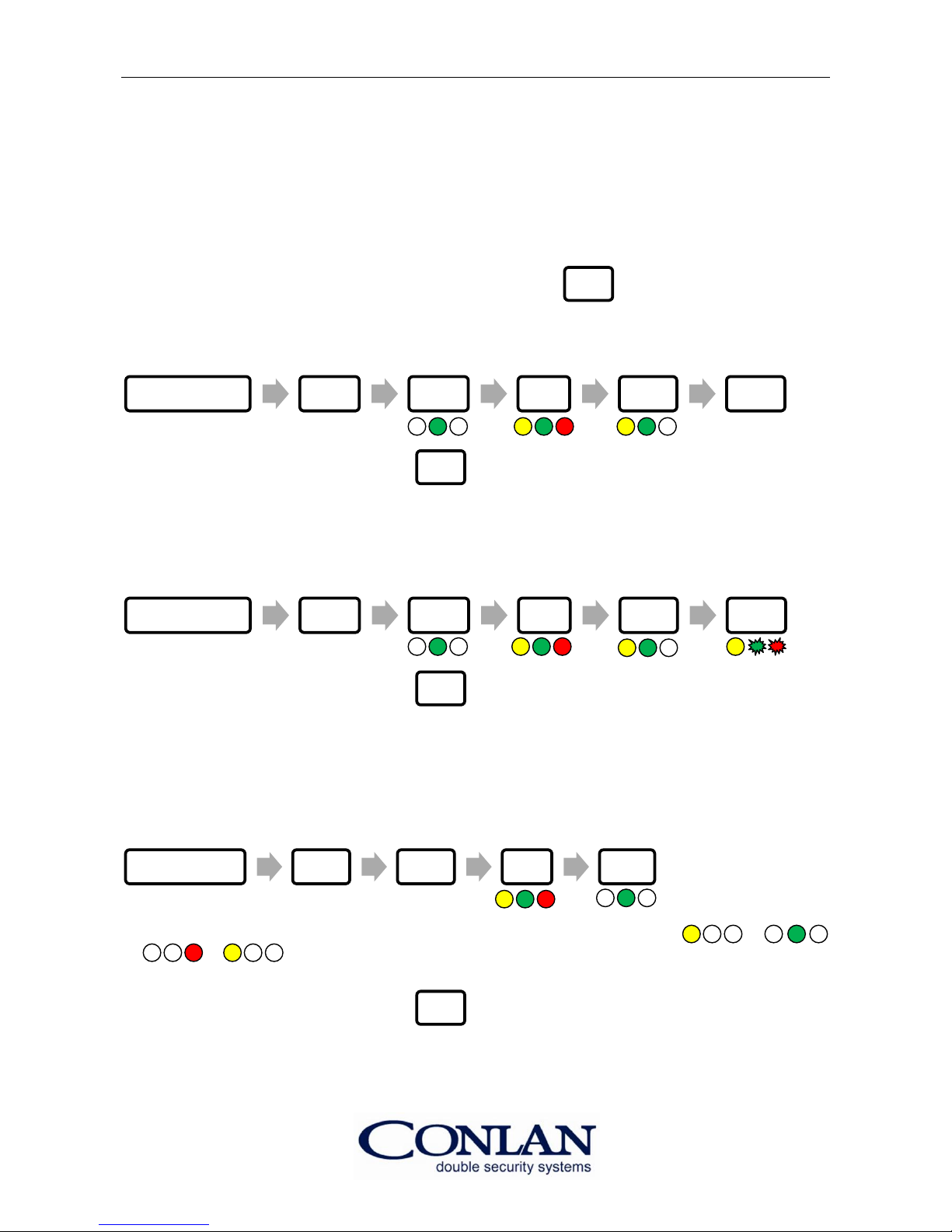
Note: After power on you have up to 10 seconds to type 2 times to get in the
programming phase.
Ex 1: Setup Bluetooth detection range
(within 10 seconds) (max. distance)
To exit the programming phase, type 3 times.
Ex 2: Setup Continuous Mode
This mode means that the reader sends out a Wiegand signal for every 5 seconds, as long
as you are in the detection range. Very useful for nearby detection, keeping the door open
as long you are in range.
(within 10 seconds)
(toggle)
To exit the programming phase, type 3 times.
Note: In the last step (the "1" buttom) the green LED is for ON and the red is for OFF).
Ex 3: The Walk Test
This mode is for automatically setting the detection distance. (You can set up the distance by help
of your mobile (Bluetooth on). Walking to the distance you want to be the detection range, stay
there for some seconds (all LED lights when OK) - then it is done).
(within 10 seconds)
Place your mobile near the reader and wait for the LEDs to light continuously: →
→ → etc. Now walk to the desired distance and wait till the reader confirms the
distance (confirmed when all LEDs lights).
To exit the programming phase, type 3 times.
Note: This mode is a very practical setting taking in to the account the condition in the
installation and the mobile you use.
Power on # # 6 3 7
Power on # # 6 7 1
Power on # # 6 6
#
#
#
#
Page 4
Page 4 CB 1200
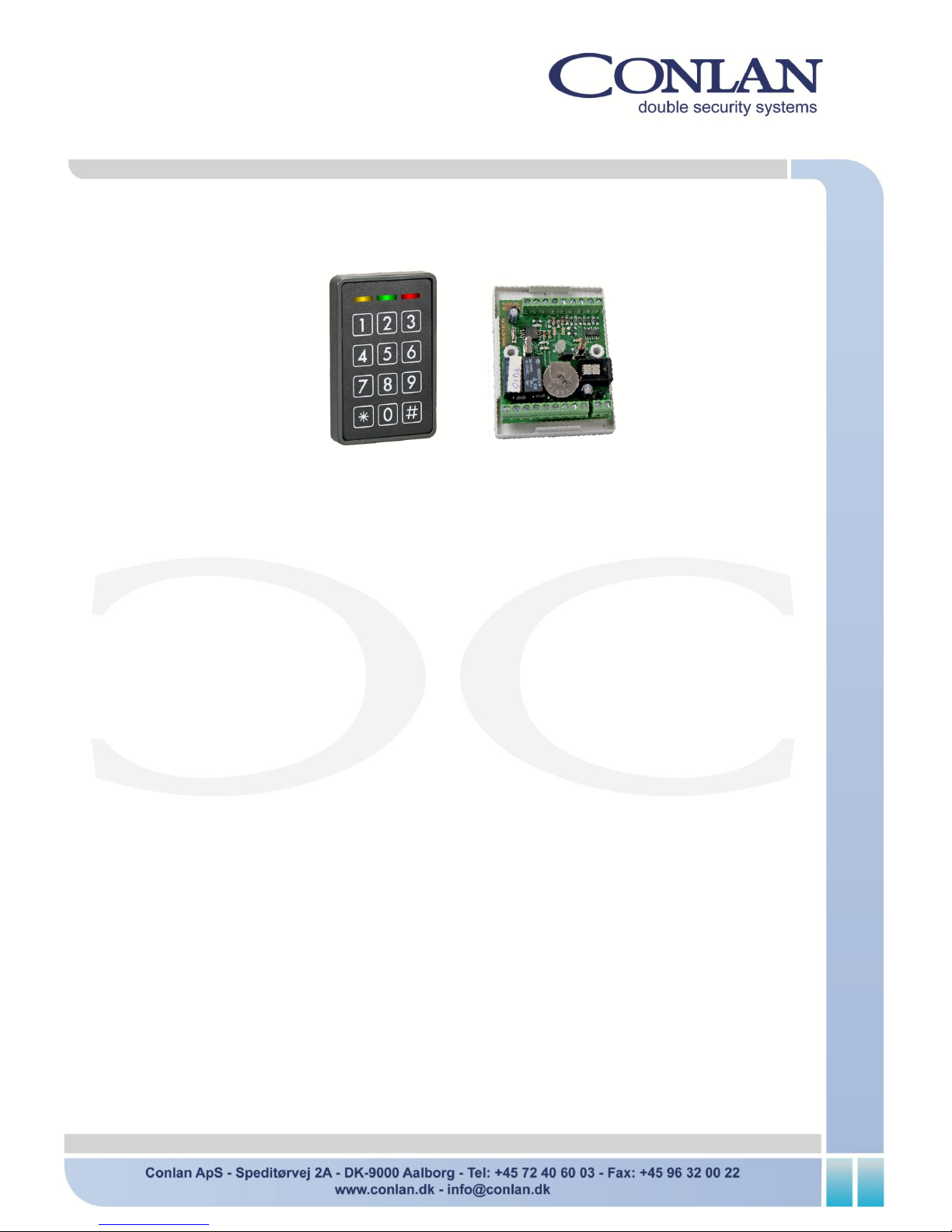
CB 1000 - stand alone Bluetooth reader (Art. No.: 480030)
Art. No.:490030 Art. No.: 460116
This multi-purpose reader Code and Bluetooth working as a stand alone system consist of:
A CB 1200 and a Wiegand Controller (see the instruction for the Wiegand Controller).
The Wiegand Controller has a master code. By help of that you can bring the controller in
enroll mode.
Then keep the mobile near to the reader and turn on the Bluetooth. A green flash will
confirm the succesful programming. Then the mobile as well as a programmed code wil
activate the relay in the controller.
The Wiegand Controller can also be programmed by a computer (software is included).
The controller has a log (3500 events) and relays for the door and alarm as well as a door
control and door opener (REX).
Please take a look at the Wiegand Controller manual, page 2 - 4.
Note: The mobile activate the reader normally to open the door. To activate again
the mobile has to be out of range for 10 - 12 seconds.
Enabling Bluetooth visibillity on Mobiles
In order to use the Bluetooth reader, your mobile's Bluetooth must be active. The easiest
way to do this is by downloading the app: BluetoothMyID (free).
Just open the app and your mobile's Bluetooth is visible.
Thank you for choosing CONLAN's products.
For support, please contact us at [email protected].
 Loading...