

Page 1

CONKER ST5
Quick Start Guide
Page 2
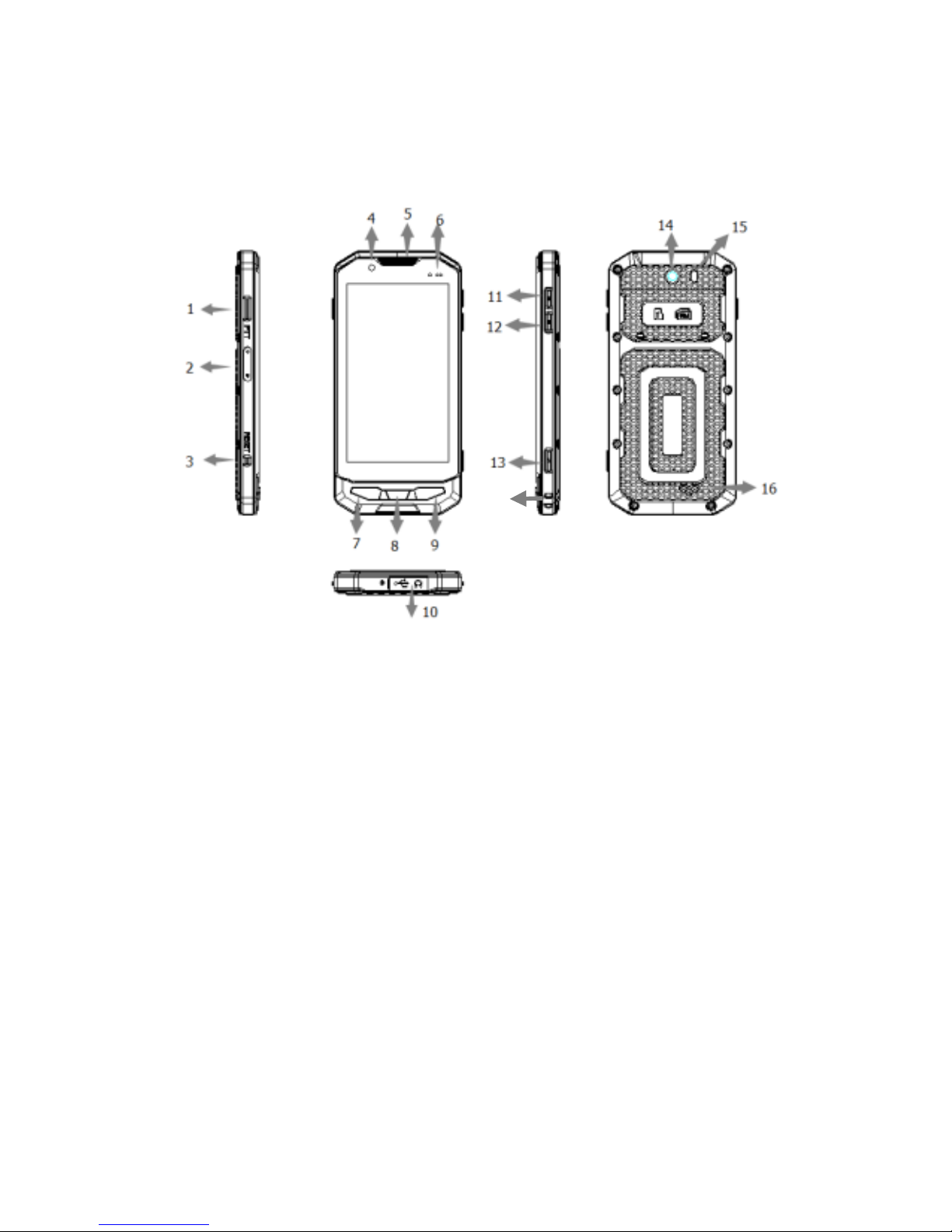
Powering on your phone:
To power on: Press and hold the power button for 3 seconds.
To power off: Press and hold the power button for 3 seconds,
select ‘Power off’ in the menu.
1. Camera button
2. Magnetic charging
port
3. Reset button
4. Front camera
5. Earpiece
6. Light sensor
7. Menu button
8. Home button
9. Back button
10. Micro USB port
11. Volume up
12. Volume down
13. Power button
14. Rear camera
15. Flash
16. Speaker
17. Lanyard port
Menu button: Show the available menu in current application.
Home button: Return to home screen. To view recent
applications, press and hold the home button.
Back button: Return to previous screen.
Reset Key: Immediately power off the phone.
17
Page 3
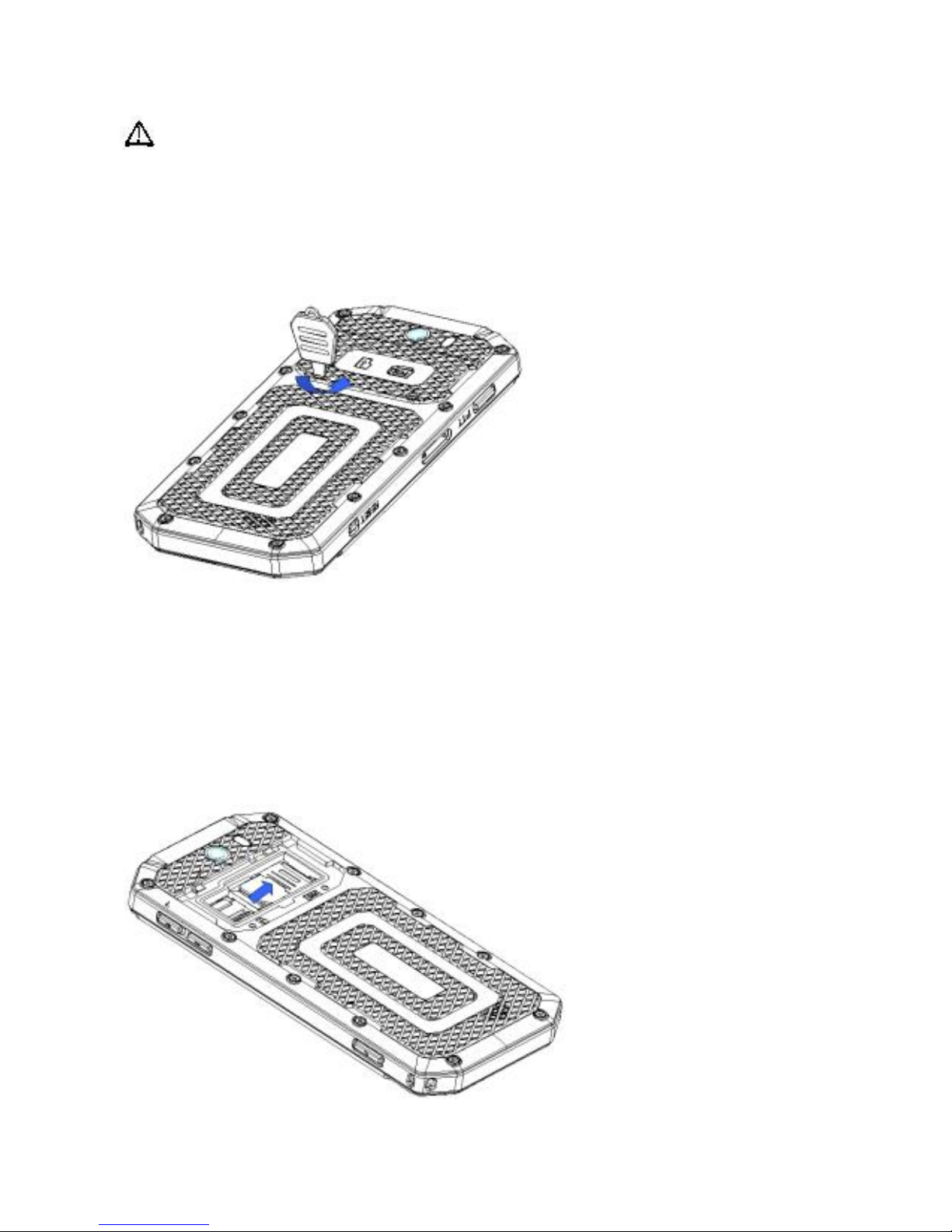
Inserting the SIM Card and micro SD memory card:
Attention: Please power off the phone before changing
SIM cards or the micro SD memory card.
1. Remove the battery cover: Rotate both screws on the back
anti-clockwise using the supplied tool.
2. Insert the SIM cards in the SIM holder:
Orientate your SIM cards as per the picture below and also on
the phone just below the SIM slot. Slide your SIM cards from
left to right. SIM 1 is underneath SIM 2. If you are using only
one SIM please use the lowest SIM slot.
The gold contacts on your SIM card should be face down.
Page 4
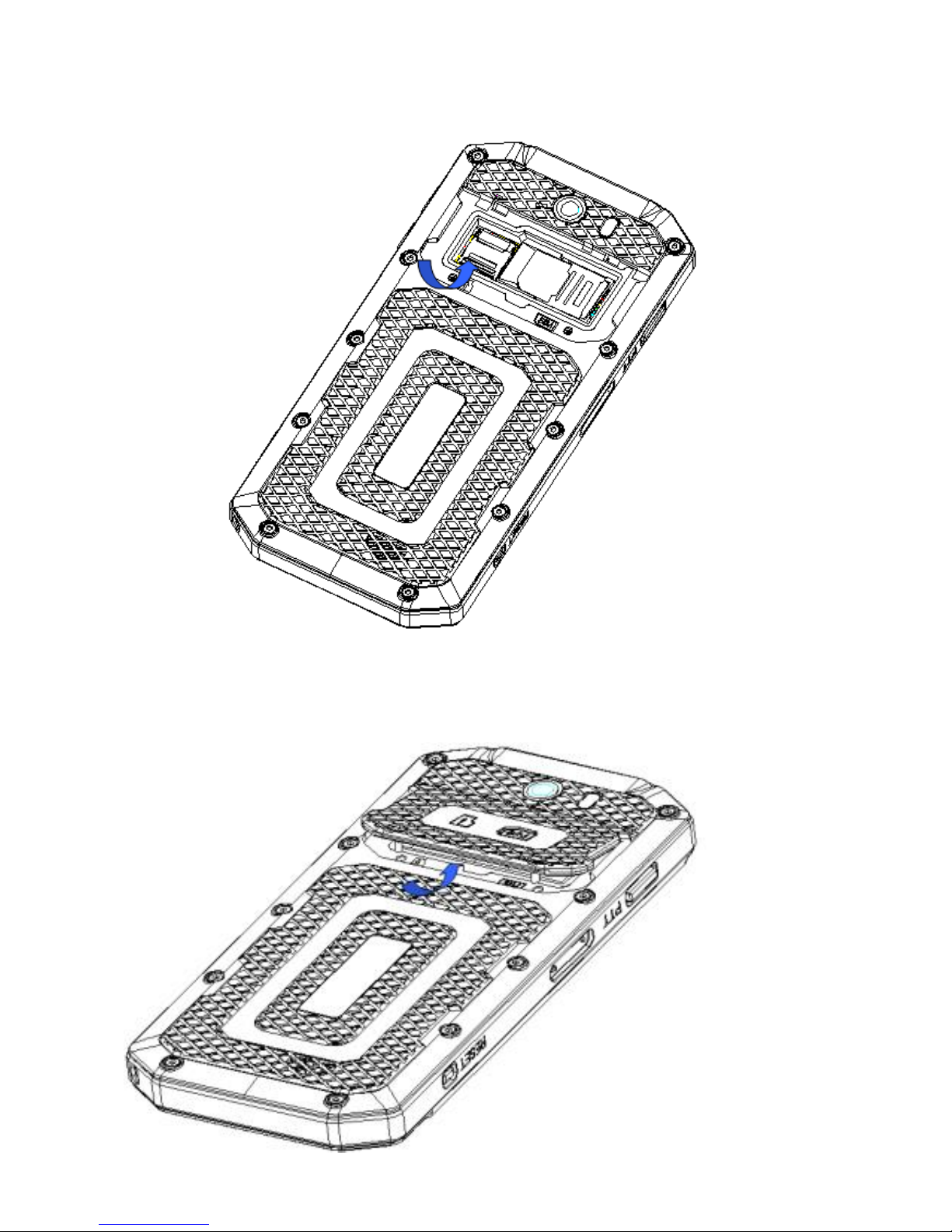
4. Insert your micro SD memory card: Slide the cover up to
release.
5. Replace the cover: Insert from the top and secure the two
screws by rotating clockwise with the supplied tool.
Page 5
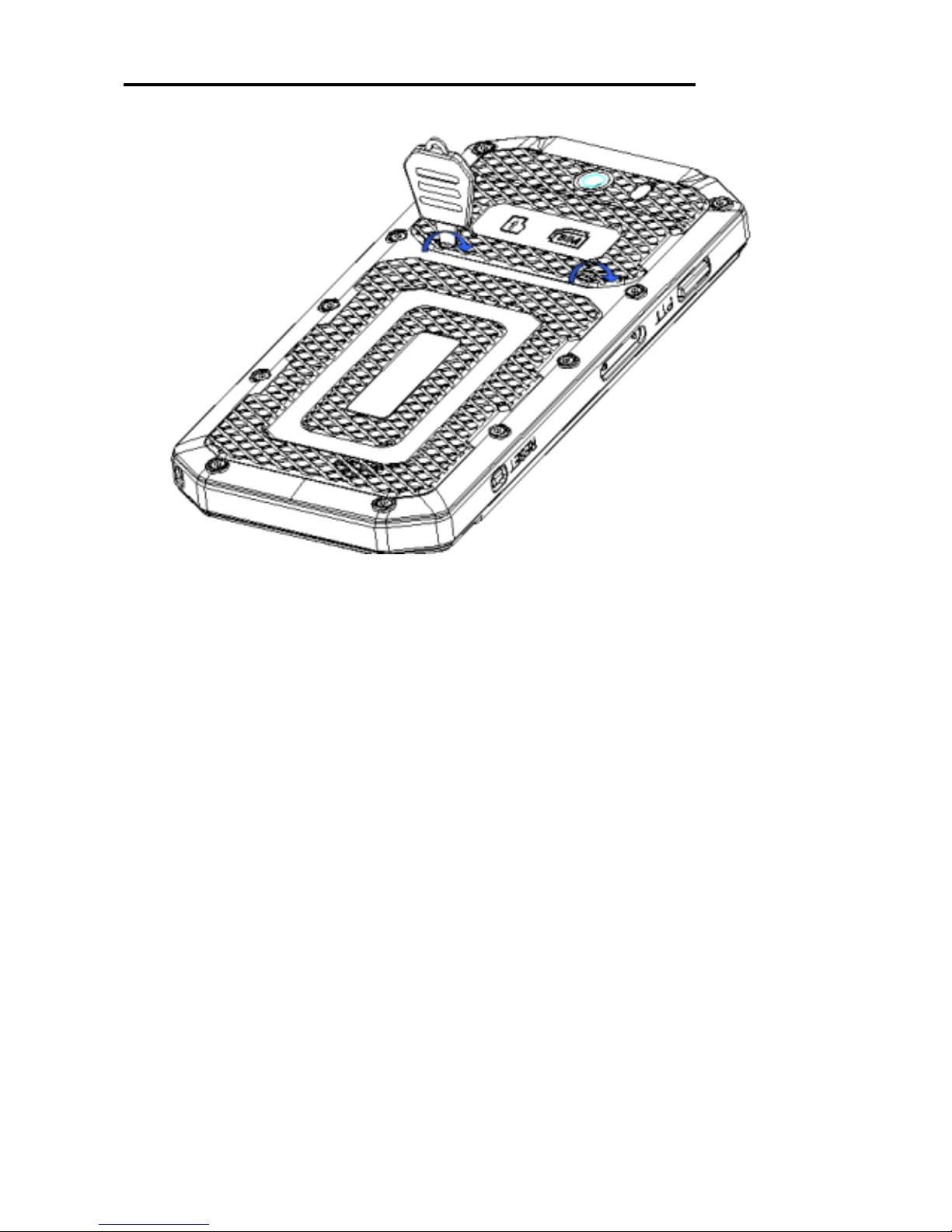
Please be careful not to over-tighten the screws.
Charging your phone:
Your phone can be charged in two ways, either using
the magnetic charging port or by connecting a micro
USB cable. The easiest method is with the magnetic
charging cable.
The magnetic charging cable connects to the magnetic
charging port on the left edge of your phone. The
orientation of the connector is important and is illustrated
in the following image.
Do not attempt to connect the magnetic charging
cable incorrectly as this will damage your phone and
the cable.
Page 6
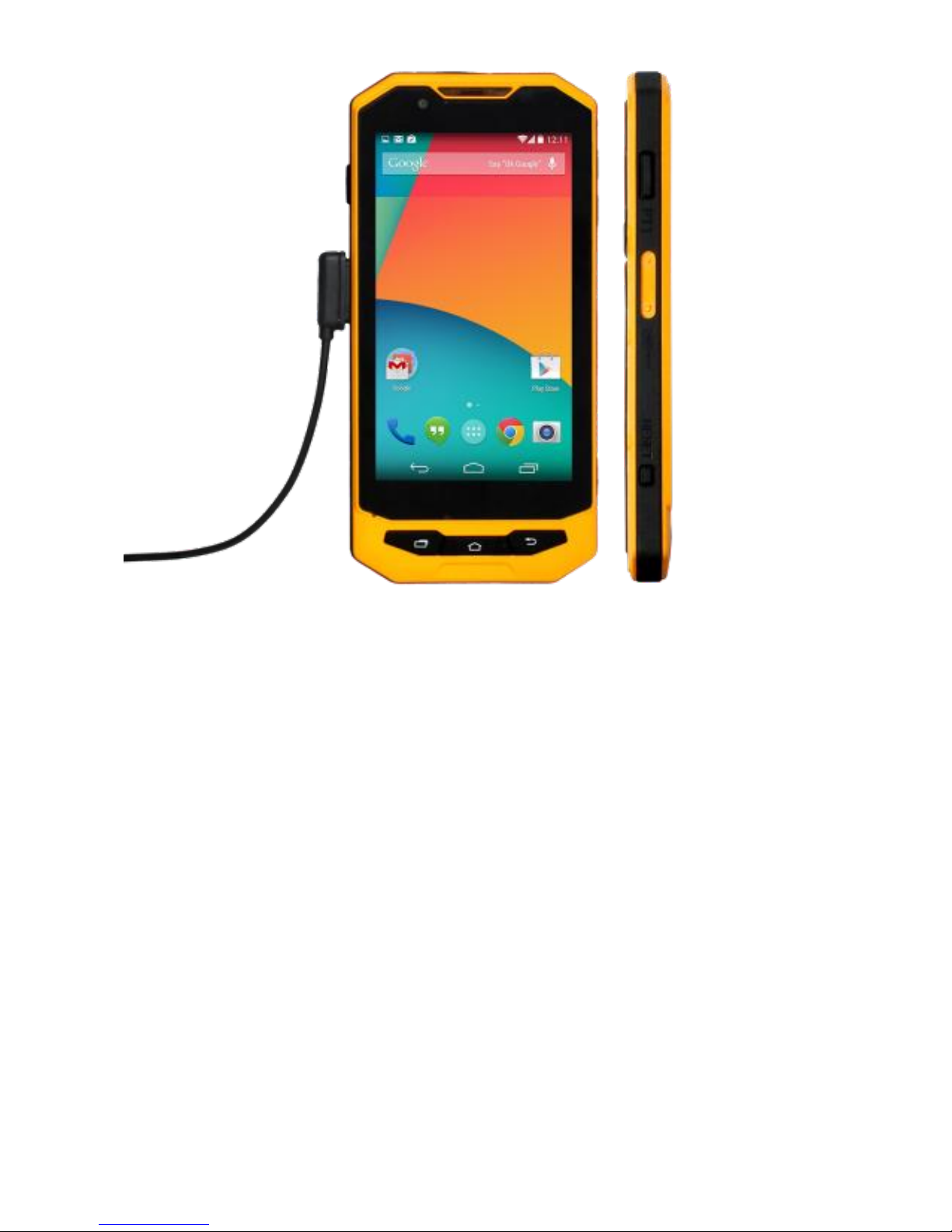
Alternatively you can charge your phone using the micro
USB port. See the next section.
Connecting to a PC:
To connect your device to a PC you must first loosen the
port cover at the top of the phone.
The port cover remains connected to your phone,
please take care not to pull it off completely.
Page 7
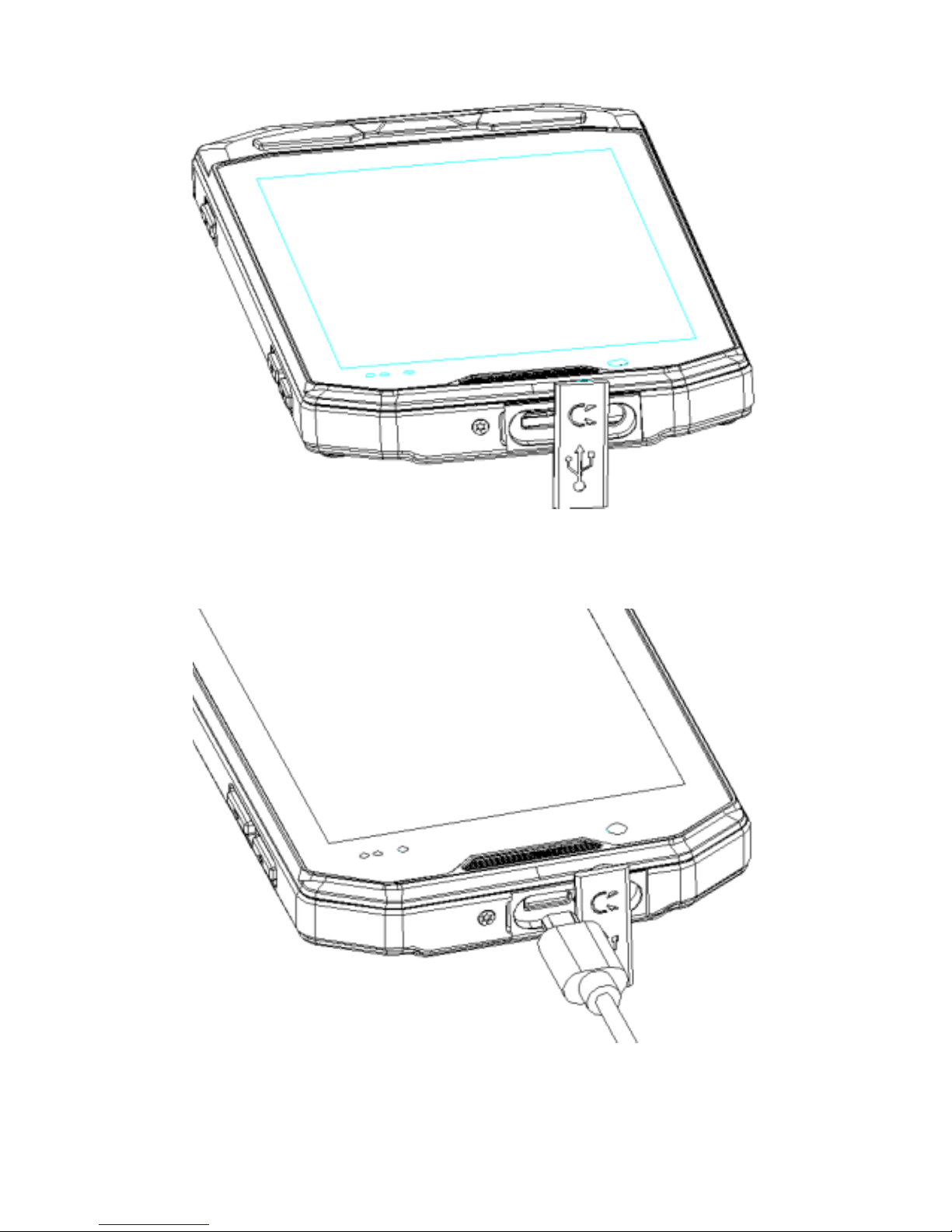
1: Loosen the port cover
2: Insert the micro USB cable.
3: Connect the other end of the USB cable to your computer.
Page 8

Further Information:
For further information and support contact your dealer or visit
www.conkertab.com
CONKER
 Loading...